1
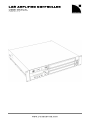
LA8 AMPLIFIED CONTROLLER
user manual
VERSION 7.0
SYMBOLS INDICATED ON THE PRODUCT
The product is potentially life threatening if open.
Never attempt to remove the back cover.
The lightning flashes symbols next to the SpeakON ® and
CA-COM® connectors indicate that the product can generate
high output voltages that are potentially life threatening.
Always use ready-made leads to connect the product to
speakers. Never touch any exposed speaker wires while the
product is operating without first disconnecting the wires from
the product.
SYMBOLS
The following symbols are used in this document:
DANGER
This symbol indicates a potential risk of harm to an individual or damage to the product.
It can also notify the user about instructions that must be strictly followed to ensure safe installation or operation
of the product.
ELECTRICAL HAZARD
This symbol indicates a potential risk of electrical injury.
It can also notify the user about instructions that must be strictly followed to ensure safe installation or operation
of the product.
OBLIGATION
This symbol notifies the user about instructions that must be strictly followed to ensure proper installation or
operation of the product.
EQUIPMENT
This symbol indicates the equipment, tools, and spare parts required to perform a procedure.
INFORMATION
This symbol notifies the user about complementary information or optional instructions.
LA8_UM_EN_7.0
w w w .l-a cous ti cs .c om
4