1
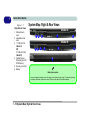
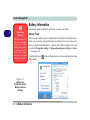
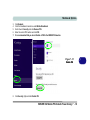
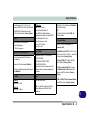
1 Quick Start Guide Figure 1 - 7 Right & Rear Views 1. Microphone-In Jack 2. Headphone-Out Jack 3. 1 *USB 2.0 Port (Model C) OR 2 *USB 2.0 Ports (Model D) 4. Optical Device Drive Bay (for CD/ DVD Device) 5. Security Lock Slot 6. Battery System Map: Right & Rear Views Model A 1 2 4 3 5 Model B 1 2 3 4 3 5 6 Battery Information W255EU Always completely discharge, then fully charge, a new battery before using it. Completely discharge and charge the battery at least once every 30 days or after about 20 partial discharges. 1 - 16 System Map: Right & Rear Views