1
2) Use the hspice command to simulate your circuit (hspice circuit.sp. If you want
to save your output operating point in the file named
circuit.out, then use the following command:
hspice circuit.sp > circuit.out).
3) Read circuit.out to see if there are any errors or warnings. You must fix the errors while warnings
may be ignored depending on severity. This can be done with the more command (more
circuit.out).
1.2.2 To view/read simulation results of a circuit simulation:
1) An “.op” analysis will require you to read the output file (circuit.out) to determine the results of
this analysis.
2) To view your simulation results, use the .opt post option (sometime use the .probe command as
well) to save the data that can be viewed using WaveView Analyzer. WaveView Analyzer can
be opened using the wv command (wv &). More on this later.
1.3 The Netlist:
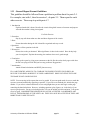
This is a model of a typical SPICE input file.
_____________________________________________________________________________________
Title (This must be the first line)
* Description of the circuit’s function
Options
Circuit Elements (three kinds)
-Sources
-Passive Circuit Elements
-Active Circuit Elements
Model Statements
Analysis Requested
Output form Requested
.END (Before saving the file, make sure to press return once, and only once, after you type this
statement)
_____________________________________________________________________________________
The “ * ” denotes a comment, description, or statement added by the writer of the spice code. Any
designated line with “ * ” at the beginning will be skipped by the complier and will not have an effect on
the actual code. Any descriptions or comments can be omitted and the program will execute the exactly
the same way. Any comments, descriptions, or statements are for nothing more than the convenience of
the reader.
The “Circuit Elements” category describes all the physical components that are contained in the circuit
schematic. “Analysis Requested” and “Output form Requested” are tools that are implemented in order to
view a desired response from the circuit. The “.end” statement tells the compiler that the input file is
finished. Don’t worry too much about capitalizing letters, SPICE is case insensitive.
University of Southern California. EE348L
page5
Lab 1