1
Market Central, Inc.
8. Web Interface
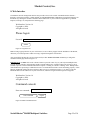
The Ethernet network management interface also provides access to the console commands listed in Section 7
through a web browser interface. When enabled (see SET WEBENABLE command) accessing the default page on
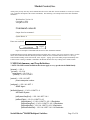
the R6100 (by entering the module’s IP address in the address bar of your web browser application e.g. Internet
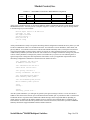
Explorer, Netscape, etc) will present the following page:
Web Interface Version 1.0
Copyright (c) 2014.
All rights reserved.
Please logon:
Password:
Submit
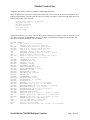
Figure 8.1 Logon Screen
Note: If using a pop-up blocker on your web browser, be sure to allow pop-ups from the IP address of the R6100,
otherwise you could experience trouble receiving a response through the web interface.
After successfully entering the correct web password (see SET WEBPASSWORD command) you will get the
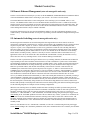
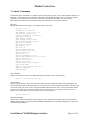
command console page shown in Figure 8.2.
IMPORTANT: Do NOT click on the “submit” button or press the “enter” key on your keyboard multiple times.
The web browser interface on the R6100 typically responds within a few seconds but may take as long as 5 to 10
seconds to process certain commands and return a response. Clicking on “submit” or hitting “enter” multiple times
while the R6100 is processing a command can cause it to decide that the interface is not functioning properly. If this
happens, the R6100 will become non-responsive until it receives a valid login request i.e. you must re-enter the
R6100 IP address in the address bar of your web browser, and then re-logon when the logon screen appears.
Web Interface Version 1.0
Copyright (c) 2014.
All rights reserved.
Command console:
Enter new command:
Send Command
Logoff
Figure 8.2 Initial Command Screen
SwitchMaster® R6100 Multiport Switches
Page 22 of 30