1
vision sensors
Roboreptile has Infrared Vision Sensors that enable him to detect
movement and avoid obstacles in his path. The sensors react best
to movement in the area just in front of his nose.
Roboreptile’s Vision Sensors will react when moving or stationary, but
he is unable to see anything when hooded.
Moving – Obstacle Avoidance
While moving, his reactions are called Obstacle Avoidance and
will be the same whether he is in Hungry or Satisifed Mood.
Roboreptile uses his vision sensors to avoid obstacles while
wandering around.
While walking he is not able to detect movement so he will
react to any object (including the user) that enters his field of
vision as if it is an obstacle, whether it is moving or stationary.
Press the stop button or wait for him to stop moving before
trying to interact with his Vision Sensors.
Stationary
He will react differently when stationary, to an object entering
his field of vision. When he first sees an object he will jump up
onto his back legs. He will track the movement of an object
left and right.
Touch sensors
Tracking for too long
If Roboreptile tracks an object for too long he will become bored.
Object lost
If the object Roboreptile is tracking is lost, he can sometimes find
it again. If the object has been lost for too long he will walk away.
Dizzy
Moving the object that Roboreptile is tracking from side to side,
and making him turn again and again can make him a little dizzy.
Pounce
If the object Roboreptile is tracking becomes stationary for about
3 seconds, he will move towards it depending on his mood.
When in Hungry Mood he will jump and lunge for the object.
In Satisfied Mood, Roboreptile is lethargic and will still lunge
but with a little less vigor.
Roboreptile is equipped with a Touch Sensor, which allows him
to respond to human interaction.
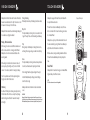
Top view of Roboreptile
The Touch Sensor is located on Roboreptile’s back, at the base
of his neck. He doesn’t like his touch sensor being pressed unless
he is in Hooded Mood.
Roboreptile can easily be put into Free Roam without the use of
the remote controller by pressing the Touch Sensor. Roboreptile
will perform a short animation and enter Free Roam.
Press to
activate
Obstacle avoidance, turning, and walking backwards will disable
the Touch Sensor to allow Roboreptile to safely complete his
move.
Hooded Mood
Roboreptile likes his touch sensor being pressed in Hooded Mood.
Single or double pat for different reactions.
NOTE
The Touch Sensor becomes inactive when in Program Mode.
Roboreptile will return to Free Roam after all visual interaction
ceases.
IMPORTANT
Roboreptile’s Infrared Vision System is based on reflection. This means that he can see
highly reflective surfaces like white walls or mirrors more easily and at greater distances.
When hooded Roboreptile does not have Infrared capabilities; his vision system is off.