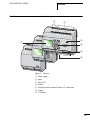
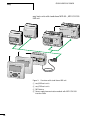
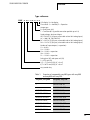
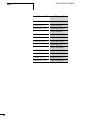
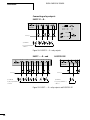
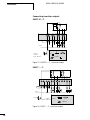
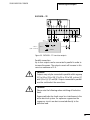
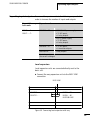
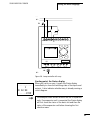
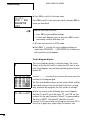
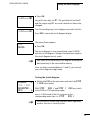
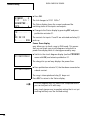
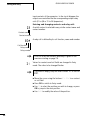
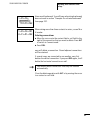
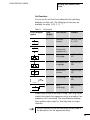
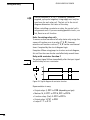
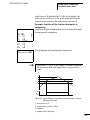
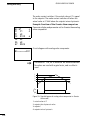
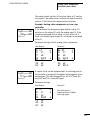
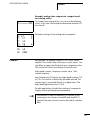
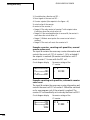
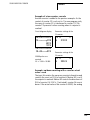
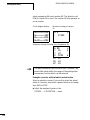
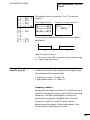
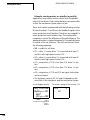
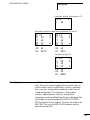
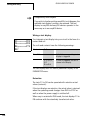
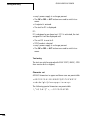
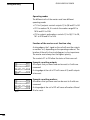
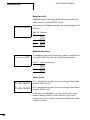
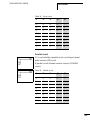
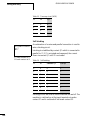
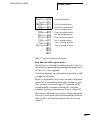
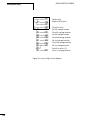
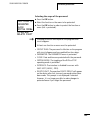
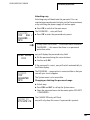
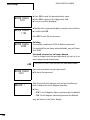
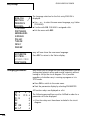
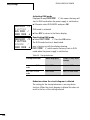
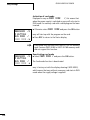
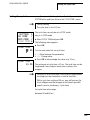
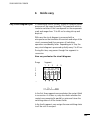
1
Rückenbreite 10 – 20 mm (1 Blatt = 0,106 mm für XBS) Building Automation E-Mail: [email protected] Internet: www.moeller.net © 2004 by Moeller GmbH Subject to alteration AWB2528-1508GB IM-D/IM-D/Eb 05/04 Printed in the Federal Republic of Germany (06/04) Article No.: 278500 Systems User Manual easy500, easy700 Moeller GmbH Industrial Automation Hein-Moeller-Straße 7–11 D-53115 Bonn Industrial Automation easy500, easy700 Control Relay 05/04 AWB2528-1508GB 4 *patpks#m,b- -* A A Think future. Switch to green. A Think future. Switch to green. Rückenbreite festlegen! (1 Blatt = 0,106 mm) All brand and product names are trademarks or registered trademarks of the owner concerned. 1st published 2004, edition date 05/04 © Moeller GmbH, 53105 Bonn Author: Editor: Translator: Dieter Bauerfeind Michael Kämper Terence Osborn All rights reserved, including those of the translation. No part of this manual may be reproduced in any form (printed, photocopy, microfilm or any other process) or processed, duplicated or distributed by means of electronic systems without written permission of Moeller GmbH, Bonn. Subject to alteration without notice. Warning! Dangerous electrical voltage! Before commencing the installation • Disconnect the power supply of the device. • Suitable safety hardware and software measures should be implemented for the • Ensure that devices cannot be accidentally I/O interface so that a line or wire breakage restarted. on the signal side does not result in • Verify isolation from the supply. undefined states in the automation devices. • Earth and short circuit. • Cover or enclose neighbouring units that are live. • Follow the engineering instructions (AWA) of the device concerned. • Only suitably qualified personnel in accordance with EN 50110-1/-2 (VDE 0105 Part 100) may work on this device/system. • Before installation and before touching the device ensure that you are free of electrostatic charge. • The functional earth (FE) must be connected to the protective earth (PE) or to the potential equalisation. The system installer is responsible for implementing this connection. • Connecting cables and signal lines should be installed so that inductive or capacitive interference does not impair the automation functions. • Deviations of the mains voltage from the rated value must not exceed the tolerance limits given in the specifications, otherwise this may cause malfunction and dangerous operation. • Emergency stop devices complying with IEC/EN 60204-1 must be effective in all operating modes of the automation devices. Unlatching the emergency-stop devices must not cause restart. • Devices that are designed for mounting in housings or control cabinets must only be operated and controlled after they have been installed with the housing closed. Desktop or portable units must only be operated and controlled in enclosed housings. Moeller GmbH Safety instructions • Install automation devices and related operating elements in such a way that they are well protected against unintentional operation. • Ensure a reliable electrical isolation of the low voltage for the 24 volt supply. Only use power supply units complying with IEC 60364-4-41 (VDE 0100 Part 410) or HD 384.4.41 S2. I • Measures should be taken to ensure the proper restart of programs interrupted after a voltage dip or failure. This should not cause dangerous operating states even for a short time. If necessary, emergencystop devices should be implemented. II • Wherever faults in the automation system may cause damage to persons or property, external measures must be implemented to ensure a safe operating state in the event of a fault or malfunction (for example, by means of separate limit switches, mechanical interlocks etc.). 05/04 AWB2528-1508GB Content 1 About This Manual Device designation Writing conventions 9 9 10 easy Target readership Proper use – Improper use Overview Versions – Type reference easy operation – Buttons – Moving through menus and choosing values – Selecting main and system menu – easy Status display – Status display for local expansion – Advanced Status display – easy LED display – Menu structure – Selecting or toggling between menu items – Cursor display – Setting values 11 11 11 11 12 15 17 19 19 19 20 21 21 22 22 23 28 28 29 1 05/04 AWB2528-1508GB Content 2 3 2 Installation Mounting Connecting the expansion device Terminals – Tools – Cable cross-sections Connecting the power supply – Cable protection – Supplying AC units – Supplying DC units Connecting the inputs – Connecting easy AC digital inputs – Connecting easy DC digital inputs – Connecting easy DC analog inputs – Connecting high-speed counters and frequency generators Connecting the outputs – Connecting relay outputs – Connecting transistor outputs Expanding inputs/outputs – Local expansion – Remote expansion Connecting bus systems 31 31 34 35 35 35 35 35 36 37 39 39 44 46 Commissioning Switching on Setting the menu language easy operating modes Creating your first circuit diagram – Circuit diagram display – From the first contact to the output coil – Wiring – Testing the circuit diagram – Deleting the circuit diagram – Fast circuit diagram entry 63 63 64 65 66 68 69 70 71 73 73 51 53 54 56 59 59 60 62 05/04 AWB2528-1508GB Content 4 Wiring with easy Operation of easy – Buttons for editing circuit diagrams and function relays – Operation – Relay, function relays – Saving and loading circuit diagrams Working with contacts and relays – Input and output contacts – Creating and modifying connections – Inserting and deleting a rung – Switching with the cursor buttons – Checking the circuit diagram – Coil functions Function relays – Example with function relay timer and counter relay Analog value comparator/threshold value switch – Circuit diagram display with analog value comparator – Compatibility between easy400 and easy500, easy600 and easy700 – Parameter display in RUN mode – Resolution of the analog inputs – Function of the analog value comparator Counters – Function of the counter function relay High-speed counters, easy-DA, easy-DC – Frequency counters – High-speed counter Text display – Wiring a text display – Retention – Scaling – Function – Text entry – Character set – Entering a setpoint in a display 75 75 75 76 79 82 83 83 86 88 89 90 91 97 98 104 105 107 108 108 109 117 121 125 125 131 137 138 138 139 139 140 140 141 3 Content 05/04 AWB2528-1508GB 7-day time switch – Parameter display and parameter set for 7-day time switch: – Changing time switch channel – Function of the 7-day time switch Operating hours counter – Value range of the operating hours counter – Accuracy of the operating hours counter – Function of the operating hours counter function block Timing relays – Parameter display and parameter set for a timing relay: – Retention – Timing relay modes – Time range – Function of the timing relay function block – Timing relay examples Jumps – Function – Power flow display Year time switch – Wiring of a year time switch – Parameter display and parameter set for the year time switch: – Changing time switch channel – Entry rules – Function of the year time switch Master reset – Operating modes – Function of the master reset function relay 4 143 144 145 146 149 150 150 150 154 155 156 157 157 160 168 171 171 172 174 174 175 176 176 178 181 182 182 05/04 AWB2528-1508GB Content 5 Basic circuits – Negation (contact) – Negation (coil) – Maintained contact – Series circuit – Parallel circuit – Parallel circuit operating like a series connection of make contacts – Parallel circuit operating like a series connection of break contacts – Two-way circuit – Self-latching – Impulse relay – Cycle pulse on rising edge – Cycle pulse on falling edge Example circuits – Star-delta starting – 4x shift register – Running light – Stairwell lighting 183 183 184 184 184 185 187 187 188 189 190 190 191 191 193 197 199 easy Settings Password protection – Password setup – Selecting the scope of the password – Activating the password – Unlocking easy Changing the menu language Changing parameters – Adjustable parameters for function relays Setting date, time and daylight saving time – Setting the time – Setting summer time start and end – Setting summer time start and end – Summer time start and end, setting the rule Activating debounce (input delay) – Activating debounce (input delay) – Deactivating debounce (input delay) 203 203 204 205 206 207 209 210 211 213 213 214 215 215 222 223 223 186 5 Content 05/04 AWB2528-1508GB Activating and deactivating the P buttons – Activating the P buttons – Function of the P buttons – Deactivating the P buttons Startup behaviour – Setting the startup behaviour – Behaviour when the circuit diagram is deleted – Behaviour during upload/download to card or PC – Possible faults – Card mode behaviour Setting the cycle time Retention (non-volatile data storage) – Permissible markers and function relays – Setting retentive behaviour – Deleting retentive actual values – Transferring retentive behaviour – Changing the operating mode or the circuit diagram – Changing the startup behaviour in the SYSTEM menu Displaying device information 6 224 224 224 225 225 225 226 227 227 227 229 230 230 230 232 232 233 233 234 05/04 AWB2528-1508GB Content 6 7 Inside easy easy circuit diagram cycle – easy operation and effects on circuit diagram creation Delay times for inputs and outputs – Delay times with easy-DA and easy-DC basic units – Delay time with easy-easy-AB, easy-AC basic units – Delay times for the analog inputs of easy-AB, easy-DA and easy-DC Monitoring of short-circuit/overload with EASY..-D.-T.. Expanding easy700 – How is an expansion unit recognised? – Transfer behaviour – Function monitoring of expansion units Saving and loading circuit diagrams – EASY…-..-..X – Interface Memory card – Compatibility with EASY-M-8K, EASY-M-16K memory cards – Loading or saving circuit diagrams EASY-SOFT-BASIC Overview with stand-alone display/operating unit Device version What Happens If ...? Messages from the easy system Possible situations when creating circuit diagrams Event 235 235 236 238 238 240 241 242 243 244 244 245 246 246 246 248 248 249 252 253 254 255 255 256 258 7 05/04 AWB2528-1508GB Content 8 Appendix Dimensions Technical Data – General – Special approvals – Power supply – Inputs – Relay outputs – Transistor outputs List of the function relays – Usable contacts – Available function relays – Names of relays – Names of function relay – Name of function block inputs (constants, operands) Compatibility of function relay parameters – Parameter display of analog value comparator – Parameter display of counters – Parameter display of 7-day time switch – Parameter display of timing relay 259 259 262 262 264 265 266 272 274 277 277 278 279 279 280 281 281 281 282 282 Glossary 283 Index 287 05/04 AWB2528-1508GB About This Manual This manual describes the installation, commissioning and programming (circuit diagram generation) of the easy500 and easy700 control relay. Specialist electrical training is needed for commissioning and creating circuit diagrams. When active components such as motors or pressure cylinders are controlled, parts of the system can be damaged and persons put at risk if the device is connected or programmed incorrectly. Device designation This manual uses the following abbreviated designations for different easy models: easy412 for all EASY412-..-... devices EASY512-..-..., EASY7..-..-... Type designation of the control relay, the dots represent placeholders for all characters used. easy500 for EASY512-AB..., EASY512-AC..., EASY512-DA... and EASY512-DC... easy600 for all EASY61.-AC-RC(X), EASY62.-DC-TC(X) easy700 for EASY719-AB..., EASY719-AC..., EASY719-DA..., EASY719DC... and EASY721-DC... easy-AB for EASY512-AB... EASY719-AB... easy-AC for EASY512-AC... EASY618-AC-RE and EASY719-AC... easy-DA for EASY512-DA... EASY719-DA... 9 05/04 AWB2528-1508GB About This Manual easy-DC for EASY512-DC... EASY6..-DC..., EASY719-DC... and EASY721-DC... easy-E for EASY2.., EASY618-AC-RE, EASY618-DC-RE and EASY620DC-TE Writing conventions Symbols used in this manual have the following meanings: X indicates actions to h i j h be taken. Attention! Warns of a hazardous situation that could result in damage to the product or components. Caution! Warns of the possibility of serious damage and slight injury. Warning! Warns of the possibility of a hazardous situation that could result in major damage and serious or fatal injury or even death. Indicates interesting tips and additional information For greater clarity, the name of the current chapter is shown in the header of the left-hand page and the name of the current section in the header of the right-hand page. Pages at the start of a chapter and empty pages at the end of a chapter are exceptions. 10 05/04 AWB2528-1508GB 1 Target readership easy easy must only be installed and connected up by trained electricians or other persons who are familiar with the installation of electrical equipment. Specialist electrical training is needed for commissioning and creating circuit diagrams. When active components such as motors or pressure cylinders are controlled, parts of the system can be damaged and persons put at risk if easy is connected or programmed incorrectly. Proper use easy is a programmable switching and control device and is used as a replacement for relay and contactor control circuits. easy may only be operated when it has been correctly and properly installed. • easy is designed to be installed in an enclosure, switch cabinet or service distribution board. Both the power feed and the signal terminals must be laid and covered so as to prevent accidental contact. • The installation must comply with regulations for electromagnetic compatibility (EMC). • The starting up of easy should not cause any hazards arising from controlled devices, such as unexpected motor startups or power ups. Improper use easy should not be used as a substitute for safety-related controls such as burner or crane controls, emergency-stop or two-hand safety controls. 11 05/04 AWB2528-1508GB easy Overview 2 3 4 1 2 10 5 POW 6 BUS POWER COM-ERR 7 ADR ERR 8 MS NS Figure 1: easy basic units and expansion devices 12 9 05/04 AWB2528-1508GB Overview Legend for figure 1: a easy500 basic unit b easy600 I/O expansion c EASY202-RE output expansion d EASY200-EASY coupling device e EASY-LINK-DS data connector f EASY204-DP PROFIBUS-DP slave gateway g EASY205-ASI AS-Interface slave gateway h EASY221-CO CANopen gateway i EASY222-DN DeviceNet gateway j easy700 basic unit easy is an electronic control relay with logic functions, timer, counter and time switch functions. It is also a control and input device in one that can perform many different tasks in domestic applications as well as in machine building and plant construction. Circuit diagrams are connected up using ladder diagrams, and each element is entered directly via the easy display. For example, you can: • • • • • • • • • • • • • Connect make and break contacts in series and in parallel Connect output relays and markers, Use outputs as relays, impulse relays or latching relays Use multi-function timing relays with different functions Use up and down counters, Count high-speed counter pulses Measure frequencies Process analog inputs, easy-AB, easy-DA, easy-DC, (EASY512..: two analog inputs, easy700: four analog inputs) Display any texts with variables, enter setpoints Use year time switches, 7-day time switches, EASY…-..-.C(X), Count operating hours (four retentive operating hours counters integrated) Track the flow of current in the circuit diagram Load, save and password-protect circuit diagrams 13 easy 05/04 AWB2528-1508GB If you prefer to wire up easy from a PC, then use EASY-SOFTBASIC. EASY-SOFT-BASIC allows you to create and test your circuit diagram on the PC. EASY-SOFT-BASIC is also used to print out your circuit diagram in DIN, ANSI or easy format. 14 05/04 AWB2528-1508GB Versions Overview easy basic units at a glance 햲 DEL 햳 ALT 햸 햴 햵 ESC DEL OK ALT 햶 ESC OK 햷 Figure 2: Versions a b c d e f g Power supply Inputs Status LED Buttons Interface socket for memory card or PC connection Outputs LCD display 15 05/04 AWB2528-1508GB easy easy basic units with stand-alone MFD-80.., MFD-CP4-500 HMI unit 1 2 3 4 3 Figure 3: Overview with stand-alone HMI unit a b c d 16 easy500 basic units easy700 basic units MFD device Power supply/communication module with MFD-CP4-500 interface cable 05/04 AWB2528-1508GB Overview Type reference EASY - x x x - x x - x x x LCD display: X = No display Time switch: C = Available; E = Expansion Output type: R = Relay (max. 8 A) T = Transistor (0.5 A, parallel connection possible up to 2 A) Supply voltage, device and inputs AB = 24 V AC (2, (4) inputs, also usable as 0 to 10 V analog inputs) AC = 100, 120, 230, 240 V AC DC = 24 V DC (2 (4) inputs, also usable as 0 to 10 V analog inputs) DA = 12 V DC (2 (4) inputs, also usable as 0 to 10 V analog inputs) Number of inputs/outputs (+ expansion) 12 = 8 I/4 O 18 = 12 I/6 O 19 = 12 I/6 O + expansion 20 = 12 I/8 O 21 = 12 I/8 O + expansion Rating class (RC) and space unit (SU) 2 = 35.5 mm (SU) 4, 5 = 71.5 mm (4 SU), RC = 4 or 5 6, 7= 107.5 mm (6SU), RC = 6 or 7 easy control relay Table 1: Overview of comparable easy400 types with easy500 and easy600 with easy700 easy400, easy600 easy500, easy700 – EASY512-AB-RC – EASY512-AB-RCX EASY412-AC-R EASY512-AC-R EASY412-AC-RC EASY512-AC-RC EASY412-AC-RCX EASY512-AC-RCX EASY412-DA-RC EASY512-DA-RC EASY412-DA-RCX EASY512-DA-RCX EASY412-DC-R EASY512-DC-R EASY412-DC-RC EASY512-DC-RC 17 05/04 AWB2528-1508GB easy 18 easy400, easy600 easy500, easy700 EASY412-DC-RCX EASY512-DC-RCX EASY412-DC-TC EASY512-DC-TC EASY412-DC-TCX EASY512-DC-TCX – EASY719-AB-RC – EASY719-AB-RCX EASY619-AC-RC EASY719-AC-RC EASY619-AC-RCX EASY719-AC-RCX – EASY719-DA-RC – EASY719-DA-RCX EASY619-DC-RC EASY719-DC-RC EASY619-DC-RCX EASY719-DC-RCX EASY621-DC-TC EASY721-DC-TC EASY621-DC-TCX EASY721-DC-TCX 05/04 AWB2528-1508GB easy operation Overview Buttons ALT DEL DEL: Delete object in circuit diagram ALT: Special functions in circuit diagram, Status display OK ESC Cursor buttons ú í ÍÚ: Move cursor Select menu items Set contact numbers, contacts and values OK: Next menu level, Save your entry ESC: Previous menu level, Cancel Moving through menus and choosing values Show System menu and Go to next menu level Select menu item Store your entry Return to last menu level Cancel your entry since the last OK ÍÚ ú í Change menu item Change value Change position P button function (if enabled): ú í Input P1 Input P3 Í Input P2 Ú Input P4 19 05/04 AWB2528-1508GB easy Selecting main and system menu Status display easy500: 8 inputs, 4 outputs I .2..5..... P1.2 MO 02:00 RS ..34 . RUN MO .2 6.. and No password Current selection flashes in the easy menu Clock menu on devices with clock PROGRAM... STOPå RUN PARAMETER INFO... SET CLOCK 1st menu level Main menu SECURITY... SYSTEM... LANGUAGE... 1st menu level easy500 or easy700 System menu SECURITY... SYSTEM... LANGUAGE... CONFIGURATOR The CONFIGURATOR menu appears if a configurable expansion module is connected such as EASY204-DP (Profibus-DP bus gateway) 20 05/04 AWB2528-1508GB Overview Toggling between weekday, time display and date display (only on devices with clock) .2..5....... PMO 11:50 ..34 RUN .2..5....... P01.04.2004 ..34 RUN easy Status display .2..5....... PMO 11:50 Q ..34..STOP Inputs Weekday/Time Outputs 1.......9... RS .2..5...... P01.04.2002 Q ..34..STOP easy500: input 1 to 8, easy700: input 1 to 12 AC P- MO 10:42 1.....7. RUN On: 1, 2, 3, 4 /Off:… or Weekday/Date RUN/STOP mode easy500: output 1 to 4, easy700: output 1 to 6 or 8 Status display for local expansion Inputs Expansion Weekday/Time Outputs 1.......9... RS AC P- MO 10:42 or Weekday/Date 1.....7. RUN On: 1, 2, 3, 4/Off:… RS = Expansion functioning correctly 21 05/04 AWB2528-1508GB easy Advanced Status display 12...6.89... Retention/Debounce RE I AC P- 17.03.04 ST 123.5.78 RUN RE I AC DC GW ST AC expansion ok/P buttons Startup behaviour : : : : : Retention switched on Debounce switched on AC expansion functioning correctly DC expansion functioning correctly Bus coupling module detected GW flashes: Only easy200-easy detected. I/O expansion not detected. 17.03.04 Display of actual device date : When the power supply is switched on, easy switches to STOP mode easy LED display easy512-..-..X, easy700 and easy-E feature an LED on the front indicating the status of the power supply as well as whether RUN or STOP mode is active (a figure 2, page 15). 22 LED OFF No power supply LED continuously lit Power supply present, STOP mode LED flashing Power supply present, RUN mode 05/04 AWB2528-1508GB Overview Menu structure Main menu without password protection X You access the main menu by pressing OK. STOP: Circuit diagram display Main menu PROGRAM....Æ STOP å RUN PARAMETER INFO... æ SET CLOCK.. PROGRAM... DELETE PROG CARD The arrows indicate that there are more than four menus. Circuit diagram Parameter display SAVE CANCEL PROGRAM... DELETE PROG CARD... PROGRAM... DELETE PROG CARD... Parameters DELETE ? DEVICE-CARD CARD-DEVICE DELETE CARD DEVICE-CARD CARD-DEVICE DELETE CARD DEVICE-CARDE CARD-DEVICE DELETE CARD REPLACE ? REPLACE ? DELETE ? 23 05/04 AWB2528-1508GB easy Main menu PROGRAM....Æ STOP RUN å PARAMETER INFO... æ SET CLOCK.. PROGRAM....Æ STOP RUN å PARAMETER... INFO... æ SET CLOCK.. PROGRAM....Æ STOP RUN å PARAMETER... INFO... æ SET CLOCK.. PROGRAM... STOP RUN Æ PARAMETER INFO... SET CLOCK.æ 24 Parameter display T1 X T2 Ü C1 N O1 S + M:S + + + T1 X S + S1 10.000 S2 +0 T: Information display of the device DC TC LCD OS: 1.00.027 CRC: 02752 Display for date and time setting SET CLOCK.. SUMMER TIME.. HH:MM DD.MM YEAR --:---.-____ HH:MM DD.MM YEAR 14:23 17.03 2004 05/04 AWB2528-1508GB Overview Main menu Only one selection is possible. PROGRAM... STOP RUN Æ PARAMETER... INFO... SET CLOCK.æ SET CLOCK.. SUMMER TIME. SET CLOCK.. SUMMER TIME. SET CLOCK.. SUMMER TIME. SET CLOCK.. SUMMER TIME. NONE RULE... EU GB US åÆ NONE RULE... EU GB US Æ æ æ SUMMER START SUMMER END AM WD: --Æ --DD.MM:00.00æ HH:MM:00:00 DIFF: 0:00 NONE RULE... EU GB US Æ å NONE RULE... EU GB US Æ å æ SUMMER START SUMMER END SUMMER START SUMMER END æ AM WD: --Æ --DD.MM:00.00æ HH:MM:00:00 DIFF: 0:00 25 05/04 AWB2528-1508GB easy Main menu with password protection Main menu PASSWORD.. Æ STOP RUN å PARAMETER... INFO... æ SET CLOCK.. Unlocking easy Password entry DELETE ALL Password Example: Password only on program Four wrong entries (if enabled) Status display PASSWORD... STOP RUN å Correct entry easy System menu The System menu is accessed by simultaneously pressing DEL and ALT. Password setup System menu Password entry SECURITY... SYSTEM... LANGUAGE... CONFIGURATOR Change/ delete password 26 PASSWORD... RANGE... ENTER PASSW: XXXX CHANGE PW ACTIVATE PW ACTIVATE PW CHANGE PW ENTER PASSW: XXXX CHANGE PW ACTIVATE PW PASSWORD... RANGE... PROGRAM å Æ PARAMETER TIME MODE æ INTERFACE DEL PROG PROGRAM å Æ PARAMETER å TIME å MODE æ INTERFACE å DEL PROG å 05/04 AWB2528-1508GB Overview System menu SECURITY... SYSTEM... LANGUAGE... CONFIGURATOR DEBOUNCE å P-BUTTONS RUN MODE å CARD MODE SECURITY... SYSTEM... LANGUAGE... CONFIGURATOR ENGLISH Æ DEUTSCH å FRANCAIS ESPANOL æ ITALIANO PORTUGUES NEDERLANDS SVENSKA POLSKI TURKCE CESKY MAGYAR SECURITY... SYSTEM... LANGUAGE... CONFIGURATOR Only one selection is possible. The further menus depend on the connected expansion device 27 05/04 AWB2528-1508GB easy Selecting or toggling between menu items Cursor Í Ú PROGRAM... STOP PARAMETER INFO Select or toggle Cursor display 28 HH:MM DD.MM YEAR '4:23 17.03 2004 HH:MM DD.MM YEAR 14:23 17.03 2004 The cursor flashes. Full cursor Ê/: • Move cursor with ú í, • in circuit diagram also with Í Ú Value M/ M • Change position with ú í • Change values with Í Ú Flashing values/menus are shown in grey in this manual. 05/04 AWB2528-1508GB Overview Setting values HH:MM DD.MM YEAR 14:23 17.03 2004 Values Digits Current value at the position (can be changed, Cursor = 3) Select value Í Ú Select digit ú í Change value at digit ÍÚ Store entries Retain previous value 29 05/04 AWB2528-1508GB 30 05/04 AWB2528-1508GB 2 Installation easy must only be installed and wired up by trained electricians or other persons familiar with the installation of electrical equipment. j Danger of electric shock Never carry out electrical work on the device while the power supply is switched on. Always follow the safety rules: • • • • Switch off and isolate Secure against reclosing Ensure that the device is no longer live Cover adjacent live parts easy is installed in the following order: • • • • • Mounting If necessary connect devices together Mounting Wiring up the inputs Wiring up the outputs Connecting the power supply Install easy in a control cabinet, service distribution board or in an enclosure so that the power feed and terminal connections cannot be touched accidentally during operation. Clip easy onto a DIN EN 50022 top-hat rail or fix easy in place using fixing brackets. easy can be mounted vertically or horizontally. h When using easy with expansion units, connect the expansion concerned before mounting (a page 34). 31 05/04 AWB2528-1508GB Installation 30 For ease of wiring, leave a gap of at least 30 cm between easy terminals and the wall or adjacent devices. 30 30 30 Figure 4: Clearances to easy 1 Mounting on top-hat rail X Hook easy to the top edge of the top-hat rail and hinge into place while pressing down slightly. Press the device lightly downwards and against the top-hat rail until it snaps over the lower edge of the top-hat rail. easy will clip into place and will be secured by the built-in spring mechanism. X Check that the device is seated firmly. easy is mounted vertically on a top-hat rail in the same way. 2 32 05/04 AWB2528-1508GB Mounting Using a mounting plate Mounting on a mounting plate requires the use of fixing brackets which are fixed to the back of easy. The fixing brackets are available as an accessory. easy600 and easy700: Fasten each device with at least three fixing brackets. EASY200-EASY: easy500: easy600, easy700: Figure 5: Using a mounting plate 33 05/04 AWB2528-1508GB Installation Connecting the expansion device 1 2 4 3 Figure 6: Connecting expansion units 34 05/04 AWB2528-1508GB Terminals X Open the easy-LINK connections on the side of both easy devices. the easy-LINK data connector EASY-LINK-DS in the opening provided on the expansion device. X Plug the devices together. X Proceed in the reverse order to dismantle the device. X Fit Terminals Tools Slot-head screwdriver, width 3.5 mm, tightening torque 0.6 Nm. Cable cross-sections • Solid: 0.2 to 4 mm2 • Flexible with ferrule: 0.2 to 2.5 mm2 Connecting the power supply h The required connection data for device types , easy-AB with 24 V AC, easy-AC with standard voltages of 100 V AC, easy-DA with 12 V DC and easy-DC with 24 V DC are provided in the section “Technical Data”, page 262. The easy500 and easy700 basic units run a system test for two seconds after the power supply has been switched on. Either RUN or STOP mode will be activated after these two seconds, depending on the default setting. Cable protection Connect on easy cable protection (F1) rated for at least 1 A (slow). 35 05/04 AWB2528-1508GB Installation Supplying AC units Supplying AC basic units EASY…-AB-RC(RCX), EASY…-AC-R(RC, RCX) L N F1 L N N Figure 7: Power supply on the AC basic units Supplying AC expansion units EASY…-AC-.E L N F1 E+ E- R1 ... R12 L N N Figure 8: Power supply on the AC expansion units 36 05/04 AWB2528-1508GB Connecting the power supply j Applies to easy-AC devices with a power supply greater than 24 V AC: h Attention! A short current surge will be produced when switching on for the first time. Do not switch on easy by means of reed contacts since these may burn or melt. • The voltage terminals for phase L and neutral conductor N have been reversed. • This enables the easy interface (for memory card or PC connection) to have the full connection voltage of the phase conductor (100 to 240 V AC). • There is a danger of electric shock if the connection at the easy interface is not properly connected or if conductive objects are inserted into the socket. Supplying DC units Supplying DC basic units EASY…-DA-RC(X), EASY…-DC-R(RC,RCX) L01⫹ L01⫺ F1 +...V 0 V 0V DC : +24 V DA : +12 V Figure 9: Power supply on the DC basic units 37 05/04 AWB2528-1508GB Installation Supplying DC expansion units EASY…-DC-.E L01+ L01F1 E+ E- R1 ... R12 24V 0V 0V 24 V Figure 10: Power supply on the DC expansion units h easy-DC and easy-DA are protected against reverse polarity. To ensure that easy works correctly, ensure that the polarity of each terminal is correct. Cable protection Connect on easy a cable protection (F1) rated for at least 1 A (slow). h 38 When easy is switched on for the first time, its power supply circuit behaves like a capacitor. Use an appropriate device for switching on the power supply and do not use any reed relay contacts or proximity switches. 05/04 AWB2528-1508GB Connecting the inputs Connecting the inputs easy inputs switch electronically. Once you have connected a contact via an input terminal, you can reuse it as a contact in your easy circuit diagram as often as you like. L +24 V S1 N 0V I1 I1 i1 Figure 11: Connecting the inputs Connect to the easy input terminals contacts such as pushbuttons, switches, relay or contactor contacts, proximity switches (three-wire). Connecting easy AC digital inputs i Caution! Connect the inputs for AC devices in compliance with the safety regulations of the VDE, IEC, UL and CSA. Use the same phase conductor for the input power feed, otherwise easy will not detect the switching level and may be damaged or destroyed by overvoltage. 39 05/04 AWB2528-1508GB Installation Connecting easy AC digital inputs on the basic unit L N F1 L N N l1 I2 I7 Figure 12: Connecting easy-AC and easy-AB digital inputs Connecting AC digital inputs on the expansion device L N F1 E+ E- R1 R2 R3 R4 R5 R6 R7 R8 R9 R10 R11 R12 Figure 13: Connecting EASY...-AC-E digital inputs 40 L N N 05/04 AWB2528-1508GB Connecting the inputs Table 2: easy-AB input signal values Input signal voltage range Input current OFF signal ON signal 0 to 6 V AC 14 to 26.4 V AC 4 mA at 24 V AC easy500/ easy700 I1 to I6 I7, I8 greater than 7 V AC or greater than 9.5 V DC 2 mA with 24 V AC and 24 V DC easy700 I9, I10 14 to 26.4 V AC 4 mA at 24 V AC I11, I12 greater than 7 V AC or greater than 9.5 V DC 2 mA with 24 V AC and 24 V DC Table 3: easy-AC input signals Input signal voltage range easy500/ easy700 I1 to I6 OFF signal ON signal 0 to 40 V 79 to 264 V Input current 0.5 mA at 230 V AC/ 0.25 mA at 115 V AC I7, I8 6 mA at 230 V AC/4 mA at 115 V easy700 I9 to I12 easy600 R1 to R12 0.5 mA at 230 V AC/ 0.25 mA at 115 V AC Cable lengths Severe interference can cause a “1” signal on the inputs without a proper signal being applied. Observe therefore the following maximum cable lengths: I1 to I6 40 m without additional circuit I7, I8 100 m without additional circuit I9 to I12 40 m without additional circuit R1 to R12 41 05/04 AWB2528-1508GB Installation For longer lengths connect in series a diode (e.g. 1N4007) for 1 A, min. 1000 V reverse voltage, to the easy input. Ensure that the diode is pointing towards the input as shown in the circuit diagram, otherwise easy will not detect the 1 state. L N F1 L N N I1 Figure 14: AC input with suppression diode for easy-AC and easy-AB easy-AC: Inputs I7 and I8 have a higher input current on the easy-AC. Neon bulbs with a maximum residual current of 2 mA/1 mA at 230 V/115 V can be connected to I7 and I8. h Always use neon bulbs that are operated with a separate N connection. i Caution! Do not use reed relay contacts at I7, I8. These may burn or melt due to the high inrush current of I7, I8. Two-wire proximity switches have a residual current with the “0” state. If this residual current is too high, the easy input may only detect a “1” signal. Therefore, use inputs I7 and I8. An additional input circuit is required if more inputs are used. 42 05/04 AWB2528-1508GB Connecting the inputs Increasing the input current The following input circuit can be used in order to prevent interference and also when using two-wire proximity switches: L N F1 100 nF/275 V h L N N I1 Figure 15: Increasing the input current h When using a 100 nF capacitor the drop-off time of the input increases by 80 (66.6) ms at 50 (60) Hz. A resistor can be connected in series with the circuit shown in order to restrict the inrush current. L N F1 1 kO L N N 100 nF/275 V h I1 Figure 16: Limitation of the input current with a resistor 43 05/04 AWB2528-1508GB Installation Complete devices for increasing the input current are available under the type reference EASY256-HCI. L N F1 L N N I1 1 N Figure 17: easy with EASY256-HCI h The increased capacitance increases the drop-off time by approx. 40 ms. Connecting easy DC digital inputs Use input terminals I1 to I12, R1 to R12 to connect pushbutton actuators, switches or 3 or 4-wire proximity switches. Given the high residual current, do not use 2-wire proximity switches. 44 05/04 AWB2528-1508GB Connecting the inputs Connecting DC digital inputs on the basic unit L01 L01 F1 +...V 0V l1 I2 I7 DC : +24 V DA : +12 V Figure 18: Connecting easy-DC, easy-DA digital inputs Connecting DC digital inputs on the expansion device +24 V 0V F1 E+ E- R1 R2 R3 R4 R5 R6 R7 R8 R9 R10 R11 R12 +24V 0V 0V Input 24 V 24 V EASY…-DC-.D Figure 19: Connecting EASY...-DC-E digital inputs 45 05/04 AWB2528-1508GB Installation Table 4: easy-DC input signals Input signal voltage range Input current OFF signal ON signal 0 to 5 V 15 to 28.8 V 3.3 mA at 24 V DC easy500/ easy700 I1 to I6 I7, I8 greater than 8 V DC 2.2 mA at 24 V easy700 I9, I10 15 to 28.8 V 3.3 mA at 24 V DC I11, I12 greater than 8 V DC 2.2 mA at 24 V R1 to R12 15 to 28.8 V 3.3 mA at 24 V DC easy600 Table 5: easy-DA input signals Input signal voltage range OFF signal ON signal 0 to 4 V DC 8 to 15.6 V DC Input current easy500/ easy700 I1 to I6 3.3 mA at 12 V I7, I8 1.1 mA at 12 V easy700 I9, I10 3.3 mA at 12 V I11, I12 1.1 mA at 12 V Connecting easy DC analog inputs The easy-AB, easy-DA and easy-DC basic units are provided with analog inputs. Inputs I7 and I8, and if present I11 and I12, can be used to connect analog voltages ranging from 0 V to 10 V. A simple additional circuit also allows the analog evaluation of currents from 0 to 20 mA. The analog input signals are converted to 10-bit digital signals. The following applies: • 0 V DC corresponds to a digital 0. • 5 V DC corresponds to a digital value of 512. • 10 V DC corresponds to a digital value of 1023. 46 05/04 AWB2528-1508GB i Connecting the inputs Caution! Analog signals are more sensitive to interference than digital signals. Consequently, greater care must be taken when laying and connecting the signal lines. Incorrect switching states may occur if they are not connected correctly. Safety measures with analog signals X Use shielded twisted pair cables to prevent interference with the analog signals. X For short cable lengths, ground the shield at both ends using a large contact area. If the cable length exceeds 30 m or so, grounding at both ends can result in equalisation currents between the two grounding points and thus in the interference of analog signals. In this case, only ground the cable at one end. X Do not lay signal lines parallel to power cables. X Connect inductive loads to be switched via the easy outputs to a separate power feed, or use a suppressor circuit for motors and valves. If loads such as motors, solenoid valves or contactors are operated with easy via the same power feed, switching may result in interference on the analog input signals. The following four circuits contain examples of applications for analog value processing. i Caution! Ensure that the reference potential is connected. Connect the 0 V of the power supply unit for the different setpoint potentiometers and sensors shown in the examples to the 0 V and neutral conductor terminal (easy-AB) of the easy power feed. Otherwise incorrect switching states may occur if they are not connected correctly. 47 05/04 AWB2528-1508GB Installation Power supply of easy-AB devices and analog inputs With easy-AB devices that process analog signals, the device must be fed via a transformer so that the device is isolated from the mains supply. The neutral conductor and the reference potential of the DC power feed of analog sensors must be electrically connected. h Ensure that the common reference potential is grounded or monitored by a ground fault monitoring device. Observe the requirements of the relevant regulations. L1 N ~ 0V +12 V L01h F1 N01 h L N N I1 I7 I8 Figure 20: easy-AB analog input, connection of reference potentials 48 05/04 AWB2528-1508GB Connecting the inputs Analog setpoint potentiometer, easy-AB, easy-DA, easy-DC ~ F1 0V +...V L 0V N +12 V I7 0V N Figure 21: Analog setpoint potentiometer with own power feed Use a potentiometer with a resistance of 1 k, e.g. 1 k, 0.25 W. easy-DC analog setpoint potentiometer L01 L01 1.3 kO/0.25 W F1 1 kO/0.25 W +...V 0 V 0V I7 DC : +24 V DA : +12 V Figure 22: Analog setpoint potentiometer with 24 V DC power feed 49 05/04 AWB2528-1508GB Installation Brightness sensor, easy-AB, easy-DA, easy-DC ~ 12 V 0...10 V F1 0V 0V +...V L 0V N +12 V I7 0V N Figure 23: Connection of a brightness sensor, analog input Temperature sensor, easy-DA, easy-DC +24 V –0 V Out 0...10 V F1 +...V L 0V N 0V N –35...55 ˚C I7 Figure 24: Connection of the temperature sensor, analog input 50 05/04 AWB2528-1508GB Connecting the inputs 20 mA sensor 4 to 20 mA (0 to 20 mA) sensors can be connected easily without any problem using an external 500 resistor. L01 L01 햲 F1 4...20 mA 500 +...V 0V 0V I7 DC : +24 V DA : +12 V Figure 25: Connection 0 (4) to 20 mA sensor output, analog input Analog sensor The following values apply: • 4 mA = 1.9 V • 10 mA = 4.8 V • 20 mA = 9.5 V (Based on U = R I = 478 10 mA 苲 4.8 V). Connecting high-speed counters and frequency generators High-speed counter signals and frequencies on the easy-DA and easy-DA can be counted accurately on inputs I1 to I4 independently of the cycle time. These inputs are permanently assigned to counters. The following applies: • I1 = C13 high-speed up/down counter • I2 = C14 high-speed up/down counter 51 05/04 AWB2528-1508GB Installation • I3 = C15 frequency counter • I4 = C16 frequency counter Pulse shape of count signals: easy processes square wave signals. Mark-to-space ratio of count signals: We recommend a mark-to-space ratio of 1:1. If this is not the case: The minimum pulse or pause duration is 0.5 ms. tmin = 0.5 x (1/fmax) tmin = minimum time of the pulse or pause duration fmax = maximum count frequency (1 kHz) L01 + L01 – L02 + F1 ...V 0V 0V I1 I2 I3 I4 I5 I6 24 V H Figure 26: Connecting high-speed counters and frequency generators 52 05/04 AWB2528-1508GB Connecting the outputs h Inputs that are used as high-speed counter inputs should not be used in the circuit diagram as contacts. If the counter frequency is high: Not all the signals of the high-speed counter can be monitored for processing in the circuit diagram. easy will only process a randomly logged state. Connecting the outputs The Q outputs function inside easy as isolated contacts. Q1 1 2 Figure 27: Output Q The associated relay coils are controlled in the easy circuit diagram via the following outputs. • Q1 to Q4 and Q1 to Q8 (Q6), basic units • S1 to S8 (S6), expansion devices You can use the signal states of the outputs as make or break contacts in the easy circuit diagram to provide additional switching conditions. The relay or transistor outputs are used to switch loads such as fluorescent tubes, filament bulbs, contactors, relays or motors. Check the technical thresholds and data of the outputs before installation (a section “Technical Data”, page 262). 53 05/04 AWB2528-1508GB Installation Connecting relay outputs EASY512-..-R.. 1 2 Q1 1 2 Q2 1 2 Q3 1 2 L R Q4 24 V H 8 A 115 V h 8 A 230 V h 8 A 10 000 000 2A 2A 2A 1000 W 0 V H, N 10 x 58 W 25 000 F 8 A/B 16 L1, L2, L3 (115/230 V h) + 24 V H Figure 28: EASY512-..-R.. relay outputs EASY7..-..-R.. and 1 2 Q1 1 2 Q2 1 2 Q3 1 2 Q4 1 2 Q5 EASY202-RE 1 2 1 Q6 10 000 000 0 V H, N 2 S1 10 000 000 0 V H, N F 8 A/B 16 F 8 A/B 16 L1, L2, L3 (115/230 V h) + 24 V H L1, L2, L3 (115/230 V h) + 24 V H Figure 29: EASY7..-..-R.. relay outputs and EASY202-RE 54 1 2 S2 05/04 AWB2528-1508GB Connecting the outputs EASY618-..-RE 1 2 S1 1 2 S2 1 2 S3 1 2 1 2 S4 S5 1 2 S6 10 000 000 R 24 V H 8 A 115 V h 8 A 230 V h 8 A 2A 2A 2A 1000 W 0 V H, N 10 x 58 W 25 000 F 8 A/B 16 L1, L2, L3 (115/230 V h) + 24 V H Figure 30: EASY618-..-RE.. relay outputs Unlike the inputs, the outputs can be connected to different phases. j Warning! Do not exceed the maximum voltage of 250 V AC on a relay contact. If the voltage exceeds this threshold, flashover may occur at the contact, resulting in damage to the device or a connected load. 55 05/04 AWB2528-1508GB Installation Connecting transistor outputs EASY512-..-T.. +24 VQ 0 VQ Q1 Q2 Q3 Q4 F10 A 0VH f 2.5 A + 24 V H 20.4 – 28.8 V H 24 V R L 0.5 A 0.5 A 5 W/24 V Figure 31: EASY512-..-T.. transistor outputs EASY7..-..-T.. +24 VQ 0 VQ Q1 Q2 Q3 Q4 Q5 Q6 Q7 Q8 F10 A 0VH R f 2.5 A + 24 V H (20.4 – 28.8 V H) 24 V H 0.5 A 0.5 A 5 W/24 V Figure 32: EASY7..-..-T.. transistor outputs 56 05/04 AWB2528-1508GB Connecting the outputs EASY620-..-TE S1 S2 S3 S4 S5 S6 S7 S8 +24 VQ 0VQ F10 A 0VH R + 24 V H (20.4 – 28.8 V H) 24 V H 0.5 A 0.5 A f 2.5 A 5 W/24 V Figure 33: EASY620-..-TE transistor outputs Parallel connection: Up to four outputs can be connected in parallel in order to increase the power. The output current will increase in this case to a maximum of 2 A. i Caution! Outputs may only be connected in parallel within a group (Q1 to Q4 or Q5 to Q8, S1 to S4 or S5 to S8), such as Q1 and Q3 or Q5, Q7 and Q8. Outputs connected in parallel must be switched at the same time. i Caution! Please note the following when switching off inductive loads. Suppressed inductive loads cause less interference in the entire electrical system. For optimum suppression the suppressor circuits are best connected directly to the inductive load. 57 05/04 AWB2528-1508GB Installation If inductive loads are not suppressed, the following applies: Several inductive loads should not be switched off simultaneously to avoid overheating the driver blocks in the worst possible case. If in the event of an emergency stop the +24 V DC power supply is to be switched off by means of a contact, and if this would mean switching off more than one controlled output with an inductive load, then you must provide suppressor circuits for these loads (see the following diagrams). + 24 V H Q.. Uemax < Uz < 33 V Q.. 0VH 0VH Figure 34: Inductive load with suppressor circuit Behaviour with short-circuit/overload Should a short circuit or overload occur on a transistor output, this output will switch off. The output will switch on up to maximum temperature after the cooling time has elapsed. This time depends on the ambient temperature and the current involved. If the fault condition persists, the output will keep switching off and on until the fault is corrected or until the power supply is switched off (a section “Monitoring of short-circuit/overload with EASY..-D.-T..”, page 242). 58 05/04 AWB2528-1508GB Expanding inputs/outputs Expanding inputs/outputs You can add expansion units to the following easy models in order to increase the number of inputs and outputs: Expandable easy basic units Expansion units EASY7..-..-R.. EASY7..-..-T.. EASY618-..-RE 115/230 V AC power supply • 12 AC inputs, • 6 relay outputs 24 V DC power supply • 12 DC inputs, • 6 relay outputs EASY620-..-TE • 12 DC inputs, • 8 transistor outputs EASY202-RE 2 relay outputs Special expansion units see current catalogue Local expansion Local expansion units are connected directly next to the basic unit. X Connect the easy expansion unit via the EASY-LINK connection. EASY-LINK EASY719-… EASY721-… EASY6…-TE EASY6…-RE EASY200-EASY Figure 35: Connecting local expansion with easy 59 05/04 AWB2528-1508GB Installation j Warning! The following electrical isolation is implemented between the EASY7..-..-.C. basic unit and the expansion device (isolation always in local connection of expansion unit) • Basic isolation 400 V AC (+10 %) • Safe isolation 240 V AC (+10 %) Units may be destroyed if the value 400 V AC +10 % is exceeded, and may cause the malfunction of the entire system or machine! h Basic unit and expansion unit can be provided with different DC power supplies. Remote expansion Remote expansion units can be installed and run up to 30 m away from the basic unit. j Warning! The two-wire or multi-core cable between units must have the necessary insulation voltage required for the installation environment concerned. In the event of a fault (ground leakage, short-circuit) serious damage or injury to persons may otherwise occur. A cable such as NYM-0 with a rated operational voltage of Ue = 300/500 V AC is normally sufficient. 60 05/04 AWB2528-1508GB Expanding inputs/outputs E+ E– EASY6…-RE EASY6…-TE EASY719-… EASY721-… EASY200EASY E+ E– Ue = 300/500 V EASY…-AC-…E Figure 36: Connecting remote expansion units to easy h Terminals E+ and E- of the EASY200-EASY are protected against short-circuits and polarity reversal. Functionality is only ensured if “E+” is connected with “E+” and “E-” with “E-”. 61 05/04 AWB2528-1508GB Installation Connecting bus systems The EASY-LINK connection is designed to allow bus connections, apart from I/O expansions. Special bus connection devices are available for the bus systems in use. h Only one device (expansion device or bus connection) can be connected to the EASY-LINK connection. At present, easy700 can communicate with the following bus systems or networks: • • • • AS-Interface (Actuator-Sensor Interface) Profibus-DP CANopen DeviceNET The different bus systems offer different functions. The following applies: • As a minimum data exchange, the input data R1 to R16 and output data S1 to S8 can be exchanged, provided that the bus system supports this. • If the bus system or bus gateway is capable of this, function block, date, time parameters can be read and written via the bus. The states of inputs, outputs, markers can be read. h The range and the functions of the bus gateways are being continually further developed. The current Moeller product line catalogue and the Internet online catalogue contain those bus gateways that are currently available. 62 05/04 AWB2528-1508GB 3 Switching on Commissioning Before switching on easy, check that you have connected the power supply terminals and inputs correctly: • 24 V AC version easy-AB – Terminal L: Phase conductor L – Terminal N: Neutral conductor N – Terminals I1 to I12: Actuation via same phase conductor L • 230 V AC version easy-AC – Terminal L: Phase conductor L – Terminal N: Neutral conductor N – Terminals I1 to I12, R1 to R12: Actuation via phase conductor L • 12 V DC version: – Terminal +12 V: Voltage +12 V – Terminal 0 V: 0 V voltage – Terminals I1 to I12: Actuation via same +12V • 24 V DC version: – Terminal +24 V: +24 V voltage – Terminal 0 V: 0 V voltage – Terminals I1 to I12, R1 to R12: Actuation via the same +24 V If you have already integrated easy into a system, secure any parts of the system connected to the working area to prevent access and ensure that no-one can be injured if, for example, motors start up unexpectedly. 63 05/04 AWB2528-1508GB Commissioning Setting the menu language ENGLISH DEUTSCH When you switch on easy for the first time, you will be asked to select the menu language. å FRANCAIS ESPANOL the cursor buttons Í or Ú to select the language required. – English – German – French – Spanish – Italian – Portuguese – Dutch – Swedish – Polish – Turkish – Czech – Hungarian X Use X Press OK to confirm your choice and press ESC to exit the menu. easy will then switch to the Status display. h You can change the language setting at a later time (a section “Changing the menu language”, page 209). If you do not set the language, easy will display this menu and wait for you to select a language every time you switch on. 64 05/04 AWB2528-1508GB easy operating modes Setting the menu language easy has two operating modes - RUN and STOP. In RUN mode easy continuously processes a stored circuit diagram until you select STOP or disconnect the power. The circuit diagram, parameters and the easy settings are retained in the event of a power failure. All you will have to do is reset the real-time clock after the back-up time has elapsed. Circuit diagram entry is only possible in STOP mode. i Caution! In RUN mode easy will immediately run the saved circuit diagram in the unit when the power supply is switched on. This will happen unless STOP mode was set as startup mode. In RUN mode outputs are activated according to the switch logic of the circuit diagram. When a memory card with a circuit diagram is fitted in an easy model with an LCD display, this circuit diagram will not start automatically if there is circuit diagram in the device. The circuit diagram must first be transferred from the memory card to the easy unit. In RUN mode easy-X models load the circuit diagram on the memory card automatically and run it immediately. 65 05/04 AWB2528-1508GB Commissioning Creating your first circuit diagram The following small circuit diagram takes you step by step through wiring up your first easy circuit diagram. In this way you will learn all the rules, quickly enabling you to use easy for your own projects. As with conventional wiring, you use contacts and relays in the easy circuit diagram. With easy, however, you no longer have to connect up components individually. At the push of a few buttons, the easy circuit diagram produces all the wiring. All you have to do is then connect any switches, sensors, lamps or contactors you wish to use. L01+ F1 S1 K1 S2 K1 H1 L01- Figure 37: Lamp controller with relays In the following example, easy carries out all the wiring and performs the tasks of the circuit diagram shown below. 66 05/04 AWB2528-1508GB Setting the menu language L01+ L01F1 S1 +24V 0V S2 I1 I2 Q1 1 2 H1 L01- Figure 38: Lamp controller with easy ........... I MO 02:00 .......STOP h Starting point: the Status display When you switch on easy, it opens the Status display immediately to show the switching state of the inputs and outputs. It also indicates whether easy is already running a circuit diagram. The examples were written without the use of expansion units. If an expansion unit is connected, the Status display will first show the status of the basic unit and then the status of the expansion unit before showing the first selection menu. 67 05/04 AWB2528-1508GB Commissioning PROGRAM... STOP å RUN PARAMETER INFO h X Press OK to switch to the main menu. Press OK to switch to the next menu level, and press ESC to move one level back. OK has two other functions: • Press OK to save modified settings. • In the circuit diagram, you can also press OK to insert and modify contacts and relay coils. In this case easy must be in STOP mode. OK 2 to enter the circuit diagram display via menu items PROGRAM… r PROGRAM. This is where you will create the circuit diagram. X Press Circuit diagram display  êê M êê êê êêê êê êê êê êêê m l êê L êê êê êêê êê êê êê êêê I1-I2----ÄQ1 68 The circuit diagram display is currently empty. The cursor flashes at the top left, which is where you will start to wire your circuit diagram. easy will automatically propose the first contact I1. Use the ÍÚ ú í cursor buttons to move the cursor over the invisible circuit diagram grid. The first three double columns are the contact fields and the right-hand columns form the coil field. Each line is a rung. easy automatically energizes the first contact to voltage. X Now try to wire up the following easy circuit diagram. Switches S1 and S2 are at the input. I1 and I2 are the contacts for the input terminals. Relay K1 is represented by the relay coil ÄQ1. The symbol Ä identifies the coil's function, in this case a relay coil acting as a contactor. Q1 is one of up to eight easy output relays in the basic unit. 05/04 AWB2528-1508GB Setting the menu language From the first contact to the output coil With easy, you work from the input to the output. The first input contact is I1. X Press I1 êê êê êêê OK. easy inserts the first contact I1 at the cursor position. X The I flashes and can be changed, for example, to a P for a button input by using the cursor buttons Í or Ú. However, nothing needs to be changed at this point. X Press OK 2 , to move the cursor across the 1 to the second contact field. You could also move the cursor to the next contact field using the cursor button í. I1 I1 êê êêê X Press OK. Again, easy creates a contact I1 at the cursor position. Change the contact number to I2 so that break contact S2 can be connected to input terminal I2. X Press OK so that the cursor jumps to the next position and use cursor buttons Í or Ú to change the number to 2. h I1-I2  Press DEL to delete a contact at the cursor position. X Press OK to move the cursor to the third contact field. You do not need a third switch contact, so you can now wire the contacts directly to the coil field. 69 05/04 AWB2528-1508GB Commissioning Wiring easy displays a small arrow in the circuit diagram for creating the wiring. Press ALT to activate the arrow and press the cursor buttons ÍÚ ú í to move it. h ALT also has two other functions depending on the cursor position: • From the left contact field, press ALT to insert a new, empty rung. • The contact under the cursor can be changed between a make and break contact by pressing the ALT button. êêM êê êêê m ll êêL êêê h The wiring arrow works between contacts and relays. When you move the arrow onto a contact or relay coil, it changes back to the cursor and can be reactivated if required. easy automatically wires adjacent contacts in a rung up to the coil. X Press ALT to wire the cursor from I2 through to the coil field. I1-I2l êê êê êê êêê êê êê êê êêê êê êê êê êêê h The cursor changes into a flashing wiring arrow and automatically jumps to the next logical wiring position. X Press the cursor button í. Contact I2 will be connected up to the coil field. You can use the DEL button to erase a connection at the cursor or arrow position. Where connections intersect, the vertical connections are deleted first, then, if you press DEL again, the horizontal connections are deleted. X Press the cursor button í once more. The cursor will move to the coil field. 70 05/04 AWB2528-1508GB Setting the menu language I1-I2----ÄQ1 X Press OK. easy will insert relay coil Q1. The specified coil function Ä and the output relay Q1 are correct and do not have to be changed. I1-I2----ÄQ1 Your first working easy circuit diagram now looks like this: SAVE The menu shown appears. CANCEL Press ESC to leave the circuit diagram display. X Press OK. The circuit diagram is now automatically saved. CANCEL exits the circuit diagram. Changes that have been made to the circuit diagram are not saved. h easy saves all the necessary circuit diagram and program data retentively in the internal data memory. Once you have connected buttons S1 and S2, you can test your circuit diagram straight away. Testing the circuit diagram PROGRAM....Æ STOP å RUN PARAMETER.. INFO... æ X Switch with ESC to the main menu and select the STOP å RUN menu option. With STOP RUN å and STOP å to the RUN or STOP operating modes. RUN you switch easy is in RUN mode if the tick is present at the corresponding menu item. i.e. STOP RUN å. h The tick next to a menu item indicates which operating mode or function is currently active. 71 05/04 AWB2528-1508GB Commissioning PROGRAM....Æ STOP RUN å PARAMETER.. INFO... æ 12.......... I MO 02:00 1....... RUN X Press OK. The tick changes to STOP RUN å The Status display shows the current mode and the switching states of the inputs and outputs. X Change to the Status display by pressing ESC and press pushbutton actuator S1. The contacts for inputs I1 and I2 are activated and relay Q1 picks up. Power flow display easy allows you to check rungs in RUN mode. This means that you can check your circuit diagram via the built-in power flow display while it is being processed by easy. I1-I2----ÄQ1 X Switch to the circuit diagram display (confirm PROGRAM menu with OK) and actuate pushbutton S1. The relay picks up and easy displays the power flow. I1-I2----ÄQ1 X Press pushbutton actuator S2, that has been connected as a break contact. The rung is interrupted and relay Q1 drops out. Press ESC to return to the Status display. h A circuit diagram does not have to be completed before you can test parts of it with easy. easy simply ignores any incomplete wiring that is not yet working and only uses the finished wiring. 72 05/04 AWB2528-1508GB Setting the menu language Deleting the circuit diagram X Switch easy to STOP mode. The display shows STOP å RUN. h PROGRAM DELETE PROG easy must be in STOP mode in order to extend, delete or modify the circuit diagram. X Use PROGRAM... to switch from the main menu to the next menu level. X Select DELETE PROGRAM easy will display the prompt DELETE? X Press OK to delete the program or ESC to cancel. Press ESC to return to the Status display. Fast circuit diagram entry You can create a circuit diagram in several ways. The first option is to enter the elements in the circuit and then to wire all the elements together. The other option is to use the enhanced operator guidance of easy and create the circuit diagram in one go, from the first contact through to the last coil. If you use the first option, you will have to select some of the elements in order to create and connect up your circuit diagram. The second, faster option is what you learned in the example. In this case you create the entire rung from left to right. 73 05/04 AWB2528-1508GB 74 05/04 AWB2528-1508GB 4 Wiring with easy By working through the example in chapter 3 you should now have gained an initial impression of just how simple it is to create a circuit diagram in easy. This chapter describes the full range of easy functions and provides further examples of how to use easy. Operation of easy Buttons for editing circuit diagrams and function relays Delete rung, contact, relay or empty rung in the circuit diagram Toggle between break and make contact Connect contacts, relays and rungs Add rungs ÍÚ ú í Change value Move cursor up and down Change position Move cursor to left and right Cursor buttons set as P buttons: ú í Input P1, Input P3, Í Ú Input P2 Input P4 Undo setting since previous OK Exit current display or menu Change, add contact/relay Save setting 75 05/04 AWB2528-1508GB Wiring with easy Operation The cursor buttons in the easy circuit diagram perform three functions. The current mode is indicated by the appearance of the flashing cursor. • Move • Enter • Connect â In Move mode you can use ÍÚ ú í to move the cursor around the circuit diagram in order to select a rung, contact or relay coil. I 1 change a value at the current cursor position. If you press Use OK to switch to Entry mode so that you can enter or ESC in Entry mode, easy will undo the most recent changes. l relays. Press ALT again to return to Move. Press ALT to switch to Connect mode for wiring contacts and Press ESC to leave the circuit diagram and parameter display. h easy performs many of these cursor movements automatically. For example, easy switches the cursor to Move mode if no further entries or connections are possible at the selected cursor position. Opening the parameter display for function relays with contacts or coils If you specify the contact or coil of a function relay in Entry mode, easy automatically switches from the contact number to the function relay parameter display when you press OK. Press í to switch to the next contact or coil field without entering any parameters. Program A program is a sequence of commands which easy executes cyclically in RUN mode. An easy program consists of the necessary settings for the device, password, system settings, a circuit diagram and/or function relays. 76 05/04 AWB2528-1508GB Operation of easy Circuit diagram The circuit diagram is that part of the program where the contacts are connected together. In RUN mode a coil is switched on and off in accordance with the current flow and the coil function specified. Function relays Function relays are program elements with special functions. Example: timing relays, time switches, counters. Function relays are elements provided with or without contacts and coils as required. In RUN mode the function relays are processed according to the circuit diagram and the results are updated accordingly. Examples: Timing relay = function relay with contacts and coils Time switch = function relay with contacts Relay Relays are switching devices which are electronically simulated in easy. They actuate their contacts according to their designated function. A relay consists of at least a coil and a contact. Contacts You modify the current flow with the contacts in the easy circuit diagram. Contacts such as make contacts carry a 1 signal when closed and 0 when open. Every contact in the easy circuit diagram can be defined as either a make contact or a break contact. 77 05/04 AWB2528-1508GB Wiring with easy Coils Coils are the actuating mechanisms of relays. In RUN mode, the results of the wiring are sent to the coils, which switch on or off accordingly. Coils can have seven different coil functions. Table 6: Usable contacts easy representation Contact Make contact Open in the rest state Break contact Closed in the rest state I, Q, M, N, A, Ö, Y, C, T, O, P, :, D, S, R, Z i, q, m, N, a, ö, Y, c, t, O, p, D, S, R, Z easy works with different contacts, which can be used in any order in the contact fields of the circuit diagram. h To ensure compatibility with easy400 and easy600 devices, each easy500 and easy700 is provided logically with all possible contacts. If contacts are not supported by the device, i.e. devices without a clock, their switching state is always zero. The contacts (make contact) of the time switches are always set to logic 0. The advantage of this process is that you can use the same circuit diagram on all easy500, easy700, easy-AB, easyAC, easy-DA and easy-DC devices. Table 7: Contact type Make contact Break contact easy500 easy700 Page A a A1…A16 A1…A16 104 C c C1…C16 C1…C16 117 Text marker function relay D D D1…D16 D1…D16 137 7-day time switch function relay Ö ö Ö1…Ö8 Ö1…Ö8 143 Analog value comparator function relay Counter function relay 78 Contacts 05/04 AWB2528-1508GB Contact type Operation of easy Make contact Break contact easy500 easy700 Page I i I1…I8 I1…I12 83 0 signal I13 I13 Expansion status – I14 245 Short-circuit/overload I16 I15…I16 245 easy input terminal Marker (auxiliary relay) M m M1…M16 M1…M16 91 Marker (auxiliary relay) N N N1…N16 N1…N16 91 Operating hours counter O O O1…O4 O1…O4 149 Cursor button P p P1…P4 P1…P4 89 easy output Q q Q1…Q4 Q1…Q8 83 Expansion input terminal R R – R1…R12 83 R R – R15…R16 245 S S S1…S8 (as marker) S1…S8 91 Timing function relay T t T1…T16 T1…T16 154 Jump label : – :1…:8 :1…:8 171 Year time switch Y Y Y1…Y8 Y1…Y8 174 Master reset, (central reset) Z Z Z1…Z3 Z1…Z3 181 Short-circuit/overload with expansion easy output (expansion or S auxiliary marker) Relay, function relays easy has nine different types of relay for wiring in a circuit diagram. 79 05/04 AWB2528-1508GB Wiring with easy h To ensure compatibility with easy400 and easy600 devices, each easy500 and easy700 is provided logically with all relay types. If a relay type is not supported by the device, i.e. devices without a clock, their switching state is always zero. The contacts (make contact) of the time switches are always set to logic 0. The advantage of this process is that you can use the same circuit diagram on all easy500, easy700, easy-AB, easyAC, easy-DA and easy-DC devices. Furthermore, you can use outputs that are not physically present as markers. Relays easy display easy500 easy700 Coil function Parame ters A A1…A16 A1…A16 – j Counter function relays C C1…C16 C1…C16 j j Text marker function relays D D1…D16 D1…D16 j j Ö Ö1…Ö4 Ö1…Ö4 – j Markers (auxiliary relay) M M1…M16 M1…M16 j – Markers (auxiliary relay) N N1…N16 N1…N16 j – Operating hours counters O O1…O4 O1…O4 j j easy output relays Q Q1…Q8 Q1…Q8 j – S S1…S8 (as marker) S1…S8 j – Timer function relays T T1…T16 T1…T16 j j Conditional jump : :1…:8 :1…:8 j – Year time switch Y Y1…Y8 Y1…Y8 – j Master reset, (central reset) Z Z1…Z3 Z1…Z3 j – Analog value comparator function relays 7-day time switch function relays easy output relay expansion, auxiliary markers You can set the switching behaviour of these relays by means of the coil functions and parameters selected. The options for setting output and marker relays are listed with the description of each coil function. 80 05/04 AWB2528-1508GB Operation of easy The coil functions and parameters are listed with the description of each function relay. Circuit diagram display In the easy circuit diagram, contacts and coils are connected up from left to right - from the contact to the coil. The circuit diagram is created on a hidden wiring grid containing contact fields, coil fields and rungs. It is then wired up with connections. • You can add switch contacts in the three contact fields. Easy adds the first energized contact field automatically. • You add the relay coil to be controlled together with its function and designation in the coil field. • Every line in the circuit diagram forms a rung. Up to 128 rungs can be wired in a circuit diagram. Contact fields Coil field I1-I2uT1-ÄQ1 Rungs/ Current paths Q1-Ö1kêê êêê êê êê êê êêê êê êê êê êêê Rungs • Connections are used to produce the electrical contact between switch contacts and the coils. They can be created across several rungs. Each point of intersection is a connection. 81 05/04 AWB2528-1508GB Wiring with easy h The circuit diagram display performs two functions: • In STOP mode it is used to edit the circuit diagram. • In RUN mode it is used to check the circuit diagram using the Power flow display. Saving and loading circuit diagrams There are two ways of saving circuit diagrams in easy externally: • By saving to a memory card • By saving to a PC running EASY-SOFT-BASIC. Once they have been saved, programs can be reloaded into easy, edited and run. All circuit diagram data is saved in easy. In the event of a power failure the data will be retained until the next time it is overwritten or deleted. Memory card Each EASY-M-32K memory card contains a circuit diagram which is inserted into the easy interface. The program is stored retentively on the memory card. The way the memory card works and a description of how to transfer a program to the card is given in section “Memory card” on page 248. h EASY-M-8K memory cards of easy400 devices can be read in easy500. EASY-M-8K memory cards of easy400 devices and easy600 EASY-M16K memory cards can be read in easy700. Write operations from easy500 and easy700 are only possible to the EASY-M32K memory card. EASY-SOFT-BASIC EASY-SOFT-BASIC is a PC program with which you can create, store, test (simulate) and manage easy circuit diagrams. 82 05/04 AWB2528-1508GB Working with contacts and relays Completed circuit diagrams are transferred between your PC and easy via the connecting cable. Once you have transferred a circuit diagram, simply run easy straight from your PC. Details on the program and transferring circuit diagrams are given in section “EASY-SOFT-BASIC” from page 252. Working with contacts and relays In easy circuit diagrams, the switches, buttons and relays of conventional circuit diagrams are connected up using input contacts and relay coils. Conventional circuit easy circuit diagram easy terminal S1 K1 S2 K1 H1 Connect make contact S1 to input terminal I2 Connect make contact S2 to easy input terminal I3 Connect load H1 to easy output Q4 S1 or S2 switches on H1. easy circuit diagram I2u------ÄQ4 I3k Input and output contacts First specify which input and output terminals you wish to use in your circuit. Depending on the type and configuration, easy has 8, 12 or 24 input terminals and 4, 6, 8, 10 or 16 outputs. The signal states on the input terminals are detected in the circuit diagram with the input contacts I1 to I12. R1 to R12 are the 83 05/04 AWB2528-1508GB Wiring with easy input contacts of the expansion. In the circuit diagram the outputs are controlled via the corresponding output relay coils Q1 to Q8 or S1 to S8 (expansion). I2 Entering and changing contacts and relay coils A switch contact is selected in easy via the contact name and contact number. Contact name Contact number ÄQ4 A relay coil is defined by its coil function, name and number. Coil function Relay name Relay number h A full list of all the contacts and relays is given in the overview starting on page 78. I1 mode. The value to be changed flashes. Values for contacts and coil fields are changed in Entry h If the field is empty, easy will enter contact I1 or the coil ÄQ1. the cursor using the buttons ú í ÍÚ to a contact or coil field. X Press OK to switch to Entry mode. X Use ú í to select the position you wish to change, or press OK to jump to the next position. X Use ÍÚ to modify the value of the position. X Move 84 05/04 AWB2528-1508GB Working with contacts and relays Change ÄQ1 to ÄQ8 in the coil field Change I1 to I2 in the contact field I1 Q í or M OK I1 2 3 Í I2 ÄQ1 Å è N 4 È Ö . S A Y C T O P : 5 ä . R . . R ÄQ1 2 N OK 3 T 5 C O : Ú ÄQ8 4 . . D . Z 1 . 2 2 S M í or S 1 D ú ÄQ1 í or í or OK OK Z easy will leave Entry mode when you press ú í or OK to leave a contact field or coil field. Deleting contacts and relay coils the cursor using the buttons ú í ÍÚ to a contact or coil field. X Press DEL. X Move The contact or the relay coil will be deleted, together with any connections. Changing make contacts to break contacts Every switch contact in the easy circuit diagram can be defined as either a make contact or a break contact. 85 05/04 AWB2528-1508GB Wiring with easy X Switch to Entry mode and move the cursor over the contact name. X Press ALT. The make contact will change to a break contact. X Press OK 2 to confirm the change. I2u------ÄQ4 I3k I2u------ÄQ4 i3k I2u------ÄQ4 i3kê 2 Figure 39: Changing contact I3 from make to break l Creating and modifying connections Switch contacts and relay coils are connected with the wiring arrow in Connect mode. easy displays the cursor in this mode as an arrow. ÍÚ to move the cursor onto the contact field or coil field from which you wish to create a connection. X Use ú í h Do not position the cursor on the first contact field. At this position the ALT button has a different function (Insert rung). X Press ALT to switch to Connect mode. X Use ú í to move the diagonal arrow between the contact fields and coil fields and ÍÚ to move between rungs. X Press ALT to leave Connect mode. easy will leave the mode automatically when you move the diagonal arrow onto a contact field or coil field which has already been assigned. h 86 In a rung, easy automatically connects switch contacts and the connection to the relay coil if there are no empty fields in-between. 05/04 AWB2528-1508GB Working with contacts and relays I1-Q4-i3o z-----k hI2-I4-ÄQ2 I1-Q4-i3-ÄM1 I2-I4-M1-ÄQ2 Never work backwards. You will learn why wiring backwards does not work in section “Example: Do not wire backwards” from page 237. When wiring more than three contacts in series, use an M or N marker. Deleting connections X Move the cursor onto the contact field or coil field to the right of the connection that you want to delete. Press ALT to switch to Connect mode. X Press DEL. easy will delete a connection. Closed adjacent connections will be retained. If several rungs are connected to one another, easy first deletes the vertical connection. If you press DEL again, it will delete the horizontal connection as well. h You cannot delete connections that easy has created automatically. Close the delete operation with ALT or by moving the cursor to a contact or coil field. 87 05/04 AWB2528-1508GB Wiring with easy Inserting and deleting a rung The easy circuit diagram shows four of the 128 rungs in the display at the same time. If you move the cursor past the top or bottom of the display, easy automatically scrolls up or down the display to show hidden rungs – even empty ones. A new rung is added below the last connection or inserted above the cursor position: I2u------ÄQ4 X Position the I2u------ÄQ4 The existing rung with all its additional connections is “shifted” downwards. The cursor is then positioned directly in the new rung. I3k  n I3k cursor on the first contact field of an empty rung. X Press ALT. Deleting a rung easy will only remove empty rungs, i.e. those without contacts or coils. X Delete all the contacts and relay coils from the rung. X Position the cursor on the first contact field of the empty rung. X Press DEL. The subsequent rung(s) will be “pulled up” and any existing links between rungs will be retained. 88 05/04 AWB2528-1508GB Working with contacts and relays Switching with the cursor buttons With easy, you can also use the four cursor buttons as hardwired inputs in the circuit diagram. P2 P1 P3 P4 The buttons are wired in the circuit diagram as contacts P1 to P4. The P buttons can be activated and deactivated in the System menu. The P buttons can also be used for testing circuits or manual operation. These button functions are also useful for servicing and commissioning purposes. I1u------SQ1 P2k I2u------RQ1 Example 1: A lamp at output relay Q1 is switched on and off via inputs I1 and I2 or using cursor buttons Í Ú. P4k I5-------ÄM1 I1-m1u---ÄQ1 P1-M1k h ............ I FR 15:59 P2 ........STOP Example 2 Terminal I1 is used to control output relay Q1. Terminal I5 switches to Cursor button mode and deactivates rung I1 via M1. The P buttons are only detected as switches in the Status menu. The cursor buttons are used for other functions in the menus, the power flow display and in the text display. The Status menu display shows whether the P buttons are used in the circuit diagram. • P: button function wired and active. • P2: button function wired, active and P2 button Í pressed. • P-: button function wired and not active. • Empty field: P buttons not used. 89 05/04 AWB2528-1508GB Wiring with easy Checking the circuit diagram easy contains a built-in measuring device enabling you to monitor the switching states of contacts and relay coils during operation. I2---u---ÄQ4 I3---k X Complete the small parallel connection and switch easy to RUN mode via the main menu. the circuit diagram display. X Return to You are now unable to edit the circuit diagram. h If you switch to the circuit diagram display and are unable to modify a circuit diagram, first check whether easy is in STOP mode. The circuit diagram display performs two functions depending on the mode: • STOP: Creation of the circuit diagram • RUN: Power flow display I2---U---ÄQ4 I3---k X Switch on I3. In the power flow display, energized connections are thicker than non-energized connections. You can follow energized connections across all rungs by scrolling the display up and down. h 90 The power flow display will not show signal fluctuations in the millisecond range. This is due to the inherent delay factor of LCD displays. 05/04 AWB2528-1508GB Working with contacts and relays Coil functions You can set the coil function to determine the switching behaviour of relay coils. The following coil functions are available for relays Q, M, S, D, “:”: Table 8: Circuit diagram symbol Coil function easy display Ä Å è È ä S R Coil function Contactor function Contactor function with negated result Cycle pulse with falling edge Cycle pulse with rising edge Impulse relay function Set (latching) Reset (unlatching) Example ÄQ1, ÄD2, ÄS4, Ä:1, ÄM7 ÅQ1, ÅD2, ÅS4 èQ3, èM4, èD8, èS7 ÈQ4, ÈM5, ÈD7, ÈS3 äQ3, äM4, äD8, äS7 SQ8, SM2, SD3, SS4 RQ4, RM5, RD7, RS3 Marker relays M and N are used as a flag. The S relay can be used as the output of an expansion unit or as a marker if no expansion unit is connected. The only difference between them and the output relay Q is that they have no output terminals. h The coil functions of the function relays are described in the descriptions for the appropriate relays. 91 05/04 AWB2528-1508GB Wiring with easy The coil functions Ä, Å, è, È, (contactor, contactor negated, cycle pulse negative, rising edge) must only be used once for each relay coil. The last coil in the circuit diagram determines the status of the relay. h When controlling a contactor or relay, the control coil is only present once. If you are creating parallel circuits, use Set, Reset as a coil function. Rules for wiring relay coils To ensure a clear overview of all relay states only assign the same coil function once to a relay (ä, S, R). However, retentive coil functions such as ä, S, R can be used several times if required by the circuit diagram logic. Exception: When using jumps to structure a circuit diagram, this coil function can also be used effectively several times. Relay with contactor function Ä The output signal follows immediately after the input signal and the relay acts as a contactor. on on Figure 40: Signal diagram of contactor function Representation in easy: • • • • • 92 Output relays Q: ÄQ1 to ÄQ8 (depending on type) Markers M, N: ÄM1 to ÄM16, ÄN1 to ÄN16 Function relays (Text) D: ÄD1 to ÄD16 Output relays S: ÄS1 to ÄS8 Jumps: Ä:1 to Ä:8 05/04 AWB2528-1508GB Working with contacts and relays Contactor function with negated result (inverse contactor function) Å The output signal is simply an inversion of the input signal; the relay operates like a contactor with contacts that have been negated. If the coil is triggered with the 1 state, the coil switches its make contacts to the 0 state. on on Figure 41: Signal diagram of inverse contactor function Representation in easy • • • • • Output relays Q: ÅQ1 to ÅQ8 (depending on type) Markers M, N: ÅM1 to ÅM16, ÅN1 to ÅN16 Function relays (Text) D: ÅD1 to ÅD16 Output relays S: ÅS1 to ÅS8 Jumps: Å:1 to Å:8 Falling edge evaluation (cycle pulse) è This function is used if the coil is only meant to switch on a falling edge. With a change in the coil state from 1 to 0, the coil switches its make contacts to the 1 state for one cycle. on on Figure 42: Signal diagram of cycle pulse with falling edge 93 05/04 AWB2528-1508GB Wiring with easy Representation in easy: • Markers M, N: èM1 to èM16, èN1 to èN16 • Jumps: è:1 to è:8 h Physical outputs should not be used as a cycle pulse is generated. Rising edge evaluation (cycle pulse) È This function is used if the coil is only meant to switch on a rising edge. With a change in the coil state from 0 to 1, the coil switches its make contacts to the 1 state for one cycle. on on Figure 43: Signal diagram of cycle pulse with rising edge Representation in easy: • Markers M, N: ÈM1 to ÈM16, ÈN1 to ÈN16 • Jumps: È:1 to È:8 h 94 Physical outputs should not be used as a cycle pulse is generated. 05/04 AWB2528-1508GB Working with contacts and relays Impulse relay ä The relay coil switches whenever the input signal changes from 0 to 1. The relay behaves like an impulse relay. on on Figure 44: Signal diagram of impulse relay Representation in easy: • • • • h Output relays Q: äQ1 to äQ8 (depending on type) Markers M: äM1 to äM16 Function relays (Text) D: äD1 to äD8 Relays S: äS1 to äS8 A coil is automatically switched off if the power fails and if STOP mode is active. Exception: Retentive coils retain signal 1 (a section “Retention (non-volatile data storage)” from page 230). 95 05/04 AWB2528-1508GB Wiring with easy Latching relay The “latch” and “unlatch” relay functions are used in pairs. The relay picks up when latched and remains in this state until it is reset by the “unlatch” function. : S R on on on A B C Figure 45: Latching relay signal diagram • Range A: The Set coil and the Reset coil are triggered at different times • Range B: Reset coil is triggered at the same time as the Set coil • Range C: Power supply switched off Representation in easy: • Q output relays: SQ1 to SQ8, RQ1 to RQ8 (depending on type) • M markers: SM1 to SM16, RM1 to RM16 • (Text) D function relays: SD1 to SD8, RD1 to RD8 • S relays:SS1 to SS8, RS1 to RS8 Use each of the two relay functions S and R once only per relay. I1-I2----SQ1 I2-------RQ1 96 If both coils are triggered at the same time, priority is given to the coil further down in the circuit diagram. This is shown in the above signal diagram in section B. 05/04 AWB2528-1508GB Function relays h Function relays A latched relay is automatically switched off if the power fails or if the device is in STOP mode. Exception: Retentive coils retain signal 1 (a section “Retention (non-volatile data storage)”, page 230). Function relays allow you to simulate the functions of different conventional control engineering devices in your circuit diagram. easy provides the following function relays: Table 9: Function relays easy circuit diagram symbol A1, A2 C1, CC1, DC1, RC1 D2, ÄD2 Ö1, Ö2 O1, ÄO2 T1, TT1, RT1, HT1 X, ?X T1, TT1, RT1, HT1 â, ?â T6, Function relays Analog value comparator, threshold value switch (only useful for devices with an analog input) Counter relay, up/down counter, high-speed counter, frequency counter Text, output user-defined texts, enter values Time switch, weekday/time Operating hours counter with limit value entry. Timing relay, on-delayed Timing relay, on-delayed with random switching Timing relay, off-delayed Timing relay, off-delayed with random switching TT6, RT6, HT6 Xâ, ?Xâ Timing relay, on/off-delayed Timing relay, on/off delayed with random switching T2, Timing relay, single pulse TT2, RT2, HT2 ü 97 05/04 AWB2528-1508GB Wiring with easy easy circuit diagram symbol T3, TT3, RT3, HT3 Function relays Timing relay, flashing Ü :2, Jump Y3 Year time switch, date Ä:2 Z1, Z3 Master reset, central reset of outputs, markers A function relay is started via its relay coil or by evaluating a parameter. It switches the contact of the function relay according to its function and the set parameters. h Current actual values are cleared if the power supply is switched off or if easy is switched to STOP mode. Exception: Retentive coils keep their logic state (a section “Retention (non-volatile data storage)”, page 230). h Attention! The following applies to RUN mode: easy processes the function relays after a pass through the circuit diagram. The last state of the coils is used for this. Only use the coil of a function relay once. Exception: When working with jumps, the same coil can be used several times. Example with function relay timer and counter relay A warning light flashes when the counter reaches 10. The example shows function relays C1 and T1. The S1 pushbutton actuator is used for the count signal. The S2 pushbutton actuator resets counter P1. 98 05/04 AWB2528-1508GB Function relays L01+ P1 S2 S1 K1T R C P1 H1 K1T L01– 2s Counter Value 10 Figure 46: Hardwiring with relays I5-------CC1 I6-------RC1 C1-------TT1 T1-------ÄQ1 The wiring of the easy relay looks as follows. L01+ L01– S1 +24 V 0 V 1 S2 I5 I6 2 Q1 H1 L01– Figure 47: easy wiring and circuit diagram The counter P1 is called C1 in easy. The timing relay K1T is called T1 in easy. 99 05/04 AWB2528-1508GB Wiring with easy I5-------CC1 h X Complete CC1 is the circuit diagram up to CC1. the count coil of the counter 1 function relay. Press OK to call up the easy parameter display. X Move the cursor onto the 1 of CC1 and press OK. The parameter set for the counter is displayed. C1 N S C1 N S 00000 + + C1 N + S 00010 00010 X Press the cursor button until the cursor is on the plus sign on the right of the S (setpoint). the OK button. X Press C1 N S 100 +0 + X Press the í button. X Use í to move the cursor onto the tens digit. X Use Í Ú to modify the value of the digit. X Confirm the value input with OK. 05/04 AWB2528-1508GB Function relays I5-------CC1 ê h I5-------CC1 I6-------RC1 X Press ESC to return to the circuit diagram, the setpoint 0010 will be stored. easy has specific parameter displays for function relays. The meaning of these parameters is explained under each relay type. circuit diagram up to coil TT1 of the timing relay. Set the parameter for T1. X Enter the C1-------TT1 T1 X I1 I2 T: T1 Ü I1 I2 T: T1 Ü I1 I2 T: T1 Ü I1 I2 T: +0 S + The timing relay works like a flashing relay. The easy symbol for the flasher/blink relay is Ü. It is set at the top left of the parameter display. S means here the Seconds time base. S + X Select S + X Use S + X Press +0 +0 the Ü symbol by pressing the Ú button. +0 +0 the í button to move to the first time setpoint I1. +0 00.000 the OK button. X Press the í button. +0 101 05/04 AWB2528-1508GB Wiring with easy T1 Ü I1 I2 T: T1 Ü I1 I2 T: S 01.000 + +0 S 01.000 the Í Ú ú í buttons to enter the value 01.000. with OK. X Use X Confirm The time setpoint I1 for the pause time is 1 s + X Use the Ú button to enter the value of the second setpoint I2. X Set 00.500 this value to 0.5 s. This is the time value for the pulse time. X Press ESC to leave the parameter entry. The values are now stored. I5-------CC1 X Complete the circuit diagram. I6-------RC1 C1-------TT1 T1-------ÄQ1 X Press the ESC button. X Press OK to store the circuit diagram. X Test the circuit diagram using the power flow display. X Switch easy to RUN mode and return to the circuit diagram. SAVE CANCEL Each parameter set can be displayed using the power flow display for the circuit diagram. X Move C1 N S 0010 # C:0000 102 + the cursor onto C1 and press OK. The parameter set for the counter is displayed with actual and setpoint values. X Switch the input I5. The actual value changes. 05/04 AWB2528-1508GB Function relays C1 N S 0010 + This is represented in the easy parameter display. In the last line C: 0007 the counter actual value is = 7. + If the actual value is greater than or equal to the setpoint (10), the left character on the bottom row will change to â. The contact of counter C1 switches. # C:0007 C1 N S 0010 â C:0010 The counter contact triggers the timing relay. This causes the warning light to flash at output Q1. I5-------CC1 Power flow of the circuit diagram I6-------RC1 C1=======TT1 T1=======ÄQ1 T1 Ü S1 S2 S 00.500 + 00.250 â T:00.200 Doubling the flashing frequency: the power flow display select T1. X Press OK. X Change the set time I1 to 00.500 and I2 to 00.250 (0.5 and 0.25 s). X The set time will be accepted as soon as you press OK. X In The character on the left of the bottom row will indicate whether the contact has switched or not. • # Contact has not switched (make contact open). • â Contact has switched (make contact closed). You can also modify parameter settings via the PARAMETER menu option. h If you want to prevent other people from modifying the parameters, change the access enable symbol from + to – when creating the circuit diagram and setting parameters. You can then protect the circuit diagram with a password. 103 05/04 AWB2528-1508GB Wiring with easy Analog value comparator/ threshold value switch easy provides 16 analog comparators A1 to A16 for use as required. These can also be used as threshold value switches or comparators. An analog value comparator or threshold value switch enables you to compare analog input values with a setpoint, the actual value of another function relay or another analog input. This enables you to implement small controller tasks such as two-point controllers very easily. All easy-AB, easy-DA and easy-DC devices are provided with analog inputs. • The analog inputs of the easy500 are I7 and I8. • The analog inputs of the easy700 are I7, I8, I11 and I12 h Compatibility with easy400 and easy600 If you have loaded an existing easy400 or easy600 circuit diagram, the previous comparator functions and values are retained. The analog value comparator function relay can work in easy500 and easy700 in the same way as in easy400, easy600. The setpoints are converted to the new resolution of the analog inputs. The setpoint 5.0 (easy400, easy600) is converted to the setpoint 512 (easy500, easy700). The following comparisons are possible: Value at function relay input I11 104 Comparator functions Mode selection at the function relay Value at function relay value input I2 Analog input I7, I8, I11, I12 Analog input I7, I8, I11, I12 Setpoint 0000 to 9999 Setpoint 0000 to 9999 Actual value of counter relays C1 to C16 Actual value of counter relay C1 to C16 05/04 AWB2528-1508GB Value at function relay input I11 Analog value comparator/ threshold value switch Comparator functions Mode selection at the function relay Actual value of timing relay T1 to T16 Value at function relay value input I2 Actual value of timing relay T1 to T16 Less than LT Less than/equal to LE Equal to EQ Greater than/equal to GE Greater than GT Table 10: Comparison examples: A1 function relay Value input I1 A1 function relay Value input I2 I7 GE (greater than/equal to) I8 I7 LE (less than/equal to) I8 I7 GE (greater than/equal to) Setpoint I7 LE (less than/equal to) Setpoint I8 GE (greater than/equal to) Setpoint I8 LE (less than/equal to) Setpoint I1uA1----SQ1 Circuit diagram display with analog value comparator A3-------ÄM1 Analog value comparators are integrated as contacts in the circuit diagram. hA2----RQ1 105 05/04 AWB2528-1508GB Wiring with easy In the circuit diagram above, I1 enables both analog value comparators. If a value goes below the set value, A1 switches output Q1. If another value exceeds the set value, A2 deactivates output Q1. A3 switches marker M1 on and off. A1 EQ I1 +0 F1 +0 F2 +0 I2 OS HY +0 + Æ æ Table 11: Parameter display and parameter set for analog value comparator: A1 EQ +0 +0 + - F1 I2 106 Equal mode The function relay has the following modes: • LT: less than • LE: less than/equal to • EQ: equal to • GE: great than/equal to • GT:greater than + I1 h Analog value comparator function relay 1 appears in the PARAMETER menu. does not appear in the PARAMETER menu. Comparison value 1 (positive value I7, I8, I11, I12, actual value T1 to T16, C1 to C16) Gain factor for I1 (I1 = F1 x actual value at I1); F1 = positive value from 0 to 9999 Comparison value 2 (positive value I7, I8, I11, I12, actual value T1 to T16, C1 to C16) F2 Gain factor for I2 (I2 = F2 x actual value at I2); F2 = positive value from 0 to 9999 OS Offset for the value of I1 (I1 = OS + + actual value at I1); OS = positive value from 0 to 9999 HY Switching hysteresis for value I2 Value HY applies both to positive and negative hysteresis. • I2 = Actual value at I2 + HY; • I2 = Actual value at I2 - HY; • HY= positive value from 0 to 9999 Work normally with analog inputs and setpoints as the parameters for the analog value comparator. 05/04 AWB2528-1508GB Analog value comparator/ threshold value switch Compatibility between easy400 and easy500, easy600 and easy700 New functions have been added to the parameter display of easy500 and easy700. The easy400 and easy600 parameters can be found at the following points. ANALOG AAw n BBy $ easy400, easy600 parameters g AA b + A1 dA1 easy500, easy700 parameters A1 GE I1 AA I1 + = = = = A1 I2 $ = GE BB h I2 BB + AA F1 +0 F2 +0 OS HY BB + Æ æ +0 +0 The analog value comparator for easy500 and easy700 operates internally in the value range: –2147483648 to +2147483647 This ensures that the correct value is always calculated. This is important for multiplying values (I1 x F1 or I2 x F2). Example: I1 = 9999, F1 = 9999 I1 x F1 = 99980001 The result is within the value range. h If no value is entered at F1 or F2, only the value at I1 and I2 is used (no multiplication). 107 05/04 AWB2528-1508GB Wiring with easy h If the value of a control relay exceeds the value 9999, the value of the counter is shown in the display of the analog value comparator minus 10000. Example: Counter actual value =10233 Display of the analog value comparator: 233 (10000 is displayed as 0). Parameter display in RUN mode Parameter display and parameter set for analog value comparator in RUN mode with the display of the actual values: A1 EQ + I1 0249 Æ I2 0350 æ OS 0000 F1 F2 HY 0000 0000 0025 Actual value, e.g.: analog input Factor is not used Actual comparison value, e.g.: constant Factor is not used Offset is not used The switching hysteresis is +/– 25 Resolution of the analog inputs The analog inputs I7, I8, and on the easy700 I11, I12 have the following resolution. The analog signal from 0 to 10 V DC is converted to a 10-bit digital value from 0 to 1023. A digital value of 100 represents an analog value of 1.0 V (exactly 0.98 V). 108 05/04 AWB2528-1508GB Analog value comparator/ threshold value switch U [V] 10.0 5.0 0 512 1023 Figure 48: Resolution of the analog inputs Function of the analog value comparator h i The GT, GE, LT, and LE comparison functions only differ in the fact that GE and LE also switch when the value is equal to the setpoint. easy500 and easy700 feature five comparison modes so that all analog value comparators from easy400 to easy800 are compatible. Caution! Analog signals are more sensitive to interference than digital signals. Consequently, more care must be taken when laying and connecting the signal lines. Set the switching hysteresis to a value so that interference signals will not cause accidental switching. A value of 0.2 V (value 20 without gain) must be observed as a safety value. 109 05/04 AWB2528-1508GB Wiring with easy A1 LT + I1 I7 Æ I2 0100 æ F1 F2 OS HY +0 +0 Function of the Less than comparison Parameter display and parameter set for Less than analog value comparator. +0 0025 A1-------ÄQ1 h Circuit diagram with analog value comparator. The values F1 +0, F2 +0 and OS +0 were not defined. A gain is not used with any values. No offset is used. 1 2 3 4 on off Figure 49: Signal diagram of analog value comparator in Less than mode 1: actual value at I7 2: setpoint plus hysteresis value 3: setpoint 4: setpoint minus hysteresis The make contact switches off when the actual value at I7 exceeds the setpoint plus hysteresis. If the actual value at I7 falls below the setpoint, the make contact switches on. 110 05/04 AWB2528-1508GB A2 LE Analog value comparator/ threshold value switch + I1 I7 Æ I2 0100 æ F1 F2 OS HY +0 +0 Function of the Less than/equal to comparison Parameter display and parameter set for Less than and equal to analog value comparator. +0 0025 A2-------ÄQ1 h Circuit diagram with analog value comparator. The values F1 +0, F2 +0 and OS +0 were not defined. No values are used with a gain factor, and no offset is used. 1 2 3 4 on off Figure 50: Signal diagram of analog value comparator in Less than/ equal to mode 1: actual value at I7 2: setpoint plus hysteresis value 3: setpoint 4: setpoint minus hysteresis The make contact switches off when the actual value at I7 exceeds the setpoint plus hysteresis. If the actual value at I7 equals or falls below the setpoint, the make contact switches on. 111 05/04 AWB2528-1508GB Wiring with easy A8 EQ + I1 I8 Æ I2 3000 æ F1 F2 OS HY 0010 +0 Function of the Equal to comparison Parameter display and parameter set for Equal analog value comparator. +0 0250 A8-------ÄQ3 h Circuit diagram with analog value comparator. The values F2 +0 and OS +0 were not defined. No values are used with a gain factor, and no offset is used. A gain factor of 10 is used with the analog value at I8. The hysteresis is adjusted accordingly. 1 2 3 4 on off Figure 51: Signal diagram of analog value comparator in Equal to mode 1: actual value at I8, multiplied with gain factor F2 2: setpoint plus hysteresis value 3: setpoint 4: setpoint minus hysteresis The make contact switches on if the actual value at I8 (multiplied by F1) reaches the configured setpoint. If the value exceeds the setpoint plus hysteresis, the make contact switches off. If the 112 05/04 AWB2528-1508GB Analog value comparator/ threshold value switch actual value at I8 (multiplied by F1) falls to the setpoint, the make contact switches on. If the actual value falls below the setpoint minus hysteresis, the make contact switches off. A5 GE + I1 I7 Æ I2 0100 æ F1 F2 OS +0 +0 Example: Function of the Greater than/equal to comparison Parameter display and parameter set for Greater than/equal to analog value comparator. +0 A5-------ÄQ1 h Circuit diagram with analog value comparator. The values F1 +0, F2 +0 and OS +0 were not defined. No values are used with a gain factor, and no offset is used. 1 2 3 4 on off Figure 52: Signal diagram of analog value comparator in Greater than/equal to mode 1: actual value at I7 2: setpoint plus hysteresis value 3: setpoint 4: setpoint minus hysteresis 113 05/04 AWB2528-1508GB Wiring with easy The make contact switches if the actual value at I7 is equal to the setpoint. The make contact switches off when the actual value at I7 falls below the setpoint minus hysteresis. A4 GT + I1 I7 Æ I2 0100 æ F1 F2 OS HY +0 +0 Example: Function of the Greater than comparison Parameter display and parameter set for Greater than analog value comparator. +0 0025 A4-------ÄQ1 h Circuit diagram with analog value comparator. The values F1 +0, F2 +0 and OS +0 were not defined. No values are used with a gain factor, and no offset is used. 1 2 3 4 on off Figure 53: Signal diagram of analog value comparator in Greater than mode 1: actual value at I7 2: setpoint plus hysteresis value 3: setpoint 4: setpoint minus hysteresis 114 05/04 AWB2528-1508GB Analog value comparator/ threshold value switch The make contact switches if the actual value at I7 reaches the setpoint. The make contact switches off when the actual value at I7 falls below the setpoint minus hysteresis. I5uA1----SQ1 hA2u---RQ1 i5---k Example: Analog value comparator as two-step controller If, for example, the temperature goes below a value, A1 switches on the output Q1 with the enable input I5. If the temperature exceeds the set value, A2 will switch off. If there is no enable signal, output Q1 will always be switched off by I5. Parameter settings of both analog value comparators: Switching on A1 LT I7 Æ I2 0500 æ F2 OS HY hI7u---RQ1 i5---k + I1 F1 I5uA1----SQ1 Switch off +0 +0 +0 A2 GT I7 Æ I2 0550 æ F1 F2 OS +0 + I1 HY +0 +0 +0 0015 A simple circuit can be implemented if a switching point of the controller is assigned to the digital switching point of the analog input. This switching point has a 8 V DC (easy-DA, easy-DC) and 9.5 V (easy-AB) signal. Parameter settings: Switching on A1 LT Switch off + I1 I7 Æ I2 0500 æ F1 F2 OS HY +0 +0 The switch point is implemented via I7 (digital switching signal). +0 +0 115 05/04 AWB2528-1508GB Wiring with easy A6-------ÄN1 A7-------ÄN2 A8-------ÄN3 Example: analog value comparator, detection of operating states Several analog value comparators can be used to evaluate different operating states. In this case 3 different operating states are evaluated. Parameter settings of three analog value comparators: First operating state A6 EQ + I1 I7 Æ I2 0500 æ F1 F2 OS HY +0 +0 +0 0025 Second operating state A7 EQ I7 Æ I2 0700 æ F1 F2 OS HY 116 + I1 +0 +0 +0 0025 Third operating state A8 EQ + I1 I7 Æ I2 0850 æ F1 F2 OS HY +0 +0 +0 0025 05/04 AWB2528-1508GB Counters A1-------ÄM9 A1 LT + I1 I7 Æ I2 I8 æ F1 F2 OS HY +0 +0 Example: analog value comparator, comparison of two analog values To compare two analog values, you can use the following circuit. In this case, the comparison determines whether I7 is less than I8. Parameter settings of the analog value comparator +0 0025 Counters easy provides 16 up/down counters C1 to C16 for use as required. The counter relays allow you to count events. You can define an upper threshold value as a comparison value. The contact will switch according to the actual value. High-speed counters, frequency counters up to 1 kHz counter frequency. easy-DA and easy-DC feature four high-speed counters C13 to C16. The function is defined by the mode selected. The counter input is connected directly to a digital input. The high-speed digital inputs are I1 to I4. Possible applications include the counting of components, lengths, events and frequency measurement. h The counters of easy500 and easy 700 function in the same way as the counters of easy400 and easy600. If required, the same counters can also be used for retentive data. 117 05/04 AWB2528-1508GB Wiring with easy Table 12: Counter modes Counters Mode C1 to C12 N Up/down counters C13, C14 N or H Up/down counters or high-speed up counters (easy-DA, easy-DC) C15, C16 N or F Up/down counters or frequency counters (easy-DA, easy-DC) Wiring of a counter You integrate a counter into your circuit in the form of a contact and coil. The counter relay has different coils. h To prevent unpredictable switching states, use each coil of a relay once only in the circuit diagram. Do not use the input of a high-speed counter as a contact in the circuit diagram. If the counter frequency is too high only a random input value will be used in the circuit diagram. I5-------CC2 I6-------DC2 I7-------RC2 C2-------SM9 easy circuit diagram with counter relay The coils and contacts have the following meanings: Contact C1 to C16 118 Coil The contact switches if the actual value is greater than or equal to the setpoint. 05/04 AWB2528-1508GB Counters Coil Contact C2 N S 00000 + CC1 to CC16 Counter input, rising edge counts DC1 to DC16 Counting direction • Coil not triggered: up counting. • Coil triggered: down counting. RC1 to RC16 Reset, coil triggered: actual value reset to 00000 Parameter display and parameter set for the counter relay: C2 N + S Counter function relay number 2 • Mode N: up/down counter • Mode H: high-speed up/down counter. • Mode F: frequency counter • • + - appears in the PARAMETER menu. does not appear in the PARAMETER menu. Setpoint, constant from 00000 to 32000 In the parameter display of a counter relay you change the mode, the setpoint and the enable of the parameter display. Compatibility between the easy400 and easy500, easy600 and easy700 counter parameter displays New functions have been added to the parameter display of easy500 and easy700. The easy400 and easy600 parameters can be found at the following points. Ä Ä Ä fAAAAg easy400, easy600 parameters sDIR n AAAA yRES b + C1 sCNT d C1 + easy500, easy700 parameters = = = = S AAAAA C1 N S AAAAA + C1 + 119 05/04 AWB2528-1508GB Wiring with easy Value range The counter relay counts between 0 and 32000. Behaviour when value range is reached The easy control relay is in RUN mode. If the value of 32000 is reached, this value will be retained until the count direction is changed. If the value of 00000 is reached, this value will be retained until the count direction is changed. Parameter display in RUN mode: C1 N S 00309 # C:00042 + Current setpoint, constant (0309) # Contact has not switched. â Contact has switched. Actual value (00042) Retention Counter relays can be operated with retentive actual values. You can select the retentive counter relays in the SYSTEM… r RETENTION… menu. C5 to C7, C8 and C13 to C16 can be selected. If a counter relay is retentive, the actual value is retained when the operating mode changes from RUN to STOP as well as when the power supply is switched off. When easy is restarted in RUN mode, the counter relay continues with the retentively stored actual value. Determining counter frequency The maximum counter frequency depends on the length of the circuit diagram in easy. The number of contacts, coils and rungs used determines the run time (cycle time) required to process the easy circuit diagram. Example: When using EASY512-DC-TC with only three rungs for counting, resetting and outputting the result via the output, the counter frequency may be 100 Hz. 120 05/04 AWB2528-1508GB Counters The maximum counter frequency depends on the maximum cycle time. The following formula is used to determine the maximum counter frequency: fc = 1 x 0.8 2 x tc fc = maximum counter frequency tc = maximum cycle time 0.8 = Correction factor Example The maximum cycle time is tc = 4000 ms (4 ms). fc = 1 2 x 4 ms x 0.8 = 100 Hz Function of the counter function relay : on 1 on 2 A on B C D 3 4 5 6 0 1 2 3 4 5 6 7 8 on Figure 54: Signal diagram 1: Count pulses at the count coil CC… 121 05/04 AWB2528-1508GB Wiring with easy 2: Count direction, direction coil DC… 3: Reset signal at the reset coil RC… 4: Counter setpoint (the setpoint in the figure = 6) 5: actual value of the counter 6: contact of the counter, C • Range A: The relay contact of counter C with setpoint value 6 switches when the actual value is 6. • Range B: If the counting direction is reversed B, the contact is reset when the actual value is 5. • Range C: Without count pulses the current actual value is retained. • Range D: The reset coil resets the counter to 0. Example: counters, counting unit quantities, manual counter value reset The input I6 contains the necessary counter information and controls the count coil CC1 of counter 1. Q4 is activated if the setpoint is reached. Q4 remains switched on until I7 resets counter C1 to zero with the RC1 coil. Circuit diagram display I6-------CC1 C1-------ÄQ4 I7-Q4----RC1 Parameter settings of the C1 counter C1 N S 00100 + Example: counting unit quantities, automatic counter value reset The input I6 contains the necessary counter information and controls the count coil CC2 of counter 2. M8 will be switched on for one program cycle if the setpoint is reached. The counter C2 is automatically set to zero by the Reset coil RC2. Circuit diagram display I6-------CC2 C2------uÄM8 hRC2 122 Parameter settings of the C2 counter C2 N S 01000 + 05/04 AWB2528-1508GB Counters Example of a two counter cascade Another counter is added to the previous example. As the contact of counter C2 is only set to 1 for one program cycle, the carry of counter C2 is transferred to counter C3. The counter C3 prevents further counting when its setpoint is reached. Circuit diagram display I6-c3----CC2 C2------uÄM8 dRC2 Parameter settings of the C2 counter C2 N S 01000 + hCC3 C3-------ÄQ2 I8-Q2----RC3 25000 pulses are counted. 25 x 1000 = 25000 Parameter settings of the C3 counter C3 N S 00025 + Example: up/down counting with a scan for actual value = zero The input I6 contains the necessary counter information and controls the count coil CC6 of counter 6. Marker N2 is set if the setpoint is reached. Marker N2 controls the direction coil DC6 of counter C6. If N2 is 1 (activated), counter C6 counts down. If the actual value of the counter is 00000, the analog 123 05/04 AWB2528-1508GB Wiring with easy value comparator A6 resets marker N2. The direction coil DC6 of counter C6 is reset. The counter C6 only operates as an up counter. Circuit diagram display I6-------CC6 C6-------SN2 N2-------DC6 Parameter settings of counter C6 C6 N S 01000 + A6-N2----RN2 Parameter settings of analog value comparator A6 A6 EQ I1 C6 Æ I2 0000 æ F1 F2 OS HY h + +0 +0 +0 +0 The above example scans the value zero. However, any permissible value within the range of the analog value comparator function block can be entered. Example: counter with retentive actual value Select a retentive counter if you wish to retain the actual value of a counter, even after a power failure or a change from RUN to STOP. X Select the required counter in the SYSTEM… r RETENTION… menu. 124 05/04 AWB2528-1508GB M 9 - M12 M13 - M16 N 9 - N16 High-speed counters, easy-DA, easy-DC Æ The example shows the counters C5 to C7 as retentive counters. Circuit diagram display C 5 - C 7 åæ I6-------CC5 C13 - C16 I8-Q3----RC5 C 8 T 7 T 8 T13 - T16 D 1 - D 8 Parameter settings of counter C5 C5-------ÄQ3 C5 N S 00565 + The counter has the value 450 before the power supply is switched off. U 햲 햲 Figure 55: Retentive counter a The numerical value 450 is retained even after a power outage. U = supply voltage of the device High-speed counters, easy-DA, easy-DC easy provides various high-speed counter functions. These counter function blocks are coupled directly to digital inputs. The following functions are possible: • Frequency counters: C15 and C16 • High-speed counters: C13 and C14. Frequency counters easy provides two frequency counters C15 and C16 for use as required. The frequency counters can be used for measuring frequencies. The high-speed frequency counters are permanently connected to the digital inputs I3 and I4. Frequency counters C15 and C16 can be used for determining motor speeds, volume measurement using volume meters or the running of a motor. 125 05/04 AWB2528-1508GB Wiring with easy The frequency counter allows you to enter an upper threshold value as a comparison value. The C15 and C16 frequency counters are not dependent on the cycle time. Counter frequency and pulse shape The maximum counter frequency is 1 kHz. The minimum counter frequency is 4 Hz. The signals must be square waves. We recommend a markto-space ratio of 1:1. If this is not the case: The minimum mark-to-space ratio is 0.5 ms. tmin = 0.5 x. 1 fmax tmin = minimum time of the pulse or pause duration fmax = maximum count frequency (1 kHz) h Frequency counters operate independently of the program cycle time. The result of the actual value setpoint comparison is only transferred once every program cycle for processing in the circuit diagram. The reaction time in relation to the setpoint/actual value comparison can therefore be up to one cycle. Measurement method The pulses on the input are counted for one second irrespective of the cycle time, and the frequency is determined. The measurement result is provided as an actual value. Wiring of a frequency counter The following assignment of the digital inputs apply. • I3 counter input for frequency counter C15 • I4 counter input for frequency counter C16. 126 05/04 AWB2528-1508GB High-speed counters, easy-DA, easy-DC h ---------CC15 C15-------SQ3 I8-------RC15 If you use C15 or C16 as frequency counters, coils DC15 or DC16 will have no function. The counter signals are transferred directly from the digital inputs I3 and I4 to the counters. A frequency counter measures the actual value and does not measure a direction. You only integrate a frequency counter into your circuit in the form of a contact and enable coil. The coils and contacts have the following meanings: Contact C15 C16 Coil to The contact switches if the actual value is greater than or equal to the setpoint. CC15, CC16 RC15, RC16 h C15 F S 00200 + Enable of the frequency counter on “1” state, coil activated Reset, coil triggered: actual value reset to 00000 The frequency counter can also be enabled specifically for a special operating state. This has the advantage that the cycle time of the device is only burdened with the frequency measurement when it is taking place. If the frequency counter is not enabled, the cycle time of the device is shorter. Parameter display and parameter set for frequency counter: C15 Counter function relay number 15 F Mode F: frequency counter + S • • + - appears in the PARAMETER menu. does not appear in the PARAMETER menu. Setpoint, constant from 00000 to 01000 (32000 is a possible setting, the maximum frequency is 1 kHz) 127 05/04 AWB2528-1508GB Wiring with easy In the parameter display of a counter relay you change the mode, the setpoint and the enable of the parameter display. Value range The counter relay counts between 4 and 1000 [Hz]. Parameter display in RUN mode: C15 F S 00200 # C:00153 + Current setpoint, constant (0309) # Contact has not switched. â Contact has switched. Actual value (0153) Retention Setting retention on the frequency counter serves no purpose since the frequency is continuously remeasured. 128 05/04 AWB2528-1508GB High-speed counters, easy-DA, easy-DC Function of the frequency counter 1 2 B A D C 3 4 5 tg tg tg tg tg tg tg tg tg Figure 56: Signal diagram of the frequency counter 1: counter input I3 or I4 2: upper setpoint 3: enable coil CC… 4: reset coil RC… 5: contact (make contact) C... upper setpoint value reached. tg: gate time for the frequency measurement • Range A: the counter is enabled. Contact C15 (C16) switches after a frequency above the setpoint was measured for the first time. • Range B: If the actual value falls below the setpoint, the contact is reset. The removal of the enable signal resets the actual value to zero. • Range C: the counter is enabled. After a frequency above the setpoint was measured for the first time, contact C15 (C16) switches. • Range D: The reset coil resets the actual value to zero. 129 05/04 AWB2528-1508GB Wiring with easy Example: frequency counter Frequency counters with different switch points The frequency measured at input I3 is to be classified in different value ranges. The analog value comparator is used as an additional comparison option. The counter is enabled via marker N3. The value 900 or higher is detected by frequency counter C15 as the upper limit value. This triggers the coil of marker N4. If the frequency is higher than 600 Hz, analog value comparator A1 indicates this and triggers marker N5. If the frequency is higher than 400 Hz, analog value comparator A2 indicates this and triggers marker N6. Circuit diagram display N3-------CC15 C15-------ÄN4 A1-------ÄN5 Parameter settings of the counter C15 C15 F S 00900 + A2-------ÄN6 Parameter settings of the analog value comparator A1 A1 GE I1 C15 I2 0600 F1 F2 OS HY 130 +0 +0 +0 +0 + Æ æ Parameter settings of the analog value comparator A2 A2 GE I1 C15 F1 +0 F2 +0 I2 OS HY 0400 +0 +0 + Æ æ 05/04 AWB2528-1508GB High-speed counters, easy-DA, easy-DC High-speed counter You can use the high-speed counters to count high frequency signals reliably. easy provides two high-speed up/down counters C13 and C14 for use as required. The high-speed counter inputs are permanently connected to the digital inputs I1 and I2. These counter relays allow you to count events independently of the cycle time. The high-speed counters allow you to enter an upper threshold value as a comparison value. The C13 and C14 high-speed counters are not dependent on the cycle time. Counter frequency and pulse shape The maximum counter frequency is 1 kHz. The signals must be square waves. We recommend a markto-space ratio of 1:1. If this is not the case: The minimum mark-to-space ratio is 0.5 ms. tmin = 0.5 x. 1 fmax tmin = minimum time of the pulse or pause duration fmax = maximum count frequency (1 kHz) h High-speed counters operate independently of the program cycle time. The result of the actual value setpoint comparison is only transferred once every program cycle for processing in the circuit diagram. The reaction time in relation to the setpoint/actual value comparison can therefore be up to one cycle in length. Wiring of a high-speed counter The following assignment of the digital inputs apply. • I1: high-speed counter input for counter C13. • I2: high-speed counter input for counter C14. 131 05/04 AWB2528-1508GB Wiring with easy h If you use C13 or C14 as high-speed counters you must enable them with the coil CC13 or CC14 accordingly. ---------CC13 You integrate a high-speed counter into your circuit in the form of a contact and coil. I6-------DC13 . C13-------SN3 I8-C13----RC13 The coils and contacts have the following meanings: Contact C13 C14 Coil to The contact switches if the actual value is greater than or equal to the setpoint. CC13, CC14 DC13, DC14 RC13, RC14 h C13 H S 00950 + Counting direction • Status 0, not activated, up counting. • Status 1, activated, down counting. Reset, coil triggered: actual value reset to 00000 The high-speed counter can also be enabled specifically for a special operating state. This has the advantage that the cycle time of the device is only burdened with the counting when it is taking place. If the high-speed counter is not enabled, the cycle time of the device is shorter. Parameter display and parameter set for the highspeed counter: C13 Counter function relay number 13 H H high-speed counter mode (H = high speed) + S 132 Enable of the high-speed counter on 1 signal coil activated • • + - appears in the PARAMETER menu. does not appear in the PARAMETER menu. Setpoint, constant from 00000 to 32000 05/04 AWB2528-1508GB High-speed counters, easy-DA, easy-DC In the parameter display of a counter relay you change the mode, the setpoint and the enable of the parameter display. Value range The counter relay counts between 0 and 32000. Behaviour when value range is reached The easy control relay is in RUN mode. The value is retained if the counter reaches 32000. If the counter counts down and reaches 0, this value is retained. Parameter display in RUN mode: C13 H S 00950 # C:00877 + Current setpoint, constant (1250) # Contact has not switched. â Contact has switched. Actual value (877) Retention The high-speed counter can be run with the retentive actual value. You can select the retentive counter relays in the SYSTEM… r RETENTION… menu. C5 to C7, C8 and C13 to C16 can be selected. If a counter relay is retentive, the actual value is retained when the operating mode changes from RUN to STOP as well as when the power supply is switched off. When easy is restarted in RUN mode, the counter relay continues with the retentively stored actual value. 133 05/04 AWB2528-1508GB Wiring with easy Function of the high-speed counter function block 1 ......... ......... ......... 2 4 3 3 2 1 0 A B C D E 4 5 6 7 Figure 57: Signal diagram of the high-speed counter 1: count pulses at counter input I1(I2) 2: setpoint of the counter 3: actual value of the counter 4: enable of the counter, CC13 (CC14) 5: count direction, direction coil DC13 (DC14) 6: reset coil of the counter RC13 (RC14) 134 F 05/04 AWB2528-1508GB High-speed counters, easy-DA, easy-DC 7: contact of the counter, C13 (C14) • Range A: The relay contact C13 (C14) of the counter with setpoint value 512 switches as soon as the actual value is 512. • Range B: When new count pulses or the counter enable are not present, the actual value is retained. • Range C: If the count direction is reversed DC13 (DC14), the contact is reset when the actual value is 511. • Range D: the count direction is set to up counting • Range E: The Reset coil RC13 (RC14) resets the counter to 0. No pulses are counted. • Range F: the Reset coil is not active, pulses are counted. h In the examples it must be remembered that there may be a time difference of up to one program cycle between the setpoint/actual value comparison and the processing of the result. This may cause deviations in values. Example: counting measuring pulses and setting an output Measuring pulses can represent lengths, rotations, angles or other values. These program sections are required for applications involving the filling of sacks, bags or the cutting of foil. The count signals are continuously present at I1. The highspeed counter C13 counts these pulses. The counter is automatically set to zero if the actual value equals the setpoint. Contact C13 is then set for one program cycle. The output Q3 is set at the same time. This is then reset by input I8. Circuit diagram display N1-------CC13 C13-------SQ13 C13-------RC13 Parameter settings of the C13 counter C13 H S 1000 + I8-------RQ13 135 05/04 AWB2528-1508GB Wiring with easy Example running motors or spindles in parallel. Applications may involve motion control with the parallel control of two drives. Only certain deviations are permissible so that the mechanical system does not jam. These tasks can be implemented with the following solution. I8 starts the drives. I7 and I6 carry the feedback signals of the motor-protective circuit-breakers. The drives are stopped if a motor-protective circuit-breaker trips. The analog value comparators control the difference of the path distance. The appropriate drive is stopped temporarily if one path distance is outside of the set tolerance. The coils and contacts have the following meanings: • M8 = enable for all drives • Q1 = drive 1, counter drive 1 is connected with input I1 and this with high-speed counter C13. • Q2 = drive 2, counter drive 2 is connected with input I2 and this with high-speed counter C14. • A1 = comparison, if C13 is less than C14, drive 2 is too fast. • A2 = comparison, if C14 is less than C13, drive 1 is too fast. • A3 = comparison, if C13 and C14 are equal, both drives can be activated. • The hysteresis value of A1, A2 and A3 depends on the resolution of the transducer and the mechanical system. Circuit diagram display I8-I7-I6-ÄM8 M8ua2u---ÄQ1 dA3k da1u---ÄQ2 hA3k --------uCC13 hCC14 136 Parameter settings of the counter C13 C13 H S +0 + 05/04 AWB2528-1508GB Text display Parameter settings of the counter C14 C14 H S +0 + Parameter setting of analog value comparators A1 and A2 A1 LT + I1 C13 Æ I2 C14 æ F1 F2 OS HY +0 +0 +0 0015 A2 LT + I1 C14 Æ I2 C13 æ F1 F2 OS HY +0 +0 +0 0015 Parameter settings A3 A1 EQ C13 Æ I2 C14 æ F1 F2 OS HY Text display + I1 +0 +0 +0 0020 easy500 and easy700 can display up to 16 user-defined texts. These texts can be triggered by the actual values of function relays such as timing relays, counters, operating hours counters, analog value comparators, date, time or scaled analog values. The setpoints of timing relays, counters, operating hours counters, analog value comparators can be modified when the text is displayed. The text display can only be edited with EASY-SOFT (-BASIC, PRO from version 6.xx or higher). The texts are saved in the EASY-SOFT file or on the EASY-M-32K memory card for easy500 and easy700. 137 05/04 AWB2528-1508GB Wiring with easy h Compatibility with easy600 If you wish to load an existing easy600 circuit diagram, the available text display functions are retained. The text display in easy500 and easy700 devices operates in the same way as in an easy600 device. Wiring a text display i5-------ÄD2 You integrate a text display into your circuit in the form of a contact and coil. D2u------ÄT5 The coils and contacts have the following meanings: i6-------ÄD3 D3k Contact D1 Coil to D16 Coil of the corresponding text display is triggered Ä, Å, è, ^, ä, S, R D1 to D16 If a coil is triggered, the text is shown in the display. The text display does not have a parameter display in the PARAMETER menu. Retention The texts D1 to D8 can be operated with retentive actual values (contacts). If the text displays are retentive, the actual value is retained when the operating mode changes from RUN to STOP as well as when the power supply is switched off. When easy is restarted in RUN mode, the text displays D1 to D8 continue with the retentively stored actual value. 138 05/04 AWB2528-1508GB Text display Example of a text display: SWITCH; CONTROL; The text display can display the following: DISPLAY; EASY! EASY! RUNTIME M:S T1 :012:46 C1 :0355 PRODUCED ST Line 1, 12 characters Line 2, 12 characters, a setpoint or actual value Line 3, 12 characters, a setpoint or actual value Line 4, 12 characters Scaling The values of the analog inputs can be scaled. Range Selectable display range Example 0 to 10 V 0 to 9999 0000 to 0100 0 to 10 V g 999 –025 to 050 0 to 10 V g 9.9 –5.0 to 5.0 Function The D (D = “Display”) text display function relay works in the circuit diagram like a normal M marker. A “1” signal at the coil will cause a stored text to be displayed in the easy display line. For this to take place, the easy must be in RUN mode and the Status display must be activated before the text is displayed. D2 to D16: If several texts are present and are triggered, each text is automatically displayed in turn every 4 s. This process will be repeated until • No other text display function block is set to “1”. • STOP mode is selected. 139 05/04 AWB2528-1508GB Wiring with easy • easy's power supply is no longer present. • The OK or DEL + ALT buttons are used to switch to a menu. • A setpoint is entered. • The text for D1 is displayed. D1: D1 is designed as an alarm text. If D1 is activated, the text assigned to it will be displayed until • • • • The coil D1 is reset to 0. STOP mode is selected. easy's power supply is no longer present. The OK or DEL + ALT buttons are used to switch to a menu. Text entry The text can only be entered with EASY-SOFT (-BASIC, -PRO from version 6.xx or higher). Character set All ASCII characters in upper and lower case are permissible. • ABCDEFGHIJKLMNOPQRSTUVWXYZ • abcdefghijklmnopqrstuvwxyz The following special characters are permissible: ! „“ # $ % & ’ () * + , – ./0 1 2 3 4 5 6 7 8 9 140 05/04 AWB2528-1508GB Text display Counter with actual value Analog input scaled as temperature value QUANTITY TEMPERATURE !COUNTING! IN PCE:0042 OUT -010 DEG +018 DEG HEAT.. D1 as error message on fuse failure FUSE FAILURE HOUSE 1 Figure 58: Text output examples Entering a setpoint in a display A text can contain two values such as actual values and setpoints of function relays, analog input values and time and date. The position of setpoints and actual values is fixed to the centre of lines 2 and 3. The length depends on the value to be displayed. Setpoint entries in the text display are useful if the PARAMETER menu is not available for display or entry. Also when the operator is to be shown which setpoint is being modified. RUNTIME M:S T1 :012:46 C1 :0355 PRODUCED ST Line 1 Line 2, setpoint can be edited Line 3, setpoint can be edited Line 4 h The corresponding text function block must be displayed in order to change a setpoint. The setpoint must be a constant. h When values are being entered, the text is retained statically on the display. The actual values are updated. The example shows the following. The setpoint of timing relay T1 is to be changed from 12 minutes to 15 minutes. 141 05/04 AWB2528-1508GB Wiring with easy • Line 2: setpoint of timing relay T1, can be edited. • Line 3: actual value of timing relay T1. STIR S : M:S The text is displayed. 012:00 ACT: 008:33 BREAD ROLLS STIR S : M:S 012:00 X Pressing the ALT button will cause the cursor to jump to the first editable value. ACT: 008:33 In this operating mode, you can use the cursor buttons ÍÚ to move between different editable constants. STIR X Press S : M:S 012:00 the OK button, the cursor will jump to the highest digit of the constant to be modified. ACT: 008:33 BREAD ROLLS In this operating mode use the cursor buttons ÍÚ to modify the value. Use the cursor buttons ú í to move between digits. STIR Use the OK button to accept the modified value. Use the ESC button to abort the entry and leave the previous value. S : M:S 015:00 ACT: 008:34 BREAD ROLLS STIR S : M:S 015:00 ACT: 008:34 BREAD ROLLS STIR S : M:S 015:00 ACT: 008:34 BREAD ROLLS 142 X Press the OK button, the cursor will move from constant to constant. The modified value is accepted. Press the ESC button to leave Entry mode. 05/04 AWB2528-1508GB 7-day time switch 7-day time switch easy500 and easy700 with type suffix EASY…-..-.C. are provided with a real-time clock. The time switches can only be used effectively in these devices. h The procedure for setting the time is described under section “Setting date, time and daylight saving time” on page 213. easy offers eight 7-day time switches Ö1 to Ö8 for up to 32 switch times. Each time switch has four channels which you can use to set four on and off times. The channels are set via the parameter display. The timer has a back-up battery. This means that it will continue to run in the event of a power failure, although the time switch relays will not switch. When the timer is disconnected from the power supply, the contacts remain open. Information on the battery back-up time are provided on page 264. h Compatibility with easy400 and easy600 If you wish to load an existing easy400 or easy600 circuit diagram, the existing 7-day time switch functions are retained. The 7-day time switch in easy500/700 devices operates in the same way as in an easy400/600 device. Ö1u------ÄQ1 Ö2k A 7-day time switch can be integrated into your circuit in the form of a contact. Contact Ö1 to Ö8 Coil Contact of the 7-day time switch 143 05/04 AWB2528-1508GB Wiring with easy Ö1 A D ON Parameter display and parameter set for 7-day time switch: + SU --:-- OFF Ö1 --:-- A,B, C,D + 7-day time switch function relay 1 Time switch channels • • + - appears in the PARAMETER menu, does not appear in the PARAMETER menu. D Day setting, from -- to -- ON On time OFF Off time The parameter display for a 7-day time switch is used to modify the weekdays, the on time, the off time and enable of the parameter display. Compatibility between easy400 and easy500, easy600 and easy700 7-day time switches The parameter display for easy500 and easy700 has been changed. The easy400 and easy600 parameters can be found at the following points. fAA-BBg n dÖ1 ON s--:--n A OFFy--:--b + easy400, easy600 parameters Ö1 AA-BB A ON --:-- OFF --:-+ 144 easy500, easy700 parameters = = = = = = Ö1 A Ö1 D AA-BB A OFF --:-- AA-BB ON --:-- OFF --:-+ ON --:-- + 05/04 AWB2528-1508GB 7-day time switch Table 13: On and off times Parameters Meaning Meaningful values Day of the week Monday to Sunday MO, TU, WE, TH, FR, SA, SU, -- On time Hours: Minutes: No time set at “--:--” 00:00 to 23:59, --:-- Off time Hours: Minutes: No time set at “--:--” 00:00 to 23:59, --:-- Parameter display in RUN mode: Ö1 A 11:30 + D MO-FR OFF 19:30 â ON 06:45 Selected channel, current time (only in RUN) Weekday(s) from - to On time Off time # Contact has not switched. â Contact has switched. Changing time switch channel You can change time switch channel in either RUN or STOP mode by selecting the channel required with the cursor buttons ÍÚ. Ö1 A 11:30 + D MO-FR OFF 19:30 â ON 06:45 Ö1 B 11:30 + D SA OFF 15:00 â ON 06:45 Example: The parameter display of the 7-day time switch is active. The cursor is flashing on channel A. X Press the Í button to move the cursor to channel B. Press the í button to reach any value that can be edited. 145 05/04 AWB2528-1508GB Wiring with easy Function of the 7-day time switch The following examples illustrate the function of the 7-day time switch. Work days example The time switch Ö1 switches on Monday to Friday between 6:30 and 9:00 and between 17:00 and 22:30. Ö1 A D ON OFF MO-FR + 06:30 Ö1 B D ON 09:00 OFF + MO-FR 17:00 22:30 Figure 59: Work days signal diagram Weekends example Time switch Ö2 switches on at 16:00 on Friday and switches off at 6:00 on Monday. Ö2 A D ON OFF FR 16:00 --:-- + Ö2 B D ON OFF MO + --:-- 06:00 Figure 60: Weekend switching signal diagram 146 05/04 AWB2528-1508GB 7-day time switch Night switching example Time switch Ö3 switches on at 22:00 on Monday and switches off at 6:00 on Tuesday. Ö3 D D MO OFF 06:00 ON + 22:00 Figure 61: Night switching signal diagram h If the off time is before the on time, easy will switch off on the following day. Time overlaps example The time settings of a time switch overlap. The clock switches on at 16:00 on Monday, whereas on Tuesday and Wednesday it switches on at 10:00. On Monday to Wednesday the off time is 22:00. Ö4 A D MO-WE OFF 22:00 ON 16:00 + Ö4 B D ON OFF + TU-WE 10:00 00:00 Figure 62: Time overlaps signal diagram 147 05/04 AWB2528-1508GB Wiring with easy h On and off times always follow the channel which switches first. Power failure example The power is removed between 15:00 and 17:00. The relay drops out and remains off, even after the power returns, since the first off time was at 16:00. Ö4 A D ON OFF h MO-SU + 12:00 Ö4 B D ON 16:00 OFF + MO-SU 12:00 18:00 When it is switched on, easy always updates the switching state on the basis of all the available switching time settings. 24 hour switching example The time switch is to switch for 24 hours. On time at 0:00 on Monday and off time at 0:00 on Tuesday. Ö1 A D ON OFF 148 MO 00:00 --:-- + Ö1 B D ON OFF TU --:-00:00 + 05/04 AWB2528-1508GB Operating hours counter Operating hours counter I2-------ÄO1 O1uI8----RO1 h------TT1 T1-------ÄQ3 O4 S 000000 O: + easy provides 4 independent operating hours counters. These operating hours counters enables you to record the operating hours of systems, machines and machine parts. An adjustable setpoint can be selected within the value range. In this way, maintenance times can be logged and reported. The counter states are retained even when the device is switched off. As long as the count coil of the operating hours counter is active, easy counts the hours in second cycles. You integrate an operating hours counter into your circuit in the form of a contact and coil. Contact O1 Coil to O4 ÄO1 to ÄO4 Count coil of the operating hours counter RO1 to RO4 Reset coil of the operating hours counter Parameter display and parameter set for the operating hours counter function block: O4 + Operating hours counter number 4 • • + - appears in the parameter display appears in the parameter display S Setpoint in hours O: Actual value of the operating hours counter in hours [h] In the parameter display of an operating hours counter you change the setpoint in hours and the enable of the parameter display. 149 05/04 AWB2528-1508GB Wiring with easy Parameter display in RUN mode: O1 S 001000 # O:000309 + Set time in hours Actual time in hours # Contact has not switched. â Contact has switched. Value range of the operating hours counter The operating hours counter counts in the range from 0 hours to way over 100 years. Accuracy of the operating hours counter The operating hours counter counts in seconds. When the device is switched off, up to 999 ms can be lost. Function of the operating hours counter function block When the coil of the O operating hours counter is set to 1, the counter increments its actual value by 1 (basic pulse: 1 second). If the actual value of the operating hours counter reaches the setpoint of S, the contact O... switches for as long as the actual value is greater than or equal to the setpoint. The actual value is kept stored in the device until the Reset coil RO... is triggered. The actual value is then set to zero. 150 05/04 AWB2528-1508GB Operating hours counter h Operating mode change RUN, STOP, power On, Off, Delete program, Change program, Load new program. All these functions do not clear the actual value of the operating hours counter. Example: operating hours counter Operating hours counter for the operating time of a machine. The time in which a machine (easy) is energized is to be measured. Circuit diagram display ---------ÄO1 Parameter settings of operating hours counter O1 O1 S 000000 + Example: maintenance meters for different machine areas Machine areas have to be maintained after different times have elapsed. Markers N1 and N2 are the on markers of two different machine areas. These markers control the associated operating hours counters. Output Q4 switches on a warning light if the setpoint of an operating hours counter has been reached. A keyswitch at input I8 resets the associated operating hours counter after maintenance has been completed. Circuit diagram display N1-------ÄO2 N2-------ÄO3 O2u------ÄQ4 Parameter settings of operating hours counter O2 O2 S 000500 + O3k I8uO2----RO2 hO3----RO3 151 05/04 AWB2528-1508GB Wiring with easy Parameter settings of operating hours counter O3 O3 S 000800 + Example maintenance meter for different machine sections, with text output The entire machine operating time is to be counted. Machine areas have to be maintained after different times have elapsed. Markers N1 and N2 are the On markers of two different machine areas. These markers control the associated operating hours counters. Output Q4 switches on a warning light if the setpoint of an operating hours counter has been reached. This should flash. A keyswitch at input I8 resets the associated operating hours counter after maintenance has been completed. The entire machine operation time is to be displayed continuously. The run time of the machine sections should only be displayed once the maintenance interval has elapsed. Circuit diagram display ---------ÄO1 O1-------ÄD4 N1-------ÄO2 N2-------ÄO3 O2u------TT4 O3k T4-------ÄQ4 O2uI8----RO2 h------ÄD2 O3uI8----RO3 h------ÄD3 152 Parameter settings of operating hours counter O1 O1 S 000000 + 05/04 AWB2528-1508GB Operating hours counter Parameter settings of Parameter settings of operating hours counter O2 operating hours counter O3 O2 S 000500 + Parameter setting of timing relay T1 T1 Ü I1 I2 S 02.000 + 01.500 T: Text of text display D3 O3 S 000800 Text of text display D2 MAINTENANCE REQUIRED HRS:000501 MACHINE 01 Text of text display D4 MAINTENANCE RUNTIME HRS:000800 HRS:001955 REQUIRED MACHINE 02 + MACHINE 153 05/04 AWB2528-1508GB Wiring with easy Timing relays easy provides 16 timing relays T1 to T16 for use as required. A timing relay is used to change the switching duration and the make and break times of a switch contact. The delay times can be configured between 2 ms and 99 h 59 min. You can use positive values, values of analog inputs, actual values of counter relays and timing relays. You can also use easy as a multi-function relay in the application. easy is more flexible than any hardwired timing relay since you can wire all the functions at the push of a button as well as program additional functions. h The timing relays of easy500 and easy700 function in the same way as the timing relays of easy400 and easy600. Exception: The “flash” function starts on easy500 and easy700 with the pulse. With easy400 and easy600 the “flash” function starts with the pause. If required, the same timing relays can also be used for retentive data. I1-I4----TT1 T1-------ÄQ3 You integrate a timing relay into your circuit in the form of a contact and coil. Contact T1 h 154 Coil to T16 Contact of a timing relay TT1 to TT16 Enable, timing relay trigger RT1 to RT16 Reset coil of the timing relay HT1 to HT16 Stop coil of the timing relay (H = Stop , S means the Set coil function) To prevent unpredictable switching states, use each coil of a relay once only in the circuit diagram. 05/04 AWB2528-1508GB T1 X I1 I2 Timing relays S 00.000 + 00.000 T: Parameter display and parameter set for a timing relay: T1 Timing relay number 1 X On-delayed mode S Time range in seconds + • • I1 + - appears in the PARAMETER menu. does not appear in the PARAMETER menu. Time setpoint 1: • Positive value, I7, I8, I11, I12 • Actual value T1 to T16, C1 to C16 I2 Time setpoint 2 (with timing relay with 2 setpoints): • Positive value, I7, I8, I11, I12 • Actual value T1 to T16, C1 to C16 T: Display of actual value in RUN mode In the parameter display of a timing relay you can change the mode, the time base, the time setpoint 1, time setpoint 2 (if necessary) and the enable of the parameter display. Compatibility between easy400 and easy500, easy600 and easy700 timing relays New functions have been added to the parameter display of easy500 and easy700. The easy400 and easy600 parameters can be found at the following points. X S Ä w g easy400, easy600 parameters nAA.BBn T1 yRES S sTRG dT1 b X AA.BB + easy500, easy700 parameters = = = = = T1 X S T1 X I1 AA.BB S + I2 AA.BB + 155 05/04 AWB2528-1508GB Wiring with easy Parameter display in RUN mode: T1 X I1 I2 S 10.000 + 00.000 # T:03.305 Mode, time base Time setpoint 1 Time setpoint 2 Actual value of elapsed time # Contact has not switched. â Contact has switched. Retention Timing relays can be run with retentive actual values. Select the number of retentive timing relays in the SYSTEM… r RETENTION… menu. T7, T8, T13 to T16 can be used as retentive timing relays. If a timing relay is retentive, the actual value is retained when the operating mode is changed from RUN to STOP and when the power supply is switched off. When easy is restarted in RUN mode, the timing relay continues with the retentively stored actual value. h When easy is restarted, the status of the trigger pulse must be the same as on disconnection. Status 1 with all operating modes: • on-delayed, • single pulse, • flashing. Status 0 with all operating modes: off-delayed. Status 1 or 0 (as with disconnection): on-delayed 156 05/04 AWB2528-1508GB Timing relays Timing relay modes Parameters Switch function X Switch with on-delay ?X Switch with on-delay and random time range â Switch with off-delay ?â Switch with off-delay and random time range Xâ On and off delayed, two time setpoints ?Xâ On and off delayed switching with random time, 2 time setpoints ü Single pulse switching Ü Flash switching, mark-to-space ratio = 1:1, 2 time setpoints Ü Flash switching, mark-to-space ratio k 1:1, 2 time setpoints Time range Parameters Time range and setpoint time Resolution S Seconds: 0.000 to 99.999 s 1 ms M:S 00:00 Minutes: Seconds 00:00 to 99:59 1s H:M 00:00 Hours: Minutes, 00:00 to 99:59 1 min. 00.000 h Minimum time setting: If a time value is less than easy's cycle time, the elapsed time will not be recognised until the next cycle. This may cause unforeseeable switching states. Variable values as time setpoint (I7, I8, I11, I12, actual value T1 to T16, C1 to C16) h If the value of the variable is greater than the maximum permissible value of the configured time range, the maximum value of the time range will be used as the setpoint. 157 05/04 AWB2528-1508GB Wiring with easy h You can only use analog values as setpoints if the value of the analog input is stable. Fluctuating analog values reduce the reproducibility of the time value. The following conversion rules apply if you are using variable values such as an analog input: s time base Equation: Time setpoint = ( Value x 10) in [ms] Value, e.g. analog input Time setpoint in [s] 0 00.000 100 01.000 300 03.000 500 05.000 1023 10.230 M:S time base Rule: Time setpoint = Value divided by 60, Integer result = Number of minutes, remainder is the number of seconds 158 Value, e.g. analog input Time setpoint in [M:S] 0 00:00 100 01:40 300 05:00 500 08:20 1023 17:03 05/04 AWB2528-1508GB Timing relays Time base H:M Rule: Time setpoint = Value divided by 60 Integer result = Number of hours, remainder is the number of minutes Value, e.g. analog input Time setpoint in [H:M] 0 00:00 100 01:40 300 05:00 606 10:06 1023 17:03 159 05/04 AWB2528-1508GB Wiring with easy Function of the timing relay function block Timing relay, on-delayed with and without random switching Random switching: The contact of the timing relay switches randomly within the setpoint value range. 1 2 3 4 t ts A B t1 + t 2 = t s C Figure 63: Signal diagram of timing relay, on-delayed (with and without random switching) 1: trigger coil TTx 2: Stop coil HTx 3: Reset coil RTx 4: switch contact (make contact) Tx ts: setpoint time • Range A: The set time elapses normally. • Range B: The entered setpoint does not elapse normally because the trigger coil drops out prematurely. • Range C: The Stop coil stops the time from elapsing. 160 05/04 AWB2528-1508GB Timing relays 1 2 3 4 ts tF ts D E ts F Figure 64: Signal diagram of timing relay, on-delayed (with and without random switching) • Range D: The Stop coil is inoperative after the time has elapsed. • Range E: The Reset coil resets the relay and the contact. • Range F: The Reset coil resets the time during the timeout sequence. After the Reset coil drops out, the time elapses normally. 161 05/04 AWB2528-1508GB Wiring with easy Timing relay, off-delayed with and without random switching Random switching: The contact of the timing relay switches randomly within the setpoint value range. 1 2 3 4 A ts t1 + t 2 = t s B C ts t D Figure 65: Signal diagram of timing relay, off-delayed (with and without random switching) 1: trigger coil TTx 2: Stop coil HTx 3: Reset coil RTx 4: switch contact (make contact) Tx ts: setpoint time • Range A: The time elapses after the trigger coil is deactivated. • Range B: The Stop coil stops the time from elapsing. • Range C: The Reset coil resets the relay and the contact. After the Reset coil drops out, the relay continues to work normally. • Range D: The Reset coil resets the relay and the contact when the function block is timing out. 162 05/04 AWB2528-1508GB Timing relays 1 2 3 4 t1 E ts Figure 66: Signal diagram of timing relay, off-delayed (with/without random switching with retriggering) Range E: The Trigger coil drops out twice. The actual time t1 is cleared and the set time ts elapses completely (retriggerable switch function). 163 05/04 AWB2528-1508GB Wiring with easy Timing relay, on-delayed and off-delayed with and without random switching Time value I1: On-delayed time Time value I2: Off-delayed time Random switching: The contact of the timing relay switches randomly within the setpoint value ranges. 1 2 3 4 ts1 A ts2 t B t1 + t2 = ts1 ts2 C ts1 D ts2 Figure 67: Signal diagram of timing relay, on and off-delayed 1 1: trigger coil TTx 2: Stop coil HTx 3: Reset coil RTx 4: switch contact (make contact) Tx ts1: pick-up time ts2: drop-out time • Range A: The relay processes the two times without any interruption. • Range B: The trigger coil drops out before the on-delay is reached. • Range C: The Stop coil stops the timeout of the on-delay. • Range D: The Stop coil has no effect in this range. 164 05/04 AWB2528-1508GB Timing relays 1 2 3 4 ts1 t1 + t2 = ts2 E ts1 t F ts1 G ts2 Figure 68: Signal diagram of timing relay, on and off-delayed 2 • Range E: The Stop coil stops the timeout of the off-delay. • Range F: The Reset coil resets the relay after the on delay has elapsed • Range G: The Reset coil resets the relay and the contact whilst the on delay is timing out. After the Reset coil drops out, the time elapses normally. 1 2 3 4 ts1 t H Figure 69: Signal diagram of timing relay, on and off-delayed 3 • Range H: The Reset signal interrupts the timing out of the set time. 165 05/04 AWB2528-1508GB Wiring with easy Timing relay, single pulse 1 2 3 4 ts ts B A t1 + t 2 = t s C Figure 70: Signal diagram of timing relay, single pulse 1 1: trigger coil TTx 2: Stop coil HTx 3: Reset coil RTx 4: switch contact (make contact) Tx • Range A: The trigger signal is short and is lengthened • Range B: The Trigger signal is longer than the set time. • Range C: The Stop coil interrupts the timing out of the set time. 1 2 3 4 t t D ts E Figure 71: Signal diagram of timing relay, single pulse 2 • Range D: The Reset coil resets the timing relay. • Range E: The Reset coil resets the timing relay. The Trigger coil is still activated after the Reset coil has been deactivated and the time is still running. 166 05/04 AWB2528-1508GB Timing relays Timing relay, flashing You can set the mark-to-space ratio to 1:1 or k 1:1. Time value I1: Pulse time Time value I2: Pause time Mark-to-space ratio = 1:1 flashing: S1 equals S2 Mark-to-space ratio k 1:1 flashing: S1 does not equal S2 1 2 3 4 ts1 ts2 ts1 A ts2 ts1 t ts2 ts1 ts2 ts1 t1 + B t2 = ts2 ts1 ts2 C Figure 72: Timing relay signal diagram, flashing 1: trigger coil TTx 2: Stop coil HTx 3: Reset coil RTx 4: switch contact (make contact) Tx • Range A: The relay flashes for as long as the Trigger coil is activated. • Range B: The Stop coil interrupts the timing out of the set time. • Range C: The Reset coil resets the relay. 167 05/04 AWB2528-1508GB Wiring with easy Timing relay examples Example: timing relay, on-delayed In this example a conveyor starts 10 s after the system is powered up. Circuit diagram display I5-------TT1 T1-------ÄQ1 Parameter settings of timing relay T1 T1 X I1 I2 S 10.000 + Example: timing relay, off-delayed The off-delayed function is used to implement a rundown time on the conveyor if required. Circuit diagram display I6-------TT2 T2-------ÄQ2 Parameter settings of timing relay T2 T2 â I1 I2 S 30.000 + Example: timing relay, on and off-delayed The on/off-delayed function is used to implement the delay of both the startup and the shutdown if required. Circuit diagram display I6-------TT3 T3-------ÄQ3 168 Parameter settings of timing relay T3 T3 Xâ I1 I2 S 10.000 30.000 + 05/04 AWB2528-1508GB Timing relays Example: timing relay, single pulse The input pulses present may vary in length. These pulses must be normalised to the same length. The Single pulse function can be used very simply to implement this. Circuit diagram display I7-------TT4 T4-------ÄQ4 Parameter settings of timing relay T4 T4 ü I1 I2 S 10.000 + Example: timing relay, flashing This example shows a continuous flash pulse function. Outputs Q3 or Q4 flash according to the marker states of M8 or M9. Circuit diagram display ---------TT5 T5uM8----ÄQ3 hM9----ÄQ4 Parameter settings of timing relay T5 T5 Ü I1 I2 S 02.000 + 01.000 Example: on-delayed timing relay with retentive actual value Select a retentive timing relay if you wish to retain the actual value of a timing relay, even after a power failure or a change from RUN to STOP. 169 05/04 AWB2528-1508GB Wiring with easy M 9 - M12 åÆ X Select the required timing relay in the SYSTEM… r RETENTION… menu. M13 - M16 N 9 - N16 C 5 - C 7 C 8 C13 - C16 T 7 T 8 T13 - T16 D 1 - D 8 æ å å The example shows the timing relays T7, T8 as retentive timing relays. Markers M9 to M12 were also selected as retentive. Circuit diagram display Parameter settings of timing relay T8 M9-------TT8 T8 X T8-------ÄQ1 I1 I2 M:S + 15:00 1 2 3 t1 + t2 = ts Figure 73: Function the circuit 1: power supply 2: status of marker M9 and thus trigger signal T8 3: status of make contact T8 170 05/04 AWB2528-1508GB Jumps Jumps Jumps can be used to optimise the structure of a circuit diagram or to implement the function of a selector switch. Jumps can be used for example to select whether manual/ automatic operation or other machine programs are to be set. I2-------Ä:1 ---------Ä:2 :1 T1-------ÄQ3 You integrate :1 jumps into your circuit in the form of a contact and coil. Jumps consist of a jump location and a jump label. Contact Coil :1 to :8 (can only be used as first leftmost contact) Ä:1 to Ä:8 Function If the jump coil is triggered, the rungs after the jump coil are no longer processed. The states of the coils before the jump will be retained, unless they are overwritten in rungs that were not missed by the jump. Jumps are always made forwards, i.e. the jump ends on the first contact with the same number as that of the coil. • Coil = jump when 1 • Contact only at the first leftmost contact = Jump label The Jump label contact point is always set to “1”. 171 05/04 AWB2528-1508GB Wiring with easy h Backward jumps are not possible with easy due to the way it operates. If the jump label does not come after the jump coil, the jump will be made to the end of the circuit diagram. The last rung will also be skipped. Multiple use of the same jump coil and jump contact is possible as long as this is implemented in pairs, i.e.: Coil Ä:1/jumped section/Contact:1, Coil Ä:1/jumped section/Contact:1 etc. h Attention! The states of jumped rungs are retained. The time value of timing relays that have been started will continue to run. Power flow display Jumped sections are indicated by the coils in the power flow display. All coils after the jump coil are shown with the symbol : of the jump coil. Example A selector switch allows two different sequences to be set. • Sequence 1: Switch on Motor 1 immediately. • Sequence 2: Switch on Guard 2, Wait time, then switch on Motor 1. Contacts and relays used: • • • • • • • • 172 I1 sequence 1 I2 sequence 2 I3 guard 2 moved out I12 motor-protective circuit-breaker switched on Q1 motor 1 Q2 guard 2 T1 wait time 30.00 s, on-delayed D1 text “Motor-protective circuit-breaker tripped” 05/04 AWB2528-1508GB Circuit diagram: Jumps Power flow display: I1 selected: I1-------Ä:1 I1-------Ä:1 :1 :1 I2-------Ä:2 --------uÄQ1 hRQ2 ---------Ä:8 :2-------ÄQ2 Q2-I3----TT2 T2-------ÄQ1 :8 i12-------ÄD1 I2------- : --------uÄQ1 hRQ2 ---------Ä:8 :2------- : Q2-I3---- : T2------- : :8 i12-------ÄD1 Section from jump label 1 processed. Jump to label 8. Section to jump label 8 skipped. Jump label 8, circuit diagram processed from this point on. 173 05/04 AWB2528-1508GB Wiring with easy Year time switch easy500 and easy700 devices with the type designation easy...-..-.C. are equipped with an integrated real-time clock that you can use as a 7-day time switch and year time switch. If you have to implement special on and off switching functions on public holidays, vacations, company holidays, school holidays and special events, these can be implemented easily with the year time switch. h The procedure for setting the time is described under section “Setting date, time and daylight saving time”, page 213. easy offers eight year time switches Y1 to Y8 for up to 32 switch times. Each time switch has four channels which you can use to set four different on and off times. The channels are set via the parameter display. The time and date are backed up in the event of a power supply failure and continue to run. This means that it will continue to run in the event of a power failure, although the time switch relays will not switch. When easy is in a deenergized state, the timer contacts remain open. Refer to section “Technical Data”, page 264 for information on the buffer time. h The clock module integrated in easy works within the date range 01.01.2000 to 31.12.2099. Wiring of a year time switch Y1u------ÄQ1 A year time switch can be integrated into your circuit in the form of a contact. Ö1-Y3----ÄQ2 The coils and contacts have the following meanings: Y2k Contact Y1 174 to Y8 Coil Contact of the year time switch 05/04 AWB2528-1508GB Y1 A ON Year time switch + --.--.-- OFF --.--.-- Parameter display and parameter set for the year time switch: Y1 A,B, C,D + Year time switch function relay 1 Time switch channels • • + - appears in the PARAMETER menu. does not appear in the PARAMETER menu. ON On date: day, month, year (two-digit 2004 = 04) OFF Off date: day, month, year (two-digit 2004 = 04) The parameter display for a year time switch is used to modify the on time, the off time and the enable of the parameter display. Table 14: On and off times Parameters Meaning Meaningful values xx.--.00 Date, day 01 to 31 --.xx.00 Month 01 to 12 --.--.00 Year, two-digit 00 to 99 Parameter display in RUN mode: Y1 ON A + 01.01.04 OFF 31.12.04 â Selected channel On time Off time # Contact has not switched. â Contact has switched. 175 05/04 AWB2528-1508GB Wiring with easy Changing time switch channel You can change time switch channel in either RUN or STOP mode by selecting the channel required with the cursor buttons ÍÚ. Y4 A ON + 01.01.04 OFF 31.03.04 Example: The display on the left shows the parameter display of a year time switch. The cursor is flashing on channel A. â Y4 B ON + 01.10.04 OFF 31.12.04 X Press the Í button to move the cursor to channel B. Press the í button to reach any value that can be edited. # h Important input rules. The year time switch only operates properly by observing the following rules. The on year must not be later than the off year. ON and OFF times must have the same parameters. Example: ON = Year, OFF = Year; ON = Year/Month, OFF = Year/Month Entry rules The following nine entry rules are possible. Display format: XX = digit used + Rule 1 ON: Day OFF XX.--.-- OFF: Day Y1 ON 176 A XX.--.-- 05/04 AWB2528-1508GB Year time switch + Rule 2 ON: Month OFF --.XX.-- OFF: Month Y1 + Rule 3 ON: Year OFF --.--.XX OFF: Year Y1 + Rule 4 ON: Day/month OFF XX.XX.-- OFF: Day/month Y1 + Rule 5 ON: Month/year OFF --.XX.XX OFF: Month/year Y1 + Rule 6 ON: Day/month/year OFF XX.XX.XX OFF: Day/month/year Y1 Rule 7 Two-channel Y1 ON ON ON ON ON ON A --.XX.-- A --.--.XX A XX.XX.-- A --.XX.XX A XX.XX.XX A + XX.XX.-- OFF --.--.-- Channel A ON: Day/month Y1 Channel B OFF: Day/month ON B + --.--.-- OFF XX.XX.-- 177 05/04 AWB2528-1508GB Wiring with easy Y1 ON B + XX.XX.XX Rule 8 Two-channel OFF --.--.XX Channel ON: Day/month/year Y1 Channel D OFF: Day/month/year ON D + --.--.XX OFF XX.XX.XX With this rule, the same year number must be entered in each channel in the ON and OFF entry area. Rule 9 Overlapping channels: The first ON date switches on and the first OFF date switches off. Function of the year time switch The year time switch can switch ranges, individual days, months, years or combinations of all three. Years ON: 2002 to OFF: 2010 means: Switch on at 00:00 on 01.01.2002 and switch off at 00:00 on 01.01.2011. Months ON: 04 to OFF: 10 means: Switch on at 00:00 on 1 April and switch off at 00:00 on 1 November Days ON: 02 to OFF: 25 means: Switch on at 00:00 on day 2 and switch off at 00:00 day 26 h 178 Avoid incomplete entries. It hinders transparency and leads to unwanted functions. 05/04 AWB2528-1508GB Year time switch Example : Selecting year range The year time switch Y1 is required to switch on at 00:00 on 1 January 2004 and switch off at 23:59 on 31 December 2005. Circuit diagram display Y1-------ÄQ1 Parameter settings for the year time switch Y1 Y1 ON A + --.--.04 OFF --.--.05 Example: Selecting month ranges The year time switch Y2 is required to switch on at 00:00 on 1 March and switch off at 23:59 on 30 September. Circuit diagram display Y2-------ÄQ1 Parameter settings for the year time switch Y2 Y2 ON A + __.03.-- OFF --.09.-- Example :Selecting day ranges The year time switch Y3 is required to switch on at 00:00 on day 1 of each month and switch off at 23:59 on day 28 of each month. Circuit diagram display Y3-------ÄQ1 Parameter settings for the year time switch Y3 Y3 ON A + 01.--.-- OFF 28.--.-- 179 05/04 AWB2528-1508GB Wiring with easy Example : Selecting public holidays The year time switch Y4 is required to switch on at 00:00 on day 25.12 of each year and switch off at 23:59 on day 26.12 of each year. “Christmas program” Circuit diagram display Y4-------ÄQ1 Parameter settings for the year time switch Y4 Y4 A ON + 25.12.-- OFF 26.12.-- Example: Selecting a time range The year time switch Y1 is required to switch on at 00:00 on day 02.05 of each year and switch off at 23:59 on day 31.10 of each year. “Open air season” Circuit diagram display Y1-------ÄQ1 Parameter settings for the year time switch Y1 Y1 A ON + 02.05.-- OFF --.--.-- Y1 ON B + --.--.-- OFF 31.10.-- Example: Overlapping ranges The year time switch Y1 channel C switches on at 00:00 on day 3 of months 5, 6, 7, 8, 9, 10 and remains on until 23:59 on day 25 of these months. The year time switch Y1 channel D switches on at 00:00 on day 2 of the months 6, 7, 8, 9, 10, 11, 12 and remains on until 23:59 on day 17 of these months. 180 05/04 AWB2528-1508GB Master reset Circuit diagram display Y1-------ÄQ1 Parameter settings for the year time switch Y1 Y1 ON C + 03.05.-- OFF 25.10.-- Y1 ON D + 02.06.-- OFF 17.12.-- Total number of channels and behaviour of the contact Y1: The time switch will switch on at 00:00 from 3 May and off at 23:59 on 25 May. In June, July, August, September, October, the time switch will switch on at 00:00 on day 2 of the month and switch off at 23:59 on day 17. In November and December, the time switch will switch on at 00:00 on day 2 of the month and switch off at 23:59 on day 17. Master reset N8-------ÄZ1 Q3-------ÄZ2 I8-------ÄZ3 Z1-Z2-Z3-ÅQ2 The master reset function relay enables you to set with one command the status of the markers and all outputs to “0”. Depending on the operating mode of this function relay, it is possible to reset the outputs only, or the markers only, or both. Three function blocks are available. Wiring of the master reset function relay You integrate a master reset function relay into your circuit in the form of a contact and coil. The coils and contacts have the following meanings: Contact Z1 Coil to Z3 Contact of the master reset ÄZ1 to ÄZ3 Coil of the master reset 181 05/04 AWB2528-1508GB Wiring with easy Operating modes The different coils of the master reset have different operating modes • Z1: For Q outputs: controls outputs Q1 to Q8 and S1 to S8. • Z2: For markers M, N: controls the marker range M1 to M16 and N1 to N16. • Z3: for outputs and markers: controls Q1 to Q8, S1 to S8, M1 to M16 and N1 to N16. Function of the master reset function relay A rising edge or the 1 signal on the coil will reset the outputs or markers to 0, depending on the operating mode set. The location of the coil in the circuit diagram is of no importance. The master reset always has the highest priority. The contacts Z1 to Z3 follow the status of their own coil. I8-------ÈZ1 I5-------ÄQ1 I2-M1-T1-SS3 M3uC1----SQ3 A rising edge at the coil of Z1 will cause all Q and S outputs to be reset. I8-------ÈZ2 Example: resetting markers All markers that you have used can be reset to 0 with one command. M4b I5-------ÄM1 I2-M1-T1-SN3 M3uC1----SM8 M4b 182 Example: resetting outputs All outputs that you have used can be reset to 0 with one command. A rising edge at the coil of Z2 will cause all markers M and N to be reset. 05/04 AWB2528-1508GB I8-------ÈZ3 I5-------ÄQ1 I2-M1-T1-SS3 M3uC1----SQ3 M4b Basic circuits Example: resetting outputs and markers All outputs and markers that you have used can be reset to 0 with one command. A rising edge at the coil of Z3 will cause all Q and S outputs and all M and N markers to be reset. I1-------ÄM1 I7-C2-T1-SN3 T3-A1----SM8 M4-A5----SN8 Basic circuits The values in the logic table have the following meanings For switch contacts: • 0 = make contact open, break contact closed • 1 = make contact closed, break contact open For Q…: relay coils • 0 = coil not energized • 1 = coil energized Negation (contact) Negation means that the contact opens rather than closes when it is actuated (NOT circuit). i1-------ÄQ1 In the easy circuit diagram, press the ALT button to toggle contact I1 between break and make contact. Table 15: Negation I1 Q1 1 0 0 1 183 05/04 AWB2528-1508GB Wiring with easy Negation (coil) Negation means in this case that the coil opens when the make contact is actuated (NOT circuit). I1-------ÅQ1 In the easy circuit diagram example, you only change the coil function Table 16: Negation I1 Q1 1 0 0 1 Maintained contact ---------ÄQ1 To energize a relay coil continuously, make a connection of all contact fields from the coil to the leftmost position. Table 17: Maintained contact --- Q1 … 1 Series circuit I1-I2-I3-ÄQ1 Q1 is controlled by a series circuit consisting of three make contacts (AND circuit). i1-i2-i3-ÄQ2 Q2 is controlled by a series circuit consisting of three break contacts (NOR circuit). In the easy circuit diagram, you can connect up to three make or break contacts in series within a rung. Use M marker relays if you need to connect more than three make contacts in series. 184 05/04 AWB2528-1508GB Basic circuits Table 18: Series circuit I1 I2 I3 Q1 Q2 0 0 0 0 1 0 0 1 0 0 0 1 0 0 0 0 1 1 0 0 1 0 0 0 0 1 0 1 0 0 1 1 0 0 0 1 1 1 1 0 Parallel circuit I1u------ÄQ1 Q1 is controlled by a parallel circuit consisting of several make contacts (OR circuit). I3k A parallel circuit of break contacts controls Q2 (NAND circuit). i1u------ÄQ2 Table 19: Parallel circuit I2s i2s i3k I1 I2 I3 Q1 Q2 0 0 0 0 1 0 0 1 1 1 0 1 0 1 1 0 1 1 1 1 1 0 0 1 1 1 0 1 1 1 1 1 0 1 1 1 1 1 1 0 185 05/04 AWB2528-1508GB Wiring with easy Parallel circuit operating like a series connection of make contacts I1u------ÅQ1 i2s I3s I4s I5k A series circuit with more than three contacts (make contacts) can be implemented with a parallel circuit of break contacts on a negated coil. In the easy circuit diagram you can switch as many rungs in parallel as you have rungs available. Table 20: Parallel connection of break contacts on a negated coil 186 I1 I2 I3 I4 I5 Q1 0 0 0 0 0 0 0 0 0 0 1 0 0 0 0 1 0 0 0 0 0 1 1 0 0 0 1 0 0 0 0 0 1 0 1 0 0 0 1 1 0 0 0 0 1 1 1 0 0 1 0 0 0 0 0 1 0 0 1 0 0 1 0 1 0 0 0 1 0 1 1 0 0 1 1 0 0 0 … … … … … 0 … … … … … 0 1 1 1 1 1 1 05/04 AWB2528-1508GB Basic circuits Parallel circuit operating like a series connection of break contacts I1u------ÅQ1 I2s I3s I4s I5k A series circuit with more than three contacts (break contacts) can be implemented with a parallel connection of make contacts on a negated coil. In the easy circuit diagram you can switch as many rungs in parallel as you have rungs available. Table 21: Parallel connection of make contacts on a negated coil I1 I2 I3 I4 I5 Q1 0 0 0 0 0 1 0 0 0 0 1 0 0 0 0 1 0 0 0 0 0 1 1 0 0 0 1 0 0 0 0 0 1 0 1 0 0 0 1 1 0 0 0 0 1 1 1 0 0 1 0 0 0 0 0 1 0 0 1 0 … … … … … 0 … … … … … 0 1 1 1 1 1 0 Two-way circuit I1-i2u---ÄQ1 i1-I2k A two-way circuit is made in easy using two series connections that are combined to form a parallel circuit (XOR). An XOR circuit stands for an “Exclusive Or” circuit. The coil is only energized if one contact is activated. 187 05/04 AWB2528-1508GB Wiring with easy Table 22: Two-way circuit (XOR) I1 I2 Q1 0 0 0 0 1 1 1 0 1 1 1 0 Self-latching I1uI2----ÄQ1 Q1k S1 make contact at I1 S2 break contact at I2 A combination of a series and parallel connection is used to wire a latching circuit. Latching is established by contact Q1 which is connected in parallel to I1. If I1 is actuated and reopened, the current flows via contact Q1 until I2 is actuated. Table 23: Self-latching I1 I2 Contact Q1 Coil Q1 0 0 0 0 0 1 0 0 1 0 0 0 1 1 0 1 0 0 1 0 0 1 1 1 1 0 1 0 1 1 1 1 Latching circuits are used to switch machines on and off. The machine is switched on at the input terminals via make contact S1 and is switched off via break contact S2. 188 05/04 AWB2528-1508GB Basic circuits S2 breaks the connection to the control voltage in order to switch off the machine. This ensures that the machine can be switched off, even in the event of a wire break. I2 is always closed when not actuated. I1-------SQ1 i2-------RQ1 S1 make contact at I1 S2 break contact at I2 A self-latching circuit with wire break monitoring can alternatively be wired using the Set and Reset coil functions. If I1 is activated, coil Q1 latches. I2 executes the break contact signal from S2 and does not switch until S2 is actuated. In this way, the machine is switched off if or when a wire breaks. Make sure that both coils are wired up in the correct order in the easy circuit diagram: first wire the S coil and then the R coil. This will ensure that the machine will be switched off when I2 is actuated, even if I1 is switched on. Impulse relay I1-------äQ1 An impulse relay is often used for controlling lighting such as for stairwell lighting. Table 24: Impulse relay I1 Status of Q1 Q1 0 0 0 0 1 1 1 0 1 1 1 0 S1 make contact at I1 189 05/04 AWB2528-1508GB Wiring with easy Cycle pulse on rising edge I1-------ÈQ1 You can create a cycle pulse on a rising edge if you use the appropriate coil function. This is very useful for count pulses, jump pulses. S1 make contact at I1 Table 25: Cycle pulse on rising edge I1 Status of Q1 cycle n Status of Q1 cycle n + 1 0 0 0 1 1 0 0 0 0 Cycle pulse on falling edge I1-------èQ1 You can create a cycle pulse on a falling edge if you use the appropriate coil function. This is very useful for count pulses, jump pulses. S1 make contact at I1 190 Table 26: Cycle pulse on falling edge I1 Status of Q1 cycle n Status of Q1 cycle n + 1 1 0 0 0 1 0 1 0 0 05/04 AWB2528-1508GB Example circuits Example circuits Star-delta starting You can implement two star-delta circuits with easy. The advantage of easy is that you can select any changeover time between star and delta contactors and any wait time between switching off the star contactor and switching on the delta contactor. L S1 S2 K1M K3M K1M K1T K1M K1T K5M K3M K3M K5M N Figure 74: Star-delta circuit with conventional contactors 191 05/04 AWB2528-1508GB Wiring with easy L N S1 K1M S2 I1 L N Q2 Q1 1 K1M 2 K3M 1 2 K5M N Figure 75: Star-delta circuit with easy 192 05/04 AWB2528-1508GB I1u------TT1 dt1----ÄQ1 dT1----TT2 hT2----ÄQ2 Example circuits Function of the easy circuit diagram: Start/stop of the circuit with the external pushbutton actuators S1 and S2. The mains contactor starts the timing relay in easy. • • • • • I1: Mains contactor switched on Q1: Star contactor ON Q2: Delta contactor ON T1: Star-delta changeover time (10 to 30 s, X) T2: Wait time between star off, delta on (30, 40, 50, 60 ms, X) If your easy has an integral time switch, you can combine star-delta starting with the time switch function. In this case, use easy to switch the mains contactor as well. 4x shift register You can use a shift register for storing an item of information, such as for the sorting of parts into good and bad, for two, three or four transport steps further on. A shift pulse and the value (0 or 1) to be shifted are needed for the shift register. The shift register's Reset input is used to clear any values that are no longer needed. The values in the shift register go through the register in the order: 1st, 2nd, 3rd, 4th storage location. PULSE VALUE RESET 1 2 3 4 Storage positions Figure 76: Block diagram of the 4x shift register 193 05/04 AWB2528-1508GB Wiring with easy Table 27: Shift register Pulse Value Storage position 1 2 3 4 1 1 1 0 0 0 2 0 0 1 0 0 3 0 0 0 1 0 4 1 1 0 0 1 5 0 0 1 0 0 0 0 0 0 Reset = 1 Assign the information “bad” to value 0. If the shift register is cleared accidentally, no bad parts are used further. • • • • • • • • • 194 I1: Shift pulse (PULSE) I2: Information (good/bad) to be shifted (VALUE) I3: Clear content of the shift register (RESET) M1: 1st storage location M2: 2nd storage location M3: 3rd storage location M4: 4th storage location M7: Marker relay for cycle pulse M8: Cyclical pulse for shift pulse 05/04 AWB2528-1508GB Example circuits I1um7----ÄM8 h------ÄM7 M8uM3----SM4 dm3----RM4 dM2----SM3 dm2----RM3 dM1----SM2 dm1----RM2 dI2----SM1 hi2----RM1 I3------uRM1 dRM2 Generate shift pulse Set 4th storage location Clear 4th storage location Set 3rd storage location Clear 3rd storage location Set 2nd storage location Clear 2nd storage location Set 1st storage location Clear 1st storage location Clear all storage locations dRM3 hRM4 Figure 77: easy circuit diagram shift register How does the shift register work? The shift pulse is activated for exactly one cycle. To do this, the shift pulse is generated by evaluating the change from I1 OFF to I1 ON – the rising edge. In this way, therefore, the cyclical processing of easy is used to trigger the shift pulse. When I1 is activated for the first time, the marker relay break contact M7 is closed during the first pass through the cycle. Thus, the series circuit consisting of I1, break contact M7 (closed) and M8 is activated. Although M7 is now also activated, this does not yet have any effect on contact M7. The contact of M8 (make contact) was still open during the first cycle so a shift pulse cannot yet be generated. When the relay coil M8 is activated, easy transfers the result to the contacts. 195 Wiring with easy 05/04 AWB2528-1508GB In the second cycle break contact M7 is open. The series circuit is opened. The contact M8 is activated from the result of the first cycle. Now, all the storage locations are either set or reset in accordance with the series circuit. If the relay coils were activated, easy transfers the result to the contacts. M8 is now open again. No new pulse can be formed until I1 has opened, since M7 is open for as long as I1 is closed. How does the value reach the shift register? When shift pulse M8 = ON, the state of I2 (VALUE) is transferred to storage location M1. If I2 is activated, M1 is set. If I2 is deactivated, M1 is deactivated via break contact I2. How is the result shifted? easy activates the coils in accordance with the rung and its result, from top to bottom. M4 assumes the value of M3 (value 0 or 1) before M3 assumes the value of M2. M3 assumes the value of M2, M2 the value of M1 and M1 the value of I2. Why are the values not constantly overwritten? In this example, the coils are controlled only by the S and R functions, i.e. the values are retained in on or off states even though the coil is not constantly activated. The state of the coil changes only if the rung up to the coil is activated. In this circuit, the marker relay is therefore either set or reset. The rungs of the coils (storage locations) are only activated via M8 for one cycle. The result of activating the coils is stored in easy until a new pulse changes the state of the coils. 196 05/04 AWB2528-1508GB Example circuits How are all the storage locations cleared? When I3 is activated, all the R coils of storage locations M1 to M4 are reset, i.e. the coils are deactivated. Since the reset was entered at the end of the circuit diagram, the reset function has priority over the set function. How can the value of a storage location be transferred? Use the make or break contact of storage locations M1 to M4 and wire them to an output relay or in the circuit diagram according to the task required. Running light An automatic running light can be created by slightly modifying the shift register circuit. One relay is always switched on. It starts at Q1, runs through to Q4 and then starts again at Q1. The marker relays for storage locations M1 to M4 are replaced by relays Q1 to Q4. T1 Ü I1 I2 S 00.500 00.500 + The shift pulse I1 has been automated by the flasher relay T1. The cycle pulse M8 remains as it is. On the first pass, the value is switched on once by break contact M9. If Q1 is set, M9 is switched on. Once Q4 (the last storage location) has been switched on, the value is passed back to Q1. Try changing the times. 197 05/04 AWB2528-1508GB Wiring with easy ---------TT1 T1um7----ÄM8 h------ÄM7 Q1-------SM9 M8uQ3----SQ4 dQ4----RQ4 dQ2----SQ3 dQ3----RQ3 dQ1----SQ2 dQ2----RQ2 dQ4u---SQ1 dm9k hQ1----RQ1 Flasher relay Generate shift pulse Clear first value Set 4th storage location Clear 4th storage location Set 3rd storage location Clear 3rd storage location Set 2nd storage location Clear 2nd storage location Set 1st storage location Enter first value (=1) Clear 1st storage location Figure 78: easy run light circuit diagram 198 05/04 AWB2528-1508GB Example circuits Stairwell lighting For a conventional circuit you would need at least five space units in the distribution board, i.e. one impulse relay, two timing relays and two auxiliary relays. easy requires only four space units. A fully functioning stairwell lighting system can be set up with five terminals and the easy circuit diagram. S1 S2 H1 H2 S3 H3 L N K3T K1 K2T K4 K3T 5s K4 K2T K5 K1 K5 K5 K5 6 min Figure 79: Conventional stairwell lighting h Up to twelve such stairwell circuits can be implemented with one easy device. 199 05/04 AWB2528-1508GB Wiring with easy S1 S2 H1 H2 S3 H3 L N L N I1 Q1 1 2 Figure 80: Stairwell lighting with easy Button pressed briefly Light ON or OFF. The impulse relay function will even switch off Continuous lighting. Light off after 6 min. with Continuous lighting this function is not active. Button pressed for more than 5 s 200 Continuous lighting 05/04 AWB2528-1508GB Example circuits The easy circuit diagram for the The enhanced easy circuit functions described above looks diagram: after four hours, the like this: continuous lighting is also switched off. I1-------TT2 I1------uTT1 I1u------äQ1 T2-------SM1 Q1-m1----TT3 T3s T2-------SM1 T3k q1-------RM1 hTT2 T1u------äQ1 T4k Q1um1----TT3 h------TT4 q1-------RM1 Figure 81: easy circuit diagram stairwell lighting Meaning of the contacts and relays used: • I1: ON/OFF pushbutton • Q1: Output relay for light ON/OFF • M1: Marker relay. This is used to block the “switch off automatically after 6 minutes” function for continuous lighting. • T1 Cycle pulse for switching Q1 on and off, ( ü, singlepulse with value 00.00 s) • T2 Scan to determine how long the button was pressed. If pressed longer than 5 s, continuous lighting is switched on (X, on-delayed, value 5 s). • T3 switch off after a lighting time of 6 min. (X, on-delayed, value 6:00 min.). • T4 Switch off after 4 hours continuous lighting (X, ondelayed, value 4:00 h). If you are using an easy with a time switch, you can define both the stairwell lighting and the continuous lighting periods via the time switch. 201 Wiring with easy 05/04 AWB2528-1508GB If you use an easy with analog inputs, you can optimise the stairwell lighting with a brightness sensor to suit the lighting conditions. 202 05/04 AWB2528-1508GB 5 easy Settings Settings can only be carried out on easy models provided with buttons and LCD display. EASY-SOFT-BASIC can be used to set all models via the software. Password protection The easy can be protected by a password against unauthorised access. In this case the password consists of a value between 0001 and 9999. The number combination 0000 is used to delete a password. h Factory setting: 0000, no password present and none active, circuit diagram area selected. Password protection inhibits access to selected areas. The System menu is always protected when a password is activated. The password can protect the following entries and areas: • • • • • • • • Start or modification of the program Transfer of a circuit diagram from and to the memory card Change of the RUN or STOP mode. Calling and modification of function block parameters All settings of the real-time clock. Modifications of all system parameters. Communication with the individual device. Switching off the password delete function. 203 05/04 AWB2528-1508GB easy Settings h A password that has been entered in easy is transferred to the memory card together with the circuit diagram, irrespective of whether it was activated or not. If this easy circuit diagram is loaded back from the memory card, the password will also be transferred to easy and is activated immediately. Password setup A password can be set up via the System menu in either RUN or STOP mode. You cannot change to the System menu if a password is already activated. X Press DEL and ALT to call up the System menu. X Select the menu option SECURITY… to enter the password. X Press the OK button and move to the PASSWORD… menu. X If you press the OK button again, you will access the password entry area. ENTER PASSW âXXX If no password has been entered, easy changes directly to the password display and displays for XXXX characters: No password present. X Press OK, four zeros will appear the password using the cursor buttons: – ú í select position in the password, – ÍÚ set a value between 0 to 9. X Save the new password by pressing OK. X Set ENTER PASSW 0042 Use OK to exit the password display and proceed with ESC and Ú to the RANGE… menu. The scope of the password has not yet been defined. The password is now valid but not yet activated. 204 05/04 AWB2528-1508GB Password protection Selecting the scope of the password CIRC.DIAG.åÆ PARAMETER CLOCK OPRTNG MODEæ X Press the OK button. X Select the function or the menu to be protected. X Press the OK button in order to protect the function or menu (tick = protected). INTERFACE DELETE FUNCT h Standard protection encompasses the programs and circuit diagram. At least one function or menu must be protected. • CIRCUIT DIAG: The password is effective on the program with circuit diagram and non-enabled function relays. • PARAMETER: The PARAMETER menu is protected. • CLOCK: Date and time are protected with the password. • OPRTNG MODE: The toggling of the RUN or STOP operating mode is protected. • INTERFACE: The interface is disabled for access with EASY-SOFT (-BASIC, -PRO). • DELETE FUNCT: The question DELETE PROG? will appear on the device after four incorrect password entries have been made. This prompt is not displayed if selected. However, it is no longer possible to make changes in protected areas if you forget the password. 205 05/04 AWB2528-1508GB easy Settings Activating the password You can activate a valid password in three different ways: • automatically when easy is switched on again • automatically after a protected circuit diagram is loaded • via the password menu X Press X Open DEL and ALT to call up the System menu. the password menu via the SECURITY… menu easy will only show this menu if a password is present. CHANGE PW ACTIVATE h Make a note of the password before you activate it. If the password is no longer known, easy can be unlocked (DELETE FUNCT is not active), but the circuit diagram and data settings are lost. The interface must not be disabled. Attention! If the password is unknown or lost, and the password delete function is not activated: The unit can only be reset to the factory setting by the manufacturer. The program and all data are lost. X Select ACTIVATE PW and press OK. The password is now active. easy changes back automatically to the Status display. You must unlock easy with the password before you carry out a protected function, enter a protected menu or the System menu. 206 05/04 AWB2528-1508GB Password protection Unlocking easy Unlocking easy will deactivate the password. You can reactivate password protection later via the Password menu or by switching the power supply off and on again. X Press PASSWORD... STOP RUN å OK to switch to the main menu. The PASSWORD… entry will flash. X Press OK to enter the password entry menu. PASSWORD... INFO h ENTER PASSW XXXX If easy shows PROGRAM… in the main menu instead of PASSWORD…, this means that there is no password protection active. easy will display the password entry field. X Set the password using the cursor buttons: X Confirm with OK. If the password is correct, easy will switch automatically to the Status display. PROGRAM... The PROGRAM… menu option is now accessible so that you can edit your circuit diagram. PARAMETER The System menu is also accessible. STOP INFO Changing or deleting the password range X Unlock easy. X Press DEL and ALT to call up the System menu. X Open the password menu via the menu option SECURITY r PASSWORD… CHANGE PW ACTIVATE PW The CHANGE PW entry will flash. easy will only show this menu if a password is present. 207 05/04 AWB2528-1508GB easy Settings ENTER PASSW X Press ENTER PASSW X Modify XXXX 1789 OK to enter the password entry menu. OK to move to the 4-digit entry field. X Four zeros will be displayed X Press the four password digits using the cursor buttons. X Confirm with OK. Press ESC to exit the security area. ENTER PASSW 0000 Deleting Use number combination 0000 to delete a password. If a password has not been entered already, easy will show four XXXX. Password incorrect or no longer known If you no longer know the exact password, you can try to reenter the password several times. h The DELETE FUNCT function has not been deactivated. ENTER PASSW Have you entered an incorrect password? DELETE ? After the fourth entry attempt easy will ask whether you wish to delete the circuit diagram and data. XXXX X Re-enter the password. X Press – ESC: Circuit diagram, data or password are not deleted. – OK: Circuit diagram, data and password are deleted. easy will return to the Status display. 208 05/04 AWB2528-1508GB Changing the menu language h If you no longer know the exact password, you can press OK to unlock the protected easy. The saved circuit diagram and all function relay parameters will be lost. Pressing ESC will retain the circuit diagram and data. You can then make another four attempts to enter the password. Changing the menu language easy500 and easy700 provide twelve menu languages which are set as required via the System menu. h Language LCD display English ENGLISH German DEUTSCH French FRANCAIS Spanish ESPANOL Italian ITALIANO Portuguese PORTUGUES Dutch NEDERLANDS Swedish SVENSKA Polish POLSKI Turkish TURKCE Czech CESKY Hungarian MAGYAR Language selection is only possible if easy is not password-protected. X Press DEL and ALT to call up the System menu. LANGUAGE… to change the menu language. X Select 209 05/04 AWB2528-1508GB easy Settings ENGLISH DEUTSCH å FRANCAIS ESPANOL Æ X Use Í or Ú to select the new menu language, e.g. Italian æ ITALIANO The language selection for the first entry ENGLISH is displayed. PORTUGUES (ITALIANO). X Confirm with OK. ITALIANO is assigned a tick. X Exit the menu with ESC. NEDERLANDS SVENSKA POLSKI TURKCE CESKY MAGYAR easy will now show the new menu language. SICUREZZA SISTEMA... Press ESC to return to the Status display. LINGUA MENU CONFIGURA... Changing parameters easy allows you to change function relay parameters such as timing relay setpoint values and counter setpoints without having to call up the circuit diagram. This is possible regardless of whether easy is running a program or is in STOP mode. X Press OK to switch to the main menu. X Start the parameter display by selecting PARAMETER. T3 Ü T8 X C4 N + M:S + + O3 + A1 EQ + Ö2 A3 LT 210 S + + All function relays are displayed as a list. The following preconditions must be fulfilled in order for a parameter set to be displayed: • A function relay must have been included in the circuit diagram. 05/04 AWB2528-1508GB Changing parameters • The PARAMETER menu must be available. • The parameter set must have been enabled for access, indicated by the + character at the bottom right of the display. h T3 Ü I1 I2 T: S 02.030 05.000 + You can enable or disable parameter access using the “+” or “–” parameter set characters respectively in the circuit diagram. the required function block with Í or Ú . the OK button. X Use the cursor buttons Í or Ú to select the parameter required. X Change the values for a parameter set: – Press OK to enter the Entry mode. – Press ú í to change decimal place – Press ÍÚ to change the value of a decimal place – Press OK to save constants or – Press ESC to retain previous setting. X Select X Press Press ESC to leave the parameter display. Adjustable parameters for function relays You can also modify the function relay parameters used in the circuit diagram in the PARAMETER menu. Adjustable setpoint values are: • With all function relays the setpoints • On and off times with time switches. In RUN mode easy operates with a new setpoint as soon as it has been modified in the parameter display and saved with OK. Example: Changing switch times for outdoor lighting The outdoor lighting of a building is automatically switched on from 19:00 to 23:30 Mondays to Fridays in the easy circuit diagram. 211 05/04 AWB2528-1508GB easy Settings Ö1 A 15:21 + The parameter set for the time switch function relay 1 is saved in channel A and looks like this. ON From the following weekend, the outdoor lighting is now also required to switch on between 19:00 and 22:00 on Saturdays. D MO-FR OFF 23:30 19:00 X Select PARAMETER from the main menu. The first parameter set is displayed. Ö1 B 15:21 + Í or Ú to scroll through the parameter sets until channel A of time switch 1 is displayed. X Press Í to select the next empty parameter set, in this case channel B of time switch 1. ON The current time is 15:21. X Use D OFF -- 00:00 00:00 Ö1 B 15:21 + D SA OFF 00:00 ON 00:00 Ö1 B 15:21 + D SA OFF 00:00 ON 19:00 Ö1 B 15:21 + D SA OFF 22:00 ON 19:00 X Change the value for the day interval from MO to SA: – ú í Move between the parameters – ÍÚ Change value. X Press OK to acknowledge the value SA. X Change the ON value to 19:00. X Move to the value of ON X Press OK. – ú í Move between the parameters – ÍÚ Change value. X Press OK to acknowledge the value 19:00. X Set the switching off time to 22:00. X Press OK. easy will save the new parameters. The cursor will remain in the contact field on channel identifier B. Press ESC to leave the parameter display. 212 05/04 AWB2528-1508GB Setting date, time and daylight saving time The time switch will now also switch on at 19:00 on Saturdays and switch off at 22:00. Setting date, time and daylight saving time h The easy500 and easy700 devices are equipped with a realtime clock with date and time functions. The type reference is EASY…-..-.C. The time switch function relays can thus be used to implement time switch applications. Factory setting: SA 0:01 01.05.2004 Setting the time If the clock has not yet been set or if the device is switched on after the buffer time has elapsed, the clock starts with the setting “SA 0:01 01.05.2004”. The easy clock operates with date and time so the hour, minute, day, month and year must all be set. X Select SET CLOCK This will open the menu for setting the time. SUMMER TIME X Select HH:MM: 18:24 X Set DD.MM: 01.05 YEAR : 2004 SET CLOCK… from the main menu. SET CLOCK and confirm with OK. the values for time, day, month and year. X Press the OK button to access the Entry mode. – ú í Move between the parameters – ÍÚ Change the value of a parameter – OK Save day and time – ESC Retain previous setting. Press ESC to leave the time setting display. 213 05/04 AWB2528-1508GB easy Settings Setting summer time start and end Most easy models are fitted with a real-time clock. The clock has various possibilities for starting and ending the summer time (DST) setting. These are subject to different legal requirements in the EU, GB and USA. h Factory setting: No automatic DST setting present You can make the following settings: • NONE: no DST setting rule. • RULE: a user-defined date for the DST change • EU: date defined by the European Union; Start: last Sunday in March; End: last Sunday in October: • GB: date defined in Great Britain; Start: last Sunday in March; End: fourth Sunday in October. • US: date defined in the United States of America: Start: first Sunday in April; End: last Sunday in October. The following applies to all legally stipulated DST settings: Summer time start: On the day of time change, the clock moves forward one hour at 2:00 to 3:00. Summer time end: On the day of time change, the clock moves back one hour at 3:00 to 2:00. Select SET CLOCK… from the main menu. SET CLOCK SUMMER TIME 214 This will open the menu for setting the time. X Select the SUMMER TIME menu option. 05/04 AWB2528-1508GB Setting date, time and daylight saving time Setting summer time start and end easy shows you the options for the DST change. The standard setting is NONE for automatic DST changeover (Tick at NONE). h NONE RULE... EU åÆ GB æ NONE Æ US RULE... EU GB US å æ The start and end of summer time can only be set in STOP mode. X Select the required DST version and press the OK button. The rule for the European Union (EU) has been selected. Summer time start and end, setting the rule If you wish to enter your own date, it is important to know what settings are possible. The start and end of summer time is a complex calculation procedure throughout the world. For this reason, the standard rules for the EU, US, GB are provided in easy. 215 05/04 AWB2528-1508GB easy Settings The following rules normally apply: Table 28: DST setting rule When Weekday ON WD How Date -- a table 29 Rule 1: change on a special date -- -- Rule 2: change on a defined day in the month • • • • • 1st (first) 2nd (second) 3rd (third) 4th (fourth) L. (last) • • • • • • • SU (Sunday) MO (Monday) TU (Tuesday) WE (Wednesday) TH (Thursday) FR (Friday) SA (Saturday) MONTH a table 291) Rule 3: change on a defined day after or before a date 1st (first) • • • • • • • SU (Sunday) MO (Monday) TU (Tuesday) WE (Wednesday) TH (Thursday) FR (Friday) SA (Saturday) 1) Apart from day definitions 216 • AFTER THE • BEFORE THE a table 29 05/04 AWB2528-1508GB Setting date, time and daylight saving time Table 29: Date parameters Day Month Hour Minute Time difference DD. MM HH: MM H:M • • • • • • • • • • • • • • • • • • • • • • • • • • • • • • • • • 1st 2nd … 31st 1 (January) 2 (February) … 12 (December) 00 01 02 03 … 23 00 01 02 03 04 … 59 + 3:00 + 2:30 + 2:00 + 1:30 + 1:00 + 0:30 – 0:30 – 1:00 – 1:30 – 2:00 – 2:30 – 3:00 Example with EU (European Union) End of summer time Menu in easy SUMMER END: The following rule applies: The clock goes back one hour (-1:00) to 2:00 at 3:00 on the last Sunday in October. Table 30: EU summer time end When Weekday How WD ON L. (last) SU (Sunday) MONTH Day Month Hour Minute Time difference DD. MM HH: MM H:M -- 10 (October) 03 00 - 1:00 Start of summer time Menu in easy SUMMER START: The following rule applies: The clock goes forward one hour (+1:00) to 3:00 at 2:00 on the last Sunday in March. 217 05/04 AWB2528-1508GB easy Settings Table 31: EU summer time start When Weekday How WD ON L. (last) SU (Sunday) MONTH Day Month Hour Minute Time difference DD. MM HH: MM H:M -- 03 (March) 02 00 + 1:00 The following start and times for summer time normally apply throughout the world (as at beginning of 2004): Table 32: Summer time rules 218 Country/ Region Summer time start Summer time end Start time) End time2) Brazil, Rio de Janeiro 1st Sunday in November 1st Sunday after the 15th February 00:00 00:00 Chile, Santiago 1st Sunday after 8th October 1st Sunday after 8th March 00:00 00:00 USA/Antarctic, McMurdo 1st Sunday in October 1st Sunday after 15th March 02:00 02:00 Chatham Islands 1st Sunday in October 1st Sunday after 15th March 02:45 03:45 New Zealand 1st Sunday in October 1st Sunday after 15th March 02:00 03:00 Chile, Easter Islands 1st Saturday after 8th October 1st Saturday after 8th March 22:00 22:00 USA/Antarctic, Palmer 1st Sunday after 9th October 1st Sunday after 9th March 00:00 00:00 Iran3) 1st day of Favardin 30th day of Shahrivar 00:00 00:00 Jordan Last Thursday in March Last Thursday in September 00:00 01:00 Israel Special rules according to the Hebrew calendar 01:00 01:00 Australia, Howe Islands Last Sunday in October 02:004) 02:00 Last Sunday in March 05/04 AWB2528-1508GB Setting date, time and daylight saving time Country/ Region Summer time start Summer time end Start time) End time2) Australia Last Sunday in October Last Sunday in March 02:00 03:00 Georgia Last Sunday in March Last Sunday in October 00:00 00:00 Azerbaijan Last Sunday in March Last Sunday in October 01:00 01:00 Kirgistan Last Sunday in March Last Sunday in October 02:30 02:30 Syria 1st April 1st October 00:00 00:00 Iraq 1st April 1st October 03:00 04:00 Pakistan 1st Sunday after the 2nd April 1st Saturday in October 00:00 00:00 Namibia 1st Sunday in September 1st Sunday in April 02:00 02:00 Paraguay 1st Sunday in September 1st Sunday in April 02:00 00:00 Canada, Newfoundland 1st Sunday in April Last Sunday in October 00:01 00:01 1) 2) 3) 4) NONE RULE... EU GB US Æ Relevant local time to which the clock should be set forward. Relevant local time to which the clock should be set back. Persian calendar Summer time = standard time + 0.5 hours X Select the RULE menu. X Press the OK button. æ 219 05/04 AWB2528-1508GB easy Settings SUMMER START SUMMER END The two SUMMER START (start of summer time) and SUMMER END (end of summer time) menus are shown. SUMMER START: set the DST time for the start of summer. SUMMER END: set the DST time for the end of summer. h If a standard rule has been selected, this will be accepted as the rule. This menu appears for entering the required time settings: DAY WD: L.Æ SU MONTH DD.MM:--.03æ HH:MM:02:00 DIFF: +1:00 Rule for day, 1st, 2nd, 3rd, 4th, Lst. Weekday Rule 2 MONTH, AFTER, BEFORE Date, day, month Time, hour, minute Time difference, summer time always + x:xx Time difference, winter time always - x:xx Enter summer time start. SUMMER START SUMMER END X Press OK to reach Entry mode for the summer time start rule. The following menu appears: DAY WD: L.Æ SU MONTH DD.MM:--.03æ HH:MM:02:00 DIFF: +1:00 220 This will open the menu for setting the time. X Set the values for DST time change. 05/04 AWB2528-1508GB Setting date, time and daylight saving time X Press – – – – – the OK button to access the Entry mode. required value. ú í Move between the places. ÍÚ Change the value of a parameter OK Save value. ESC Retain previous setting. ÍÚ Select Press ESC to leave the DST setting display. The above rule is the EU rule for the start of summer time. h The menu for the end of summer time has the same structure. The values are now entered accordingly. h The DIFF time difference value can be modified both for the summer time setting and the winter time setting. The value is always the same. Summer time means a positive value + X:XX. Winter time means a negative value – X:XX. h Behaviour on 29 February If the time change is set for 29.02. at HH.MM, the switch time for years that are not leap years will occur on 01.03 at HH.MM. The switch time minus the time difference should not go into 28.02. The following applies: 0:15 is put back by –30 min. New time: 28.02. 23:45 221 05/04 AWB2528-1508GB easy Settings h Behaviour for summer time end on 01.01. If 01.01. is selected for the end of summer time, ensure the following: The DST time minus the time difference should not go into 31.12. Otherwise the time will continue to run until the set time minus the time difference is 0:00 on the 01.01. The time will then continue to run with 0:00. h Setting the time manually within the summer time end setting: At 3:00 on summer time end the time is to be put back by one hour to 2:00. The clock is set at 1:30 to 3:05. easy will interpret this as 3:05 winter time. A time change will not be carried out. Activating debounce (input delay) Input signals can be evaluated by easy with an input delay. This enables, for example, the trouble-free evaluation of switches and pushbutton actuators subject to contact bounce. h Factory setting: Debounce is activated. High-speed counter functions are evaluated independently of the debounce function. In many applications, however, very short input signals have to be monitored. In this case, the debounce function can be switched off. X Press DEL and ALT to call up the System menu. the SYSTEM menu. X Select 222 05/04 AWB2528-1508GB Activating debounce (input delay) h DEBOUNCE P BUTTONS RUN MODE CARD MODE DEBOUNCE P BUTTONS RUN MODE CARD MODE Æ If easy is password-protected you cannot open the System menu until you have “unlocked” it. The input delay (debounce) is set with the DEBOUNCE menu item. æ åÆ æ Activating debounce (input delay) If a tick å is next to DEBOUNCE; this means that the Debounce function has been switched on. If this is not so, proceed as follows: X Select DEBOUNCE and press OK. Debounce mode will be activated and the display will show DEBOUNCE å. Press ESC to return to the Status display. Deactivating debounce (input delay) If easy is showing DEBOUNCE in the display, this means that Debounce mode has already been deactivated. select DEBOUNCE å and press OK. If Debounce mode is deactivated the display will show DEBOUNCE. X Otherwise h How easy input and output signals are processed internally is explained in section “Delay times for inputs and outputs”, from page 238. 223 05/04 AWB2528-1508GB easy Settings Activating and Even though the cursor buttons (P buttons) have been set as deactivating the P buttons pushbutton actuator inputs in the circuit diagram, this function is not activated automatically. This prevents any unauthorised use of the cursor buttons. The P buttons can be activated in the System menu. h If easy is password-protected you cannot open the System menu until you have “unlocked” it. h Factory setting: The P buttons are not activated. The P buttons are activated and deactivated via the P BUTTONS menu. DEBOUNCE P BUTTONS RUN MODE CARD MODE DEBOUNCE åÆ X Press DEL and ALT to call up the System menu. the SYSTEM menu. X Move the cursor to the P BUTTONS menu. X Select æ åÆ Activating the P buttons P BUTTONS å If easy is displaying P BUTTONS P buttons are active. CARD MODE X Otherwise RUN MODE æ å, this means that the select P BUTTONS and press OK. easy changes the display to P BUTTONS å and the P buttons are activated. X Press ESC to return to the Status display. Function of the P buttons The P buttons are only active in the Status display. In this display you can use the P buttons to activate inputs in your circuit diagram. h 224 If a text is displayed, the P buttons only function if a value entry is not carried out. 05/04 AWB2528-1508GB Startup behaviour Deactivating the P buttons X Select P BUTTONS å and press OK. easy changes the display to P BUTTONS and the P buttons are deactivated. h Startup behaviour When deleting a circuit diagram in easy500, the P buttons are deactivated automatically. If a circuit diagram is loaded from the memory card or from EASY-SOFT-BASIC, the status set there is also transferred. The startup behaviour is an important aid during the commissioning phase. The circuit diagram which easy contains is not yet fully wired up, or the system or machine is in a state which easy is not permitted to control. The outputs should not be controlled when easy is switched on. Setting the startup behaviour h The easy models without a display can only be started in RUN mode. Requirement: easy must contain a valid circuit diagram. h Factory setting: RUN mode is activated. Switch to the System menu. h If easy is password-protected, the System menu can only be accessed after easy has first been “unlocked” (a section “Unlocking easy”, from page 207). Specify the operating mode which easy must use when the power supply is switched on. 225 05/04 AWB2528-1508GB easy Settings Activating RUN mode Displayed as easy RUNMODE å, this means that easy will start in RUN mode when the power supply is switched on. DEBOUNCE åÆ RUN MODE å DEBOUNCE åÆ RUNMODE å P BUTTONS CARD MODE P BUTTONS CARD MODE X Otherwise select RUN MODE and press OK. RUN mode is activated. æ æ X Press ESC to return to the Status display. Deactivating RUN mode X Select RUN MODE å. Press the OK button. The RUN mode function is deactivated. easy is factory set with the display showing å, which means that easy starts in RUN mode when the power supply is switched on. RUN MODE Table 33: Startup behaviour Startup behaviour easy starts in STOP mode easy starts in RUN mode Menu displayed Status of easy after startup RUN MODE easy is in STOP mode RUN MODEå easy is in RUN mode Behaviour when the circuit diagram is deleted The setting for the startup behaviour is an easy device function. When the circuit diagram is deleted this does not result in the loss of the setting selected. 226 05/04 AWB2528-1508GB Startup behaviour Behaviour during upload/download to card or PC When a valid circuit diagram is transferred from easy to a memory card or the PC or vice versa, the setting is still retained. h The easy models without a display can only be started in RUN mode. Possible faults easy will not start in RUN mode: • easy does not contain a program. • You have put easy in STOP mode (RUN MODE menu displayed). Card mode behaviour The startup behaviour using a memory card is for applications where unskilled personnel have to change the memory card with easy de-energized. easy only starts in the RUN mode if a memory card with a valid program is inserted. If the program on the memory card is different to the program in easy, the program from the card is loaded into easy and easy starts in RUN mode. h Factory setting: Card mode is not activated. X Switch h to the System menu. If easy is password-protected, the System menu can only be accessed after easy has first been “unlocked” (a section “Unlocking easy”, from page 207). 227 05/04 AWB2528-1508GB easy Settings Activation of card mode Displayed in easy as CARD MODE å, this means that when the power supply is switched on, easy will only start in RUN mode if a memory card with a valid program has been inserted. DEBOUNCE åÆ RUN MODE å P BUTTONS X Otherwise select CARD MODE and press the OK button. easy will start up with the program on the card. CARD MODE åæ h X Press ESC to return to the Status display. Card mode only functions with the EASY-M-32K memory card. Previous EASY-M-8K or EASY-M-16K memory cards did not support this function. DEBOUNCE åÆ Deactivating card mode X Select CARD MODE å and press the OK button. RUN MODE å The Card mode function is deactivated. P BUTTONS CARD MODE æ easy is factory set with the display showing CARD MODE, which means that easy without a memory card starts in RUN mode when the supply voltage is applied. 228 05/04 AWB2528-1508GB Setting the cycle time Setting the cycle time easy allows you to fix the cycle time. To do this, move to the SYSTEM menu and from there to the CYCLE TIME.. menu h Factory setting: The cycle time is set to 00 ms. P BUTTONS Æ CARD MODE å RUN MODE å CYCLE TIME.æ CYCLE TIME 00 MS CYCLE TIME 35 MS h The cycle time can only be set in STOP mode. easy is in STOP mode. X Select CYCLE TIME and press OK. The following menu appears: X Press OK. You can now enter the set cycle time. • ú í Move between the parameters • ÍÚ Change value. X Press OK to acknowledge the value: e.g. 35 ms. The minimum set cycle time is 35 ms. The cycle time can be lengthened if easy requires more time to process the program. The entry of a set cycle time is only useful in applications involving two-step controllers or similar functions. With a cycle time setting of 00 ms, easy will process the circuit diagram and the program at the fastest possible speed. (see also inside easy.. Cycle time) Set cycle time value range: between 00 and 60 ms. 229 05/04 AWB2528-1508GB easy Settings Retention (non-volatile data storage) It is a requirement of system and machine controllers for operating states or actual values to have retentive settings. What this means is that the values will be retained safely even after the supply voltage to a machine or system has been switched off, and will also be retained until the next time the actual value is overwritten. h Factory setting: The retention function is not activated. Permissible markers and function relays It is possible to retentively store (non-volatile memory) the actual values (status) of markers, timing relays and up/down counters. The following markers and function relays can be set to have retentive actual values: • • • • Markers M9 to M12, M13 to M16, N9 to N16 Up/down counters: C5, C6, C7, C8, C13 to C16 Text function relays: D1 to D8 Timing relays: T7, T8, T13 to T16 h To ensure that easy500 and easy700 are fully compatible with easy400 and easy600 devices, the retentive data settings were divided into the above areas. h Attention! The retentive data is kept every time the power supply is switched off. Data security is assured for 1000000 write cycles. Setting retentive behaviour Requirement: easy must be in STOP mode. X Switch 230 to the System menu. 05/04 AWB2528-1508GB Retention (non-volatile data storage) h RUN MODE CARD MODE åÆ CYCLE TIME. RETENTION..æ M 9 - M12 åÆ M13 - M16 N 9 - N16 C 5 - C 7 åæ C 8 C13 - C16 å If easy is password-protected, the System menu can only be accessed after easy has first been “unlocked” (a section “Unlocking easy”, from page 207). X Switch to STOP mode. to the System menu. X Move to the SYSTEM menu and continue to the RETENTION… menu. X Press the OK button. X Switch The first screen display is the selection of the marker range. X ÍÚ Select a range. X Press OK to select the marker, the function relay or the range that is to be retentive (tick on the line). Press ESC to exit the entry for the retentive ranges. D 1 - D 8 T7 T8 T13 - T16 M 9 - M12 åÆ M13 - M16 N 9 - N16 C 5 - C 7 åæ C 8 C13 - C16 D 1 - D 8 T 7 T 8 T13 - T16 å å Example: M9 to M12, counters C5 to C7, C8 as well as timing relays T7 and T8 are retentive. Indicated by the tick on the line. The default setting of easy is selected so that no retentive data is selected. In this setting, easy works without retentive actual values if a valid circuit diagram is present. When easy is in STOP mode or has been switched to a de-energized state, all actual values are cleared. å 231 easy Settings 05/04 AWB2528-1508GB Deleting retentive actual values The retentive actual values are cleared if the following is fulfilled (applies only in STOP mode): • When the circuit diagram is transferred from EASY-SOFTBASIC or the memory card to the easy control relay, the retentive actual values are reset to 0. This also applies when there is no program on the memory card. In this case the old circuit diagram is retained in easy. • When the selected retentive markers, function relays or text display are deactivated. • When the circuit diagram is deleted via the DELETE FUNCT menu. The operating hours counters are always retentive. The actual values can only be reset by means of a special reset operation from the circuit diagram. Transferring retentive behaviour The setting for retentive behaviour is a circuit diagram setting; in other words, the retention setting is on the memory and is transferred with the circuit diagram when uploading or downloading from the PC. 232 05/04 AWB2528-1508GB Retention (non-volatile data storage) Changing the operating mode or the circuit diagram When the operating mode is changed or the easy circuit diagram is modified, the retentive data is normally saved together with their actual values. The actual values of relays no longer being used are also retained. Changing the operating mode If you change from RUN to STOP and then back to RUN, the actual values of the retentive data will be retained. Modifying the easy circuit diagram If a modification is made to the easy circuit diagram, the actual values will be retained. h Attention! Even if the markers and function relays that were retentive are deleted from the circuit diagram, the retentive actual values remain when changing from STOP to RUN, and when switching the device off and on. Should these relays be used again in the circuit diagram, they will still have their former actual values. Changing the startup behaviour in the SYSTEM menu The retentive actual values in easy will be retained irrespective of the RUN MODE or STOP MODE settings. 233 05/04 AWB2528-1508GB easy Settings Displaying device information Device information is provided for service tasks and for determining the capability of the device concerned. This function is only available with devices featuring a display. Exception: Terminal mode with the MFD-Titan. easy enables the display of the following device information: • • • • • • AC, AB (AC voltage) or DA, DC (DC voltage), T (transistor output) or R (relay output) C (clock provided) LCD (display provided) OS: 1.10.204 (operating system version) CRC: 25825 (Checksum of the operating system is only displayed in STOP mode). • Program name if this was assigned in EASY-SOFT-BASIC. X Switch h PROGRAM... Æ STOP å RUN PARAMETER... INFO... SET CLOCK.. OS: 1.00.027 PROGRAM_0815 234 The device information is always available. The password does not prevent access. X Select the main menu. X Use the Ú cursor button to select the INFO... menu X Press the OK button. æ DC TC LCD CRC: 02752 to the main menu. This will display all device information. Press ESC to exit the display. 05/04 AWB2528-1508GB 6 easy circuit diagram cycle Inside easy In conventional control systems, a relay or contactor control processes all the rungs in parallel. The speed with which a contactor switches in this case depends on the components used, and ranges from 15 to 40 ms for relay pick-up and drop-out. With easy the circuit diagram is processed with a microprocessor that simulates the contacts and relays of the circuit concerned and thus processes all switching operations considerably faster. Depending on its size, the easy circuit diagram is processed cyclically every 2 to 40 ms. During this time, easy passes through five segments in succession. How easy evaluates the circuit diagram: Rungs Segment 1 1 2 3 4 2 3 4 5 I1-I4-Ö1-TT2 I2-I3----RT2 T2-u-----ÄQ1 P1-kêê êêê … I1-q1-j--ÄQ8 In the first three segments easy evaluates the contact fields in succession. As it does so, easy also checks whether the contacts are connected in parallel or series and stores the switching states of all the contact fields. In the fourth segment, easy assigns the new switching states to all the coils in one pass. 235 Inside easy 05/04 AWB2528-1508GB The fifth segment is outside the circuit diagram and easy uses it to establish contact to the “outside world”: The output relays Q1 to Q... are switched and inputs I1 to I.. are read again. easy also copies all the new switching states to the status image register. easy only uses this status image for one cycle. This ensures that each rung is evaluated with the same switching states for one cycle, even if the input signals at I1 to I12, for example, change their status several times within a cycle. Evaluation in the circuit diagram and high-speed counter functions When using high-speed counter functions, the signal state is continuously counted or measured irrespective of the processing of the circuit diagram. (C13, C14 high-speed up/ down counters, C15, C16 frequency counters) easy operation and effects on circuit diagram creation easy evaluates the circuit diagram in these five segments in succession. You should therefore remember two points when you create your circuit diagrams: • The changeover of a relay coil does not change the switching state of an associated contact until the next cycle starts. • Always wire forwards, upwards or downwards. Never wire backwards. 236 05/04 AWB2528-1508GB I1uI2----ÄQ1 Q1k easy circuit diagram cycle Example: switching in the next cycle Start condition: • I1, I2 switched on • Q1 switched off. This is the circuit diagram of a self-latching circuit. If I1 and I2 are closed, the switching state of relay coil ÄQ1 is latched via contact Q1. • 1st cycle: Inputs I1 and I2 are switched on. Coil ÄQ1 picks up. • Contact Q1 remains switched off since easy evaluates from left to right. • 2nd cycle: The self-latching function now becomes active. easy has transferred the coil states to contact Q1 at the end of the first cycle. I1-Q4-i3o z-----k hI2-I4-ÄQ2 I1-Q4-i3-ÄM1 I2-I4-M1-ÄQ2 Example: Do not wire backwards This example is shown in section “Creating and modifying connections”. It was used there to illustrate how NOT to do it. In the third rung, easy finds a connection to the second rung in which the first contact field is empty. The output relay is not switched. When wiring more than three contacts in series, use one of the marker relays. 237 05/04 AWB2528-1508GB Inside easy Delay times for inputs and outputs The time from reading the inputs and outputs to switching contacts in the circuit diagram can be set in easy via the delay time. This function is useful, for example, in order to ensure a clean switching signal despite contact bounce. S1 0V I1 Figure 82: easy input assigned with a switch easy-DC, easy-DA, easy-AB and easy-AC units function with different input voltages and therefore also have different evaluation characteristics and delay times. Delay times with easy-DA and easy-DC basic units The delay time for DC signals is 20 ms. S1 1 0 1 0 B B A C Figure 83: Delay times of easy-DC and easy-DA basic units 238 05/04 AWB2528-1508GB Delay times for inputs and outputs An input signal S1 must therefore be 15 V or 8 V (easy-DA) for at least 20 ms on the input terminal before the switch contact will change from 0 to 1 (range A). If applicable, this time must also include the cycle time (range B) since easy does not detect the signal until the start of a cycle. The same time delay (range C) applies when the signal drops out from 1 to 0. If the debounce is switched off, easy responds to an input signal after just 0.25 ms. S1 1 0 1 0 B A B C Figure 84: Switching behaviour with input debounce disabled Typical delay times with the debounce delay switched off are: • On delay for I1 to I12: – 0.25 ms (DC), – 0.3 ms (easy-DA) • Off delay for – I1 to I6 and I9 to I12: 0.4 ms (easy-DC), 0.3 ms (easy-DA) – I7 and I8: 0.2 ms (DC), 0.35 ms (easy-DA) h Ensure clean input signals when the debounce is deactivated as easy reacts even to very short signals. 239 05/04 AWB2528-1508GB Inside easy Delay time with easy-easy-AB, easy-AC basic units The input delay with AC voltage signals depends on the frequency. The appropriate values for 60 Hz are given in brackets. • On delay – 80 ms at 50 Hz, – 66 ms at 60 Hz, • Off delay for – I1 to I6 and I9 to I12: 80 ms (66 ms) – I7 and I8: 160 ms (150 ms) with easy-AB – I7 and I8: 80 ms (66 ms) with easy-AC S1 1 2 1 A 2 B Figure 85: On delay for easy-AC, easy-AB If the debounce is switched on, easy checks at 40 ms (33 ms) intervals whether there is a half-wave present at an input terminal (1st and 2nd pulses in A). If easy detects two pulses in succession, the device switches on the corresponding input internally. The input is switched off again as soon as easy does not detect two successive half-waves (1st and 2nd pulses in B). S1 1 1 A 1 B Figure 86: Pushbutton with bounce 240 2 05/04 AWB2528-1508GB Delay times for inputs and outputs If a button or switch bounces (A), the delay time may be extended by 40 ms (33 ms) (A). If the debounce delay is switched off, the delay time is reduced. • On delay 20 ms (16.6 ms) • Off delay for I1 to I6 and I9 to I12: 20 ms (16.6 ms) • Off delay for I7 and I8: 100 ms (100 ms) with easy-AB, easy-AC S1 1 1 A B Figure 87: On and off delays easy switches the contact as soon as it detects a pulse (A). If no pulse is detected, easy switches off the contact (B). h The procedure for changing the delay times is described in section “Activating debounce (input delay)” on page 222. Delay times for the analog inputs of easy-AB, easyDA and easy-DC The analog input values are read at 1 ms intervals. The values are continuously smoothed so that the analog values do not fluctuate excessively and remain clean. At the start of the circuit diagram cycle, the currently available analog values that have been smoothed are provided for processing in the circuit diagram. 241 05/04 AWB2528-1508GB Inside easy Monitoring of shortcircuit/overload with EASY..-D.-T.. Depending on the type of easy in use, it is possible to use the internal inputs I15 and I16, R15, R16 to monitor for shortcircuits or overloads on an output. • EASY512-...-T..: I16 = Group fault alarm for outputs Q1 to Q4. • EASY721.-..-T..: – I16 = Group fault alarm for outputs Q1 to Q4. – I15 = Group fault alarm for outputs Q5 to Q8. • EASY620-D.-TE: – R16 = Group fault alarm for outputs S1 to S4. – R16 = Group fault alarm for outputs S5 to S8. Table 34: Status of error outputs State of outputs Status I15 or I16, R15 or R16 No fault found 0 = switched off (make contact) At least one output has a fault 1 = switched on (make contact) The following examples are for I16 = Q1 to Q4. I15 indicates in the same way short-circuits and overloads on Q5 to Q8. I1-m16----ÄQ1 I16-------SM16 I1-m16----ÄQ1 I16-------SM16 M16-------ÄQ4 242 Example 1: Output with fault indication The circuit diagram functions as follows: If a transistor output reports a fault, M16 is set by I16. The break contact of M16 switches off output Q1. M16 can be cleared by resetting the easy power supply. Example 2: Output of operating state The circuit functions as described in Example 1. An additional feature is that when an overload is detected, the indicator light at Q4 is actuated. If Q4 has an overload, it would 'pulse'. 05/04 AWB2528-1508GB Expanding easy700 I1-m16----ÄQ1 I16-------SM16 M16-------TT8 T8-------RM16 M16-------ÄQ4 Expanding easy700 Example 3: Automatic reset of error signal The circuit diagram functions in the same way as Example 2. In addition the marker M16 is reset every 60 seconds by timing relay T8 (on-delayed, 60 s). Should I16 remain at 1, M16 will continue to be set. Q1 is set briefly to 1 until I16 switches off again. You can expand easy700 with EASY618-..-RE, EASY202-RE or EASY620-D.-TE modules locally or use the EASY200-EASY coupling module for remote expansion. For this first install the units and connect the inputs and outputs (a chapter “Installation”, page 31). You process the inputs of the expansion devices as contacts in the easy circuit diagram in the same way as you process the inputs of the basic unit. The input contacts are assigned the operand identifiers R1 to R12. R15 and R16 are the group fault alarms of the transistor expansion unit (a section “Monitoring of short-circuit/ overload with EASY..-D.-T..”, page 242). The outputs are processed as relay coils or contacts like the outputs in the basic unit. The output relays are S1 to S8. h EASY618-..-RE provides the outputs S1 to S6. The other outputs S7, S8 can be used as markers. The following bus modules can also be connected: • • • • EASY205-ASI (AS-Interface), EASY204-DP (Profibus DP), EASY221-CO (CANopen) or EASY222-DN (Device NET). 243 05/04 AWB2528-1508GB Inside easy These modules offer considerably more functions than simple I/O expansion modules. Depending on type, all the data of the program can be read and setpoints can be written. The functions of the individual devices are described in the relevant documentation. How is an expansion unit recognised? easy checks cyclically whether a device is sending data on EASY-LINK. Transfer behaviour The input and output data of the expansion units is transferred serially in both directions. Take into account the modified reaction times of the inputs and outputs of the expansion units: Input and output reaction times of expansion units The debounce setting has no effect on the expansion unit. Transfer times for input and output signals: • Local expansion Time for inputs R1 to R12: 30 ms + 1 cycle • Time for outputs S1 to S6 (S8): 15 ms + 1 cycle • Remote expansion Time for inputs R1 to R12: 80 ms + 1 cycle • Time for outputs S1 to S6 (S8): 40 ms + 1 cycle 244 05/04 AWB2528-1508GB Expanding easy700 Function monitoring of expansion units If the power supply of the expansion unit is not present, no connection can be established between it and basic unit. The expansion inputs R1 to R12, R15, R16 are incorrectly processed in the basic unit and show status 0. It cannot be assured that the outputs S1 to S8 are transferred to the expansion unit. j Warning! Ensure the continuous monitoring of easy expansion devices in order to prevent switching faults in machines or systems. The status of the internal input I14 of the basic unit signals the status of the expansion device: • I14 = “0”: expansion unit is functional • I14 = “1”: expansion unit is not functional h I14-m1----Ä:8 ---------SM1 I14--------Ä:8 I1uI2----ÄQ1 Q1k :8 When the power supply is switched on, basic units and expansion devices may require different power up times to reach full functionality. If the basic unit is powered up faster, the internal monitoring input I14 will have status 1, indicating that an expansion device is not functional. Example The expansion unit may be powered up later than the basic unit. This means that the basic unit is switched to RUN when an expansion unit is missing. The following easy circuit diagram detects if the expansion unit is functional or not functional. As long as I14 is 1, the remaining circuit diagram is skipped. If I14 is 0, the circuit diagram is processed. If the expansion unit drops out for any reason, the circuit diagram is skipped. M1 detects whether the circuit diagram was processed for at least one cycle after the power supply is switched on. If the circuit diagram is skipped, all the outputs retain their previous state. The next example should be used if this is not desired. 245 05/04 AWB2528-1508GB Inside easy Example with LCD output and reset of the outputs I14-m1----Ä:1 ---------SM1 I14--------Ä:1 I2uI3----ÄQ1 Q1k -----------Ä:8 :1------uÄD1 :8 hRQ1 Saving and loading circuit diagrams You can either use the easy interface to save circuit diagrams to a memory card or use EASY-SOFT-BASIC and a transmission cable to transfer them to a PC. EASY…-..-..X easy models without a keypad can be loaded with a circuit diagram via EASY-SOFT-BASIC or automatically from the fitted memory card every time the power supply is switched on. Interface The easy interface is covered. 246 05/04 AWB2528-1508GB j Saving and loading circuit diagrams DANGER of electric shock with easy-AC units! If the voltage terminals for phase (L) and neutral conductor (N) are reversed, the connected 230 V/115 V voltage will be present at the easy interface. There is a danger of electric shock if the plug is not properly connected or if conductive objects are inserted into the socket. Figure 88: Do not touch the interface X Carefully remove the cover with a screwdriver. Figure 89: Remove the cover To close the slot again, push the cover back onto the slot. 247 05/04 AWB2528-1508GB Inside easy Memory card The card is available as an accessory EASY-M-32K for easy500 and easy700. Compatibility with EASY-M-8K, EASY-M-16K memory cards Circuit diagrams with all the data can transferred to the easy500 and easy700 from the EASY-M-8K (easy412) and EASY-M16K (easy600) memory card. A transfer, however, in the other direction is not possible. Each memory card can hold one easy circuit diagram. Information stored on the memory card is “non-volatile” and thus you can use the card to archive, transfer and copy circuit diagrams. On the memory card you can save • • • • the circuit diagram all parameter sets of the function relays all display texts with functions the system settings, – debounce – P buttons – password – retention on/off, • card start • summer time start/end time settings X Insert the 248 memory card in the open interface slot. 05/04 AWB2528-1508GB Memory card easy500 (EASY-M-32K): easy700 (EASY-M-32K): 2 2 1 1 Figure 90: Inserting the memory card h With easy you can insert and remove the memory card even if the power feed is switched on, without the risk of losing data. Loading or saving circuit diagrams You can only transfer circuit diagrams in STOP mode. Behaviour of easy device without integrated keypad, display when loading the memory card If a memory card is inserted in easy variants without an onboard keypad and LCD, the circuit diagram is automatically transferred from the memory card to the EASY…-..-..X when the power supply is switched on. If the memory card contains an invalid circuit diagram, the circuit diagram installed in the easy is retained. 249 05/04 AWB2528-1508GB Inside easy h The memory card is detected when the card is inserted and you move from the main menu to the program menu. As read access to EASY-M-8K, EASY-M-16K and EASY-M-32K cards is possible, the card can only be removed in the Status display. This ensures that the correct card is always detected. Only the EASY-M-32K memory card can be written to. X Switch PROGRAM DELETE PROG CARD to STOP mode. PROGRAM… from the main menu. X Select the CARD… menu option. X Select The CARD… menu option will only appear if you have inserted a functional memory card. DEVICE-CARD CARD-DEVICE DELETE CARD h You can transfer a circuit diagram from easy to the card and from the card to the easy memory or delete the content of the card. If the operating voltage fails during communication with the card, repeat the last step since easy may not have transferred or deleted all the data. After transmission, remove the memory card and close the cover. Saving a circuit diagram to the card DEVICE-CARD. X Confirm the prompt with OK to delete the contents of the memory card and replace it with the easy circuit diagram. X Select REPLACE ? Press ESC to cancel. 250 05/04 AWB2528-1508GB DEVICE-CARD CARD-DEVICE DELETE CARD Memory card Loading a circuit diagram from the card X Select the CARD r DEVICE menu option. X Press OK to confirm the prompt if you want to delete the easy memory and replace it with the card content. Press ESC to go back one menu. h Attention! Once you have started the CARD r DEVICE transfer, the following operation is initiated: • The RAM of the device is loaded from the card. • The internal program memory is cleared. • The data is written from the card to the internal retentive program memory. This is carried out in blocks. A complete program is not transferred to the RAM for space reasons. If an invalid program or an interruption occurs during the read or write operation, easy500 or easy700 loses the program in the internal memory. Deleting a circuit diagram on the card the DELETE CARD menu option. X Press OK to confirm the prompt and to delete the card content. Press ESC to cancel. X Select DELETE ? 251 05/04 AWB2528-1508GB Inside easy EASY-SOFT-BASIC EASY-SOFT-BASIC is a PC program with which you can create, store, test (simulate) and manage easy circuit diagrams. h j You should only transfer data between the PC and easy using the special PC interface cable, which is available as an optional accessory EASY-PC-CAB. DANGER of electric shock with easy-AC units! Only the EASY-PC CAB cable will guarantee reliable electrical isolation from the interface voltage. Figure 91: Plug in the EASY-PC-CAB X Connect the PC cable to the serial PC interface. easy plug in the opened interface. X Activate the Status display on the easy X Insert the h easy cannot exchange data with the PC while the circuit diagram display is on screen. Use EASY-SOFT-BASIC to transfer circuit diagrams from your PC to easy and vice versa. Switch easy to RUN mode from the PC to test the program using the current wiring. EASY-SOFT-BASIC provides extensive help on how to use the software. X Start 252 EASY-SOFT-BASIC and click on Help. 05/04 AWB2528-1508GB Overview with stand-alone display/operating unit The help provides all the additional information about EASY-SOFT-BASIC that you will need. INVALID PROG If there are transmission problems, easy will display the INVALID PROG message. X Check whether the circuit diagram is suitable for the destination device. h If the operating voltage fails during communication with the PC, repeat the last step. It is possible that not all the data was transferred between the PC and easy. Figure 92: Removing the EASY-PC-CAB X After Overview with standalone display/operating unit transmission, remove the cable and close the cover. easy500 and easy700 can be operated with a stand-alone display/operating unit. In this configuration, all the display information is transferred via the easy interface. This has the advantage that easy can be operated remotely. The texts in easy are backlit and displayed on the front of the operator or control panel in twice the size. The display/ operating unit provides protection to IP65. 253 05/04 AWB2528-1508GB Inside easy If a display/operating unit with a keypad is used, easy can be programmed and assigned parameters from “outside”. h Card mode operation is not possible when using a standalone display/operating unit. The interface can only be used once. The MFD-80 (IP65 display unit), MFD-80-B (IP65 display/ operating unit) with the MFD-CP4-500 power supply/ communication unit are currently available for use as standalone display/operating units. h Device version The MFD-CP4 communication unit establishes permanent communication with the easy control relay. This increases easy's cycle time, and must be taken into account during engineering. Every easy has the device version number printed on the left of the device housing. The device version is indicated by the first two digits of the device number. DC 20.4 …28.8 V 3W 01-900000042 Figure 93: Example of device version This device is of device version 01. The device version provides useful service information about the hardware version and the version of the operating system.The device version is important for selecting the correct control relay for EASY-SOFT-BASIC. 254 05/04 AWB2528-1508GB 7 What Happens If ...? You may sometimes find that easy does not do exactly what you expect. If this happens, read through the following notes which are intended to help you solve some of the problems you may encounter. You can use the power flow display in easy to check the logic operations in the easy circuit diagram with reference to the switching states of contacts and relays. Only qualified persons should test easy voltages while the device is in operation. Messages from the easy system easy system messages on the LCD Explanation Remedy No display Power supply interrupted Switch on the power supply easy LCD faulty Replace easy Self-test aborted Replace easy Memory card removed or not inserted correctly before saving Insert memory card Memory card faulty Replace memory card easy is faulty Replace easy The memory for storing the retentive values or the easy circuit diagram memory is faulty. Replace easy Continuous display TEST: AC TEST: EEPROM TEST: DISPLAY TEST: CLOCK ERROR: I2C ERROR: EEPROM 255 05/04 AWB2528-1508GB What Happens If ...? easy system messages on the LCD Explanation Remedy ERROR: CLOCK Clock error Replace easy ERROR: LCD LCD is faulty Replace easy ERROR: ACLOW Incorrect AC voltage Test the voltage easy is faulty Replace easy Possible situations when creating circuit diagrams Possible situations when creating circuit diagrams Explanation Remedy Cannot enter contact or relay in circuit diagram easy is in RUN mode Select STOP mode Time switch switches at wrong times Incorrect time or time switch parameters Check time and parameters Message when using a memory card PROG INVALID easy memory card contains no circuit diagram Change the version of easy or change the circuit diagram on the memory card Circuit diagram on the memory card uses contacts/relays that easy does not recognise Power flow display does not show changes to the rungs easy is in STOP mode Select RUN mode Association/connection not fulfilled Check the circuit diagram and parameter sets and modify as required Relay does not activate coil Incorrect parameter values/time • Analog value comparison is incorrect • Time value of timing relay is incorrect • Function of timing relay is incorrect Relay Q or M does not pick up 256 Relay coil has been wired up several times Check coil field entries 05/04 AWB2528-1508GB Possible situations when creating circuit diagrams Possible situations when creating circuit diagrams Explanation Remedy Input not detected Loose terminal contact Check installation instructions, check external wiring No voltage to switch/button Broken wire Relay output Q does not switch and activate the load easy input is faulty Replace easy easy in STOP mode Select RUN mode No voltage at relay contact Check installation instructions, check external wiring easy power supply interrupted easy circuit diagram does not activate relay output Broken wire easy relay is faulty Replace easy 257 05/04 AWB2528-1508GB What Happens If ...? Event Event Explanation Remedy The actual values are not being stored retentively. Retention has not been switched on. Switch on retention in the SYSTEM menu. The RETENTION... menu is not displayed in the SYSTEM menu. easy is in RUN mode Select STOP mode The SYSTEM menu is not displayed. This easy model does not have this menu. Exchange easy if you need retention easy starts only in operating mode STOP No circuit diagram in easy Load, input circuit diagram Startup behaviour is set to the function "Startup in operating mode STOP". Set the startup behaviour in the SYSTEM menu. LCD display showing nothing No power supply Switch on the power supply easy is faulty Press the OK button. If no menu appears, replace the easy. Text displayed with too many spaces Enter text or do not select EASY200-EASY bus coupler detected without I/O expansion Connect I/O expansion to external EASY-LINK GW flashes on the Status display 258 05/04 AWB2528-1508GB Appendix Dimensions 45 110 90 4.5 M4 7.5 35.5 102 7.5 47.5 56.5 58 Figure 94: Dimensions of easy200 in mm (for dimensions in inches see page 261, table 35) 259 05/04 AWB2528-1508GB Appendix 45 110 90 50 102 10.75 4.5 M4 47.5 35.75 71.5 56.5 58 Figure 95: Dimensions of easy512-… in mm (for dimensions in inches see page 261, table 35) 260 05/04 AWB2528-1508GB 75 16.25 45 110 90 M4 102 16.25 Dimensions 4.5 47.5 107.5 56.5 58 Figure 96: Dimensions of easy600, easy700 in mm (for dimensions in inches see table 35) Table 35: Dimensions in inches mm inches mm inches 4.5 0.177 56.5 2.22 7.5 0.295 58 2.28 10.75 4.23 71.5 2.81 16.25 0.64 75 2.95 35.5 1.4 90 3.54 35.75 1.41 102 4.01 45 1.77 107.5 4.23 47.5 1.87 110 4.33 50 1.97 261 05/04 AWB2528-1508GB Appendix Technical Data General EASY… easy200 easy512 easy600, easy700 [mm] 35.5 x 90 x 56.5 71.5 x 90 x 56.5 107.5 x 90 x 56.5 [inches] 1.4 x 3.54 x 2.08 2.81 x 3.54 x 2.08 4.23 x 3.54 x 2.08 2 space units wide 4 SU (space units) wide 6 SU (space units) wide [g] 70 200 300 [lb] 0.154 0.441 0.661 Dimensions W x H x D Space units (SU) width Weight Mounting DIN 50022, 35 mm rail or screw mounting with 3 ZB101-GF1 fixing brackets (accessories); with easy200 only 2 fixing brackets required. Climatic environmental conditions (Cold to IEC 60068-2-1, Heat to IEC 60068-2-2) Ambient temperature Installed horizontally/vertically –25 to 55 °C, –13 to 131 °F Condensation Prevent condensation with suitable measures LCD display (reliably legible) 0 to 55 °C, 32 to 131 °F Storage/transport temperature –40 to +70 °C, –40 to 158 °F Relative humidity (IEC 60 068-2-30) 5 to 95 %, non-condensing Air pressure (operation) 795 to 1080 hPa Corrosion resistance IEC 60 068-2-42 SO2 10 cm3/m3, 4 days IEC 60 068-2-43 H2S 1 cm3/m3, 4 days Inflammability class to UL 94 V0 Ambient mechanical conditions 262 Pollution degree 2 Degree of protection (EN 50178, IEC 60529, VBG4) IP 20 H1508gAA.fm Seite 263 Donnerstag, 23. September 2004 4:00 16 08/04 AWB2528-1508GB Oscillations (IEC 60068-2-6) Technical Data 10 to 57 Hz (constant amplitude 0.15 mm) 57 to 150 Hz (constant acceleration 2 g) Shock (IEC 60068-2-27) 18 shocks (semi-sinusoidal 15 g/11 ms) Drop (IEC 60068-2-31) Drop height 50 mm Free fall, packed (IEC 60068-2-32) 1m Electromagnetic compatibility (EMC) Electrostatic discharge (ESD), (IEC/EN 61 000-4-2, severity level 3) 8 kV air discharge, 6 kV contact discharge Electromagnetic fields (RFI), (IEC/EN 61000-4-3) Field strength 10 V/m Emitted interference Interference immunity (EN 55011, EN 55022) IEC 61000-6-1,2,3,4 Class B Fast transient burst (IEC/EN 61000-4-4, severity level 3) 2 kV power cables, 2 kV signal cables High-energy pulses (surge) easy-AC (IEC/EN 61000-4-5) 2 kV power cable symmetrical Surge easy-DA, easy-DC, easy-AB (IEC/EN 61000-4-5, severity level 2) 0.5 kV power cable symmetrical Line-conducted interference (IEC/EN 61 000-4-6) 10 V Dielectric strength Clearance and creepage distances EN 50178, UL 508, CSA C22.2, No 142 Dielectric strength EN 50178 Overvoltage category/pollution degree II/2 Tools and cable cross-sections Solid min. 0.2 mm2, max. 4 mm2/AWG: 22 – 12 Flexible with ferrule min. 0.2 mm2, max. 2.5 mm2 /AWG:22 – 12 Factory wiring: to AWG 30 Slot-head screwdriver, width 3.5 x 0.8 mm Tightening torque 0.6 Nm 263 05/04 AWB2528-1508GB Appendix Backup/accuracy of real-time clock (only with easy-C) Clock battery back-up 200 180 160 140 120 a 100 80 60 40 20 0 25˚C 55˚C 0 1 2 3 4 5 6 7 8 9 10 11 12 13 14 15 16 17 18 19 20 b a = backup time in hours b = service life in years Normally 5 s/day, ~ 0.5 h/year Accuracy of the real-time clock Repetition accuracy of timing relays 1 % of value Accuracy of timing relays Resolution Range “s” 10 ms Range “M:S” 1s Range “H:M” 1 min. Retentive memory Write cycles of the retentive memory (minimum) 1000000 Rungs (basic units) EASY512, easy700 128 Special approvals CSA Hazardous Locations CLASS I Division 2 Groups A, B, C and D Temperature Code T3C –160 °C in 55 °C ambient. (testing in progress) 264 05/04 AWB2528-1508GB Technical Data Power supply EASY512-AC-…, EASY719-AC-…, EASY512-AB-…, EASY719-AB-… EASY512-AB-…, EASY719-AB-… EASY512-AC-…, EASY719-AC-… 24 V AC 100/110/115/120/230/240 V AC +10/–15 % 20.4 to 26.4 V AC +10/–15 % 85 to 264 V AC Frequency, rated value, tolerance 50/60 Hz, 5 % 50/60 Hz, 5 % Input current consumption EASY512-AB-… EASY719-AB… EASY512-AB-… EASY719-AB... Rated value (sinusoidal) Operating range at 115/120 V AC 60 Hz Normally 40 mA/70 mA at 230/240 V AC 50 Hz Normally 20 mA/35 mA at 24 V AC 50/60 Hz Normally 200 mA/normally 300 mA Voltage dips 20 ms, IEC/EN 61131-2 20 ms, IEC/EN 61131-2 Power loss EASY512-AB-… EASY719-AB... EASY512-AC-… EASY719-AC… at 115/120 V AC Normally 5 VA/normally 10 VA at 230/240 V AC Normally 5 VA/normally 10 VA at 24 V AC Normally 5 VA/normally 7 VA EASY512-DA-…, EASY719-DA-..., EASY512-DC-…, EASY719-DC-…, EASY721-DC-… EASY512-DA-…, EASY719-DA-… EASY512-DC-…, EASY719-DC-…, EASY721-DC-… Rated value 12 V DC, +30 %, –15 % 24 V DC, +20 %, –15 % Permissible range 10.2 to 15.6 V DC 20.4 to 28.8 Residual ripple 5% 5% Rated voltage 265 05/04 AWB2528-1508GB Appendix Input current at rated voltage EASY512-DA-…, EASY719-DA-… EASY512-DC-…, EASY719-DC-…, EASY721-DC-… EASY512-DA-… EASY719-DA… EASY512-DC-… EASY7..-DC-… Normally 140 mA/normally 200 mA Normally 80 mA/normally 140 mA Voltage dips 10 ms, IEC/EN 61131-2 Power loss EASY512-DA-… EASY719-DA… EASY512-DC-… EASY7..-DC-… Normally 2 mA/3.5 mA Normally 2 W/normally 3.5 W Inputs EASY-512-AB-…, EASY719-AB-… EASY-512-AB-… EASY719-AB-... Number 8 12 Status display LCD (if provided) LCD (if provided) 2 inputs (I7, I8) usable as analog inputs 4 inputs (I7, I8, I11, I12) usable as analog inputs To power supply No No Between each other No No To the outputs Yes Yes 24 V AC 24 V AC 0 signal 0 to 6 V AC 0 to 6 V AC 1 signal (I7, I8) n 8V AC, n 11 V DC (I1 to I6, I9 to I12)14 to 26.4 V AC (I7, I8, I11, I12) n 8 V AC, n11 V DC (I1 to I6, I9 to I10) 14 to 26.4 V AC 50/60 Hz 50/60 Hz Digital inputs 24 V AC Electrical isolation Rated voltage L (sinusoidal) Rated frequency 266 05/04 AWB2528-1508GB Technical Data EASY-512-AB-… EASY719-AB-... Input current on 1 signal I1 to I6 (EASY719.. also I9 to I10) 4 mA at 24 V AC 50 Hz 4 mA at 24 V AC, 50 Hz Input current on 1 signal I7, I8, (EASY719.. also I11, I12) 2 mA at 24 V AC, 50 Hz 2 mA at 24 V DC 2 mA at 24 V AC, 50 Hz 2 mA at 24 V DC Delay time for 0 to 1 and 1 to 0 for I1 to I8, EASY719… also I9 to I12 Debounce ON 80 ms (50 Hz), 66B/c ms (60 Hz) 80 ms (50 Hz), 66B/c ms (60 Hz) Debounce OFF 20 ms (50 Hz), 16B/c ms (60 Hz) 20 ms (50 Hz), 16B/c ms (60 Hz) Max. permissible cable length (per input) I1 to I8, (with EASY719… also I9 to I10) Normally 40 m Normally 40 m EASY-512-AC-…, EASY618-AC-.E, EASY719-AC-… EASY-512-AC-… EASY618-AC-.E, EASY719AC-... Number 8 12 Status display LCD (if provided) LCD (if provided) To power supply No No Between each other No No To the outputs Yes Yes 0 signal 0 to 40 V AC 0 to 40 V AC 1 signal 79 to 264 V AC 79 to 264 V AC 50/60 Hz 50/60 Hz Digital inputs 115/230 V AC Electrical isolation Rated voltage L (sinusoidal) Rated frequency 267 05/04 AWB2528-1508GB Appendix EASY-512-AC-… EASY618-AC-.E, EASY719AC-... Input current with 1 signal R1 to R12, I1 to I6 (EASY71. also I9 to I12) 6 x 0.5 mA at 230 V AC 50 Hz, 6 x 0.25 mA at 115 V AC 60 Hz 10 x (12) 0.5 mA at 230 V AC, 50 Hz 10 x (12) x 0.25 mA at 115 V AC, 60 Hz Input current on 1 signal I7, I8 2 x 6 mA at 230 V AC 50 Hz, 2 x 4 mA at 115 V AC 60 Hz 2 x 6 mA at 230 V AC 50 Hz, 2 x 4 mA at 115 V AC 60 Hz Delay time for 0 to 1 and 1 to 0 for I1 to I6, I9 to I12 Debounce ON 80 ms (50 Hz), 66B/c ms (60 Hz) 80 ms (50 Hz), 66B/c ms (60 Hz) Debounce OFF (also R1 to R12) 20 ms (50 Hz), 16B/c ms (60 Hz) 20 ms (50 Hz), 16B/c ms (60 Hz) Debounce ON 160 ms (50 Hz), 150 ms (60 Hz) 80 ms (50 Hz),66B/c ms (60 Hz) Debounce OFF 100 ms (50 Hz/60 Hz) 20 ms (50 Hz), 16B/c ms (60 Hz) Debounce ON 80 ms (50 Hz), 66B/c ms (60 Hz) 80 ms (50 Hz), 66B/c ms (60 Hz) Debounce OFF 20 ms (50 Hz), 16B/c ms (60 Hz) 20 ms (50 Hz), 16B/c ms (60 Hz) Delay time I7, I8 for 1 to 0 Delay time I7, I8 for 0 to 1 Max. permissible cable length (per input) I1 to I6, R1 to R12 (with EASY719-.. also I9 to I12) Normally 40 m Normally 40 m I7, I8 Normally 100 m Normally 100 m EASY512-DA-…, EASY719-DA-... EASY512-DA-… EASY719-DA-… 8 12 2 inputs (I7, I8) usable as analog inputs 4 inputs (I7, I8, I11, I12) usable as analog inputs Digital inputs Number 268 05/04 AWB2528-1508GB Technical Data EASY512-DA-… EASY719-DA-… LCD (if provided) LCD (if provided) To power supply No No Between each other No No To the outputs Yes Yes Rated value 12 V DC 12 V DC 0 signal 4 V DC (I1 to I8) 4 V DC (I1 to I12) 1 signal 8 V DC (I1 to I8) 8 V DC (I1 to I12) 3.3 mA at 12 V DC (I1 to I6) 3.3 mA at 12 V DC (I1 to I6, I9 to I12) 1.1 mA at 12 V DC 1.1 mA at 12 V DC Debounce ON 20 ms 20 ms Debounce OFF Normally 0.3 ms (I1 to I16) Normally 0.35 ms (I7, I8) Normally 0.3 ms (I1 to I6, I9, I10) Normally 0.35 ms (I7, I8, I11, I12) Debounce ON 20 ms 20 ms Debounce OFF Normally 0.3 ms (I1 to I16) Normally 0.15 ms (I7, I8) Normally 0.4 ms (I1 to I6, I9 to I10) Normally 0.2 ms (I7, I8, I11, I12) 100 m 100 m Status display Electrical isolation Rated voltage Input current on 1 signal I7, I8 Delay time for 0 to 1 Delay time for 1 to 0 Cable length (unshielded) EASY512-DC-…, EASY6..-DC-.E, EASY7..-DC-EASY512-DC-… EASY6..-DC-.E EASY7..-DC-… 8 12 12 Digital inputs Number 2 inputs (I7, I8) usable as analog inputs Status display 4 inputs (I7, I8, I11, I12) usable as analog inputs LCD (if provided) 269 05/04 AWB2528-1508GB Appendix EASY512-DC-… EASY6..-DC-.E EASY7..-DC-… To power supply No No No Between each other No No No To the outputs Yes Yes Yes Rated value 24 V DC 24 V DC 24 V DC 0 signal < 5 V DC (I1 to I8) < 5 V DC (R1 to R12) < 5 V DC (I1 to I12) 1 signal > 8 V DC (I7, I8) Electrical isolation Rated voltage Input current on 1 signal I7, I8 (easy7..-DC-.. also I11, I12) > 8 V DC (I7, I8, I11, I12) > 15 V DC (I1 to I6) > 15 V DC (R1 to R12) > 15 V DC (I1 to I6, I9, I10) 3.3 mA at 24 V DC (I1 to I6) 3.3 mA at 24 V DC (R1 to R12) 3.3 mA at 24 V DC (I1 to I6, I9, I10) 2.2 mA at 24 V DC 2.2 mA at 24 V DC Delay time for 0 to 1 Debounce ON 20 ms Debounce OFF easy512.DC-.. I1 to I8 easy6..-DC-.. R1 to R12 easy7.._DC-.. I1 to I12 Normally 0.25 ms 20 ms 20 ms Delay time for 1 to 0 Debounce ON 20 ms 20 ms 20 ms Debounce OFF • Normally 0.4 ms (I1 to I16) • Normally 0.2 ms (I7, I8) Normally 0.4 ms (R1 to R12) • Normally 0.4 ms (I1 to I6, I9, I10) • Normally 0.2 ms (I7, I8, I11, I12) 100 m 100 m 100 m Cable length (unshielded) 270 05/04 AWB2528-1508GB Technical Data High-speed counter inputs, I1 to I4 EASY512-DA-…, EASY512-DC-…, EASY719-DA-…, EASY719-DC-…, EASY721-DC-… 4 Number Cable length (shielded) m 20 kHz <1 High-speed up and down counters Counting frequency Pulse shape Square wave Mark-to-space ratio 1:1 Frequency counters Counting frequency kHz <1 Pulse shape Square wave Mark-to-space ratio 1:1 EASY512-AB-…, EASY512-DA-…, EASY512-DC-… EASY719-AB-…, EASY719-DA-…, EASY719-DC-…, EASY721-DC-… 2 4 To power supply No No To the digital inputs No No To the outputs Yes Yes Input type DC voltage DC voltage Signal range 0 to 10 V DC 0 to 10 V DC Resolution analog 10 mV 10 mV Resolution digital 0.01 (10-bit, 1 to 1023) 0.01 (10-bit, 0 to 1023) Input impedance 11.2 kO 11.2 kO Analog input I7, I8, I11, I12 Number Electrical isolation 271 05/04 AWB2528-1508GB Appendix EASY512-AB-…, EASY512-DA-…, EASY512-DC-… EASY719-AB-…, EASY719-DA-…, EASY719-DC-…, EASY721-DC-… Two easy devices g% of actual value g 3 % of actual value Within a single device g 2 % of actual value (I7, I8), g 0.12 V Accuracy of Conversion time, analog/digital Debounce ON: 20 ms Debounce OFF: every cycle Input current at 10 V DC 1 mA 1 mA Cable length (shielded) 30 m 30 m Relay outputs EASY512-..-R…, EASY618-..-RE/EASY719-..-R.., EASY202-RE EASY512-…-R… EASY618-..-RE/ EASY719-..-R.. EASY202-RE Number 4 6 2 Type of outputs Relay In groups of 1 1 2 Connection of outputs in parallel to increase the output Not permissible Protection for an output relay Miniature circuit-breaker B16 or 8 A fuse (slow) Potential isolation to mains supply, inputs Yes 300 V AC (safe isolation) 600 V AC (basic isolation) Mechanical lifespan (switching operations) 10 x 106 Contacts relays 272 Conventional therm. current 8 A (10 A UL) Recommended for load > 500 mA, 12 V AC/DC Short-circuit resistance y = 1 16 A characteristic B (B16) at 600 A 05/04 AWB2528-1508GB Technical Data EASY512-…-R… EASY618-..-RE/ EASY719-..-R.. Short-circuit resistance y = 0.5 to 0.7 16 A characteristic B (B16) at 900 A Rated impulse withstand voltage Uimp contact coil 6 kV EASY202-RE Rated insulation voltage Ui Rated operational voltage Ue 250 V AC Safe isolation to EN 50178 between coil and contact 300 V AC Safe isolation to EN 50178 between two contacts 300 V AC Making capacity AC-15 250 V AC, 3 A (600 Ops/ h) 300000 operations DC-13 L/R F 150 ms 24 V DC, 1 A (500 Ops/h) 200000 operations Breaking capacity AC-15 250 V AC, 3 A (600 Ops/ h) 300 000 operations DC-13 L/R F 150 ms 24 V DC, 1 A (500 Ops/h) 200 000 operations Filament lamp load 1000 W at 230/240 V AC/25000 operations 500 W at 115/120 V AC/25000 operations Fluorescent tube with ballast 10 x 58 W at 230/240 V AC/25000 operations Conventional fluorescent tube, compensated 1 x 58 W at 230/240 V AC/25000 operations Fluorescent tube, uncompensated 10 x 58 W at 230/240 V AC/25000 operations Operating frequency, relays Mechanical switching operations 10 million (1 x 10⁷) 273 05/04 AWB2528-1508GB Appendix EASY512-…-R… Mechanical switching frequency 10 Hz Resistive lamp load 2 Hz Inductive load 0.5 Hz EASY618-..-RE/ EASY719-..-R.. EASY202-RE UL/CSA Uninterrupted current at 240 V AC/24 V DC 10/8 A AC Control Circuit Rating Codes (Utilization category) B300 Light Pilot Duty Max. rated operational voltage 300 V AC Max. thermal continuous current y = 1 with B300 5A Maximum make/break capacity y k 1 (Make/break) with B300 3600/360 VA Control Circuit Rating Codes (Utilization category) R300 Light Pilot Duty Max. rated operational voltage 300 V DC Max. thermal uninterrupted current with R300 1A Maximum make/break capacity with R300 28/28 VA DC Transistor outputs EASY-512-D.-T…, EASY620-DC-.E, EASY72… EASY512-D.-T… EASY620-DC-.E, EASY72… Number of outputs 4 8 Contacts Semiconductors Semiconductors Rated voltage Ue 24 V DC 24 V DC Permissible range 20.4 to 28.8 V DC 20.4 to 28.8 V DC Residual ripple F5% F5% 0 signal Normally 9 mA/max. 16 mA Normally 18 mA/max. 32 mA 1 signal Normally 12 mA, max. 22 mA Normally 24 mA, max. 44 mA Supply current 274 05/04 AWB2528-1508GB Technical Data EASY512-D.-T… EASY620-DC-.E, EASY72… Reverse polarity protection Yes, caution! If voltage is applied to the outputs when the polarity of the power supply is reversed, this will result in a short circuit. Potential isolation to mains supply, inputs Yes Yes Rated current Ie on 1 signal max. 0.5 A DC max. 0.5 A DC Lamp load 5 Watts without RV 5 Watts without RV Residual current at state 0 per channel < 0.1 mA < 0.1 mA On 0 signal with ext. load 10 M 2.5 V 2.5 V On 1 signal, Ie = 0.5 A U = Ue – 1 V U = Ue – 1 V Max. output voltage Short-circuit protection Yes, thermal (detected via diagnostics input I16, I15; R16;R15) Short-circuit tripping current for Ra F 10 mO 0.7 A F Ie F 2 A per output Max. total short-circuit current 8A 16 A Peak short-circuit current 16 A 32 A Thermal cutout Yes Yes Max. switching frequency with constant resistive load RL 100 kO: operations/hour 40000 (depends on program and load) Parallel connection of outputs with resistive load; inductive load with external suppression circuit (see page 58) combination within a group Group 1: Q1 to Q4 • Group 1: Q1 to Q4, S1 to S4 • Group 2: Q5 to Q8, S5 to S8 275 05/04 AWB2528-1508GB Appendix EASY512-D.-T… EASY620-DC-.E, EASY72… Number of outputs max. 4 max. 4 Total maximum current 2.0 A, Attention! Outputs must be actuated simultaneously and for the same time duration. Status display of the outputs LCD display (if provided) Inductive load (without external suppressor circuit) General explanations: T0.95 = time in milliseconds until 95 % of the stationary current is reached. T0.95 Q 3 x T0.65 = 3 x L R Utilisation category in groups for: • • • • T0.95 = 1 ms R = 48 O L = 16 mH DC13 T0.95 = 72 ms R = 48 O L = 1.15 H Utilization factor g = 0.25 Relative duty factor % 100 Maximum switching frequency f = 0.5 Hz Maximum duty factor DF = 50 % Operations/h 1500 g = 0.25 Utilization factor Relative duty factor % 100 Maximum switching frequency f = 0.5 Hz Maximum duty factor D = 50 % Operations/h 1500 Other inductive loads: 276 Q1 to Q4, Q5 to Q8, S1 to S4, S5 to S8. 05/04 AWB2528-1508GB T0.95 = 15 ms R = 48 O L = 0.24 H List of the function relays Utilization factor g = 0.25 Relative duty factor % 100 Maximum switching frequency f = 0.5 Hz Maximum duty factor DF = 50 % Operations/h 1500 Inductive load with external suppressor circuit for each load (see section “Connecting transistor outputs” on ) g=1 Utilization factor Relative duty factor % 100 Max. switching frequency Max. duty factor Operations/h Depends on the suppressor circuit List of the function relays Contact type Usable contacts Make contact Break contact easy500 easy700 Page A a A1…A16 A1…A16 104 Counter relay contact C c C1…C16 C1…C16 117 Text display function relay D D D1…D16 D1…D16 137 7-day time switch function relay Ö ö Ö1…Ö8 Ö1…Ö8 143 easy input terminal I i I1…I8 I1…I12 83 0 signal I13 I13 Expansion status – I14 245 Short-circuit/overload I16 I15…I16 242 91 Analog value comparator function relay Marker (auxiliary relay) M m M1…M16 M1…M16 Marker (auxiliary relay) N N N1…N16 N1…N16 Operating hours counter O O O1…O4 O1…O4 149 Cursor button P p P1…P4 P1…P4 89 277 05/04 AWB2528-1508GB Appendix Contact type Make contact Break contact easy500 easy700 Page easy output Q q Q1…Q4 Q1…Q8 83 Expansion input terminal R R – R1…R12 83 R R – R15…R16 242 S S S1…S8 S1…S8 91 Short-circuit/overload with expansion easy output (expansion or S auxiliary marker) (as marker) Timing function relay T t T1…T16 T1…T16 154 Jump label : – :1…:8 :1…:8 171 Year time switch Y Y Y1…Y8 Y1…Y8 174 Master reset, (central reset) Z Z Z1…Z3 Z1…Z3 181 Coil function Parame ters Available function relays Relay easy display easy500 easy700 A A1…A16 A1…A16 – j Counter relay contact C C1…C16 C1…C16 j j Text marker function relays D D1…D16 D1…D16 j j Ö Ö1…Ö8 Ö1…Ö8 – j Marker (auxiliary relay) M M1…M16 M1…M16 j – Marker (auxiliary relay) N N1…N16 N1…N16 j – Operating hours counter O O1…O4 O1…O4 j j easy output relay Q Q1…Q4 Q1…Q8 j – S S1…S8 S1…S8 j – T1…T16 j j Analog value comparator function relay 7-day time switch function relay easy output relay expansion, auxiliary marker Timer function relay 278 (as marker) T T1…T16 05/04 AWB2528-1508GB Relay List of the function relays easy display easy500 easy700 Coil function Parame ters Conditional jump : :1…:8 :1…:8 j – Year time switch Y Y1…Y4 Y1…Y4 – j Master reset, (central reset) Z Z1…Z8 Z1…Z8 j – Names of relays Relay Meaning of abbreviation Function relay designation Page A Analog value comparator Analog value comparator 104 C counter Counter 117 D display Text display 137 Ö (week, Software) 7-day time switch 143 O operating time Operating hours counter 149 T timing relay Timing relay 154 Y year Year time switch 174 Z zero reset, Master reset 181 Names of function relay Function relay coil Meaning of abbreviation Description C count input Counter input, counter D direction input Counter direction, counter H hold, stop Stopping of timing relay, stop, timing relay R reset Reset of actual value to zero, operating hours counters, counters, text displays, timing relays T trigger Timing coil, timing relay 279 05/04 AWB2528-1508GB Appendix Name of function block inputs (constants, operands) 280 Input Meaning of abbreviation Description F1 Factor 1 Gain factor for I1 (I1 = F1 x Value) F2 Factor 2 Gain factor for I2 (I2 = F2 x Value) HY Hysteresis Switching hysteresis for value I2 (Value HY applies to positive and negative hysteresis.) D Day Day I1 Input 1 1st setpoint, comparison value I2 Input 2 2nd setpoint, comparison value S Setpoint Setpoint, limit value 05/04 AWB2528-1508GB Compatibility of function relay parameters Compatibility of function relay parameters The function relays of the easy400 and easy600 devices have been transferred to the easy500 and easy700 with enhanced functions. The parameter displays were adapted for the function enhancements. Parameter display of analog value comparator ANALOG AAw n BBy $ easy400, easy600 parameters g AA b + A1 dA1 easy500, easy700 parameters = = = = BB + $ = A1 GE I1 AA I1 A1 I2 I2 BB + GE AA F1 +0 F2 +0 OS HY BB + Æ æ +0 +0 Parameter display of counters Ä Ä Ä fAAAAg easy400, easy600 parameters sDIR n AAAA yRES b + C1 sCNT d C1 + easy500, easy700 parameters = = = = S AAAAA C1 N S AAAAA + C1 + 281 H1508gAA.fm Seite 282 Donnerstag, 23. September 2004 3:41 15 08/04 AWB2528-1508GB Appendix Parameter display of 7-day time switch fAA-BBg n dÖ1 ON s--:--n A OFFy--:--b + easy400, easy600 parameters Ö1 AA-BB A ON --:-- OFF --:-+ easy500, easy700 parameters = = = = = = Ö1 A Ö1 D AA-BB A OFF --:-- ON AA-BB ON --:-- + --:-- OFF --:-+ Parameter display of timing relay X S Ä w g easy400, easy600 parameters nAA.BBn T1 yRES S sTRG dT1 b easy500, easy700 parameters = = = = = X AA.BB + T1 X I1 AA.BB T1 S I2 X S AA.BB + Compatibility of memory card 282 Type of memory card easy500 easy700 read write read write M-8K j – j – M-16K – – j – M-32K j j j j + 05/04 AWB2528-1508GB Glossary Analog input The device easy-AB, easy-DA and easy-DC are provided with the two (easy500) and four (easy700) analog inputs I7, I8 and I11,I12. The input voltage range is 0 V to 10 V. The measuring data is evaluated with the integrated function relays. Circuit diagram elements As in conventional wiring, the circuit diagram is made up of circuit elements. These include input, output and marker relays, plus function relays and P buttons. Connect mode Connect mode is used to wire up the circuit elements in your easy circuit diagram. Contact behaviour The contact behaviour of any circuit element can be defined as either a break contact or a make contact. Break contact elements are identified by a line above the identifier (Exception: jump). Entry mode Entry mode is used to input or modify values when creating circuit diagrams or setting parameters, for example. Function relays Function relays can be used for complex control tasks. easy features the following function relays: • • • • • • • • Timing relay 7-day time switch Year time switch Counter, up/down, high-speed, frequency Analog value comparator/threshold value switch Operating hours counter Master reset Text marker relay 283 Glossary 05/04 AWB2528-1508GB Impulse relay An impulse relay is a relay which changes its switching state and retains its new state (latched) when a voltage is applied to the relay coil for a short time. Input The inputs are used to connect up external contacts. In the circuit diagram, inputs are evaluated via contacts I1 to I12 and R1 to R12. easy-AB, easy-DA and easy-DC can also receive analog data via the inputs I7, I8 and I11, I 12. Interface The easy interface is used to exchange and save circuit diagrams to a memory card or PC. Each memory card contains one circuit diagram and its associated easy settings. The EASY-SOFT-BASIC software allows you to control easy from your PC which is connected using the easy-PC-CAB cable. Local expansion I/O expansion with the expansion unit (e.g. EASY620-DC-TE) installed directly on the basic unit. The connector is always supplied with the expansion unit. Memory card The memory card is used to store your easy circuit diagram, together with its parameter and easy settings. The data on the memory card will be retained, even if the power supply fails or is switched off. The memory card is inserted into the interface slot on the easy device. Mode 284 easy has two operating modes: RUN and STOP. RUN mode is used to process your circuit diagram (with the controller running continuously). In STOP mode you can create your circuit diagrams. 05/04 AWB2528-1508GB Operating buttons Glossary easy has eight operating buttons. These are used to select menu functions and create circuit diagrams. The large round button in the middle is used to move the cursor. DEL, ALT, ESC and OK all perform additional functions. Output You can connect various loads to the four easy outputs, such as contactors, lamps or and motors. In the easy circuit diagram the outputs are controlled via the corresponding output relay coils Q1 to Q8 or S1 to S8. P buttons The P buttons can be used to simulate four additional inputs which are controlled directly by the four cursor buttons, rather than via external contacts. The switch contacts of P buttons are connected up in the circuit diagram. Parameters Parameters enable the user to set the behaviour of a function relay. Possible values include switching times or counter setpoints. They are set in the parameter display. Power supply easy-AB is supplied with an 24 V AC supply. The terminals are labelled “L” and “N”. easy-AC is powered by AC voltage at 85 to 264 V AC, 50/60 Hz. The terminals are labelled “L” and “N”. easy-DA is supplied with a 12 V DC supply. The terminals are labelled +12 V and 0 V. easy-DC is powered by DC voltage at 24 V DC. The terminals are labelled “+24 V” and “0 V”. The terminals for the power feed are the first three terminals on the input side. 285 05/04 AWB2528-1508GB Glossary Remote expansion I/O expansion with the expansion unit (e.g. EASY620-DC-TE) installed up to 30 m away from the basic unit. The EASY200EASY coupling unit is fitted to the basic unit. The input and output data is exchanged between expansion and basic unit via a two-wire cable. Retention Data is retained even after the easy power supply is switched off (retentive data) The following data is retentive: • • • • • • 286 easy circuit diagram Parameters, setpoint values Texts System settings Password Actual values of marker relays, timing relays, counters (selectable) Retentive data See Retention. Rungs Each line in the circuit diagram is a rung. easy500 and easy700 can take 128 rungs. 05/04 AWB2528-1508GB Index 7-day time switch Compatibility of parameters .......................282 A Ambient conditions ...........................................262 Analog Comparing two values ................................117 Input ....................................................46, 283 Input power supply .......................................48 Input, resolution .........................................108 Setpoint potentiometer .................................49 Signals .........................................................47 Value comparator .......................................104 Value comparator parameters, compatibility ..... 281 Value comparator, two-step controller .......115 Value scaling ..............................................139 Analog input, power supply .................................48 AND circuit ........................................................184 Approvals ..........................................................264 B Basic circuit Maintained contact ....................................184 Negation ............................................183, 184 Parallel circuit .............................................185 Self-latching ...............................................188 Series circuit ...............................................184 Two-way circuit ..........................................187 Basic circuits ......................................................183 Break contact ..............................................78, 277 Inverting .......................................................85 Bus system ..........................................................62 Button ALT ..............................................................70 DEL ..............................................................70 OK ..........................................................68, 76 287 05/04 AWB2528-1508GB Index Buttons ...............................................................19 Buttons for circuit diagram editing ......................75 C 288 Cable cross-sections ............................................35 Cable lengths ......................................................41 Cable protection ............................................35, 38 Cables .................................................................35 Changing channel (7-day time switch) ...............145 Changing channel (year time switch) .................176 Changing the language .....................................209 Circuit diagram ...................................................77 Checking ......................................................90 Coil field ......................................................81 Contact fields ...............................................81 Creation, error handling .............................256 Cycle ..........................................................235 Deleting .......................................................73 Display ...................................................68, 81 easy operation ...........................................236 Elements ....................................................283 Enter ............................................................66 Evaluation ..................................................236 Fast entry .....................................................73 Grid .......................................................68, 81 Internal processing .....................................235 Load ....................................82, 246, 251, 252 Operating buttons ........................................75 Overview ......................................................81 Rungs ..........................................................81 Saving ..........................82, 246, 249, 250, 252 Testing ...................................................71, 90 Wiring ....................................................70, 86 Clock accuracy ..................................................264 Clock battery backup time .................................264 Clock, backup time ............................................264 Coil .....................................................................78 Coil field .............................................................81 05/04 AWB2528-1508GB Index Coil function Contactor .....................................................92 Impulse relay ................................................95 Latching relay ...............................................96 Negate .........................................................93 Overview ......................................................91 Commissioning ....................................................63 Comparator functions ........................................104 Compare function Equal to .....................................................112 Greater than ...............................................114 Greater than/equal to .................................113 Less than ....................................................110 Less than/equal to ......................................111 Two analog values .....................................117 Compatibility of parameters ..............................281 Connect mode ...................................................283 Connecting 20 mA sensor ...............................................51 AC voltage ...................................................36 Analog inputs ...............................................46 Analog setpoint potentiometer .....................49 Brightness sensor ...................................49, 50 Bus system ...................................................62 Contactors and relays ...................................53 DC voltage ...................................................37 Digital input .................................................44 Expansion device ..........................................34 Frequency generators ...................................51 High-speed counters .....................................51 Input ............................................................39 Neon bulbs ...................................................42 Output .........................................................53 Power supply ................................................35 Proximity switch ...........................................44 Pushbutton actuators and switches ..............44 Relay outputs ...............................................54 Temperature sensor ......................................50 Transistor outputs ........................................56 Connecting AC ....................................................36 289 Index 05/04 AWB2528-1508GB Connecting DC voltage ........................................37 Connecting frequency generators ........................51 Connecting the brightness sensor ........................50 Connecting the setpoint potentiometer ...............49 Connecting transistor outputs .............................56 Connection cross-sections ...................................35 Connections Deleting .......................................................87 Contact .........................................................77, 83 Behaviour ..................................................283 Fields ...........................................................81 First .............................................................69 List of all ....................................................277 Contact type .......................................................85 Change ........................................................84 Cursor buttons .............................................89 Deleting .......................................................85 Enter ............................................................84 Inverting ......................................................70 Overview ......................................................78 Contactor function, inverse .................................93 Counter relay ....................................................117 Parameters .........................................128, 133 Counter value automatic reset ...........................122 Counter value manual reset ..............................122 Counters ...................................................117, 122 Cascading ..................................................123 Compatibility of parameters .......................281 Counting frequency ....................................120 Frequency ..................................................125 High-speed ...........................................51, 131 High-speed, circuit diagram evaluation ......236 Maintenance ..............................................151 Operating hours .........................................149 Retentive actual value ................................124 Scan for actual value = zero .......................123 Unit quantities ...........................................122 Counting unit quantities ....................................122 290 05/04 AWB2528-1508GB Index Current Input ......................................................41, 46 Input current, increasing ...............................43 Cursor buttons ...............................................19, 89 Activate ......................................................224 Deactivate ..................................................225 See P buttons .............................................285 Cursor display ................................................28, 76 Cycle .................................................................235 Cycle pulse ............................................93, 94, 190 D Date setting .......................................................213 Delay times For easy-AB, easy-DA, easy-DC ..................241 For easy-AC, easy-AB .................................240 For easy-DA, easy-DC .................................238 Inputs and outputs .....................................238 Deleting retentive actual values .........................232 Detecting operating states .................................116 Device information ............................................234 Device version ...................................................254 Dielectric strength .............................................263 Dimensions ........................................................259 Display and operating unit .................................253 DST setting ........................................................214 E easy overview ................................................15, 16 EASY-SOFT ..................................................82, 252 Edge Falling ........................................................190 Falling, evaluate ...........................................93 Rising .........................................................190 Rising, evaluate ............................................94 Electromagnetic compatibility (EMC) .................263 Entry mode ........................................................283 Error handling During circuit diagram creation ..................256 see What happens If ...? .............................255 With events ................................................258 291 05/04 AWB2528-1508GB Index Example circuits ................................................191 Expanding easy .................................................243 Expansion .........................................................243 Connecting ..................................................34 Detecting ...................................................244 Local ..........................................................284 Monitoring .................................................245 Remote ......................................................286 Transfer behaviour .....................................244 Expansion units ...................................................59 F 292 Fixing brackets ....................................................33 Flashing ............................................................167 Frequency counters ...........................................125 Function block inputs, list of names ..................280 Function relays ............................................77, 283 Counter, high-speed ...................................131 Counters ....................................................117 Example .......................................................98 Frequency counters ....................................125 List .............................................................277 List of all ....................................................278 List of names ..............................................279 Master reset ...............................................181 Operating hours counter ............................149 Overview ......................................................97 Parameters .................................................211 Retention ...................................................230 Text display ................................................137 Time switch ........................................143, 174 Timing relays ..............................................154 05/04 AWB2528-1508GB Index I Improper use .......................................................11 Impulse relay .......................................95, 189, 284 Input .................................................................284 Analog resolution .......................................108 Analog, power supply ...................................48 Connecting .............................................39, 44 Connecting analog inputs .............................46 Contact ........................................................83 Current ...................................................41, 46 Current, increasing .......................................43 Delay setting ..............................................222 Delay times ................................................238 Expanding ....................................................59 Reaction time .............................................244 Technical data ............................................266 Terminals .....................................................83 Voltage range .........................................41, 46 Inrush current limitation ......................................43 Inserting a new rung ...........................................70 Inside ................................................................235 Installation ..........................................................31 Interface ....................................................246, 284 Interference .........................................................41 Inverting ..............................................................85 J Jumps ................................................................171 L Latching relay ......................................................96 LED display ..........................................................22 List Contacts .....................................................277 Function relays ...........................................278 Relay ..........................................................279 293 05/04 AWB2528-1508GB Index 294 M Main menu Overview ......................................................23 Selection ......................................................20 Maintenance meters ..........................................151 Make contact ..............................................78, 277 Inverting ......................................................85 Marker relay ................................................91, 237 Markers ...............................................................91 Master reset ......................................................181 Memory card .......................................82, 248, 284 Compatibility .............................................248 Deleting .....................................................251 Inserting .....................................................248 Reading .....................................................251 Writing .......................................................250 Menu Changing menu level ...................................68 Changing the language ..............................209 Guidance .....................................................19 Language setting .........................................64 Selecting main menu ....................................20 System menu selection .................................20 Message INVALID PROG ...................................253, 256 System .......................................................255 Mode ................................................................284 Changing .....................................................71 Monitoring of expansion unit ............................245 Mounting ............................................................31 Screw fixing .................................................33 Top-hat rail ..................................................32 N NAND circuit .....................................................185 Neon bulbs ..........................................................42 NOT circuit ................................................183, 184 05/04 AWB2528-1508GB Index O Operating buttons .......................................75, 285 Operating hours counter ....................................149 Operating modes .................................................65 Operating unit ...................................................253 Operation ................................................19, 75, 76 OR circuit ..........................................................185 Output ...............................................................285 Connecting ...................................................53 Connecting relay outputs ..............................54 Connecting transistor outputs ......................56 Contact ........................................................83 Delay times ................................................238 Expanding ....................................................59 Reaction time .............................................244 Relay ............................................................83 Reset ..........................................................182 Overload .............................................................58 Monitoring with EASY..-D.-T.. ....................242 Overview .............................................................12 295 05/04 AWB2528-1508GB Index P 296 P buttons ..........................................................285 Activate .....................................................224 Activating and deactivating ........................224 Deactivate ..................................................225 See Cursor buttons .......................................89 Parameter display ................................................76 Timing relays ......................................128, 133 Parameters ........................................................285 Change ......................................................210 Changing the switching time ......................211 Compatibility .............................................281 Display .......................................................210 Function relays ...........................................211 Inhibit access .............................................211 Power flow display .....................................103 Password Activate .....................................................206 Change ......................................................207 Deactivate, see Unlocking easy ..................207 Deleting .....................................................208 Protection ..................................................203 Protection removal .....................................208 Scope .........................................................205 Setup .........................................................204 PC connection ...................................................252 Power flow display ................................72, 90, 103 Power supply ..............................................35, 285 AC voltage ...................................................36 Analog input ................................................48 DC voltage ...................................................37 Technical data ............................................265 Program ..............................................................76 Proper use ...........................................................11 05/04 AWB2528-1508GB Index R Reaction time for I/O .........................................244 Reed relay contacts .............................................42 Relay .............................................................77, 83 Connecting analog outputs ..........................54 Contactor function .......................................92 Impulse ........................................................95 List of all ....................................................279 Name ...........................................................84 Negate .........................................................93 Number ........................................................84 Output, technical data ................................272 Reset ............................................................96 Set ...............................................................96 Timing ........................................................154 Relay coil Change ........................................................84 Coil function ...........................................84, 91 Deleting .......................................................85 Enter ......................................................71, 84 Relays Overview ......................................................79 Reset ...................................................................96 Reset markers ....................................................182 Reset, master ....................................................181 Retention ..................................................230, 286 Memory ......................................................264 Permissible markers and function relays .....230 Retention (non-volatile data storage) ................230 Retentive actual value, deleting .........................232 Retentive behaviour On circuit diagram transfer .........................233 Setting .......................................................230 Transfer ......................................................232 RUN, start behaviour ...........................................65 RUN/STOP changeover ........................................71 297 05/04 AWB2528-1508GB Index Rungs ................................................................286 Add new ......................................................70 Change ........................................................86 Creating .......................................................86 Deleting .......................................................88 Insert ...........................................................88 Position in circuit diagram ............................81 Running light ....................................................197 S 298 Scaling ..............................................................139 Selecting the System menu ..................................20 Self-latching ......................................................188 Sensor (20 mA) connection .................................51 Set ......................................................................96 Setpoints ...........................................................211 Setting summer time rule ..................................215 Setting the cycle time ........................................229 Setting the time ................................................213 Settings .............................................................203 Shift register ......................................................193 Short-circuit ........................................................58 Monitoring with EASY..-D.-T.. ....................242 Signals, analog ....................................................47 Single pulse .......................................................166 Stairwell lighting ...............................................199 Star-delta starting .............................................191 Startup behaviour ......................................225, 227 After the circuit diagram is deleted .............226 Basic setting ......................................226, 228 Card ...........................................................227 Possible faults ............................................227 Setting .......................................................225 With upload/download to card or PC .........227 Status display ................................................20, 21 Status image register ........................................236 Switch contact ....................................................83 Contact name ..............................................84 Contact number ...........................................84 Switching on .......................................................63 05/04 AWB2528-1508GB Index T Target readership ................................................11 Technical data ...................................................262 General ......................................................262 Inputs .........................................................266 Power supply ..............................................265 Relay output ...............................................272 Transistor output ........................................274 Temperature sensor connection ...........................50 Terminals ............................................................35 Text display .......................................................137 Threshold value switch ......................................104 Tightening torque ................................................35 Time switch .......................................................143 7-day ..........................................................143 Changing channel ..............................145, 176 Examples ....................................................146 Year ...........................................................174 Timing relays .....................................................154 Compatibility of parameters .......................282 Flashing .....................................................167 Off-delayed ................................................162 On/off delayed ............................................164 On-delayed .................................................160 Operating modes ........................................157 Single pulse ................................................166 Time units ..................................................157 Top-hat rail .........................................................32 Transfer behaviour, expansion devices ...............244 Transfer cable ....................................................252 Transistor output, technical data .......................274 Two-step controllers ..........................................115 Two-wire proximity switches ...............................43 Type reference .....................................................17 U Unlocking easy ..................................................207 Use, improper ......................................................11 Use, proper ..........................................................11 Using a mounting plate .......................................33 299 05/04 AWB2528-1508GB Index 300 V Value entry ..........................................................19 Versions ..............................................................15 Voltage range, input .....................................41, 46 W Weekday setting ...............................................213 What happens If ...? ..........................................255 Wiring .................................................................75 Backwards .................................................237 Deleting .......................................................70 Enter ............................................................70 Wiring rules .........................................................92 X XOR circuit ........................................................187 Y Year time switch ...............................................174