1
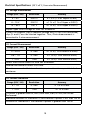
Single Point Test
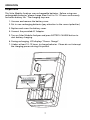
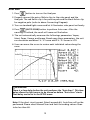
1. Press
button to turn on the Analyzer.
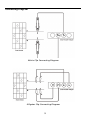
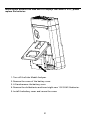
2. Properly connect the pair of Kelvin clips to the solar panel and the
Analyzer. The red Kelvin clip is for positive pole and the black Kelvin clip
for negative pole.
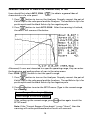
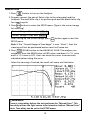
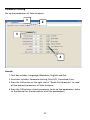
button to enter the SETUP menu: (Type in the current range
3. Press
for scanning)
Single Test Point: 609mA
After setting up the current range, press
SETUP menu.
button again to exit the
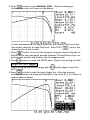
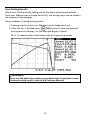
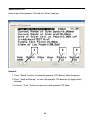
4. Press
button to start Testing a Single Test. After the testing is
finished, the result will come out like below. The result (P, V, I) is shown
in reverse video as below.
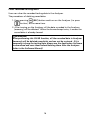
�WARNING!
Time delay in the “Single Point Test” allows the current simulation to last
longer. Though the max. value is 9.999 sec., the time delay is changed to
10 msec. if power is over 100 W. The time delay is extended to 3 seconds
if power is less than 100 mW.
14