1
3. Electrical System
Power Switch
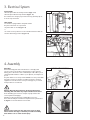
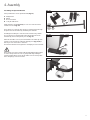
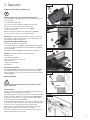
Switch the planer ON at the small green button (Fig 3.1 - A).
Fig. 3.1
Switch the planer OFF at the big red button (Fig 3.1 - B).
The red button has emergency-stop function. The large yellow flap (B) can
be used to stop the machine.
A
Limit Switch
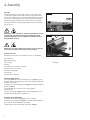
Your machine is equipped with 2 safety limit switches.
The planer cutter block can only run when
B
-the planer tables are closed (Fig 3.2 - A)
or
-the extractor hood is positioned over the cutterblock when the tables are
raised for thicknessing operations. (Fig 3.2 - B)
Fig. 3.2
B
A
4. Assembly
Unpacking
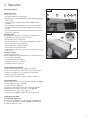
The machine is shipped from the manufacturer in a carefully packed
crate. If you discover the machine is damaged after you have signed for
delivery, please call Customer Service immediately for advice. When you are
completely satisfied with the condition of your shipment, check all parts are
present.
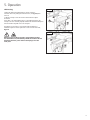
Fig 4.1
The planer thicknesser is a heavy machine. DO NOT over-exert yourself. while
unpacking or moving your machine. You will need assistance and power
equipment to move the machine. Serious personal injury may occur if safe
moving methods are not followed.
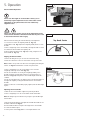
Warning: Never lift the machine by the planer tables when
unloading. Belt and chains may only be attached to the stand.
Kg
Ensure that lifting gear used has an adequate capacity and the load is
secured against lateral slippage!
i
Unloading can be performed using a forklift, pallet jack or crane.
We recommend rolling the machine from the pallet via the optional wheel
kit, Fig 4.2. You must first bolt this to the machine.
Kg
Warning: Some metal parts may have sharp edges on them.
Please examine the edges of all metal parts before handling
them. Failure to do so could result in injury.
10
i
Fig. 4.2
NEVER LIFT LIKE THIS