1
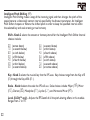
Range - Knob 3 controls the range of the Envelope effect. Ranges from 0 to 99.
Step Filter (sf)
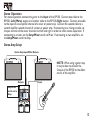
The Step Filter is like an automatic “random wah” with a square waveform.
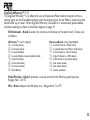
Speed - Knob 2 adjusts the speed of the Wah effect. Ranges from 0 to 99.
Intensity - Knob 3 controls the intensity of the Wah effect. Ranges from 0 to 99.
Detune (Dt)
A Detuner makes a copy of your incoming signal, takes the copied signal slightly out of tune from
the original, then mixes the two signals together. The result is a doubling type of effect as if two
guitars were playing the same part together.
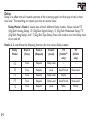
Shift Amount - Knob 2 adjusts the amount of pitch difference applied to the copied signal.
Ranges from –24 to 24 cents.
Level - Knob 4 controls the mix of the detuned note. Ranges from 0 to 99.
Pitch Shift (Ps)
A Pitch Shifter copies the incoming signal, then shifts the pitch of the copy to a different note. The
shifted note is then mixed back with the original signal, sounding as if two guitars were playing
different notes.
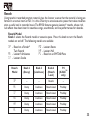
Shift Amount - Knob 2 selects the interval of the shifted pitch. Ranges from –24 (2
octaves below) to 24 (2 octaves above).
Mix - Knob 4 controls the mix level of the shifted pitch. Ranges from 0 to 99.
31