1
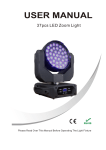
USER MANUAL
LED ZOOMING MOVING HEAD
MH-91
Please Read Over This Manual Before Operating The Light Fixture
18
1
TABLE OF CONTENTS
PART 1 PRODUCT SPECIFICATIONS............................................1.
1.1--PRODUCT SPECIFICATIONS.......................................................1.
1.2 -- SAFETY WARNING ......................................................................2.
PART 2 INSTALLATION................................................................3.
2.1--MOUNTING...................................................................................3.
2.2--SETTING UP.................................................................................4.
PART 3 DISPLAY PANEL OPERATION............................................4.
3.1-- BASIC ..........................................................................................4.
3.2-- MENU ..........................................................................................4.
3.3--GENERAL.............................................................. ......................6.
3.4--INVERT.........................................................................................7.
3.5--PT-RANGE.....................................................................................8.
3.6--SPECIAL.......................................................................................8.
3.7--CALIB.......................................................................................... 9.
3.8--ZOOM...................................................................................... 10.
3.9--DEFAULT.................................................................................. 10.
PRODUCT SPECIFICATIONS
1.1 PRODUCT SPECIFICATIONS
Waterproof rating:IP20
Electrical
◆Voltage:AC100~240V,50/60Hz
◆Rated Power:310W
LED
◆LED:91PC(22R+23G+22B+12W+12A)
◆Cooling:Forced air convection
Function
◆Color mixing / Strobe / White balance /
RGB calibration / Dim 4 / Fan speed
Operation
◆Control mode:Master-Slave/Auto/ Sound
◆LCD display
◆DMX512 Chs:12CHS/ 15CHS
Pan/Tilt
◆Pan 540° Tilt 270°
◆Pan/Tilt speed
◆User-selectable Pan/Tilt ranges
◆ Size:450*315*400mm
◆ Weight:13kg
PART 4 USING DMX512 CONTROLLER........................................11.
4.1--CHANNEL ASSIGNMENT........................................................... 11.
1
1.2
SAFETY WARNING
IMPORTANT
【ALWAYS READ THE USER MANUAL BEFORE OPERATION. 】
【PLEASE CONFIRM THAT THE POWER SUPPLY STATED ON THE
PRODUCT IS THE SAME AS THE MAINS POWER SUPPLY IN YOUR AREA.】
● This product must be installed by a qualified professional.
● Always operate the equipment as described in the user manual.
●A minimum distance of 0.5m must be maintained between the equipment and
combustible surface.
● The product must always be placed in a well ventilated area.
● Always make sure that the equipment is installed securely.
● DO NOT stand close to the equipment and stare directly into the LED light
source.
● Always disconnect the power supply before attempting and maintenance.
● Always make sure that the supporting structure is solid and can support the
combined weight of the products.
● The earth wire must always be connected to the ground.
● Do not touch the power cables if your hands are wet.
2.1 SETTING UP(STAND ALONE)
The LED fixture can be used as a stand alone unit. The stand alone
functions AUTO 1, AUTO 2 can be activated without the need to connect
to any controller or connecting to any other equipment.
Simply, access the <operation> menu from the DISPLAY and select the
target program to activate.
ATTENTION
● This product left the place of manufacture in perfect condition. In
order to maintain this condition and for safe operation, the user must
always follow the instructions and safety warnings described in this
user manual.
● Avoid shaking or strong impacts to any part of the equipment.
● Make sure that all parts of the equipment are kept clean and free of
dust.
● Always make sure that the power connections are connected
correct and secure.
● If there is any malfunction of the equipment, contact your distributor
immediately.
● When transferring the product, it is advisable to use the original
packaging in which the product left the factory.
● Shields, lenses or ultraviolet screens shall be changed if they have
become damaged to such an extent that their effectiveness is
impaired.
● The lamp (LED) shall be changed if it has become damaged or
thermally deformed.
2
2.2 FUSE REPLACEMENT
Remove the safety cap by a screwdriver.
● Fetch the old fuse from safety cap.
● Install a new fuse.
● Install the safety cap.
3
3
DISPLAY PANEL OPERATION
Special
BlackD
No
Reset
DMX
Yes
System
Power
3.1
MENU
UP
Color
ENTER
OFF
Rgbtow
DOWN
Fan
【 MENU 】Scroll through the main menu or exit from the current sub-menu
【ENTER】Enter the currently selected menu or confirm the current function
value
【 DOWN】Scroll 'DOWN' through the menu list or decrease the value of the
current function
【 UP 】Scroll 'UP' through the menu list or increase the value of the
Current function
3.2
Normal
High
BASIC
DMX
System
Dmxerror
Save
Black
MENU
MENU
General
Add DMX
(001~512)
Reset
Yes
No
Fans
High
Normal
Low
Auto
Run
DMX512
Auto1
Auto2
Calib
White 1
RED
GREEN
BLUE
(000~255)
(000~255)
(000~255)
White 2
RED
GREEN
BLUE
(000~255)
(000~255)
(000~255)
Slave
Person
Basic
Main
Lcd Disp
Dim Speed
60 close
Always
Dimmer 4
Dimmer 3
Dimmer 2
Dimmer 1
RGB-W
RED
RED
GREEN
BLUE
Dimmer 0
ZOOM
Normal
Effict1
Effict2
Info
PAN
Invert
Edition
Normal
Reverse
Tilt
Normal
Reverse
Dimmer
Normal
Reverse
Use
No
Yes
PT Range
P/Begin
(000~255)
P/End
(000~255)
T/Begin
(000~255)
T/End
(000~255)
Use
No
Yes
4
5
(000~255)
(000~255)
(000~255)
ZOOM
Default
3.3
Effict1
(000~255)
Effict2
(000~255)
Default
Yes
No
●
【 h
C
annels】
Enter 【Person】 to select the DMX channel modes: 【Basic】;
【MAIN】.
● 【D
isplay】
Enter【 Display】 to select the lighting time of the LCD display panel.
GENERAL
MENU
General
Add DMX
(001~512)
Reset
Yes
No
Fans
High
Normal
Low
Auto
Run
DMX512
Auto1
Auto2
Slave
Channels
Basic
●
【 Dimmer】Enter 【Dimmer】 to select dimmer mode and dimmer speed. When
DIMMER is set to 【Off】, then RGBW and MASTER DIMMER are linear.
The Dim 1/2/3/4 are speed modes of the non linear dimmer , 【Dim1】 is
the faster, while Dim4】 is the slowest.
The factory default setting is 【Dim4】.
● Select the【ZOOM】range.【POS1】&【POS2】set the small position for the
zoom function.Note that when using DMX to control the fixture, the user will only
be able to access upto the set ZOOM position.It is not possible to adjust beyond
the set position.
● Enter【 Info】 to see the version of the software.
Advanced
Display
60 close
Bright
Speed
speed4
speed 3
speed
speed 1
ZOOM
Normal
speed 0
3.4
INVERT
Pos1
Pos2
Info
Edition
Invert
Pan
Normal
Reverse
Tilt
Normal
Reverse
Dimmer
● 【Address】
Enter【Add DMX】 to set the DMX Address, which is from (001-512)
● 【 R
eset】
In order to rest custom modest to default, select 【Reset】
● 【 Fans】
Enter【Fans】 to select the working mode of fan: 【High】 is for fast;
【Normal】 is for normal; 【Low】 is for slow ; 【Auto】 is for Auto
● 【Run】Enter【Run】 to select the operation mode: 【DMAX512】;【Auto1】;
【Auto2】;【Slave】;
6
Normal
Reverse
Use
No
Yes
【 Invert】
● Select【 Pan】/【 Tilt】/【 Dimmer】to set 【Normal】 or 【Reverse】
● Enter【 Use】 and set【Yes】 to run the new setting
7
3.5
PT RANGE
PT Range
P/Begin
(000~255)
P/End
(000~255)
T/Begin
(000~255)
T/End
(000~255)
Use
No
Yes
3.9
(000~255)
Use
No
Yes
CALIB
Calib
● 【P/Begin】Set pan start value 【000~255】
● 【P/End】Set pan finish value 【000~255】
● 【T/Begin】Set Tilt start value 【000~255】
● 【T/End】Set Tilt finish value 【000~255】
● 【 Use】Enter【 Use】 and select【Yes】to open the operation of X/Y angle
3.6
Time
3200K
RED
GREEN
BLUE
(000~255)
(000~255)
(000~255)
3400K
RED
GREEN
BLUE
(000~255)
(000~255)
(000~255)
4200K
RED
GREEN
BLUE
(000~255)
(000~255)
(000~255)
4900K
RED
GREEN
BLUE
(000~255)
(000~255)
(000~255)
5600K
RED
GREEN
BLUE
(000~255)
(000~255)
(000~255)
SPECIAL
Special
BlackDelay
No
Yes
Reset
DMX
System
Power
Normal
High
Color
Uc
Rgbtow
Off
Fan
DMX
Dmxerror
Save
System
Black
●【BlackDelay】Enter【BlackDelay】 to choose 【No】 without delay or 【Yes】 3seconds delay
●【Reset】Enter【Reset】 to choose【DMX】 DMX control reset or 【System】 DMX cannot
control reset
●【Power】
Enter 【Power】 to choose the power as NORMAL or HIGH.
●【Color】【COLOR】 is for activate/unactivate the color calibration functions.
●【Fan】
Choose【DMX】DMX to control fan or 【System】 DMX cannot control fan
●【Dmxerror】Choose【Save】in order to save the last DMX data in case of DMX signal
error .Choose 【Black】in order to blackout in case of DMX signal error .
8
9
5900K
8.6 RED
8.6 GREEN
8.6 BLUE
(000~255)
(000~255)
(000~255)
6500K
RED
GREEN
BLUE
(000~255)
(000~255)
(000~255)
RED
GREEN
BLUE
(000~255)
(000~255)
(000~255)
7200K
4
USING A DMX512 CONTROLLER
4.1 CHANNEL ASSIGNMENT
● Note: This product have three DMX512 channel configuration:
【MAIN】And【BASIC】.
MAIN
8000K
RED
GREEN
BLUE
(000~255)
(000~255)
(000~255)
8500K
RED
GREEN
BLUE
(000~255)
(000~255)
(000~255)
10000K
RED
GREEN
BLUE
(000~255)
(000~255)
(000~255)
RED
GREEN
BLUE
(000~255)
(000~255)
(000~255)
RBG-W
CHANNEL
1
2
ZOOM
ZOOM
POS1
(000~255)
POS2
(000~255)
● Calibrate the position of POS1&POS2. Set position as 0 for smallest zoom position.
3.11
DEFAULT
Default
Default
Yes
No
【 Default】
● This functions will reset all setting to the original factory setting
10
4
STROBE
000~255
006~010
011~030
031~050
051~070
071~090
091~110
111~130
131~150
151~170
171~200
201~205
206~210
211~215
216~220
221~225
226~230
231~235
236~240
241~245
246~250
251~255
● Enter the 【Calib】to select white color of different color temperature.
● There are 12 pre-programmed White colors plus RGB TO WHITE and can be edited
by using 【Red】, 【Green】,【
Blue】
FUNCTION
DIMMER
000~255
3
【 Calib】
3.10
VALUE
COLOR/WHITE MACRO
NO U
F
CNTION
FULL O
P
WER
RED 0
1
0%
/
REEN
G P
U
/
LUEB %0
RED O
D
WN /REE
G
N 0
1
0%
/
LUEB%
0
RED %
0
/
REEN
G 0
1
0%
/
LUEBP
U
RED %
0
/
REEN
G O
D
WN
/
LUEB0
1
0%
RED P
U
/
REEN
G %
0
/
LUEB0
1
0%
RED 0
1
0%
/
REEN
G %
0 /LUE
BO
D
WN
RED 0
1
0%
/
REEN
G P
U /LUE
BP
U
RED O
D
WN
/
REEN
G O
D
WN /LUE
B0
1
0%
RED 00
1
% /REE
G
N 0
1
0% /LUE
B0
1
0% W
/
HITE 0
1
0%
WHITE1:3
200K
WHITE2:3
400K
WHITE3:4
200K
WHITE4:4
900K
WHITE5:5
600K
WHITE6:5
900K
WHITE7:6
500K
WHITE8:7
200K
WHITE9:8
000K
WHITE10:8
500K
WHITE11:1
0000K
000~255
RED
5
000~255
GREEN
6
000~255
BLUE
7
000~255
WHITE
8
000~255
AMBER
9
000~255
10
000~255
PAN FINE
11
000~255
TILT
PAN
11
BASIC
FUNCTION
CHANNEL
VALUE
12
000~255
PAN FINE
13
000~009
010~255
PAN/TILT SPEED
14
000~255
ZOOM
CHANNEL
1
2
CONTROL
15
3
N
O U
F
N
C
T
I
O
N
P
A
N
/
T
I
L
T L
B
A
C
K C
A
T
I
V
A
T
E
D
000~019
020~039
040~059
060~079
080~099
100~119
120~139
140~149
150~159
160~169
170~179
180~199
200~219
220~235
236~239
240~243
244~247
248~251
252~255
P
A
N
/
T
I
L
T L
B
A
C
K E
D
A
C
T
I
V
A
T
E
D
F
A
N U
A
T
O
F
A
N L
S
O
W
F
A
N O
N
R
M
A
L
F
A
N A
F
S
T
A
U
T
O
1 A
(
C
T
I
V
A
T
E
D F
A
T
E
R 3
E
C
S
S
)
A
U
T
O
2 A
(
C
T
I
V
A
T
E
D F
A
T
E
R 3
E
C
S
S
)
T
E
S
T A
(
C
T
I
V
A
T
E
D F
A
T
E
R 3
E
C
S
S
)
C
U
S
T
O
M A
(
C
T
I
V
A
T
E
D F
A
T
E
R 3
E
C
S
S
)
S
O
U
N
D
1
R
E
S
E
T A
(
C
T
I
V
A
T
E
D F
A
T
E
R
3
E
C
S
S
)
N
O U
F
N
C
T
I
O
N
DIM0
DIM1
DIM2
DIM3
DIM4
VALUE
000~255
000~255
000~005
006~010
011~030
031~050
051~070
071~090
091~110
111~130
131~150
151~170
171~200
201~205
206~210
211~215
216~220
221~225
226~230
231~235
236~240
241~245
246~250
251~255
FUNCTION
DIMMER
STROBE
COLOR/WHITE MACRO
NO U
F
CNTION
FULL O
P
WER
RED 0
1
0%
/
REEN
G P
U
/
LUEB %0
RED O
D
WN /REE
G
N 0
1
0%
/
LUEB%
0
RED %
0
/
REEN
G 0
1
0%
/
LUEBP
U
RED %
0
/
REEN
G O
D
WN
/
LUEB0
1
0%
RED P
U
/
REEN
G %
0
/
LUEB0
1
0%
RED 0
1
0%
/
REEN
G %
0 /LUE
BO
D
WN
RED 0
1
0%
/
REEN
G P
U /LUE
BP
U
RED O
D
WN
/
REEN
G O
D
WN /LUE
B0
1
0%
RED 00
1
% /REE
G
N 0
1
0% /LUE
B0
1
0% W
/
HITE 0
1
0%
WHITE1:3
200K
WHITE2:3
400K
WHITE3:4
200K
WHITE4:4
900K
WHITE5:5
600K
WHITE6:5
900K
WHITE7:6
500K
WHITE8:7
200K
WHITE9:8
000K
WHITE10:8
500K
WHITE11:1
0000K
RED
4
000~255
5
000~255
GREEN
6
000~255
BLUE
7
000~255
WHITE
8
000~255
AMBER
12
13
No ITEM
1 Head front cover
CHANNEL
VALUE
FUNCTION
9
000~255
PAN
10
000~255
TILT
000~255
ZOOM
11
CONTROL
12
0-19
20-39
40-59
60-79
80-99
100-119
120-139
140-149
150-159
160-169
170-179
180-189
190-199
200-219
220-235
236-239
240-243
244-247
248-251
252-255
N
O U
F
N
C
T
I
O
N
P
A
N
/
T
I
L
T L
B
A
C
K C
A
T
I
V
A
T
E
D
P
A
N
/
T
I
L
T L
B
A
C
K E
D
A
C
T
I
V
A
T
E
D
F
A
N U
A
T
O
F
A
N L
S
O
W
2
3
Lead aperture
lens
14
15
Base cover 1
IEC power socket
4
Capture lens plate
16
DMX connection board
5
LED support
17
Base cover 2
6
7
Fan plate
18
Fan
Fan
Head back cover
19
20
21
Pan belt
8
9
F
A
N O
N
R
M
A
L
F
A
N A
F
S
T
A
U
T
O
1 A
(
C
T
I
V
A
T
E
D F
A
T
E
R
3
E
C
S
S
)
A
U
T
O
2 A
(
C
T
I
V
A
T
E
D F
A
T
E
R
3
E
C
S
S
)
T
E
S
T A
(
C
T
I
V
A
T
E
D F
A
T
E
R
3
E
C
S
S
)
C
U
S
T
O
M A
(
C
T
I
V
A
T
E
D F
A
T
E
R
S
O
U
N
D
1
R
E
S
E
T A
(
C
T
I
V
A
T
E
D F
A
T
E
R
10
Motor driver PCB
22
11
23
Display support
U-frame
12
Y-small gear
24
Y-motor support
3
E
C
S
S
)
N
O U
F
N
C
T
I
O
N
D
I
M
0
D
I
M
1
D
I
M
2
D
I
M
3
D
I
M
4
14
Power supply
Display PCB
Motor
Optical wheel
3
E
C
S
S
)
S
O
U
N
D
1
No ITEM
13
Arm board
No ITEM
25
Y-large gear
26
27
Pan belt
Driver PCB
28
Head structure
29
LED PCB
30
Capture lens
31
Capture lens plate2
32
Capture lens plate1
15