1
3. Drawing possibilities
17
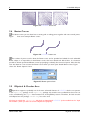
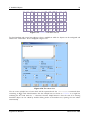
Figure 3.5: LaTeXPiX shade test
3.4
Arrowheads
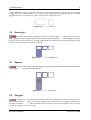
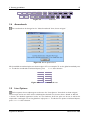
The arrowhead can be changed in the ”Select Arrowhead” form, shown in figure 3.6.
Figure 3.6: Arrow options form
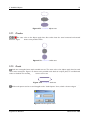
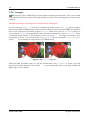
All the available arrowhead styles are shown in figure 3.7 as an example. To set the global arrowhead press
F4. To edit the arrowheads of selected objects, press CTRL+F4 after selection.
Figure 3.7: LaTeXPiX arrowheads test
3.5
Line Options
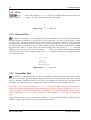
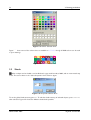
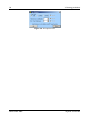
The line options of most object types can be set in the ”Line Options” form which is shown in figure 3.8.
The line style can be one of the values solid, dotted or dashed. For the case when a dotted or dashed line
is chosen, the dot/dash separation can be set. The thickness of all line styles can be set as well and is
expressed in unitlengths. To set the global line style press F5. To edit the line options of selected objects,
press CTRL+F5 after selection.
N.J.H.M. van Beurden
28 December 2009