1
New versions of programmer software
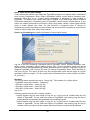
In order to exploit all the capabilities of programmer we recommend using the latest version
of Pg4uw. You may download the latest version of programmer software (file
Pg4uwARC.exe) from our Internet site www.bkprecision.com, part download.
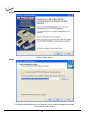
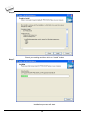
Copy Pg4uwARC.exe to a temporary directory, disconnect programmer from PC and then
launch it. Setup will start with Step 2 from previous chapter.
Hardware setup
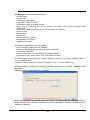
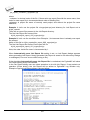
When the programmer is connected to USB port before control program was installed,
Windows will detect new hardware and ask user to select driver installation method:
automatically or manually. To detect programmer correctly, control program installation CD
must be inserted to computer's CD-ROM drive and following steps have to be done:
Step 1.
Directly connect USB (LPT) cable to type B USB (LPT) port on programmer.
Step 2.
Directly connect USB (LPT) cable to type A USB2.0 (LPT) port on PC (high-speed
recommended).
Step 3.
Connect connectors of power supply cable to appropriate connectors on programmer and
wall plug.
Step 4.
Turn on programmer. At this time all 'work result' LEDs light up successive and then LEDs
switch off.
For LPT connected programmer you may start work with your programmer now.
For USB connected programmer continue with next step.
63