1
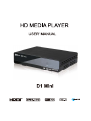
Wait a few seconds for your TV to detect the media player. If the media
player is not detected, you may need to change the input source on your TV
to HDMI or composite, depending on your connection. Check the user
documentation of your TV for more information.
Once the media player is detected, the splash screen displays to indicate
system bootup, then the home screen of the user interface opens.
Step 3 - Connecting the Media Player
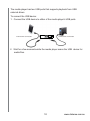
The following figures illustrate the cable connections supported by the
media player. The standard connection uses the included composite AV cables.
Choosing the Best Connection
The quality of the picture produced by your TV depends on the quality of your
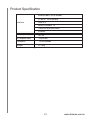
TV and its connection to the media player.ConnectionQualityConnectors
Connection
Quality
Connectors
HDMI
Best
Specialized, high-definition connector
Composite
Good
•
Yellow = video
•
Red = right audio
•
White = left audio
7
www.dxtreme.com.au