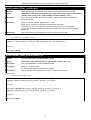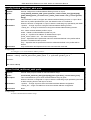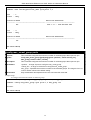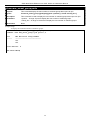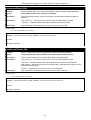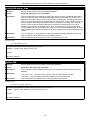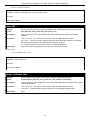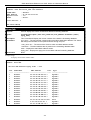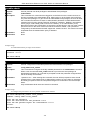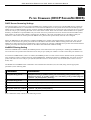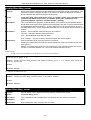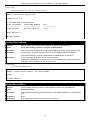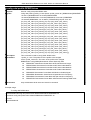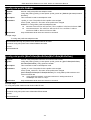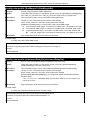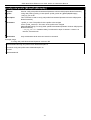
1
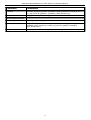
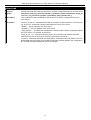
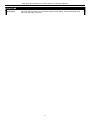
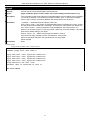
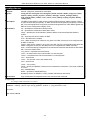
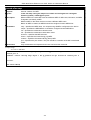
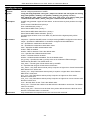
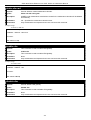
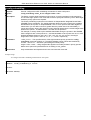
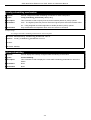
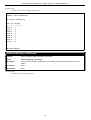
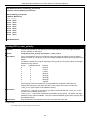
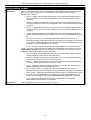
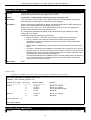
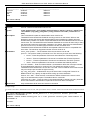
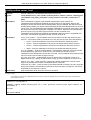
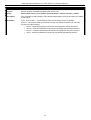
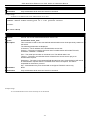
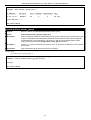
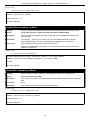
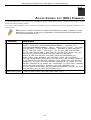
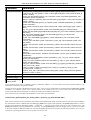
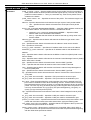
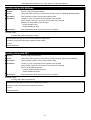
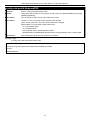
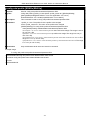
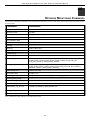
CLI Reference Manual
Product Model: DAS-3636
VDSL2 Switch
Release 1.00
____________________________________________________________________________
Information in this document is subject to change without notice.
© 2009 D-Link Corporation. All rights reserved.
Reproduction in any manner whatsoever without the written permission of D-Link Corporation is strictly forbidden.
Trademarks used in this text: D-Link and the D-LINK logo are trademarks of D-Link Corporation; Microsoft and Windows are
registered trademarks of Microsoft Corporation.
Other trademarks and trade names may be used in this document to refer to either the entities claiming the marks and names or
their products. D-Link Corporation disclaims any proprietary interest in trademarks and trade names other than its own.
July 2009 P/N 651370012005G
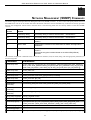
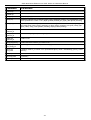
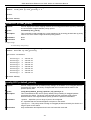
Table of Contents
INTRODUCTION............................................................................................................................1
USING THE CONSOLE CLI..........................................................................................................3
COMMAND SYNTAX.....................................................................................................................6
BASIC SWITCH COMMANDS ......................................................................................................8
MODIFY BANNER AND PROMPT COMMANDS.......................................................................28
SWITCH UTILITY COMMANDS..................................................................................................32
BASIC IP COMMANDS...............................................................................................................44
ROUTING TABLE COMMANDS.................................................................................................48
IPV6 NEIGHBOR DISCOVERY COMMANDS............................................................................50
LIMITED IP MULTICAST ADDRESS..........................................................................................54
SWITCH PORT COMMANDS......................................................................................................61
ARP COMMANDS........................................................................................................................66
DHCP RELAY..............................................................................................................................78
EXTERNAL ALARM COMMANDS.............................................................................................84
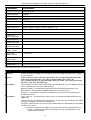
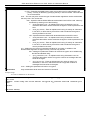
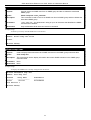
NETWORK MANAGEMENT (SNMP) COMMANDS...................................................................86
TIME AND SNTP COMMANDS.................................................................................................120
VLAN COMMANDS...................................................................................................................125
Q-IN-Q COMMANDS.................................................................................................................150
LINK AGGREGATION COMMANDS........................................................................................155
IGMP SNOOPING COMMANDS...............................................................................................160
IGMP MULTICAST VLAN COMMANDS...................................................................................175
MLD MULTICAST VLAN COMMANDS....................................................................................183
MLD SNOOPING COMMAND LIST..........................................................................................191
PORT MIRRORING COMMANDS.............................................................................................204
LOOP-BACK DETECTION COMMANDS.................................................................................207
MULTIPLE SPANNING TREE PROTOCOL (MSTP) COMMANDS.........................................211
FORWARDING DATABASE COMMANDS...............................................................................247
CONNECTIVITY FAULT MANAGEMENT COMMANDS..........................................................254
VLAN COUNTER COMMANDS................................................................................................273
QOS COMMANDS.....................................................................................................................276
TRAFFIC CONTROL COMMANDS...........................................................................................286
SAFEGUARD ENGINE COMMANDS.......................................................................................290
PORT SECURITY COMMANDS................................................................................................293
SSL COMMANDS......................................................................................................................297
SSH COMMANDS......................................................................................................................303
ACCESS AUTHENTICATION CONTROL COMMANDS..........................................................327
FILTER COMMANDS (DHCP SERVER/NETBIOS)..................................................................392
ACCESS CONTROL LIST (ACL) COMMANDS.......................................................................396
VDSL COMMANDS ..................................................................................................................410
NETWORK MONITORING COMMANDS..................................................................................440
PASSWORD RECOVERY COMMAND LIST............................................................................466
COMMAND HISTORY LIST.......................................................................................................470
PASSWORD RECOVERY PROCEDURE.................................................................................474
DAS-3600 Series Ethernet over VDSL Switch CLI Reference Manual
1
INTRODUCTION
The VDSL Switch can be managed through the VDSL Switch’s serial port, Telnet, or the Web-based management agent. The
Command Line Interface (CLI) can be used to configure and manage the VDSL Switch via the serial port or Telnet interfaces.
This manual provides a reference for all of the commands contained in the CLI. Configuration and management of the VDSL
Switch via the Web-based management agent is discussed in the User Manual.
This manual provides a reference for all of the commands contained in the CLI for the DAS-3626. Examples present in this
manual may refer to either member of this series and may show different port counts, but are universal to this series of switches,
unless otherwise stated. Configuration and management of the VDSL Switch via the Web-based management agent is discussed in
the User Guide.
NOTE: For the remainder of this manual, the DAS-3626 switches will be referred to as simply
the Switch or the DAS-3600 Series.
Accessing the Switch via the Serial Port
The Switch’s serial port’s default settings are as follows:
•
115200 baud
•
no parity
•
8 data bits
• 1 stop bit
A computer running a terminal emulation program capable of emulating a VT-100 terminal and a serial port configured as above
is then connected to the Switch’s serial port via an RS-232 DB-9 cable.
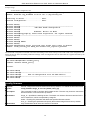
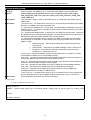
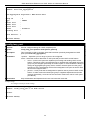
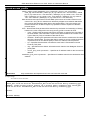
With the serial port properly connected to a management computer, the following screen should be visible. If this screen does not
appear, try pressing Ctrl+r to refresh the console screen.
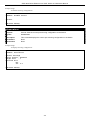
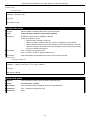
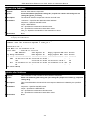
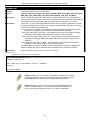
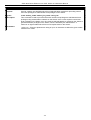
DAS-3626 VDSL2 Switch
Command Line Interface
Firmware: Build 1.00.B042
Copyright(C) 2009 D-Link Corporation. All rights reserved.
UserName:
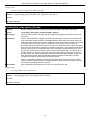
Figure 1-1. Initial CLI screen
There is no initial username or password. Just press the Enter key twice to display the CLI input cursor − DAS-3626:admin#.
This is the command line where all commands are input.
1
DAS-3600 Series Ethernet over VDSL Switch CLI Reference Manual
Setting the Switch’s IP Address
Each Switch must be assigned its own IP Address, which is used for communication with an SNMP network manager or other
TCP/IP application (for example BOOTP, TFTP). The Switch’s default IP address is 10.90.90.90. Users can change the default
Switch IP address to meet the specification of your networking address scheme.
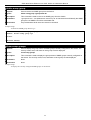
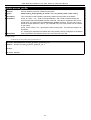
The Switch is also assigned a unique MAC address by the factory. This MAC address cannot be changed, and can be found on the
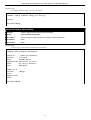
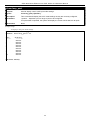
initial boot console screen – shown below.
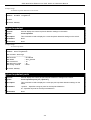
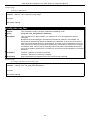
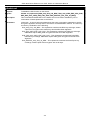
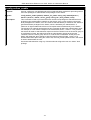
boot Procedure
V1.03.B016
------------------------------------------------------------------------------Power On Self Test ........................................
MAC Address
H/W Version
100%
: 00-26-54-60-54-60
:
Please Wait, Loading V1.02.B018 Runtime Image [1] .........
100%
R2R3R4R5R6
BME 1:POST: Success
BME 2:POST: Success
BME 3:POST: Success
BME 1:Download: Downloaded successfully
BME 2:Download: Downloaded successfully
BME 3:Download: Downloaded successfully
VDSL driver version 5.3.0.13IK005010
UART init .................................................
100 %
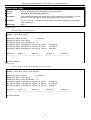
Figure 1-2. Boot screen
The Switch’s MAC address can also be found in the Web management program on the Switch Information (Basic Settings)
window on the Configuration menu.
The IP address for the Switch must be set before it can be managed with the Web-based manager. The Switch IP address can be
automatically set using BOOTP or DHCP protocols, in which case the actual address assigned to the Switch must be known.
The IP address may be set using the Command Line Interface (CLI) over the console serial port as follows:
1. Starting at the command line prompt, enter the commands config ipif System ipaddress
xxx.xxx.xxx.xxx/yyy.yyy.yyy.yyy. Where the x’s represent the IP address to be assigned to the IP interface named
System and the y’s represent the corresponding subnet mask.
2. Alternatively, users can enter config ipif System ipaddress xxx.xxx.xxx.xxx/z. Where the x’s represent the IP address to
be assigned to the IP interface named System and the z represents the corresponding number of subnets in CIDR
notation.
The IP interface named System on the Switch can be assigned an IP address and subnet mask which can then be used to connect a
management station to the Switch’s Telnet or Web-based management agent.
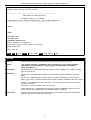
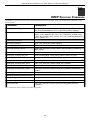
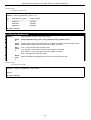
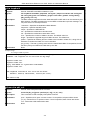
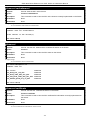
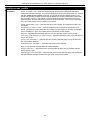
DAS-3626:admin#config ipif System ipaddress 10.24.73.21/8
Command: config ipif System ipaddress 10.24.73.21/8
Success.
DAS-3626:admin#
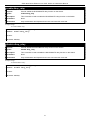
Figure 1-3. Assigning an IP Address screen
In the above example, the Switch was assigned an IP address of 10.24.73.21 with a subnet mask of 255.0.0.0. The system message
Success indicates that the command was executed successfully. The Switch can now be configured and managed via Telnet,
SNMP MIB browser and the CLI or via the Web-based management agent using the above IP address to connect to the Switch.
2
DAS-3600 Series Ethernet over VDSL Switch CLI Reference Manual
2
USING THE CONSOLE CLI
The DAS-3600 Series supports a console management interface that allows the user to connect to the Switch’s management agent
via a serial port and a terminal or a computer running a terminal emulation program. The console can also be used over the
network using the TCP/IP Telnet protocol. The console program can be used to configure the Switch to use an SNMP-based
network management software over the network.
This chapter describes how to use the console interface to access the Switch, change its settings, and monitor its operation.
Note: Switch configuration settings are saved to non-volatile RAM using the save command. The
current configuration will then be retained in the Switch’s NV-RAM, and reloaded when the Switch is
rebooted. If the Switch is rebooted without using the save command, the last configuration saved to NVRAM will be loaded.
Connecting to the Switch
The console interface is used by connecting the Switch to a VT100-compatible terminal or a computer running an ordinary
terminal emulator program (e.g., the HyperTerminal program included with the Windows operating system) using an RS-232C
serial cable. Your terminal parameters will need to be set to:
• VT-100 compatible
• 115200 baud
• 8 data bits
• No parity
• One stop bit
• No flow control
Users can also access the same functions over a Telnet interface. Once users have set an IP address for your Switch, users can use
a Telnet program (in VT-100 compatible terminal mode) to access and control the Switch. All of the screens are identical, whether
accessed from the console port or from a Telnet interface.
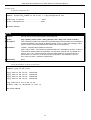
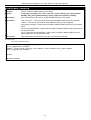
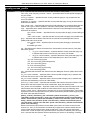
After the Switch reboots and users have logged in, the console looks like this:
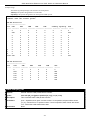
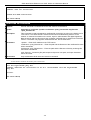
UserName:
DAS-3626 VDSL2 Switch
Command Line Interface
Firmware: Build 1.02-B018
Copyright(C) 2008 D-Link Corporation. All rights reserved.
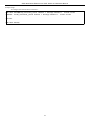
Figure 2-1. Initial Console screen after logging in
Commands are entered at the command prompt, DAS-3626:admin#.
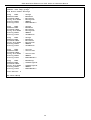
There are a number of helpful features included in the CLI. Entering the ? command will display a list of all of the top-level
commands.
3
DAS-3600 Series Ethernet over VDSL Switch CLI Reference Manual
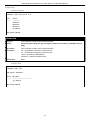
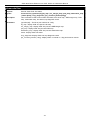
?
cable_diag ports
cfm linktrace
cfm loopback
clear
clear address_binding dhcp_snoop binding_entry ports
clear arptable
clear attack_log
clear cfm pkt_cnt
clear counters
clear ethernet_oam ports
clear fdb
clear historical_counters ports
clear igmp_snooping data_driven_group
clear igmp_snooping statistic counter
clear log
clear mac_based_access_control auth_mac
clear mld_snooping data_driven_group
clear mld_snooping statistic counter
clear port_security_entry
clear vlan_counter statistics
CTRL+C ESC q Quit SPACE n Next Page ENTER Next Entry a All
Figure 2-2. The ? Command
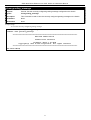
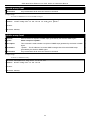
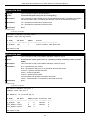
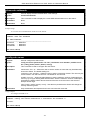
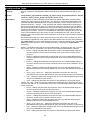
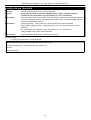
When users enter a command without its required parameters, the CLI will prompt users with a Next possible completions:
message.
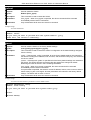
DAS-3626:admin#config account
Command: config account
Next possible completions:
<username>
DAS-3626:admin#
Figure 2-3. Example Command Parameter Help
In this case, the command config account was entered with the parameter <username>. The CLI will then prompt users to enter
the <username> with the message, Next possible completions:. Every command in the CLI has this feature, and complex
commands have several layers of parameter prompting.
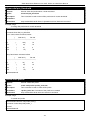
In addition, after typing any given command plus one space, users can see all of the next possible sub-commands, in sequential
order, by repeatedly pressing the Tab key.
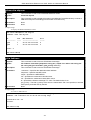
To re-enter the previous command at the command prompt, press the up arrow cursor key. The previous command will appear at
the command prompt.
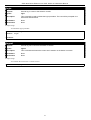
DAS-3626:admin#config account
Command: config account
Next possible completions:
<username>
DAS-3626:admin#config account
Command: config account
Next possible completions:
<username>
DAS-3626:admin#
Figure 2-4. Using the Up Arrow to Re-enter a Command
4
DAS-3600 Series Ethernet over VDSL Switch CLI Reference Manual
In the above example, the command config account was entered without the required parameter <username>, the CLI returned
the Next possible completions: <username> prompt. The up arrow cursor control key was pressed to re-enter the previous
command (config account) at the command prompt. Now the appropriate username can be entered and the config account
command re-executed.
All commands in the CLI function in this way. In addition, the syntax of the help prompts are the same as presented in this manual
− angle brackets < > indicate a numerical value or character string, braces { } indicate optional parameters or a choice of
parameters, and brackets [ ] indicate required parameters.
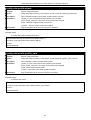
If a command is entered that is unrecognized by the CLI, the top-level commands will be displayed under the Available
commands: prompt.
DAS-3626:admin#the
Available commands:
..
clear
disable
logout
reconfig
upload
?
config
download
ping
reset
cfm
create
enable
ping6
save
delete
login
reboot
show
DAS-3626:admin#
Figure 2-5. The Next Available Commands Prompt
The top-level commands consist of commands such as show or config. Most of these commands require one or more parameters
to narrow the top-level command. This is equivalent to show what? or config what? Where the what? is the next parameter.
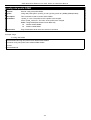
For example, if users enter the show command with no additional parameters, the CLI will then display all of the possible next
parameters.
DAS-3626:admin#show
Command: show
Next possible completions:
802.1p
802.1x
accounting
alarm
attack_log
authen
authen_policy
authentication
bpdu-filter
cfm
current_config
dhcp_relay
dscp_replace_priority
fdb
filter
gvrp
hardware
ipif_ipv6_link_local_auto
jumbo_frame
lacp_port
link_aggregation
log
log_support_module
mac_spoof_detect
max_mcast_group
mirror
mld_snooping
multicast_fdb
packet
port_vlan
ports
radius
ratelimit
safeguard_engine
scheduling
serial_port
session
ssh
ssl
syslog
system_severity
time
time_range
traffic_segmentation
vdsl
vlan
vlan_translation_profile
DAS-3626:admin#
access_profile
account
arpentry
asymmetric_vlan
authen_enable
authen_login
authorization
bandwidth_control
command_history
config
dot1v_protocol_group
error
external_alarm
firmware
greeting_message
igmp_snooping
ipif
iproute
ipv6
limited_multicast_addr
log_save_timing
loopdetect
lpr
mcast_filter_profile
module_info
multicast
port
port_security
pvid
qinq
rmt
router_ports
scheduling_mechanism
snmp
sntp
stp
switch
system_usage_threshold
traffic
trusted_host
utilization
vlan_counter
vlan_translation
vlan_trunk
Figure 2-6. Next possible completions: Show Command
In the above example, all of the possible next parameters for the show command are displayed. At the next command prompt, the
up arrow was used to re-enter the show command, followed by the account parameter. The CLI then displays the user accounts
configured on the Switch.
5
DAS-3600 Series Ethernet over VDSL Switch CLI Reference Manual
3
COMMAND SYNTAX
The following symbols are used to describe how command entries are made and values and arguments are specified in this
manual. The online help contained in the CLI and available through the console interface uses the same syntax.
Note: All commands are case-sensitive. Be sure to disable Caps Lock or
any other unwanted function that changes text case.
<angle brackets>
Purpose
Encloses a variable or value that must be specified.
Syntax
config ipif <ipif_name 12> [{ipaddress <network_address> |vlan <vlan_name 32> |state
[enable |disable]} | bootp |dhcp | ipv6 [ipv6address <ipv6networkaddr> | state [enable|
disable]] |ipv4 state [enable | disable]]
Description
In the above syntax example, users must supply an IP interface name in the <ipif_name 12>
space, a VLAN name in the <vlan_name 32> space, and the network address in the
<network_address> space. Do not type the angle brackets.
Example
Command
config ipif Engineering ipaddress 10.24.22.5/255.0.0.0 vlan Design state enable
[square brackets]
Purpose
Encloses a required value or set of required arguments. One value or argument can be
specified.
Syntax
create account [admin | operator | user] <username 15>
Description
In the above syntax example, users must specify either an admin or a user level account to
be created. Do not type the square brackets.
Example
Command
create account admin Tommy
| vertical bar
Purpose
Separates two or more mutually exclusive items in a list, one of which must be entered.
Syntax
create account [admin | operator | user] <username 15>
Description
In the above syntax example, users must specify either admin, or user. Do not type the
backslash.
Example
Command
create account admin Tommy
6
DAS-3600 Series Ethernet over VDSL Switch CLI Reference Manual
{braces}
Purpose
Encloses an optional value or set of optional arguments.
Syntax
reset {[config |system]} {force_agree}
Description
In the above syntax example, users have the option to specify config or system. It is not
necessary to specify either optional value, however the effect of the system reset is
dependent on which, if any, value is specified. Therefore, with this example there are three
possible outcomes of performing a system reset. See the following chapter, Basic
Commands for more details about the reset command.
Example command
reset config
Line Editing Key Usage
Delete
Deletes the character under the cursor and then shifts the remaining characters in the line to
the left.
Backspace
Deletes the character to the left of the cursor and then shifts the remaining characters in the
line to the left.
Left Arrow
Moves the cursor to the left.
Right Arrow
Moves the cursor to the right.
Up Arrow
Repeats the previously entered command. Each time the up arrow is pressed, the command
previous to that displayed appears. This way it is possible to review the command history for
the current session. Use the down arrow to progress sequentially forward through the
command history list.
Down Arrow
The down arrow will display the next command in the command history entered in the current
session. This displays each command sequentially as it was entered. Use the up arrow to
review previous commands.
Tab
Shifts the cursor to the next field to the left.
Multiple Page Display Control Keys
Space
Displays the next page.
CTRL+c
Stops the display of remaining pages when multiple pages are to be displayed.
ESC
Stops the display of remaining pages when multiple pages are to be displayed.
n
Displays the next page.
p
Displays the previous page.
q
Stops the display of remaining pages when multiple pages are to be displayed.
r
Refreshes the pages currently displayed.
a
Displays the remaining pages without pausing between pages.
Enter
Displays the next line or table entry.
7
DAS-3600 Series Ethernet over VDSL Switch CLI Reference Manual
4
BASIC SWITCH COMMANDS
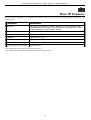
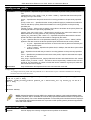
The basic switch commands in the Command Line Interface (CLI) are listed (along with the appropriate parameters) in the
following table.
Command
Parameters
create account
[admin | operator | user] <username 15>
config account
<username>
show account
delete account
[<username>]
show session
show switch
show device_status
show serial_port
config serial_port
{ baud_rate [9600|19200|38400|115200] | auto_logout [never|2_minutes|5_minutes|
10_minutes|15_minutes] }
enable clipaging
disable clipaging
enable telnet
<tcp_port_number 1-65535>
disable telnet
enable web
<tcp_port_number 1-65535>
disable web
save
{[config | log | all]}
reboot
reboot
{force_agree}
reset
{[config |system]} {force_agree}
reset
{[config force_agree | system force_agree]}
login
logout
Each command is listed, in detail, in the following sections.
8
DAS-3600 Series Ethernet over VDSL Switch CLI Reference Manual
create account
Purpose
Used to create user accounts.
Syntax
create account [admin | operator | user] <username 15>
Description
This command is used to create user accounts that consist of a username of 1 to 15
characters and a password of 0 to 15 characters. Up to 8 user accounts can be created.
Parameters
[admin | operator | user] <username 15>
Restrictions
Only Administrator-level users can issue this command.
Usernames can be between 1 and 15 characters.
Passwords can be between 0 and 15 characters.
Example usage:
To create an administrator-level user account with the username “dlink”.
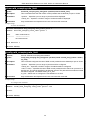
DAS-3626:admin#create account admin dlink
Command: create account admin dlink
Enter a case-sensitive new password:****
Enter the new password again for confirmation:****
Success.
DAS-3626:admin#
NOTICE: In case of lost passwords or password corruption, please refer to the
“Password Recovery Command List” section in this manual, and the “Password
Recovery Procedure” will guide you through the steps necessary to resolve this
issue.
config account
Purpose
Used to configure user accounts
Syntax
config account <username>
Description
When the password information is not specified in the command, the system will prompt the
user to input the password interactively.
Parameters
<username> − Name of the account. The account must already be defined.
Passwords must have a minimum of 0 character and can have a maximum of 15 characters.
Restrictions
Only Administrator-level users can issue this command.
Usernames can be between 1 and 15 characters.
Passwords can be between 0 and 15 characters.
Example usage:
To configure the user password of “dlink” account:
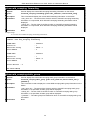
DAS-3626:admin#config account dlink
Command: config account dlink
Enter a old password:****
Enter a case-sensitive new password:****
Enter the new password again for confirmation:****
Success.
DAS-3626:admin#
9
DAS-3600 Series Ethernet over VDSL Switch CLI Reference Manual
show account
Purpose
Used to display user accounts.
Syntax
show account
Description
This command is used to display all user accounts created on the Switch. Up to 8 user
accounts can exist at one time.
Parameters
None.
Restrictions
Only Administrator-level users can issue this command.
Example usage:
To display the accounts that have been created:
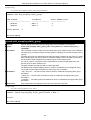
DAS-3626:admin#show account
Command: show account
Current Accounts:
Username
Access Level
--------------- -----------dlink
Admin
Total Entries: 1
DAS-3626:admin#
delete account
Purpose
Used to delete an existing user account.
Syntax
delete account <username>
Description
This command is used to delete an existing account.
Parameters
<username> − Name of the user who will be deleted.
Restrictions
Only Administrator-level users can issue this command.
Example usage:
To delete the user account “System”:
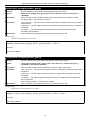
DAS-3626:admin#delete account System
Command: delete account System
Success.
DAS-3626:admin#
10
DAS-3600 Series Ethernet over VDSL Switch CLI Reference Manual
show session
Purpose
Used to display a list of currently logged-in users.
Syntax
show session
Description
This command is used to display a list of all the users that are logged-in at the time the
command is issued.
Parameters
None.
Restrictions
Only Administrator and Operator-level users can issue this command.
Example usage:
To display a list of current logged-in users:
DAS-3626:admin#show session
Command: show session
ID
--8
Live Time
--------00:00:16.250
From
-----------Serial Port
Level
----5
Name
------Anonymous
Total Entries: 1
CTRL+C ESC q Quit SPACE n Next Page p Previous Page r Refresh
show switch
Purpose
Used to display general information about the Switch.
Syntax
show switch
Description
This command is used to display information about the Switch.
Parameters
None.
Restrictions
None.
11
DAS-3600 Series Ethernet over VDSL Switch CLI Reference Manual
Example usage:
To display the Switch’s information:
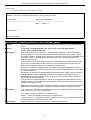
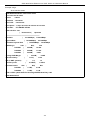
DAS-3626:admin#show switch
Command: show switch
Device Type
MAC Address
IP Address
VLAN Name
Subnet Mask
Default Gateway
Boot PROM Version
Firmware Version
Hardware Version
System Name
System Location
System Contact
Spanning Tree
GVRP
IGMP Snooping
MLD Snooping
TELNET
WEB
SNMP
SSL Status
SSH Status
802.1x
:
:
:
:
:
:
:
:
:
:
:
:
:
:
:
:
:
:
:
:
:
:
DAS-3600-12 Gigabit Ethernet Switch
00-21-91-AF-37-D0
10.24.73.21 (Manual)
default
255.0.0.0
0.0.0.0
Build 1.00.B002
Build 1.00.B035
A1
Disabled
Disabled
Disabled
Disabled
Enabled (TCP 23)
Enabled (TCP 80)
Disabled
Disabled
Disabled
Disabled
CTRL+C ESC q Quit SPACE n Next Page ENTER Next Entry a All
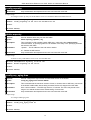
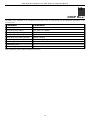
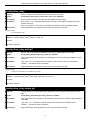
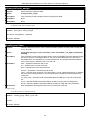
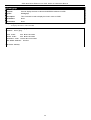
show device_status
Purpose
Used to display the current Switch power, temperature and fan status.
Syntax
show device_status
Description
This command is used to display status of both the Switch’s internal and external power,
temperature, and fan status.
Parameters
None.
Restrictions
None.
12
DAS-3600 Series Ethernet over VDSL Switch CLI Reference Manual
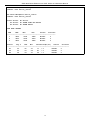
Example usage:
To display the Switch status:
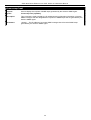
13
DAS-3600 Series Ethernet over VDSL Switch CLI Reference Manual
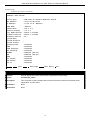
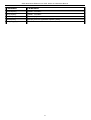
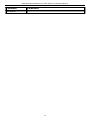
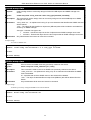
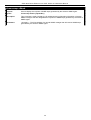
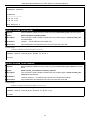
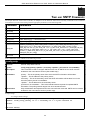
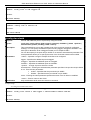
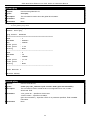
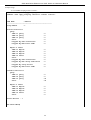
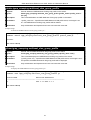
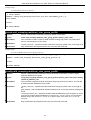
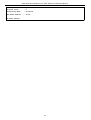
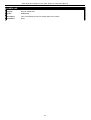
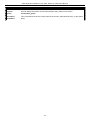
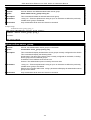
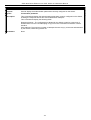
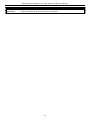
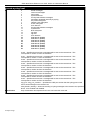
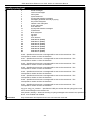
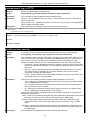
DAS-3626:admin#show device_status
Command: show device_status
DAS-3626:admin#show device_status
Command: show device_status
Power Status: AC Active
DC Status: DC POWER DOES NOT EXIST
AC Status: AC POWER EXIST
FAN TRAY INSERT
FAN
RPM
Max
Min
Status
errCount
-----------------------------------------------------1
4560
4560
4440
Normal
0
2
4500
4560
4500
Normal
0
3
4500
4560
4440
Normal
0
Sensor
deg C
Max
Min
Threshold(Hi/Lo)
Status
errCount
--------------------------------------------------------------------T1
33
32
31
77 / 0
Normal
0
T2
33
33
29
81 / 0
Normal
0
T3
34
34
31
65 / 0
Normal
0
14
DAS-3600 Series Ethernet over VDSL Switch CLI Reference Manual
15
DAS-3600 Series Ethernet over VDSL Switch CLI Reference Manual
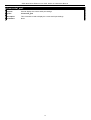
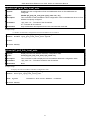
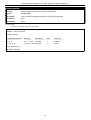
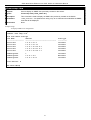
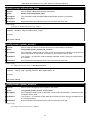
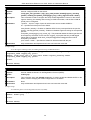
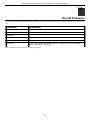
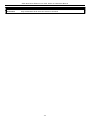
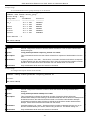
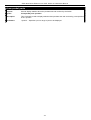
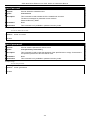
show serial_port
Purpose
Used to display the current serial port settings.
Syntax
show serial_port
Description
This command is used to display the current serial port settings.
Parameters
None.
16
DAS-3600 Series Ethernet over VDSL Switch CLI Reference Manual
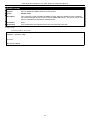
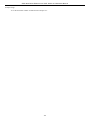
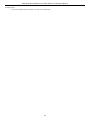
show serial_port
Restrictions
None.
17
DAS-3600 Series Ethernet over VDSL Switch CLI Reference Manual
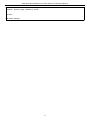
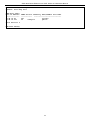
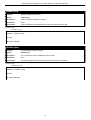
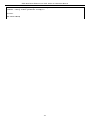
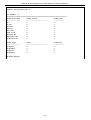
Example usage:
To display the serial port settings:
18
DAS-3600 Series Ethernet over VDSL Switch CLI Reference Manual
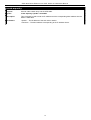
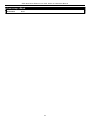
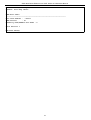
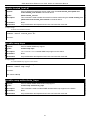
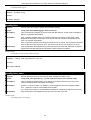
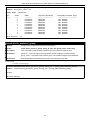
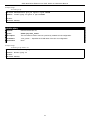
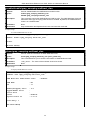
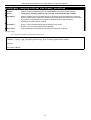
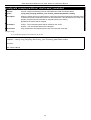
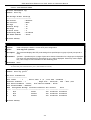
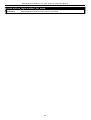
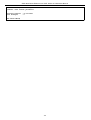
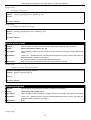
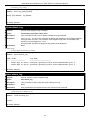
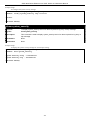
DAS-3626:admin#show serial_port
Command: show serial_port
Baud Rate
Data Bits
Parity Bits
Stop Bits
Auto-Logout
:
:
:
:
:
115200
8
None
1
10 mins
DAS-3626:admin#
19
DAS-3600 Series Ethernet over VDSL Switch CLI Reference Manual
20
DAS-3600 Series Ethernet over VDSL Switch CLI Reference Manual
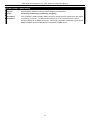
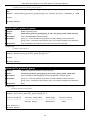
config serial_port
Purpose
Used to configure the serial bit rate that will be used to communicate with the management
host and the auto logout time for idle connections.
Syntax
config serial_port {baud_rate [9600 | 19200 | 38400 | 115200] | auto_logout [never |
2_minutes | 5_minutes | 10_minutes | 15_minutes]}
Description
This command is used to configure the serial bit rate that will be used to communicate with
the management host and the auto logout time for idle connections.
Parameters
baud_rate [9600 | 19200 | 38400 | 115200] − The serial bit rate that will be used to
communicate with the management host. There are four options: 9600, 19200, 38400,
115200. Factory default setting is 115200.
never − No time limit on the length of time the console can be open with no user input.
2_minutes − The console will log out the current user if there is no user input for 2 minutes.
5_minutes − The console will log out the current user if there is no user input for 5 minutes.
10_minutes − The console will log out the current user if there is no user input for 10 minutes.
15_minutes − The console will log out the current user if there is no user input for 15 minutes.
21
DAS-3600 Series Ethernet over VDSL Switch CLI Reference Manual
config serial_port
Restrictions
Only Administrator and Operator-level users can issue this command.
22
DAS-3600 Series Ethernet over VDSL Switch CLI Reference Manual
Example usage:
To configure baud rate:
DAS-3626:admin#config serial_port baud_rate 115200
Command: config serial_port baud_rate 115200
Success.
DAS-3626:admin#
NOTE: If a user configures the serial port’s baud rate, the baud rate will take effect and save
immediately. Baud rate settings will not change even if the user resets or reboots the Switch. The
Baud rate will only change when the user configures it again. The serial port’s baud rate setting is
not stored in the Switch’s configuration file. Resetting the Switch will not restore the baud rate to
the default setting.
enable clipaging
Purpose
Used to pause the scrolling of the console screen when a command displays more than one
page.
Syntax
enable clipaging
Description
This command is used when issuing a command which causes the console screen to rapidly
scroll through several pages. This command will cause the console to pause at the end of
each page. The default setting is enabled.
Parameters
None.
Restrictions
Only Administrator and Operator-level users can issue this command.
Example usage:
To enable pausing of the screen display when the show command output reaches the end of the page:
DAS-3626:admin#enable clipaging
Command: enable clipaging
Success.
disable clipaging
Purpose
DAS-3626:admin#
Used to disable the pausing of the console screen scrolling at the end of each page when a
command displays more than one screen of information.
Syntax
disable clipaging
Description
This command is used to disable the pausing of the console screen at the end of each page
when a command would display more than one screen of information.
Parameters
None.
Restrictions
Only Administrator and Operator-level users can issue this command.
Example usage:
To disable pausing of the screen display when show command output reaches the end of the page:
DAS-3626:admin#disable clipaging
Command: disable clipaging
Success.
DAS-3626:admin#
23
DAS-3600 Series Ethernet over VDSL Switch CLI Reference Manual
enable telnet
Purpose
Used to enable communication with and management of the Switch using the Telnet protocol.
Syntax
enable telnet <tcp_port_number 1-65535>
Description
This command is used to enable the Telnet protocol on the Switch. The user can specify the
TCP or UDP port number the Switch will use to listen for Telnet requests.
Parameters
<tcp_port_number 1-65535> − The TCP port number. TCP ports are numbered between 1
and 65535. The “well-known” TCP port for the Telnet protocol is 23.
Restrictions
Only Administrator and Operator-level users can issue this command.
Example usage:
To enable Telnet and configure port number:
DAS-3626:admin#enable telnet 23
Command: enable telnet 23
Success.
DAS-3626:admin#
disable telnet
Purpose
Used to disable the Telnet protocol on the Switch.
Syntax
disable telnet
Description
This command is used to disable the Telnet protocol on the Switch.
Parameters
None.
Restrictions
Only Administrator and Operator-level users can issue this command.
Example usage:
To disable the Telnet protocol on the Switch:
DAS-3626:admin#disable telnet
Command: disable telnet
Success.
DAS-3626:admin#
enable web
Purpose
Used to enable the HTTP-based management software on the Switch.
Syntax
enable web <tcp_port_number 1-65535>
Description
This command is used to enable the Web-based management software on the Switch. The
user can specify the TCP port number the Switch will use to listen for Telnet requests.
Parameters
<tcp_port_number 1-65535> − The TCP port number. TCP ports are numbered between 1
and 65535. The “well-known” port for the Web-based management software is 80.
Restrictions
Only Administrator and Operator-level users can issue this command.
Example usage:
To enable HTTP and configure port number:
DAS-3626:admin#enable web 80
24
DAS-3600 Series Ethernet over VDSL Switch CLI Reference Manual
Command: enable web 80
Success.
DAS-3626:admin#
disable web
Purpose
Used to disable the HTTP-based management software on the Switch.
Syntax
disable web
Description
This command disables the Web-based management software on the Switch.
Parameters
None.
Restrictions
Only Administrator and Operator-level users can issue this command.
Example usage:
To disable HTTP:
DAS-3626:admin#disable web
Command: disable web
Success.
DAS-3626:admin#
save
Purpose
Used to save changes in the Switch’s configuration to non-volatile RAM.
Syntax
save {[config <config_id 1-2> | log | all]}
Description
This command is used to enter the current switch configuration into non-volatile RAM. The
saved switch configuration will be loaded into the Switch’s memory each time the Switch is
restarted.
Parameters
config <config_id 1-2> – Specify to save current settings to configuration file 1 or 2.
log – Specify to save current Switch log to NV-RAM.
all – Specify to save all configuration settings. If nothing is specified after “save”, the Switch
will save all current configuration to non-volatile RAM.
Restrictions
Only Administrator and Operator-level users can issue this command.
Example usage:
To save the Switch’s current configuration to non-volatile RAM:
DAS-3626:admin#save
Command: save
Saving all configurations to NV-RAM...
Done.
DAS-3626:admin#
25
DAS-3600 Series Ethernet over VDSL Switch CLI Reference Manual
reboot
Purpose
Used to restart the Switch.
Syntax
Reboot {force_agree}
Description
This command is used to restart the Switch.
Parameters
force_agree − When force_agree is specified, the reboot command will be executed
immediatedly without further confirmation.
Restrictions
Only Administrator-level users can issue this command.
Example usage:
To restart the Switch:
DAS-3626:admin#reboot
Command: reboot
Are you sure you want to proceed with the system reboot? (y|n)y
Please wait, the switch is rebooting...
reset
Purpose
Used to reset the Switch to the factory default settings.
Syntax
reset {[config |system]} {force_agree}
Description
This command is used to restore the Switch’s configuration to the default settings assigned
from the factory.
Parameters
config − If the keyword ‘config’ is specified, all of the factory default settings are restored on
the Switch including the IP address, user accounts, and the switch history log. The Switch will
not save or reboot.
system − If the keyword ‘system’ is specified all of the factory default settings are restored on
the Switch. The Switch will save and reboot after the settings are changed to default.
Rebooting will clear all entries in the Forwarding Data Base.
force_agree − When force_agree is specified, the reset command will be executed
immediatedly without further confirmation.
If no parameter is specified, the Switch’s current IP address, banner, user accounts, and the
switch history log are not changed. All other parameters are restored to the factory default
settings. The Switch will not save or reboot.
Restrictions
Only Administrator-level users can issue this command.
Example usage:
To restore all of the Switch’s parameters to their default values:
DAS-3626:admin#reset config
Command: reset config
Are you sure you want to proceed with system reset?(y/n)y
Success.
DAS-3626:admin#
26
DAS-3600 Series Ethernet over VDSL Switch CLI Reference Manual
login
Purpose
Used to log in a user to the Switch’s console.
Syntax
login
Description
This command is used to initiate the login procedure. The user will be prompted for a
Username and Password.
Parameters
None.
Restrictions
None.
Example usage:
To initiate the login procedure:
DAS-3626:admin#login
Command: login
UserName:
logout
Purpose
Used to log out a user from the Switch’s console.
Syntax
logout
Description
This command terminates the current user’s session on the Switch’s console.
Parameters
None.
Restrictions
None.
Example usage:
To terminate the current user’s console session:
DAS-3626:admin#logout
27
DAS-3600 Series Ethernet over VDSL Switch CLI Reference Manual
5
MODIFY BANNER AND PROMPT COMMANDS
Administrator level users can modify the login banner (greeting message) and command prompt by using the commands described
below.
Command
Parameters
config command_ prompt
[<string 16> | username | default]
config greeting_message
{default}
show greeting_message
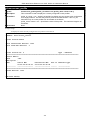
The modify Banner and Prompt commands in the Command Line Interface (CLI) are listed (along with the appropriate
parameters) in the following table.
config command prompt
Purpose
Used to configure the command prompt.
Syntax
config command_prompt [<string 16> | username | default]
Description
This command is for users to change the command prompt.
Parameters
string 16 –The command prompt can be changed by entering a new name of no more that 16
characters.
username – The command prompt will be changed to the login username.
default – The command prompt will reset to factory default command prompt.
Restrictions
Only Administrator and Operator-level users can issue this command. Other restrictions
include:
•
If the “reset” command is executed, the modified command prompt will remain
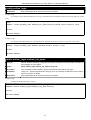
modified. However, the “reset config/reset system” command will reset the
command prompt to the original factory banner.
Example usage:
To modify the command prompt to “AtYourService”:
28
DAS-3600 Series Ethernet over VDSL Switch CLI Reference Manual
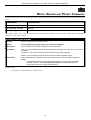
DAS-3626:admin#config command_prompt AtYourService
Command: config command_prompt AtYourService
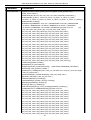
Success.
AtYourService:admin5#
config greeting _message
Purpose
Used to configure the login banner (greeting message).
Syntax
config greeting _message {default}
Description
This command is used to modify the login banner (greeting message).
Parameters
default – If the user enters default to the modify banner command, then the banner will be
reset to the original factory banner.
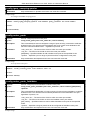
To open the Banner Editor, click enter after typing the config greeting_message command.
Type the information to be displayed on the banner by using the commands described on the
Banner Editor:
Quit without save:
Ctrl+C
Save and quit:
Ctrl+W
Move cursor:
Left/Right/Up/Down
Delete line:
Ctrl+D
Erase all settings:
Ctrl+X
Reload original settings: Ctrl+L
29
DAS-3600 Series Ethernet over VDSL Switch CLI Reference Manual
DAS-3626:admin#config command_prompt AtYourService
Command: config command_prompt AtYourService
Success.
AtYourService:admin5#
Restrictions
Only Administrator and Operator-level users can issue this command. Other restrictions
include:
•
If the “reset” command is executed, the modified banner will remain modified.
However, the “reset config/reset system” command will reset the modified banner
to the original factory banner.
•
The capacity of the banner is 6*80. 6 Lines and 80 characters per line.
•
Ctrl+W will only save the modified banner in the DRAM. Users need to type the
“save” command to save it into FLASH.
•
Only valid in threshold level.
Example usage:
To modify the banner:
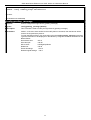
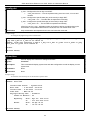
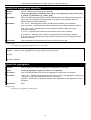
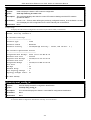
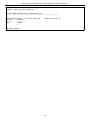
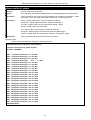
DAS-3626:admin#config greeting_message
Command: config greeting_message
Greeting Messages Editor
===========================================================================
DAS-3626 VDSL2 Switch
Command Line Interface
Firmware: Build 1.00.B042
Copyright(C) 2009 D-Link Corporation. All rights reserved.
===========================================================================
<Function Key>
Ctrl+C
Quit without save
Ctrl+W
Save and quit
<Control Key>
left/right/
up/down
Move cursor
Ctrl+D
Delete line
Ctrl+X
Erase all setting
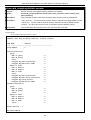
Ctrl+L
Reload original setting
---------------------------------------------------------------------------
30
DAS-3600 Series Ethernet over VDSL Switch CLI Reference Manual
show greeting_message
Purpose
Used to view the currently configured greeting message configured on the Switch.
Syntax
show greeting_message
Description
This command is used to view the currently configured greeting message on the Switch.
Parameters
None.
Restrictions
None.
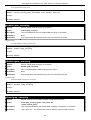
Example usage:
To view the currently configured greeting message:
DAS-3626:admin#show greeting_message
Command: show greeting_message
=======================================================================
DAS-3626 VDSL2 Switch
Command Line Interface
Firmware: Build 1.00.B042
Copyright(C) 2009 D-Link Corporation. All rights reserved.
=======================================================================
DAS-3626:admin#
31
DAS-3600 Series Ethernet over VDSL Switch CLI Reference Manual
6
SWITCH UTILITY COMMANDS
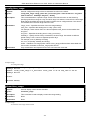
The switch utility commands in the Command Line Interface (CLI) are listed (along with the appropriate parameters) in the
following table.
32
DAS-3600 Series Ethernet over VDSL Switch CLI Reference Manual
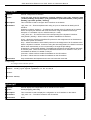
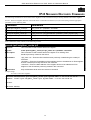
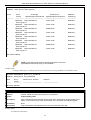
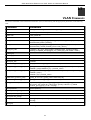
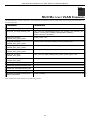
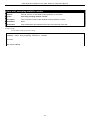
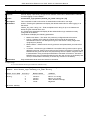
Command
Parameters
download
[ firmware_fromTFTP [<ipaddr> |<ipv6addr>] <path_filename 64> {image_id <int 12>} | cfg_fromTFTP [<ipaddr> | <ipv6addr>] <path_filename 64>]
config firmware
image_id <int 1-2> [delete | boot_up]
show firmware information
show config
[ current_config | config_in_nvram | information ]
upload
[ cfg_toTFTP [<ipaddr> |<ipv6addr>] <path_filename 64> | log_toTFTP [<ipaddr> |
<ipv6addr>] path_filename 64> | attack_log_toTFTP [<ipaddr> |<ipv6addr>]
<path_filename 64> ]
ping
<ipaddr> {times <value 1-255>} {timeout <sec 1-99>} { size <value 32-1500> }
33
DAS-3600 Series Ethernet over VDSL Switch CLI Reference Manual
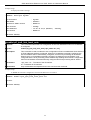
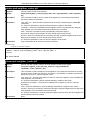
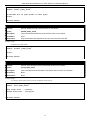
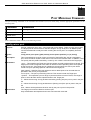
Command
Parameters
ping6
<ipv6addr> {times <value 1-255>| size <value 1-6000>| timeout <value 1-10>}
34
DAS-3600 Series Ethernet over VDSL Switch CLI Reference Manual
Each command is listed, in detail, in the following sections.
35
DAS-3600 Series Ethernet over VDSL Switch CLI Reference Manual
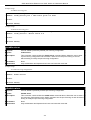
download
Purpose
Used to download and install new firmware or a Switch configuration file from a TFTP server.
Syntax
download [ firmware_fromTFTP [<ipaddr> |<ipv6addr>] <path_filename 64> {image_id
<int 1-2>} | cfg_fromTFTP [<ipaddr> |<ipv6addr>] <path_filename 64> ]
Description
This command is used to download a new firmware or a Switch configuration file from a
TFTP server.
Parameters
firmware_fromTFTP − Download and install new firmware on the Switch from a TFTP server.
cfg_fromTFTP − Download a switch configuration file from a TFTP server.
<ipaddr> − The IP address of the TFTP server.
<ipv6addr> − The IPv6 address of the TFTP server.
<path_filename> − The DOS path and filename of the firmware or switch configuration file on
the TFTP server. For example, C:\3700.had.
image_id <int 1-2> − Specify the working section ID. The Switch can hold two firmware
versions for the user to select from, which are specified by section ID.
increment − Allows the download of a partial switch configuration file. This allows a file to be
downloaded that will change only the switch parameters explicitly stated in the configuration
file. All other switch parameters will remain unchanged.
36
DAS-3600 Series Ethernet over VDSL Switch CLI Reference Manual
download
Restrictions
The TFTP server must be on the same IP subnet as the Switch. Only Administrator-level
users can issue this command.
37
DAS-3600 Series Ethernet over VDSL Switch CLI Reference Manual
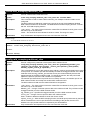
Example usage:
To download a configuration file:
DAS-3626:admin#download cfg_fromTFTP 10.48.74.121 c:\cfg\setting.txt
Command: download cfg_fromTFTP 10.48.74.121 c:\cfg\setting.txt
Connecting to server................... Done.
Download configuration................. Done.
DAS-3626:admin#
DAS-3626:admin##---------------------------------------------------------DAS-3626:admin##
DAS-3626 VDSL2 Configuration
DAS-3626:admin##
DAS-3626:admin##
Firmware: Build 1.00.B042
DAS-3626:admin##Copyright(C) 2009 D-Link Corporation. All rights reserved.
DAS-3626:admin##---------------------------------------------------------DAS-3626:admin#
DAS-3626:admin#
DAS-3626:admin## BASIC
DAS-3626:admin#
DAS-3626:admin#config serial_port baud_rate 115200 auto_logout 10_minutes
Command: config serial_port baud_rate 115200 auto_logout 10_minutes
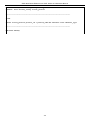
The download configuration command will initiate the loading of the various settings in the order listed in the configuration file.
When the file has been successfully loaded the message “End of configuration file for DAS-3600-12” appears followed by the
command prompt.
DAS-3626:admin#disable authen_policy
Command: disable authen_policy
Success.
DAS-3626:admin#
DAS-3626:admin##------------------------------------------------------DAS-3626:admin##
End of configuration file for DAS-3600-12
DAS-3626:admin##------------------------------------------------------DAS-3626:admin#
config firmware
Purpose
Used to configure the firmware section as a boot up section, or to delete the firmware section
Syntax
config firmware image_id <int 1-2> [delete | boot_up]
Description
This command is used to configure the firmware section. The user may choose to remove the
firmware section or use it as a boot up section.
Parameters
image_id – Specifies the working section. The Switch can hold two firmware versions for the
user to select from, which are specified by image ID.
delete – Entering this parameter will delete the specified firmware section.
boot_up – Entering this parameter will specify the firmware image ID as a boot up section.
Restrictions
Only Administrator-level users can issue this command.
38
DAS-3600 Series Ethernet over VDSL Switch CLI Reference Manual
Example usage:
To configure firmware image 1 as a boot up section:
DAS-3626:admin#config firmware image_id 1 boot_up
Command: config firmware image_id 1 boot_up
Success.
DAS-3626:admin#
show firmware information
Purpose
Used to display the firmware section information.
Syntax
show firmware information
Description
This command is used to display the firmware section information.
Parameters
None.
Restrictions
None.
Example usage:
To display the current firmware information on the Switch:
DAS-3626:admin#show firmware information
Command: show firmware information
Image ID
: 1(Boot up firmware)
Version
: 1.00.B035
Size
: 2562816 Bytes
Update Time: 2000/01/01 00:13:55
From
: 10.73.21.1(Console)
User
: Anonymous
Image ID: 2
Version
: (Empty)
Size
:
Update Time:
From
:
DAS-3626:admin#
39
DAS-3600 Series Ethernet over VDSL Switch CLI Reference Manual
show config
Purpose
Used to display the current or saved version of the configuration settings of the switch.
Syntax
show config [ current_config | config_in_nvram | information ]
Description
This command is used to display all the configuration settings that are saved to NV RAM or
display the configuration settings as they are currently configured. Use the keyboard to list
settings one line at a time (Enter), one page at a time (Space) or view all (a).
The configuration settings are listed by category in the following order:
1. Basic (serial port, Telnet and web
management status)
2. storm control
3. IP group management
4. syslog
5. QoS
6. port mirroring
7. traffic segmentation
8. port
9. port lock
10. 8021x
11. SNMPv3
12. management (SNMP traps
RMON)
Parameters
13.
14.
15.
16.
17.
18.
19.
20.
21.
22.
23.
24.
25.
26.
VLAN
FDB (forwarding data base)
MAC address table notification
STP
SSH
SSL
ACL
SNTP
IP route
LACP
ARP
IP
IGMP snooping
access authentication control (TACACS
etc.)
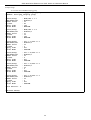
current_config – Entering this parameter will display configurations entered without being
saved to NVRAM.
config_in_NVRAM − Entering this parameter will display configurations entered and saved to
NVRAM.
information – Entering this parameter will display the global information for the configuration
settings.
Restrictions
Only Administrator and Operator-level users can issue this command.
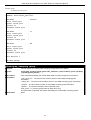
Example usage:
To view the current configuration settings:
40
DAS-3600 Series Ethernet over VDSL Switch CLI Reference Manual
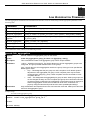
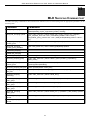
DAS-3626:admin#show config current_config
Command: show config current_config
#-----------------------------------------------------#
DAS-3600-12 Configuration
#
#
Firmware: Build 1.00.B042
# Copyright(C) 2009 D-Link Corporation. All rights reserved.
#-----------------------------------------------------# STACK
# BASIC
# ACCOUNT LIST
# ACCOUNT END
# PASSWORD ENCRYPTION
disable password encryption
config serial_port auto_logout 10_minutes
enable telnet 23
enable web 80
CTRL+C ESC q Quit SPACE n Next Page ENTER Next Entry a All
upload
Purpose
Used to upload the current switch settings or the switch history log to a TFTP.
Syntax
[ cfg_toTFTP [<ipaddr> |<ipv6addr>] <path_filename 64> | log_toTFTP [<ipaddr> |
<ipv6addr>] <path_filename 64> | attack_log_toTFTP [<ipaddr> |<ipv6addr>]
<path_filename 64> ]
Description
This command is used to upload either the Switch’s current settings or the Switch’s history
log to a TFTP server.
Parameters
cfg_toTFTP − Specifies that the Switch’s current settings will be uploaded to the TFTP
server.
log_toTFTP − Specifies that the switch history log will be uploaded to the TFTP server.
attack_log_toTFTP – Specifies that the switch attack log will be uploaded to the TFTP server.
<ipaddr> − The IP address of the TFTP server. The TFTP server must be on the same IP
subnet as the Switch.
<ipv6addr> − The IPv6 address of the TFTP server.
<path_filename 64> − Specifies the location of the Switch configuration file on the TFTP
server. This file will be replaced by the uploaded file from the Switch.
Restrictions
The TFTP server must be on the same IP subnet as the Switch. Only Administrator and
Operator-level users can issue this command.
41
DAS-3600 Series Ethernet over VDSL Switch CLI Reference Manual
Example usage:
To upload a configuration file:
DAS-3626:admin#upload cfg_toTFTP 10.48.74.121 c:\cfg\configuration.txt
Command: upload cfg_toTFTP 10.48.74.121 c:\cfg\configuration.txt
Connecting to server................... Done.
Upload configuration...................Done.
DAS-3626:admin#
ping
Purpose
Used to test the connectivity between network devices.
Syntax
ping <ipaddr> {times <value 1-255>} {timeout <sec 1-99>} {size <value 32-1500>}
Description
This command is used to send Internet Control Message Protocol (ICMP) echo messages to
a remote IP address. The remote IP address will then “echo” or return the message. This is
used to confirm connectivity between the Switch and the remote device.
Parameters
<ipaddr> - Specifies the IP address of the host.
times <value 1-255> - The number of individual ICMP echo messages to be sent. A value of
0 will send an infinite ICMP echo messages. The maximum value is 255. The default is 0.
timeout <sec 1-99> - Defines the time-out period while waiting for a response from the
remote device. A value of 1 to 99 seconds can be specified. The default is 1 second.
size <value 32-1500> - Defines the packet size.
Restrictions
None.
Example usage:
To ping the IP address 10.48.74.121 four times:
DAS-3626:admin#ping 10.48.74.121 times 4
Command: ping 10.48.74.121
Reply
Reply
Reply
Reply
from
from
from
from
10.48.74.121,
10.48.74.121,
10.48.74.121,
10.48.74.121,
time<10ms
time<10ms
time<10ms
time<10ms
Ping statistics for 10.48.74.121
Packets: Sent =4, Received =4, Lost =0
DAS-3626:admin#
42
DAS-3600 Series Ethernet over VDSL Switch CLI Reference Manual
ping6
Purpose
Used to test the connectivity between network devices.
Syntax
ping6 <ipv6addr> {times <value 1-255>| size <value 1-6000>| timeout<value 1-10>}
Description
This command is used to send Internet Control Message Protocol (ICMPv6) echo messages
to a remote IP address. The remote IPv6 address will then “echo” or return the message.
This is used to confirm connectivity between the Switch and the remote device.
Parameters
< ipv6addr > – Specifies the IPv6 address of the host.
times <value 1-255> – The number of individual ICMPv6 echo messages to be sent. A value
of 0 will send an infinite ICMP echo messages. The maximum value is 255. The default is 0.
size <value 1-6000> – Use this parameter to set the datagram size of the packet, or in
essence, the number of bytes in each ping packet. Users may set a size between 1 and 6000
bytes with a default setting of 100 bytes.
timeout <value 1-10> – Select a timeout period between 1 and 10
seconds for this Ping message to reach its destination. If the packet
fails to find the IPv6 address in this specified time, the Ping packet
will be dropped.
Restrictions
None.
Example usage:
To ping the IPv6 address 1001::3702 four times:
DAS-3626:admin#ping6 1001::3702 times 4
Command: ping6 1001::3702 times 4
Reply from 1001::3702, bytes=100 time<10
Reply from 1001::3702, bytes=100 time<10
Reply from 1001::3702, bytes=100 time<10
Reply from 1001::3702, bytes=100 time<10
Ping Statistics for 1001::3702
Packets: Sent =4, Received =4, Lost =0
ms
ms
ms
ms
DAS-3626:admin#
43
DAS-3600 Series Ethernet over VDSL Switch CLI Reference Manual
7
BASIC IP COMMANDS
The IP interface commands in the Command Line Interface (CLI) are listed (along with the appropriate parameters) in the
following table.
Command
Parameters
config ipif
<ipif_name 12> [{ipaddress <network_address> |vlan <vlan_name 32> |state
[ enable |disable]} | bootp |dhcp | ipv6 [ipv6address <ipv6networkaddr> | state
[enable| disable]] |ipv4 state [enable | disable]]
show ipif
{<ipif_name 12>}
enable ipif
[<ipif_name 12> | all]
disable ipif
[<ipif_name 12> | all ]
enable ipif_ipv6_link_local_auto
[<ipif_name 12> | all ]
disable ipif_ipv6_link_local_auto
[<ipif_name 12> | all ]
show ipif_ipv6_link_local_auto
{<ipif_name 12>}
Each command is listed, in detail, in the following sections.
*See Switch Utility Commands for descriptions of all autoconfig commands.
44
DAS-3600 Series Ethernet over VDSL Switch CLI Reference Manual
config ipif
Purpose
Used to configure the IP interface.
Syntax
config ipif <ipif_name 12> [{ipaddress <network_address> |vlan <vlan_name 32> |state
[ enable |disable]} | bootp |dhcp | ipv6 [ipv6address <ipv6networkaddr> | state [enable|
disable]] |ipv4 state [enable | disable]]
Description
This command is used to configure the IP interface on the Switch.
Parameters
<ipif_name 12> − Enter an alphanumeric string of up to 12 characters to identify this IP
interface.
ipaddress <network_address> − IP address and netmask of the IP interface to be created.
Users can specify the address and mask information using the traditional format (for
example, 10.1.2.3/255.0.0.0) or in CIDR format (10.1.2.3/8).
<vlan_name 32> − The name of the VLAN corresponding to the System IP interface.
state [enable | disable] − Allows users to enable or disable the IP interface.
bootp − Allows the selection of the BOOTP protocol for the assignment of an IP address to
the Switch’s System IP interface.
dhcp − Allows the selection of the DHCP protocol for the assignment of an IP address to the
Switch’s System IP interface. If users are using the autoconfig feature, the Switch becomes a
DHCP client automatically so it is not necessary to change the ipif settings.
ipv6address – IPv6 network address. The address should specify a host address and length
of network prefix. There can be multiple v6 addresses defined on an interface. Thus, as a
new address is defined, it is added on this ipif.
Ipv6 state – Allows users to enable IPv6 address on the IP interface.
ipv4 state – Allows users to enable IPv4 address on the IP interface.
Restrictions
Only Administrator and Operator-level users can issue this command.
Example usage:
To configure the IP interface System:
DAS-3626:admin#config ipif System ipaddress 10.48.74.122/8
Command: config ipif System ipaddress 10.48.74.122/8
Success.
DAS-3626:admin#
show ipif
Purpose
Used to display the configuration of an IP interface on the Switch.
Syntax
show ipif {<ipif_name 12>}
Description
This command is used to display the configuration of an IP interface on the Switch.
Parameters
<ipif_name 12> − The name created for the IP interface.
Restrictions
None.
45
DAS-3600 Series Ethernet over VDSL Switch CLI Reference Manual
Example usage:
To display IP interface settings.
DAS-3626:admin#show ipif System
Command: show ipif System
IP Interface
VLAN Name
Interface Admin State
Link Status
IPv4 Address
IPv4 State
:
:
:
:
:
:
System
default
Enabled
LinkUp
10.24.73.21/8 (Manual)
Enabled
Primary
DAS-3626:admin#
enable ipif_ipv6_link_local_auto
Purpose
This command enables the auto configuration of link local addresses when no IPv6 address
is configured.
Syntax
enable ipif_ipv6_link_local_auto [<ipif_name 12> | all ]
Description
This command is used to enable the auto configuration of link local addresses when there are
no IPv6 addresses explicitly configured. When an IPv6 address is explicitly configured, the
link local address will be automatically configured, and the IPv6 processing will be started.
When there is no IPv6 address explicitly configured, by default, link local address is not
configured and the IPv6 processing will be disabled. By enabling this automatic configuration,
the link local address will be automatically configured and IPv6 processing will be started.
Parameters
<ipif_name 12> − The name of the IP interface.
all – Indidcates all IP interfaces.
Restrictions
Only Administrator and Operator-level users can issue this command.
Example usage:
To enable the automatic configuration of link local address for an interface:
DAS-3626:admin#enable ipif_ipv6_link_local_auto all
Command: enable ipif_ipv6_link_local_auto all
Success.
DAS-3626:admin#
46
DAS-3600 Series Ethernet over VDSL Switch CLI Reference Manual
disable ipif_ipv6_link_local_auto
Purpose
Disables the auto configuration of link local addresses when no IPv6 addresses are
configured.
Syntax
disable ipif_ipv6_link_local_auto [<ipif_name 12> | all ]
Description
This command is used to disable the auto configuration of link local addresses when no IPv6
address is explicitly configured.
Parameters
<ipif_name 12> − The name of the IP interface.
all – Indicates all IP interfaces.
Restrictions
Only Administrator and Operator-level users can issue this command.
Example usage:
To disable the automatic configuration of link local address for an interface:
DAS-3626:admin#disable ipif_ipv6_link_local_auto System
Command: disable ipif_ipv6_link_local_auto System
Success.
DAS-3626:admin#
show ipif_ipv6_link_local_auto
Purpose
Displays the link local address automatic configuration state.
Syntax
show ipif_ipv6_link_local_auto {<ipif_name 12>}
Description
This command is used to display the link local address automatic configuration state.
Parameters
<ipif_name 12> − The name created for the IP interface.
Restrictions
None.
Example usage:
To display the link local address automatic configuration state:
DAS-3626:admin#show ipif_ipv6_link_local_auto
Command: show ipif_ipv6_link_local_auto
IPIF: System
Automatic Link Local Address: Disabled
DAS-3626:admin#
47
DAS-3600 Series Ethernet over VDSL Switch CLI Reference Manual
8
ROUTING TABLE COMMANDS
The routing table commands in the Command Line Interface (CLI) are listed (along with the appropriate parameters) in the
following table.
Command
Parameters
create iproute
[default ] <ipaddr> {<metric 1-65535>}
delete iproute
[default] <ipaddr>
show iproute
{static}
Each command is listed, in detail, in the following sections.
create iproute default
Purpose
Used to create IP route entries to the Switch’s IP routing table.
Syntax
create iproute [default ] <ipaddr> {<metric 1-65535>}
Description
This command is used to create a default static IP route entry to the Switch’s IP routing table.
Parameters
<ipaddr> − The gateway IP address for the next hop router.
<metric 1-65535> − Allows the entry of a routing protocol metric entry representing the
number of routers between the Switch and the IP address above. The default setting is 1.
Restrictions
Only Administrator and Operator-level users can issue this command.
Example usage:
To add the default static address 10.48.74.121, with a metric setting of 1, to the routing table:
DAS-3626:admin#create iproute default 10.48.74.121 1
Command: create iproute default 10.48.74.121 1
Success.
DAS-3626:admin#
delete iproute default
Purpose
Used to delete a default IP route entry from the Switch’s IP routing table.
Syntax
delete iproute [default]
Description
This command will delete an existing default entry from the Switch’s IP routing table.
Parameters
None.
Restrictions
Only Administrator and Operator-level users can issue this command.
Example usage:
To delete the default IP route 10.53.13.254:
DAS-3626:admin#delete iproute default
Command: delete iproute default
Success.
DAS-3626:admin#
48
DAS-3600 Series Ethernet over VDSL Switch CLI Reference Manual
show iproute
Purpose
Used to display the Switch’s current IP routing table.
Syntax
show iproute
Description
This command will display the Switch’s current IP routing table.
Parameters
None.
Restrictions
None.
Example usage:
To display the contents of the IP routing table:
DAS-3626:admin#show iproute
Command: show iproute
Routing Table
IP Address/Netmask
--------------0.0.0.0
10.0.0.0/8
Gateway
Interface
Cost
-------------------- ---10.1.1.254
System
1
10.48.74.122 System
1
Total Entries: 2
DAS-3626:admin#
49
Protocol
----------Default
Local
DAS-3600 Series Ethernet over VDSL Switch CLI Reference Manual
9
IPV6 NEIGHBOR DISCOVERY COMMANDS
The following commands are used to detect IPv6 neighbors on the switch and to keep a running database about these neighbor
devices. The IPv6 Neighbor Detection commands in the Command Line Interface (CLI) are listed (along with the appropriate
parameters) in the following table.
Command
Parameters
create ipv6 neighbor_cache ipif
<ipif_name 12> <ipv6addr> <macaddr>
delete ipv6 neighbor_cache ipif
[<ipif_name 12> | all][<ipv6addr> |static |dynamic | all]
show ipv6 neighbor_cache ipif
[<ipif_name 12> | all ] [ipv6address <ipv6addr> | static | dynamic |all]
config ipv6 nd ns ipif
<ipif_name 12> retrans_time <uint 0-4294967295>
show ipv6 nd
{ipif <ipif_name 12>}
Each command is listed, in detail, in the following sections.
create ipv6 neighbor_cache ipif
Purpose
This command is used to add a static IPv6 neighbor.
Syntax
create ipv6 neighbor_cache ipif <ipif_name 12> <ipv6addr> <macaddr>
Description
This command is used to add a static IPv6 neighbor to an existing IPv6
interface previously created on the switch.
Parameters
<ipif_name 12> – Enter the IPv6 interface name previously created using the create ipif
command.
<ipv6addr> – Enter the IPv6 address of the neighbor device to be added as an IPv6 neighbor
of the IP interface previously entered in this command.
<macaddr> – Enter the MAC address of the neighbor device to be added as an IPv6
neighbor of the IP interface previously entered in this command.
Restrictions
Only Administrator-level users can issue this command.
Example usage:
To create a static IPv6 neighbor:
DAS-3626:admin#create ipv6 neighbor_cache ipif System 3FFC::1 00:01:02:03:04:05
Command: create ipv6 neighbor_cache ipif System 3FFC::1 00-01-02-03-04-05
Success.
DAS-3626:admin#
50
DAS-3600 Series Ethernet over VDSL Switch CLI Reference Manual
delete ipv6 neighbor_cache ipif
Purpose
Used to remove a static IPv6 neighbor.
Syntax
delete ipv6 neighbor_cache ipif [<ipif_name 12> | all] [<ipv6addr> | static | dynamic |
all]
Description
This command is used to remove a static IPv6 neighbor from an existing IPv6 interface
previously created on the switch.
Parameters
<ipif_name 12> – Enter the IPv6 interface name previously created using the create ipif
commands.
all – Enter this parameter to denote all IPv6 interfaces created on the switch.
<ipv6addr> – Enter the IPv6 address of the neighbor device to be removed from being an
IPv6 neighbor of the IP interface previously entered in this command.
static – Enter this command to remove all statically configured neighbor
devices from being an IPv6 neighbor of the IP interface previously entered.
dynamic – Enter this command to remove all dynamically configured neighbor devices from
being an IPv6 neighbor of the IP interface previously entered.
all – Enter this parameter to remove all IPv6 neighbors of the switch.
Restrictions
Only Administrator-level users can issue this command.
Example usage:
To delete a static IPv6 neighbor:
DAS-3626:admin#delete ipv6 neighbor_cache ipif System 3FFC::1
Command: delete ipv6 neighbor_cache ipif System 3FFC::1
Success.
DAS-3626:admin#
show ipv6 neighbor_cache ipif
Purpose
Used to view the neighbor cache of an IPv6 interface located on the Switch.
Syntax
show ipv6 neighbor_cache ipif [<ipif_name 12> | all] | [ipv6address
<ipv6addr> | static | dynamic | all]
Description
This command is used to display the IPv6 neighbors of a configured IPv6 interface currently
set on the switch. Users may specify an IP interface, IPv6 address or statically entered IPv6
addresses by which to view the neighbor cache.
Parameters
<ipif_name 12> – Enter the IP interface for which to view IPv6 neighbors. This will display all
IPv6 neighbors of this interface.
all – Enter this parameter to denote all IPv6 interfaces created on the switch.
ipv6address <ipv6addr> – Enter the IPv6 address of the neighbor by which to view this
information.
static – Enter this parameter to view all statically entered IPv6 neighbors of the switch.
dynamic – Enter this command to view all dynamically configured neighbor devices which are
IPv6 neighbors of the IP interface previously entered.
all – Enter this parameter to view all configured neighbor devices which are IPv6 neighbors of
the IP interface previously entered.
Restrictions
None.
51
DAS-3600 Series Ethernet over VDSL Switch CLI Reference Manual
Example usage:
DAS-3626:admin#show ipv6 neighbor_cache ipif System all
Command: show ipv6 neighbor_cache ipif System all
Neighbor
------------------------------FE80::216:36FF:FEB5:48DF
FE80::230:65FF:FE98:BFAC
FE80::280:C8FF:FE25:9050
FE80::2D0:BAFF:FEF4:3282
Link Layer Address
-----------------00-16-36-B5-48-DF
00-30-65-98-BF-AC
00-80-C8-25-90-50
00-D0-BA-F4-32-82
Interface
-----------System
System
System
System
State
----S
S
S
S
Total Entries: 4
State:
(I) means Incomplete state. (R) means Reachable state.
(S) means Stale state.
(D) means Delay state.
(P) means Probe state.
(T) means Static state.
DAS-3626:admin#
To display the IPv6 neighbors of a configured IP interface:
config ipv6 nd ns ipif
Purpose
Used to configure the parameters for Neighbor solicitation messages to be sent from the
switch.
Syntax
config ipv6 nd ns ipif <ipif_name 12> retrans_time <uint 0-4294967295>
Description
This command will configure the parameters for Neighbor Solicitation
messages sent from the switch. These messages are used to detect IPv6
neighbors on the switch.
Parameters
<ipif_name 12> – Enter the IPv6 interface name for which to dispatch Neighbor solicitation
messages.
retrans_time <uint 0-4294967295> – Use this field to set the interval, in
milliseconds that the Switch will produce Neighbor Solicitation packets to be sent out over the
local network. This is used to discover IPv6 neighbors on the local link. The user may select a
time between 0 and 4294967295 milliseconds. Very fast intervals, represented by a low
number, are not recommended for this field.
Restrictions
Only Administrator-level users can issue this command.
Example usage:
To configure the retrans time of a configured IP interface:
DAS-3626:admin#config ipv6 nd ns ipif System retrans_time 1000000
Command: config ipv6 nd ns ipif System retrans_time 1000000
Success.
DAS-3626:admin#
52
DAS-3600 Series Ethernet over VDSL Switch CLI Reference Manual
show ipv6 nd
Purpose
Used to display information regarding Neighbor Detection on the switch.
Syntax
show ipv6 nd {ipif <ipif_name 12>}
Description
This command is used to show information regarding the IPv6 Neighbor
Detection function of the switch. Users may specify an IP interface for which to view this
information.
Parameters
<ipif_name 12> – Enter the IP interface of the IPv6 interface for which to
view this information. Omitting this parameter will display all information
regarding neighbor detection currently set on the switch.
Restrictions
Only Administrator-level users can issue this command.
Example usage:
To display the neighbor detection parameters for IPv6:
DAS-3626:admin#show ipv6 nd
Command: show ipv6 nd
Interface Name
NS Retransmit Time
: System
: 1000000 (ms)
DAS-3626:admin#
53
DAS-3600 Series Ethernet over VDSL Switch CLI Reference Manual
10
LIMITED IP MULTICAST ADDRESS
The Limited IP Multicast command allows the administrator to permit or deny access to a port or range of ports by specifying a
range of multicast addresses. The Limited IP Multicast Commands in the Command Line Interface (CLI) are listed (along with the
appropriate parameters) in the following table.
Command
Parameters
create mcast_filter_profile
{[ipv4|ipv6]} profile_id <value 1-60> profile_name <name 1-32>
config mcast_filter_profile
[profile_id < value 1-60>| profile_name <name 1-32> ] { profile_name
<name 1-32> | [add | delete ] <mcast_address_list>}
config mcast_filter_profile ipv6
[profile_id < value 1-60>| profile_name <name 1-32> ] { profile_name
<name 1-32> | [add | delete ] <mcastv6_address_list>}
delete mcast_filter_profile profile_id
{[ipv4|ipv6]} [<value 1-60> | all]
delete mcast_filter_profile profile_name
{[ipv4|ipv6]} <name 1-32>
show mcast_filter_profile
{[ipv4|ipv6]} { profile_id <value 1-60> | profile name < name 1-32 >}
config limited_multicast_addr ports
[ports <portlist> | vlanid <vlanid_list >] {[ipv4|ipv6]} {[add | delete ]
[profile_id <value 1-60> | profile_name <name 1-32> ] | access [permit
| deny]}
show limited_multicast_addr ports
{[ipv4|ipv6]} [ ports {<portlist>} | vlanid <vlanid_list > ]
config max_mcast_group ports
{[ipv4|ipv6]} [ports <portlist> | vlanid <vlanid_list ] max_group [<value
1-1024> | infinite]
show max_mcast_group ports
{[ipv4|ipv6]} [ports <portlist>} | vlanid <vlanid_list >]
Each command is listed, in detail, in the following sections.
create mcast_filter_profile profile_id
Purpose
This command creates a multicast address profile.
Syntax
create mcast_filter_profile {[ipv4|ipv6]}profile_id <value 1-60> <name 1-32>
Description
This command configures a multicast address profile. Mutliple ranges of multicast addresses
can be defined in the profile.
Parameters
profile_id − ID of the profile. The range is 1 to 60.
<name 1-32> − Provides a meaningful description for the profile.
Restrictions
Only Administrator and Operator-level users can issue this command.
54
DAS-3600 Series Ethernet over VDSL Switch CLI Reference Manual
Example usage:
To create a multicast filter profile:
DAS-3626:admin#create mcast_filter_profile ipv4 profile_id 2 profile_name RG
Command: create mcast_filter_profile ipv4 profile_id 2 profile_name RG
Success.
DAS-3626:admin#
config mcast_filter_profile
Purpose
This command adds or deletes a range of multicast addresses to the profile.
Syntax
config mcast_filter_profile [profile_id < value 1-60>| profile_name <name 1-32> ]
{ profile_name <name 1-32> | [add | delete ] <mcast_address_list>}
Description
This command allows the user to add or delete a range of multicast IP addresses previously
defined.
Parameters
profile_id − ID of the profile. The range is 1 to 60.
profile_name − Provides a meaningful description for the profile.
mcast_address_list − List of the multicast addresses to be put in the profile.
You can either specifiy a single multicast IP address or a range of multicast addresses using.
Restrictions
Only Administrator and Operator-level users can issue this command.
Example usage:
To config an IPv4 multicast filter profile:
DAS-3626:admin#config mcast_filter_profile profile_id 2 add 225.1.1.1-225.1.1.1
Command: config mcast_filter_profile profile_id 2 add 225.1.1.1
Success.
DAS-3626:admin#
55
DAS-3600 Series Ethernet over VDSL Switch CLI Reference Manual
config mcast_filter_profile ipv6
Purpose
This command adds or deletes a range of IPv6 multicast addresses to the profile.
Syntax
config mcast_filter_profile ipv6 [profile_id < value 1-60>| profile_name <name 1-32> ]
{ profile_name <name 1-32> | [add | delete ] <mcastv6_address_list>}
Description
This command allows the user to add or delete a range of multicast IPv6 addresses
previously defined.
Parameters
profile_id – ID of the profile. Range is from 1 to 60.
profile_name – Provides a meaningful description for the profile.
mcast_address_list – List of the IPv6 multicast addresses to be put in the profile.
You can either specifiy a single IPv6 multicast IP address or a range of IPv6 multicast
addresses.
Restrictions
Only Administrator and Operator-level users can issue this command.
Example usage:
To config an IPv6 mcast_filter_ profile:
DAS-3626:admin#config mcast_filter_profile ipv6 profile_id 2 add FF12::1-FF12::1
Command: config mcast_filter_profile ipv6 profile_id 2 add FF12::1
Success.
DAS-3626:admin#
delete mcast_filter_profile profile_id
Purpose
This command deletes a multicast address profile.
Syntax
delete mcast_filter_profile profile_id {[ipv4|ipv6]} [<value 1-60> | all]
Description
This command deletes a multicast address profile.
Parameters
profile_id − ID of the profile.
all − All multicast address profiles will be deleted.
Restrictions
Only Administrator and Operator-level users can issue this command.
Example usage:
To delete a multicast filter profile:
DAS-3626:admin#delete mcast_filter_profile profile_id ipv4 2
Command: delete mcast_filter_profile profile_id ipv4 2
Success.
DAS-3626:admin#delete mcast_filter_profile profile_id ipv6 2
Command: delete mcast_filter_profile profile_id ipv6 2
Success.
DAS-3626:admin#
56
DAS-3600 Series Ethernet over VDSL Switch CLI Reference Manual
delete mcast_filter_profile profile_name
Purpose
This command deletes a multicast profile name.
Syntax
delete mcast_filter_profile profile_name {[ipv4|ipv6]} <name 1-32>
Description
This command deletes a multicast profile.
Parameters
profile_name <name 1-32 > – Name of the profile.
Restrictions
Only Administrator and Operator-level users can issue this command.
Example usage:
To delete a multicast filter profile profile name:
DAS-3626:admin#delete mcast_filter_profile profile_name ipv4 DG
Command: delete mcast_filter_profile profile_name ipv4 DG
Success.
DAS-3626:admin#delete mcast_filter_profile profile_id ipv6 RG
Command: delete mcast_filter_profile profile_id ipv6 RG
Success.
DAS-3626:admin#
show mcast_filter_profile
Purpose
This command displays the defined multicast address profiles.
Syntax
show mcast_filter_profile {[ipv4|ipv6]} { profile_id <value 1-60> | profile_name <name
1-32>}
Description
This command displays the defined multicast address profiles.
Parameters
profile_id − ID of the profile if not specified all profiles will be displayed.
profile_name <name 1-32 > – Name of the profile if not specified all profiles will be displayed.
Restrictions
None.
Example usage:
To display a multicast filter profile:
DAS-3626:admin#show mcast_filter_profile ipv4
Command: show mcast_filter_profile ipv4
Profile ID
---1
Name
---------RG
Multicast Addresses
--------------------------234.1.1.1 - 238.244.244.244
Total Profile Count : 1
DAS-3626:admin#
57
DAS-3600 Series Ethernet over VDSL Switch CLI Reference Manual
config limited_multicast_addr ports
Purpose
Used to configure the multicast address filtering function on a port.
Syntax
config limited_multicast_addr [ports <portlist> | vlanid <vlanid_list>] {[ipv4|ipv6]}
{[add | delete] [profile_id <value 1-60> | profile_name <name 1-32> ] | access [permit |
deny]}
Description
This command is used to configure the multicast address filtering function on a port. When
there are no profiles specified with a port, the limited function is not effective.
When the function is configured on a port, it limits the multicast group operated by the IGMP.
Parameters
<portlist> − A range of ports to config the multicast address filtering function.
<vlanid_list> – A range of VLAN IDs to config the multicast address filtering function.
add − Add a multicast address profile to a port.
delete − Delete a multicast address profile to a port.
profile_id − A profile to be added to or deleted from the port.
profile_name <name 1-32> − The name of the profile.
permit − Specifies that the packet that match the addresses defined in the profiles will be
permitted. The default mode is permit.
deny − Specifies that the packet that match the addresses defined in the profiles will be
denied.
Restrictions
Only Administrator and Operator-level users can issue this command.
Example usage:
To config port 1,3 to set the multicast address profile 2:
DAS-3626:admin#config limited_multicast_addr ports 1,3 ipv4 add profile_id 2
Command: config limited_multicast_addr ports 1,3 ipv4 add profile_id 2
Success.
DAS-3626:admin#
show limited_multicast_addr ports
Purpose
Used to show per-port Limited IP multicast address range.
Syntax
show limited_multicast_addr {[ipv4|ipv6]} [ports {<portlist>} | vlanid <vlanid_list>]
Description
This command allows you to show multicast address range by ports.
When the function is configured on a port, it limits the multicast groups operated by the IGMP
or MLD snooping function and layer 3 function.
Parameters
<portlist> − A range of ports to show the limited multicast address configuration.
<vlanid_list> – range of VLAN IDs to show the multicast address configuration.
Restrictions
None.
Example usage:
To show a limited multicast address range:
58
DAS-3600 Series Ethernet over VDSL Switch CLI Reference Manual
DAS-3626:admin#show limited_multicast_addr ipv4 ports 1,3
Command: show limited_multicast_addr ipv4 ports 1,3
Port
Access
: 1
: Deny
Profile ID Name
Multicast Addresses
---------- -------------------------------- ------------------------------2
RG
234.1.1.1 - 238.244.244.244
Port
Access
: 3
: Deny
Profile ID Name
Multicast Addresses
---------- -------------------------------- ------------------------------2
TG
DAS-3626:admin#
config max_mcast_group ports
Purpose
This command configures the maximum number of multicast groups that a port can join.
Syntax
config max_mcast_group {[ipv4|ipv6]} [ports <portlist> | vlanid <vlanid_list ]
max_group [<value 1-1024> | infinite]
Description
This command configures the maximum number of multicast groups that a port can join.
Parameters
<portlist> − A range of ports to config the max_mcast_group.
<vlanid_list> – A range of VLAN IDs to config the max_mcast_group.
max_group − Specifies the maximum number of the multicast groups. The range is from 1 to
1024 or infinite. Infinite is the default setting.
Restrictions
Only Administrator and Operator-level users can issue this command.
Example usage:
To configure the maximum number of multicast groups:
DAS-3626:admin#config max_mcast_group ipv4 ports 1,3 max_group 100
Command: config max_mcast_group ipv4 ports 1,3 max_group 100
Success.
DAS-3626:admin#
59
DAS-3600 Series Ethernet over VDSL Switch CLI Reference Manual
show max_mcast_group ports
Purpose
This command display the max number of multicast groups that a port can join.
Syntax
show max_mcast_group {[ipv4|ipv6]} [ports <portlist>} | vlanid <vlanid_list >]
Description
This command is used to display the max number of multicast groups that a port can join.
Parameters
<portlist> − A range of ports to display the max number of multicast groups.
<vlanid_list> – A range of VLAN IDs to display the max number of multicast groups.
Restrictions
None.
Example usage:
To display the maximum number of multicast groups:
DAS-3626:admin#show max_mcast_group ipv4 ports 1,3
Command: show max_mcast_group ipv4 ports 1,3
Port
-----1
3
Max Multicast Group Number
---------------------------100
100
Total Entries: 2
DAS-3626:admin#
60
DAS-3600 Series Ethernet over VDSL Switch CLI Reference Manual
11
SWITCH PORT COMMANDS
The switch port commands in the Command Line Interface (CLI) are listed (along with the appropriate parameters) in the
following table.
Command
Parameters
config ports
[ <portlist>| all ] {medium_type[fiber|copper]} { speed [auto | 10_half | 10_full | 100_half |
100_full | 1000_full{master|slave}] | flow_control [enable | disable] | learning [enable | disable ]|
state [enable | disable ] | [description <desc 1-32 > | clear_description]}
show ports
{[<portlist>]} {[description | err_disabled]}
enable
jumbo_frame
disable
jumbo_frame
show
jumbo_frame
Each command is listed, in detail, in the following sections.
61
DAS-3600 Series Ethernet over VDSL Switch CLI Reference Manual
config ports
Purpose
Used to configure the Switch’s port settings.
Syntax
config ports [ <portlist> | all ] {medium_type[fiber|copper]}{speed [auto | 10_half |
10_full | 100_half | 100_full | 1000_full {master|slave} ] | flow_control [enable | disable] |
learning [enable | disable ] | state [enable | disable ] | [description <desc 1-32> |
clear_description]}
Description
This command allows for the configuration of the Switch’s Ethernet ports. Only the ports
listed in the <portlist> will be affected.
Parameters
all − Configure all ports on the Switch.
<portlist> − Specifies a port or range of ports to be configured.
speed – Allows the user to adjust the speed for a port or range of ports. The user has a
choice of the following:
•
•
auto − Enables auto-negotiation for the specified range of ports.
[10 | 100 | 1000] − Configures the speed in Mbps for the specified range of ports.
Gigabit ports are statically set to 1000 and cannot be set to slower speeds. When
setting port speed to 1000_full, user should specify master or slave mode for 1000based TX interface, and leave the 1000_full without any master or slave setting for
other interfaces.
•
[half | full] − Configures the specified range of ports as either full-duplex or halfduplex.
flow_control [enable | disable] – Enable or disable flow control for the specified ports.
learning [enable | disable] − Enables or disables the MAC address learning on the specified
range of ports.
medium_type – Specify the medium type while the configured ports are combo ports. It’s an
optional parameter for configuring medium type combo ports. For no combo ports, user does
not need to specify medium_type in the commands.
state [enable | disable] − Enables or disables the specified range of ports.
description − Enter an alphanumeric string of no more than 32 characters to describe a
selected port interface.
clear description – To clear the description.
Restrictions
Only Administrator and Operator-level users can issue this command.
NOTE: VDSL port can not be configured for speed, state and medium type. Gigabit
Ethernet Fiber ports only can be set to 1000M, Full, or auto.
Example usage:
To configure the speed of port 25 to be 10 Mbps, full duplex , learning enabled, state enabled and flow control enabled:
DAS-3626:admin#config port 25 speed 10_full learning enable state enable flow_control
enable
Command: config port 25 speed 10_full learning enable state enable flow_control enable
Success.
DAS-3626:admin#
62
DAS-3600 Series Ethernet over VDSL Switch CLI Reference Manual
show ports
Purpose
Used to display the current configuration of a range of ports.
Syntax
show ports {<portlist>} { [description | err_disabled] }
Description
This command is used to display the current configuration of a range of ports.
Parameters
<portlist> − Specifies a port or range of ports to be displayed.
description – Adding this parameter to the show ports command indicates that a previously
entered port description will be included in the display.
err_disabled – Use this to list disabled ports including connection status and reason for being
disabled.
Restrictions
None.
Example usage:
To display the configuration of all ports on a standalone switch:
DAS-3626:admin#show
Command: show ports
Port
Port
State
------- -------1
Enabled
2
Enabled
3
Enabled
4
Enabled
5
Enabled
6
Enabled
7
Enabled
8
Enabled
9
Enabled
10
Enabled
11
Enabled
12
Enabled
ports
Settings
Connection
Speed/Duplex/FlowCtrl Speed/Duplex/FlowCtrl
--------------------- ---------------------Auto/Disabled
Link Down
Auto/Disabled
Link Down
Auto/Disabled
VDSL/None
Auto/Disabled
Link Down
Auto/Disabled
Link Down
Auto/Disabled
Link Down
Auto/Disabled
VDSL/None
Auto/Disabled
Link Down
Auto/Disabled
Link Down
Auto/Disabled
Link Down
Auto/Disabled
Link Down
Auto/Disabled
Link Down
Address
Learning
--------Enabled
Enabled
Enabled
Enabled
Enabled
Enabled
Enabled
Enabled
Enabled
Enabled
Enabled
Enabled
Notes:(F)indicates fiber medium and (C)indicates copper medium in a combo port
DAS-3626:admin#
Example usage:
To display the configuration of all ports on a standalone switch, with description.
63
DAS-3600 Series Ethernet over VDSL Switch CLI Reference Manual
DAS-3626:admin#show ports description
Command: show ports description
Port
Port
Settings
Connection
State
Speed/Duplex/FlowCtrl Speed/Duplex/FlowCtrl
-------- --------------------- ---------------------Enabled
Auto/Disabled
Link Down
Description:
Enabled
Auto/Disabled
Link Down
Description:
Enabled
Auto/Disabled
VDSL/None
Description:
Enabled
Auto/Disabled
Link Down
Description:
Enabled
Auto/Disabled
Link Down
Description:
Enabled
Auto/Disabled
Link Down
Description:
Enabled
Auto/Disabled
VDSL/None
Description:
Enabled
Auto/Disabled
Link Down
Description:
------1
2
3
4
5
6
7
8
Address
Learning
--------Enabled
Enabled
Enabled
Enabled
Enabled
Enabled
Enabled
Enabled
DAS-3626:admin#
NOTE: Connection status displays the following status: Link Down,
Speed/Duplex/FlowCtrl (link up), or Err-Disabled.
Example usage:
To display disabled ports including connection status and reason for being disabled on a standalone switch:
DAS-3626:admin#show ports err_disabled
Command: show ports err_disabled
Port
-----
Port
State
--------
Connection Status
Reason
---------------------
----------------
DAS-3626:admin#
enable jumbo_frame
Purpose
Used to enable the jumbo frame function on the Switch.
Syntax
enable jumbo_frame
Description
This command will allow ethernet frames larger than 1536 bytes to be processed by the
Switch. The maximum size of the jumbo frame may not exceed 10240 Bytes tagged.
Parameters
None.
Restrictions
Only Administrator and Operator-level users can issue this command.
Example usage:
To enable the jumbo frame:
64
DAS-3600 Series Ethernet over VDSL Switch CLI Reference Manual
DAS-3626:admin#enable jumbo_frame
Command: enable jumbo_frame
The maximum size of jumbo frame is 10240 bytes.
Success.
DAS-3626:admin#
disable jumbo_frame
Purpose
Used to disable the jumbo frame function on the Switch.
Syntax
disable jumbo_frame
Description
This command will disable the jumbo frame function on the Switch.
Parameters
None.
Restrictions
Only Administrator and Operator-level users can issue this command.
Example usage:
To disable the jumbo frame:
DAS-3626:admin#disable jumbo_frame
Command: disable jumbo_frame
Success.
DAS-3626:admin#
show jumbo_frame
Purpose
Used to show the status of the jumbo frame function on the Switch.
Syntax
show jumbo_frame
Description
This command will show the status of the jumbo frame function on the Switch.
Parameters
None.
Restrictions
None.
Example usage:
To show the jumbo frame status currently configured on the Switch:
DAS-3626:admin#show jumbo_frame
Command: show jumbo_frame
Jumbo Frame State : Disabled
Maximum Frame Size : 1536 Bytes
DAS-3626:admin#
65
DAS-3600 Series Ethernet over VDSL Switch CLI Reference Manual
12
ARP COMMANDS
The ARP commands in the Command Line Interface (CLI) are listed (along with the appropriate parameters) in the following
table.
66
DAS-3600 Series Ethernet over VDSL Switch CLI Reference Manual
Command
Parameters
create arpentry
<ipaddr> <macaddr>
config arpentry
<ipaddr> <macaddr>
delete arpentry
[<ipaddr> | all]
show arpentry
{ipif <ipif_name 12> | ipaddress <ipaddr> | static}
config arp_aging time
<value 0-65535>
67
DAS-3600 Series Ethernet over VDSL Switch CLI Reference Manual
Command
Parameters
clear arptable
68
DAS-3600 Series Ethernet over VDSL Switch CLI Reference Manual
Each command is listed, in detail, in the following sections.
69
DAS-3600 Series Ethernet over VDSL Switch CLI Reference Manual
create arpentry
Purpose
Used to make a static entry into the ARP table.
Syntax
create arpentry <ipaddr> <macaddr>
Description
This command is used to enter an IP address and the corresponding MAC address into the
Switch’s ARP table.
Parameters
<ipaddr> − The IP address of the end node or station.
<macaddr> − The MAC address corresponding to the IP address above.
70
DAS-3600 Series Ethernet over VDSL Switch CLI Reference Manual
create arpentry
Restrictions
Only Administrator and Operator-level users can issue this command. The Switch supports
up to 255 static ARP entries.
71
DAS-3600 Series Ethernet over VDSL Switch CLI Reference Manual
Example usage:
To create a static arp entry for the IP address 10.48.74.121 and MAC address 00:50:BA:00:07:36:
72
DAS-3600 Series Ethernet over VDSL Switch CLI Reference Manual
DAS-3626:admin#create arpentry 10.48.74.121 00-50-BA-00-07-36
Command: create arpentry 10.48.74.121 00-50-BA-00-07-36
Success.
DAS-3626:admin#
73
DAS-3600 Series Ethernet over VDSL Switch CLI Reference Manual
74
DAS-3600 Series Ethernet over VDSL Switch CLI Reference Manual
config arpentry
Purpose
Used to configure a static entry in the ARP table.
Syntax
config arpentry <ipaddr> <macaddr>
Description
This command is used to configure a static entry in the ARP Table. The user may specify the
IP address and the corresponding MAC address of an entry in the Switch’s ARP table.
Parameters
<ipaddr> − The IP address of the end node or station.
<macaddr> − The MAC address corresponding to the IP address.
75
DAS-3600 Series Ethernet over VDSL Switch CLI Reference Manual
config arpentry
Restrictions
Only Administrator and Operator-level users can issue this command.
Example usage:
To configure a static arp entry for the IP address 10.48.74.12 and MAC address 00:50:BA:00:07:36:
DAS-3626:admin#config arpentry 10.48.74.12 00-50-BA-00-07-36
Command: config arpentry 10.48.74.12 00-50-BA-00-07-36
Success.
DAS-3626:admin#
delete arpentry
Purpose
Used to delete a static entry into the ARP table.
Syntax
delete arpentry [<ipaddr> | all]
Description
This command is used to delete a static ARP entry, made using the create arpentry
command above, by specifying either the IP address of the entry or all. Specifying all clears
the Switch’s ARP table.
Parameters
<ipaddr> − The IP address of the end node or station.
all − Deletes all ARP entries.
Restrictions
Only Administrator and Operator-level users can issue this command.
Example usage:
To delete an entry of IP address 10.48.74.121 from the ARP table:
DAS-3626:admin#delete arpentry 10.48.74.121
Command: delete arpentry 10.48.74.121
Success.
DAS-3626:admin#
config arp_aging time
Purpose
Used to configure the age-out timer for ARP table entries on the Switch.
Syntax
config arp_aging time <value 0-65535>
Description
This command sets the maximum amount of time, in minutes, that an ARP entry can remain
in the Switch’s ARP table, without being accessed, before it is dropped from the table.
Parameters
time <value 0-65535> − The ARP age-out time, in minutes. The value may be set in the
range of 0 to 65535 minutes with a default setting of 20 minutes.
Restrictions
Only Administrator and Operator-level users can issue this command.
Example usage:
To configure ARP aging time:
DAS-3626:admin#config arp_aging time 30
Command: config arp_aging time 30
Success.
DAS-3626:admin#
76
DAS-3600 Series Ethernet over VDSL Switch CLI Reference Manual
show arpentry
Purpose
Used to display the ARP table.
Syntax
show arpentry {ipif <ipif_name 12> | ipaddress <ipaddr> | static }
Description
This command is used to display the current contents of the Switch’s ARP table.
Parameters
ipif <ipif_name 12> − The name of the IP interface the end node or station for which the ARP
table entry was made, resides on.
ipaddress <ipaddr> − The network address corresponding to the IP interface name above.
static – Displays the static entries to the ARP table.
Restrictions
None.
Example usage:
To display the ARP table:
DAS-3626:admin#show arpentry
Command: show arpentry
ARP Aging Time : 20
Interface
------------System
System
System
System
IP Address
--------------10.0.0.0
10.24.73.21
10.48.74.121
10.255.255.255
MAC Address
----------------FF-FF-FF-FF-FF-FF
00-01-02-03-04-00
00-50-BA-00-07-36
FF-FF-FF-FF-FF-FF
Type
--------------Local/Broadcast
Local
Static
Local/Broadcast
Total Entries: 4
DAS-3626:admin#
clear arptable
Purpose
Used to remove all dynamic ARP table entries.
Syntax
clear arptable
Description
This command is used to remove dynamic ARP table entries from the Switch’s ARP table.
Static ARP table entries are not affected.
Parameters
None.
Restrictions
Only Administrator and Operator-level users can issue this command.
Example usage:
To remove dynamic entries in the ARP table:
DAS-3626:admin#clear arptable
Command: clear arptable
Success.
DAS-3626:admin#
77
DAS-3600 Series Ethernet over VDSL Switch CLI Reference Manual
13
DHCP RELAY
The DHCP relay commands in the Command Line Interface (CLI) are listed (along with the appropriate parameters) in the
following table.
Command
Parameters
config dhcp_relay
{hops <value 1-16> | time <sec 0-65535>}
config dhcp_relay add ipif
<ipif_name 12> <ipaddr>
config dhcp_relay delete ipif
<ipif_name 12> <ipaddr>
config dhcp_relay option_82 state
[enable | disable]
config dhcp_relay option_82 check
[enable | disable]
config dhcp_relay option_82 policy
[replace | drop | keep]
show dhcp_relay
{ipif <ipif_name 12>}
enable dhcp_relay
disable dhcp_relay
Each command is listed in detail in the following sections.
78
DAS-3600 Series Ethernet over VDSL Switch CLI Reference Manual
config dhcp_relay
Purpose
Used to configure the DHCP/BOOTP relay feature of the switch.
Syntax
config dhcp_relay {hops <value 1-16> | time <sec 0-65535>}
Description
This command is used to configure the DHCP/BOOTP relay feature.
Parameters
hops <value 1-16> − Specifies the maximum number of relay agent hops that the DHCP
packets can cross.
time <sec 0-65535> − If this time is exceeded, the Switch will relay the DHCP packet.
Restrictions
Only Administrator and Operator-level users can issue this command.
Example usage:
To config DHCP relay:
DAS-3626:admin#config dhcp_relay hops 2 time 23
Command: config dhcp_relay hops 2 time 23
Success.
DAS-3626:admin#
config dhcp_relay add ipif
Purpose
Used to add an IP destination address to the switch's DHCP/BOOTP relay table.
Syntax
config dhcp_relay add ipif <ipif_name 12> <ipaddr>
Description
This command adds an IP address as a destination to forward (relay) DHCP/BOOTP relay
packets to.
Parameters
<ipif_name 12> − The name of the IP interface in which DHCP relay is to be enabled.
<ipaddr> − The DHCP server IP address.
Restrictions
Only Administrator and Operator-level users can issue this command.
Example usage:
To add an IP destination to the DHCP relay table:
DAS-3626:admin#config dhcp_relay add ipif System 10.58.44.6
Command: config dhcp_relay add ipif System 10.58.44.6
Success.
DAS-3626:admin#
config dhcp_relay delete ipif
Purpose
Used to delete one or all IP destination addresses from the Switch's DHCP/BOOTP relay
table.
Syntax
config dhcp_relay delete ipif <ipif_name 12> <ipaddr>
Description
This command is used to delete an IP destination addresses in the Switch’s DHCP/BOOTP
relay table.
Parameters
<ipif_name 12> − The name of the IP interface that contains the IP address below.
<ipaddr> − The DHCP server IP address.
Restrictions
Only Administrator and Operator-level users can issue this command.
79
DAS-3600 Series Ethernet over VDSL Switch CLI Reference Manual
Example usage:
To delete an IP destination from the DHCP relay table:
DAS-3626:admin#config dhcp_relay delete ipif System 10.58.44.6
Command: config dhcp_relay delete ipif System 10.58.44.6
Success.
DAS-3626:admin#
config dhcp_relay option_82 state
Purpose
Used to configure the state of DHCP relay agent information option 82 of the switch.
Syntax
config dhcp_relay option_82 state [enable | disable]
Description
This command is used to configure the state of DHCP relay agent information option 82 of
the switch.
Parameters
enable − When this field is toggled to Enabled the relay agent will insert and remove DHCP
relay information (option 82 field) in messages between DHCP server and client. When the
relay agent receives the DHCP request, it adds the option 82 information, and the IP address
of the relay agent (if the relay agent is configured), to the packet. Once the option 82
information has been added to the packet it is sent on to the DHCP server. When the DHCP
server receives the packet, if the server is capable of option 82, it can implement policies like
restricting the number of IP addresses that can be assigned to a single remote ID or circuit
ID. Then the DHCP server echoes the option 82 field in the DHCP reply. The DHCP server
unicasts the reply to the back to the relay agent if the request was relayed to the server by
the relay agent. The switch verifies that it originally inserted the option 82 data. Finally, the
relay agent removes the option 82 field and forwards the packet to the switch port that
connects to the DHCP client that sent the DHCP request.
disable − If the field is toggled to disable the relay agent will not insert and remove DHCP
relay information (option 82 field) in messages between DHCP servers and clients, and the
check and policy settings will have no effect.
Restrictions
Only Administrator and Operator-level users can issue this command.
Example usage:
To configure DHCP relay option 82 state:
DAS-3626:admin#config dhcp_relay option_82 state enable
Command: config dhcp_relay option_82 state enable
Success.
DAS-3626:admin#
80
DAS-3600 Series Ethernet over VDSL Switch CLI Reference Manual
config dhcp_relay option_82 check
Purpose
Used to configure the checking mechanism of DHCP relay agent information option 82 of the
switch.
Syntax
config dhcp_relay option_82 check [enable | disable]
Description
This command is used to configure the checking mechanism of DHCP/BOOTP relay agent
information option 82 of the switch.
Parameters
enable – When the field is toggled to enable, the relay agent will check the validity of the
packet’s option 82 field. If the switch receives a packet that contains the option 82 field from a
DHCP client, the switch drops the packet because it is invalid. In packets received from
DHCP servers, the relay agent will drop invalid messages.
disable − When the field is toggled to disable, the relay agent will not check the validity of the
packet’s option 82 field.
Restrictions
Only Administrator and Operator-level users can issue this command.
Example usage:
To configure DHCP relay option 82 check:
DAS-3626:admin#config dhcp_relay option_82 check enable
Command: config dhcp_relay option_82 check enable
Success.
DAS-3626:admin#
config dhcp_relay option_82 policy
Purpose
Used to configure the reforwarding policy of relay agent information option 82 of the switch.
Syntax
config dhcp_relay option_82 policy [replace | drop | keep]
Description
This command is used to configure the reforwarding policy of DHCP relay agent information
option 82 of the switch.
Parameters
replace − The option 82 field will be replaced if the option 82 field already exists in the packet
received from the DHCP client.
drop − The packet will be dropped if the option 82 field already exists in the packet received
from the DHCP client.
keep − The option 82 field will be retained if the option 82 field already exists in the packet
received from the DHCP client.
Restrictions
Only Administrator and Operator-level users can issue this command.
Example usage:
To configure DHCP relay option 82 policy:
DAS-3626:admin#config dhcp_relay option_82 policy replace
Command: config dhcp_relay option_82 policy replace
Success.
DAS-3626:admin#
81
DAS-3600 Series Ethernet over VDSL Switch CLI Reference Manual
show dhcp_relay
Purpose
Used to display the current DHCP/BOOTP relay configuration.
Syntax
show dhcp_relay {ipif <ipif_name 12>}
Description
This command will display the current DHCP relay configuration for the Switch, or if an IP
interface name is specified, the DHCP relay configuration for that IP interface.
Parameters
ipif <ipif_name 12> − The name of the IP interface for which to display the current DHCP
relay configuration.
Restrictions
None.
Example usage:
To show the DHCP relay configuration:
DAS-3626:admin#show dhcp_relay
Command: show dhcp_relay
DHCP/Bootp
DHCP/Bootp
DHCP/Bootp
DHCP Relay
DHCP Relay
DHCP Relay
Relay Status
: Disabled
Hops Count Limit
: 2
Relay Time Threshold : 23
Agent Information Option 82 State : Disabled
Agent Information Option 82 Check : Disabled
Agent Information Option 82 Policy : Replace
Interface
Server 1
Server 2
Server 3
Server 4
----------- -------------- -------------- -------------- --------------
DAS-3626:admin#
Example usage:
To show a single IP destination of the DHCP relay configuration:
DAS-3626:admin#show dhcp_relay ipif System
Command: show dhcp_relay ipif System
DHCP/Bootp
DHCP/Bootp
DHCP/Bootp
DHCP Relay
DHCP Relay
DHCP Relay
Relay Status
: Disabled
Hops Count Limit
: 2
Relay Time Threshold : 23
Agent Information Option 82 State : Disabled
Agent Information Option 82 Check : Disabled
Agent Information Option 82 Policy : Replace
Interface
Server 1
Server 2
Server 3
Server 4
----------- -------------- -------------- -------------- -------------DAS-3626:admin#
82
DAS-3600 Series Ethernet over VDSL Switch CLI Reference Manual
enable dhcp_relay
Purpose
Used to enable the DHCP/BOOTP relay function on the Switch.
Syntax
enable dhcp_relay
Description
This command is used to enable the DHCP/BOOTP relay function on the Switch.
Parameters
None.
Restrictions
Only Administrator and Operator-level users can issue this command.
Example usage:
To enable DHCP relay:
DAS-3626:admin#enable dhcp_relay
Command: enable dhcp_relay
Success.
DAS-3626:admin#
disable dhcp_relay
Purpose
Used to disable the DHCP/BOOTP relay function on the Switch.
Syntax
disable dhcp_relay
Description
This command is used to disable the DHCP/BOOTP relay function on the Switch.
Parameters
None.
Restrictions
Only Administrator and Operator-level users can issue this command.
Example usage:
To disable DHCP relay:
DAS-3626:admin#disable dhcp_relay
Command: disable dhcp_relay
Success.
DAS-3626:admin#
83
DAS-3600 Series Ethernet over VDSL Switch CLI Reference Manual
14
EXTERNAL ALARM COMMANDS
The external alarm commands in the Command Line Interface (CLI) are listed (along with the appropriate parameters) in the
following table.
Command
Parameters
show external_alarm
config external_alarm
channel <value 1-4> message <sentence 1-128>
Each command is listed, in detail, in the following sections.
show external_alarm
Purpose
Used to display the current external alarm status on the Switch.
Syntax
show external_alarm
Description
This command is used to display the current external alarm status on the Switch.
Parameters
None.
Restrictions
None.
Example usage:
To display the current external alarm on the Switch:
DAS-3626:admin#show external_alarm
Command: show external_alarm
Channel
----------1
2
3
4
Status
--------Normal
Normal
Normal
Normal
Alarm Message
-------------------------------------External Alarm 1 Occurred!
External Alarm 2 Occurred!
External Alarm 3 Occurred!
External Alarm 4 Occurred!
CTRL+C ESC q Quit SPACE n Next Page p Previous Page r Refresh
config external_alarm
Purpose
Used to configure the external alarm prompt messages on the Switch.
Syntax
config external_alarm channel <value 1-4> message <sentence 1-128>
Description
This command is used to set the message to be displayed on console when external alarm
occurs.
Parameters
channel – used to select one of the 4 channels
message – prompt message
Restrictions
Only Administrator and Operator-level users can issue this command.
84
DAS-3600 Series Ethernet over VDSL Switch CLI Reference Manual
Example usage:
To configure the external alarm on channel 1:
DAS-3626:admin#
config external_alarm channel 1 message Channel 1 alarm occurs
Command: config external_alarm channel 1 message Channel 1 alarm occurs
Success.
DAS-3626:admin#
85
DAS-3600 Series Ethernet over VDSL Switch CLI Reference Manual
15
NETWORK MANAGEMENT (SNMP) COMMANDS
The Switch supports the Simple Network Management Protocol (SNMP) versions 1, 2c, and 3. Users can specify which version of
the SNMP users want to use to monitor and control the Switch. The three versions of SNMP vary in the level of security provided
between the management station and the network device. The following table lists the security features of the three SNMP
versions:
SNMP
Version
Authentication
Method
Description
v1
Community String
Community String is used for authentication − NoAuthNoPriv
v2c
Community String
Community String is used for authentication − NoAuthNoPriv
v3
Username
Username is used for authentication − NoAuthNoPriv, AuthNoPriv or
AuthPriv
v3
MD5 or SHA
Authentication is based on the HMAC-MD5 or HMAC-SHA algorithms −
AuthNoPriv
v3
MD5 DES or SHA
DES
Authentication is based on the HMAC-MD5 or HMAC-SHA algorithms −
AuthPriv.
DES 56-bit encryption is added based on the CBC-DES (DES-56)
standard
The network management commands in the Command Line Interface (CLI) are listed (along with the appropriate parameters) in
the following table.
Command
Parameters
create snmp user
<user_name 32> <groupname 32> {encrypted [by_password auth [md5 <auth_password
8-16 > | sha <auth_password 8-20>] priv [none | des <priv_password 8-16>] | by_key auth
[md5 <auth_key 32-32> | sha <auth_key 40-40>] priv [none | des <priv_key 32-32>]]}
delete snmp user
<user_name 32>
show snmp user
create snmp view
<view_name 32> <oid> view_type [included | excluded]
delete snmp view
<view_name 32> [all | oid]
show snmp view
{<view_name 32>}
create snmp
community
<community_string 32> view <view_name 32> [read_only | read_write]
delete snmp
community
<community_string 32>
show snmp
community
{<community_string 32>}
config snmp engineID
<snmp_engineID 10-64>
show snmp engineID
create snmp group
<groupname 32> [v1 | v2c | v3 [noauth_nopriv | auth_nopriv | auth_priv]] {read_view
<view_name 32> | write_view <view_name 32> | notify_view <view_name 32>}
delete snmp group
<groupname 32>
show snmp groups
create snmp host
[host <ipaddr> | v6host <ipv6addr>] [v1 | v2c | v3 [noauth_nopriv | auth_nopriv | auth_priv]]
86
DAS-3600 Series Ethernet over VDSL Switch CLI Reference Manual
Command
Parameters
<auth_string 32>
delete snmp host
<ipaddr>
delete snmp v6host
<ipv6addr>
show snmp host
{<ipaddr>}
show snmp v6host
{<ipv6addr>}
create trusted_host
[<ipaddr> | network <network_address>]
delete trusted_host
[ipaddr <ipaddr> | network <network_address> | all]
show trusted_host
{<network_address>}
enable snmp traps
enable snmp
authenticate_traps
show snmp traps
disable snmp traps
disable snmp
authenticate_traps
config snmp
system_contact
<sw_contact>
config snmp
system_location
<sw_location>
config snmp
system_name
<sw_name>
enable snmp
disable snmp
Each command is listed, in detail, in the following sections.
create snmp user
Purpose
Syntax
Description
Used to create a new SNMP user and adds the user to an SNMP group that is also created
by this command.
create snmp user <user_name 32> <groupname 32> {encrypted [by_password auth
[md5 <auth_password 8-16> | sha <auth_password 8-20>] priv [none | des
<priv_password 8-16>] | by_key auth [md5 <auth_key 32-32> | sha <auth_key 40-40>]
priv [none | des <priv_key 32-32> ]]}
This command is used to create a new SNMP user and adds the user to an SNMP group that
is also created by this command. SNMP ensures:
Message integrity − Ensures that packets have not been tampered with during transit.
Authentication − Determines if an SNMP message is from a valid source.
Encryption − Scrambles the contents of messages to prevent it from being viewed by an
unauthorized source.
Parameters
<user_name 32> − An alphanumeric name of up to 32 characters that will identify the new
SNMP user.
<groupname 32> − An alphanumeric name of up to 32 characters that will identify the SNMP
group the new SNMP user will be associated with.
encrypted – Allows the user to choose a type of authorization for authentication using SNMP.
The user may choose:
by_password – Requires the SNMP user to enter a password for authentication and
privacy. The password is defined by specifying the auth_password below. This
method is recommended.
87
DAS-3600 Series Ethernet over VDSL Switch CLI Reference Manual
create snmp user
by_key – Requires the SNMP user to enter a encryption key for authentication and
privacy. The key is defined by specifying the key in hex form below. This method is
not recommended.
auth − The user may also choose the type of authentication algorithms used to authenticate
the snmp user. The choices are:
md5 − Specifies that the HMAC-MD5-96 authentication level will be used. md5 may
be utilized by entering one of the following:
•
<auth password 8-16> - An alphanumeric string of between 8 and 16
characters that will be used to authorize the agent to receive packets for the
host.
•
<auth_key 32-32> - Enter an alphanumeric string of exactly 32 characters,
in hex form, to define the key that will be used to authorize the agent to
receive packets for the host.
sha − Specifies that the HMAC-SHA-96 authentication level will be used.
•
<auth password 8-20> - An alphanumeric string of between 8 and 20
characters that will be used to authorize the agent to receive packets for the
host.
•
<auth_key 40-40> - Enter an alphanumeric string of exactly 40 characters,
in hex form, to define the key that will be used to authorize the agent to
receive packets for the host.
priv – Adding the priv (privacy) parameter will allow for encryption in addition to the
authentication algorithm for higher security. The user may choose:
des – Adding this parameter will allow for a 56-bit encryption to be added using
the DES-56 standard using:
•
<priv_password 8-16> - An alphanumeric string of between 8 and 16
characters that will be used to encrypt the contents of messages the host
sends to the agent.
•
<priv_key 32-32> - Enter an alphanumeric key string of exactly 32
characters, in hex form, that will be used to encrypt the contents of
messages the host sends to the agent.
none – Adding this parameter will add no encryption.
Restrictions
Only Administrator-level users can issue this command.
Example usage:
To create an SNMP user on the Switch:
DAS-3626:admin#create snmp user dlink default encrypted by_password auth md5 canadian
priv none
Command: create snmp user dlink default encrypted by_password auth md5 canadian priv
none
Success.
DAS-3626:admin#
88
DAS-3600 Series Ethernet over VDSL Switch CLI Reference Manual
delete snmp user
Purpose
Used to remove an SNMP user from an SNMP group and also to delete the associated
SNMP group.
Syntax
delete snmp user <user_name 32>
Description
This command is used to remove an SNMP user from its SNMP group and then deletes the
associated SNMP group.
Parameters
<user_name 32> − An alphanumeric string of up to 32 characters that identifies the SNMP
user that will be deleted.
Restrictions
Only Administrator-level users can issue this command.
Example usage:
To delete a previously entered SNMP user on the Switch:
DAS-3626:admin#delete snmp user dlink
Command: delete snmp user dlink
Success.
DAS-3626:admin#
show snmp user
Purpose
Used to display information about each SNMP username in the SNMP group username table.
Syntax
show snmp user
Description
This command is used to display information about each SNMP username in the SNMP group
username table.
Parameters
None.
Restrictions
None.
Example usage:
To display the SNMP users currently configured on the Switch:
DAS-3626:admin#show snmp user
Command: show snmp user
Username
Group Name
-------------------initial
initial
Total Entries: 1
VerAuthPriv
----------V3 NoneNone
DAS-3626:admin#
89
DAS-3600 Series Ethernet over VDSL Switch CLI Reference Manual
create snmp view
Purpose
Used to assign views to community strings to limit which MIB objects and SNMP manager can
access.
Syntax
create snmp view <view_name 32> <oid> view_type [included | excluded]
Description
This command is used to assign views to community strings to limit which MIB objects an SNMP
manager can access.
Parameters
<view_name 32> − An alphanumeric string of up to 32 characters that identifies the SNMP view that
will be created.
<oid> − The object ID that identifies an object tree (MIB tree) that will be included or excluded from
access by an SNMP manager.
view type – Sets the view type to be:
•
included − Include this object in the list of objects that an SNMP manager can access.
•
excluded − Exclude this object from the list of objects that an SNMP manager can access.
Restrictions
Only Administrator-level users can issue this command.
Example usage:
To create an SNMP view:
DAS-3626:admin#create snmp view dlinkview 1.3.6 view_type included
Command: create snmp view dlinkview 1.3.6 view_type included
Success.
DAS-3626:admin#
delete snmp view
Purpose
Used to remove an SNMP view entry previously created on the Switch.
Syntax
delete snmp view <view_name 32> [all | <oid>]
Description
This command is used to remove an SNMP view previously created on the Switch.
Parameters
<view_name 32> − An alphanumeric string of up to 32 characters that identifies the SNMP
view to be deleted.
all − Specifies that all of the SNMP views on the Switch will be deleted.
<oid> − The object ID that identifies an object tree (MIB tree) that will be deleted from the
Switch.
Restrictions
Only Administrator-level users can issue this command.
Example usage:
To delete a previously configured SNMP view from the Switch:
DAS-3626:admin#delete snmp view dlinkview all
Command: delete snmp view dlinkview all
Success.
DAS-3626:admin#
90
DAS-3600 Series Ethernet over VDSL Switch CLI Reference Manual
show snmp view
Purpose
Used to display an SNMP view previously created on the Switch.
Syntax
show snmp view {<view_name 32>}
Description
This command is used to display an SNMP view previously created on the Switch.
Parameters
<view_name 32> − An alphanumeric string of up to 32 characters that identifies the SNMP
view that will be displayed.
Restrictions
None.
Example usage:
To display SNMP view configuration:
DAS-3626:admin#show snmp view
Command: show snmp view
Vacm View Table Settings
View Name
Subtree
------------------- ---------------------------------restricted
1.3.6.1.2.1.1
restricted
1.3.6.1.2.1.11
restricted
1.3.6.1.6.3.10.2.1
restricted
1.3.6.1.6.3.11.2.1
restricted
1.3.6.1.6.3.15.1.1
CommunityView
1
CommunityView
1.3.6.1.6.3
CommunityView
1.3.6.1.6.3.1
Total Entries: 8
DAS-3626:admin#
91
View Type
---------Included
Included
Included
Included
Included
Included
Excluded
Included
DAS-3600 Series Ethernet over VDSL Switch CLI Reference Manual
create snmp community
Purpose
Used to create an SNMP community string to define the relationship between the SNMP
manager and an agent. The community string acts like a password to permit access to the
agent on the Switch. One or more of the following characteristics can be associated with the
community string:
An Access List of IP addresses of SNMP managers that are permitted to use the community
string to gain access to the Switch’s SNMP agent.
An MIB view that defines the subset of all MIB objects that will be accessible to the SNMP
community.
read_write or read_only level permission for the MIB objects accessible to the SNMP
community.
Syntax
create snmp community <community_string 32> view <view_name 32> [read_only |
read_write]
Description
This command is used to create an SNMP community string and to assign access-limiting
characteristics to this community string.
Parameters
<community_string 32> − An alphanumeric string of up to 32 characters that is used to
identify members of an SNMP community. This string is used like a password to give remote
SNMP managers access to MIB objects in the Switch’s SNMP agent.
view <view_name 32> − An alphanumeric string of up to 32 characters that is used to identify
the group of MIB objects that a remote SNMP manager is allowed to access on the Switch.
read_only − Specifies that SNMP community members using the community string created
with this command can only read the contents of the MIBs on the Switch.
read_write − Specifies that SNMP community members using the community string created
with this command can read from and write to the contents of the MIBs on the Switch.
Restrictions
Only Administrator-level users can issue this command.
Example usage:
To create the SNMP community string “dlink”:
DAS-3626:admin#create snmp community dlink view ReadView read_write
Command: create snmp community dlink view ReadView read_write
Success.
DAS-3626:admin#
delete snmp community
Purpose
Used to remove a specific SNMP community string from the Switch.
Syntax
delete snmp community <community_string 32>
Description
This command is used to remove a previously defined SNMP community string from the
Switch.
Parameters
<community_string 32> − An alphanumeric string of up to 32 characters that is used to
identify members of an SNMP community. This string is used like a password to give remote
SNMP managers access to MIB objects in the Switch’s SNMP agent.
Restrictions
Only Administrator-level users can issue this command.
Example usage:
To delete the SNMP community string “dlink”:
92
DAS-3600 Series Ethernet over VDSL Switch CLI Reference Manual
DAS-3626:admin#delete snmp community dlink
Command: delete snmp community dlink
Success.
DAS-3626:admin#
93
DAS-3600 Series Ethernet over VDSL Switch CLI Reference Manual
94
DAS-3600 Series Ethernet over VDSL Switch CLI Reference Manual
show snmp community
Purpose
Used to display SNMP community strings configured on the Switch.
Syntax
show snmp community {<community_string 32>}
Description
This command is used to display SNMP community strings that are configured on the Switch.
Parameters
<community_string 32> − An alphanumeric string of up to 32 characters that is used to
identify members of an SNMP community. This string is used like a password to give remote
SNMP managers access to MIB objects in the Switch’s SNMP agent.
95
DAS-3600 Series Ethernet over VDSL Switch CLI Reference Manual
show snmp community
Restrictions
None.
96
DAS-3600 Series Ethernet over VDSL Switch CLI Reference Manual
Example usage:
To display the currently entered SNMP community strings:
DAS-3626:admin#show snmp community
Command: show snmp community
SNMP Community Table
Community Name
View Name
Access Right
-------------- ---------------------dlink
ReadView
read_write
private
CommunityView read_write
public
CommunityView read_only
Total Entries: 3
DAS-3626:admin#
config snmp engineID
Purpose
Used to configure a name for the SNMP engine on the Switch.
Syntax
config snmp engineID <snmp_engineID 10-64>
Description
This command is used to configure a name for the SNMP engine on the Switch.
Parameters
<config snmp_engineID> − An alphanumeric string that will be used to identify the SNMP
engine on the Switch.
Restrictions
Only Administrator-level users can issue this command.
Example usage:
To give the SNMP agent on the Switch the name “0035636666”:
DAS-3626:admin#config snmp engineID 0035636666
Command: config snmp engineID 0035636666
Success.
DAS-3626:admin#
show snmp engineID
Purpose
Used to display the identification of the SNMP engine on the Switch.
Syntax
show snmp engineID
Description
This command is used to display the identification of the SNMP engine on the Switch.
Parameters
None.
Restrictions
None.
Example usage:
To display the current name of the SNMP engine on the Switch:
DAS-3626:admin#show snmp engineID
Command: show snmp engineID
SNMP Engine ID : 800000ab03000102030400
DAS-3626:admin#
97
DAS-3600 Series Ethernet over VDSL Switch CLI Reference Manual
create snmp group
Purpose
Used to create a new SNMP group, or a table that maps SNMP users to SNMP views.
Syntax
create snmp group <groupname 32> [v1 | v2c | v3 [noauth_nopriv | auth_nopriv |
auth_priv]] {read_view <view_name 32> | write_view <view_name 32> | notify_view
<view_name 32>}
Description
This command is used to create a new SNMP group, or a table that maps SNMP users to
SNMP views.
Parameters
<groupname 32> − An alphanumeric name of up to 32 characters that will identify the SNMP
group the new SNMP user will be associated with.
v1 – Specifies that SNMP version 1 will be used. The Simple Network Management Protocol
(SNMP), version 1, is a network management protocol that provides a means to monitor and
control network devices.
v2c – Specifies that SNMP version 2c will be used. The SNMP v2c supports both centralized
and distributed network management strategies. It includes improvements in the Structure of
Management Information (SMI) and adds some security features.
v3 – Specifies that the SNMP version 3 will be used. SNMP v3 provides secure access to
devices through a combination of authentication and encrypting packets over the network.
SNMP v3 adds:
•
Message integrity − Ensures that packets have not been tampered with
during transit.
•
Authentication − Determines if an SNMP message is from a valid source.
•
Encryption − Scrambles the contents of messages to prevent it being
viewed by an unauthorized source.
noauth_nopriv − Specifies that there will be no authorization and no encryption of packets
sent between the Switch and a remote SNMP manager.
auth_nopriv − Specifies that authorization will be required, but there will be no encryption of
packets sent between the Switch and a remote SNMP manager.
auth_priv − Specifies that authorization will be required, and that packets sent between the
Switch and a remote SNMP manger will be encrypted.
read_view – Specifies that the SNMP group being created can request SNMP messages.
write_view – Specifies that the SNMP group being created has write privileges.
notify_view − Specifies that the SNMP group being created can receive SNMP trap
messages generated by the Switch’s SNMP agent.
<view_name 32> − An alphanumeric string of up to 32 characters that is used to identify the
group of MIB objects that a remote SNMP manager is allowed to access on the Switch.
Restrictions
Only Administrator-level users can issue this command.
Example usage:
To create an SNMP group named “sg1”:
DAS-3626:admin#create snmp group sg1 v3 noauth_nopriv read_view v1 write_view v1
notify_view v1
Command: create snmp group sg1 v3 noauth_nopriv read_view v1 write_view v1 notify_view
v1
Success.
DAS-3626:admin#
98
DAS-3600 Series Ethernet over VDSL Switch CLI Reference Manual
delete snmp group
Purpose
Used to remove an SNMP group from the Switch.
Syntax
delete snmp group <groupname 32>
Description
This command is used to remove an SNMP group from the Switch.
Parameters
<groupname 32> − An alphanumeric name of up to 32 characters that will identify the SNMP
group the new SNMP user will be associated with.
Restrictions
Only Administrator-level users can issue this command.
Example usage:
To delete the SNMP group named “sg1”.
DAS-3626:admin#delete snmp group sg1
Command: delete snmp group sg1
Success.
DAS-3626:admin#
show snmp groups
Purpose
Used to display the group-names of SNMP groups currently configured on the Switch. The
security model, level, and status of each group are also displayed.
Syntax
show snmp groups
Description
This command is used to display the group-names of SNMP groups currently configured on
the Switch. The security model, level, and status of each group are also displayed.
Parameters
None.
Restrictions
None.
Example usage:
To display the currently configured SNMP groups on the Switch:
99
DAS-3600 Series Ethernet over VDSL Switch CLI Reference Manual
DAS-3626:admin#show snmp groups
Command: show snmp groups
Vacm Access Table Settings
Group
Name
ReadView Name
WriteView Name
Notify View Name
Security Model
Security Level
:
:
:
:
:
:
Group3
ReadView
WriteView
NotifyView
SNMPv3
NoAuthNoPriv
Group
Name
ReadView Name
WriteView Name
Notify View Name
Security Model
Security Level
:
:
:
:
:
:
Group4
ReadView
WriteView
NotifyView
SNMPv3
authNoPriv
Group
Name
ReadView Name
WriteView Name
Notify View Name
Security Model
Security Level
:
:
:
:
:
:
Group5
ReadView
WriteView
NotifyView
SNMPv3
authNoPriv
Group
Name
ReadView Name
WriteView Name
Notify View Name
Security Model
Security Level
:
:
:
:
:
:
initial
restricted
Group
Name
ReadView Name
WriteView Name
Notify View Name
Security Model
Security Level
:
:
:
:
:
:
ReadGroup
CommunityView
restricted
SNMPv3
NoAuthNoPriv
CommunityView
SNMPv1
NoAuthNoPriv
Total Entries: 5
DAS-3626:admin#
100
DAS-3600 Series Ethernet over VDSL Switch CLI Reference Manual
101
DAS-3600 Series Ethernet over VDSL Switch CLI Reference Manual
create snmp host
Purpose
Used to create a recipient of SNMP traps generated by the Switch’s SNMP agent.
Syntax
create snmp [ host <ipaddr> | v6host <ipv6addr>] [v1 | v2c | v3 [noauth_nopriv |
auth_nopriv | auth_priv] <auth_string 32>]
Description
This command is used to create a recipient of SNMP traps generated by the Switch’s SNMP
agent.
Parameters
<ipaddr> − The IP address of the remote management station that will serve as the SNMP
host for the Switch.
v6host – Specifies the v6host IP address to which the trap packet will be sent.
v1 – Specifies that SNMP version 1 will be used. The Simple Network Management Protocol
(SNMP), version 1, is a network management protocol that provides a means to monitor and
control network devices.
v2c – Specifies that SNMP version 2c will be used. The SNMP v2c supports both centralized
and distributed network management strategies. It includes improvements in the Structure of
Management Information (SMI) and adds some security features.
v3 – Specifies that the SNMP version 3 will be used. SNMP v3 provides secure access to
devices through a combination of authentication and encrypting packets over the network.
SNMP v3 adds:
•
Message integrity − ensures that packets have not been tampered with during
transit.
•
Authentication − determines if an SNMP message is from a valid source.
•
Encryption − scrambles the contents of messages to prevent it being viewed by an
unauthorized source.
noauth_nopriv − Specifies that there will be no authorization and no encryption of packets
sent between the Switch and a remote SNMP manager.
auth_nopriv − Specifies that authorization will be required, but there will be no encryption of
packets sent between the Switch and a remote SNMP manager.
auth_priv − Specifies that authorization will be required, and that packets sent between the
Switch and a remote SNMP manger will be encrypted.
<auth_string 32> − An alphanumeric string used to authorize a remote SNMP manager to
access the Switch’s SNMP agent.
102
DAS-3600 Series Ethernet over VDSL Switch CLI Reference Manual
create snmp host
Restrictions
Only Administrator-level users can issue this command.
Example usage:
To create an SNMP host to receive SNMP messages:
DAS-3626:admin#create snmp host 10.48.74.100 v3 auth_priv public
Command: create snmp host 10.48.74.100 v3 auth_priv public
Success.
DAS-3626:admin#
delete snmp host
Purpose
Used to remove a recipient of SNMP traps generated by the Switch’s SNMP agent.
Syntax
delete snmp host <ipaddr>
Description
This command is used to delete a recipient of SNMP traps generated by the Switch’s SNMP
agent.
Parameters
<ipaddr> − The IP address of a remote SNMP manager that will receive SNMP traps
generated by the Switch’s SNMP agent.
Restrictions
Only Administrator-level users can issue this command.
Example usage:
To delete an SNMP host entry:
DAS-3626:admin#delete snmp host 10.48.74.100
Command: delete snmp host 10.48.74.100
Success.
DAS-3626:admin#
103
DAS-3600 Series Ethernet over VDSL Switch CLI Reference Manual
show snmp host
Purpose
Used to display the recipient of SNMP traps generated by the Switch’s SNMP agent.
Syntax
show snmp host {<ipaddr>}
Description
This command is used to display the IP addresses and configuration information of remote
SNMP managers that are designated as recipients of SNMP traps that are generated by the
Switch’s SNMP agent.
Parameters
<ipaddr> − The IP address of a remote SNMP manager that will receive SNMP traps
generated by the Switch’s SNMP agent.
104
DAS-3600 Series Ethernet over VDSL Switch CLI Reference Manual
show snmp host
Restrictions
None.
105
DAS-3600 Series Ethernet over VDSL Switch CLI Reference Manual
Example usage:
To display the currently configured SNMP hosts on the Switch:
106
DAS-3600 Series Ethernet over VDSL Switch CLI Reference Manual
DAS-3626:admin#show snmp host
Command: show snmp host
SNMP Host Table
Host IP Address
--------------10.48.76.23
10.48.74.100
SNMP Version Community Name/SNMPv3 User Name
------------ -----------------------------V2c
private
V3
authpriv
public
Total Entries: 2
DAS-3626:admin#
107
DAS-3600 Series Ethernet over VDSL Switch CLI Reference Manual
108
DAS-3600 Series Ethernet over VDSL Switch CLI Reference Manual
show snmp v6host
Purpose
Used to display the recipient of SNMP traps generated by the Switch’s SNMP agent.
Syntax
show snmp v6host {<ipv6addr>}
Description
This command is used to display the IP addresses and configuration information of remote
SNMP managers that are designated as recipients of SNMP traps generated by the Switch’s
SNMP agent.
Parameters
<ipv6addr> − The IPv6 address of a remote SNMP manager that will receive SNMP traps
generated by the Switch’s SNMP agent.
109
DAS-3600 Series Ethernet over VDSL Switch CLI Reference Manual
show snmp v6host
Restrictions
None.
110
DAS-3600 Series Ethernet over VDSL Switch CLI Reference Manual
Example usage:
To display the currently configured SNMP hosts on the Switch:
111
DAS-3600 Series Ethernet over VDSL Switch CLI Reference Manual
DAS-3626:admin#show snmp v6host
Command: show snmp v6host
SNMP Host Table
-----------------------------------------------------------------Host IPv6 Address : ::C084:1
SNMP Version
: V1
Community Name/SNMPv3 User Name : 2
Total Entries: 1
DAS-3626:admin#
112
DAS-3600 Series Ethernet over VDSL Switch CLI Reference Manual
create trusted_host
Purpose
Used to create the trusted host.
Syntax
create trusted_host <ipaddr>
Description
This command is used to create the trusted host. The Switch allows users to specify up to
four IP addresses that are allowed to manage the Switch via in-band SNMP or TELNET
based management software. These IP addresses must be members of the Management
VLAN. If no IP addresses are specified, then there is nothing to prevent any IP address from
accessing the Switch, provided the user knows the Username and Password.
Parameters
<ipaddr> − The IP address of the trusted host to be created.
Restrictions
Only Administrator and Operator-level users can issue this command.
Example usage:
To create the trusted host:
DAS-3626:admin#create trusted_host 10.62.32.1
Command: create trusted_host 10.62.32.1
Success.
create trusted_host network
Purpose
Used to create the trusted host.
Syntax
create trusted_host network <network_address>
Description
This command is used to create the trusted host.
Parameters
<network_address> − IP address and netmask of the trusted host to be created.
Restrictions
Only Administrator and Operator-level users can issue this command.
Example usage:
To create the trusted host network.
DAS-3626:admin#create trusted_host network 10.62.32.1/16
Command: create trusted_host network 10.62.32.1/16
Success.
show trusted_host
Purpose
Used to display a list of trusted hosts entered on the Switch using the create trusted_host
command above.
Syntax
show trusted_host {<network_address>}
Description
This command is used to display a list of trusted hosts entered on the Switch using the
create trusted_host command above.
Parameters
<network_address> − the network address to show
Restrictions
None.
Example usage:
To display the list of trust hosts:
DAS-3626:admin#show trusted_host
Command: show trusted_host
113
DAS-3600 Series Ethernet over VDSL Switch CLI Reference Manual
Management Stations
IP Address
-----------------10.62.32.1/32
10.62.32.1/16
Total Entries: 2
delete trusted_host ipaddr
Purpose
Used to delete a trusted host entry made using the create trusted_host command above.
Syntax
delete trusted host ipaddr<ipaddr>
Description
This command is used to delete a trusted host entry made using the create trusted_host
command above.
Parameters
<ipaddr> − The IP address of the trusted host.
Restrictions
Only Administrator and Operator-level users can issue this command.
Example usage:
To delete a trusted host with an IP address 10.62.32.1:
DAS-3626:admin#delete trusted_host ipaddr 10.62.32.1
Command: delete trusted_host ipaddr 10.62.32.1
Success.
delete trusted_host network
Purpose
Used to delete a trusted host entry made using the create trusted_host network command
above.
Syntax
delete trusted _host network <network_address>
Description
This command is used to delete a trusted host entry made using the create trusted_host
network command above.
Parameters
<network_address> − IP address and netmask of the trusted host network.
Restrictions
Only Administrator and Operator-level users can issue this command.
Example usage:
To delete a trusted host network IP address 10.62.31.1/16:
DAS-3626:admin#delete trusted_host network 10.62.32.1/16
Command: delete trusted_host network 10.62.32.1/16
Success.
114
DAS-3600 Series Ethernet over VDSL Switch CLI Reference Manual
delete trusted_host all
Purpose
Used to delete all trusted host entries made using the create trusted_host ipaddr and
create trusted_host network commands above.
Syntax
delete trusted _host all
Description
This command is used to delete all trusted host entries made using the create trusted_host
ipaddr and create trusted_host network commands above.
Parameters
None.
Restrictions
Only Administrator and Operator-level users can issue this command.
Example usage:
To delete all trusted host entries:
DAS-3626:admin#delete trusted_host all
Command: delete trusted_host all
Success.
enable snmp traps
Purpose
Used to enable SNMP trap support.
Syntax
enable snmp traps
Description
This command is used to enable SNMP trap support on the Switch.
Parameters
None.
Restrictions
Only Administrator and Operator-level users can issue this command.
Example usage:
To enable SNMP trap support on the Switch:
DAS-3626:admin#enable snmp traps
Command: enable snmp traps
Success.
DAS-3626:admin#
enable snmp authenticate_traps
Purpose
Used to enable SNMP authentication trap support.
Syntax
enable snmp authenticate_traps
Description
This command is used to enable SNMP authentication trap support on the Switch.
Parameters
None.
Restrictions
Only Administrator and Operator-level users can issue this command.
115
DAS-3600 Series Ethernet over VDSL Switch CLI Reference Manual
Example usage:
To turn on SNMP authentication trap support:
DAS-3626:admin#enable snmp authenticate_traps
Command: enable snmp authenticate_traps
Success.
DAS-3626:admin#
show snmp traps
Purpose
Used to show SNMP trap support on the Switch.
Syntax
show snmp traps
Description
This command is used to view the SNMP trap support status currently configured on the
Switch.
Parameters
None.
Restrictions
None.
Example usage:
To view the current SNMP trap support:
DAS-3626:admin#show snmp traps
Command: show snmp traps
SNMP Traps
Authenticate Trap
: Enabled
: Enabled
DAS-3626:admin#
disable snmp traps
Purpose
Used to disable SNMP trap support on the Switch.
Syntax
disable snmp traps
Description
This command is used to disable SNMP trap support on the Switch.
Parameters
None.
Restrictions
Only Administrator and Operator-level users can issue this command.
Example usage:
To prevent SNMP traps from being sent from the Switch:
DAS-3626:admin#disable snmp traps
Command: disable snmp traps
Success.
DAS-3626:admin#
116
DAS-3600 Series Ethernet over VDSL Switch CLI Reference Manual
disable snmp authenticate_traps
Purpose
Used to disable SNMP authentication trap support.
Syntax
disable snmp authenticate_traps
Description
This command is used to disable SNMP authentication support on the Switch.
Parameters
None.
Restrictions
Only Administrator and Operator-level users can issue this command.
Example usage:
To disable the SNMP authentication trap support:
DAS-3626:admin#disable snmp authenticate_traps
Command: disable snmp authenticate_traps
Success.
DAS-3626:admin#
config snmp system_contact
Purpose
Used to enter the name of a contact person who is responsible for the Switch.
Syntax
config snmp system_contact <sw_contact>
Description
This command is used to enter the name and/or other information to identify a contact person
who is responsible for the Switch. A maximum of 255 character can be used.
Parameters
<sw_contact> − A maximum of 255 characters is allowed. A NULL string is accepted if there
is no contact.
Restrictions
Only Administrator and Operator-level users can issue this command.
Example usage:
To configure the Switch contact to “MIS Department II”:
DAS-3626:admin#config snmp system_contact MIS Department II
Command: config snmp system_contact MIS Department II
Success.
DAS-3626:admin#
config snmp system_location
Purpose
Used to enter a description of the location of the Switch.
Syntax
config snmp system_location <sw_location>
Description
This command is used to enter a description of the location of the Switch. A maximum of 255
characters can be used.
Parameters
<sw_location> − A maximum of 255 characters is allowed. A NULL string is accepted if there
is no location desired.
Restrictions
Only Administrator and Operator-level users can issue this command.
Example usage:
To configure the Switch location for “HQ 5F”:
117
DAS-3600 Series Ethernet over VDSL Switch CLI Reference Manual
DAS-3626:admin#config snmp system_location HQ 5F
Command: config snmp system_location HQ 5F
Success.
DAS-3626:admin#
config snmp system_name
Purpose
Used to configure the name for the Switch.
Syntax
config snmp system_name <sw_name>
Description
This command is used to configure the name of the Switch.
Parameters
<sw_name> − A maximum of 255 characters is allowed. A NULL string is accepted if no
name is desired.
Restrictions
Only Administrator and Operator-level users can issue this command.
Example usage:
To configure the Switch name for “DAS-3600-12 Switch”:
DAS-3626:admin#config snmp system_name DAS-3600-12 Switch
Command: config snmp system_name DAS-3600-12 Switch
Success.
DAS-3626:admin#
enable snmp
Purpose
Used to enable the SNMP interface access function.
Syntax
enable snmp
Description
This command is used to enable the SNMP function.
Parameters
None.
Restrictions
Only Administrator and Operator-level users can issue this command.
Example usage:
To enable snmp on the Switch:
DAS-3626:admin#enable snmp
Command: enable snmp
Success.
DAS-3626:admin#
118
DAS-3600 Series Ethernet over VDSL Switch CLI Reference Manual
disable snmp
Purpose
Used to disable the SNMP interface access function.
Syntax
disable snmp
Description
This command is used to disable the SNMP function. When the SNMP function is disabled,
the network manager will not be able to access SNMP MIB objects. The device will not send
traps or notifications to the network manager either.
Parameters
None.
Restrictions
Only Administrator and Operator-level users can issue this command.
Example usage:
To disable SNMP on the Switch:
DAS-3626:admin#disable snmp
Command: disable snmp
Success.
DAS-3626:admin#
119
DAS-3600 Series Ethernet over VDSL Switch CLI Reference Manual
16
TIME AND SNTP COMMANDS
The Simple Network Time Protocol (SNTP) (an adaptation of the Network Time Protocol (NTP)) commands in the Command
Line Interface (CLI) are listed (along with the appropriate parameters) in the following table.
Command
Parameters
config sntp
{primary <ipaddr> | secondary <ipaddr> | poll-interval <int 30-99999>}
show sntp
enable sntp
disable sntp
config time
<date ddmmmyyyy > <time hh:mm:ss >
config time_zone
{operator [+ | -] | hour <gmt_hour 0-13> | min <minute 0-59>}
config dst
[disable | repeating {s_week <start_week 1-4,last> | s_day <start_day sun-sat> | s_mth
<start_mth 1-12> | s_time <start_time hh:mm> | e_week <end_week 1-4,last> | e-day
<end_day sun-sat> | e_mth <end_mth 1-12> | e_time <end_time hh:mm> | offset [30 | 60 | 90 |
120]} | annual {s_date <start_date 1-31> | s_mth <start_mth 1-12> | s_time <start_time
hh:mm> | e_date <end_date 1-31> | e_mth <end_mth 1-12> | e_time <end_time hh:mm> |
offset [30 | 60 | 90 | 120]}]
show time
Each command is listed, in detail, in the following sections.
config sntp
Purpose
Used to setup SNTP service.
Syntax
config sntp {primary <ipaddr> | secondary <ipaddr> | poll-interval <int 30-99999>}
Description
This command is used to configure SNTP service from an SNTP server. SNTP must be
enabled for this command to function (See enable sntp).
Parameters
primary − This is the primary server from which the SNTP information will be taken.
<ipaddr> − The IP address of the primary server.
secondary − This is the secondary server the SNTP information will be taken from in the
event the primary server is unavailable.
<ipaddr> − The IP address for the secondary server.
poll-interval <int 30-99999> − This is the interval between requests for updated SNTP
information. The polling interval ranges from 30 to 99,999 seconds.
Restrictions
Only Administrator and Operator-level users can issue this command. SNTP service must be
enabled for this command to function (enable sntp).
Example usage:
To configure SNTP settings:
DAS-3626:admin#config sntp primary 10.1.1.1 secondary 10.1.1.2 poll-interval 30
Command: config sntp primary 10.1.1.1 secondary 10.1.1.2 poll-interval 30
Success.
DAS-3626:admin#
120
DAS-3600 Series Ethernet over VDSL Switch CLI Reference Manual
show sntp
Purpose
Used to display the SNTP information.
Syntax
show sntp
Description
This command will display SNTP settings information including the source IP address, time
and poll interval.
Parameters
None.
Restrictions
None.
Example usage:
To display SNTP configuration information:
DAS-3626:admin#show sntp
Command: show sntp
Current Time Source
SNTP
SNTP Primary Server
SNTP Secondary Server
SNTP Poll Interval
:
:
:
:
:
System Clock
Disabled
10.1.1.1
10.1.1.2
30 sec
DAS-3626:admin#
enable sntp
Purpose
To enable SNTP server support.
Syntax
enable sntp
Description
This command will enable SNTP support. SNTP service must be separately configured (see
config sntp). Enabling and configuring SNTP support will override any manually configured
system time settings.
Parameters
None.
Restrictions
Only Administrator and Operator-level users can issue this command. SNTP settings must be
configured for SNTP to function (config sntp).
Example usage:
To enable the SNTP function:
DAS-3626:admin#enable sntp
Command: enable sntp
Success.
DAS-3626:admin#
disable sntp
Purpose
To disable SNTP server support.
Syntax
disable sntp
Description
This command will disable SNTP support. SNTP service must be separately configured (see
config sntp).
Parameters
None.
Restrictions
Only Administrator and Operator-level users can issue this command.
Example usage:
121
DAS-3600 Series Ethernet over VDSL Switch CLI Reference Manual
To disable SNTP support:
DAS-3626:admin#disable sntp
Command: disable sntp
Success.
DAS-3626:admin#
config time
Purpose
Used to manually configure system time and date settings.
Syntax
config time <date ddmmmyyyy> <time hh:mm:ss>
Description
This command will configure the system time and date settings. These will be overridden if
SNTP is configured and enabled.
Parameters
date – Express the date using two numerical characters for the day of the month, three
alphabetical characters for the name of the month, and four numerical characters for the
year. For example: 03aug2003.
time – Express the system time using the format hh:mm:ss, that is, two numerical characters
each for the hour using a 24-hour clock, the minute and second. For example: 19:42:30.
Restrictions
Only Administrator and Operator-level users can issue this command. Manually configured
system time and date settings are overridden if SNTP support is enabled.
Example usage:
To manually set system time and date settings:
DAS-3626:admin#config time 30jun2003 16:30:30
Command: config time 30jun2003 16:30:30
Success.
DAS-3626:admin#
config time_zone
Purpose
Used to determine the time zone used in order to adjust the system clock.
Syntax
config time_zone {operator [+ | -] | hour <gmt_hour 0-13> | min <minute 0-59>}
Description
This command will adjust system clock settings according to the time zone. Time zone
settings will adjust SNTP information accordingly.
Parameters
operator – Choose to add (+) or subtract (-) time to adjust for time zone relative to GMT.
hour – Select the number of hours different from GMT.
min – Select the number of minutes difference added or subtracted to adjust the time zone.
Restrictions
Only Administrator and Operator-level users can issue this command.
Example usage:
To configure time zone settings:
122
DAS-3600 Series Ethernet over VDSL Switch CLI Reference Manual
DAS-3626:admin#config time_zone operator + hour 2 min 30
Command: config time_zone operator + hour 2 min 30
Success.
DAS-3626:admin#
config dst
Purpose
Used to enable and configure time adjustments to allow for the use of Daylight Savings Time
(DST).
Syntax
config dst [disable | repeating {s_week <start_week 1-4,last> | s_day <start_day sunsat> | s_mth <start_mth 1-12> | s_time start_time hh:mm> | e_week <end_week 14,last> | e_day <end_day sun-sat> | e_mth <end_mth 1-12> | e_time <end_time hh:mm>
| offset [30 | 60 | 90 | 120]} | annual {s_date start_date 1-31> | s_mth <start_mth 1-12> |
s_time <start_time hh:mm> | e_date <end_date 1-31> | e_mth <end_mth 1-12> |
e_time <end_time hh:mm> | offset [30 | 60 | 90 | 120]}]
Description
This command is used to enable and configure DST. When enabled this will adjust the
system clock to comply with any DST requirement. DST adjustment effects system time for
both manually configured time and time set using SNTP service.
disable − Disable the DST seasonal time adjustment for the Switch.
repeating − Using repeating mode will enable DST seasonal time adjustment. Repeating
mode requires that the DST beginning and ending date be specified using a formula. For
example, specify to begin DST on Saturday during the second week of April and end DST on
Sunday during the last week of October.
annual − Using annual mode will enable DST seasonal time adjustment. Annual mode
requires that the DST beginning and ending date be specified concisely. For example, specify
to begin DST on April 3 and end DST on October 14.
s_week − Configure the week of the month in which DST begins.
•
<start_week 1-4,last> − The number of the week during the month in which DST
begins where 1 is the first week, 2 is the second week and so on, last is the last
week of the month.
e_week − Configure the week of the month in which DST ends.
Parameters
•
<end_week 1-4,last> − The number of the week during the month in which DST
ends where 1 is the first week, 2 is the second week and so on, last is the last week
of the month.
s_day – Configure the day of the week in which DST begins.
•
<start_day sun-sat> − The day of the week in which DST begins expressed using a
three character abbreviation (sun, mon, tue, wed, thu, fri, sat)
e_day − Configure the day of the week in which DST ends.
•
<end_day sun-sat> − The day of the week in which DST ends expressed using a
three character abbreviation (sun, mon, tue, wed, thu, fri, sat)
s_mth − Configure the month in which DST begins.
•
<start_mth 1-12> − The month to begin DST expressed as a number.
e_mth − Configure the month in which DST ends.
•
<end_mth 1-12> − The month to end DST expressed as a number.
s_time – Configure the time of day to begin DST.
•
<start_time hh:mm> − Time is expressed using a 24-hour clock, in hours and
minutes.
123
DAS-3600 Series Ethernet over VDSL Switch CLI Reference Manual
config dst
e_time − Configure the time of day to end DST.
•
<end_time hh:mm> − Time is expressed using a 24-hour clock, in hours and
minutes.
s_date − Configure the specific date (day of the month) to begin DST.
•
<start_date 1-31> − The start date is expressed numerically.
e_date − Configure the specific date (day of the month) to begin DST.
•
<end_date 1-31> − The end date is expressed numerically.
offset [30 | 60 | 90 | 120] − Indicates number of minutes to add or to subtract during the
summertime. The possible offset times are 30,60,90,120. The default value is 60.
Restrictions
Only Administrator and Operator-level users can issue this command.
Example usage:
To configure daylight savings time on the Switch:
DAS-3626:admin#config dst repeating s_week 2 s_day tue s_mth 4 s_time 15:00 e_week 2
e_day wed e_mth 10 e_time 15:30 offset 30
Command: config dst repeating s_week 2 s_day tue s_mth 4 s_time 15:00 e_week 2 e_day
wed e_mth 10 e_time 15:30 offset 30
Success.
DAS-3626:admin#
show time
Purpose
Used to display the current time settings and status.
Syntax
show time
Description
This command will display system time and date configuration as well as display current
system time.
Parameters
None.
Restrictions
None.
Example usage:
To show the time currently set on the Switch’s System clock:
DAS-3626:admin#show time
Command: show time
Current Time Source : System Clock
Boot Time
: 3 Jan 2000 22:45:36
Current Time : 4 Jan 2000 01:56:30
Time Zone
: GMT +00:00
Daylight Saving Time : Disabled
Offset In Minutes : 60
Repeating
From : Apr 1st Sun 00:00
To
: Oct last Sun 00:00
Annual
From : 29 Apr 00:00
To
: 12 Oct 00:00
DAS-3626:admin#
124
DAS-3600 Series Ethernet over VDSL Switch CLI Reference Manual
17
VLAN COMMANDS
The VLAN commands in the Command Line Interface (CLI) are listed (along with the appropriate parameters) in the following
table.
Command
Parameters
create vlan
< vlan_name 32> tag <vlanid 2-4094> {type 1q_vlan advertisement}
create vlan vlanid
<vidlist> { advertisement }
delete vlan
<vlan_name 32>
delete vlan vlanid
<vidlist>
config vlan
<vlan_name 32> {[add [tagged | untagged | forbidden] | delete] <portlist> |
advertisement [enable | disable]}
config vlan vlanid
<vidlist> { [ add [ tagged | untagged | forbidden ] | delete ] <portlist> |
advertisement [ enable | disable ]| name <vlan_name>}
config port_vlan
[<portlist> | all] { gvrp_state [enable | disable]|ingress_checking [enable |
disable] |acceptable_frame[tagged_only | admit_all] | pvid<vlanid 1-4094> }
enable gvrp
disable gvrp
show vlan
<vlan_name 32> | vlanid < vidlist > | ports <portlist>
show port_vlan
<portlist>
create dot1v_protocol_group
group_id <id 1-16> {group_name <name 32>}
config dot1v_protocol_group
[group_id < id 1-16> | group_name <name 32> ] add protocol [ethernet_2|
ieee802.3_snap| ieee802.3_llc] < protocol_value>
config dot1v_protocol_group
[group_id < id 1-16> | group_name <name 32> ] delete protocol [ethernet_2 |
ieee802.3_snap |
ieee802.3_llc] < protocol_value>
delete dot1v_protocol_group
[group_id <id 1-16> | group_name <name 32>| all]
show dot1v_protocol_group
{group_id <id 1-16> | group_name <name 32>}
config port dot1v ports
[<portlist> | all] [add protocol_group [group_id <id 1-16> | group_name <name
32>] [vlan< vlan_name 32> | vlanid <id>] {priority <value 0-7>} | delete
protocol_group [group_id <id 1-16>|all]]
show port dot1v
{ports <portlist>}
enable pvid auto_assign
disable pvid auto_assign
show pvid auto_assign
config gvrp
[timer [join | leave | leaveall] < value 100-100000> | nni_bpdu_addr [dot1d |
dot1ad]]
show gvrp
Each command is listed, in detail, in the following sections.
125
DAS-3600 Series Ethernet over VDSL Switch CLI Reference Manual
create vlan
Purpose
Used to create a VLAN on the Switch.
Syntax
create vlan <vlan_name 32 > tag <vlanid 2-4094> { type 1q_vlan advertisement }
Description
This command allows the user to create a VLAN on the Switch.
Parameters
<vlan_name 32> − The name of the VLAN to be created.
<vlanid 2-4094> − The VLAN ID of the VLAN to be created. Allowed values = 2-4094
advertisement − Specifies that the VLAN is able to join GVRP.
126
DAS-3600 Series Ethernet over VDSL Switch CLI Reference Manual
create vlan
Restrictions
Each VLAN name can be up to 32 characters. Up to 4094 static VLANs may be created per
configuration. Only Administrator and Operator-level users can issue this command.
127
DAS-3600 Series Ethernet over VDSL Switch CLI Reference Manual
Example usage:
To create a VLAN v1, tag 2:
128
DAS-3600 Series Ethernet over VDSL Switch CLI Reference Manual
DAS-3626:admin#create vlan v1 tag 2
Command: create vlan v1 tag 2
Success.
DAS-3626:admin#
129
DAS-3600 Series Ethernet over VDSL Switch CLI Reference Manual
130
DAS-3600 Series Ethernet over VDSL Switch CLI Reference Manual
create vlan vlanid
Purpose
Used to create multiple VLANs by VLAN ID list on the switch.
Syntax
create vlan vlanid <vidlist> { advertisement }
Description
This command is used to create multiple VLANs on the switch.
Parameters
<vidlist> − Specifies a range of multiple VLAN IDs to be created.
advertisement − Join GVRP or not. If not, the VLAN can’t join dynamically.
131
DAS-3600 Series Ethernet over VDSL Switch CLI Reference Manual
create vlan vlanid
Restrictions
Only Administrator-level users can issue this command.
132
DAS-3600 Series Ethernet over VDSL Switch CLI Reference Manual
Example usage:
To create a VLAN ID on the Switch:
133
DAS-3600 Series Ethernet over VDSL Switch CLI Reference Manual
DAS-3600:5#create vlan vlanid 5 advertisement
Command: create vlan vlanid 5 advertisement
Success
DAS-3600:5#
134
DAS-3600 Series Ethernet over VDSL Switch CLI Reference Manual
135
DAS-3600 Series Ethernet over VDSL Switch CLI Reference Manual
delete vlan
Purpose
Used to delete a previously configured VLAN on the Switch.
Syntax
delete vlan <vlan_name 32>
Description
This command is used to delete a previously configured VLAN on the Switch.
Parameters
<vlan_name 32> − The VLAN name of the VLAN to delete.
136
DAS-3600 Series Ethernet over VDSL Switch CLI Reference Manual
delete vlan
Restrictions
Only Administrator and Operator-level users can issue this command.
137
DAS-3600 Series Ethernet over VDSL Switch CLI Reference Manual
Example usage:
To remove the VLAN “v1”:
DAS-3626:admin#delete vlan v1
Command: delete vlan v1
Success.
DAS-3626:admin#
delete vlan vlanid
Purpose
Used to delete multiple VLANs by VLAN ID on the switch.
Syntax
delete vlan vlanid <vidlist>
Description
This command is used to delete previously configured multiple VLANs on the switch.
Parameters
<vidlist> − Specifies a range of multiple VLAN IDs to be deleted.
Restrictions
Only Administrator-level users can issue this command.
Example usage:
To delete VLAN ID on the switch:
DAS-3626:admin#delete vlan vlanid 5
Command: delete vlan vlanid 5
Success
DAS-3626:admin#
config vlan
Purpose
Used to add additional ports to a previously configured VLAN.
Syntax
config vlan <vlan_name 32> { [ add [ tagged | untagged | forbidden ] | delete ] <portlist>
| advertisement [ enable | disable]}
Description
This command allows the user to add ports to the port list of a previously configured VLAN.
The user can specify the additional ports as tagging, untagging, or forbidden. The default is to
assign the ports as untagging.
Parameters
<vlan_name 32> − The name of the VLAN to which to add ports.
add − Entering the add parameter will add ports to the VLAN. There are three types of ports
to add:
•
tagged − Specifies the additional ports as tagged.
•
untagged − Specifies the additional ports as untagged.
•
forbidden − Specifies the additional ports as forbidden.
delete − Deletes ports from the specified VLAN.
<portlist> − A port or range of ports to add to, or delete from the specified VLAN.
advertisement [enable | disable] − Enables or disables GVRP on the specified VLAN.
Restrictions
Only Administrator and Operator-level users can issue this command.
Example usage:
To add 4 through 8 as tagged ports to the VLAN v1:
138
DAS-3600 Series Ethernet over VDSL Switch CLI Reference Manual
DAS-3626:admin#config vlan v1 add tagged 4-8
Command: config vlan v1 add tagged 4-8
Success.
DAS-3626:admin#
To delete ports from a VLAN:
DAS-3626:admin#config vlan v1 delete 6-8
Command: config vlan v1 delete 6-8
Success.
DAS-3626:admin#
config vlan vlanid
Purpose
Used to add additional ports to a previously configured VLAN.
Syntax
config vlan vlanid <vidlist> {add [ tagged | untagged | forbidden ] | delete <portlist> |
advertisement [enable | disable] | name <name>}
Description
This command allows you to add or delete ports of the port list of previously configured
VLAN(s). You can specify the additional ports as being tagged, untagged or forbidden. The
same port is allowed to be an untagged member port of multiple VLAN’s.
You can also specify if the ports will join GVRP or not with the advertisement parameter. The
name parameter allows you to specify the name of the VLAN that needs to be modified.
Parameters
<vidlist> − Specifies a range of multiple VLAN IDs to be configured.
tagged − Specifies the additional ports as tagged.
untagged − Specifies the additional ports as untagged.
forbidden − Specifies the additional ports as forbidden.
<portlist> − A range of ports to add to the VLAN.
advertisement − Entering the advertisement parameter specifies if the port should join GVRP
or not. There are two parameters:
enable − Specifies that the port should join GVRP.
Disable − Specifies that the port should not join GVRP.
name − Entering the name parameter specifies the name of the VLAN to be modified.
<name> − Enter a name for the VLAN
Restrictions
Only Administrator-level users can issue this command.
Example usage:
To config vlan vlanid on the switch:
DAS-3626:admin#config vlan vlanid 5 add tagged 7 advertisement enable name RG
Command: config vlan vlanid 5 add tagged 7 advertisement enable name RG
Success.
DAS-3626:admin#
139
DAS-3600 Series Ethernet over VDSL Switch CLI Reference Manual
config port_vlan
Purpose
Used to configure GVRP on the Switch.
Syntax
config port_vlan [<portlist> | all] { gvrp_state [enable | disable]|ingress_checking
[enable | disable] |acceptable_frame[tagged_only | admit_all]pvid<vlanid 1-4094>}
Description
This command is used to configure the Group VLAN Registration Protocol on the Switch.
Ingress checking, the sending and receiving of GVRP information, and the Port VLAN ID
(PVID) can be configured.
Parameters
<portlist> − A port or range of ports for which users want to enable GVRP for.
all − Specifies all of the ports on the Switch.
state [enable | disable] − Enables or disables GVRP for the ports specified in the port list.
ingress_checking [enable | disable] − Enables or disables ingress checking for the specified
port list.
acceptable_frame [tagged_only | admit_all] – This parameter states the frame type that will
be accepted by the Switch for this function. tagged_only implies that only VLAN tagged
frames will be accepted, while admit_all implies tagged and untagged frames will be
accepted by the Switch.
pvid <vlanid 1-4094> – Specifies the default VLAN associated with the port.
Restrictions
Only Administrator and Operator-level users can issue this command.
Example usage:
To set the ingress checking status, the sending and receiving GVRP information:
DAS-3626:admin#config port_vlan 1-4 gvrp_state enable ingress_checking enable
acceptable_frame tagged_only pvid 2
Command: config port_vlan 1-4 gvrp_state enable ingress_checking enable
acceptable_frame tagged_only pvid 2
Success.
DAS-3626:admin#
enable gvrp
Purpose
Used to enable the Generic VLAN Registration Protocol (GVRP).
Syntax
enable gvrp
Description
This command, along with disable gvrp below, is used to enable and disable GVRP on the
Switch, without changing the GVRP configuration on the Switch.
Parameters
None.
Restrictions
Only Administrator and Operator-level users can issue this command.
Example usage:
To enable the generic VLAN Registration Protocol (GVRP):
DAS-3626:admin#enable gvrp
Command: enable gvrp
Success.
DAS-3626:admin#
140
DAS-3600 Series Ethernet over VDSL Switch CLI Reference Manual
disable gvrp
Purpose
Used to disable the Generic VLAN Registration Protocol (GVRP).
Syntax
disable gvrp
Description
This command, along with enable gvrp, is used to enable and disable GVRP on the Switch,
without changing the GVRP configuration on the Switch.
Parameters
None.
Restrictions
Only Administrator and Operator-level users can issue this command.
Example usage:
To disable the Generic VLAN Registration Protocol (GVRP):
DAS-3626:admin#disable gvrp
Command: disable gvrp
Success.
DAS-3626:admin#
show vlan
Purpose
Used to display the current VLAN configuration on the Switch
Syntax
show vlan { <vlan_name 32> | vlanid <vidlist> | ports <portlist>}
Description
This command displays summary information about each VLAN including the VLAN ID,
VLAN name, the Tagging/Untagging status, and the Member/Non-member/Forbidden status
of each port that is a member of the VLAN.
Parameters
<vlan_name 32> − The VLAN name of the VLAN for which to display a summary of settings.
Restrictions
None.
Example usage:
To display the Switch’s current VLAN settings:
141
DAS-3600 Series Ethernet over VDSL Switch CLI Reference Manual
DAS-3626:admin#show vlan
Command: show vlan
VID
: 1
VLAN Name
: default
VLAN Type
: Static
Advertisement : Enabled
Member Ports
: 1-12
Static Ports
: 1-12
Current Tagged Ports :
Current Untagged Ports: 1-12
Static Tagged Ports
:
Static Untagged Ports : 1-12
Forbidden Ports
:
VID
: 2
VLAN Type
: Static
Member Ports
:
Static Ports
:
Current Tagged Ports :
Current Untagged Ports:
Static Tagged Ports
:
Static Untagged Ports :
Forbidden Ports
:
VLAN Name
: v1
Advertisement : Disabled
Total Entries: 2
DAS-3626:admin#
DAS-3626:admin# show vlan ports 1-4
Command: show vlan ports 1-4
Port
----1
2
3
4
VID
---1
1
1
1
Untagged
-------X
X
X
X
Tagged
------
Dynamic
-------
Forbidden
---------
DAS-3626:admin#
show port_vlan
Purpose
Used to display the GVRP status for a port list on the Switch.
Syntax
show port_vlan <portlist>
Description
This command displays the GVRP status for a port list on the Switch
Parameters
<portlist> − Specifies a port or range of ports for which the GVRP status is to be displayed.
Restrictions
None.
Example usage:
To display GVRP port status:
142
DAS-3600 Series Ethernet over VDSL Switch CLI Reference Manual
DAS-3626:admin#show port_vlan 1-10
Command: show port_vlan 1-10
Global GVRP : Disabled
Port
-----1
2
3
4
5
6
7
8
9
10
PVID
---1
1
1
1
1
1
1
1
1
1
GVRP
-------Disabled
Disabled
Disabled
Disabled
Disabled
Disabled
Disabled
Disabled
Disabled
Disabled
Ingress Checking
--------------Enabled
Enabled
Enabled
Enabled
Enabled
Enabled
Enabled
Enabled
Enabled
Enabled
Acceptable Frame Type
--------------------All Frames
All Frames
All Frames
All Frames
All Frames
All Frames
All Frames
All Frames
All Frames
All Frames
Total Entries : 10
create dot1v_protocol_group
Purpose
Create a protocol group for protocol VLAN function.
Syntax
create dot1v_protocol_group group_id <id 1-16> {group_name <name 32>}
Description
This command is used to create a protocol group for protocol VLAN function.
Parameters
group_id − The id of a protocol group which is used to identify a set of protocols.
group_name − The name of the protocol group. The maximum length is 32 characters.
Restrictions
Only Administrator and Operator-level users can issue this command.
Example usage:
To create a protocol group:
DAS-3626:admin#create dot1v_protocol_group group_id 1 group_name General_Group
Command: create dot1v_protocol_group group_id 1 group_name General_Group
Success.
DAS-3626:admin#
143
DAS-3600 Series Ethernet over VDSL Switch CLI Reference Manual
config dot1v_protocol_group add protocol
Purpose
Add a protocol to a protocol group.
Syntax
config dot1v_protocol_group [group_id <id 1-16>| group_name <name> ] add protocol
[ethernet_2| ieee802.3_snap|ieee802.3_llc] < protocol_value>
Description
This command adds a protocol to a protocol group.The selection of a protocol can be a predefined protocol type or a user defined protocol.
Parameters
group_id − The id of protocol group which is used to identify a set of protocols.
group_name − The name of the protocol group. The maximum length is 32 characters.
protocol_value − The protoocl vlaue is used to identify a protocol of the frame type specified.
Depending on the frame type, the octet string will have one of the following values: The form
of the input is 0x0 to 0xffff.
For 'ethernet'II, this is a 16-bit (2-octet) hex value.
Example: Ipv4 is 800, ipv6 is 86dd, ARP is 806,.. and so on.
For ' IEEE802.3 SNAP ',this is this is a 16-bit (2-octet) hex value.
Example: Ipv4 is 800, ipv6 is 86dd, ARP is 806,. and so on. For 'IEEE802.3 LLC', this is the
2-octet IEEE 802.2 Link Service Access Point (LSAP) pair: first octet is for Destination
Service Access Point (DSAP), and second octet is for Source.
Restrictions
Only Administrator and Operator-level users can issue this command.
Example usage:
To add a protocol IPv6 to protocol group 1:
DAS-3626:admin#config dot1v_protocol_group group_id 1 add protocol ethernet_2
Command: config dot1v_protocol_group group_id 1 add protocol ethernet_2 86DD
86DD
Success.
DAS-3626:admin#
config dot1v_protocol_group delete protocol
Purpose
Used to delete a protocol from protocol group.
Syntax
config dot1v_protocol_group [group_id < id>| group_name <name> ] delete protocol
[ethernet_2| ieee802.3_snap|
ieee802.3_llc] < protocol_value.>
Description
This command is used to delete a protocol from a protocol group.
Parameters
group_id − The id of protocol group which is used to identify a set of protocols.
group_name − The name of the protocol group. The maximum length is 32 characters.
protocol_value − The protoocl vlaue is used to identify a protocol of the frame type specified.
Depending on the frame type, the octet string will have one of the following values: The form
of the input is 0x0 to 0xffff.
For 'ethernet'II, this is a 16-bit (2-octet) hex value.
Example: Ipv4 is 800, ipv6 is 86dd, ARP is 806,. and so on.
For ' IEEE802.3 SNAP ',this is this is a 16-bit (2-octet) hex value.
Example: Ipv4 is 800, ipv6 is 86dd, ARP is 806,. and so on. For 'IEEE802.3 LLC', this is the
2-octet IEEE 802.2 Link Service Access Point (LSAP) pair: first octet is for Destination
Service
Access Point (DSAP), and second octet is for Source.
Restrictions
Only Administrator and Operator-level users can issue this command.
Example usage:
144
DAS-3600 Series Ethernet over VDSL Switch CLI Reference Manual
To delete protocol ipv6 from a protocol group 1:
DAS-3626:admin#config dot1v_protocol_group group_id 1 delete protocol ethernet_2
86DD
Command: config dot1v_protocol_group group_id 1 delete protocol ethernet_2 86DD
Success.
DAS-3626:admin#
delete dot1v_protocol_group
Purpose
Delete a protocol group.
Syntax
delete dot1v_protocol_group [group_id <id 1-16>| group_name <name 32>| all]
Description
This command deletes a protocol group.
Parameters
group_id − The id of protocol group which is used to identify a set of protocols.
group_name − The name of the protocol group. The maximum length is 32 characters.
Restrictions
Only Administrator and Operator-level users can issue this command.
Example usage:
To delete protocol group 1:
DAS-3626:admin#delete dot1v_protocol_group group_id 1
Command: delete dot1v_protocol_group group_id 1
Success.
DAS-3626:admin#
show dot1v_protocol_group
Purpose
Display the protocols defined in a protocol group.
Syntax
show dot1v_protocol_group {group_id <id 1-16> | group_name <name 32>}
Description
This command is used to display the protocols defined in protocol groups.
Parameters
group_id − The id of protocol group which is used to identify a set of protocols.
group_name − The name of the protocol group. The maximum length is 32 characters.
Restrictions
None.
Example usage:
To display the protocol group ID 1:
DAS-3626:admin#show dot1v_protocol_group group_id 1
Command: show dot1v_protocol_group group_id 1
Protocol Group ID
----------------1
Protocol Group Name
-------------------General Group
Frame Type
----------EthernetII
Total Entries: 1
DAS-3626:admin#
145
Protocol Value
--------------86DD
DAS-3600 Series Ethernet over VDSL Switch CLI Reference Manual
config port dot1v
Purpose
Assign the VLAN for untagged packets ingress from the portlist based on the protocol group
configured.
Syntax
config port dot1v ports [<portlist> | all] [add protocol_group [group_id <id>|
group_name <name 32>] [vlan < vlan_name 32> | vlanid <id 1-16>] {priority <value 07>} | delete protocol_group [group_id <id 1-16>|all]]
Description
This command is used to assign the VLAN for untagged packets ingress from the portlist
based on the protocol group configured. This assignment can be removed by using delete
protocol_group option.
When priority is not specified in the command, the port default prority will be the priority for
those untagged packets classified by the protocol vlan.
Parameters
<portlist> − Specifies a range of ports to apply this command.
group_id − The id of protocol group which is used to identify a set of protocols.
group_name − The name of the protocol group. The maximum length is 32 characters.
vlan − Vlan that is to be associated with this protocol group on this port.
vlan_id − Specifies the VLAN id.
priority − Specifies the priority to be associated with the packet which has been classified to
the specified vlan by the protocol.
Restrictions
Only Administrator and Operator-level users can issue this command.
Example usage:
The example is to assign VLAN marketing-1 for untaged IPv6 packet ingress from port 3
To configure the group ID 1 on port 3 to be associated with VLAN marketing-1:
DAS-3626:admin#config port dot1v ports 3 add protocol_group group_id 1 vlan
marketing_1
Command: config port dot1v ports 3 add protocol_group group_id 1 vlan marketing_1
Success.
DAS-3626:admin#
show port dot1v
Purpose
Display the VLAN to be associated with untagged packet ingressed from a port based on the
protocol group.
Syntax
show port dot1v{ ports <portlist>}
Description
This command is used to display the VLAN to be associated with untagged packet ingressed
from a port based on the protocol group.
Parameters
portlist − Specifies a range of ports to apply this command.
Restrictions
None.
Example usage:
The example display the protocol VLAN information for ports 1-2:
146
DAS-3600 Series Ethernet over VDSL Switch CLI Reference Manual
DAS-3626:admin#show port dot1v ports 1-2
Command: show port dot1v ports 1-2
Port : 1
Protocol Group ID
----------------1
2
3
4
VLAN Name
---------------default
vlan_2
vlan_3
vlan_4
Protocol Priority
-----------------
Port : 2
Protocol Group ID
----------------1
2
3
4
VLAN Name
-----------vlan_2
vlan_3
vlan_4
vlan_5
Protocol Priority
-----------------
Total Entries: 2
DAS-3626:admin#
enable pvid auto_assign
Purpose
Enable/disable auto assignment of pvid.
Syntax
enable|disable pvid auto_assign
Description
The command enables the auto-assign of PVID.
If “auto-assign PVID” is disabled, PVID only be changed by PVID configuration (user changes
explicitly). The VLAN configuration will not automatically change PVID.
If “Auto-assign PVID” is enabled, PVID will be possibly changed by PVID or VLAN
configuration. When user configures a port to VLAN X’s untagged membership, this port’s
PVID will be updated with VLAN X. In the form of VLAN list command, PVID is updated with
last item of VLAN list. When user removes a port from the untagged membership of the
PVID’s VLAN, the port’s PVID will be assigned with “default VLAN”.
The default setting is enabled.
Parameters
None.
Restrictions
Only Administrator and Operator-level users can issue this command.
Example usage:
To enable the auto-assign PVID:
DAS-3626:admin#enable pvid auto_assign
Command: enable pvid auto_assign
Success.
DAS-3626:admin#
147
DAS-3600 Series Ethernet over VDSL Switch CLI Reference Manual
show pvid auto_assign
Purpose
Show PVID auto-assigment state.
Syntax
show pvid auto_assign
Description
This command is used to display PVID auto-assignment state.
Parameters
None.
Restrictions
None.
Example usage:
To display PVID auto-assignment state:
DAS-3626:admin#show pvid auto_assign
Command: show pvid auto_assign
PVID Auto-assignment: Enabled
DAS-3626:admin#
config gvrp timer
Purpose
Used to configure the timer’s value of GVRP and MAC address of GVRP’s PDU of NNI port
in Q-in-Q mode.
Syntax
config gvrp [timer [join | leave | leaveall] < value 100-100000> | nni_bpdu_addr [dot1d |
dot1ad]]
Description
This command is used to set the GVRP timer’s value and GVRP’s PDU MAC address of NNI
port in Q-in-Q mode. The default value for Join time is 200 milliseconds; for Leave time is
600 milliseconds; for LeaveAll time is 10000 milliseconds. The GVRP’s PDU MAC address
can be set to which is defined in 802.1d or 802.1ad.
Parameters
timer – Specifies GVRP timer will be set.
join − Specifies the Join time will be set
leave − Specifies the Leave time will be set
leaveall − Specifies the LeaveAll time will be set
value − The time value will be set. The value range is 100 to 100000 milliseconds. In addition,
the Leave time should greater than 2 Join times and the LeaveAll time should greater than
Leave time.
nni_bpdu_addr – Specifies GVRP’s PDU MAC address of NNI port in Q-in-Q mode will be
set.
dot1d – Specifies GVRP’s PDU MAC address of NNI port using 802.1d’s definement.
dot1ad – Specifies GVRP’s PDU MAC address of NNI port using 802.1ad’s definement.
Restrictions
Only Administrator and Operator-level users can issue this command.
Example usage:
To set the Join time to 200 milliseconds:
DAS-3626:admin#config gvrp timer join 200
Command: config gvrp timer join 200
Success.
DAS-3626:admin#
148
DAS-3600 Series Ethernet over VDSL Switch CLI Reference Manual
show gvrp
Purpose
Used to display the timer’s value and NNI BPDU address of GVRP.
Syntax
show gvrp
Description
This command is used to display the timer’s value of GVRP.
Parameters
None.
Restrictions
None.
Example usage:
To display the timer’s value of GVRP:
DAS-3626:admin#show gvrp
Command: show gvrp
Join Time:
200 Milliseconds
Leave Time:
600 Milliseconds
LeaveAll Time: 10000 Milliseconds
NNI BPDU Address: dot1ad
DAS-3626:admin#
149
DAS-3600 Series Ethernet over VDSL Switch CLI Reference Manual
18
Q-IN-Q COMMANDS
The Q-in-Q commands in the Command Line Interface (CLI) are listed (along with the appropriate parameters) in the following
table.
Command
Parameters
enable qinq
disable qinq
show qinq
create qinq
<vlan_name 32> spvid <vlanid 1-4094> {tpid <hex 0x0-0xffff>}
delete qinq
<vlan_name>
config qinq
<vlan_name> {[add [uplink|access] | delete ] <portlist> | tpid <hex 0x0-0xffff> |
802.1p [<priority 0-7> | none] }(1)
Each command is listed, in detail, in the following sections.
150
DAS-3600 Series Ethernet over VDSL Switch CLI Reference Manual
enable qinq
Purpose
Used to enable Q-in-Q mode.
Syntax
enable qinq
Description
This command enables Q-in-Q mode.
Parameters
None.
Restrictions
Only Administrator and Operator-level users can issue this command.
Example usage:
To enable Q-in-Q:
DAS-3626:admin#enable qinq
Command: enable qinq
Success.
DAS-3626:admin#
disable qinq
Purpose
Used to disable the Q-in-Q mode.
Syntax
disable qinq
Description
This command is used to disable the Q-in-Q mode.
Parameters
None.
Restrictions
Only Administrator and Operator-level users can issue this command.
Example usage:
To disable Q-in-Q:
DAS-3626:admin#disable qinq
Command: disable qinq
Success.
DAS-3626:admin#
151
DAS-3600 Series Ethernet over VDSL Switch CLI Reference Manual
show qinq
Purpose
Used to show global Q-in-Q.
Syntax
show qinq
Description
This command is used to show the global Q-in-Q status.
Parameters
None.
Restrictions
None.
Example usage:
To show global Q-in-Q status:
DAS-3626:admin#sh qinq
Command: show qinq
QinQ Status : Enabled
====================================================
SPVID
: 1
VLAN Name
: default
TPID
: 0x8100
Uplink ports
:
Access ports
: 1-18
Priority
: None
---------------------------------------------------SPVID
: 2
VLAN Name
: v2
TPID
: 0x88a8
Uplink ports
: 17-18
Access ports
: 1
Priority
: None
---------------------------------------------------Total Entries: 2
DAS-3626:admin#
create qinq
Purpose
Used to create Q-in-Q.
Syntax
create qinq <vlan_name 32> spvid <vlanid 1-4094> {tpid <hex 0x0-0xffff>}
Description
This command is used to create the Q-in-Q configuration for a vlan, include:
SPVID and TPID.
Parameters
<vlan_name 32> − Specifies a VLAN name.
<vlanid 1-4094> − Specifies a VLAN ID.
{tpid <hex 0x0-0xffff>} − Specifies a TPID. If no parameter specified, TPID is 0x88A8.
information.
Restrictions
None.
152
DAS-3600 Series Ethernet over VDSL Switch CLI Reference Manual
Example usage:
To create Q-in-Q:
DAS-3626:admin#create qinq v2 spvid 2 tpid 0x88A8
Command: create qinq v2 spvid 2 tpid 0x88A8
Success.
DAS-3626:admin#
delete qinq
Purpose
Used to remove Q-in-Q.
Syntax
delete qinq <vlan_name >
Description
This command is used to remove a previously created Q-in-Q configuration.
Parameters
<vlan_name > − Specifies the VLAN name of the Q-in-Q configuration.
Restrictions
None.
Example usage:
To delete Q-in-Q named “v2”:
DAS-3626:admin#delete qinq v2
Command: delete qinq v2
Success.
DAS-3626:admin#
153
DAS-3600 Series Ethernet over VDSL Switch CLI Reference Manual
configure qinq
Purpose
Used to configure Q-in-Q.
Syntax
config qinq <vlan_name> {[add [uplink|access] | delete ] <portlist> | tpid <hex 0x00xffff> | 802.1p [<priority 0-7> | none] }(1)
Description
This command is used to configure the Q-in-Q VLAN mode for ports, include:
port role in double tag VLAN mode, 802.1P and port outer TPID.
Parameters
<vlan_name>− vlan name
add − Port role in Q-in-Q mode, it can be either access port or uplink port.
access –
uplink –
tpid – Allows the interoperation with devices on a public network by specifying ports.
802.1p − Specify whether to use the priority in the SP-VLAN tag.
Restrictions
Only Administrator and Operator-level users can issue this command. You must be in the Qin-Q mode.
Example usage:
To configure Q-in-Q:
DAS-3626:admin#config qinq v2 add uplink 25-26
Command: config qinq v2 add uplink 25-26
Success.
DAS-3626:admin#
154
DAS-3600 Series Ethernet over VDSL Switch CLI Reference Manual
19
LINK AGGREGATION COMMANDS
The link aggregation commands in the Command Line Interface (CLI) are listed (along with the appropriate parameters) in the
following table.
Command
Parameters
create link_aggregation
group_id <value 1-6> {type [lacp | static]}
delete link_aggregation
group_id <value 1-6>
config link_aggregation
group_id <value 1-6> {master_port <port> | ports <portlist> | state [enable | disable]}
config link_aggregation
algorithm
[mac_source | mac_destination | mac_source_dest | ip_source | ip_destination |
ip_source_dest]
show link_aggregation
{group_id <value 1-6> | algorithm}
config lacp_port
<portlist> mode [active | passive]
show lacp_port
{<portlist>}
Each command is listed, in detail, in the following sections.
create link_aggregation
Purpose
Used to create a link aggregation group on the Switch.
Syntax
create link_aggregation group_id <value 1-6> {type[lacp | static]}
Description
This command will create a link aggregation group with a unique identifier.
Parameters
<value> − Specifies the group ID. The Switch allows up to six link aggregation groups to be
configured. The group number identifies each of the groups.
type – Specify the type of link aggregation used for the group. If the type is not specified the
default type is static.
Restrictions
•
lacp – This designates the port group as LACP compliant. LACP allows dynamic
adjustment to the aggregated port group. LACP compliant ports may be further
configured (see config lacp_ports). LACP compliant must be connected to LACP
compliant devices.
•
static – This designates the aggregated port group as static. Static port groups can
not be changed as easily as LACP compliant port groups since both linked devices
must be manually configured if the configuration of the trunked group is changed. If
static link aggregation is used, be sure that both ends of the connection are
properly configured and that all ports have the same speed/duplex settings.
Only Administrator and Operator-level users can issue this command. VDSL ports cannot be
used in a link aggregation group.
Example usage:
To create a link aggregation group:
DAS-3626:admin#create link_aggregation group_id 2
Command: create link_aggregation group_id 2
Success.
DAS-3626:admin#
155
DAS-3600 Series Ethernet over VDSL Switch CLI Reference Manual
delete link_aggregation
Purpose
Used to delete a previously configured link aggregation group.
Syntax
delete link_aggregation group_id <value 1-6>
Description
This command is used to delete a previously configured link aggregation group.
Parameters
<value 1-6> − Specifies the group ID. The Switch allows up to six link aggregation groups to
be configured. The group number identifies each of the groups.
Restrictions
Only Administrator and Operator-level users can issue this command.
Example usage:
To delete link aggregation group:
DAS-3626:admin#delete link_aggregation group_id 2
Command: delete link_aggregation group_id 2
Success.
DAS-3626:admin#
config link_aggregation
Purpose
Used to configure a previously created link aggregation group.
Syntax
config link_aggregation group_id <value 1-6> {master_port <port> | ports <portlist> |
state [enable | disable] }
Description
This command allows users to configure a link aggregation group that was created with the
create link_aggregation command above.
Parameters
group _id <value 1-6> − Specifies the group ID. The Switch allows up to 6 link aggregation
groups to be configured. The group number identifies each of the groups.
master_port <port> − Master port ID. Specifies which port (by port number) of the link
aggregation group will be the master port. All of the ports in a link aggregation group will
share the port configuration with the master port.
ports <portlist> − Specifies a port or range of ports that will belong to the link aggregation
group.
state [enable | disable] − Allows users to enable or disable the specified link aggregation
group.
Restrictions
Only Administrator and Operator-level users can issue this command. Link aggregation
groups may not overlap. VDSL ports cannot be used for link aggreagation.
Example usage:
To define a load-sharing group of ports, group-id 1,master port 5 with group members ports 5-7, 9:
DAS-3626:admin#config link_aggregation group_id 1 master_port 5 ports 5-7, 9
Command: config link_aggregation group_id 1 master_port 5 ports 5-7, 9
Success.
DAS-3626:admin#
156
DAS-3600 Series Ethernet over VDSL Switch CLI Reference Manual
config link_aggregation algorithm
Purpose
Used to configure the link aggregation algorithm.
Syntax
config link_aggregation algorithm [mac_source | mac_destination | mac_source_dest |
ip_source | ip_destination | ip_source_dest]
Description
This command configures the part of the packet examined by the Switch when selecting the
egress port for transmitting load-sharing data. This feature is only available using the
address-based load-sharing algorithm.
Parameters
mac_source − Indicates that the Switch should examine the MAC source address.
mac_destination − Indicates that the Switch should examine the MAC destination address.
mac_source_dest − Indicates that the Switch should examine the MAC source and
destination addresses.
ip_source − Indicates that the Switch should examine the IP source address.
ip_destination − Indicates that the Switch should examine the IP destination address.
ip_source_dest − Indicates that the Switch should examine the IP source address and the
destination address.
Restrictions
Only Administrator and Operator-level users can issue this command.
Example usage:
To configure link aggregation algorithm for mac-source-dest:
DAS-3626:admin#config link_aggregation algorithm mac_source_dest
Command: config link_aggregation algorithm mac_source_dest
Success.
DAS-3626:admin#
show link_aggregation
Purpose
Used to display the current link aggregation configuration on the Switch.
Syntax
show link_aggregation {group_id <value 1-6> | algorithm}
Description
This command will display the current link aggregation configuration of the Switch.
Parameters
<value 1-6> − Specifies the group ID. The Switch allows up to 6 link aggregation groups to be
configured. The group number identifies each of the groups.
algorithm − Allows users to specify the display of link aggregation by the algorithm in use by
that group.
Restrictions
None.
Example usage:
To display Link Aggregation configuration:
157
DAS-3600 Series Ethernet over VDSL Switch CLI Reference Manual
DAS-3626:admin#show link_aggregation
Command: show link_aggregation
Link Aggregation Algorithm = MAC-Source-Dest
Group ID
Type
Master Port
Member Port
Active Port
Status
Flooding Port
: 3
: TRUNK
:
:
:
: Disabled
:
Total Entries : 1
DAS-3626:admin#
config lacp_port
Purpose
Used to configure settings for LACP compliant ports.
Syntax
config lacp_port <portlist> mode [active | passive]
Description
This command is used to configure ports that have been previously designated as LACP
ports (see create link_aggregation).
Parameters
<portlist> − Specifies a port or range of ports to be configured.
mode – Select the mode to determine if LACP ports will process LACP control frames.
Restrictions
•
active – Active LACP ports are capable of processing and sending LACP control
frames. This allows LACP compliant devices to negotiate the aggregated link so the
group may be changed dynamically as needs require. In order to utilize the ability to
change an aggregated port group, that is, to add or subtract ports from the group,
at least one of the participating devices must designate LACP ports as active. Both
devices must support LACP.
•
passive – LACP ports that are designated as passive cannot process LACP control
frames. In order to allow the linked port group to negotiate adjustments and make
changes dynamically, at one end of the connection must have “active” LACP ports
(see above).
Only Administrator and Operator-level users can issue this command.
Example usage:
To configure LACP port mode settings:
DAS-3626:admin#config lacp_port 1-12 mode active
Command: config lacp_port 1-12 mode active
Success.
DAS-3626:admin#
158
DAS-3600 Series Ethernet over VDSL Switch CLI Reference Manual
show lacp_port
Purpose
Used to display current LACP port mode settings.
Syntax
show lacp_port {<portlist>}
Description
This command will display the LACP mode settings as they are currently configured.
Parameters
<portlist> − Specifies a port or range of ports to be configured.
If no parameter is specified, the system will display the current LACP status for all ports.
Restrictions
None.
Example usage:
To display LACP port mode settings:
DAS-3626:admin#show lacp_port 1-10
Command: show lacp_port 1-10
Port
-----1
2
3
4
5
6
7
8
9
10
Activity
-------Active
Active
Active
Active
Active
Active
Active
Active
Active
Active
DAS-3626:admin#
159
DAS-3600 Series Ethernet over VDSL Switch CLI Reference Manual
20
IGMP SNOOPING COMMANDS
The IGMP Snooping commands in the Command Line Interface (CLI) are listed (along with the appropriate parameters) in the
following table.
Command
Parameters
config igmp_snooping
[ vlan <vlan_name 32> | vlanid <vidlist> |all ] { state [enable|disable] |
fast_leave [enable|disable] | report_suppression [enable | disable]}
config igmp_snooping querier
[vlan <vlan_name 32> | vlanid <vidlist> |all ] {query_interval <sec 165535> | max_response_time <sec 1-25> | robustness_variable <value
1-255> |last_member_query_interval <sec 1-25> | state [enable|disable] |
version <value 1-3>}
enable igmp_snooping
show igmp_snooping
{[vlan <vlan_name 32> | vlanid <vidlist>]}
disable igmp_snooping
show igmp_snooping group
{[vlan <vlan_name 32> | vlanid <vidlist> | ports <portlist>] {<ipaddr>}}
{data_driven}
show igmp_snooping rate_limit
[ports <portlist>|vlanid <vlanid_list>]
config igmp_snooping rate_limit
[ports <portlist>|vlanid <vlanid_list>] [<value 1-1000> | no_limit]
show igmp_snooping forwarding
{[vlan <vlan_name 32> | vlanid <vlanid_list>]}
show igmp_snooping static_group
{[vlan <vlan_name 32>| vlanid <vlanid_list> ] < ipaddr >}
create igmp_snooping static_group
[ vlan <vlan_name 32> | vlanid <vlanid_list> ] <ipaddr>
delete igmp_snooping static_group
[vlan <vlan_name 32> | vlanid <vlanid_list> ] <ipaddr>
config igmp_snooping static_group
[ vlan <vlan_name 32> | vlanid <vlanid_list> ] <ipaddr> [ add | delete]
<portlist>
show igmp_snooping statistic counter
[vlan <vlan_name 32> | vlanid <vlanid_list> | ports <portlist>]
clear igmp_snooping statistic counter
config router_ports
[vlan <vlan_name 32> | vlanid <vlanid_list>] [add |delete] <portlist>
config router_ports_forbidden
[vlan <vlan_name 32> | vlanid <vlanid_list>] [add |delete] <portlist>
show router ports
[vlan <vlan_name 32> | vlanid <vlanid_list> |all ] {[static |dynamic|
forbidden]}
Each command is listed, in detail, in the following sections.
160
DAS-3600 Series Ethernet over VDSL Switch CLI Reference Manual
config igmp_snooping
Purpose
Used to configure IGMP snooping on the Switch.
Syntax
config igmp_snooping [ vlan <vlan_name 32> | vlanid <vidlist> |all ] { state [enable|
disable] | fast_leave [enable|disable] | report_suppression [enable | disable]}
Description
This command allows the user to configure IGMP snooping on the Switch.
Parameters
<vlan_name 32> − The name of the VLAN for which IGMP snooping is to be configured.
<vidlist> – The VIDs of the VLAN for which IGMP snooping is to be configured.
state [enable | disable] − Allows users to enable or disable IGMP snooping for the specified
VLAN.
fast_leave [enable|disable] – Allows users to enable or disable IGMP snooping fast leave for
the specified VLAN.
report_suppression [enable|disable] – Allows users to enable or disable IGMP snooping
report suppression for the specified VLAN.
Restrictions
Only Administrator and Operator-level users can issue this command.
Example usage:
To configure IGMP snooping:
DAS-3626:admin#config igmp_snooping vlan default state enable fast_leave enable
report_suppression disable
Command: config igmp_snooping vlan default state enable fast_leave enable
report_suppression disable
Success.
DAS-3626:admin#
161
DAS-3600 Series Ethernet over VDSL Switch CLI Reference Manual
config igmp_snooping querier
Purpose
Used to configure the the time in seconds between general query transmissions, the
maximum time in seconds to wait for reports from members and the permitted packet loss
that guarantees IGMP snooping.
Syntax
config igmp_snooping querier [vlan <vlan_name 32> | vlanid <vidlist> |all ]
{query_interval <sec 1-65535> | max_response_time <sec 1-25> | robustness_variable
<value 1-255> |last_member_query_interval <sec 1-25> | state [enable|disable] |version
<value 1-3>}
Description
This command is used to configure IGMP snooping querier.
Parameters
vlan_name – The name of the VLAN for which IGMP snooping querier is to be configured.
<vidlist> – The VIDs of the VLAN for which IGMP snooping is to be configured.
query_interval − Specifies the amount of time in seconds between general query
transmissions. the default setting is 125 seconds.
max_response_time − The maximum time in seconds to wait for reports from members. The
default setting is 10 seconds.
robustness_variable − Provides fine-tuning to allow for expected packet loss on a subnet.
The value of the robustness variable is used in calculating the following IGMP message
intervals:
•
Group member interval − Amount of time that must pass before a multicast router
decides there are no more members of a group on a network. This interval is
calculated as follows: (robustness variable x query interval) + (1 x query response
interval).
•
Other querier present interval − Amount of time that must pass before a multicast
router decides that there is no longer another multicast router that is the querier. This
interval is calculated as follows: (robustness variable x query interval) + (0.5 x query
response interval).
•
Last member query count − Number of group-specific queries sent before the router
assumes there are no local members of a group. The default number is the value of
the robustness variable.
•
By default, the robustness variable is set to 2. You might want to increase this value
if you expect a subnet to be lossy.
last_member_query_interval − The maximum amount of time between group-specific query
messages, including those sent in response to leave-group messages. You might lower this
interval to reduce the amount of time it takes a router to detect the loss of the last member of
a group.
state − If the state is enable, it allows the switch to be selected as a IGMP Querier (sends
IGMP query packets). It the state is disabled, then the switch can not play the role as a
querier. Note that if the Layer 3 router connected to the switch provide only the IGMP proxy
function but not provide the mutlicast routing function, then this state must be configured as
disabled. Otherwise, if the Layer 3 router is not selected as the querier, it will not send the
IGMP query packet. Since it will not also send the multicast-routing protocol packet, the port
will be timed out as a router port.
version – The version of the IGMP Query sent by the switch.
162
DAS-3600 Series Ethernet over VDSL Switch CLI Reference Manual
config igmp_snooping querier
Restrictions
Only Administrator or Operator-level users can issue this command.
Example usage:
To configure the IGMP snooping querier:
DAS-3626:admin#config igmp_snooping querier vlan default query_interval 125 state enable
Command: config igmp_snooping querier vlan default query_interval 125 state enable
Success.
DAS-3626:admin#
config router_ports
Purpose
Used to configure ports as router ports.
Syntax
config router_ports [vlan <vlan_name 32> | vlanid <vidlist>]
Description
This command allows users to designate a range of ports as being connected to multicastenabled routers. This will ensure that all packets with such a router as its destination will
reach the multicast-enabled router − regardless of protocol, etc.
Parameters
<vlan_name 32> − The name of the VLAN on which the router port resides.
<vid_list> – The VIDs of the VLAN on which the router port resides.
[add|delete] – Specifies whether to add or delete router ports of the specified VLAN.
<portlist> − Specifies a port or range of ports that will be configured as router ports.
Restrictions
Only Administrator and Operator-level users can issue this command.
Example usage:
To set up static router ports:
DAS-3626:admin#config router_ports vlan default add 1-10
Command: config router_ports vlan default add 1-10
Success.
DAS-3626:admin#
config router_ports_forbidden
Purpose
Used to configure ports as forbidden multicast router ports.
Syntax
config router_ports_forbidden [vlan <vlan_name 32> | vlanid <vidlist>] [add|delete]
<portlist>
Description
This command allows designation of a port or range of ports as being forbidden to multicastenabled routers. This will ensure that multicast packets will not be forwarded to this port −
regardless of protocol, etc.
Parameters
<vlan_name 32> − The name of the VLAN on which the router port resides.
<vid_list> − The VIDs of the VLAN on which the forbidden router port resides.
[add | delete] − Specifies whether to add or delete forbidden router ports of the specified
VLAN.
<portlist> − Specifies a range of ports that will be configured as forbidden router ports.
Restrictions
Only Administrator and Operator-level users can issue this command.
Example usage:
163
DAS-3600 Series Ethernet over VDSL Switch CLI Reference Manual
To set up forbidden router ports:
DAS-3626:admin#config router_ports_forbidden vlan default add 2-10
Command: config router_ports_forbidden vlan default add 2-10
Success.
DAS-3626:admin#
enable igmp_snooping
Purpose
Used to enable IGMP snooping on the Switch.
Syntax
enable igmp_snooping
Description
This command allows users to enable IGMP snooping on the Switch.
Parameters
None.
Restrictions
Only Administrator and Operator-level users can issue this command.
Example usage:
To enable IGMP snooping on the Switch:
DAS-3626:admin#enable igmp_snooping
Command: enable igmp_snooping
Success.
DAS-3626:admin#
disable igmp_snooping
Purpose
Used to enable IGMP snooping on the Switch.
Syntax
disable igmp_snooping
Description
This command disables IGMP snooping on the Switch.
Parameters
None.
Restrictions
Only Administrator and Operator-level users can issue this command.
Example usage:
To disable IGMP snooping on the Switch:
DAS-3626:admin#disable igmp_snooping
Command: disable igmp_snooping
Success.
DAS-3626:admin#
show igmp_snooping
Purpose
Used to show the current status of IGMP snooping on the Switch.
Syntax
show igmp_snooping {[vlan <vlan_name 32>
| vlanid <vlanid_list>] }
Description
This command will display the current IGMP snooping configuration on the Switch.
Parameters
<vlan_name 32> − The name of the VLAN for which to view the IGMP snooping
164
DAS-3600 Series Ethernet over VDSL Switch CLI Reference Manual
show igmp_snooping
configuration.
<vlanid_list> − The VIDs of the VLAN for which to view the IGMP snooping configuration.
Restrictions
None.
165
DAS-3600 Series Ethernet over VDSL Switch CLI Reference Manual
Example usage:
To show IGMP snooping:
DAS-3626:admin#show igmp_snooping
Command: show igmp_snooping
IGMP Snooping Global State
Data Driven Learning Max Entries
VLAN Name
Query Interval
Max Response Time
Robustness Value
Last Member Query Interval
Querier State
Querier Role
Querier IP
Querier Expiry Time
State
Fast Leave
Report Suppression
Rate Limit
Version
Data Driven Learning State
Data Driven Learning Aged Out
Data Driven Group Expiry Time
:
:
:
:
:
:
:
:
:
:
:
:
:
:
:
:
:
: Enabled
: 128
default
125
10
2
1
Disable
Non-Querier
0.0.0.0
0 secs
Disable
Disable
Enable
No Limitation
3
Enable
Disable
260
Total Entries: 1
DAS-3626:admin#
show router_ports
Purpose
Used to display the currently configured router ports on the Switch.
Syntax
show router_ports [vlan <vlan_name 32>| vlanid <vidlist>|all] {[static | dynamic |
forbidden]}
Description
This command will display the router ports currently configured on the Switch.
Parameters
<vlan_name 32> − The name of the VLAN on which the router port resides.
<vid_list> – The VIDs of the VLAN on which the router port resides.
all – All the IGMP router ports will be displayed.
static − Displays router ports that have been statically configured.
dynamic − Displays router ports that have been dynamically configured.
forbidden – Displays router ports that are forbidden.
Restrictions
None.
166
DAS-3600 Series Ethernet over VDSL Switch CLI Reference Manual
Example usage:
To display the router ports.
DAS-3626:admin#show router_ports all
Command: show router_ports all
VLAN Name
Static router port
Dynamic router port
Router IP
Forbidden router port
: default
:
:
:
:
VLAN Name
Static router port
Dynamic router port
Router IP
Forbidden router port
: v1
:
:
:
:
VLAN Name
Static router port
Dynamic router port
Router IP
Forbidden router port
: RG
:
:
:
:
Total Entries: 3
DAS-3626:admin#
show igmp_snooping group
Purpose
Used to display the current IGMP snooping configuration on the Switch.
Syntax
show igmp_snooping group {[vlan <vlan_name 32> | vlanid <vidlist> | ports <portlist>]
{<ipaddr>}} {data_driven}
Description
This command will display the current IGMP setup currently configured on the Switch.
Parameters
<vlan_name 32> − The name of the VLAN for which to view IGMP snooping group
information.
<vlanid_list> − The VIDs of the VLAN for which to view IGMP snooping group information.
<portlist> − The list of ports for which to view IGMP snooping group information.
<ipaddr> − To view the information of this specified group.
data_driven – To view the groups learnt by data driven only.
If no parameter is specified, the system will display all current IGMP snooping groups.
Restrictions
None.
167
DAS-3600 Series Ethernet over VDSL Switch CLI Reference Manual
Example usage:
To view the current IGMP snooping group:
DAS-3626:admin#show igmp_snooping group
Command: show igmp_snooping group
Source/Group
VLAN Name/VID
Member Ports
Up Time
Expiry Time
Filter Mode
:
:
:
:
:
:
NULL/224.1.1.1
default/1
12
62
198
EXCLUDE
Source/Group
VLAN Name/VID
Member Ports
Up Time
Expiry Time
Filter Mode
:
:
:
:
:
:
NULL/224.1.1.2
default/1
11
72
188
EXCLUDE
Source/Group
VLAN Name/VID
Member Ports
Up Time
Expiry Time
Filter Mode
:
:
:
:
:
:
29.1.1.1/229.1.1.1
default/1
12
3
257
INCLUDE
Source/Group
VLAN Name/VID
Member Ports
Up Time
Expiry Time
Filter Mode
:
:
:
:
:
:
29.1.1.2/229.1.1.1
default/1
12
3
257
INCLUDE
Source/Group
VLAN Name/VID
Member Ports
Up Time
Expiry Time
Filter Mode
:
:
:
:
:
:
29.1.1.3/229.1.1.1
default/1
12
3
257
INCLUDE
Source/Group
VLAN Name/VID
Member Ports
Up Time
Expiry Time
Filter Mode
:
:
:
:
:
:
29.1.1.4/229.1.1.1
default/1
12
3
257
INCLUDE
Total Entries : 6
DAS-3626:admin#
168
DAS-3600 Series Ethernet over VDSL Switch CLI Reference Manual
show igmp_snooping rate_limit
Purpose
Used to show rate limitation.
Syntax
show igmp_snooping rate_limit [ports <portlist>|vlanid <vlanid_list>]
Description
This command is used to display the rate of IGMP control packet that is allowed per port or
VLAN.
Parameters
<portlist> − Specifies a port or range of ports that will be displayed.
<vlanid_list> − Specifies a VLAN or range of VLANs that will be displayed.
Restrictions
Only Administrator and Operator-level users can issue this command.
Example usage:
To show rate limitation:
DAS-3626:admin#show igmp_snooping rate_limit ports 1
Command: show igmp_snooping rate_limit ports 1
Port
-------1
Rate Limitation
--------------No Limitation
Total Entries: 1
DAS-3626:admin#
config igmp_snooping rate_limit
Purpose
Used to show rate limitation.
Syntax
config igmp_snooping rate_limit [ports <portlist>|vlanid <vlanid_list>] [<value 1-1000>
| no_limit]
Description
This command is used to configure the rate of IGMP control packets that are allowed per port
or VLAN.
Parameters
<portlist> − Specifies a port or range of ports that will be displayed.
<vlanid_list> − Specifies a VLAN or range of VLANs that will be displayed.
<value 1-1000> − Specifies the rate of IGMP control packet that the switch can process on a
specific port. The rate is specified in packets per second. The packets that exceeds the
limited rate will be dropped. The default setting is no_limit.
no_limit – Allows users to configure the rate limitation to no limit.
Restrictions
Only Administrator and Operator-level users can issue this command.
Example usage:
To configure rate limitation:
DAS-3626:admin#config igmp_snooping rate_limit ports 1 100
Command: config igmp_snooping rate_limit ports 1 100
Success.
DAS-3626:admin#
169
DAS-3600 Series Ethernet over VDSL Switch CLI Reference Manual
show igmp_snooping forwarding
Purpose
Used to display the current IGMP snooping forwarding information on the Switch.
Syntax
show igmp_snooping forwarding {[vlan <vlan_name 32> | vlanid <vlanid_list>]}
Description
This command will display the current IGMP forwarding information on the Switch.
Parameters
<vlan_name 32> − The name of the VLAN for which to view IGMP snooping forwarding
information. If not specified, all VLAN’s IGMP snooping forwarding information will be
displayed.
<vlanid_list> − The list of the VLAN IDs for which to view IGMP snooping forwarding
information. If not specified, all VLAN’s IGMP snooping forwarding information will be
displayed.
Restrictions
None.
Example usage:
To view the current IGMP snooping forwarding information:
DAS-3626:admin#show igmp_snooping forwarding
Command: show igmp_snooping forwarding
VLAN Name
Source IP
Multicast Group
Port Member
:
:
:
:
default
*
225.1.1.1
3
Total Entries : 1
show igmp_snooping static_group
Purpose
Used to display the current IGMP snooping static group information on the Switch.
Syntax
show igmp_snooping static_group {[vlan <vlan_name 32>| vlanid <vlanid_list> ] <
ipaddr >}
Description
This command is used to display the current IGMP snooping static group information on the
Switch.
Parameters
<vlan_name 32> − The name of the VLAN for which to view IGMP snooping static group
information, if not specified, all static groups will be displayed.
<vlanid_list> − The list of the VLAN IDs for which to view IGMP snooping static group
information, if not specified, all static groups will be displayed.
< ipaddr > − The static group address for which to view IGMP snooping static group
information.
Restrictions
None.
170
DAS-3600 Series Ethernet over VDSL Switch CLI Reference Manual
Example usage:
To view the current IGMP snooping static group information:
DAS-3626:admin#show igmp_snooping static_group
Command: show igmp_snooping static_group
VLAN ID/Name
--------------------------------1/default
IP Address
--------------225.1.1.1
Static Member Ports
-------------------1-3
Total Entries : 1
DAS-3626:admin#
create igmp_snooping static_group
Purpose
Used to display the current IGMP snooping static group information on the Switch.
Syntax
create igmp_snooping static_group [ vlan <vlan_name 32> | vlanid <vlanid_list> ]
<ipaddr>
Description
This command allows you to create an IGMP snooping static group. Member ports can be
added to the static group. The static member and the dynamic member port form the member
ports of a group.
The static group will only take effect when IGMP snooping is enabled on the VLAN. For those
static member ports, the device needs to emulate the IGMP protocol operation to the querier,
and forward the traffic destined to the multicast group to the member ports.
For a layer 3 device, the device is also responsible to route the packet destined for this
specific group to static member ports.
The static member port will only affect V2 IGMP operation.
The Reserved IP multicast address 224.0.0.X must be excluded from the configured group.
The VLAN must be created first before a static group can be created.
Parameters
<vlan_name 32> − The name of the VLAN for which to create IGMP snooping static group
information.
<vlanid_list> − The list of the VLAN IDs for which to create IGMP snooping static group
information.
< ipaddr > − The static group address for which to create IGMP snooping static group
information.
Restrictions
Only Administrator and Operator-level users can issue this command.
Example usage:
To create a static group 226.1.1.1 for VID 1:
DAS-3626:admin#create igmp_snooping static_group vlanid 1 226.1.1.1
Command: create igmp_snooping static_group vlanid 1 226.1.1.1
Success.
DAS-3626:admin#
171
DAS-3600 Series Ethernet over VDSL Switch CLI Reference Manual
delete igmp_snooping static_group
Purpose
Used to delete the current IGMP snooping static group on the Switch.
Syntax
delete igmp_snooping static_group [vlan <vlan_name 32> | vlanid < vlanid_list > ]
<ipaddr>
Description
This command is used to delete an IGMP snooping static group will not affect the IGMP
snooping dynamic member ports of a group.
Parameters
<vlan_name 32> − The name of the VLAN for which to delete IGMP snooping static group
information.
<vlanid_list> − The list of the VLAN IDs for which to delete IGMP snooping static group
information.
< ipaddr > − The static group address for which to delete IGMP snooping static group
information.
Restrictions
Only Administrator and Operator-level users can issue this command.
Example usage:
To delete a static group 226.1.1.1 on VID 1:
DAS-3626:admin#delete igmp_snooping static_group vlanid 1 226.1.1.1
Command: delete igmp_snooping static_group vlanid 1 226.1.1.1
Success.
DAS-3626:admin#
config igmp_snooping static_group
Purpose
Used to configure the current IGMP snooping static group on the Switch.
Syntax
config igmp_snooping static_group [ vlan <vlan_name 32> | vlanid <vlanid_list> ]
<ipaddr> [ add | delete] <portlist>
Description
This command is used to add or delete ports to/from the given static group.
Parameters
<vlan_name 32> − The name of the VLAN for which to configure IGMP snooping static group
information.
<vlanid_list> − The list of the VLAN IDs for which to configure IGMP snooping static group
information.
< ipaddr > − The static group address for which to configure IGMP snooping static group
information.
[ add | delete] <portlist> − Portlist to add or delete.
Restrictions
Only Administrator and Operator-level users can issue this command.
Example usage:
To add port 5 to static group 226.1.1.1 on VID 1:
DAS-3626:admin#config igmp_snooping static_group vlanid 1 226.1.1.1 add 5
Command: config igmp_snooping static_group vlanid 1 226.1.1.1 add 5
Success.
DAS-3626:admin#
172
DAS-3600 Series Ethernet over VDSL Switch CLI Reference Manual
clear igmp_snooping statistic counter
Purpose
Used to clear the current IGMP snooping statistic on the Switch.
Syntax
clear igmp_snooping statistic counter
Description
This command is used to clear all IGMP snooping statistic counters.
Parameters
None.
Restrictions
Only Administrator and Operator-level users can issue this command.
Example usage:
To clear IGMP snooping statistic counter:
DAS-3626:admin#clear igmp_snooping statistic counter
Command: clear igmp_snooping statistic counter
Success.
DAS-3626:admin#
show igmp_snooping statistic counter
Purpose
Used to view the current IGMP snooping statistics on the Switch.
Syntax
show igmp_snooping statistic counter [vlan <vlan_name 32> | vlanid <vlanid_list> |
ports <portlist>]
Description
This command is used to view this information, snooping must be enabled first.
Parameters
<vlan_name 32> − The name of the VLAN for which to view IGMP snooping statistic counter.
<vlanid_list> − The list of the VLAN IDs for which to view IGMP snooping statistic counter.
<portlist> − The list of the ports for which to view IGMP snooping statistic counter.
Restrictions
Only Administrator and Operator-level users can issue this command.
173
DAS-3600 Series Ethernet over VDSL Switch CLI Reference Manual
Example usage:
To view IGMP snooping statistic on VID 1:
DAS-3626:admin#show igmp_snooping statistic counter vlanid 1
Command: show igmp_snooping statistic counter vlanid 1
VLAN Name
: default
-------------------------------------------------Group Number
: 1
Receive Statistics
Query
IGMP v1 Query
IGMP v2 Query
IGMP v3 Query
Total
Dropped By Rate Limitation
Dropped By Multicast VLAN
Report & Leave
IGMP v1 Report
IGMP v2 Report
IGMP v3 Report
IGMP v2 Leave
Total
Dropped By Rate Limitation
Dropped By Max Group Limitation
Dropped By Group Filter
Dropped By Multicast VLAN
Transmit Statistics
Query
IGMP v1 Query
IGMP v2 Query
IGMP v3 Query
Total
Report & Leave
IGMP v1 Report
IGMP v2 Report
IGMP v3 Report
IGMP v2 Leave
Total
:
:
:
:
:
:
0
0
0
0
0
0
:
:
:
:
:
:
:
:
:
0
0
0
0
0
0
0
0
0
:
:
:
:
0
0
14
14
:
:
:
:
:
0
0
0
0
0
Total Entries : 1
DAS-3626:admin#
174
DAS-3600 Series Ethernet over VDSL Switch CLI Reference Manual
21
IGMP MULTICAST VLAN COMMANDS
The IGMP Multicast VLAN commands in the Command Line Interface (CLI) are listed (along with the appropriate parameters) in
the following table.
Command
Parameters
create igmp_snooping
multicast_vlan
<vlan_name 32> <vlanid 2-4094>
config igmp_snooping
multicast_vlan
<vlan_name 32> {[add|delete] [member_port <portlist> | tag_member_port
<portlist> | source_port <portlist>] |state [enable | disable] | replace_source_ip
<ipaddr>}
config igmp_snooping
multicast_vlan_group
<vlan_name 32> [add | delete] profile_name <profile_name 1-32> <vlan_name
32>
show igmp_snooping
multicast_vlan_group
{< vlan_name 32> }
delete igmp_snooping
multicast_vlan
<vlan_name 32>
enable igmp_snooping
multicast_vlan
disable igmp_snooping
multicast_vlan
show igmp_snooping
multicast_vlan
{<vlan_name 32>}
create igmp_snooping
multicast_vlan_group_profile
<profile_name 1-32>
config igmp_snooping
multicast_vlan_group_profile
<profile_name 1-32> [add | delete] <mcast_address_list>
delete igmp_snooping
multicast_vlan_group_profile
[profile_name <profile_name 1-32> |all]
show igmp_snooping
multicast_vlan_group_profile
{<profile_name 1-32>}
config igmp_snooping
multicast_vlan
forward_unmatched
[disable | enable]
Each command is listed, in detail, in the following sections.
175
DAS-3600 Series Ethernet over VDSL Switch CLI Reference Manual
create igmp_snooping multicast_vlan
Purpose
Used to create an IGMP multicast VLAN
Syntax
create igmp_snooping multicast_vlan <vlan_name 32> <vlanid 2-4094>.
Description
This command is used to create an IGMP multicast_vlan. Multiple multicast VLAN can be
configured.
The IGMP multicast VLAN being created can not exist in the 1Q VLAN database. Multiple
IGMP multicast VLAN can be created. The IGMP multicast VLAN snooping function co-exist
with the 1Q VLAN snooping function.
Parameters
<vlan_name> − The name of the VLAN to be created. Each multicast VLAN is given a name
that can be up to 32 characters.
vlanid – The VLAN ID of the multicast VLAN to be create. The range is 2-4094
Restrictions
Only Administrator and Operator-level users can issue this command.
Example usage:
To create IGMP multicast VLAN RG 11:
DAS-3626:admin# create igmp_snooping multicast_vlan RG 11
Command: create igmp_snooping multicast_vlan RG 11
Success.
DAS-3626:admin#
config igmp_snooping multicast_vlan
Purpose
Used to configure the parameter of the specific IGMP multicast VLAN.
Syntax
config igmp_snooping multicast_vlan <vlan_name 32> {[add|delete] [member_port
<portlist>| tag_member_port <portlist> | source_port <portlist>] | state [enable |
disable] | replace_source_ip <ipaddr>}
Description
This command allows you to add a member port, add a tag member port, and add a source
port to the port list. The member port will automatically become the untagged member of the
IGMP multicast VLAN, the tag member port and the source port will automatically become
the tagged member of the IGMP multicast VLAN. To change the port list, the new port list will
replace the previous port list if the add or delete is not specified.
The member port list and source port list can not overlap. However, the member port of one
IGMP multicast VLAN can overlap with another IGMP multicast VLAN.
The IGMP multicast VLAN must be created first before configuration.
Parameters
<vlan_name> − The name of the VLAN to be created. Each multicast VLAN is given a name
that can be up to 32 characters.
Member_port – A range of member ports to add to the multicast VLAN. They will become the
untagged member port of the IGMP multicast VLAN.
tag_member_port − Specifies the tagged member port of the IGMP multicast VLAN.
source_port − A range of source ports to add to the multicast VLAN.
state − enable or disable multicast VLAN for the chosen VLAN.
replace_source_ip − With the IGMP snooping function, the IGMP report packet sent by the
host will be forwarded to the source port. Before forwarding of the packet, the source IP
address in the join packet needs to replaced by this IP address.
Restrictions
Only Administrator and Operator-level users can issue this command.
176
DAS-3600 Series Ethernet over VDSL Switch CLI Reference Manual
Example usage:
To configure an IGMP multicast VLAN:
DAS-3626:admin#config igmp_snooping multicast_vlan v1 add member_port 1,3 state enable
Command: config igmp_snooping multicast_vlan v1 add member_port 1,3 state enable
Success.
DAS-3626:admin#
config igmp_snooping multicast_vlan_group
Purpose
Used to configure the multicast group which will be learned with the specific IGMP multicast
VLAN.
Syntax
<vlan_name 32> [add | delete] profile_name <profile_name 1- 32
Description
This command is used to configure the multicast group which will be learned by the specific
IGMP multicast VLAN. There are two cases that need to be considered. The join packet will
be learned with the IGMP multicast VLAN that contains the destination multicast group. If the
destination multicast group of the join packet can not be classified into any IGMP multicast
VLAN that this port belongs to, then the join packet will be learned with the natural VLAN of
the packet.
When an IGMP packet is received, first, it will check whether to be processed by the IGMP
snooping. If the IGMP snooping for the classified VLAN of this IGMP packet is enabled, it will
be processed based on IGMP snooping function. If the IGMP snooping for the classified
VLAN of this IGMP packet is disabled, then it will be checked whether to be processed by the
IGMP Multicast VLAN function.
There are some cases when an IGMP packet can be processed by IGMP Multicast VLAN. If
there are no profiles systemwise, and there is only one IGMP Multicast VLAN, then this IGMP
packet will be associated with this only IGMP Multicast VLAN.
If the packet is a tagged packet, the packet will be matched against the profile on this VLAN.
If matched, the packet will be associated with this VLAN. Otherwise, the packet is an
unmatched packet. If the packet is an untagged packet, the packet will be matched against
profiles on all IGMP Multicast VLANs. If it matches profiles on one of the IGMP Multicast
VLAN, the packet will be associated with this VLAN. If it does not match profiles on any
VLANs, then the packet is an umatched packet. If the packet is an unmatched packet, it will
not be processed by the IGMP Multicast VLAN. Instead, it will be processed based on the
forwarding mode for unmatched packets and the classified VLAN of this packet.
Note: The same profile can not be overlapped in
different IGMP Multicast VLANs if these IGMP
Multicast VLANs have an overlapping portlist. Multiple
profiles can be added to a multicast VLAN.
Parameters
<vlan_name 32> − The name of the multicast VLAN to be configured, each multicast VLAN is
given a name that can be up to 32 characters.
add − Used to associate a profile to a multicast VLAN.
delete − Used to remove a profile from a multicast VLAN.
<profile_name 32> − The name of the IPv4 multicast VLAN group profile to be associated the
specified multicast VLAN.
Restrictions
Only Administrator and Operator-level users can issue this command.
177
DAS-3600 Series Ethernet over VDSL Switch CLI Reference Manual
Example usage:
To add a group to an IGMP Multicast VLAN:
DAS-3626:admin#config igmp_snooping multicast_vlan_group mv1 add profile_name RG
Command: config igmp_snooping multicast_vlan_group mv1 add profile_name RG
Success.
DAS-3626:admin#
show igmp_snooping multicast_vlan_group
Purpose
Used to display the multicast groups configured for the specified IGMP Multicast VLAN.
Syntax
show igmp_snooping multicast_vlan_group {< vlan_name 32> }
Description
This command is used to display the multicast groups configured for the specified IGMP
Multicast VLAN.
Parameters
vlan_name − The name of the multicast VLAN to be configured, each multicast VLAN is given
a name that can be up to 32 characters.
Restrictions
None.
Example usage:
To display the multicast groups configured for an IGMP Multicast VLAN.
DAS-3626:admin#show igmp_snooping multicast_vlan_group RG
Command: show igmp_snooping multicast_vlan_group RG
VLAN Name
-------------------RG
VLAN ID
------11
Multicast Group Profiles
---------------------------------
DAS-3626:admin#
delete igmp_snooping multicast_vlan
Purpose
Used to delete an IGMP Muticast VLAN.
Syntax
delete igmp_snooping multicast_vlan <vlan_name 32>
Description
This command allows you to delete an IGMP Multicast VLAN.
Parameters
vlan_name − The name of the multicast VLAN to be deleted.
Restrictions
Only Administrator and Operator-level users can issue this command.
Example usage:
To delete an IGMP Multicast VLAN:
DAS-3626:admin#delete igmp_snooping multicast_vlan v1
Command: delete igmp_snooping multicast_vlan v1
Success.
DAS-3626:admin#
178
DAS-3600 Series Ethernet over VDSL Switch CLI Reference Manual
enable/disable igmp_snooping multicast_vlan
Purpose
Used to enable/disable the IGMP Multicast VLAN function.
Syntax
enable igmp_snooping multicast_vlan
disable igmp_snooping multicast_vlan
Description
This command controls the IGMP Multicast VLAN function. The IGMP Multicast VLAN will
take effect when igmp snooping multicast vlan is enabled. By default, the IGMP Multicast
VLAN is in a disabled state.
Parameters
None.
Restrictions
Only Administrator and Operator-level users can issue this command.
Example usage:
To enable IGMP Multicast VLAN:
DAS-3626:admin#enable igmp_snooping multicast_vlan
Command: enable igmp_snooping multicast_vlan
Success.
DAS-3626:admin#
show igmp_snooping multicast_vlan
Purpose
Used to show the information of IGMP Multicast VLAN.
Syntax
show igmp_snooping multicast_vlan {<vlan_name 32>}
Description
This command allows you to show the information of IGMP Multicast VLAN.
Parameters
<vlan_name> − The name of the multicast VLAN to be shown.
Restrictions
None.
Example usage:
To display IGMP Multicast VLAN:
DAS-3626:admin#show igmp_snooping multicast_vlan
Command: show igmp_snooping multicast_vlan
IGMP Multicast VLAN Global State
VLAN Name
VID
: RG
: 11
Member(Untagged) Ports
Tagged Member Ports
Source Ports
Status
Replace Source IP
: 4-5
:
:
: Enabled
: 0.0.0.0
: Enabled
Total Entry: 1
DAS-3626:admin#
179
DAS-3600 Series Ethernet over VDSL Switch CLI Reference Manual
create igmp_snooping multicast_vlan_group_profile
Purpose
Used to create an IGMP Multicast VLAN group profile on the switch.
Syntax
create igmp_snooping multicast_vlan_group_profile <profile_name 1-32>
Description
This command is used to create an IGMP Multicast VLAN group profile. The profile name
cannot be used for IGMP snooping or MLD snooping.
Parameters
<profile_name 32> − Specifies the IPv4 multicast VLAN group profile name, max length is 32.
If not specified, all IPv4 multicast VLAN group profiles will be displayed.
Restrictions
Only Administrator and Operator-level users can issue this command.
Example usage:
To create an IGMP multicast VLAN group profile “p1”:
DAS-3626:admin#create igmp_snooping multicast_vlan_group_profile p1
Command: create igmp_snooping multicast_vlan_group_profile p1
Success.
DAS-3626:admin#
config igmp_snooping multicast_vlan_group_profile
Purpose
Used to configure an IGMP Multicast VLAN group profile on the switch, to add or delete
multicast address on the profile.
Syntax
config igmp_snooping multicast_vlan_group_profile <profile_name 1-32> [add | delete]
<mcast_address_list>
Description
This command configures an IGMP Multicast VLAN group profile on the switch, to add or
delete multicast address for the profile.
Parameters
<profile_name 32> − Specifies the IGMP Multicast VLAN group profile name, max length is
32.
[add | delete] – Add or delete IGMP Multicast address list to or from this multicast VLAN
group profile
<mcast_address_list> – Specifies the IGMP Multicast addresses to be configured. It can be
continuous single multicast addresses, such as 225.1.1.1, 225.1.1.3, 225.1.1.8, or a multicast
address range, such as 225.1.1.1-225.2.2.2, or both of them, such as 225.1.1.1, 225.1.1.18225.1.1.20
Restrictions
Only Administrator and Operator-level users can issue this command.
Example usage:
To add 233.1.1.1 to 266.1.1.1 to IGMP multicast VLAN group profile “p1”:
DAS-3626:admin#config igmp_snooping multicast_vlan_group_profile p1 add 225.1.1.1226.1.1.1
Command: config igmp_snooping multicast_vlan_group_profile p1 add 225.1.1.1226.1.1.1
Success.
DAS-3626:admin#
180
DAS-3600 Series Ethernet over VDSL Switch CLI Reference Manual
delete igmp_snooping multicast_vlan_group_profile
Purpose
Used to delete an IGMP Multicast VLAN group profile on the switch.
Syntax
delete igmp_snooping multicast_vlan_group_profile [profile_name <profile_name 132> |all]
Description
This command deletes an IGMP Multicast VLAN group profile on the switch.
Parameters
<profile_name 32> − Specifies the IGMP Multicast VLAN profile name, max length is 32.
all – All IGMP Multicast VLAN group profiles will be deleted.
Restrictions
Only Administrator and Operator-level users can issue this command.
Example usage:
To delete the IGMP multicast VLAN group profile “p1”:
DAS-3626:admin#delete igmp_snooping multicast_vlan_group_profile profile_name p1
Command: delete igmp_snooping multicast_vlan_group_profile profile_name p1
Success.
DAS-3626:admin#
show igmp_snooping multicast_vlan_group_profile
Purpose
Used to view an IGMP Multicast VLAN group profile on the switch.
Syntax
show igmp_snooping multicast_vlan_group_profile {<profile_name 1-32>}
Description
This command displays an IGMP Multicast VLAN group profile on the switch.
Parameters
{<profile_name 32>} − Specifies the IGMP Multicast VLAN profile name, max length is 32. If
not specifies, all IGMP Multicast VLAN group profile will be displayed.
Restrictions
Only Administrator and Operator-level users can issue this command.
Example usage:
To display the IGMP Multicast VLAN group profile “p1”:
DAS-3626:admin#show igmp_snooping multicast_vlan_group_profile p1
Command: show igmp_snooping multicast_vlan_group_profile p1
Profile Name
Multicast Addresses
-------------------------------- ------------------------------p1
225.1.1.1-226.1.1.1
DAS-3626:admin#
181
DAS-3600 Series Ethernet over VDSL Switch CLI Reference Manual
config igmp_snooping multicast_vlan forward_unmatched
Purpose
Used to configure forwarding mode for IGMP Multicast VLAN unmatched packets.
Syntax
config igmp_snooping multicast_vlan forward_unmatched [disable | enable]
Description
When the switch receives an IGMP packet, it will match the packet against the multicast
profile to determine the multicast VLAN to be associated with. If the packet does not match
any profiles, the packet will be forwarded or dropped based on the the setting.
By default, the packet will be dropped.
Parameters
enable − The unmatched packet will be flooded on the VLAN.
disable − The unmatched packet will be dropped.
Restrictions
Only Administrator and Operator-level users can issue this command.
Example usage:
To set unmatched packets to be flooded on the VLAN:
DAS-3626:admin#config igmp_snooping multicast_vlan forward_unmatched enable
Command: config igmp_snooping multicast_vlan forward_unmatched enable
Success.
DAS-3626:admin#
182
DAS-3600 Series Ethernet over VDSL Switch CLI Reference Manual
22
MLD MULTICAST VLAN COMMANDS
The MLD Multicast VLAN commands in the Command Line Interface (CLI) are listed (along with the appropriate parameters) in
the following table.
Command
Parameters
create mld_snooping multicast_vlan
<vlan_name 32> <vlanid 2-4094>
config mld_snooping multicast_vlan
<vlan_name 32> {[add|delete] [member_port <portlist> | tag_member_port
<portlist> | source_port <portlist>] |state [enable | disable] |
replace_source_ip <ipv6addr>}
create mld_snooping
multicast_vlan_group_profile
<profile_name 1-32>
config mld_snooping
multicast_vlan_group_profile
<profile_name 1-32> [add | delete] <mcastv6_address_list>
delete mld_snooping
multicast_vlan_group_profile
[profile_name <profile_name 1-32> |all]
show mld_snooping
multicast_vlan_group_profile
{<profile_name 1-32>}
config mld_snooping
multicast_vlan_group
<vlan_name 32> [add | delete] profile_name <profile_name 1-32>
show mld_snooping
multicast_vlan_group
{< vlan_name 32> }
delete mld_snooping multicat_vlan
<vlan_name 32>
enable mld_snooping multicast_vlan
disable mld_snooping multicast_vlan
show mld_snooping multicast_vlan
{<vlan_name 32>}
config mld_snooping multicast_vlan
forward_unmatched
[disable | enable]
Each command is listed, in detail, in the following sections.
183
DAS-3600 Series Ethernet over VDSL Switch CLI Reference Manual
create mld_snooping multicast_vlan
Purpose
Used to create an MLD multicast VLAN
Syntax
create mld_snooping multicast_vlan <vlan_name 32> <vlanid 2-4094>.
Description
This command is used to create a MLD multicast_vlan. Multiple multicast VLANs can be
configured.
The MLD multicast VLAN being created can not exist in the 1Q VLAN database. Multiple
MLD multicast VLANs can be created. The MLD Multicast VLAN snooping function co-exists
with the 1Q VLAN snooping function.
Parameters
<vlan_name> − The name of the VLAN to be created. Each multicast VLAN is given a name
that can be up to 32 characters.
vlanid – The VLAN ID of the multicast VLAN to be create. The range is 2-4094.
Restrictions
Only Administrator and Operator-level users can issue this command.
Example usage:
To create MLD multicast VLAN mv1:
DAS-3626:admin#create mld_snoop multicast_vlan mv1 2
Command: create mld_snooping multicast_vlan mv1 2
Success.
DAS-3626:admin#
config mld_snooping multicast_vlan
Purpose
Used to configure the parameter of the specific MLD multicast VLAN.
Syntax
config mld_snooping multicast_vlan <vlan_name 32> {[add|delete] [member_port
<portlist>| tag_member_port <portlist> | source_port <portlist>] | state [enable |
disable] | replace_source_ip <ipv6addr>}
Description
This command allows you to add member ports, add tag_member ports and add source ports
to the port list. The member port will automatically become the untagged member of the MLD
multicast VLAN, the tag_member_port and the source port will automatically become the
tagged member of the MLD multicast VLAN. To change the port-list, the new port-list will
replace the previous port-list if add or delete is not specified.
The member port list and source port list can not overlap. However, the member port of one
MLD multicast VLAN can overlap with another MLD multicast VLAN.
The MLD multicast VLAN must be created first before configuration.
Parameters
<vlan_name> − The name of the VLAN to be created. Each multicast VLAN is given a name
that can be up to 32 characters.
Member_port – A range of member ports to add to the multicast VLAN. They will become the
untagged member port of the MLD multicast VLAN.
tag_member_port – Specifies the tagged member port of the MLD multicast VLAN.
source_port – A range of source ports to add to the multicast VLAN.
State – enable or disable multicast VLAN for the chosen VLAN.
replace_source_ip – With the MLD snooping function, the MLD report packet sent by the host
will be forwarded to the source port. Before the forwarding of the packet, the source IP
address in the join packet needs to be replaced by this IPv6 address.
Restrictions
Only Administrator and Operator-level users can issue this command.
184
DAS-3600 Series Ethernet over VDSL Switch CLI Reference Manual
Example usage:
To config MLD multicast VLAN mv1:
DAS-3626:admin#config mld_snooping multicast_vlan mv1 add member_port
1,3 state enable
Command: config mld_snooping multicast_vlan mv1 add member_port 1,3
state enable
Success.
DAS-3626:admin#
create mld_snooping multicast_vlan_group_profile
Purpose
Used to create an MLD multicast VLAN group profile on the switch.
Syntax
create mld_snooping multicast_vlan_group_profile <profile_name 1-32>
Description
This command is used to create an MLD multicast VLAN group profile. The profile name
used for mld snooping must be unique.
Parameters
<profile_name 32> − Specifies the MLD multicast VLAN group profile name, max length is 32
Restrictions
Only Administrator and Operator-level users can issue this command.
Example usage:
To create an MLD multicast VLAN group profile "g1":
DAS-3626:admin#create mld_snooping multicast_vlan_group_profile g1
Command: create mld_snooping multicast_vlan_group_profile g1
Success.
DAS-3626:admin#
config mld_snooping multicast_vlan_group_profile
Purpose
Used to configure an MLD multicast VLAN group profile on the switch, to add or delete
multicast address for the profile.
Syntax
config mld_snooping multicast_vlan_group_profile <profile_name 1-32> [add | delete]
<mcast v6_address_list>
Description
This command configures an MLD multicast VLAN group profile on the switch, and can add
or delete multicast addresses for the profile.
Parameters
<profile_name 32> − Specifies the MLD multicast VLAN group profile name, max length is
32.
[add | delete] – Add or delete MLD multicast address list to or from this multicast VLAN group
profile
<mcastv6_address_list> – Specifies the MLD multicast addresses to be configured. It can be
a continuous single multicast addresses, such as FF12::1, FF12::3, FF12::8, or a multicast
address range, such as FF12::1- FF12::12, or both of them, such as FF12::1, FF12::18FF12::20.
Restrictions
Only Administrator and Operator-level users can issue this command.
185
DAS-3600 Series Ethernet over VDSL Switch CLI Reference Manual
Example usage:
To add 225.1.1.1 to 226.1.1.1 to MLD multicast VLAN group profile "g1":
DAS-3626:admin#config mld_snooping multicast_vlan_group_profile g1
add FF12::1-FF12::2
Command: config mld_snooping multicast_vlan_group_profile g1 add
FF12::1-FF12::2
Success.
DAS-3626:admin#
delete mld_snooping multicast_vlan_group_profile
Purpose
Used to delete an MLD multicast VLAN group profile on the switch.
Syntax
delete mld_snooping multicast_vlan_group_profile [profile_name <profile_name 1-32>
|all]
Description
This command deletes an MLD multicast VLAN group profile on the switch.
Parameters
<profile_name 32> − Specifies the MLD multicast VLAN profile name, max length is 32.
all – All MLD multicast VLAN group profile will be deleted.
Restrictions
Only Administrator and Operator-level users can issue this command.
Example usage:
To delete the MLD multicast VLAN group profile "g1":
DAS-3626:admin#delete mld_snooping multicast_vlan_group_profile profile_name g1
Command: delete mld_snooping multicast_vlan_group_profile profile_name g1
Success.
DAS-3626:admin#
show mld_snooping multicast_vlan_group_profile
Purpose
Used to view an MLD multicast VLAN group profile on the switch.
Syntax
show mld_snooping multicast_vlan_group_profile {<profile_name 1-32>}
Description
This command displays an MLD multicast VLAN group profile on the switch.
Parameters
{<profile_name 32>} − Specifies the MLD multicast VLAN profile name, max length is 32. If
not specified, all MLD multicast VLAN group profiles will be displayed.
Restrictions
Only Administrator and Operator-level users can issue this command.
186
DAS-3600 Series Ethernet over VDSL Switch CLI Reference Manual
Example usage:
To display the MLD multicast VLAN group profile:
DAS-3626:admin#show mld_snooping multicast_vlan_group_profile
Command: show mld_snooping multicast_vlan_group_profile
Profile Name
Multicast Addresses
-------------------------------- ------------------------------g1
FF12::1-FF12::2
Total Entry: 1
DAS-3626:admin#
config mld_snooping multicast_vlan multicast_group
Purpose
Used to configure the multicast group which will be learned with the specific MLD multicast
VLAN.
Syntax
config mld_snooping multicast_vlan_group <vlan_name 32> [add | delete]
profile_name <profile_name 1-32>
Description
When a MLD packet is received, first, it will be checked whether to be processed by MLD
snooping. If MLD snooping for the classified VLAN of this MLD packet is enabled, it will be
processed, based on the MLD snooping function. If the MLD snooping for the classified VLAN
of this MLD packet is disabled, then it will check whether to be processed by the MLD
multicast VLAN function.
There are some cases when an MLD packet can be processed by the MLD multicast VLAN.
If there are no profiles system wide, and there is only one MLD multicast VLAN, then this
MLD packet will be associated with only this MLD multicast VLAN.
However if the packet is a tagged packet, the packet will be matched against the profile on
this VLAN. If matched, the packet will be associated with this VLAN. Otherwise, the packet is
an unmatched packet.
Otherwise if the packet is an untagged packet, the packet will be matched against profiles on
all MLD multicast VLANs. If it matches profiles on one of the MLD multicast VLANs, the
packets will be associated with this VLAN. If it does not match profiles on any VLANs, then
the packet is an umatched packet.
If the packet is an unmatched packet, it will not be processed by the MLD Multicast VLAN.
Instead, it will be processed based on the forwarding mode for unmatched packets and the
classified VLAN of this packet.
Note: The same profile can not be overlapped in different multicast VLANs if these multicast
VLANs have an overlapping portlist. Multiple profiles can be added to a multicast VLAN.
Parameters
<vlan_name 32> − The name of the multicast VLAN to be configured, each multicast VLAN is
given a name that can be up to 32 characters.
add − Used to associate a profile to a multicast VLAN.
delete − Used to de-associate a profile from a multicast VLAN.
<profile_name 32> − The name of the MLD multicast VLAN group profile to be associated or
de- associated to the specified multicast VLAN.
Restrictions
Only Administrator and Operator-level users can issue this command.
187
DAS-3600 Series Ethernet over VDSL Switch CLI Reference Manual
Example usage:
To associate an MLD multicast VLAN group profile “g1” to MLD multicast VLAN “mv1”:
DAS-3626:admin#config mld_snooping multicast_vlan_group mv1 add profile_name g1
Command: config mld_snooping multicast_vlan_group mv1 add profile_name g1
Success.
DAS-3626:admin#
show mld_snooping multicast_vlan_group
Purpose
Used to display the multicast groups configured for the specified MLD multicast VLAN.
Syntax
show mld_snooping multicast_vlan_group {< vlan_name 32> }
Description
This command is used to display the multicast groups configured for the specified MLD
multicast VLAN.
Parameters
vlan_name – The name of the multicast VLAN to be configured, each multicast VLAN is given
a name that can be up to 32 characters. If not specified, all IPv6 multicast VLAN groups will
be displayed.
Restrictions
None.
Example usage:
To display the multicast groups configured for an MLD multicast VLAN.
DAS-3626:admin#show mld_snooping multicast_vlan_group
Command: show mld_snooping multicast_vlan_group
VLAN Name
------------------------------mv1
VLAN ID
------2
Multicast Group Profiles
-------------------------g1
DAS-3626:admin#
delete mld_snooping multicast_vlan
Purpose
Used to delete an MLD muticast VLAN.
Syntax
delete mld_snooping multicat_vlan <vlan_name 32>
Description
This command is used to delete an MLD multicast VLAN.
Parameters
vlan_name – The name of the multicast VLAN to be deleted.
Restrictions
Only Administrator and Operator-level users can issue this command.
Example usage:
To delete an MLD multicast VLAN:
DAS-3626:admin#delete mld_snooping multicast_vlan mv1
Command: delete mld_snooping multicast_vlan mv1
Success.
DAS-3626:admin#
188
DAS-3600 Series Ethernet over VDSL Switch CLI Reference Manual
enable/disable mld_snooping multicast_vlan
Purpose
Used to enable/disable the MLD Multicast VLAN function.
Syntax
enable mld_snooping multicast_vlan
disable mld_snooping multicast_vlan
Description
This command controls the MLD Multicast VLAN function. The MLD Multicast VLAN will take
effect when MLD snooping multicast VLAN is enabled. By default, the MLD Multicast VLAN is
in a disabled state.
Parameters
None.
Restrictions
Only Administrator and Operator-level users can issue this command.
Example usage:
To enable MLD Multicast VLAN:
DAS-3626:admin#enable mld_snooping multicast_vlan
Command: enable mld_snooping multicast_vlan
Success.
DAS-3626:admin#
show mld_snooping multicast_vlan
Purpose
Used to show the information of MLD multicast VLAN.
Syntax
show mld_snooping multicast_vlan {<vlan_name 32>}
Description
This command is used to show the information of an MLD multicast VLAN.
Parameters
<vlan_name> − The name of the multicast VLAN to be shown. If not specified, all MLD
multicast VLANs will be displayed.
Restrictions
None.
Example usage:
To show MLD multicast VLAN:
DAS-3626:admin#show mld_snooping multicast_vlan mv1
Command: show mld_snooping multicast_vlan mv1
MLD Multicast VLAN Global State
VLAN Name
VID
: mv1
: 23
Member(Untagged) Ports
Tagged Member Ports
Source Ports
Status
Replace Source IP
:
:
:
: Disabled
: ::
: Disabled
Total Entry: 1
DAS-3626:admin#
189
DAS-3600 Series Ethernet over VDSL Switch CLI Reference Manual
config mld_snooping multicast_vlan forward_unmatched
Purpose
Used to configure forwarding mode for MLD Multicast VLAN unmatched packet.
Syntax
config mld_snooping multicast_vlan forward_unmatched [disable | enable]
Description
When the switch receives an MLD packet, it will match the packet against the multicast profile
to determine the MLD multicast VLAN to be associated with. If the packet does not match any
profiles, the packet will be forwarded or dropped based on the setting.
By default, the packet will be dropped.
Parameters
enable − The unmatched packet will be flooded on the VLAN.
disable − The unmatched packet will be dropped.
Restrictions
Only Administrator and Operator-level users can issue this command.
Example usage:
To set unmatched packet to be flooded on the VLAN:
DAS-3626:admin#config mld_snooping multicast_vlan forward_unmatched enable
Command: config mld_snooping multicast_vlan forward_unmatched enable
Success.
DAS-3626:admin#
190
DAS-3600 Series Ethernet over VDSL Switch CLI Reference Manual
23
MLD SNOOPING COMMAND LIST
The MLD Snooping Commands in the Command Line Interface (CLI) are listed (along with the appropriate parameters) in the
following table.
Command
Parameters
config mld_snooping
[ vlan <vlan_name 32> | vlanid <vidlist> |all ] { state [enable|disable] | fast_done
[enable|disable] | report_suppression [enable | disable]}
config mld_snooping querier
[vlan <vlan_name 32> | vlanid <vidlist> |all ] { query_interval <sec 1-65535> |
max_response_time <sec 1-25> | robustness_variable <value 1-255> |
last_listener_query_interval <sec 1-25> | state [enable|disable] |version <value 12>}
config mld_snooping
mrouter_ports
[vlan <vlan_name 32> | vlanid <vidlist>] [add|delete] <portlist>
config mld_snooping
mrouter_ports_forbidden
[vlan <vlan_name 32> | vlanid <vidlist>] [add|delete]<portlist>
enable mld_snooping
disable mld_snooping
show mld_snooping
{[vlan <vlan_name 32> | vlanid <vidlist>]}
show mld_snooping group
{[vlan <vlan_name 32> | vlanid <vidlist> | ports <portlist>] {<ipv6addr>}}
{data_driven}
show mld_snooping
mrouter_ports
[vlan <vlan_name 32> | vlanid <vidlist> |all ]
{ [static|dynamic|forbidden]}
show mld_snooping rate_limit
[ports <portlist>|vlanid <vlanid_list>]
config mld_snooping
rate_limit
[ports <portlist>|vlanid <vlanid_list>] [<value 1-1000> | no_limit]
show mld_snooping
forwarding
{[vlan <vlan_name 32> | vlanid <vlanid_list>]}
show mld_snooping
static_group
{[vlan <vlan_name 32>| vlanid <vlanid_list> ] < ipv6addr >}
create mld_snooping
static_group
[ vlan <vlan_name 32> | vlanid <vlanid_list> ] < ipv6addr >
delete mld_snooping
static_group
[vlan <vlan_name 32> | vlanid <vlanid_list> ] < ipv6addr >
config mld_snooping
static_group
[ vlan <vlan_name 32> | vlanid <vlanid_list> ] < ipv6addr > [ add | delete] <portlist>
show mld_snooping statistic
counter
[vlan <vlan_name 32> | vlanid <vlanid_list> | ports <portlist>]
clear mld_snooping statistic
counter
191
DAS-3600 Series Ethernet over VDSL Switch CLI Reference Manual
Each command is listed, in detail, in the following sections.
config mld_snooping
Purpose
Used to configure MLD snooping on the switch.
Syntax
config mld_snooping [ vlan <vlan_name 32> | vlanid <vidlist> |all ] { state [enable|
disable] | fast_done [enable|disable] | report_suppression [enable | disable]}
Description
This command is used to configure MLD snooping on the switch. If the MLD version is
configured with a lower version, the higher version's MLD Report/Leave messages will be
ignored.
Parameters
vlan_name − The name of the VLAN for which MLD snooping is to be configured.
vidlist – The VIDs of the VLAN for which MLD snooping is to be configured.
all − Specifies that all VLANs configured on the switch will be configured.
state – Allows the user to enable or disable the MLD snooping function for the chosed VLAN.
fast_done − enable or disable MLD snooping fast_done function.If enable, the membership is
immediately removed when the system receive the MLD done message.
report suppression – Enables or Disables MLD snooping report suppression function. If
enabled, multiple MLD reports are done for a specific (S,G) and will be intregrated into one
report only before sending to the router port.
Restrictions
Only Administrator and Operator-level users can issue this command.
Example usage:
To configure the MLD snooping to the default vlan with noted_timeout 250 sec and state enable:
DAS-3626:admin#config mld_snooping vlan default state enable
Command: config mld_snooping vlan default state enable
Success.
DAS-3626:admin#
192
DAS-3600 Series Ethernet over VDSL Switch CLI Reference Manual
config mld_snooping querier
Purpose
Used to configure the timers and the attributes of the MLD snooping.querier.
Syntax
config mld_snooping querier [vlan <vlan_name 32> | vlanid <vidlist> |all ]
{ query_interval <sec 1-65535> | max_response_time <sec 1-25> | robustness_variable
<value 1-255> | last_listener_query_interval <sec 1-25> | state [enable|disable] |version
<value 1-2>}
Description
This command is used to configure the timer in seconds between general query
transmissions, the maximum time in seconds to wait for reports from listeners, and the
permitted packet loss that guarantees MLD snooping.
Parameters
vlan_name − The name of the VLAN for which MLD snooping is to be configured.
vidlist – The VIDs of the VLAN for which MLD snooping querier is to be configured.
query_interval − Specifies the amount of time in seconds between general query
transmissions. The default setting is 125 seconds.
max_reponse_time − The maximum time in seconds to wait for reports from listeners. The
default setting is 10 seconds.
robustness_variable − Provides fine-tuning to allow for expected packet loss on a subnet.
The value of the robustness variable is used in calculating the following MLD message
intervals:
•
group listener interval − Amount of time that must pass before a multicast router
decides there are no more listeners of a group on a network. This interval is
calculated as follows: (robustness variable * query interval) + (1 * query response
interval).
•
other querier present interval − Amount of time that must pass before a multicast
router decides that there is no longer another multicast router that is the querier. This
interval is calculated as follows: (robustness variable * query interval) + (0.5 * query
response interval).
•
last listener query count − Number of group-specific queries sent before the router
assumes there are no local listeners of a group. The default number is the value of
the robustness variable.
•
By default, the robustness variable is set to 2. You might want to increase this value
if you expect a subnet to be lossy.
last_listener_query_interval − The maximum amount of time between group-specific query
messages, including those sent in response to done-group messages. You might lower this
interval to reduce the amount of time it takes a router to detect the loss of the last listener of a
group.
state − Allows you to enable or disable the MLD snooping function for the chosen VLAN.
version – The version of MLD Query sent by the switch.
Restrictions
Only Administrator and Operator-level users can issue this command.
Example usage:
To configure the MLD snooping querier query interval to 125 secs and state enable:
DAS-3626:admin#config mld_snooping querier vlan default query_interval 125 state
enable
Command: config mld_snooping querier vlan default query_interval 125 state enable
Success.
DAS-3626:admin#
193
DAS-3600 Series Ethernet over VDSL Switch CLI Reference Manual
config mld_snooping mrouter_ports
Purpose
Used to configure ports as router ports.
Syntax
config mld_snooping mrouter_ports [vlan <vlan_name 32> | vlanid <vidlist>] [add|
delete] <portlist>
Description
This command is used to designate a range of ports as being connected to multicast-enabled
routers. This will ensure that all packets with such a router as its destination will reach the
multicast-enabled router − regardless of protocol, etc.
Parameters
vlan_name − The name of the VLAN for which MLD snooping is to be configured.
vlanid list – The VIDs of the VLAN for which MLD snooping is to be configured.
add | delete − Specifies to add or delete the router ports.
portlist − Specifies a range of ports to be configured.
Restrictions
Only Administrator and Operator-level users can issue this command.
Example usage:
To set up port range 1-10 to be static router ports:
DAS-3626:admin#config mld_snooping mrouter_ports vlan default add 1-10
Command: config mld_snooping mrouter_ports vlan default add 1-10
Success.
DAS-3626:admin#
config mld_snooping mrouter_ports_forbidden
Purpose
Used to configure ports as forbidden router ports.
Syntax
config mld_snooping mrouter_ports_forbidden [vlan <vlan_name 32> | vlanid
<vidlist>] [add|delete] <portlist>
Description
This command is used to designate a range of ports as being not connected to multicastenabled routers. This ensures that the forbidden router port will not propagate routing
packets out.
Parameters
vlan_name − The name of the VLAN for which MLD snooping is to be configured.
vlanid list – The VIDs of the VLAN for which MLD snooping is to be configured.
add | delete − Specifies to add or delete the router ports.
portlist − Specifies a range of ports to be configured as forbidden router ports.
Restrictions
Only Administrator and Operator-level users can issue this command.
Example usage:
To set up port range 1-10 to static router ports:
DAS-3626:admin#config mld_snooping mrouter_ports_forbidden vlan default add 1-10
Command: config mld_snooping mrouter_ports_forbidden vlan default add 1-10
Success.
DAS-3626:admin#
194
DAS-3600 Series Ethernet over VDSL Switch CLI Reference Manual
enable mld_snooping
Purpose
Used to enable MLD snooping on the switch.
Syntax
enable mld_snooping
Description
This command is used to enable MLD snooping on the switch.
Parameters
None.
Restrictions
Only Administrator and Operator-level users can issue this command.
Example usage:
To enable MLD snooping on the switch:
DAS-3626:admin#enable mld_snooping
Command: enable mld_snooping
Success.
DAS-3626:admin#
disable mld_snooping
Purpose
Used to disable MLD snooping on the switch.
Syntax
disable mld_snooping
Description
This command is used to disable MLD snooping on the switch. Disabling MLD snooping
allows all MLD and IPv6 multicast traffic to flood within a given IPv6 interface.
Parameters
None.
Restrictions
Only Administrator and Operator-level users can issue this command.
Example usage:
To disable MLD snooping on the switch:
DAS-3626:admin#disable mld_snooping
Command: disable mld_snooping
Success.
DAS-3626:admin#
show mld_snooping
Purpose
Used to the current status of MLD snooping on the switch.
Syntax
show mld_snooping {[vlan <vlan_name 32> | vlanid <vidlist>]}
Description
This command is used to display the current MLD snooping configuration on the switch.
Parameters
vlan_name − The name of the VLAN for which you want to view the MLD snooping
configuration.
vlanid list – The VIDs of the VLAN for which you want to view the MLD snooping
configuration.
If no parameter specified, the system will display all current MLD snooping configurations.
Restrictions
None.
195
DAS-3600 Series Ethernet over VDSL Switch CLI Reference Manual
Example usage:
To show MLD snooping on the switch:
DAS-3626:admin#show mld_snooping
Command: show mld_snooping
MLD Snooping Global State
Data Driven Learning Max Entries
VLAN Name
Query Interval
Max Response Time
Robustness Value
Last Listener Query Interval
Querier State
Querier Role
Querier IP
Querier Expiry Time
State
Fast Done
Report Suppression
Rate Limit
Version
Data Driven Learning State
Data Driven Learning Aged Out
Data Driven Group Expiry Time
:
:
:
:
:
:
:
:
:
:
:
:
:
:
:
:
:
: Disabled
: 128
default
125
10
2
1
Disable
Non-Querier
0 secs
Disable
Disable
Enable
No Limitation
2
Enable
Disable
260
Total Entries: 1
DAS-3626:admin#
show mld_snooping group
Purpose
Used to display the current MLD snooping group configuration on the switch.
Syntax
show mld_snooping group {[vlan <vlan_name 32> | vlanid <vidlist> | ports <portlist>]
{<ipv6addr>}} {data_driven}
Description
This command is used to display the current MLD snooping group configuration on the
switch.
Parameters
vlan_name − The name of the VLAN for which you want to view the MLD snooping
configuration.
vlanid_list − The VIDs of the VLAN for which you want to view the MLD snooping group
configuration.
portlist − The list of the ports for which you want to view the MLD snooping group
configuration.
<ipv6addr> − To view the information of this specified group.
data_driven − To view the groups learnt by data driven only.
If no parameter is specified, the system will display all current MLD snooping groups.
Restrictions
None.
196
DAS-3600 Series Ethernet over VDSL Switch CLI Reference Manual
Example usage:
To show MLD snooping group on the switch:
DAS-3626:admin#show mld_snooping group
Command: show mld_snooping group
Source/Group
VLAN Name/VID
Member Ports
UP Time
Expiry Time
Filter Mode
:
:
:
:
:
:
2001::2/FF1E::1
default/1
12
2
258
INCLUDE
Total Entries : 1
DAS-3626:admin#
show mld_snooping mrouter_ports
Purpose
Used to display the currently configured router ports on the switch.
Syntax
show mld_snooping mrouter_ports [vlan <vlan_name 32> | vlanid <vidlist> |all ]
{[static|dynamic|forbidden]}
Description
This command is used to display the currently configured router ports on the switch.
Parameters
vlan_name − The name of the VLAN for which you want to view the MLD snooping
configuration.
vid list – The VIDs of the VLAN for which you want to view the MLD snooping configuration.
all – All the MLD router ports will be displayed.
static − Displays router ports that have been statically configured.
dynamic − Displays router ports that have been dynamically configured.
forbidden − Displays forbidden router ports that have been statically configured.
If no parameter specified, the system will display all currently configured router ports on the
switch.
Restrictions
None.
Example usage:
To display the router ports on the switch:
DAS-3626:admin#show mld_snooping mrouter_ports all
Command: show mld_snooping mrouter_ports all
VLAN Name
Static router port
Dynamic router port
Router IP
Forbidden router port
: default
:
:
:
:
Total Entries: 1
DAS-3626:admin#
show mld_snooping rate_limit
Purpose
Used to show rate limitation.
197
DAS-3600 Series Ethernet over VDSL Switch CLI Reference Manual
show mld_snooping rate_limit
Syntax
show mld_snooping rate_limit [ports <portlist>|vlanid <vlanid_list>]
Description
This command shows the rate of MLD control packets that are allowed per port or VLAN.
Parameters
<portlist> − Specifies a port or range of ports that will be displayed.
<vlanid_list> − Specifies a VLAN or range of VLANs that will be displayed.
Restrictions
Only Administrator and Operator-level users can issue this command.
Example usage:
To show rate limitation:
DAS-3626:admin#show mld_snooping rate_limit ports 1
Command: show mld_snooping rate_limit ports 1
Port
-------1
Rate Limitation
--------------No Limitation
Total Entries: 1
DAS-3626:admin#
config mld_snooping rate_limit
Purpose
Used to show MLD snooping rate limitation.
Syntax
config mld_snooping rate_limit [ports <portlist>|vlanid <vlanid_list>] [<value 1-1000> |
no_limit]
Description
This command configures the rate of MLD control packets that are allowed per port or VLAN.
Parameters
<portlist> − Specifies a port or range of ports that will be configured.
<vlanid_list> − Specifies a VLAN or range of VLANs that will be configured.
<value 1-1000> − Specifies the rate of MLD control packets that the switch can process on a
specific port. The rate is specified in packets per second. The packet that exceeds the limited
rate will be dropped. The default setting is no_limit.
no_limit – Allows user to configure the rate limitation to no limit.
Restrictions
Only Administrator and Operator-level users can issue this command.
Example usage:
To configure rate limitation:
DAS-3626:admin#config mld_snooping rate_limit ports 1 100
Command: config mld_snooping rate_limit ports 1 100
Success.
DAS-3626:admin#
198
DAS-3600 Series Ethernet over VDSL Switch CLI Reference Manual
show mld_snooping forwarding
Purpose
Used to display the current MLD snooping forwarding information on the Switch.
Syntax
show mld_snooping forwarding {[vlan <vlan_name 32> | vlanid <vlanid_list>]}
Description
This command will display the current MLD forwarding information on the Switch.
Parameters
<vlan_name 32> − The name of the VLAN for which to view MLD snooping forwarding
information. If not specified, all VLAN’s MLD snooping forwarding information will be
displayed.
<vlanid_list> − The list of the VLAN IDs for which to view MLD snooping forwarding
information. If not specified, all VLAN’s MLD snooping forwarding information will be
displayed.
Restrictions
None.
Example usage:
To view the current MLD snooping forwarding information:
DAS-3626:admin#show mld_snooping forwarding
Command: show mld_snooping forwarding
VLAN Name
Source IP
Multicast Group
Port Member
:
:
:
:
default
*
FF12::1
3
VLAN Name
Source IP
Multicast Group
Port Member
:
:
:
:
default
*
FF12::2
3
Total Entries : 2
DAS-3626:admin#
show mld_snooping static_group
Purpose
Used to display the current MLD snooping static group information on the Switch.
Syntax
show mld_snooping static_group {[vlan <vlan_name 32>| vlanid <vlanid_list> ] <
ipv6addr >}
Description
This command is used to display the current MLD snooping static group information on the
Switch.
Parameters
<vlan_name 32> − The name of the VLAN for which to view MLD snooping static group
information, if not specified, all static group will be displayed.
<vlanid_list> − The list of the VLAN IDs for which to view MLD snooping static group
information, if not specified, all static group will be displayed.
< ipv6addr > − The static group IPv6 address for which to view MLD snooping static group
information.
Restrictions
None.
199
DAS-3600 Series Ethernet over VDSL Switch CLI Reference Manual
Example usage:
To view the current MLD snooping static group information:
DAS-3626:admin#show mld_snooping static_group
Command: show mld_snooping static_group
VLAN ID/Name
-------------------------1
/default
1
/default
IP Address
------------------FF12::1
FF12::2
Static Member Ports
---------------3
3
Total Entries : 2
DAS-3626:admin#
create mld_snooping static_group
Purpose
Used to display the current MLD snooping static group information on the Switch.
Syntax
create mld_snooping static_group [ vlan <vlan_name 32> | vlanid <vlanid_list> ]
<ipv6addr>
Description
This command is used to create a mld snooping static group. Member ports can be added to
the static group. The static member and the dynamic member port form the member ports of
a group.
The static group will only take effect when MLD snooping is enabled on the VLAN. For those
static member ports, the device needs to emulate the MLD protocol operation to the querier,
and forward the traffic destined to the multicast group to the member ports.
For a layer 3 device, the device is also responsible to route the packet destined for this
specific group to static member ports.
The static member port will only affect V1 MLD operation.
The Reserved IP multicast address FF0E::X must be excluded from the configured group.
The VLAN must be created first before a static group can be created.
Parameters
<vlan_name 32> − The name of the VLAN for which to create MLD snooping static group
information.
<vlanid_list> − The list of the VLAN IDs for which to create MLD snooping static group
information.
< ipv6addr > − The static group IPv6 address for which to create MLD snooping static group
information.
Restrictions
Only Administrator and Operator-level users can issue this command.
Example usage:
To create a static group FF12::1 for VID 1:
DAS-3626:admin#create mld_snooping static_group vlanid 1 FF12::1
Command: create mld_snooping static_group vlanid 1 FF12::1
Success.
DAS-3626:admin#
200
DAS-3600 Series Ethernet over VDSL Switch CLI Reference Manual
delete mld_snooping static_group
Purpose
Used to delete the current MLD snooping static group on the Switch.
Syntax
delete mld_snooping static_group [vlan <vlan_name 32> | vlanid < vlanid_list > ]
<ipv6addr>
Description
This command is used to delete an MLD snooping static group will not affect the MLD
snooping dynamic member ports of a group.
Parameters
<vlan_name 32> − The name of the VLAN for which MLD snooping static group information
will be deleted.
<vlanid_list> − The list of the VLAN IDs for which MLD snooping static group information will
be deleted.
< ipv6addr > − The static group IPv6 address for which MLD snooping static group
information will be deleted.
Restrictions
Only Administrator and Operator-level users can issue this command.
Example usage:
To delete a static group FF12::1 on VID 1:
DAS-3626:admin#delete mld_snooping static_group vlanid 1 FF12::1
Command: delete mld_snooping static_group vlanid 1 FF12::1
Success.
DAS-3626:admin#
config mld_snooping static_group
Purpose
Used to configure the current MLD snooping static group on the Switch.
Syntax
config mld_snooping static_group [ vlan <vlan_name 32> | vlanid <vlanid_list> ]
<ipv6addr> [ add | delete] <portlist>
Description
This command is used to add or delete ports to/from the given static group.
Parameters
<vlan_name 32> − The name of the VLAN for which to configure MLD snooping static group
information.
<vlanid_list> − The list of the VLAN IDs for which to configure MLD snooping static group
information.
< ipv6addr > − The static group IPv6 address for which to configure MLD snooping static
group information.
[ add | delete] <portlist> − Portlist to add or delete.
Restrictions
Only Administrator and Operator-level users can issue this command.
Example usage:
To add port 5 to static group FF12::1 on VID 1:
DAS-3626:admin#config mld_snooping static_group vlanid 1 FF12::1 add 5
Command: config mld_snooping static_group vlanid 1 FF12::1 add 5
Success.
DAS-3626:admin#
201
DAS-3600 Series Ethernet over VDSL Switch CLI Reference Manual
show mld_snooping statistic counter
Purpose
Used to view the current MLD snooping statistic on the Switch.
Syntax
show mld_snooping statistic counter [vlan <vlan_name 32> | vlanid <vlanid_list> |
ports <portlist>]
Description
This command is used to view this information, MLD snooping must be enabled first.
Parameters
<vlan_name 32> − The name of the VLAN for which to view MLD snooping statistic counter.
<vlanid_list> − The list of the VLAN ID for which to view MLD snooping statistic counter.
<portlist> − The list of the ports for which to view MLD snooping statistic counter.
Restrictions
Only Administrator and Operator-level users can issue this command.
Example usage:
To view MLD snooping statistic on VID 1:
DAS-3626:admin#show mld_snooping statistic counter vlanid 1
Command: show mld_snooping statistic counter vlanid 1
VLAN Name
: default
-------------------------------------------------Group Number
: 0
Receive Statistics
Query
MLD v1 Query
MLD v2 Query
Total
Dropped By Rate Limitation
Dropped By Multicast VLAN
Report & Done
MLD v1 Report
MLD v2 Report
MLD v1 Done
Total
Dropped By Rate Limitation
Dropped By Max Group Limitation
Dropped By Group Filter
Dropped By Multicast VLAN
Transmit Statistics
Query
MLD v1 Query
MLD v2 Query
Total
Report & Done
MLD v1 Report
MLD v2 Report
MLD v1 Done
Total
:
:
:
:
:
0
0
0
0
0
:
:
:
:
:
:
:
:
0
0
0
0
0
0
0
0
: 0
: 0
: 0
:
:
:
:
0
0
0
0
Total Entries : 1
DAS-3626:admin#
202
DAS-3600 Series Ethernet over VDSL Switch CLI Reference Manual
clear mld_snooping statistic counter
Purpose
Used to clear the current MLD snooping statistic on the Switch.
Syntax
clear mld_snooping statistic counter
Description
This command is used to clear all MLD snooping statistic counters.
Parameters
None.
Restrictions
Only Administrator and Operator-level users can issue this command.
Example usage:
To clear MLD snooping statistic counter:
DAS-3626:admin#clear mld_snooping statistic counter
Command: clear mld_snooping statistic counter
Success.
DAS-3626:admin#
203
DAS-3600 Series Ethernet over VDSL Switch CLI Reference Manual
24
PORT MIRRORING COMMANDS
The port mirroring commands in the Command Line Interface (CLI) are listed (along with the appropriate parameters) in the
following table.
Command
Parameters
config mirror port
<port> {[add | delete] source ports <portlist> [rx | tx | both]}
enable mirror
disable mirror
show mirror
Each command is listed, in detail, in the following sections.
config mirror port
Purpose
Used to configure a mirror port − source port pair on the Switch. Traffic from any source port
to a target port can be mirrored for real-time analysis. A logic analyzer or an RMON probe
can then be attached to study the traffic crossing the source port in a completely obtrusive
manner.
Syntax
config mirror port <port> {[add | delete] source ports <portlist> [rx | tx | both]}
Description
This command allows a range of ports to have all of their traffic also sent to a designated
port, where a network sniffer or other device can monitor the network traffic. In addition, users
can specify that only traffic received by or sent by one or both is mirrored to the Target port.
Parameters
<port> − This specifies the Target port (the port where mirrored packets will be received). The
target port must be configured in the same VLAN and must be operating at the same speed
as the source port. If the target port is operating at a lower speed, the source port will be
forced to drop its operating speed to match that of the target port.
[add | delete] – Specifies if the user wishes to add or delete ports to be mirrored that are
specified in the source ports parameter.
source ports – The port or ports being mirrored. This cannot include the Target port.
<portlist> − This specifies a port or range of ports that will be mirrored. That is, the range of
ports in which all traffic will be copied and sent to the Target port.
rx − Allows the mirroring of only packets received by (flowing into) the port or ports in the port
list.
tx − Allows the mirroring of only packets sent to (flowing out of) the port or ports in the port
list.
both − Mirrors all the packets received or sent by the port or ports in the port list.
Restrictions
The Target port cannot be listed as a source port.
Only Administrator and Operator-level users can issue this command.
204
DAS-3600 Series Ethernet over VDSL Switch CLI Reference Manual
Example usage:
To add the mirroring ports:
DAS-3626:admin#config mirror port 1 add source ports 2-5 both
Command: config mirror port 1 add source ports 2-5 both
Success.
DAS-3626:admin#
Example usage:
To delete the mirroring ports:
DAS-3626:admin#config mirror port 1 delete source port 2-4
Command: config mirror 1 delete source 2-4
Success.
DAS-3626:admin#
enable mirror
Purpose
Used to enable a previously entered port mirroring configuration.
Syntax
enable mirror
Description
This command, combined with the disable mirror command below, allows the user to enter
a port mirroring configuration into the Switch, and then turn the port mirroring on and off
without having to modify the port mirroring configuration.
Parameters
None.
Restrictions
Only Administrator and Operator-level users can issue this command.
Example usage:
To enable mirroring configurations:
DAS-3626:admin#enable mirror
Command: enable mirror
Success.
DAS-3626:admin#
disable mirror
Purpose
Used to disable a previously entered port mirroring configuration.
Syntax
disable mirror
Description
This command, combined with the enable mirror command above, allows the user to enter a
port mirroring configuration into the Switch, and then turn the port mirroring on and off without
having to modify the port mirroring configuration.
Parameters
None.
Restrictions
Only Administrator and Operator-level users can issue this command.
205
DAS-3600 Series Ethernet over VDSL Switch CLI Reference Manual
Example usage:
To disable mirroring configurations:
DAS-3626:admin#disable mirror
Command: disable mirror
Success.
DAS-3626:admin#
show mirror
Purpose
Used to show the current port mirroring configuration on the Switch.
Syntax
show mirror
Description
This command displays the current port mirroring configuration on the Switch.
Parameters
None.
Restrictions
None.
Example usage:
To display mirroring configuration:
DAS-3626:admin#show mirror
Command: show mirror
Current Settings
Mirror Status : Enabled
Target Port
: 1
Mirrored Port
RX :
TX : 5-7
DAS-3626:admin#
206
DAS-3600 Series Ethernet over VDSL Switch CLI Reference Manual
25
LOOP-BACK DETECTION COMMANDS
The Loop-back Detection commands in the Command Line Interface (CLI) are listed (along with the appropriate parameters) in
the following table.
Command
Parameters
config loopdetect
{recover_timer [value 0| <value 60-1000000>] | interval <1-32767> ] }
config loopdetect ports
[<portlist> | all] state [enabled|disabled]
enable loopdetect
disable loopdetect
show loopdetect
show loopdetect ports
[all |<portlist>]
config loopdetect trap
[none | loop_detected | loop_cleared | both]
Each command is listed, in detail, in the following sections.
config loopdetect
Purpose
Used to configure loop-back detection on the switch.
Syntax
config loopdetect {recover_timer [value 0| <value 60-1000000>] | interval <1-32767> }
Description
This command is used to configure loop-back detection on the switch.
Parameters
recover_timer – The time interval (in seconds) used by the Auto-Recovery mechanism to
decide how long to check if the loop status is gone. The valid range is 60 to 1000000. Zero is
a special value which means to disable the auto-recovery mechanism. The default value is
60.
interval – The time interval (inseconds) at which the remote device transmits all the CTP
packets to detect the loop-back event. The default value is 10, with a valid range of 1 to
32767.
Restrictions
Only Administrator and Operator-level users can issue this command.
Example usage:
To set the recover time to 0, and interval to 20, and VLAN-based mode:
DAS-3626:admin#config loopdetect recover_timer 0 interval 20 mode vlan-based
Command: config loopdetect recover_timer 0 interval 20 mode vlan-based
Success
DAS-3626:admin#
207
DAS-3600 Series Ethernet over VDSL Switch CLI Reference Manual
config loopdetect ports
Purpose
Used to configure loop-back detection state of ports.
Syntax
config loopdetect ports [<portlist> | all] | state [enabled | disabled]
Description
This command is used to configure loop-back detection state of ports.
Parameters
<portlist> − Specifies a range of ports for the loop-back detection
state [enabled | disabled] – Allows the loop-back detection to be disabled and enabled.
Restrictions
Only Administrator and Operator-level users can issue this command.
Example usage:
To set the loop-detect state to enable:
DAS-3626:admin#config loopdetect ports 1-5 state enabled
Command: config loopdetect ports 1-5 state enabled
Success
DAS-3626:admin#
enable loopdetect
Purpose
Used to globally enable loop-back detection on the switch.
Syntax
enable loopdetect
Description
This command is used to globally enable loop-back detection on the switch.
Parameters
None.
Restrictions
Only Administrator and Operator-level users can issue this command.
Example usage:
To enable loop-back detection on the switch:
DAS-3626:admin#enable loopdetect
Command: enable loopdetect
Success
DAS-3626:admin#
disable loopdetect
Purpose
Used to globally disable loop-back detection on the switch.
Syntax
disable loopdetect
Description
This command is used to globally disable loop-back detection on the switch.
Parameters
None.
Restrictions
Only Administrator and Operator-level users can issue this command.
208
DAS-3600 Series Ethernet over VDSL Switch CLI Reference Manual
Example usage:
To disable loop-back detection on the switch:
DAS-3626:admin#disable loopdetect
Command: disable loopdetect
Success
DAS-3626:admin#
show loopdetect
Purpose
Used to display the current loop-back detection settings on the switch.
Syntax
show loopdetect
Description
This command is used to display the current loop-back detection settings on the switch.
Parameters
None.
Restrictions
None.
Example usage:
To show loop-detect:
DAS-3626:admin#show loopdetect
Command: show loopdetect
LBD Global Settings
--------------------------LBD Status
: Disabled
LBD Mode
: Port_based
LBD Interval
: 10
LBD Recover Time
: 60
LBD Trap Status
: None
DAS-3626:admin#
show loopdetect ports
Purpose
Used to display the current per-port loop-back detection settings on the switch.
Syntax
show loopdetect ports [all | <portlist>]
Description
This command is used to display the current per-port loop-back detection settings on the
switch.
Parameters
<portlist> − Specifies a range of ports for the loop-back detection
all − Specifies all ports for the loop-back detection.
Restrictions
None.
209
DAS-3600 Series Ethernet over VDSL Switch CLI Reference Manual
Example usage:
To show loop-detect ports:
DAS-3626:admin#show loopdetect ports 1-3
Command: show loopdetect ports 1-3
Port
-----1
2
3
Loopdetect State
Loop Status
------------------ ---------Enabled
Normal
Enabled
Normal
Enabled
Normal
DAS-3626:admin#
config loopdetect trap
Purpose
This command is used to config trap modes.
Synta
x
config loopdetect trap [ none | loop_detected | loop_cleared | both ]
Descr
iption
The loop-detect trap is sent when the loop condition is detected. The loop-detect will be
cleared when the trap is sent and the loop condition is cleared.
Para
meter
s
none – Trap will not be sent for both cases.
loop_detected – Trap is sent when the loop condition is detected.
loop_cleared – Trap is sent when the loop condition is cleared.
both – Trap will be sent for both cases.
Restri
ction
s
Only Administrator and Operator-level users can issue this command.
Example usage:
To config loop trap both:
DAS-3626:admin#config loopdetect trap both
Command: config loopdetect trap both
Success.
DAS-3626:admin#
210
DAS-3600 Series Ethernet over VDSL Switch CLI Reference Manual
26
MULTIPLE SPANNING TREE PROTOCOL (MSTP) COMMANDS
This Switch supports three versions of the Spanning Tree Protocol: 802.1D-2004 STP-compatible, 802.1D-2004 Rapid STP and
802.1Q-2005 MSTP. Multiple Spanning Tree Protocol, or MSTP, is a standard defined by the IEEE community that allows
multiple VLANs to be mapped to a single spanning tree instance, which will provide multiple pathways across the network.
Therefore, these MSTP configurations will balance the traffic load, preventing wide scale disruptions when a single spanning tree
instance fails. This will allow for faster convergences of new topologies for the failed instance. Frames designated for these
VLANs will be processed quickly and completely throughout interconnected bridges utilizing either of the three spanning tree
protocols (STP, RSTP or MSTP). This protocol will also tag BDPU packets so receiving devices can distinguish spanning tree
instances, spanning tree regions and the VLANs associated with them. These instances will be classified by an instance_id. MSTP
will connect multiple spanning trees with a Common and Internal Spanning Tree (CIST). The CIST will automatically determine
each MSTP region, its maximum possible extent and will appear as one virtual bridge that runs a single spanning tree.
Consequentially, frames assigned to different VLANs will follow different data routes within administratively established regions
on the network, continuing to allow simple and full processing of frames, regardless of administrative errors in defining VLANs
and their respective spanning trees. Each switch utilizing the MSTP on a network will have a single MSTP configuration that will
have the following three attributes:
a) A configuration name defined by an alphanumeric string of up to 32 characters (defined in the config stp mst_config_id
command as name <string>).
b) A configuration revision number (named here as a revision_level) and;
c) A 4096 element table (defined here as a vid_range) which will associate each of the possible 4096 VLANs supported by
the Switch for a given instance.
To utilize the MSTP function on the Switch, three steps need to be taken:
a) The Switch must be set to the MSTP setting (config stp version)
b) The correct spanning tree priority for the MSTP instance must be entered (config stp priority).
c) VLANs that will be shared must be added to the MSTP Instance ID (config stp instance_id).
The Multiple Spanning Tree Protocol commands in the Command Line Interface (CLI) are listed (along with the appropriate
parameters) in the following table.
211
DAS-3600 Series Ethernet over VDSL Switch CLI Reference Manual
Command
Parameters
enable stp
disable stp
config stp version
[mstp | rstp | stp]
config stp
{maxage <value 6-40> | maxhops <value 1-20> | hellotime <value 1-2> | forwarddelay <value
4-30>| txholdcount <value 1-10> | fbpdu [enable | disable] |nni_bpdu_addr [dot1d | dot1ad]}
config stp ports
<portlist> {externalCost [auto |<value 1-200000000>] | hellotime <value 1-2> | migrate [yes |
no] | edge [true | false | auto] | restricted_tcn [true | false] | restricted_role [true | false] | p2p
[true | false | auto] | state [enable | disable] | fbpdu [enable |disable]}
create stp
instance_id
<value 1-15>
config stp
instance_id
<value 1-15> [add_vlan | remove_vlan] <vidlist>
delete stp
instance_id
<value 1-15>
config stp priority
<value 0-61440> instance_id <value 0-15>
config stp
mst_config_id
{revision_level <int 0-65535> | name <string>}
config stp
mst_ports
<portlist> instance_id <value 0-15> {internalCost [auto | value 1-200000000] | priority <value
0-240>}
show stp
show stp ports
{<portlist>}
show stp instance
{<value 0-15>}
212
DAS-3600 Series Ethernet over VDSL Switch CLI Reference Manual
Command
Parameters
show stp
mst_config_id
Each command is listed, in detail, in the following sections.
enable stp
Purpose
Used to globally enable STP on the Switch.
Syntax
enable stp
Description
This command allows the Spanning Tree Protocol to be globally enabled on the Switch.
Parameters
None.
Restrictions
Only Administrator and Operator-level users can issue this command.
Example usage:
To enable STP, globally, on the Switch:
DAS-3626:admin#enable stp
Command: enable stp
Success.
DAS-3626:admin#
disable stp
Purpose
Used to globally disable STP on the Switch.
Syntax
disable stp
Description
This command allows the Spanning Tree Protocol to be globally disabled on the Switch.
Parameters
None.
Restrictions
Only Administrator and Operator-level users can issue this command.
Example usage:
To disable STP on the Switch:
DAS-3626:admin#disable stp
Command: disable stp
Success.
DAS-3626:admin#
213
DAS-3600 Series Ethernet over VDSL Switch CLI Reference Manual
config stp version
Purpose
Used to globally set the version of STP on the Switch.
Syntax
config stp version [mstp | rstp | stp]
Description
This command allows the user to choose the version of the spanning tree to be implemented
on the Switch.
Parameters
mstp – Selecting this parameter will set the Multiple Spanning Tree Protocol (MSTP) globally
on the Switch.
rstp − Selecting this parameter will set the Rapid Spanning Tree Protocol (RSTP) globally on
the Switch.
stp − Selecting this parameter will set the Spanning Tree Protocol (STP) globally on the
Switch.
Restrictions
Only Administrator and Operator-level users can issue this command.
Example usage:
To set the Switch globally for the Multiple Spanning Tree Protocol (MSTP):
DAS-3626:admin#config stp version mstp
Command: config stp version mstp
Success
DAS-3626:admin#
214
DAS-3600 Series Ethernet over VDSL Switch CLI Reference Manual
config stp
Purpose
Used to setup STP, RSTP and MSTP on the Switch.
Syntax
{maxage <value 6-40> | maxhops <value 1-20> | hellotime <value 1-2> | forwarddelay
<value 4-30>| txholdcount <value 1-10> | fbpdu [enable | disable] |nni_bpdu_addr
[dot1d | dot1ad]}
Description
This command is used to setup the Spanning Tree Protocol (STP) for the entire Switch. All
commands here will be implemented for the STP version that is currently set on the Switch.
Parameters
maxage <value 6-40> − This value may be set to ensure that old information does not
endlessly circulate through redundant paths in the network, preventing the effective
propagation of the new information. Set by the Root Bridge, this value will aid in determining
that the Switch has spanning tree configuration values consistent with other devices on the
bridged LAN. If the value ages out and a BPDU has still not been received from the Root
Bridge, the Switch will start sending its own BPDU to all other switches for permission to
become the Root Bridge. If it turns out that your switch has the lowest Bridge Identifier, it will
become the Root Bridge. The user may choose a time between 6 and 40 seconds. The
default value is 20.
maxhops <value 1-20> − The number of hops between devices in a spanning tree region
before the BPDU (bridge protocol data unit) packet sent by the Switch will be discarded. Each
switch on the hop count will reduce the hop count by one until the value reaches zero. The
Switch will then discard the BDPU packet and the information held for the port will age out.
The user may set a hop count from 1 to 20. The default is 20.
hellotime <value 1-2> − The user may set the time interval between transmission of
configuration messages by the root device, thus stating that the Switch is still functioning. A
time between 1 and 2 seconds may be chosen, with a default setting of 2 seconds.
NOTE: In MSTP, the spanning tree is configured by port and therefore, the
hellotime must be set using the configure stp ports command for switches
utilizing the Multiple Spanning Tree Protocol.
forwarddelay <value 4-30> − The maximum amount of time (in seconds) that the root device
will wait before changing states. The user may choose a time between 4 and 30 seconds.
The default is 15 seconds.
txholdcount <value 1-10> − The maximum number of BPDU Hello packets transmitted per
interval. Default value is 6.
fbpdu [enable | disable] − Allows the forwarding of STP BPDU packets from other network
devices when STP is disabled on the Switch. The default is enable.
nni_bpdu_addr [dot1d | dot1ad] – Configure NNI port address.
Restrictions
Only Administrator and Operator-level users can issue this command.
Example usage:
To configure STP with maxage 18 and maxhops of 15:
DAS-3626:admin#config stp maxage 18 maxhops 15
Command: config stp maxage 18 maxhops 15
Success.
DAS-3626:admin#
config stp ports
Purpose
Used to setup STP on the port level.
Syntax
config stp ports <portlist> {externalCost [auto | <value 1-200000000>] | hellotime <value
1-2> | migrate [yes | no] | edge [true | false | auto] | restricted_tcn [true | false] |
restricted_role [true | false] | p2p [true | false | auto] | state [enable | disable] | fbpdu
[enable |disable]}
215
DAS-3600 Series Ethernet over VDSL Switch CLI Reference Manual
config stp ports
Description
This command is used to create and configure STP for a group of ports.
Parameters
<portlist> − Specifies a range of ports to be configured.
externalCost − This defines a metric that indicates the relative cost of forwarding packets to
the specified port list. Port cost can be set automatically or as a metric value. The default
value is auto.
auto – Setting this parameter for the external cost will automatically set the speed for
forwarding packets to the specified port(s) in the list for optimal efficiency. Default port
cost: 100Mbps port = 200000. Gigabit port = 20000.
<value 1-200000000> − Define a value between 1 and 200000000 to determine the external
cost. The lower the number, the greater the probability the port will be chosen to forward
packets.
hellotime <value 1-2> − The time interval between transmission of configuration messages by
the designated port, to other devices on the bridged LAN, thus stating that the Switch is still
functioning. The user may choose a time between 1 and 2 seconds. The default is 2 seconds.
migrate [yes | no] – Setting this parameter as “yes” will set the ports to send out BDPU
packets to other bridges, requesting information on their STP setting If the Switch is
configured for RSTP, the port will be capable to migrate from 802.1D STP-compatible to
802.1D RSTP. If the Switch is configured for MSTP, the port is capable of migrating from
802.1D STP-compatible to 802.1Q MSTP. RSTP and MSTP can coexist with standard STP,
however the benefits of RSTP and MSTP are not realized on a port where an 802.1D network
connects to an 802.1D-2004 or 802.1Q enabled network. Migration should be set as yes on
ports connected to network stations or segments that are capable of being upgraded to
802.1D-2004 RSTP or 802.1Q MSTP on all or some portion of the segment.
edge [true | false | auto] – true designates the port as an edge port. Edge ports cannot create
loops, however an edge port can lose edge port status if a topology change creates a
potential for a loop. An edge port normally should not receive BPDU packets. If a BPDU
packet is received it automatically loses edge port status. false indicates that the port does not
have edge port status.
Auto – Will indicate that the port will be able to automatically enable edge port status if
needed.
restricted_role [true | false] – If true causes the Port not to be selected as Root Port for the
CIST or any MSTI, even it has the best spanning tree priority vector. Such a Port will be
selected as an Alternate Port after the Root Port has been selected. This parameter should be
false by default. If set, it can cause lack of spanning tree connectivity. It is set by a network
administrator to prevent bridges external to a core region of the network influencing the
spanning tree active topology, possibly because those bridges are not under the full control of
the administrator.
restricted_tcn [true | false] – If true causes the Port not to propagate received topology change
notifications and topology changes to other Ports. This parameter should be false by default. If
set it can cause temporary loss of connectivity after changes in a spanning trees active
topology as a result of persistent incorrectly learned station location information. It is set by a
network administrator to prevent bridges external to a core region of the network, causing
address flushing in that region, possibly because those bridges are not under the full control
of the administrator or MAC_Operational for the attached LANs transitions frequently.
p2p [true | false | auto] – true indicates a point-to-point (P2P) shared link. P2P ports are
similar to edge ports however they are restricted in that a P2P port must operate in full-duplex.
Like edge ports, P2P ports transition to a forwarding state rapidly thus benefiting from RSTP.
A p2p value of false indicates that the port cannot have p2p status. Auto allows the port to
have p2p status whenever possible and operate as if the p2p status were true. If the port
cannot maintain this status (for example if the port is forced to half-duplex operation) the p2p
status changes to operate as if the p2p value were false. The default setting for this parameter
is auto.
state [enable | disable] − Allows STP to be enabled or disabled for the ports specified in the
port list. The default is enable.
fbpdu [enable | disable] − When enabled, this allows the forwarding of STP BPDU packets
from other network devices when STP is disabled in the specified ports. If users want to
enable Forwarding BPDU on a per port basis, the following settings must first be in effect: 1.
216
DAS-3600 Series Ethernet over VDSL Switch CLI Reference Manual
config stp ports
STP must be globally disabled and 2. Forwarding BPDU must be globally enabled. To globally
disable STP, use the disable stp command, to globally enable fbpdu, use the config stp
command. The default is enable.
Restrictions
Only Administrator and Operator-level users can issue this command.
Example usage:
To configure STP with path cost 19, hellotime set to 2 seconds, migration enabled, and state enabled for ports 1-5:
DAS-3626:admin#config stp ports 1-5 externalCost 19 hellotime 2 migrate yes state
enable
Command: config stp ports 1-5 externalCost 19 hellotime 2 migrate yes state enable
Success.
DAS-3626:admin#
create stp instance_id
Purpose
Used to create a STP instance ID for MSTP.
Syntax
create stp instance_id <value 1-15>
Description
This command allows the user to create a STP instance ID for the Multiple Spanning Tree
Protocol. There are 16 STP instances on the Switch (one internal CIST, unchangeable) and
the user may create up to 15 instance IDs for the Switch.
Parameters
<value 1-15> − Enter a value between 1 and 15 to identify the Spanning Tree instance on the
Switch.
Restrictions
Only Administrator and Operator-level users can issue this command.
Example usage:
To create a spanning tree instance 2:
DAS-3626:admin#create stp instance_id 2
Command: create stp instance_id 2
Warning:There is no VLAN mapping to this instance_id!
Success.
DAS-3626:admin#
217
DAS-3600 Series Ethernet over VDSL Switch CLI Reference Manual
218
DAS-3600 Series Ethernet over VDSL Switch CLI Reference Manual
config stp instance_id
Purpose
Used to add or delete VID to/from an STP instance.
Syntax
config stp instance_id <value 1-15> [add_vlan | remove_vlan] <vidlist>
Description
This command is used to map VIDs (VLAN IDs) to previously configured STP instances on
the Switch by creating an instance_id. A STP instance may have multiple members with the
same MSTP configuration. There is no limit to the number of STP regions in a network but
each region only supports a maximum of 16 spanning tree instances (one unchangeable
default entry). VIDs can belong to only one spanning tree instance at a time.
Parameters
<value 1-15> − Enter a number between 1 and 15 to define the instance_id. The Switch
supports 16 STP instances with one unchangeable default instance ID set as 0.
add_vlan – Along with the vid_range <vidlist> parameter, this command will add VIDs to the
previously configured STP instance_id.
remove_vlan − Along with the vid_range <vidlist> parameter, this command will remove VIDs
to the previously configured STP instance_id.
<vidlist> − Specify the VID range from configured VLANs set on the Switch. Supported VIDs
on the Switch range from ID number 1 to 4094.
219
DAS-3600 Series Ethernet over VDSL Switch CLI Reference Manual
config stp instance_id
Restrictions
Only Administrator and Operator-level users can issue this command.
220
DAS-3600 Series Ethernet over VDSL Switch CLI Reference Manual
Example usage:
To configure instance ID 2 to add VID 10:
221
DAS-3600 Series Ethernet over VDSL Switch CLI Reference Manual
DAS-3626:admin#config stp instance_id 2 add_vlan 10
Command : config stp instance_id 2 add_vlan 10
Success.
DAS-3626:admin#
222
DAS-3600 Series Ethernet over VDSL Switch CLI Reference Manual
Example usage:
To remove VID 10 from instance ID 2:
223
DAS-3600 Series Ethernet over VDSL Switch CLI Reference Manual
DAS-3626:admin#config stp instance_id 2 remove_vlan 10
Command : config stp instance_id 2 remove_vlan 10
Success.
DAS-3626:admin#
224
DAS-3600 Series Ethernet over VDSL Switch CLI Reference Manual
225
DAS-3600 Series Ethernet over VDSL Switch CLI Reference Manual
delete stp instance_id
Purpose
Used to delete a STP instance ID from the Switch.
Syntax
delete stp instance_id <value 1-15>
Description
This command allows the user to delete a previously configured STP instance ID from the
Switch.
Parameters
<value 1-15> − Enter a value between 1 and 15 to identify the Spanning Tree instance on the
Switch.
226
DAS-3600 Series Ethernet over VDSL Switch CLI Reference Manual
delete stp instance_id
Restrictions
Only Administrator and Operator-level users can issue this command.
227
DAS-3600 Series Ethernet over VDSL Switch CLI Reference Manual
Example usage:
To delete STP instance ID 2 from the Switch.
228
DAS-3600 Series Ethernet over VDSL Switch CLI Reference Manual
DAS-3626:admin#delete stp instance_id 2
Command: delete stp instance_id 2
Success.
DAS-3626:admin#
229
DAS-3600 Series Ethernet over VDSL Switch CLI Reference Manual
230
DAS-3600 Series Ethernet over VDSL Switch CLI Reference Manual
config stp priority
Purpose
Used to configure the bridge priority.
Syntax
config stp priority <value 0-61440> instance_id <value 0-15>
Description
This command is used to update the STP instance configuration settings on the Switch. The
MSTP will utilize the priority in selecting the root bridge, root port and designated port.
Assigning higher priorities to STP regions will instruct the Switch to give precedence to the
selected instance_id for forwarding packets. The lower the priority value set, the higher the
priority.
Parameters
priority <value 0-61440> − Select a value between 0 and 61440 to specify the priority for a
specified instance ID for forwarding packets. The lower the value, the higher the priority. This
value must be divisible by 4096.
instance_id <value 0-15> − Enter the value corresponding to the previously configured
instance ID of which the user wishes to set the priority value. An instance id of 0 denotes the
default instance_id (CIST) internally set on the Switch.
231
DAS-3600 Series Ethernet over VDSL Switch CLI Reference Manual
config stp priority
Restrictions
Only Administrator and Operator-level users can issue this command.
232
DAS-3600 Series Ethernet over VDSL Switch CLI Reference Manual
Example usage:
To set the priority value for instance_id 2 as 4096.
233
DAS-3600 Series Ethernet over VDSL Switch CLI Reference Manual
DAS-3626:admin#config stp priority 4096 instance_id 2
Command : config stp priority 4096 instance_id 2
Success.
DAS-3626:admin#
234
DAS-3600 Series Ethernet over VDSL Switch CLI Reference Manual
235
DAS-3600 Series Ethernet over VDSL Switch CLI Reference Manual
config stp mst_config_id
Purpose
Used to update the MSTP configuration identification.
Syntax
config stp mst_config_id {revision_level <int 0-65535> | name <string 32>}
Description
This command will uniquely identify the MSTP configuration currently configured on the
Switch. Information entered here will be attached to BPDU packets as an identifier for the
MSTP region to which it belongs. Switches having the same revision_level and name will be
considered as part of the same MSTP region.
Parameters
revision_level <int 0-65535>– Enter a number between 0 and 65535 to identify the MSTP
region. This value, along with the name will identify the MSTP region configured on the
Switch. The default setting is 0.
name <string> − Enter an alphanumeric string of up to 32 characters to uniquely identify the
MSTP region on the Switch. This name, along with the revision_level value will identify the
MSTP region configured on the Switch. If no name is entered, the default name will be the
MAC address of the device.
236
DAS-3600 Series Ethernet over VDSL Switch CLI Reference Manual
config stp mst_config_id
Restrictions
Only Administrator and Operator-level users can issue this command.
237
DAS-3600 Series Ethernet over VDSL Switch CLI Reference Manual
Example usage:
To configure the MSTP region of the Switch with revision_level 10 and the name “Trinity”:
238
DAS-3600 Series Ethernet over VDSL Switch CLI Reference Manual
DAS-3626:admin#config stp mst_config_id revision_level 10 name Trinity
Command : config stp mst_config_id revision_level 10 name Trinity
Success.
DAS-3626:admin#
239
DAS-3600 Series Ethernet over VDSL Switch CLI Reference Manual
240
DAS-3600 Series Ethernet over VDSL Switch CLI Reference Manual
config stp mst_ports
Purpose
Used to update the port configuration for a MSTP instance.
Syntax
config stp mst_ports <portlist> instance_id <value 0-15> {internalCost [auto | <value 1200000000>] priority <value 0-240>
Description
This command will update the port configuration for a STP instance_id. If a loop occurs, the
MSTP function will use the port priority to select an interface to put into the forwarding state.
Set a higher priority value for interfaces to be selected for forwarding first. In instances where
the priority value is identical, the MSTP function will implement the lowest MAC address into
the forwarding state and other interfaces will be blocked. Remember that lower priority values
mean higher priorities for forwarding packets.
Parameters
<portlist> − Specifies a port or range of ports to be configured.
instance_id <value 0-15> − Enter a numerical value between 0 and 15 to identify the
instance_id previously configured on the Switch. An entry of 0 will denote the CIST (Common
and Internal Spanning Tree.
internalCost – This parameter is set to represent the relative cost of forwarding packets to
specified ports when an interface is selected within a STP instance. The default setting is
auto. There are two options:
auto – Selecting this parameter for the internalCost will set quickest route automatically and
optimally for an interface. The default value is derived from the media speed of the
interface.
value 1-200000000 – Selecting this parameter with a value in the range of 1-200000000 will
set the quickest route when a loop occurs. A lower internalCost represents a quicker
transmission.
priority <value 0-240> − Enter a value between 0 and 240 to set the priority for the port
interface. A higher priority will designate the interface to forward packets first. A lower number
denotes a higher priority. This value must be divisible by 16.
241
DAS-3600 Series Ethernet over VDSL Switch CLI Reference Manual
config stp mst_ports
Restrictions
Only Administrator and Operator-level users can issue this command.
Example usage:
To designate ports 1 through 5, with instance id 2, to have an auto internalCost and a priority of 16:
DAS-3626:admin#config stp mst_ports 1-5 instance_id 2 internalCost auto priority 16
Command : config stp mst_ports 1-5 instance_id 2 internalCost auto priority 16
Success.
DAS-3626:admin#
show stp
Purpose
Used to display the Switch’s current STP configuration.
Syntax
show stp
Description
This command displays the Switch’s current STP configuration.
Parameters
None.
Restrictions
None.
Example usage:
To display the status of STP on the Switch:
Status 1: STP enabled with STP compatible version
DAS-3626:admin#show stp
Command: show stp
STP Bridge Global Settings
--------------------------STP Status
: Enabled
STP Version
: STP compatible
Max Age
: 18
Hello Time
: 2
Forward Delay
: 15
Max Hops
: 15
TX Hold Count
: 6
Forwarding BPDU
: Disabled
NNI BPDU Address
: dot1d
DAS-3626:admin#
Status 2 : STP enabled for RSTP
DAS-3626:admin#show stp
Command: show stp
STP Bridge Global Settings
--------------------------STP Status
: Enabled
STP Version
: RSTP
Max Age
: 20
Hello Time
: 2
Forward Delay
: 15
242
DAS-3600 Series Ethernet over VDSL Switch CLI Reference Manual
Max Hops
TX Hold Count
Forwarding BPDU
NNI BPDU Address
:
:
:
:
20
6
Disabled
dot1d
DAS-3626:admin#
243
DAS-3600 Series Ethernet over VDSL Switch CLI Reference Manual
Status 3 : STP enabled for MSTP
DAS-3626:admin#show stp
Command: show stp
STP Bridge Global Settings
--------------------------STP Status
: Enabled
STP Version
: MSTP
Max Age
: 18
Forward Delay
: 15
Max Hops
: 15
TX Hold Count
: 6
Forwarding BPDU
: Disabled
NNI BPDU Address
: dot1d
DAS-3626:admin#
show stp ports
Purpose
Used to display the Switch’s current STP ports configuration.
Syntax
show stp ports <portlist>
Description
This command displays the STP ports settings for a specified port or group of ports (one port at a
time).
Parameters
<portlist> − Specifies a port or range of ports to be viewed. Information for a single port is displayed.
If no ports are specified the STP information for port 1 will be displayed. Users may use the Space
bar, p and n keys to view information for the remaining ports.
Restrictions
None.
Example usage:
To show STP ports information for port 1 (STP enabled on Switch):
DAS-3626:admin#show stp ports
Command: show stp ports
MSTP Port Information
---------------------Port Index
: 1
, Hello Time: 2 /2 , Port STP : Enabled ,
External PathCost : 1
, Edge Port : False/No , P2P : Auto /Yes
Port RestrictedRole : False, Port RestrictedTCN : False
Port Forward BPDU : Enabled
MSTI Designated Bridge Internal PathCost Prio Status
Role
----- ------------------ ----------------- ---- --------- ---------0
N/A
20000
128 Disabled Disabled
1
N/A
200000
128 Disabled Disabled
2
N/A
200000
128 Disabled Disabled
DAS-3626:admin#
244
DAS-3600 Series Ethernet over VDSL Switch CLI Reference Manual
show stp instance_id
Purpose
Used to display the Switch’s STP instance configuration
Syntax
show stp instance_id <value 0-15>
Description
This command displays the Switch’s current STP Instance Settings and the STP Instance
Operational Status.
Parameters
<value 0-15> − Enter a value defining the previously configured instance_id on the Switch. An entry
of 0 will display the STP configuration for the CIST internally set on the Switch.
Restrictions
None.
Example usage:
To display the STP instance configuration for instance 0 (the internal CIST) on the Switch:
DAS-3626:admin#show stp instance 0
Command: show stp instance 0
STP Instance Settings
--------------------------Instance Type
: CIST
Instance Status
: Enabled
Instance Priority
: 32768(Bridge Priority : 32768, SYS ID Ext : 0 )
STP Instance Operational Status
-------------------------------Designated Root Bridge : 4096 /00-11-95-AA-41-00
External Root Cost
: 200004
Regional Root Bridge
: 32768/00-01-02-03-04-00
Internal Root Cost
: 0
Designated Bridge
: 32768/00-50-BA-97-D9-56
Root Port
: 7
Max Age
: 20
Forward Delay
: 15
Last Topology Change
: 0
Topology Changes Count : 21
DAS-3626:admin#
show stp mst_config_id
Purpose
Used to display the MSTP configuration identification.
Syntax
show stp mst_config_id
Description
This command displays the Switch’s current MSTP configuration identification.
Parameters
None.
Restrictions
None.
Example usage:
To show the MSTP configuration identification currently set on the Switch:
245
DAS-3600 Series Ethernet over VDSL Switch CLI Reference Manual
DAS-3626:admin#show stp mst_config_id
Command: show stp mst_config_id
Current MST Configuration Identification
---------------------------------------------------------Configuration Name : 00:53:13:1A:33:24
MSTI ID
Vid list
----------------CIST
2-4094
1
1
Revision Level :0
DAS-3626:admin#
246
DAS-3600 Series Ethernet over VDSL Switch CLI Reference Manual
27
FORWARDING DATABASE COMMANDS
The layer 2 forwarding database commands in the Command Line Interface (CLI) are listed (along with the appropriate
parameters) in the following table.
Command
Parameters
create fdb
<vlan_name 32> <macaddr> port <port>
create multicast_fdb
<vlan_name 32> <macaddr>
config multicast_fdb
<vlan_name 32> <macaddr> [add | delete] <portlist>
config fdb aging_time
<sec 10-1000000>
delete fdb
<vlan_name 32> <macaddr>
clear fdb
[vlan <vlan_name 32> | port <port> | all]
show multicast_fdb
{vlan <vlan_name 32> | mac_address <macaddr>}
show fdb
{port <port> | vlan <vlan_name 32> | mac_address <macaddr> | static | aging_time}
config multicast
vlan_filtering_mode
[vlanid <vidlist>|vlan <vlan_name 32>| all ] [forward_all_groups |
forward_unregistered_groups | filter_unregistered_groups]
show multicast
vlan_filtering_mode
{[vlanid <vidlist>|vlan <vlan_name 32>]}
Each command is listed, in detail, in the following sections.
create fdb
Purpose
Used to create a static entry to the unicast MAC address forwarding table (database).
Syntax
create fdb <vlan_name 32> <macaddr> port <port>
Description
This command will make an entry into the Switch’s unicast MAC address forwarding
database.
Parameters
<vlan_name 32> − The name of the VLAN on which the MAC address resides.
<macaddr> − The MAC address that will be added to the forwarding table.
port <port> − The port number corresponding to the MAC destination address. The Switch
will always forward traffic to the specified device through this port.
Restrictions
Only Administrator and Operator-level users can issue this command.
Example usage:
To create a unicast MAC FDB entry:
DAS-3626:admin#create fdb default 00-00-00-00-01-02 port 5
Command: create fdb default 00-00-00-00-01-02 port 5
Success.
DAS-3626:admin#
247
DAS-3600 Series Ethernet over VDSL Switch CLI Reference Manual
create multicast_fdb
Purpose
Used to create a static entry to the multicast MAC address forwarding table (database)
Syntax
create multicast_fdb <vlan_name 32> <macaddr>
Description
This command will make an entry into the Switch’s multicast MAC address forwarding
database.
Parameters
<vlan_name 32> − The name of the VLAN on which the MAC address resides.
<macaddr> − The MAC address that will be added to the forwarding table.
Restrictions
Only Administrator and Operator-level users can issue this command.
Example usage:
To create multicast MAC forwarding:
DAS-3626:admin#create multicast_fdb default 01-00-00-00-00-01
Command: create multicast_fdb default 01-00-00-00-00-01
Success.
DAS-3626:admin#
config multicast_fdb
Purpose
Used to configure the Switch’s multicast MAC address forwarding database.
Syntax
config multicast_fdb <vlan_name 32> <macaddr> [add | delete] <portlist>
Description
This command configures the multicast MAC address forwarding table.
Parameters
<vlan_name 32> − The name of the VLAN on which the MAC address resides.
<macaddr> − The MAC address that will be added to the multicast forwarding table.
[add | delete] − add will add ports to the forwarding table. delete will remove ports from the
multicast forwarding table.
<portlist> − Specifies a port or range of ports to be configured.
Restrictions
Only Administrator and Operator-level users can issue this command.
Example usage:
To add multicast MAC forwarding:
DAS-3626:admin#config multicast_fdb default 01-00-00-00-00-01 add 1-5
Command: config multicast_fdb default 01-00-00-00-00-01 add 1-5
Success.
DAS-3626:admin#
248
DAS-3600 Series Ethernet over VDSL Switch CLI Reference Manual
config fdb aging_time
Purpose
Used to set the aging time of the forwarding database.
Syntax
config fdb aging_time <sec 10-1000000>
Description
This command affects the learning process of the Switch. Dynamic forwarding table entries,
which are made up of the source MAC addresses and their associated port numbers, are
deleted from the table if they are not accessed within the aging time. The aging time can be
from 10 to 1000000 seconds with a default value of 300 seconds. A very long aging time can
result in dynamic forwarding table entries that are out-of-date or no longer exist. This may
cause incorrect packet forwarding decisions by the Switch. If the aging time is too short
however, many entries may be aged out too soon. This will result in a high percentage of
received packets whose source addresses cannot be found in the forwarding table, in which
case the Switch will broadcast the packet to all ports, negating many of the benefits of having
a switch.
Parameters
<sec 10-1000000> − The aging time for the MAC address forwarding database value. The
value in seconds may be between 10 and 1000000 seconds.
Restrictions
Only Administrator and Operator-level users can issue this command.
Example usage:
To set the FDB aging time:
DAS-3626:admin#config fdb aging_time 300
Command: config fdb aging_time 300
Success.
DAS-3626:admin#
delete fdb
Purpose
Used to delete an entry to the Switch’s forwarding database.
Syntax
delete fdb <vlan_name 32> <macaddr>
Description
This command is used to delete a previous entry to the Switch’s MAC address forwarding
database.
Parameters
<vlan_name 32> − The name of the VLAN on which the MAC address resides.
<macaddr> − The MAC address that will be added to the forwarding table.
Restrictions
Only Administrator and Operator-level users can issue this command.
Example usage:
To delete a permanent FDB entry:
DAS-3626:admin#delete fdb default 00-00-00-00-01-02
Command: delete fdb default 00-00-00-00-01-02
Success.
DAS-3626:admin#
249
DAS-3600 Series Ethernet over VDSL Switch CLI Reference Manual
To delete a multicast FDB entry:
DAS-3626:admin#delete fdb default 01-00-00-00-01-02
Command: delete fdb default 01-00-00-00-01-02
Success.
DAS-3626:admin#
clear fdb
Purpose
Used to clear the Switch’s forwarding database of all dynamically learned MAC addresses.
Syntax
clear fdb [vlan <vlan_name 32> | port <port> | all]
Description
This command is used to clear dynamically learned entries to the Switch’s forwarding
database.
Parameters
<vlan_name 32> − The name of the VLAN on which the MAC address resides.
port <port> − The port number corresponding to the MAC destination address. The Switch
will always forward traffic to the specified device through this port.
all − Clears all dynamic entries to the Switch’s forwarding database.
Restrictions
Only Administrator and Operator-level users can issue this command.
Example usage:
To clear all FDB dynamic entries:
DAS-3626:admin#clear fdb all
Command: clear fdb all
Success.
DAS-3626:admin#
show multicast_fdb
Purpose
Used to display the contents of the Switch’s multicast forwarding database.
Syntax
show multicast_fdb [vlan <vlan_name 32> | mac_address <macaddr>]
Description
This command is used to display the current contents of the Switch’s multicast MAC address
forwarding database.
Parameters
<vlan_name 32> − The name of the VLAN on which the MAC address resides.
<macaddr> − The MAC address that is present in the forwarding database table.
Restrictions
None.
250
DAS-3600 Series Ethernet over VDSL Switch CLI Reference Manual
Example usage:
To display multicast MAC address table:
251
DAS-3600 Series Ethernet over VDSL Switch CLI Reference Manual
DAS-3626:admin#show multicast_fdb vlan default
Command: show multicast_fdb vlan default
VLAN Name
MAC Address
Egress Ports
Mode
:
:
:
:
default
01-00-00-00-00-01
1-5
Static
Total Entries: 1
DAS-3626:admin#
show fdb
Purpose
Used to display the current unicast MAC address forwarding database.
Syntax
show fdb {port <port> | vlan <vlan_name 32> | mac_address <macaddr> | static |
aging_time}
Description
This command will display the current contents of the Switch’s forwarding database.
Parameters
port <port> − The port number corresponding to the MAC destination address. The Switch
will always forward traffic to the specified device through this port.
<vlan_name 32> − The name of the VLAN on which the MAC address resides.
<macaddr> − The MAC address that is present in the forwarding database table.
static − Displays the static MAC address entries.
aging_time − Displays the aging time for the MAC address forwarding database.
Restrictions
None.
Example usage:
To display unicast MAC address table:
DAS-3626:admin#show fdb
Command: show fdb
Unicast MAC Address Aging Time
VID
---1
1
1
1
1
1
1
1
1
1
1
1
1
1
1
VLAN Name
----------------default
default
default
default
default
default
default
default
default
default
default
default
default
default
default
= 300
MAC Address
Port
----------------- ----00-00-00-1B-FC-02 7
00-00-00-E0-06-09 7
00-00-48-CD-25-3A 7
00-00-5E-00-01-01 7
00-00-5E-00-01-5F 7
00-00-81-00-00-01 7
00-00-81-9A-F2-F4 7
00-00-C8-CD-25-3A 7
00-00-E2-2F-44-EC 7
00-00-EB-A4-50-5A 7
00-00-F0-78-EB-00 7
00-00-FC-0E-34-3E 7
00-01-02-03-04-00 CPU
0-01-06-30-00-00 7
00-01-10-FE-0D-14 7
252
Type
----------------Dynamic
Dynamic
Dynamic
Dynamic
Dynamic
Dynamic
Dynamic
Dynamic
Dynamic
Dynamic
Dynamic
Dynamic
Self
Dynamic
Dynamic
DAS-3600 Series Ethernet over VDSL Switch CLI Reference Manual
config multicast vlan_filtering_mode
Purpose
Used to configure the the multicast packet filtering mode for VLANs.
Syntax
config multicast vlan_filtering_mode [vlanid <vidlist>|vlan <vlan_name 32>| all ]
[forward_all_groups | forward_unregistered_groups | filter_unregistered_groups]
Description
This command is used to configure the multicast packet filtering mode for VLANs. Port
filtering mode and VLAN filtering mode are mutual exclusive.
Parameters
vlanid_list − Specifies a range of VLANs to be configured.
vlan_name – Specifies the name of the VLANs to be configured.
The filtering mode can be any of the following:
forward_all_groups
forward_unregistered_groups
filter_unregistered_groups
Restrictions
Only Administrator and Operator-level users can issue this command.
Example usage:
To configure the multicast packet filtering mode for VLANs:
DAS-3626:admin#config multicast vlan_filtering_mode vlanid 200-300
forward_all_groups
Command: config multicast vlan_filtering_mode vlanid 200-300 forward_all_groups
Success.
DAS-3626:admin#
show multicast vlan_filtering_mode
Purpose
Used to show the multicast packet filtering mode for VLANs.
Syntax
show multicast vlan_filtering_mode {[vlanid < vidlist > | vlan <vlan_name 32>]}
Description
This command is used to display the multicast packet filtering mode for VLAN.
Parameters
vlanid_list − Specifies a range of vlans to be configured.
If no parameter specified , the deivce will show all multicast filtering settings in the device.
Restrictions
None.
Example usage:
To display multicast VLAN filtering mode for VLANs:
DAS-3626:admin#show multicast vlan_filtering_mode
Command: show multicast vlan_filtering_mode
VLAN ID/VLAN Name
---------------------------------------1
/default
3
/RG
Multicast Filter Mode
----------------------------forward_unregistered_groups
forward_unregistered_groups
DAS-3626:admin#
253
DAS-3600 Series Ethernet over VDSL Switch CLI Reference Manual
28
CONNECTIVITY FAULT MANAGEMENT COMMANDS
The Connectivity Fault Management commands in the Command Line Interface (CLI) are listed (along with the appropriate
parameters) in the following table.
254
DAS-3600 Series Ethernet over VDSL Switch CLI Reference Manual
Command
Parameters
create cfm md
<string 22> level <int 0-7>
config cfm md
<string 22> {mip [none | auto | explicit] | sender_id [none | chassis | manage |
chassis_manage]}
create cfm ma
<string 22> md <string 22>
config cfm ma
<string 22> md <string 22> {vlanid <vlanid 1-4094> | mip [none | auto | explicit | defer] |
sender_id [none | chassis | manage | chassis_manage | defer] | ccm_interval [10ms |
100ms | 1sec | 10sec | 1min | 10min] | mepid_list [add | delete] <mepid_list>}
create cfm mep
<string 32> mepid <int 1-8191> md <string 22> ma <string 22> direction [inward |
outward] port <port>
config cfm mep
[mepname <string 32> | mepid <int 1-8191> md <string 22> ma <string 22>] {state
[enable | disable] | ccm [enable | disable] | pdu_priority <int 0-7> | fault_alarm [all |
mac_status | remote_ccm | error_ccm | xcon_ccm | none] | alarm_time <centiseconds
250 -1000> | alarm_reset_time <centiseconds 250-1000>}
delete cfm mep
[mepname <string 32> | mepid <int 1-8191> md <string 22> ma <string 22>]
delete cfm ma
<string 22> md <string 22>
delete cfm md
<string 22>
enable cfm
disable cfm
config cfm ports
<portlist> state [enable | disable]
show cfm ports
<portlist>
show cfm
{[md <string 22> {ma <string 22> {mepid <int 1-8191>}} | mepname <string 32>]}
show cfm remote_mep
[mepname <string 32> | md <string 22> ma <string 22> mepid <int 1-8191>]
remote_mepid <int 1-8191>
show cfm fault
{md <string 22> {ma <string 22>}}
show cfm port
<port> {level <int 0-7> | direction [inward | outward] | vlanid <vlanid 1-4094>}
show cfm mipccm
show cfm pkt_cnt
{[ports <portlist>{rx | tx}] | rx | tx | ccm}
clear cfm pkt_cnt
{[ports <portlist>{rx | tx}] | rx | tx | ccm}
cfm loopback
<macaddr> [mepname <string 32> | mepid <int 1-8191> md <string 22> ma <string
22>] {num <int 1-65535> | [length <int 0-1500> | pattern <string 1500>] | pdu_priority
<int 0-7>}
cfm linktrace
<macaddr> [mepname <string 32> | mepid <int 1-8191> md <string 22> ma <string
22>] {ttl <int 2-255> | pdu_priority <int 0-7>}
show cfm linktrace
[mepname <string 32> | mepid <int 1-8191> md <string 22> ma <string 22>] {trans_id
<uint>}
delete cfm linktrace
{[md <string 22> {ma <string 22> {mepid <int 1-8191>}} | mepname <string 32>]}
config cfm ccm_fwd
[software | hardware]
show cfm ccm_fwd
config cfm mp_ltr_all
[enable | disable]
255
DAS-3600 Series Ethernet over VDSL Switch CLI Reference Manual
Command
Parameters
show cfm mp_ltr_all
Each command is listed, in detail, in the following sections.
create cfm md
Purpose
Used to create a maintenance domain.
Syntax
create cfm md <string 22> level <int 0-7>
Description
Different maintenance domains should have different names.
Parameters
md – Specifies the maintenance domain name.
level – Specifies the maintenance domain level.
Restrictions
Only Administrator and Operator-level users can issue this command.
Example usage:
To create a CFM maintenance domain.
DAS-3626:admin#create cfm md op_domain level 2
Command: create cfm md op_domain level 2
Success.
DAS-3626:admin#
config cfm md
Purpose
Used to configure parameters of a maintenance domain.
Syntax
config cfm md <string 22> {mip [none | auto | explicit] | sender_id [none | chassis |
manage | chassis_manage]}
Description
Creation of MIPs on a MA is useful for tracing the link MIP by MIP.
It also allows the user to perform loop-back from MEP to an MIP.
Parameters
md – Specifies the maintenance domain name.
mip – Specifies and controls the creation of MIPs.
none – Specifies that MIPs will not be created. This is the default value.
auto – MIPs can always be created on any ports in this MD, if that port is not configured with
a MEP of this MD.
For the intermediate switch in a MA, the setting must be auto in order for the MIPs to be
created on this device.
explicit – MIPs can be created on any ports in this MD, only if the existing lower level has an
MEP configured on that port, and that port is not configured with an MEP of this MD.
Restrictions
Only Administrator and Operator-level users can issue this command.
256
DAS-3600 Series Ethernet over VDSL Switch CLI Reference Manual
Example usage:
To configure CFM on a maintenance domain:
DAS-3626:admin#config cfm md op_domain mip explicit
Command: config cfm md op_domain mip explicit
Success.
DAS-3626:admin#
create cfm ma
Purpose
Used to create a maintenance association.
Syntax
create cfm ma <string 22> md <string 22>
Description
Different MAs in a MD must have different MA Names. Different MAs in different MDs may
have the same MA Name.
Parameters
md – Specifies the maintenance domain name.
ma – Specifies the maintenance association name.
Restrictions
Only Administrator and Operator-level users can issue this command.
Example usage:
To create a CFM maintenance association:
DAS-3626:admin#create cfm ma op1 md op_domain
Command: create cfm ma op1 md op_domain
Success.
DAS-3626:admin#
257
DAS-3600 Series Ethernet over VDSL Switch CLI Reference Manual
config cfm ma
Purpose
Used to configure a maintenance association.
Syntax
config cfm ma <string 22> md <string 22> {vlanid <vlanid 1-4094> | mip [none | auto |
explicit | defer] | sender_id [none | chassis | manage | chassis_manage | defer] |
ccm_interval [10ms | 100ms | 1sec | 10sec | 1min | 10min] | mepid_list [add | delete]
<mepid_list>}
Description
The MEP list specified for a MA can be located in different devices. MEPs must be created
on ports of these devices explicitly. An MEP will transmit CCM packets periodically across the
MA. The receiving MEP will verify these received CCM packets from other MEPs against this
MEP list for the configuration integrity check.
Parameters
md – Specifies the maintenance domain name.
ma – Specifies the maintenance association name.
vlanid – Specifies the VLAN Identifier. Different MAs must be associated with different
VLANs.
mip – Specifies the control creation of MIPs.
none – No MIPs will be created.
auto – MIPs can always be created on any ports in this MA, if that port is not configured with
an MEP of that MA.
explicit – MIP can be created on any ports in this MA, only if the next existent lower level has
a MEP configured on that port, and that port is not configured with a MEP of this MA.
defer – Inherit the settings configured for the maintenance domain that this MA is associated
with. This is the default value.
ccm_interval – Specifies the CCM interval.
10ms – 10 milliseconds. Not recommended. For test purposes.
100ms – 100 milliseconds. Not recommended. For test purposes.
1sec – One second.
10sec – Ten seconds. This is the default value.
1min – One minute.
10min – Ten minutes.
mepid – Specify the MEPIDs contained in the maintenance association. The range of MEPID
is 1-8191.
add – Add MEPID(s).
delete – Specifies to delete MEPID(s).
By default, there’s no MEPID in a newly created maintenance association.
Restrictions
Only Administrator and Operator-level users can issue this command.
Example usage:
To configure CFM maintenance association:
DAS-3626:admin#config cfm ma op1 md op_domain vlanid 1 ccm_interval 1sec
Command: config cfm ma op1 md op_domain vlanid 1 ccm_interval 1sec
Success.
DAS-3626:admin#
258
DAS-3600 Series Ethernet over VDSL Switch CLI Reference Manual
create cfm mep
Purpose
Used to create a cfm MEP.
Syntax
create cfm mep <string 32> mepid <int 1-8191> md <string 22> ma <string 22>
direction [inward | outward] port <port>
Description
Different MEP in the same MA must have different MEP ID. MD name, MA name, and MEP
ID together can identify a MEP.
Different MEP on the same device must have a different MEP name.
Before an MEP is created, its MEPID should be configured in MA’s MEPID list.
Parameters
mep – Specifies the MEP name. It’s unique among all MEPs configured on the device.
mepid – Specifies the MEP MEPID. It should be configured in MA’s MEPID list.
md – Specifies the maintenance domain name.
ma – Specifies the maintenance association name.
direction – Specifies the MEP direction.
inward – Specifies the inward facing (up) MEP.
outware – Specifies the outward facing (down) MEP.
port – Specifies the port number. This port should be a member of the MA’s associated
VLAN.
Restrictions
Only Administrator and Operator-level users can issue this command.
Example usage:
To create a CFM MEP.
DAS-3626:admin#create cfm mep mep1 mepid 1 md op_domain ma op1 direction
inward port 2
Command: create cfm mep mep1 mepid 1 md op_domain ma op1 direction inward port 2
Success.
DAS-3626:admin#
259
DAS-3600 Series Ethernet over VDSL Switch CLI Reference Manual
config cfm mep
Purpose
Used to configure parameters of a MEP.
Syntax
config cfm mep [mepname <string 32> | mepid <int 1-8191> md <string 22> ma <string
22>] {state [enable | disable] | ccm [enable | disable] | pdu_priority <int 0-7> |
fault_alarm [all | mac_status | remote_ccm | error_ccm | xcon_ccm | none] | alarm_time
<centiseconds 250 -1000> | alarm_reset_time <centiseconds 250-1000>}
Description
An MEP may generate 5 types of Fault Alarms, as shown below by their priorities from high
to low:
Cross-connect CCM Received: priority 5
Error CCM Received: priority 4
Some Remote MEP Down: priority 3
Some Remote MEP MAC Status Error: priority 2
Some Remote MEP Defect Indication: priority 1
If multiple types of faults occurr on a MEP, only the fault of the highest priority will be
alarmed.
Parameters
mepname – Specifies the MEP name. It’s unique among all MEPs configured on the device.
mepid – Specifies the MEP MEPID. It should be configured in MA’s MEPID list.
md – Specifies the maintenance domain name.
ma – Specifies the maintenance association name.
state – Specifies the MEP administrative state.
enable – MEP is enabled.
disable – MEP is disabled. This is the default value.
ccm – Specifies the CCM transmission state.
enable – CCM transmission enabled.
disable – CCM transmission disabled. This is the default value.
pdu_priority – Specifies the 802.1p priority to be set in CCMs and LTMs messages
transmitted by the MEP. The default value is 7.
fault_alarm – Control types of fault alarms sent by the MEP.
all – Specifies that all types of fault alarms will be sent.
mac_status – Only Fault Alarms whose priority is equal to or higher than “Some Remote MEP
MAC Status Error” will be sent.
remote_ccm – Only Fault Alarms whose priority is equal to or higher than “Some Remote
MEP Down” will be sent.
error_ccm – Only Fault Alarms whose priority is equal to or higher than “Error CCM
Received” will be sent.
xcon_ccm – Only Fault Alarms whose priority is equal to or higher than “Cross-connect CCM
Received” will be sent.
none – No fault alarm is sent. This is the default value.
alarm_time – The time that a defect must last before the fault alarm can be sent. The default
value is 2 seconds.
alarm_reset_time – The timer must be clear of any alarm defects before the fault can be realarmed. The default value is 10 seconds
Restrictions
Only Administrator and Operator-level users can issue this command.
260
DAS-3600 Series Ethernet over VDSL Switch CLI Reference Manual
Example usage:
To configure the CFM mep:
GS-3700-12:5#config cfm mep mepid 1 md 1 ma 1 state enable ccm enable
Command: config cfm mep mepid 1 md 1 ma 1 state enable ccm enable
Success.
DAS-3626:admin#
delete cfm mep
Purpose
Used to delete a created MEP.
Syntax
delete cfm mep [mepname <string 32> | mepid <int 1-8191> md <string 22> ma <string
22>]
Description
This command is used to delete a created MEP.
Parameters
mepname – Specifies the MEP name. It’s unique among all MEPs configured on the device.
mepid – Specifies the MEP MEPID. It should be configured in MA’s MEPID list.
md – Specifies the maintenance domain name.
ma – Specifies the maintenance association name.
Restrictions
Only Administrator and Operator-level users can issue this command.
Example usage:
To delete CFM mep:
DAS-3626:admin#delete cfm mep mepname mep1
Command: delete cfm mep mepname mep1
Success.
DAS-3626:admin#
delete cfm ma
Purpose
Used to delete a created maintenance association.
Syntax
delete cfm ma <string 22> md <string 22>
Description
All MEPs created in the maintenance association will be deleted automatically.
Parameters
md – Specifies the maintenance domain name.
ma – Specifies the maintenance association name.
Restrictions
Only Administrator and Operator-level users can issue this command.
Example usage:
To delete a CFM ma:
DAS-3626:admin#delete cfm ma op1 md 3
Command: delete cfm ma op1 md 3
Success.
DAS-3626:admin#
261
DAS-3600 Series Ethernet over VDSL Switch CLI Reference Manual
delete cfm md
Purpose
Used to delete a created maintenance domain.
Syntax
delete cfm md <string 22>
Description
All MEPs and maintenance associations created in the maintenance domain will be deleted
automatically.
Parameters
md – Specifies the maintenance domain name.
Restrictions
Only Administrator and Operator-level users can issue this command.
Example usage:
To delete a CFM md:
DAS-3626:admin#delete cfm md 3
Command: delete cfm md 3
Success.
DAS-3600-12:4#
enable cfm
Purpose
This command is used to enable CFM globally.
Syntax
enable cfm
Description
This command is used to enable CFM globally.
Parameters
None.
Restrictions
Only Administrator and Operator-level users can issue this command.
Example usage:
To enable CFM:
DAS-3626:admin#enable cfm
Command: enable cfm
Success.
DAS-3626:admin#
disable cfm
Purpose
Used to disable CFM globally.
Syntax
disable cfm
Description
This command is used to disable CFM globally.
Parameters
None.
Restrictions
Only Administrator and Operator-level users can issue this command.
262
DAS-3600 Series Ethernet over VDSL Switch CLI Reference Manual
Example usage:
To disable CFM:
DAS-3600-12:4# disable cfm
Command: disable cfm
Success.
DAS-3600-12:4#
config cfm ports
Purpose
Used to enable or disable CFM function on per-port basis.
Syntax
config cfm ports <portlist> state [enable | disable]
Description
By default, CFM function is disabled on all ports.
If CFM is disabled on a port:
•
MIPs are never created on that port.
•
MEPs can still be created on that port, and the configuration can be saved.
•
MEPs created on that port can never generate or process CFM PDUs. If the user
issues a Loop-back or Linktrace test on those MEPs, it will prompt user that CFM
function is disabled on that port.
Parameters
ports – Specifies the logical port list.
state – Is used to enable or disable CFM function.
Restrictions
Only Administrator and Operator-level users can issue this command.
Example usage:
To configure CFM ports:
DAS-3626:admin#config cfm ports 2-5 state enable
Command: config cfm ports 2-5 state enable
Success.
DAS-3626:admin#
show cfm ports
Purpose
This command is used to show cfm state of specified ports.
Syntax
show cfm ports <portlist>
Description
This command is used to display CFM state of speicified ports.
Parameters
ports – Specifies the logical port list.
Restrictions
None.
263
DAS-3600 Series Ethernet over VDSL Switch CLI Reference Manual
Example usage:
To display CFM ports:
DAS-3626:admin#show cfm ports 3-6
Command: show cfm ports 3-6
Port
----3
4
5
6
State
-------Enabled
Enabled
Enabled
Disabled
DAS-3626:admin#
show cfm
Purpose
This command is used to show CFM information.
Syntax
show cfm {[md <string 22> {ma <string 22> {mepid <int 1-8191>}} | mepname <string
32>]}
Description
This command is used to show CFM information.
Parameters
md – Specifies the maintenance domain name.
ma – Specifies the maintenance domain name.
mepid – Specifies the MEP MEPID.
mepname – Specifies the MEP name.
Restrictions
None.
Example usage:
To display CFM:
DAS-3626:admin#show cfm
Command: show cfm
CFM State: Enabled
Level
----2
MD Name
---------------------op_domain
DAS-3626:admin#
264
DAS-3600 Series Ethernet over VDSL Switch CLI Reference Manual
Example usage:
To display CFM md:
DAS-3626:admin#show cfm md op_domain
Command: show cfm md op_domain
MD Level
: 2
MIP Creation: Explicit
SenderID TLV: None
VID
MA Name
---- ---------1
op1
DAS-3626:admin#
Example usage:
To display CFM mepname:
DAS-3626:admin#show cfm mepname mep1
Command: show cfm mepname mep1
Name
: mep1
MEPID
: 1
Port
: 1
Direction
: inward
CFM Port State
: enabled
MAC Address
: XX-XX-XX-XX-XX-XX
MEP State
: enabled
CCM State
: enabled
PDU Priority
: 7
Fault Alarm
: mac_status
Alarm Time
: 2 second(s)
Alarm Reset Time
: 10 second(s)
Highest Fault
: Remote CCM
Next LTM Trans ID
: 27
RX Out-of-Sequence CCMs: 0
RX Cross-connect CCMs : 0
RX Error CCMs
: 0
RX Port Status CCMs
: 0
RX If Status CCMs
: 0
RX In-order LBRs
: 0
TX CCMs
: 1234
TX LBMs
: 0
Remote MEP Status
MEPID MAC Address
------ ----------2
XX-..-XX-XX
3
XX-..-XX-XX
4
XX-..-XX-XX
8
XX-..-XX-XX
12
XX-..-XX-XX
8
XX-..-XX-XX
DAS-3626:admin#
Status
-----OK
IDLE
OK
START
FAILED
OK
RDI
--Yes
No
No
No
No
No
PortSt IfSt
Detect Time
------- -------- ------------------Blocked Up
2008-01-01 12:00:00
No
No
2008-01-01 12:00:00
Up
Down
2008-01-01 12:00:00
Up
Up
2008-01-01 12:00:00
Up
Up
2008-01-01 12:00:00
Up
Up
2008-01-01 12:00:00
265
DAS-3600 Series Ethernet over VDSL Switch CLI Reference Manual
show cfm fault
Purpose
This command is used to show fault MEPs.
Syntax
show cfm fault {md <string 22> {ma <string 22>}}
Description
This command is used to display all the fault conditions detected by the MEPs contained in
the specified MA or MD. This display provides the overview of fault status by MEPs.
Parameters
md – Specifies the maintenance domain name.
ma – Specifies the maintenance domain name.
Restrictions
None.
Example usage:
To display CFM fault:
DAS-3600-12:4#show cfm mep fault
Command: show cfm mep fault
MD Name
MA Name
MEPID
Status
----------- ----------- ----- --------------------------op_domain
op1
1
Cross-connect CCM Received
DAS-3600-12:4#
show cfm port
Purpose
This command is used to show MEPs and MIPs created on a port.
Syntax
show cfm port <port> {level <int 0-7> | direction [inward | outward] | vlanid <vlanid 14094>}
Description
This command is used to show MEPs and MIPs created on a port.
Parameters
port – Specifies the port number.
level – Specifies the MD Level. If not specified, all levels are shown.
direction – Specifies the MEP direction.
inward – Inward facing MEP.
outward – Outward facing MEP.
If not specified, both directions and MIPs are shown.
Vlanid – VLAN identifier. If not specified, all VLANs are shown.
Restrictions
None.
Example usage:
To display CFM ports:
DAS-3600-12:4#show cfm port 1
Command: show cfm port 1
MAC Address: 10:10:90:08:8g:12
MD Name
----------op_domain
cust_domain
serv_domain
MA Name
----------op1
cust1
serv2
MEPID
----1
8
MIP
Level
----2
4
3
Direction
--------inward
inward
DAS-3600-12:4#
266
VID
---2
2
2
DAS-3600 Series Ethernet over VDSL Switch CLI Reference Manual
show cfm mipccm
Purpose
This command is used to show MIPCCM database entries.
Syntax
show cfm mipccm
Description
This command is used to display all entries in the MIPCCM. The MIPCCM entry is simlar to
FDB which keeps the forwarding port information for a MAC entry.
Parameters
None.
Restrictions
None.
Example usage:
To display the MIPCCM database entries:
DAS-3626:admin#show cfm mipccm
Command: show cfm mipccm
MA
---------opma
opma
VID
---1
1
MAC Address
----------------00-01-02-03-04-05
00-01-02-03-04-05
Port
----2
3
Total: 2
DAS-3626:admin#
cfm linktrace
Purpose
This command is used to issue a CFM linktrack message.
Syntax
cfm linktrace <macaddr> [mepname <string 32> | mepid <int 1-8191> md <string 22>
ma <string 22>] {ttl <int 2-255> | pdu_priority <int 0-7>}
Description
This command is used to issue a CFM linktrack message.
Parameters
<macaddr> – Specifies the destination MAC address.
mepname – Specifies the MEP name.
mepid – Specifies the MEP MEPID.
md – Specifies the maintenance domain name.
ma – Specifies the maintenance association name.
ttl – Specifies the linktrace message TTL value. The default value is 64.
pdu_priority – The 802.1p priority to be set in the transmitted LTM. If not specified, it uses the
same priority as CCMs sent by the MA.
Restrictions
None.
Example usage:
To create a CFM linktrace:
DAS-3600-12:4#cfm linktrace 00-01-02-03-04-05 mep mep1
Command: cfm linktrace 00-01-02-03-04-05 mep mep1
Transaction ID: 26
Success.
DAS-3600-12:4#
267
DAS-3600 Series Ethernet over VDSL Switch CLI Reference Manual
show cfm linktrace
Purpose
Used to show linktrace responses.
Syntax
show cfm linktrace [mepname <string 32> | mepid <int 1-8191> md <string 22> ma
<string 22>] {trans_id <uint>}
Description
The maximum linktrace responses a device can hold is 64.
Parameters
<macaddr> – Specifies the destination MAC address.
mepname – Specifies the MEP name.
mepid – MEP MEPID.
md – Specifies the maintenance domain name.
ma – Specifies the maintenance association name.
trans_id – Specifies the identifier of the transaction to show.
Restrictions
None.
Example usage:
To display the CFM linktrace:
DAS-3626:admin#show cfm linktrace mepname 3 trans_id 1
Command: show cfm linktrace mepname 3 trans_id 1
Transaction ID: 1
From MEP 3 to 00-50-BA-50-11-51
Start Time
: 2009-08-11 03:18:15
MAC Address
Last Egress ID
Hop Relay Forwarded
Next Egress ID
--- ----- ----------------- ----------------1
FDB
00-80-C8-37-18-F1 00-80-C8-37-18-F0
Yes
00-80-C8-37-18-F0
2
Hit
00-50-BA-50-11-51 00-80-C8-37-18-F0
No
DAS-3626:admin#
Reply Ingress MAC
Reply Egress MAC
----------------00-80-C8-37-18-F1
00-50-BA-50-11-51
-
Port
Port
---1
wan
-
Action
Action
-------Ok
Ok
-
delete cfm linktrace
Purpose
This command is used to delete received linktrace responses.
Syntax
delete cfm linktrace {[md <string 22> {ma <string 22> {mepid <int 1-8191>}} | mepname
<string 32>]}
Description
This command deletes the stored link trace response data that is initiated by the specified
MEP.
Parameters
mepname – Specifies the MEP name.
mepid – Specifies the MEP MEPID.
md – Specifies the maintenance domain name.
ma – Specifies the maintenance association name.
Restrictions
None.
268
DAS-3600 Series Ethernet over VDSL Switch CLI Reference Manual
Example usage:
To delete a CFM linktrace:
DAS-3626:admin#delete cfm linktrace mep mep1
Command: delete cfm linktrace mep mep1
Success.
DAS-3626:admin#
config cfm ccm_fwd
Purpose
This command is used to configure CCM PDUs forwarding mode.
Syntax
config cfm ccm_fwd [software | hardware]
Description
This coommand is for test purposes. For ordinary user, it is not suggested to use this
command.
By default, the CCM message is handled and forwarded by software. The software can
handle the packet based on behaviour defined by the standard. Under a strict environment,
there may be substantial amount of CCM packets, and it will consume substantial amount of
CPU resource. To meet the performance requirement, the handling of CCM can be changed
to hardware mode. This function is especially useful for domain’s intermediate device since
they only have MIPS. Note that this command can only be used under assistance of technical
personnel.
Parameters
software – Specifies to forward by software.
hardware – Specifies to forward by hardware.
Restrictions
Only Administrator and Operator-level users can issue this command.
Example usage:
To configure the CFM ccm forwarding mode:
DAS-3626:admin#config cfm ccm_fwd_mode hardware
Command: config cfm ccm_fwd_mode hardware
Success.
DAS-3626:admin#
269
DAS-3600 Series Ethernet over VDSL Switch CLI Reference Manual
cfm loopback
Purpose
Used to show MEPs and MIPs created on a port.
Syntax
cfm loopback <macaddr> [mepname <string 32> | mepid <int 1-8191> md <string 22>
ma <string 22>] {num <int 1-65535> | [length <int 0-1500> | pattern <string 1500>] |
pdu_priority <int 0-7>}
Description
The MAC address represents that the destination MEP or MIP which can be reached by this
MAC address. The MEP represents the source MEP to initiate the loop-back message. You
can press Ctrl+C to exit loop-back test.
Parameters
<macaddr> –Specifies the destination MAC address.
mepname – Specifies the MEP name.
mepid – Specifies the MEP MEPID.
md – Specifies the maintenance domain name.
ma – Specifies the maintenance association name.
num – Specifies the number of LBMs to be sent. The default value is 4.
length – Specifies the payload length of LBM to be sent. The default is 0.
pattern – Specifies an arbitrary amount of data to be included in a Data TLV, along with an
indication of whether the Data TLV is to be included.
pdu_priority – The 802.1p priority to be set in the transmitted LBMs. If not specified, it uses
the same priority as CCMs and LTMs sent by the MA.
Restrictions
None.
Example usage:
To configure CFM loop-back:
DAS-3600-12:4#cfm loopback 00-01-02-03-04-05 mep mep1
Command: cfm loopback 00-01-02-03-04-05 mep mep1
Request timed out.
Request timed out.
Reply from MPID 52: bytes=xxx time=xxxms
Request timed out.
CFM loopback statistics for 00-01-02-03-04-05:
Packets: Sent=4, Received=1, Lost=3(75% loss).
DAS-3600-12:4#
show cfm pkt_cnt
Purpose
Used to show CFM packet RX/TX counters.
Syntax
show cfm pkt_cnt {[ports <portlist>{rx | tx}] | rx | tx | ccm}
Description
This command is used to display CFM packet counters.
Parameters
ports – Specifies which ports’ counter to show. If not specified, all ports will be shown.
{rx | tx} – Shows RX or TX packet counter. If none is specified, both of them are shown.
ccm - Shows the CCM transmission state.
Restrictions
None.
270
DAS-3600 Series Ethernet over VDSL Switch CLI Reference Manual
Example usage:
The following example displays the statistics for CFM packets.
VidDrop: The packets dropped due to invalid VID.
OpcoDrop: The packets dropped due to unrecognized CFM opcode.
DAS-3626:admin#show cfm counter packet
Command: show cfm counter packet
CFM RX Statistics
--------------------Port CCM
LBR
----- -------- -------1
0
0
2
254
0
3
0
0
4
0
0
5
0
0
6
0
0
7
0
0
8
0
0
9
0
3
10
0
0
11
0
0
12
0
0
Total 254
3
LBM
LTR
LTM
VidDrop OpcoDrop Sum
-------- -------- -------- -------- -------- ----0
0
0
0
0
0
0
0
0
0
0
254
0
0
0
0
0
0
0
0
0
0
0
0
0
0
0
0
0
0
0
0
0
0
0
0
0
0
0
0
0
0
0
0
0
0
0
0
0
0
0
0
0
3
0
0
0
0
0
0
0
0
0
0
0
0
0
0
0
0
0
0
0
0
0
0
0
257
CFM TX Statistics
--------------------Port
CCM
LBR
LBM
LTR
LTM
----- -------- -------- -------- -------- -------1
0
0
0
0
0
2
284
0
0
0
4
3
578
0
0
0
0
4
578
0
0
0
0
5
578
0
0
0
0
6
578
0
0
0
0
Sum
-----0
292
578
578
578
578
clear cfm pkt_cnt
Purpose
Used to clear the CFM packet RX/TX counters.
Syntax
clear cfm pkt_cnt {[ports <portlist>{rx | tx}] | rx | tx | ccm}
Description
This command clears CFM packet counters.
Parameters
ports – Specifies which ports’ counter to show. If not specified, all ports will be shown.
{rx | tx} – Shows RX or TX packet counter. If none is specified, both of them are shown.
ccm - Shows the CCM transmission state.
Restrictions
None.
271
DAS-3600 Series Ethernet over VDSL Switch CLI Reference Manual
Example usage:
To clear the CFM packet RX/TX counters:
DAS-3626:admin#clear cfm pkt_cnt ports 2 rx
Command: clear cfm pkt_cnt ports 2 rx
Success.
DAS-3600-12:4#
config cfm mp_ltr_all
Purpose
To configure the CFM mp linktrace on the switch.
Syntax
config cfm mp_ltr_all [enable | disable]
Description
This command is used to configure the CFM mp linktrace on the switch.
Parameters
enable – Used to enable the CFM mp linktrace.
disable – Used to disable the CFM mp linktrace.
Restrictions
Only Administrator and Operator-level users can issue this command.
Example usage:
To configure CFM mp linktrace:
DAS-3626:admin#config cfm mp_ltr_all enable
Command: config cfm mp_ltr_all enable
Success.
DAS-3600-12:4#
show cfm mp_ltr_all
Purpose
To display the CFM mp linktrace settings on the switch.
Syntax
show cfm mp_ltr_all
Description
This command is used to display the CFM mp linktrace settings on the switch.
Parameters
None.
Restrictions
None.
Example usage:
To show the CFM mp linktrace on the Switch:
DAS-3600-12:4#show cfm mp_ltr_all
Command: show cfm mp_ltr_all
All MPs reply LTRs: Enabled
DAS-3600-12:4#
272
DAS-3600 Series Ethernet over VDSL Switch CLI Reference Manual
29
VLAN COUNTER COMMANDS
The VLAN counter commands in the Command Line Interface (CLI) are listed (along with the appropriate
parameters) in the following table.
Command
Parameters
create vlan_counter
[vlan <vlan_name> | vlanid < vidlist >]
delete vlan_counter
[ all | [vlan <vlan_name> | vlanid < vidlist > ]
clear vlan_counter statistics
show vlan_counter
{ [ vlan <vlan_name> ] }
show vlan_counter statistics
{ [ vlan <vlan_name> ]
Each command is listed, in detail, in the following sections.
create vlan_counter
Purpose
This command creates the control entry for VLAN traffic flow statistics.
Syntax
create vlan_counter [vlan <vlan_name> | vlanid < vidlist >]
Description
This command is used to create control entries to count statistics for specific VLANs, or to
count statistics for specific ports on specific VLANs. The statistics can be either byte count or
packet count. The statistics can be counted for different frame types.
Parameters
vlan_name – Specifies the VLAN name.
vidlist – Specifies a list of VLANs by VLAN ID.
Restrictions
Only Administrator and Operator-level users can issue this command.
Example usage:
To begin counting packet levels for broadcast packets on VLAN 1:
DAS-3626:admin#create vlan_counter vlanid 25
Command: create vlan_counter vlanid 25
Success.
DAS-3626:admin#
273
DAS-3600 Series Ethernet over VDSL Switch CLI Reference Manual
delete vlan_counter
Purpose
This command deletes the control entry for VLAN traffic flow statistics.
Syntax
delete vlan_counter [ all | [vlan <vlan_name> | vlanid < vidlist > ]
Description
This command deletes the control entry for VLAN traffic flow statistics.
Parameters
all – Specifies to delete all VLAN statistic control entries.
vlan_name – Specifies the VLAN name.
vidlist – Specifies a list of VLANs by VLAN ID.
Restrictions
Only Administrator and Operator-level users can issue this command.
Example usage:
To stop counting packet levels for broadcast packets on VLAN 1:
DAS-3626:admin#delete vlan_counter vlanid 1
Command: delete vlan_counter vlanid 1
Success.
DAS-3626:admin#
clear vlan_counter statistics
Purpose
Used to clear statistics gathered by the VLAN counter.
Syntax
clear vlan_counter statistics
Description
This command is used to clear statistic gathered by the VLAN counter.
Parameters
None.
Restrictions
Only Administrator and Operator-level users can issue this command.
Example usage:
To clear statistics for VLAN 1-10:
DAS-3626:admin#clear vlan_counter statistics
Command: clear vlan_counter statistics
Success.
DAS-3626:admin#
274
DAS-3600 Series Ethernet over VDSL Switch CLI Reference Manual
show vlan_counter utilization
Purpose
This commands displays the statistic control entries created for VLANs.
Syntax
show vlan_counter utilization { [ vlan <vlan_name> ] }
Description
This commands displays the statistic control entries created for VLANs.
Parameters
vlan_name – Specifies the VLAN name.
Restrictions
None.
Example usage:
To display the statistic control entries:
DAS-3626:admin#show vlan_counter utilization
Command: show vlan_counter utilization
VLAN Counter Utilization
Port
---25
26
VLAN ID
------1
1
RX(BYTES/SEC)
---------------------0
6400
TX(BYTES/SEC)
---------------------6400
0
show vlan_counter statistics
Purpose
Displays the VLAN level receives packets or receive byte statistics.
Syntax
show vlan_counter statistics {[vlan <vlan_name> | vlanid < vidlist >] {port <portlist>}}
Description
This command displays the VLAN level receives packet or receive byte statistics.
Parameters
vlan_name – Specifies the VLAN name.
Restrictions
None.
Example usage:
To display the VLAN counter statistic entries:
DAS-3626:admin#show vlan_counter statistics
Command: show vlan_counter statistics
VLAN Counter
Port
---25
26
VLAN ID
------1
1
RX
---------0
1722
TX
---------1722
0
RX(BYTES)
TX(BYTES)
--------------------- --------------------0
110208
110208
0
275
DAS-3600 Series Ethernet over VDSL Switch CLI Reference Manual
30
QOS COMMANDS
The Switch supports 802.1p priority queuing. The Switch has 8 priority queues. These priority queues are numbered from 7 (Class
7) — the highest priority queue — to 0 (Class 0) — the lowest priority queue. The eight priority tags specified in IEEE 802.1p (p0
to p7) are mapped to the Switch’s priority queues as follows:
•
Priority 0 is assigned to the Switch’s Q2 queue.
•
Priority 1 is assigned to the Switch’s Q0 queue.
•
Priority 2 is assigned to the Switch’s Q1 queue.
•
Priority 3 is assigned to the Switch’s Q3 queue.
•
Priority 4 is assigned to the Switch’s Q4 queue.
•
Priority 5 is assigned to the Switch’s Q5 queue.
•
Priority 6 is assigned to the Switch’s Q6 queue.
• Priority 7 is assigned to the Switch’s Q7 queue.
Priority scheduling is implemented by the priority queues stated above. The Switch will empty the eight hardware priority queues
in order, beginning with the highest priority queue, 7, to the lowest priority queue, 0. Each hardware queue will transmit all of the
packets in its buffer before permitting the next lower priority to transmit its packets. When the lowest hardware priority queue has
finished transmitting all of its packets, the highest hardware priority queue will begin transmitting any packets it may have
received.
The mapping of DSCP to COS will be used to determine the priority of the packet (which will be then used to determine the
scheduling queue) when the Switch is in DSCP trust state.
The commands in the Command Line Interface (CLI) are listed (along with the appropriate parameters) in the following table.
Command
Parameters
config scheduling
<class_id 0-7> weight <value 1-255>
config scheduling_mechanism
[strict | wrr]
show scheduling
show scheduling_mechanism
config 802.1p user_priority
<priority 0-7> <class_id 0-7>
show 802.1p user_priority
config 802.1p default_priority
[<portlist> | all] <priority 0-7>
show 802.1p default_priority
{<portlist>}
config dscp trust
state [enable|disable]
show dscp trust
config dscp map
dscp_priority <dscp > to <priority 0-7>
show dscp map
dscp_priotity
Each command is listed, in detail, in the following sections.
276
DAS-3600 Series Ethernet over VDSL Switch CLI Reference Manual
config scheduling
Purpose
Used to configure the traffic scheduling mechanism for each COS queue.
Syntax
config scheduling <class_id 0-7> weight <value 1-127>
Description
The Switch contains eight hardware priority queues. Incoming packets must be mapped to
one of these eight queues. This command is used to specify the rotation by which these eight
hardware priority queues are emptied.
The Priority scheduling implement on this Switch is Shaped Deficit Weighted Round Robin
(SDWRR) queue scheduling. The weight parameter allows the user to specify the available
bandwidth for each queue. In shaped WDRR, if two or more queues have traffic eligible for
transmission (i.e. the deficit counter is greater than the packet size to be transmitted), a
round-robin scheme among the queues is used, while still preserving the overall weight ratios
between the queues.. A value between 1 and 255 can be specified.
For example, to evenly divide up the available bandwidth among the queues in the SDWRR,
set the weight of each of the queues to 1, and the bandwidth of each queue are 12.5%. If the
desired bandwidth division is 40%, 20%, 10%, 10%, 5%, 5%, 5% and 5%, the weight
asignment to each queue is set to 8, 4, 2, 2, 1, 1, 1 and 1 respectively.
Parameters
<class_id 0-7> − This specifies which of the eight hardware priority queues the config
scheduling command will apply to. The eight hardware priority queues are identified by
number − from 0 to 7 − with the 0 queue being the lowest priority.
weight <value 1-255> − Using weighted fair algorithm to handle packets in priority queues.
Means each queue will operate based on its setting of max_packet.
Restrictions
Only Administrator and Operator-level users can issue this command.
Example usage:
To configure the traffic scheduling mechanism for each queue:
DAS-3626:admin#config scheduling 3 strict
Command: config scheduling 3 strict
Success.
DAS-3626:admin#
277
DAS-3600 Series Ethernet over VDSL Switch CLI Reference Manual
config scheduling mechanism
Purpose
Used to configure the traffic scheduling mechanism for each COS queue.
Syntax
config scheduling_mechanism [ strict | wrr ]
Description
This command is used to specify how the switch handles packets in priority queues.
Parameters
strict − The highest queue first process.That is,the highest queue should be finished at first.
wrr − Using weighted roundrobin algorithm to handle packets in priority queues.
Restrictions
Only Administrator and Operation-level users can issue this command.
Example usage:
To configure the traffic scheduling mechanism for each COS queue:
DAS-3626:admin#config scheduling_mechanism strict
Command: config scheduling_mechanism strict
Success.
DAS-3626:admin#
show scheduling
Purpose
Used to display the currently configured traffic scheduling on the Switch.
Syntax
show scheduling
Description
This command is used to display the current traffic scheduling parameters in use on the
Switch.
Parameters
None.
Restrictions
None.
278
DAS-3600 Series Ethernet over VDSL Switch CLI Reference Manual
Example usage:
To display the current scheduling configuration:
DAS-3626:admin#show scheduling
Command: show scheduling
QOS Output Scheduling
Class ID
-------Class-0
Class-1
Class-2
Class-3
Class-4
Class-5
Class-6
Class-7
Weight
-------1
2
3
4
5
6
7
8
DAS-3626:admin#
show scheduling_mechanism
Purpose
Used to show the traffic scheduling mechanism.
Syntax
show scheduling_mechanism
Description
This command is used to display the current traffic scheduling mechanism in use on the
Switch.
Parameters
None.
Restrictions
None.
Example usage:
To display the scheduling mechanism:
279
DAS-3600 Series Ethernet over VDSL Switch CLI Reference Manual
DAS-3626:admin#show scheduling_mechanism
Command: show scheduling_mechanism
QOS scheduling_mechanism
CLASS ID Mechanism
-------- ----------Class-0 Strict
Class-1 Strict
Class-2 Strict
Class-3 Strict
Class-4 Strict
Class-5 Strict
Class-6 Strict
Class-7 Strict
DAS-3626:admin#
config 802.1p user_priority
Purpose
Used to map the 802.1p user priority of an incoming packet to one of the eight hardware
queues available on the Switch.
Syntax
config 802.1p user_priority <priority 0-7> <class_id 0-7>
Description
This command allows users to configure the way the Switch will map an incoming packet,
based on its 802.1p user priority, to one of the eight available hardware priority queues on the
Switch.
The Switch’s default is to map the following incoming 802.1p user priority values to the eight
hardware priority queues:
802.1p
Hardware Queue
Remark
0
2
Mid-low
1
0
Lowest
2
1
Lowest
3
3
Mid-low
4
4
Mid-high
5
5
Mid-high
6
6
Mid-high
7
7
Highest
This mapping scheme is based upon recommendations contained in IEEE 802.1D.
Change this mapping by specifying the 802.1p user priority users want to map to the
<class_id 0-7> (the number of the hardware queue).
Parameters
<priority 0-7> − The 802.1p user priority you want to associate with the <class_id 0-7> (the
number of the hardware queue) with.
<class_id 0-7> − The number of the Switch’s hardware priority queue. The Switch has eight
hardware priority queues available. They are numbered between 0 (the lowest priority) and 7
(the highest priority).
Restrictions
Only Administrator and Operator-level users can issue this command.
Example usage:
To configure 802.1p user priority on the Switch:
280
DAS-3600 Series Ethernet over VDSL Switch CLI Reference Manual
DAS-3626:admin#config 802.1p user_priority 1 3
Command: config 802.1p user_priority 1 3
Success.
DAS-3626:admin#
show 802.1p user_priority
Purpose
Used to display the current mapping between an incoming packet’s 802.1p priority value and
one of the Switch’s eight hardware priority queues.
Syntax
show 802.1p user_priority
Description
This command is used to display the current mapping of an incoming packet’s 802.1p priority
value to one of the Switch’s eight hardware priority queues.
Parameters
None.
Restrictions
None.
Example usage:
To show 802.1p user priority:
DAS-3626:admin#show 802.1p user_priority
Command: show 802.1p user_priority
QOS Class of Traffic
Priority-0
Priority-1
Priority-2
Priority-3
Priority-4
Priority-5
Priority-6
Priority-7
->
->
->
->
->
->
->
->
<Class-2>
<Class-0>
<Class-1>
<Class-3>
<Class-4>
<Class-5>
<Class-6>
<Class-7>
DAS-3626:admin#
config 802.1p default_priority
Purpose
Used to configure the 802.1p default priority settings on the Switch. If an untagged packet is
received by the Switch, the priority configured with this command will be written to the
packet’s priority field.
Syntax
config 802.1p default_priority [<portlist> | all] <priority 0-7>
Description
This command allows the user to specify default priority handling of untagged packets
received by the Switch. The priority value entered with this command will be used to
determine which of the eight hardware priority queues the packet is forwarded to.
Parameters
<portlist> − Specifies a port or range of ports to be configured.
all − Specifies that the command applies to all ports on the Switch.
<priority 0-7> − The priority value to assign to untagged packets received by the Switch or a
range of ports on the Switch.
Restrictions
Only Administrator and Operator-level users can issue this command.
281
DAS-3600 Series Ethernet over VDSL Switch CLI Reference Manual
Example usage:
To configure 802.1p default priority on the Switch:
DAS-3626:admin#config 802.1p default_priority all 5
Command: config 802.1p default_priority all 5
Success.
DAS-3626:admin#
show 802.1 default_priority
Purpose
Used to display the currently configured 802.1p priority value that will be assigned to an
incoming, untagged packet before being forwarded to its destination.
Syntax
show 802.1p default_priority {<portlist>}
Description
This command is used to display the currently configured 802.1p priority value that will be
assigned to an incoming, untagged packet before being forwarded to its destination.
Parameters
<portlist> − Specifies a port or range of ports to be configured.
Restrictions
None.
Example usage:
To display the current 802.1p default priority configuration on the Switch:
282
DAS-3600 Series Ethernet over VDSL Switch CLI Reference Manual
DAS-3626:admin#show 802.1p default_priority
Command: show 802.1p default_priority
Port
---1
2
3
4
5
6
7
8
9
10
11
12
Priority
----------0
0
0
0
0
0
0
0
0
0
0
0
Effective Priority
-----------------0
0
0
0
0
0
0
0
0
0
0
0
DAS-3626:admin#
config dscp trust
Purpose
Enable/Disable DSCP trust state.
Syntax
config dscp trust state [enable|disable]
Description
This command is used to onfigure the port DSCP trust state. When DSCP is not trusted, 1p is
trusted.
Parameters
state − Enable/disable to trust DSCP. By default, DSCP trust is disabled.
Restrictions
Only Administrator and Operator-level users can issue this command.
Example usage:
To configure DSCP trust state enable:
DAS-3626:admin#config dscp trust state enable
Command: config dscp trust state enable
Success.
DAS-3626:admin#
show dscp trust
Purpose
Used to display DSCP trust state.
Syntax
show dscp trust
Description
This command is used to display DSCP trsut state.
Parameters
None.
Restrictions
None.
Example usage:
To display the DSCP trust state:
DAS-3626:admin#show dscp trust
Command: show dscp trust
DSCP-Trust : Enabled
DAS-3626:admin#
283
DAS-3600 Series Ethernet over VDSL Switch CLI Reference Manual
config dscp map
Purpose
config mapping of DSCP to priority and packet’s initial color .
Syntax
config dscp map [dscp_priority <dscp 0-63> to <priority 0-7>]
Description
The mapping of DSCP to COS will be used to determine the priority of the packet (which will
be then used to determine the scheduling queue) when the port is in DSCP trust state.
Parameters
dscp_priority − Specifies a list of DSCP value to be mapped to a specific priority
priority − Specifies the result priority of mapping.
The default mapping are:
Restrictions
DSCP
0-7
8-15
16-23
24-31
32-39
40-47
48-55
56-63
priority
0
1
2
3
4
5
6
7
Only Administrator and Operator-level users can issue this command.
Example usage:
To configure DSCP map on the Switch:
DAS-3626:admin#config dscp map dscp_priority 0 to 7
Command: config dscp map dscp_priority 0 to 7
Success.
DAS-3626:admin#
show dscp map
Purpose
Used to display the DSCP map configure parameter.
Syntax
show dscp map [dscp_priotity]
Description
This command is used to show DSCP trusted portlist and mapped color, priority and DSCP.
Parameters
dscp − Specifies DSCP value that will be mapped.
Restrictions
None.
Example usage:
To display the current DSCP map configuration on the Switch:
DAS-3626:admin#show dscp map dscp_priotity
Command: show dscp map dscp_priotity
DSCP
-----0
1
2
3
4
5
6
7
8
9
10
11
Priority
-------0
0
0
0
0
0
0
0
1
1
1
1
284
DAS-3600 Series Ethernet over VDSL Switch CLI Reference Manual
12
1
13
1
14
1
15
1
16
2
17
2
18
2
19
2
CTRL+C ESC q Quit SPACE n Next Page ENTER Next Entry a All
285
DAS-3600 Series Ethernet over VDSL Switch CLI Reference Manual
31
TRAFFIC CONTROL COMMANDS
On a computer network, packets such as Multicast packets and Broadcast packets continually flood the network as normal
procedure. At times, this traffic may increase do to a malicious endstation on the network or a malfunctioning device, such as a
faulty network card. Thus, switch throughput problems will arise and consequently affect the overall performance of the switch
network. To help rectify this packet storm, the Switch will monitor and control the situation.
The packet storm is monitored to determine if too many packets are flooding the network, based on the threshold level provided
by the user. Once a packet storm has been detected, the Switch will drop packets coming into the Switch until the storm has
subsided. This method can be utilized by selecting the Drop option of the Action field in the window below.
The Switch will also scan and monitor packets coming into the Switch by monitoring the Switch’s chip counter. This method is
only viable for Broadcast and Multicast storms because the chip only has counters for these two types of packets. Once a storm
has been detected (that is, once the packet threshold set below has been exceeded), the Switch will shutdown the port to all
incoming traffic with the exception of STP BPDU packets, for a time period specified using the countdown field. If this field
times out and the packet storm continues, the port will be placed in a Shutdown Forever mode which will produce a warning
message to be sent to the Trap Receiver. Once in Shutdown Forever mode, one method of recovering this port is to manually
recoup it using the Port Configuration window in the Administration folder and selecting the disabled port and returning it to an
Enabled status. To utilize this method of Storm Control, choose the Shutdown option of the Action field in the window below.
The broadcast storm control commands in the Command Line Interface (CLI) are listed (along with the appropriate parameters) in
the following table.
Command
Parameters
config traffic control
[<portlist> | all] {broadcast [enable | disable] | multicast [enable | disable] | unicast [enable |
disable] | action [drop | shutdown] | threshold <value 0-255000> | time_interval <value 530> | countdown [value 0 | <value 5-30>]}
show traffic control
{<portlist>}
config traffic trap
[none | storm_occurred | storm_cleared | both]
Each command is listed, in detail, in the following sections.
286
DAS-3600 Series Ethernet over VDSL Switch CLI Reference Manual
config traffic control
Purpose
Used to configure broadcast/multicast/unicast packet storm control. The software mechanism
is provided to monitor the traffic rate in addition to the hardware storm control mechanism
previously provided.
Syntax
config traffic control [<portlist> | all] {broadcast [enable | disable] | multicast [enable |
disable] | unicast [enable | disable] | action [drop | shutdown] | threshold <value 0255000> | time_interval <value 5-30> | countdown [value 0 | <value 5-30>]}
Description
This command is used to configure broadcast/multicast/unicast storm control. By adding the
new software traffic control mechanism, the user can now use both a hardware and software
mechanism, the latter of which will now provide shutdown, recovery and trap notification
functions for the Switch.
Parameters
<portlist> − Used to specify a group list of ports to be configured for traffic control, as defined
below:
all − Specifies all portlists are to be configured for traffic control on the Switch.
broadcast [enable | disable] − Enables or disables broadcast storm control.
multicast [enable | disable] − Enables or disables multicast storm control.
unicast [enable | disable] − Enables or disables unicast traffic control.
action – Used to configure the action taken when a storm control has been detected on the
Switch. The user has two options:
•
drop − Utilizes the hardware Traffic Control mechanism, which means the Switch’s
hardware will determine the Packet Storm based on the Threshold value stated and
drop packets until the issue is resolved.
•
shutdown − Utilizes the Switch’s software Traffic Control mechanism to determine
the Packet Storm occurring. Once detected, the port will deny all incoming traffic to
the port except STP BPDU packets, which are essential in keeping the Spanning
Tree operational on the Switch. If the countdown timer has expired and yet the
Packet Storm continues, the port will be placed in Shutdown Forever mode and is
no longer operational until the user manually resets the port using the config ports
enable command. Choosing this option obligates the user to configure the
time_interval field as well, which will provide packet count samplings from the
Switch’s chip to determine if a Packet Storm is occurring.
threshold <value 0-255000> − The upper threshold at which the specified traffic control is
switched on. The <value> is the number of broadcast/multicast/unicast packets, in packets
per second (pps), received by the Switch that will trigger the storm traffic control measures.
The default setting is 131072.
time_interval − The Interval will set the time between Multicast and Broadcast packet counts
sent from the Switch’s chip to the Traffic Control function. These packet counts are the
determining factor in deciding when incoming packets exceed the Threshold value.
value 5-30 − The Interval may be set between 5 and 30 seconds with the default setting of 5
seconds.
countdown − The countdown timer is set to determine the amount of time, in minutes, that the
Switch will wait before shutting down the port that is experiencing a traffic storm. The switch
will shutdown the port only if the traffic level exceeds the configured threshold all the time
during this countdown period. This parameter is only useful for ports configured as shutdown
in the action field of this command and therefore will not operate for Hardware based Traffic
Control implementations.
•
value 0 − 0 is the default setting for this field and 0 will denote that the port will
never shutdown forever.
•
Restrictions
value 5-30 – Select a time from 5 to 30 minutes that the Switch will wait before
shutting down. Once this time expires and the port is still experiencing packet
storms, the port will be placed in shutdown forever mode and can only be manually
recovered using the config ports command mentioned previously in this manual.
Only Administrator and Operator-level users can issue this command.
287
DAS-3600 Series Ethernet over VDSL Switch CLI Reference Manual
Example usage:
To configure traffic control and enable broadcast storm control for ports 1-12:
DAS-3626:admin#config traffic control 1-12 broadcast enable action shutdown threshold
1 countdown 10 time_interval 10
Command: config traffic control 1-12 broadcast enable action shutdown threshold 1
countdown 10 time_interval 10
Success.
DAS-3626:admin#
show traffic control
Purpose
Used to display current traffic control settings.
Syntax
show traffic control { <portlist> }
Description
This command displays the current storm traffic control configuration on the Switch.
Parameters
<portlist> − Used to specify port or list of ports for which to display traffic control settings.
The beginning and end of the port list range are separated by a dash.
Restrictions
None.
Example usage:
To display traffic control settings:
DAS-3626:admin#show traffic control
Command: show traffic control
Traffic Storm Control Trap :[None]
Port Thres Broadcast Multicast Unicast Action
Count
hold
Storm
Storm
Storm
Down
---- ----- --------- --------- -------- -------- ----1
131072 Disabled Disabled Disabled drop
0
2
131072 Disabled Disabled Disabled drop
0
3
131072 Disabled Disabled Disabled drop
0
4
131072 Disabled Disabled Disabled drop
0
5
131072 Disabled Disabled Disabled drop
0
6
131072 Disabled Disabled Disabled drop
0
7
131072 Disabled Disabled Disabled drop
0
8
131072 Disabled Disabled Disabled drop
0
9
131072 Disabled Disabled Disabled drop
0
10
131072 Disabled Disabled Disabled drop
0
11
131072 Disabled Disabled Disabled drop
0
12
131072 Disabled Disabled Disabled drop
0
Time
Interval
-------5
5
5
5
5
5
5
5
5
5
5
5
Note: For unicast storm traffic, the violated action is always 'drop'.
DAS-3626:admin#
288
DAS-3600 Series Ethernet over VDSL Switch CLI Reference Manual
config traffic trap
Purpose
Used to configure the trap settings for the packet storm control mechanism.
Syntax
config traffic trap [none | storm_occurred | storm_cleared | both]
Description
This command will configure how packet storm control trap messages will be used when a
packet storm is detected by the Switch. This function can only be used for the software traffic
storm control mechanism (when the action field in the config traffic storm_control
command is set as shutdown).
Parameters
none – No notification will be generated or sent when a packet storm control is detected by
the Switch.
storm _occurred – A notification will be generated and sent when a packet storm has been
detected by the Switch.
storm_cleared − A notification will be generated and sent when a packet storm has been
cleared by the Switch.
both − A notification will be generated and sent when a packet storm has been detected and
cleared by the Switch.
Restrictions
Only Administrator and Operator-level users can issue this command.
Example usage:
To configure notifications to be sent when a packet storm control has been detected and cleared by the Switch.
DAS-3626:admin# config traffic trap both
Command: config traffic trap both
Success.
DAS-3626:admin#
289
DAS-3600 Series Ethernet over VDSL Switch CLI Reference Manual
32
SAFEGUARD ENGINE COMMANDS
Periodically, malicious hosts on the network will attack the Switch by utilizing packet flooding (ARP Storm) or other methods.
These attacks may increase the CPU utilization beyond its capability. To alleviate this problem, the Safeguard Engine function
was added to the Switch’s software.
The Safeguard Engine can help the overall operability of the Switch by minimizing the workload of the Switch while the attack is
ongoing, thus making it capable to forward essential packets over its network in a limited bandwidth. When the Switch either (a)
receives too many packets to process or (b) exerts too much memory, it will enter an Exhausted mode. When in this mode, the
Switch will perform the following tasks to minimize the CPU usage:
a. It will limit bandwidth of receiving ARP packets.
b. It will limit the bandwidth of IP packets received by the Switch.
IP packets may also be limited by the Switch by configuring only certain IP addresses to be accepted. This method can be
accomplished through the CPU Interface Filtering mechanism explained in the previous section. Once the user configures these
acceptable IP addresses, other packets containing different IP addresses will be dropped by the Switch, thus limiting the
bandwidth of IP packets. To keep the process moving fast, be sure not to add many conditions on which to accept these acceptable
IP addresses and their packets, this limiting the CPU utilization.
Once in Exhausted mode, the packet flow will decrease by half of the level that caused the Switch to enter Exhausted mode. After
the packet flow has stabilized, the rate will initially increase by 25% and then return to a normal packet flow.
NOTICE: When the Safeguard Engine is enabled, the Switch will allot bandwidth to various traffic
flows (ARP, IP) using the FFP (Fast Filter Processor) metering table to control the CPU utilization
and limit traffic. This may limit the speed of routing traffic over the network.
The Safeguard Engine commands in the Command Line Interface (CLI) are listed (along with the appropriate parameters) in the
following table.
Command
Parameters
config safeguard_engine
{ state [enable|disable] |utilization { rising <value 20-100> | falling <value 20-100>} |
trap_log [enable|disable] | mode [ strict | fuzzy] }
show safeguard_engine
Each command is listed, in detail, in the following sections.
290
DAS-3600 Series Ethernet over VDSL Switch CLI Reference Manual
config safeguard_engine
Purpose
To configure ARP storm control for system.
Syntax
config safeguard_engine { state [enable|disable] |utilization { rising <value 20-100> |
falling <value 20-100>} | trap_log [enable|disable] | mode [ strict | fuzzy] }
Description
This command is used to configure Safeguard Engine to minimize the effects of an ARP
storm.
Parameters
state [enable | disable] – Select the running state of the Safeguard Engine function as enable
or disable.
utilization – Select this option to trigger the Safeguard Engine function to enable based on the
following determinates:
rising <value 20-100> – The user can set a percentage value of the rising CPU utilization
which will trigger the Safeguard Engine function. Once the CPU utilization rises to this
percentage, the Safeguard Engine mechanism will initiate.
falling <value 20-100> – The user can set a percentage value of the falling CPU utilization
which will trigger the Safeguard Engine function to cease. Once the CPU utilization falls to
this percentage, the Safeguard Engine mechanism will shut down.
trap_log [enable | disable] – Choose whether to enable or disable the
sending of
messages to the device’s SNMP agent and switch log once the Safeguard Engine has been
activated by a high CPU utilization rate.
mode [ strict | fuzzy] – Used to select the type of Safeguard Engine to be activated by the
Switch when the CPU utilization reaches a high rate. The user may select:
strict – If selected, this function will instruct the Switch to minimize the IP and ARP traffic flow
to the CPU by dynamically allotting an even bandwidth to all traffic flows.
fuzzy – If selected, this function will stop accepting all ARP packets not intended for the
Switch, and will stop receiving all unnecessary broadcast IP packets, until the storm has
subsided.
Restrictions
Only Administrator and Operator-level users can issue this command.
Example usage:
To configure the safeguard engine for the Switch:
DAS-3626:admin#config safeguard_engine state enable utilization rising 45
Command: config safeguard_engine state enable utilization rising 45
Success.
DAS-3626:admin#
291
DAS-3600 Series Ethernet over VDSL Switch CLI Reference Manual
show safeguard_engine
Purpose
Used to display current Safeguard Engine settings.
Syntax
show safeguard_engine
Description
This command is used to list the current status and type of the Safeguard Engine settings
currently configured.
Parameters
None.
Restrictions
None.
Example usage:
To display the safeguard engine status:
DAS-3626:admin#show safeguard_engine
Command: show safeguard_engine
Safeguard Engine State
: Disabled
Safeguard Engine Current Status : Normal Mode
=======================================================
CPU Utilization Information:
Rising Threshold : 30%
Falling Threshold : 20%
Trap/Log State
: Enabled
Mode
: Strict
DAS-3626:admin#
292
DAS-3600 Series Ethernet over VDSL Switch CLI Reference Manual
33
PORT SECURITY COMMANDS
The Switch’s port security commands in the Command Line Interface (CLI) are listed (along with the appropriate parameters) in
the following table.
Command
Parameters
config port_security ports
[ <portlist>| all ] [{admin_state [enable | disable] | max_learning_addr
<max_lock_no 0-512> | lock_address_mode [Permanent | Deleteontimeout |
Deleteonreset ] } ]
delete port_security_entry
vlan name <vlan_name 32> mac_address <macaddr> port <port>
clear port_security_entry
port [<portlist>
show port_security
port [<portlist>
enable port_security trap_log
disable port_security trap_log
Each command is listed, in detail, in the following sections.
config port_security ports
Purpose
Used to configure port security settings.
Syntax
config port_security ports [ <portlist>| all ] [ { admin_state [enable | disable] |
max_learning_addr <max_lock_no 0-512> | lock_address_mode [ Permanent |
Deleteontimeout | Deleteonreset ] } ]
Description
This command allows for the configuration of the port security feature. Only the ports listed in
the <portlist> are affected.
Parameters
portlist − Specifies a port or range of ports to be configured.
all − Configure port security for all ports on the Switch.
admin_state [enable | disable] – Enable or disable port security for the listed ports.
max_learning_addr <max_lock_no 0-512> − Use this to limit the number of MAC addresses
dynamically listed in the FDB for the ports.
lock_address_mode [Permanent | DeleteOnTimout | DeleteOnReset] – Indicates the method
of locking addresses. The user has three choices:
permanent – The locked addresses will not age out after the aging timer expires.
DeleteOnTimeout – The locked addresses will age out after the aging timer expires.
DeleteOnReset – The locked addresses will not age out until the Switch has been restarted.
Restrictions
Only Administrator and Operator-level users can issue this command.
Example usage:
To configure the port security:
293
DAS-3600 Series Ethernet over VDSL Switch CLI Reference Manual
DAS-3626:admin#config port_security ports 1-5 admin_state enable max_learning_addr 5
lock_address_mode deleteonreset
Command: config port_security ports 1-5 admin_state enable max_learning_addr 5
lock_address_mode deleteonreset
Success.
DAS-3626:admin#
delete port_security_entry
Purpose
Used to delete a port security entry by MAC address and VLAN ID.
Syntax
delete port_security_entry vlan_name <vlan_name 32> mac_address <macaddr> port
<port>
Description
This command is used to delete a single, previously learned port security entry, VLAN name,
and MAC address.
Parameters
Vlan_name <vlan_name 32> − Enter the corresponding VLAN name of the port to delete.
mac_address <macaddr> − Enter the corresponding MAC address, previously learned by the
port, to delete.
port <port>− Enter the corresponding port number.
Restrictions
Only Administrator and Operator-level users can issue this command.
Example usage:
To delete a port security entry:
DAS-3626:admin#delete port_security_entry vlan name rg mac_address 00-01-30-10-2C-C7
Command: delete port_security_entry vlan name rg mac_address 00-01-30-10-2C-C7
Success.
DAS-3626:admin#
clear port_security_entry
Purpose
Used to clear MAC address entries learned from a specified port for the port security function.
Syntax
clear port_security_entry ports <portlist>
Description
This command is used to clear MAC address entries which were learned by the Switch by a
specified port. This command only relates to the port security function.
Parameters
<portlist> − Specifies a port or port range to clear.
Restrictions
Only Administrator and Operator-level users can issue this command.
Example usage:
To clear a port security entry by port:
DAS-3626:admin#clear port_security_entry port 6
Command: clear port_security_entry port 6
Success.
DAS-3626:admin#
294
DAS-3600 Series Ethernet over VDSL Switch CLI Reference Manual
show port_security
Purpose
Used to display the current port security configuration.
Syntax
show port_security_entry { ports <portlist>}
Description
This command is used to display port security information of the Switch’s ports. The
information displayed includes port security, admin state, maximum number of learning
address and lock mode.
Parameters
<portlist> − Specifies a port or range of ports to be viewed.
Restrictions
None.
Example usage:
To display the port security configuration:
DAS-3626:admin#show port_security ports 1-5
Command: show port_security ports 1-5
Port Configuration:
Port
State
Lock Address Mode
----- -------- ----------------1
Disabled DeleteOnReset
2
Disabled DeleteOnReset
3
Disabled DeleteOnReset
4
Disabled DeleteOnReset
5
Disabled DeleteOnReset
Max. Learning Addr.
------------------1
1
1
1
1
DAS-3626:admin#
enable port_security trap_log
Purpose
Used to enable the trap/log for port security.
Syntax
enable port_security trap_log
Description
This command is used to enable port security traps/logs. When this command is enabled, if
there's a new MAC that violates the pre-defined port security configuration, a trap will be sent
out with the MAC and port informationt and the relevant information will be logged.
Parameters
None.
Restrictions
Only Administrator and Operator-level users can issue this command.
Example usage:
To enable the port security trap/log setting:
DAS-3626:admin#enable port_security trap_log
Command: enable port_security trap_log
Success.
DAS-3626:admin#
295
DAS-3600 Series Ethernet over VDSL Switch CLI Reference Manual
disable port_security trap_log
Purpose
Used to disable the trap/log for port security.
Syntax
disable port_security trap_log
Description
This command is used to disable a port security trap/log. If the port security trap is disabled,
no trap will be sent out for MAC violations.
Parameters
None.
Restrictions
Only Administrator and Operator-level users can issue this command.
Example usage:
To disable the port security trap/log setting:
DAS-3626:admin#disable port_security trap_log
Command: disable port_security trap_log
Success.
DAS-3626:admin#
296
DAS-3600 Series Ethernet over VDSL Switch CLI Reference Manual
34
SSL COMMANDS
Secure Sockets Layer or SSL is a security feature that will provide a secure communication path between a host and client through
the use of authentication, digital signatures and encryption. These security functions are implemented through the use of a
ciphersuite, which is a security string that determines the exact cryptographic parameters, specific encryption algorithms and key
sizes to be used for an authentication session and consists of three levels:
1. Key Exchange: The first part of the cyphersuite string specifies the public key algorithm to be used. This Switch utilizes
the Rivest Shamir Adleman (RSA) public key algorithm and the Digital Signature Algorithm (DSA), specified here as the
DHE_DSS Diffie-Hellman (DHE) public key algorithm. This is the first authentication process between client and host as
they “exchange keys” in looking for a match and therefore authentication to be accepted to negotiate encryptions on the
following level.
2. Encryption: The second part of the ciphersuite that includes the encryption used for encrypting the messages sent
between client and host. The Switch supports two types of cryptology algorithms:
•
Stream Ciphers – There are two types of stream ciphers on the Switch, RC4 with 40-bit keys and RC4 with 128-bit
keys. These keys are used to encrypt messages and need to be consistent between client and host for optimal use.
•
CBC Block Ciphers – CBC refers to Cipher Block Chaining, which means that a portion of the previously encrypted
block of encrypted text is used in the encryption of the current block. The Switch supports the 3DES_EDE encryption
code defined by the Data Encryption Standard (DES) to create the encrypted text.
3.
Hash Algorithm: This part of the ciphersuite allows the user to choose a message digest function which will determine a
Message Authentication Code. This Message Authentication Code will be encrypted with a sent message to provide
integrity and prevent against replay attacks. The Switch supports two hash algorithms, MD5 (Message Digest 5) and SHA
(Secure Hash Algorithm).
These three parameters are uniquely assembled in four choices on the Switch to create a three layered encryption code for secure
communication between the server and the host. The user may implement any one or combination of the ciphersuites available,
yet different ciphersuites will affect the security level and the performance of the secured connection. The information included in
the ciphersuites is not included with the Switch and requires downloading from a third source in a file form called a certificate.
This function of the Switch cannot be executed without the presence and implementation of the certificate file and can be
downloaded to the Switch by utilizing a TFTP server. The Switch supports SSLv3 and TLSv1. Other versions of SSL may not be
compatible with this Switch and may cause problems upon authentication and transfer of messages from client to host.
Command
Parameters
enable ssl
{ciphersuite {RSA_with_RC4_128_MD5 | RSA_with_3DES_EDE_CBC_SHA |
DHE_DSS_with_3DES_EDE_CBC_SHA | RSA_EXPORT_with_RC4_40_MD5}}
disable ssl
{ciphersuite {RSA_with_RC4_128_MD5 | RSA_with_3DES_EDE_CBC_SHA |
DHE_DSS_with_3DES_EDE_CBC_SHA | RSA_EXPORT_with_RC4_40_MD5}}
config ssl cachetimeout
<value 60-86400>
show ssl
show ssl certificate
show ssl cachetimeout
download ssl certificate
<ipaddr> certfilename <path_filename 64> keyfilename <path_filename 64>
Each command is listed, in detail, in the following sections.
297
DAS-3600 Series Ethernet over VDSL Switch CLI Reference Manual
enable ssl
Purpose
To enable the SSL function on the Switch.
Syntax
enable ssl {ciphersuite {RSA_with_RC4_128_MD5 | RSA_with_3DES_EDE_CBC_SHA |
DHE_DSS_with_3DES_EDE_CBC_SHA | RSA_EXPORT_with_RC4_40_MD5}}
Description
This command will enable SSL on the Switch by implementing any one or combination of
listed ciphersuites on the Switch. Entering this command without a parameter will enable the
SSL status on the Switch. Enabling SSL will disable the web-manager on the Switch.
Parameters
ciphersuite − A security string that determines the exact cryptographic parameters, specific
encryption algorithms and key sizes to be used for an authentication session. The user may
choose any combination of the following:
RSA_with_RC4_128_MD5 – This ciphersuite combines the RSA key exchange, stream
cipher RC4 encryption with 128-bit keys and the MD5 Hash Algorithm.
RSA_with_3DES_EDE_CBC_SHA − This ciphersuite combines the RSA key exchange,
CBC Block Cipher 3DES_EDE encryption and the SHA Hash Algorithm.
DHE_DSS_with_3DES_EDE_CBC_SHA − This ciphersuite combines the DSA Diffie
Hellman key exchange, CBC Block Cipher 3DES_EDE encryption and SHA Hash
Algorithm.
RSA_EXPORT_with_RC4_40_MD5 − This ciphersuite combines the RSA Export key
exchange, stream cipher RC4 encryption with 40-bit keys.
The ciphersuites are enabled by default on the Switch, yet the SSL status is disabled by
default. Enabling SSL with a ciphersuite will not enable the SSL status on the Switch.
Restrictions
Only Administrator-level users can issue this command.
Example usage:
To enable SSL on the Switch for all ciphersuites:
DAS-3626:admin#enable ssl
Command: enable ssl
Note: Web will be disabled if SSL is enabled.
Success.
DAS-3626:admin#
NOTE: Enabling SSL on the Switch will enable all ciphersuites. To utilize a
particular ciphersuite, the user must eliminate other ciphersuites by using
the disable ssl command along with the appropriate ciphersuites.
NOTE: Enabling the SSL function on the Switch will disable the port for
the web manager (port 80). To log on to the web based manager, the
entry of the URL must begin with https://. (ex. https://10.90.90.90)
298
DAS-3600 Series Ethernet over VDSL Switch CLI Reference Manual
disable ssl
Purpose
To disable the SSL function on the Switch.
Syntax
disable ssl {ciphersuite {RSA_with_RC4_128_MD5 | RSA_with_3DES_EDE_CBC_SHA |
DHE_DSS_with_3DES_EDE_CBC_SHA | RSA_EXPORT_with_RC4_40_MD5}}
Description
This command will disable SSL on the Switch and can be used to disable any one or
combination of listed ciphersuites on the Switch.
Parameters
ciphersuite − A security string that determines the exact cryptographic parameters, specific
encryption algorithms and key sizes to be used for an authentication session. The user may
choose any combination of the following:
RSA_with_RC4_128_MD5 – This ciphersuite combines the RSA key exchange, stream
cipher RC4 encryption with 128-bit keys and the MD5 Hash Algorithm.
RSA_with_3DES_EDE_CBC_SHA −This ciphersuite combines the RSA key exchange,
CBC Block Cipher 3DES_EDE encryption and the SHA Hash Algorithm.
DHE_DSS_with_3DES_EDE_CBC_SHA − This ciphersuite combines the DSA Diffie
Hellman key exchange, CBC Block Cipher 3DES_EDE encryption and SHA Hash
Algorithm.
RSA_EXPORT_with_RC4_40_MD5 − This ciphersuite combines the RSA Export key
exchange, stream cipher RC4 encryption with 40-bit keys.
299
DAS-3600 Series Ethernet over VDSL Switch CLI Reference Manual
disable ssl
Restrictions
Only Administrator-level users can issue this command.
Example usage:
To disable the SSL status on the Switch:
DAS-3626:admin#disable ssl
Command: disable ssl
Success.
DAS-3626:admin#
To disable ciphersuite RSA_EXPORT_with_RC4_40_MD5 only:
DAS-3626:admin#disable ssl ciphersuite RSA_EXPORT_with_RC4_40_MD5
Command: disable ssl ciphersuite RSA_EXPORT_with_RC4_40_MD5
Success.
DAS-3626:admin#
config ssl cachetimeout
Purpose
Used to configure the SSL cache timeout.
Syntax
config ssl cachetimeout timeout <value 60-86400>
Description
This command will set the time between a new key exchange between a client and a host
using the SSL function. A new SSL session is established every time the client and host go
through a key exchange. Specifying a longer timeout will allow the SSL session to reuse the
master key on future connections with that particular host, therefore speeding up the
negotiation process.
Parameters
timeout <value 60-86400> − Enter a timeout value between 60 and 86400 seconds to specify
the total time an SSL key exchange ID stays valid before the SSL module will require a new,
full SSL negotiation for connection. The default cache timeout is 600 seconds
Restrictions
Only Administrator-level users can issue this command.
Example usage:
To set the SSL cachetimeout for 7200 seconds:
DAS-3626:admin#config ssl cachetimeout 7200
Command: config ssl cachetimeout 7200
Success.
DAS-3626:admin#
300
DAS-3600 Series Ethernet over VDSL Switch CLI Reference Manual
show ssl cachetimeout
Purpose
Used to show the SSL cache timeout.
Syntax
show ssl cachetimeout
Description
This command is used to view the SSL cache timeout currently implemented on the Switch.
Parameters
None.
Restrictions
None.
Example usage:
To view the SSL cache timeout on the Switch:
DAS-3626:admin#show ssl cachetimeout
Command: show ssl cachetimeout
Cache timeout is 600 second(s).
DAS-3626:admin#
show ssl
Purpose
Used to view the SSL status and the certificate file status on the Switch.
Syntax
show ssl
Description
This command is used to view the SSL status on the Switch.
Parameters
None.
Restrictions
None.
Example usage:
To view the SSL status on the Switch:
DAS-3626:admin#show ssl
Command: show ssl
SSL status
RSA_WITH_RC4_128_MD5
RSA_WITH_3DES_EDE_CBC_SHA
DHE_DSS_WITH_3DES_EDE_CBC_SHA
RSA_EXPORT_WITH_RC4_40_MD5
Enabled
Enabled
Enabled
Enabled
Enabled
DAS-3626:admin#
show ssl certificate
Purpose
Used to view the SSL certificate file status on the Switch.
Syntax
show ssl certificate
Description
This command is used to view the SSL certificate file information currently implemented on
the Switch.
Parameters
None.
Restrictions
None.
Example usage:
To view certificate file information on the Switch:
301
DAS-3600 Series Ethernet over VDSL Switch CLI Reference Manual
DAS-3626:admin#show ssl certificate
Command: show ssl certificate
Loaded with RSA Certificate!
DAS-3626:admin#
download ssl certificate
Purpose
Used to download a certificate file for the SSL function on the Switch.
Syntax
download ssl certificate <ipaddr> certfilename <path_filename 64> keyfilename
<path_filename 64>
Description
This command is used to download a certificate file for the SSL function on the Switch from a
TFTP server. The certificate file is a data record used for authenticating devices on the
network. It contains information on the owner, keys for authentication and digital signatures.
Both the server and the client must have consistent certificate files for optimal use of the SSL
function. The Switch only supports certificate files with .der file extensions.
Parameters
<ipaddr> − Enter the IP address of the TFTP server.
certfilename <path_filename 64> − Enter the path and the filename of the certificate file users
wish to download.
keyfilename <path_filename 64> − Enter the path and the filename of the key exchange file
users wish to download.
path_filename − Private key file path respect to tftp server root path, and input characters
max to 64 octets.
Restrictions
Only Administrator-level users can issue this command.
Example usage:
To download a certificate file and key file to the Switch:
DAS-3626:admin# DAS-3626:admin# download ssl certificate 10.55.47.1 certfilename
cert.der keyfilename pkey.der
Command: download ssl certificate 10.55.47.1 certfilename cert.der keyfilename
pkey.der
Success.
DAS-3626:admin#
302
DAS-3600 Series Ethernet over VDSL Switch CLI Reference Manual
35
SSH COMMANDS
The steps required to use the Secure Shell (SSH) protocol for secure communication between a remote PC (the SSH Client) and
the Switch (the SSH Server), are as follows:
Create a user account with admin-level access using the create account admin <username> <password> command. This is
identical to creating any other admin-lever user account on the Switch, including specifying a password. This password is used to
login to the Switch, once secure communication has been established using the SSH protocol.
Configure the user account to use a specified authorization method to identify users that are allowed to establish SSH connections
with the Switch using the config ssh authmode command. There are three choices as to the method SSH will use to authorize the
user, and they are password, publickey and hostbased.
Configure the encryption algorithm that SSH will use to encrypt and decrypt messages sent between the SSH Client and the SSH
Server.
Finally, enable SSH on the Switch using the enable ssh command.
After following the above steps, users can configure an SSH Client on the remote PC and manage the Switch using secure, inband communication.
The Secure Shell (SSH) commands in the Command Line Interface (CLI) are listed (along with the appropriate parameters) in the
following table.
303
DAS-3600 Series Ethernet over VDSL Switch CLI Reference Manual
Command
Parameters
enable ssh
disable ssh
config ssh authmode
[password | publickey | hostbased] [enable | disable]
show ssh authmode
config ssh server
{maxsession <int 1-8> | contimeout <sec 120-600> | authfail <int 2-20> | rekey
[10min | 30min | 60min | never]
show ssh server
config ssh user
<username 15> authmode [hostbased [hostname <domain_name 32> | hostname_IP
<domain_name 32> <ipaddr>] | password | publickey]
show ssh user authmode
config ssh algorithm
[3DES | AES128 | AES192 | AES256 | arcfour | blowfish | cast128 | twofish128 |
twofish192 | twofish256 | MD5 | SHA1 | RSA | DSA] [enable | disable]
304
DAS-3600 Series Ethernet over VDSL Switch CLI Reference Manual
Command
Parameters
show ssh algorithm
305
DAS-3600 Series Ethernet over VDSL Switch CLI Reference Manual
Each command is listed, in detail, in the following sections.
306
DAS-3600 Series Ethernet over VDSL Switch CLI Reference Manual
enable ssh
Purpose
Used to enable SSH.
Syntax
enable ssh
Description
This command allows users to enable SSH on the Switch.
Parameters
None.
307
DAS-3600 Series Ethernet over VDSL Switch CLI Reference Manual
enable ssh
Restrictions
Only Administrator and Operator-level users can issue this command.
308
DAS-3600 Series Ethernet over VDSL Switch CLI Reference Manual
Usage example:
To enable SSH:
309
DAS-3600 Series Ethernet over VDSL Switch CLI Reference Manual
DAS-3626:admin#enable ssh
Command: enable ssh
Success.
DAS-3626:admin#
310
DAS-3600 Series Ethernet over VDSL Switch CLI Reference Manual
311
DAS-3600 Series Ethernet over VDSL Switch CLI Reference Manual
disable ssh
Purpose
Used to disable SSH.
Syntax
disable ssh
Description
This command allows users to disable SSH on the Switch.
Parameters
None.
312
DAS-3600 Series Ethernet over VDSL Switch CLI Reference Manual
disable ssh
Restrictions
Only Administrator and Operator-level users can issue this command.
313
DAS-3600 Series Ethernet over VDSL Switch CLI Reference Manual
Usage example:
To disable SSH:
314
DAS-3600 Series Ethernet over VDSL Switch CLI Reference Manual
DAS-3626:admin#disable ssh
Command: disable ssh
Success.
DAS-3626:admin#
315
DAS-3600 Series Ethernet over VDSL Switch CLI Reference Manual
316
DAS-3600 Series Ethernet over VDSL Switch CLI Reference Manual
config ssh authmode
Purpose
Used to configure the SSH authentication mode setting.
Syntax
config ssh authmode [password | publickey | hostbased] [enable | disable]
Description
This command is used to configure the SSH authentication mode for users attempting to
access the Switch.
Parameters
password – This parameter may be chosen if the administrator wishes to use a locally
configured password for authentication on the Switch.
publickey − This parameter may be chosen if the administrator wishes to use a publickey
configuration set on a SSH server, for authentication.
hostbased − This parameter may be chosen if the administrator wishes to use a host
computer for authentication. This parameter is intended for Linux users requiring SSH
authentication techniques and the host computer is running the Linux operating system with a
SSH program previously installed.
[enable | disable] − This allows users to enable or disable SSH authentication on the Switch.
317
DAS-3600 Series Ethernet over VDSL Switch CLI Reference Manual
config ssh authmode
Restrictions
Only Administrator and Operator-level users can issue this command.
318
DAS-3600 Series Ethernet over VDSL Switch CLI Reference Manual
Example usage:
To enable the SSH authentication mode by password:
319
DAS-3600 Series Ethernet over VDSL Switch CLI Reference Manual
DAS-3626:admin#config ssh authmode password enable
Command: config ssh authmode password enable
Success.
DAS-3626:admin#
320
DAS-3600 Series Ethernet over VDSL Switch CLI Reference Manual
show ssh authmode
Purpose
Used to display the SSH authentication mode settings.
Syntax
show ssh authmode
Description
This command is used to display the current SSH authentication set on the Switch.
Parameters
None.
Restrictions
None.
Example usage:
To view the current authentication mode set on the Switch:
DAS-3626:admin#show ssh authmode
Command: show ssh authmode
The SSH Authmode:
------------------------------------------------Password
: Enabled
Publickey
: Enabled
Hostbased
: Enabled
DAS-3626:admin#
config ssh server
Purpose
Used to configure the SSH server.
Syntax
config ssh server {maxsession <int 1-8> | contimeout <sec 120-600> | authfail <int 220> | rekey [10min | 30min | 60min | never]}
Description
This command is used to configure the SSH server.
Parameters
maxsession <int 1-8> − Allows the user to set the number of users that may simultaneously
access the Switch. The default setting is 8.
contimeout <sec 120-600> − Allows the user to set the connection timeout. The user may set
a time between 120 and 600 seconds. The default is 120 seconds.
authfail <int 2-20> − Allows the administrator to set the maximum number of attempts that a
user may try to logon utilizing SSH authentication. After the maximum number of attempts is
exceeded, the Switch will be disconnected and the user must reconnect to the Switch to
attempt another login.
rekey [10min | 30min | 60min | never] − Sets the time period that the Switch will change the
security shell encryptions.
Restrictions
Only Administrator and Operator-level users can issue this command.
Usage example:
To configure the SSH server:
DAS-3626:admin#config ssh server maxsession 2 contimeout 300 authfail 2
Command: config ssh server maxsession 2 contimeout 300 authfail 2
Success.
DAS-3626:admin#
321
DAS-3600 Series Ethernet over VDSL Switch CLI Reference Manual
show ssh server
Purpose
Used to display the SSH server setting.
Syntax
show ssh server
Description
This command is used to display the current SSH server setting.
Parameters
None.
Restrictions
None.
Usage example:
To display the SSH server:
DAS-3626:admin#show ssh server
Command: show ssh server
The SSH Server Configuration
Max Session
: 8
Connection Timeout
: 120
Authfail Attempts
: 2
Rekey Timeout
: Never
DAS-3626:admin#
322
DAS-3600 Series Ethernet over VDSL Switch CLI Reference Manual
config ssh user
Purpose
Used to configure the SSH user.
Syntax
config ssh user <username 15> authmode [hostbased [hostname <domain_name 32> |
hostname_IP <domain_name 32> <ipaddr >] | password | publickey]
Description
This command is used to configure the SSH user authentication method.
Parameters
<username 15> − Enter a username of no more than 15 characters to identify the SSH user.
authmode – Specifies the authentication mode of the SSH user wishing to log on to the
Switch. The administrator may choose between:
hostbased – This parameter should be chosen if the user wishes to use a remote SSH
server for authentication purposes. Choosing this parameter requires the user to input
the following information to identify the SSH user.
•
hostname <domain_name 32> − Enter an alphanumeric string of up to 32
characters identifying the remote SSH user.
•
hostname_IP <domain_name 32> <ipaddr> − Enter the hostname and the
corresponding IP address of the SSH user.
password – This parameter should be chosen to use an administrator defined password for
authentication.
publickey – This parameter should be chosen to use the publickey on a SSH server for
authentication.
Restrictions
Only Administrator-level users can issue this command.
Example usage:
To configure the SSH user:
DAS-3626:admin#config ssh user Trinity authmode password
Command: config ssh user Trinity authmode password
Success.
DAS-3626:admin#
323
DAS-3600 Series Ethernet over VDSL Switch CLI Reference Manual
show ssh user authmode
Purpose
Used to display the SSH user setting.
Syntax
show ssh user authmode
Description
This command is used to display the current SSH user setting.
Parameters
None.
Restrictions
Only Administrator-level users can issue this command.
Example usage:
To display the SSH user:
DAS-3626:admin#show ssh user authmode
Command: show ssh user authmode
Current Accounts:
Username
AuthMode
----------------123
Password
HostName
-------------
HostIP
-----------
Total Entries : 1
DAS-3626:admin#
Note: To configure the SSH user, the administrator must create a user
account on the Switch. For information concerning configuring a user
account, please see the section of this manual entitled Basic Switch
Commands and then the command, create account.
324
DAS-3600 Series Ethernet over VDSL Switch CLI Reference Manual
config ssh algorithm
Purpose
Used to configure the SSH algorithm.
Syntax
config ssh algorithm [3DES | AES128 | AES192 | AES256 | arcfour | blowfish | cast128 |
twofish128 | twofish192 | twofish256 | MD5 | SHA1 | RSA | DSA] [enable | disable]
Description
This command is used to configure the desired type of SSH algorithm used for authentication
encryption.
Parameters
3DES – This parameter will enable or disable the Triple_Data Encryption Standard encryption
algorithm.
AES128 − This parameter will enable or disable the Advanced Encryption Standard AES128
encryption algorithm.
AES192 − This parameter will enable or disable the Advanced Encryption Standard AES192
encryption algorithm.
AES256 − This parameter will enable or disable the Advanced Encryption Standard AES256
encryption algorithm.
arcfour − This parameter will enable or disable the Arcfour encryption algorithm.
blowfish − This parameter will enable or disable the Blowfish encryption algorithm.
cast128 − This parameter will enable or disable the Cast128 encryption algorithm.
twofish128 − This parameter will enable or disable the twofish128 encryption algorithm.
twofish192 − This parameter will enable or disable the twofish192 encryption algorithm.
MD5 − This parameter will enable or disable the MD5 Message Digest encryption algorithm.
SHA1 − This parameter will enable or disable the Secure Hash Algorithm encryption.
RSA − This parameter will enable or disable the RSA encryption algorithm.
DSA − This parameter will enable or disable the Digital Signature Algorithm encryption.
[enable | disable] – This allows the user to enable or disable algorithms entered in this
command, on the Switch.
Restrictions
Only Administrator and Operator-level users can issue this command.
Usage example:
To configure SSH algorithm:
DAS-3626:admin#config ssh algorithm blowfish enable
Command: config ssh algorithm blowfish enable
Success.
DAS-3626:admin#
325
DAS-3600 Series Ethernet over VDSL Switch CLI Reference Manual
show ssh algorithm
Purpose
Used to display the SSH algorithm setting.
Syntax
show ssh algorithm
Description
This command is used to display the current SSH algorithm setting status.
Parameters
None.
Restrictions
None.
Usage Example:
To display SSH algorithms currently set on the Switch:
DAS-3626:admin#show ssh algorithm
Command: show ssh algorithm
Encryption Algorithm
-------------------------3DES
: Enabled
AES128
: Enabled
AES192
: Enabled
AES256
: Enabled
Arcfour
: Enabled
Blowfish
: Enabled
Cast128
: Enabled
Twofish128 : Enabled
Twofish192 : Enabled
Twofish256 : Enabled
Data Integrity Algorithm
-------------------------MD5
: Enabled
SHA1
: Enabled
Public Key Algorithm
-------------------------RSA
: Enabled
DSA
: Enabled
CTRL+C ESC q Quit SPACE n Next Page ENTER Next Entry a All
326
DAS-3600 Series Ethernet over VDSL Switch CLI Reference Manual
36
ACCESS AUTHENTICATION CONTROL COMMANDS
The TACACS / XTACACS / TACACS+ / RADIUS commands allows secure access to the Switch using the TACACS /
XTACACS / TACACS+ / RADIUS protocols. When a user logs in to the Switch or tries to access the administrator level
privilege, he or she is prompted for a password. If TACACS / XTACACS / TACACS+ / RADIUS authentication is enabled on the
Switch, it will contact a TACACS / XTACACS / TACACS+ / RADIUS server to verify the user. If the user is verified, he or she
is granted access to the Switch.
There are currently three versions of the TACACS security protocol, each a separate entity. The Switch’s software supports the
following versions of TACACS:
• TACACS (Terminal Access Controller Access Control System) —Provides password checking and authentication, and
notification of user actions for security purposes utilizing via one or more centralized TACACS servers, utilizing the UDP
protocol for packet transmission.
• Extended TACACS (XTACACS) — An extension of the TACACS protocol with the ability to provide more types of
authentication requests and more types of response codes than TACACS. This protocol also uses UDP to transmit packets.
• TACACS+ (Terminal Access Controller Access Control System plus) — Provides detailed access control for
authentication for network devices. TACACS+ is facilitated through Authentication commands via one or more centralized
servers. The TACACS+ protocol encrypts all traffic between the Switch and the TACACS+ daemon, using the TCP protocol to
ensure reliable delivery.
The Switch also supports the RADIUS protocol for authentication using the Access Authentication Control commands. RADIUS
or Remote Authentication Dial In User Server also uses a remote server for authentication and can be responsible for receiving
user connection requests, authenticating the user and returning all configuration information necessary for the client to deliver
service through the user. RADIUS may be facilitated on this Switch using the commands listed in this section.
In order for the TACACS / XTACACS / TACACS+ / RADIUS security function to work properly, a TACACS / XTACACS /
TACACS+ / RADIUS server must be configured on a device other than the Switch, called a server host and it must include
usernames and passwords for authentication. When the user is prompted by the Switch to enter usernames and passwords for
authentication, the Switch contacts the TACACS / XTACACS / TACACS+ / RADIUS server to verify, and the server will
respond with one of three messages:
A) The server verifies the username and password, and the user is granted normal user privileges on the Switch.
B) The server will not accept the username and password and the user is denied access to the Switch.
C) The server doesn’t respond to the verification query. At this point, the Switch receives the timeout from the server and
then moves to the next method of verification configured in the method list.
The Switch has four built-in server groups, one for each of the TACACS, XTACACS, TACACS+ and RADIUS protocols. These
built-in server groups are used to authenticate users trying to access the Switch. The users will set server hosts in a preferable
order in the built-in server group and when a user tries to gain access to the Switch, the Switch will ask the first server host for
authentication. If no authentication is made, the second server host in the list will be queried, and so on. The built-in server group
can only have hosts that are running the specified protocol. For example, the TACACS server group can only have TACACS
server hosts.
The administrator for the Switch may set up five different authentication techniques per user-defined method list (TACACS /
XTACACS / TACACS+ / RADIUS / local / none) for authentication. These techniques will be listed in an order preferable, and
defined by the user for normal user authentication on the Switch, and may contain up to eight authentication techniques. When a
user attempts to access the Switch, the Switch will select the first technique listed for authentication. If the first technique goes
through its server hosts and no authentication is returned, the Switch will then go to the next technique listed in the server group
for authentication, until the authentication has been verified or denied, or the list is exhausted.
Please note that user granted access to the Switch will be granted normal user privileges on the Switch. To gain access to admin
level privileges, the user must enter the enable admin command, which is only available for logining in the Switch from the three
versions of the TACACS server, and then enter a password, which was previously configured by the administrator of the Switch.
327
DAS-3600 Series Ethernet over VDSL Switch CLI Reference Manual
NOTE: TACACS, XTACACS and TACACS+ are separate entities and are not compatible. The Switch
and the server must be configured exactly the same, using the same protocol. (For example, if the
Switch is set up for TACACS authentication, so must be the host server.)
The Access Authentication Control commands in the Command Line Interface (CLI) are listed (along with the appropriate
parameters) in the following table.
328
DAS-3600 Series Ethernet over VDSL Switch CLI Reference Manual
Command
Parameters
enable authen_policy
disable authen_policy
show authen_policy
create authen_login
method_list_name
<string 15>
config authen_login
[default | method_list_name <string 15>] method {tacacs | xtacacs | tacacs+ | radius |
server_group <string 15> | local | none}
delete authen_login
method_list_name
<string 15>
show authen_login
[default | method_list_name <string 15> | all]
create authen_enable
method_list_name
<string 15>
config authen_enable
[default | method_list_name <string 15>] method {tacacs | xtacacs | tacacs+ | radius |
server_group <string 15> | local_enable | none}
delete authen_enable
method_list_name
<string 15>
show authen_enable
[default | method_list_name <string 15> | all]
config authen application
[console | telnet | ssh | http | all] [login | enable] [default | method_list_name <string
15>]
show authen application
create authen
server_group
<string 15>
config authen
server_group
[tacacs | xtacacs | tacacs+ | radius | <string 15>] [add | delete] server_host <ipaddr>
protocol [tacacs | xtacacs | tacacs+ | radius]
delete authen
server_group
<string 15>
show authen server_group
{<string 15>}
create authen server_host
<ipaddr> protocol [tacacs | xtacacs | tacacs+ | radius] {port <int 1-65535> | key
[<key_string 254> | none] | timeout <int 1-255> | retransmit <int 1-255>}
config authen server_host
<ipaddr> protocol [tacacs | xtacacs | tacacs+ | radius] {port <int 1-65535> | key
[<key_string 254> | none] | timeout <int 1-255> | retransmit <int 1-255>}
delete authen server_host
<ipaddr> protocol [tacacs | xtacacs | tacacs+ | radius]
show authen server_host
config authen parameter
response_timeout
<int 0-255>
config authen parameter
attempt
<int 1-255>
show authen parameter
enable admin
329
DAS-3600 Series Ethernet over VDSL Switch CLI Reference Manual
Command
Parameters
config admin local_enable
330
DAS-3600 Series Ethernet over VDSL Switch CLI Reference Manual
Each command is listed, in detail, in the following sections.
331
DAS-3600 Series Ethernet over VDSL Switch CLI Reference Manual
enable authen_policy
Purpose
Used to enable system access authentication policy.
Syntax
enable authen_policy
Description
This command will enable an administrator-defined authentication policy for users trying to
access the Switch. When enabled, the device will check the method list and choose a
technique for user authentication upon login.
Parameters
None.
332
DAS-3600 Series Ethernet over VDSL Switch CLI Reference Manual
enable authen_policy
Restrictions
Only Administrator-level users can issue this command.
333
DAS-3600 Series Ethernet over VDSL Switch CLI Reference Manual
Example usage:
To enable the system access authentication policy:
334
DAS-3600 Series Ethernet over VDSL Switch CLI Reference Manual
DAS-3626:admin#enable authen_policy
Command: enable authen_policy
Success.
DAS-3626:admin#
335
DAS-3600 Series Ethernet over VDSL Switch CLI Reference Manual
336
DAS-3600 Series Ethernet over VDSL Switch CLI Reference Manual
disable authen_policy
Purpose
Used to disable system access authentication policy.
Syntax
disable authen_policy
Description
This command will disable the administrator-defined authentication policy for users trying to
access the Switch. When disabled, the Switch will access the local user account database for
username and password verification. In addition, the Switch will now accept the local enable
password as the authentication for normal users attempting to access administrator level
privileges.
Parameters
None.
337
DAS-3600 Series Ethernet over VDSL Switch CLI Reference Manual
disable authen_policy
Restrictions
Only Administrator-level users can issue this command.
338
DAS-3600 Series Ethernet over VDSL Switch CLI Reference Manual
Example usage:
To disable the system access authentication policy:
339
DAS-3600 Series Ethernet over VDSL Switch CLI Reference Manual
DAS-3626:admin#disable authen_policy
Command: disable authen_policy
Success.
DAS-3626:admin#
340
DAS-3600 Series Ethernet over VDSL Switch CLI Reference Manual
341
DAS-3600 Series Ethernet over VDSL Switch CLI Reference Manual
show authen_policy
Purpose
Used to display the system access authentication policy status on the Switch.
Syntax
show authen_policy
Description
This command will show the current status of the access authentication policy on the Switch.
Parameters
None.
342
DAS-3600 Series Ethernet over VDSL Switch CLI Reference Manual
show authen_policy
Restrictions
Only Administrator-level users can issue this command.
343
DAS-3600 Series Ethernet over VDSL Switch CLI Reference Manual
Example usage:
To display the system access authentication policy:
344
DAS-3600 Series Ethernet over VDSL Switch CLI Reference Manual
DAS-3626:admin#show authen_policy
Command: show authen_policy
Authentication Policy: Enabled
DAS-3626:admin#
345
DAS-3600 Series Ethernet over VDSL Switch CLI Reference Manual
346
DAS-3600 Series Ethernet over VDSL Switch CLI Reference Manual
create authen_login method_list_name
Purpose
Used to create a user defined method list of authentication methods for users logging on to
the Switch.
Syntax
create authen_login method_list_name <string 15>
Description
This command is used to create a list for authentication techniques for user login. The Switch
can support up to eight method lists, but one is reserved as a default and cannot be deleted.
Multiple method lists must be created and configured separately.
Parameters
<string 15> − Enter an alphanumeric string of up to 15 characters to define the given method
list.
347
DAS-3600 Series Ethernet over VDSL Switch CLI Reference Manual
create authen_login method_list_name
Restrictions
Only Administrator-level users can issue this command.
348
DAS-3600 Series Ethernet over VDSL Switch CLI Reference Manual
Example usage:
To create the method list “Trinity.”:
349
DAS-3600 Series Ethernet over VDSL Switch CLI Reference Manual
DAS-3626:admin#create authen_login method_list_name Trinity
Command: create authen_login method_list_name Trinity
Success.
DAS-3626:admin#
350
DAS-3600 Series Ethernet over VDSL Switch CLI Reference Manual
351
DAS-3600 Series Ethernet over VDSL Switch CLI Reference Manual
config authen_login
Purpose
Used to configure a user-defined or default method list of authentication methods for user
login.
Syntax
config authen_login [default | method_list_name <string 15>] method {tacacs | xtacacs
| tacacs+ | radius | server_group <string 15> | local | none}
Description
This command is used to configure a user-defined or default method list of authentication
methods for users logging on to the Switch. The sequence of methods implemented in this
command will affect the authentication result. For example, if a user enters a sequence of
methods like tacacs – xtacacs – local, the Switch will send an authentication request to the
first tacacs host in the server group. If no response comes from the server host, the Switch
will send an authentication request to the second tacacs host in the server group and so on,
until the list is exhausted. At that point, the Switch will restart the same sequence with the
following protocol listed, xtacacs. If no authentication takes place using the xtacacs list, the
local account database set in the Switch is used to authenticate the user. When the local
method is used, the privilege level will be dependant on the local account privilege configured
on the Switch.
Successful login using any of these methods will give the user a “user” privilege only. If the
user wishes to upgrade his or her status to the administrator level, the user must implement
the enable admin command, followed by a previously configured password. (See the enable
admin part of this section for more detailed information, concerning the enable admin
command.)
Parameters
default – The default method list for access authentication, as defined by the user. The user
may choose one or a combination of up to four of the following authentication methods:
•
tacacs – Adding this parameter will require the user to be authenticated using the
TACACS protocol from the remote TACACS server hosts of the TACACS server
group list.
•
xtacacs – Adding this parameter will require the user to be authenticated using the
XTACACS protocol from the remote XTACACS server hosts of the XTACACS server
group list.
•
tacacs+ – Adding this parameter will require the user to be authenticated using the
TACACS+ protocol from the remote TACACS+ server hosts of the TACACS+ server
group list.
•
radius − Adding this parameter will require the user to be authenticated using the
RADIUS protocol from the remote RADIUS server hosts of the RADIUS server group
list.
•
server_group <string 15> − Adding this parameter will require the user to be
authenticated using a user-defined server group previously configured on the Switch.
•
local − Adding this parameter will require the user to be authenticated using the local
user account database on the Switch.
• none – Adding this parameter will require no authentication to access the Switch.
method_list_name – Enter a previously implemented method list name defined by the user.
The user may add one, or a combination of up to four of the following authentication methods
to this method list:
•
tacacs – Adding this parameter will require the user to be authenticated using the
TACACS protocol from a remote TACACS server.
•
xtacacs – Adding this parameter will require the user to be authenticated using the
XTACACS protocol from a remote XTACACS server.
•
tacacs+ – Adding this parameter will require the user to be authenticated using the
TACACS+ protocol from a remote TACACS+ server.
•
radius − Adding this parameter will require the user to be authenticated using the
RADIUS protocol from a remote RADIUS server.
•
server_group <string 15> − Adding this parameter will require the user to be
authenticated using a user-defined server group previously configured on the Switch.
•
local − Adding this parameter will require the user to be authenticated using the local
user account database on the Switch.
•
none – Adding this parameter will require no authentication to access the Switch.
352
DAS-3600 Series Ethernet over VDSL Switch CLI Reference Manual
config authen_login
Restrictions
Only Administrator-level users can issue this command.
Example usage:
To configure the user defined method list “Trinity” with authentication methods TACACS, XTACACS and local, in that
order.
DAS-3626:admin#config authen_login method_list_name Trinity method tacacs xtacacs
local
Command: config authen_login method_list_name Trinity method tacacs xtacacs local
Success.
DAS-3626:admin#
Example usage:
To configure the default method list with authentication methods XTACACS, TACACS+ and local, in that order:
DAS-3626:admin#config authen_login default method xtacacs tacacs+ local
Command: config authen_login default method xtacacs tacacs+ local
Success.
DAS-3626:admin#
delete authen_login method_list_name
Purpose
Used to delete a previously configured user defined method list of authentication methods for
users logging on to the Switch.
Syntax
delete authen_login method_list_name <string 15>
Description
This command is used to delete a list for authentication methods for user login.
Parameters
<string 15> − Enter an alphanumeric string of up to 15 characters to define the given method
list the user wishes to delete.
Restrictions
Only Administrator-level users can issue this command.
Example usage:
To delete the method list name “Trinity”:
DAS-3626:admin#delete authen_login method_list_name Trinity
Command: delete authen_login method_list_name Trinity
Success.
DAS-3626:admin#
353
DAS-3600 Series Ethernet over VDSL Switch CLI Reference Manual
show authen_login
Purpose
Used to display a previously configured user defined method list of authentication methods
for users logging on to the Switch.
Syntax
show authen_login [default | method_list_name <string 15> | all]
Description
This command is used to show a list of authentication methods for user login.
Parameters
default – Entering this parameter will display the default method list for users logging on to
the Switch.
method_list_name <string 15> − Enter an alphanumeric string of up to 15 characters to
define the given method list to view.
all – Entering this parameter will display all the authentication login methods currently
configured on the Switch.
The window will display the following parameters:
Restrictions
•
Method List Name – The name of a previously configured method list name.
•
Priority – Defines which order the method list protocols will be queried for
authentication when a user attempts to log on to the Switch. Priority ranges from
1(highest) to 4 (lowest).
•
Method Name – Defines which security protocols are implemented, per method list
name.
•
Comment – Defines the type of Method. User-defined Group refers to server group
defined by the user. Built-in Group refers to the TACACS, XTACACS, TACACS+ and
RADIUS security protocols which are permanently set in the Switch. Keyword refers
to authentication using a technique INSTEAD of TACACS / XTACACS / TACACS+ /
RADIUS which are local (authentication through the user account on the Switch) and
none (no authentication necessary to access any function on the Switch).
Only Administrator-level users can issue this command.
Example usage:
To view the authentication login method list named Trinity:
DAS-3626:admin#show authen_login method_list_name Trinity
Command: show authen_login method_list_name Trinity
Method List Name Priority
---------------- -------Trinity
1
2
3
4
Method Name
-------------tacacs+
tacacs
Darren
local
DAS-3626:admin#
354
Comment
--------Built-in Group
Built-in Group
User-defined Group
Keyword
DAS-3600 Series Ethernet over VDSL Switch CLI Reference Manual
355
DAS-3600 Series Ethernet over VDSL Switch CLI Reference Manual
create authen_enable method_list_name
Purpose
Used to create a user-defined method list of authentication methods for promoting normal
user level privileges to Administrator level privileges on the Switch.
Syntax
create authen_enable method_list_name <string 15>
Description
This command is used to promote users with normal level privileges to Administrator level
privileges using authentication methods on the Switch. Once a user acquires normal user
level privileges on the Switch, he or she must be authenticated by a method on the Switch to
gain administrator privileges on the Switch, which is defined by the Administrator. A
maximum of eight enable method lists can be implemented on the Switch.
Parameters
<string 15> − Enter an alphanumeric string of up to 15 characters to define the given enable
method list to create.
356
DAS-3600 Series Ethernet over VDSL Switch CLI Reference Manual
create authen_enable method_list_name
Restrictions
Only Administrator-level users can issue this command.
357
DAS-3600 Series Ethernet over VDSL Switch CLI Reference Manual
Example usage:
To create a user-defined method list, named “Permit” for promoting user privileges to Administrator privileges:
358
DAS-3600 Series Ethernet over VDSL Switch CLI Reference Manual
DAS-3626:admin#create authen_enable method_list_name Permit
Command: create authen_enable method_list_name Permit
Success.
DAS-3626:admin#
359
DAS-3600 Series Ethernet over VDSL Switch CLI Reference Manual
360
DAS-3600 Series Ethernet over VDSL Switch CLI Reference Manual
config authen_enable
Purpose
Used to configure a user-defined method list of authentication methods for promoting normal
user level privileges to Administrator level privileges on the Switch.
Syntax
config authen_enable [default | method_list_name <string 15>] method {tacacs |
xtacacs | tacacs+ | radius | server_group <string 15> | local_enable | none}
Description
This command is used to promote users with normal level privileges to Administrator level
privileges using authentication methods on the Switch. Once a user acquires normal user
level privileges on the Switch, he or she must be authenticated by a method on the Switch to
gain administrator privileges on the Switch, which is defined by the Administrator. A
maximum of eight enable method lists can be implemented simultaneously on the Switch.
The sequence of methods implemented in this command will affect the authentication result.
For example, if a user enters a sequence of methods like tacacs – xtacacs – local_enable,
the Switch will send an authentication request to the first TACACS host in the server group. If
no verification is found, the Switch will send an authentication request to the second
TACACS host in the server group and so on, until the list is exhausted. At that point, the
Switch will restart the same sequence with the following protocol listed, xtacacs. If no
authentication takes place using the xtacacs list, the local_enable password set in the Switch
is used to authenticate the user.
Successful authentication using any of these methods will give the user an “Admin” level
privilege.
361
DAS-3600 Series Ethernet over VDSL Switch CLI Reference Manual
config authen_enable
Parameters
default – The default method list for administration rights authentication, as defined by the
user. The user may choose one or a combination of up to four (4) of the following
authentication methods:
•
tacacs – Adding this parameter will require the user to be authenticated using the
TACACS protocol from the remote TACACS server hosts of the TACACS server
group list.
•
xtacacs – Adding this parameter will require the user to be authenticated using the
XTACACS protocol from the remote XTACACS server hosts of the XTACACS server
group list.
•
tacacs+ – Adding this parameter will require the user to be authenticated using the
TACACS+ protocol from the remote TACACS+ server hosts of the TACACS+ server
group list.
•
radius – Adding this parameter will require the user to be authenticated using the
RADIUS protocol from the remote RADIUS server hosts of the RADIUS server group
list.
•
server_group <string 15> − Adding this parameter will require the user to be
authenticated using a user-defined server group previously configured on the Switch.
•
local_enable − Adding this parameter will require the user to be authenticated using
the local user account database on the Switch.
• none – Adding this parameter will require no authentication to access the Switch.
method_list_name – Enter a previously implemented method list name defined by the user
(create authen_enable). The user may add one, or a combination of up to four (4) of the
following authentication methods to this method list:
Restrictions
•
tacacs – Adding this parameter will require the user to be authenticated using the
TACACS protocol from a remote TACACS server.
•
xtacacs – Adding this parameter will require the user to be authenticated using the
XTACACS protocol from a remote XTACACS server.
•
tacacs+ – Adding this parameter will require the user to be authenticated using the
TACACS+ protocol from a remote TACACS+ server.
•
radius − Adding this parameter will require the user to be authenticated using the
RADIUS protocol from a remote RADIUS server.
•
server_group <string 15> − Adding this parameter will require the user to be
authenticated using a user-defined server group previously configured on the Switch.
•
local_enable − Adding this parameter will require the user to be authenticated using
the local user account database on the Switch. The local enable password of the
device can be configured using the “config admin local_password” command.
•
none – Adding this parameter will require no authentication to access the
administration level privileges on the Switch.
Only Administrator-level users can issue this command.
362
DAS-3600 Series Ethernet over VDSL Switch CLI Reference Manual
Example usage:
To configure the user defined method list “Permit” with authentication methods TACACS, XTACACS and local, in that
order.
363
DAS-3600 Series Ethernet over VDSL Switch CLI Reference Manual
DAS-3626:admin#config authen_enable method_list_name Trinity method tacacs xtacacs
local
Command: config authen_enable method_list_name Trinity method tacacs xtacacs local
Success.
DAS-3626:admin#
364
DAS-3600 Series Ethernet over VDSL Switch CLI Reference Manual
Example usage:
To configure the default method list with authentication methods XTACACS, TACACS+ and local, in that order:
365
DAS-3600 Series Ethernet over VDSL Switch CLI Reference Manual
DAS-3626:admin#config authen_enable default method xtacacs tacacs+ local
Command: config authen_enable default method xtacacs tacacs+ local
Success.
DAS-3626:admin#
366
DAS-3600 Series Ethernet over VDSL Switch CLI Reference Manual
367
DAS-3600 Series Ethernet over VDSL Switch CLI Reference Manual
delete authen_enable method_list_name
Purpose
Used to delete a user-defined method list of authentication methods for promoting normal
user level privileges to Administrator level privileges on the Switch.
Syntax
delete authen_enable method_list_name <string 15>
Description
This command is used to delete a user-defined method list of authentication methods for
promoting user level privileges to Administrator level privileges.
Parameters
<string 15> − Enter an alphanumeric string of up to 15 characters to define the given enable
method list to delete.
368
DAS-3600 Series Ethernet over VDSL Switch CLI Reference Manual
delete authen_enable method_list_name
Restrictions
Only Administrator-level users can issue this command.
369
DAS-3600 Series Ethernet over VDSL Switch CLI Reference Manual
Example usage:
To delete the user-defined method list “Permit”
370
DAS-3600 Series Ethernet over VDSL Switch CLI Reference Manual
DAS-3626:admin#delete authen_enable method_list_name Permit
Command: delete authen_enable method_list_name Permit
Success.
DAS-3626:admin#
371
DAS-3600 Series Ethernet over VDSL Switch CLI Reference Manual
show authen_enable
Purpose
Used to display the method list of authentication methods for promoting normal user level
privileges to Administrator level privileges on the Switch.
Syntax
show authen_enable [default | method_list_name <string 15> | all]
Description
This command is used to delete a user-defined method list of authentication methods for
promoting user level privileges to Administrator level privileges.
Parameters
default – Entering this parameter will display the default method list for users attempting to
gain access to Administrator level privileges on the Switch.
method_list_name <string 15> − Enter an alphanumeric string of up to 15 characters to
define the given method list the user wishes to view.
all – Entering this parameter will display all the authentication login methods currently
configured on the Switch.
The window will display the following parameters:
Restrictions
•
Method List Name – The name of a previously configured method list name.
•
Priority – Defines which order the method list protocols will be queried for
authentication when a user attempts to log on to the Switch. Priority ranges from
1(highest) to 4 (lowest).
•
Method Name – Defines which security protocols are implemented, per method list
name.
•
Comment – Defines the type of Method. User-defined Group refers to server groups
defined by the user. Built-in Group refers to the TACACS, XTACACS, TACACS+ and
RADIUS security protocols which are permanently set in the Switch. Keyword refers
to authentication using a technique INSTEAD of
TACACS/XTACACS/TACACS+/RADIUS which are local (authentication through the
local_enable password on the Switch) and none (no authentication necessary to
access any function on the Switch).
None.
Example usage:
To display all method lists for promoting user level privileges to administrator level privileges.
DAS-3626:admin#show authen_enable all
Command: show authen_enable all
Method List Name
---------------Permit
Priority
-------1
2
3
4
default
1
2
Method Name
--------------tacacs+
tacacs
Darren
local
tacacs+
local
Comment
-----------------Built-in Group
Built-in Group
User-defined Group
Keyword
Built-in Group
Keyword
Total Entries : 2
DAS-3626:admin#
config authen application
Purpose
Used to configure various applications on the Switch for authentication using a previously
372
DAS-3600 Series Ethernet over VDSL Switch CLI Reference Manual
config authen application
configured method list.
Syntax
config authen application [console | telnet | ssh | http | all] [login | enable] [default |
method_list_name <string 15>]
Description
This command is used to configure Switch configuration applications (console, telnet, ssh,
web) for login at the user level and at the administration level (authen_enable) utilizing a
previously configured method list.
Parameters
application – Choose the application to configure. The user may choose one of the following
five options to configure.
•
console – Choose this parameter to configure the command line interface login
method.
•
telnet – Choose this parameter to configure the telnet login method.
•
ssh – Choose this parameter to configure the Secure Shell login method.
•
http – Choose this parameter to configure the web interface login method.
•
all – Choose this parameter to configure all applications (console, telnet, ssh, web)
login method.
login – Use this parameter to configure an application for normal login on the user level, using
a previously configured method list.
enable − Use this parameter to configure an application for upgrading a normal user level to
administrator privileges, using a previously configured method list.
default – Use this parameter to configure an application for user authentication using the
default method list.
method_list_name <string 15> − Use this parameter to configure an application for user
authentication using a previously configured method list. Enter a alphanumeric string of up to
15 characters to define a previously configured method list.
Restrictions
Only Administrator-level users can issue this command.
Example usage:
To configure the default method list for the web interface:
DAS-3626:admin#config authen application http login default
Command: config authen application http login default
Success.
DAS-3626:admin#
show authen application
Purpose
Used to display authentication methods for the various applications on the Switch.
Syntax
show authen application
Description
This command will display all of the authentication method lists (login, enable administrator
privileges) for Switch configuration applications (console, telnet, SSH, web) currently
configured on the Switch.
Parameters
None.
Restrictions
Only Administrator-level users can issue this command.
Example usage:
To display the login and enable method list for all applications on the Switch:
DAS-3626:admin#show authen application
Command: show authen application
373
DAS-3600 Series Ethernet over VDSL Switch CLI Reference Manual
Application
Login Method List
-------------- ---------------Console
default
Telnet
Trinity
SSH
default
HTTP
default
Enable Method List
----------------------default
default
default
default
DAS-3626:admin#
create authen server_host
Purpose
Used to create an authentication server host.
Syntax
create authen server_host <ipaddr> protocol [tacacs | xtacacs | tacacs+ | radius] {port
<int 1-65535> | key [<key_string 254> | none] | timeout <int 1-255> | retransmit < 1255>}
Description
This command will create an authentication server host for the
TACACS/XTACACS/TACACS+/RADIUS security protocols on the Switch. When a user
attempts to access the Switch with authentication protocol enabled, the Switch will send
authentication packets to a remote TACACS/XTACACS/TACACS+/RADIUS server host on a
remote host. The TACACS/XTACACS/TACACS+/RADIUS server host will then verify or deny
the request and return the appropriate message to the Switch. More than one authentication
protocol can be run on the same physical server host but, remember that
TACACS/XTACACS/TACACS+/RADIUS are separate entities and are not compatible with
each other. The maximum supported number of server hosts is 16.
Parameters
server_host <ipaddr> − The IP address of the remote server host to add.
protocol – The protocol used by the server host. The user may choose one of the following:
•
tacacs – Enter this parameter if the server host utilizes the TACACS protocol.
•
xtacacs − Enter this parameter if the server host utilizes the XTACACS protocol.
•
tacacs+ − Enter this parameter if the server host utilizes the TACACS+ protocol.
•
radius − Enter this parameter if the server host utilizes the RADIUS protocol.
port <int 1-65535> − Enter a number between 1 and 65535 to define the virtual port number
of the authentication protocol on a server host. The default port number is 49 for
TACACS/XTACACS/TACACS+ servers and 1812 and 1813 for RADIUS servers but the user
may set a unique port number for higher security.
key <key_string 254> − Authentication key to be shared with a configured TACACS+ or
RADIUS server only. Specify an alphanumeric string up to 254 characters.
timeout <int 1-255> − Enter the time in seconds the Switch will wait for the server host to
reply to an authentication request. The default value is 5 seconds.
retransmit <int 1-255> − Enter the value in the retransmit field to change how many times the
device will resend an authentication request when the server does not respond.
Restrictions
Only Administrator-level users can issue this command.
Example usage:
To create a TACACS+ authentication server host, with port number 1234, a timeout value of 10 seconds and a retransmit count of
5.
DAS-3626:admin#create authen server_host 10.1.1.121 protocol tacacs+ port 1234
timeout 10 retransmit 5
Command: create authen server_host 10.1.1.121 protocol tacacs+ port 1234 timeout 10
retransmit 5
Success.
DAS-3626:admin#
374
DAS-3600 Series Ethernet over VDSL Switch CLI Reference Manual
config authen server_host
Purpose
Used to configure a user-defined authentication server host.
Syntax
config authen server_host <ipaddr> protocol [tacacs | xtacacs | tacacs+ | radius] {port
<int 1-65535> | key [<key_string 254> | none] | timeout <int 1-255> | retransmit < 1255>}
Description
This command will configure a user-defined authentication server host for the
TACACS/XTACACS/TACACS+/RADIUS security protocols on the Switch. When a user
attempts to access the Switch with the authentication protocol enabled, the Switch will send
authentication packets to a remote TACACS/XTACACS/TACACS+/RADIUS server host on a
remote host. The TACACS/XTACACS/TACACS+/RADIUS server host will then verify or deny
the request and return the appropriate message to the Switch. More than one authentication
protocol can be run on the same physical server host but, remember that
TACACS/XTACACS/TACACS+/RADIUS are separate entities and are not compatible with
each other. The maximum supported number of server hosts is 16.
Parameters
server_host <ipaddr> − The IP address of the remote server host the user wishes to alter.
protocol – The protocol used by the server host. The user may choose one of the following:
•
tacacs – Enter this parameter if the server host utilizes the TACACS protocol.
•
xtacacs − Enter this parameter if the server host utilizes the XTACACS protocol.
•
tacacs+ − Enter this parameter if the server host utilizes the TACACS+ protocol.
•
radius − Enter this parameter if the server host utilizes the RADIUS protocol.
port <int 1-65535> − Enter a number between 1 and 65535 to define the virtual port number
of the authentication protocol on a server host. The default port number is 49 for
TACACS/XTACACS/TACACS+ servers and 1812 and 1813 for RADIUS servers but the user
may set a unique port number for higher security.
key <key_string 254> − Authentication key to be shared with a configured TACACS+ or
RADIUS server only. Specify an alphanumeric string up to 254 characters or choose none.
timeout <int 1-255> − Enter the time in seconds the Switch will wait for the server host to
reply to an authentication request. The default value is 5 seconds.
retransmit <int 1-255> − Enter the value in the retransmit field to change how many times the
device will resend an authentication request when the server does not respond. This field is
inoperable for the TACACS+ protocol.
Restrictions
Only Administrator-level users can issue this command.
Example usage:
To configure a TACACS+ authentication server host, with port number 4321, a timeout value of 12 seconds and a
retransmit count of 4.
DAS-3626:admin#config authen server_host 10.1.1.121 protocol tacacs+ port 4321
timeout 12 retransmit 4
Command: config authen server_host 10.1.1.121 protocol tacacs+ port 4321 timeout 12
retransmit 4
Success.
DAS-3626:admin#
375
DAS-3600 Series Ethernet over VDSL Switch CLI Reference Manual
delete authen server_host
Purpose
Used to delete a user-defined authentication server host.
Syntax
delete authen server_host <ipaddr> protocol [tacacs | xtacacs | tacacs+ | radius]
Description
This command is used to delete a user-defined authentication server host previously created
on the Switch.
Parameters
server_host <ipaddr> − The IP address of the remote server host to be deleted.
protocol – The protocol used by the server host the user wishes to delete. The user may
choose one of the following:
•
tacacs – Enter this parameter if the server host utilizes the TACACS protocol.
•
xtacacs − Enter this parameter if the server host utilizes the XTACACS protocol.
•
tacacs+ − Enter this parameter if the server host utilizes the TACACS+ protocol.
•
radius − Enter this parameter if the server host utilizes the RADIUS protocol.
376
DAS-3600 Series Ethernet over VDSL Switch CLI Reference Manual
delete authen server_host
Restrictions
Only Administrator-level users can issue this command.
Example usage:
To delete a user-defined TACACS+ authentication server host:
DAS-3626:admin#delete authen server_host 10.1.1.121 protocol tacacs+
Command: delete authen server_host 10.1.1.121 protocol tacacs+
Success.
DAS-3626:admin#
show authen server_host
Purpose
Used to view a user-defined authentication server host.
Syntax
show authen server_host
Description
This command is used to view user-defined authentication server hosts previously created on
the Switch.
The following parameters are displayed:
IP Address – The IP address of the authentication server host.
Protocol – The protocol used by the server host. Possible results will include TACACS,
XTACACS, TACACS+ or RADIUS.
Port – The virtual port number on the server host. The default value is 49.
Timeout − The time in seconds the Switch will wait for the server host to reply to an
authentication request.
Retransmit − The value in the retransmit field denotes how many times the device will resend
an authentication request when the TACACS server does not respond. This field is
inoperable for the tacacs+ protocol.
Key − Authentication key to be shared with a configured TACACS+ server only.
Parameters
None.
Restrictions
Only Administrator-level users can issue this command.
Example usage:
To view authentication server hosts currently set on the Switch:
377
DAS-3600 Series Ethernet over VDSL Switch CLI Reference Manual
DAS-3626:admin#show authen server_host
Command: show authen server_host
IP Address
----------10.53.13.94
Protocol
-------TACACS
Port Timeout
----- ------49
5
Retransmit
---------2
Key
----No Use
Total Entries : 1
DAS-3626:admin#
create authen server_group
Purpose
Used to create a user-defined authentication server group.
Syntax
create authen server_group {<string 15>}
Description
This command will create an authentication server group. A server group is a technique used
to group TACACS/XTACACS/TACACS+/RADIUS server hosts into user defined categories
for authentication using method lists. The user may add up to eight authentication server
hosts to this group using the config authen server_group command.
Parameters
<string 15> − Enter an alphanumeric string of up to 15 characters to define the newly created
server group.
Restrictions
Only Administrator-level users can issue this command.
Example usage:
To create the server group “group_1”:
DAS-3626:admin#create authen server_group group_1
Command: create authen server_group group_1
Success.
DAS-3626:admin#
378
DAS-3600 Series Ethernet over VDSL Switch CLI Reference Manual
config authen server_group
Purpose
Used to configure a user-defined authentication server group.
Syntax
config authen server_group [tacacs | xtacacs | tacacs+ | radius | <string 15>] [add |
delete] server_host <ipaddr> protocol [tacacs | xtacacs | tacacs+ | radius]
Description
This command will configure an authentication server group. A server group is a technique
used to group TACACS/XTACACS/TACACS+/RADIUS server hosts into user defined
categories for authentication using method lists. The user may define the type of server group
by protocol or by previously defined server group. Up to eight authentication server hosts
may be added to any particular group
Parameters
server_group − The user may define the group by protocol groups built into the Switch
(TACACS/XTACACS/TACACS+/RADIUS), or by a user-defined group previously created
using the create authen server_group command.
•
tacacs – Use this parameter to utilize the built-in TACACS server protocol on the
Switch. Only server hosts utilizing the TACACS protocol may be added to this group.
•
xtacacs – Use this parameter to utilize the built-in XTACACS server protocol on the
Switch. Only server hosts utilizing the XTACACS protocol may be added to this
group.
•
tacacs+ – Use this parameter to utilize the built-in TACACS+ server protocol on the
Switch. Only server hosts utilizing the TACACS+ protocol may be added to this
group.
•
radius – Use this parameter to utilize the built-in RADIUS server protocol on the
Switch. Only server hosts utilizing the RADIUS protocol may be added to this group.
•
<string 15> − Enter an alphanumeric string of up to 15 characters to define the
previously created server group. This group may add any combination of server
hosts to it, regardless of protocol.
add/delete – Enter the correct parameter to add or delete a server host from a server group.
server_host <ipaddr> − Enter the IP address of the previously configured server host to add
or delete.
protocol – Enter the protocol utilized by the server host. There are three options:
Restrictions
•
tacacs – Use this parameter to define the protocol if the server host is using the
TACACS authentication protocol.
•
xtacacs – Use this parameter to define the protocol if the server host is using the
XTACACS authentication protocol.
•
tacacs+ – Use this parameter to define the protocol if the server host is using the
TACACS+ authentication protocol.
•
radius – Use this parameter to define the protocol if the server host is using the
RADIUS authentication protocol.
Only Administrator-level users can issue this command.
Example usage:
To add an authentication host to server group “group_1”:
DAS-3626:admin# config authen server_group group_1 add server_host 10.1.1.121
protocol tacacs+
Command: config authen server_group group_1 add server_host 10.1.1.121 protocol
tacacs+
Success.
DAS-3626:admin#
379
DAS-3600 Series Ethernet over VDSL Switch CLI Reference Manual
delete authen server_group
Purpose
Used to delete a user-defined authentication server group.
Syntax
delete authen server_group <string 15>
Description
This command will delete an authentication server group.
Parameters
<string 15> − Enter an alphanumeric string of up to 15 characters to define the previously
created server group to be deleted.
Restrictions
Only Administrator-level users can issue this command.
Example usage:
To delete the server group “group_1”:
DAS-3626:admin#delete server_group group_1
Command: delete server_group group_1
Success.
DAS-3626:admin#
show authen server_group
Purpose
Used to view authentication server groups on the Switch.
Syntax
show authen server_group {<string 15>}
Description
This command will display authentication server groups currently configured on the Switch.
This command will display the following fields:
Group Name: The name of the server group currently configured on the Switch, including
built in groups and user defined groups.
IP Address: The IP address of the server host.
Protocol: The authentication protocol used by the server host.
Parameters
<string 15> − Enter an alphanumeric string of up to 15 characters to define the previously
created server group to be viewed.
Entering this command without the <string> parameter will display all authentication server
groups on the Switch.
Restrictions
Only Administrator-level users can issue this command.
380
DAS-3600 Series Ethernet over VDSL Switch CLI Reference Manual
Example usage:
To view authentication server groups currently set on the Switch.
DAS-3626:admin#show authen server_group
Command: show authen server_group
Server Group : mix_1
Group Name
IP Address
Protocol
--------------- -------------- -------mix_1
10.1.1.222
TACACS+
10.1.1.223
TACACS
radius
10.1.1.224
RADIUS
tacacs
10.1.1.225
TACACS
tacacs+
10.1.1.226
TACACS+
xtacacs
10.1.1.227
XTACACS
Total Entries : 5
DAS-3626:admin#
config authen parameter response_timeout
Purpose
Used to configure the amount of time the Switch will wait for a user to enter authentication
before timing out.
Syntax
config authen parameter response_timeout <int 0-255>
Description
This command will set the time the Switch will wait for a response of authentication from the
user.
Parameters
response_timeout <int 0-255> − Set the time, in seconds, the Switch will wait for a response
of authentication from the user attempting to log in from the command line interface or telnet
interface. Zero means there won’t be a time-out. The default value is 0 seconds.
Restrictions
Only Administrator-level users can issue this command.
Example usage:
To configure the response timeout for 60 seconds:
DAS-3626:admin# config authen parameter response_timeout 60
Command: config authen parameter response_timeout 60
Success.
DAS-3626:admin#
config authen parameter attempt
Purpose
Used to configure the maximum number of times the Switch will accept authentication
attempts.
Syntax
config authen parameter attempt <int 1-255>
Description
This command will configure the maximum number of times the Switch will accept
authentication attempts. Users failing to be authenticated after the set amount of attempts will
be denied access to the Switch and will be locked out of further authentication attempts.
Command line interface users will have to wait 60 seconds before another authentication
attempt. Telnet users will be disconnected from the Switch.
Parameters
parameter attempt <int 1-255> − Set the maximum number of attempts the user may try to
become authenticated by the Switch, before being locked out. The default setting is 3.
Restrictions
Only Administrator-level users can issue this command.
381
DAS-3600 Series Ethernet over VDSL Switch CLI Reference Manual
Example usage:
To set the maximum number of authentication attempts at 5:
382
DAS-3600 Series Ethernet over VDSL Switch CLI Reference Manual
DAS-3626:admin# config authen parameter attempt 5
Command: config authen parameter attempt 5
Success.
DAS-3626:admin#
383
DAS-3600 Series Ethernet over VDSL Switch CLI Reference Manual
384
DAS-3600 Series Ethernet over VDSL Switch CLI Reference Manual
show authen parameter
Purpose
Used to display the authentication parameters currently configured on the Switch.
Syntax
show authen parameter
Description
This command will display the authentication parameters currently configured on the Switch,
including the response timeout and user authentication attempts.
This command will display the following fields:
Response timeout – The configured time allotted for the Switch to wait for a response of
authentication from the user attempting to log in from the command line interface or telnet
interface.
User attempts: The maximum number of attempts the user may try to become authenticated
by the Switch, before being locked out.
Parameters
None.
385
DAS-3600 Series Ethernet over VDSL Switch CLI Reference Manual
show authen parameter
Restrictions
Only Administrator-level users can issue this command.
386
DAS-3600 Series Ethernet over VDSL Switch CLI Reference Manual
Example usage:
To view the authentication parameters currently set on the Switch:
387
DAS-3600 Series Ethernet over VDSL Switch CLI Reference Manual
DAS-3626:admin#show authen parameter
Command: show authen parameter
Response Timeout : 30 seconds
User Attempts
: 3
DAS-3626:admin#
388
DAS-3600 Series Ethernet over VDSL Switch CLI Reference Manual
389
DAS-3600 Series Ethernet over VDSL Switch CLI Reference Manual
enable admin
Purpose
Used to promote user level privileges to administrator level privileges.
Syntax
enable admin
Description
This command is for users who have logged on to the Switch on the normal user level, to
become promoted to the administrator level. After logging on to the Switch users will have
only user level privileges. To gain access to administrator level privileges, the user will enter
this command and will have to enter an authentication password. Possible authentication
methods for this function include TACACS, XTACACS, TACACS+, RADIUS, user defined
server groups, local enable (local account on the Switch), or no authentication (none).
Because XTACACS and TACACS do not support the enable function, the user must create a
special account on the server host which has the username “enable”, and a password
configured by the administrator that will support the “enable” function. This function becomes
inoperable when the authentication policy is disabled.
Parameters
None.
Restrictions
None.
Example usage:
To enable administrator privileges on the Switch:
DAS-3626:admin#enable admin
Password: ******
DAS-3626:admin#
config admin local_enable
Purpose
Used to configure the local enable password for administrator level privileges.
Syntax
config admin local_enable
Description
This command will configure the locally enabled password for the enable admin command.
When a user chooses the local_enable method to promote user level privileges to
administrator privileges, he or she will be prompted to enter the password configured here
that is set locally on the Switch.
Parameters
<password 15> − After entering this command, the user will be prompted to enter the old
password, then a new password in an alphanumeric string of no more than 15 characters,
and finally prompted to enter the new password again for confirmation. See the example
below.
Restrictions
Only Administrator-level users can issue this command.
Example usage:
To configure the password for the “local_enable” authentication method.
DAS-3626:admin#config admin local_enable
Command: config admin local_enable
Enter the old password:
Enter the case-sensitive new password:******
Enter the new password again for confirmation:******
Success.
DAS-3626:admin#
390
DAS-3600 Series Ethernet over VDSL Switch CLI Reference Manual
391
DAS-3600 Series Ethernet over VDSL Switch CLI Reference Manual
37
FILTER COMMANDS (DHCP SERVER/NETBIOS)
DHCP Server Screening Settings
This function allows you not only to restrict all DHCP Server packets but also to receive any specified DHCP server packets by
any specified DHCP client, it is useful when one or more than one DHCP servers are present on the network and both provide
DHCP services to different distinct groups of clients. Enabling the DHCP filter for the first time will create both an access profile
and access rule per port, following this other access rules can be created. These rules are used to block all DHCP server packets.
Similarly, the addition of a permit DHCP entry will create one access profile and one access rule the first time the DHCP client
MAC address is the client MAC address, and the Source IP address is the same as the DHCP server’s IP address (UDP port
number 67). These rules are used to permit the DHCP server packets with specific fileds, which the user configures.
When the DHCP Server filter function is enabled, all DHCP Server packets will be filtered from a specific port. Also, you are
allowed to create entries for specific port-based Server IP address and Client MAC address binding entries. Be aware that the
DHCP Server filter function must be enabled first. Once all settings are complete, all DHCP Server packets will be filtered from a
specific port except those that meet the Server IP Address and Client MAC Address binding.
NetBIOS Filtering Setting
When the NetBIOS filter is enabled, all NetBIOS packets will be filtered from the specified port. Enabling the NetBIOS filter
will create one access profile and create three access rules per port (UDP port numbers 137 and 138 and TCP port number 139).
For Extensive NetBIOS Filter, when it is enabled, all NetBIOS packets over 802.3 frames will be filtered from the specified port.
This command is used to configure the state of the NetBIOS filter. Enabling the Extensive NetBIOS filter will create one access
profile and create one access rule per port (DSAP (Destination Service Access Point) =F0, and SASP (Source Service Access
Point) =F0).
The DHCP Server/NetBIOS Filter commands in the Command Line Interface (CLI) are listed (along with the appropriate
parameters) in the following table.
Command
Parameters
config filter dhcp_server
[add permit server_ip <ipaddr> {client_mac <macaddr>} ports [<portlist>| all] |
delete permit server_ip <ipaddr> {client_mac <macaddr>} ports [<portlist>|all]|ports
[<portlist> | all] state [enable | disable]]
show filter dhcp_server
config filter netbios
[<portlist> | all] state [enable|disable]
show filter netbios
config filter extensive_netbios
[<portlist> | all] state [enable|disable]
show filter extensive_netbios
Each command is listed, in detail, in the following sections.
392
DAS-3600 Series Ethernet over VDSL Switch CLI Reference Manual
config filter dhcp_server
Purpose
DHCP server packets except those that have been IP/client MAC bound will be filtered. This
command is used to configure the state of the function for filtering of DHCP server packet
and to add/delete the DHCP server/client binding entry.
Syntax
config filter dhcp_server [add permit server_ip <ipaddr> {client_mac <macaddr>} ports
[<portlist>|all] |delete permit server_ip <ipaddr> {client_mac <macaddr>} ports
[<portlist>|all]|ports [<portlist> | all] state [enable | disable]]
Description
This command has two purposes: to filter all DHCP server packets on the specified port(s)
and to allow some DHCP server packets to be forwarded if they are on the pre-defined server
IP address/MAC address binding list. Thus the DHCP server can be restricted to service a
specified DHCP client. This is useful when there are two or more DHCP servers present on a
network.
Parameters
ippaddr – The IP address of the DHCP server to be filtered
macaddr – The MAC address of the DHCP client.
state – Enable/Disable the DHCP filter state
ports <portlist> – The port number to which the DHCP filter will be applied.
Restrictions
Only Administrator-level users can issue this command.
Enabling the DHCP filter will create one access profile and create one access rule per port
(UDP port 67).
Addition of a DHCP filter permit entry will create one access profile and create one access
rule (DA = client MAC address, SA = source IP address and UDP port 67).
Example usage:
To add an entry from the DHCP server/client filter list in the switch’s database:
DAS-3626:admin#config filter dhcp_server add permit server_ip 10.1.1.1 client_mac 0000-00-00-00-01 port 1-12
Command: config filter dhcp_server add permit server_ip 10.1.1.1 client_mac 00-00-0000-00-01 port 1-12
Success
DAS-3626:admin#
To configure the DHCP filter state:
DAS-3626:admin#config filter dhcp_server ports 1-10 state enable
Command: config filter dhcp_server ports 1-10 state enable
Success
DAS-3626:admin#
show filter dhcp_server
Purpose
Used to display current DHCP server/client filter list created on the switch.
Syntax
show filter dhcp_server
Description
This command is used to display DHCP server/client filter list created on the switch.
Parameters
None.
Restrictions
Only Administrator users can issue this command.
393
DAS-3600 Series Ethernet over VDSL Switch CLI Reference Manual
Example usage:
To display the DHCP server filter list created on the switch:
DAS-3626:admin#show filter dhcp_server
Command: show filter dhcp_server
Enabled Ports: 1-3
Filter DHCP Server/Client Table
Server IP Address
Client MAC Address
---------------------------------10.255.255.254
00-00-00-00-00-01
Port
------------1-12
Total Entries: 1
DAS-3626:admin#
config filter netbios
Purpose
Used to configure the switch to filter NetBIOS packets from specified ports.
Syntax
config filter netbios [<portlist> | all] state [enable|disable]
Description
This command will configure the switch to filter NetBIOS packets from the specified ports.
Parameters
[<portlist>|all] – The list of port numbers to which the NetBIOS filter will be applied.
state [enable|disable] – Used to enable/disable the NetBIOS filter on the switch.
Restrictions
Only Administrator-level users can issue this command.
Enabling the NetBIOS filter will create one access profile and three access rules per port
(UDP port number 137 and 138, and TCP port 139).
Example usage:
To configure the NetBIOS state:
DAS-3626:admin#config filter netbios 1-10 state enable
Command: config filter netbios 1-10 state enable
Success.
DAS-3626:admin#
show filter netbios
Purpose
Used to display the switch settings to filter NetBIOS packets from specified ports.
Syntax
show filter netbios
Description
This command will display the switch settings to filter NetBIOS packets from the specified
ports.
Parameters
None.
Restrictions
Only Administrator-level users can issue this command.
394
DAS-3600 Series Ethernet over VDSL Switch CLI Reference Manual
Example usage:
To display the extensive NetBIOS filter status:
DAS-3626:admin#show filter netbios
Command: show filter netbios
Enabled Ports: 1-3
DAS-3626:admin#
config filter extensive_netbios
Purpose
Used to configure the switch to filter 802.3 frame NetBIOS packets from specified ports.
Syntax
config filter extensive_netbios [<portlist>|all] state [enable|disable]
Description
This command will configure the switch to filter 802.3 frame NetBIOS packets from the
specified ports.
Parameters
[<portlist>|all] – The list of port numbers to which the NetBIOS filter will be applied.
state [enable|disable] – Used to enable/disable the NetBIOS filter on the switch.
Restrictions
Only Administrator-level users can issue this command.
Enabling the NetBIOS filter will create one access profile and one access rules per port
(DSAP=F0, SASP=F0).
Example usage:
To configure the extensive NetBIOS state::
DAS-3626:admin#config filter extensive_netbios 1-10 state enable
Command: config filter extensive_netbios 1-10 state enable
Success.
DAS-3626:admin#
show filter extensive_netbios
Purpose
Used to display the switch settings to filter NetBIOS packets from specified ports.
Syntax
show filter extensive_netbios
Description
This command will display the switch settings to filter NetBIOS packets from the specified
ports.
Parameters
None.
Restrictions
Only Administrator-level users can issue this command.
Example usage:
To display the extensive NetBIOS filter status:
DAS-3626:admin#show filter extensive_netbios
Command: show filter extensive_netbios
Enabled Ports: 1-3
DAS-3626:admin#
395
DAS-3600 Series Ethernet over VDSL Switch CLI Reference Manual
38
ACCESS CONTROL LIST (ACL) COMMANDS
The Switch implements Access Control Lists that enable the Switch to deny network access to specific devices or device groups
based on IP settings and MAC address.
The access profile commands in the Command Line Interface (CLI) are listed (along with the appropriate parameters) in the
following table.
Note: The ACL command set has been changed for the Release III firmware. In particular, note the
different role of the profile_id and access_id parameters. The new treatment has changed some of
the command parameters as well.
Command
Parameters
create access_profile
profile_id <value 1-1024> profile_name <name 1-32>[ethernet{ vlan {mask <hex 0x00x0fff>} | source_mac <macmask 000000000000-ffffffffffff> | destination_mac
<macmask 000000000000-ffffffffffff> | 802.1p | ethernet_type} (1) | ipv4 { vlan {mask
<hex 0x0-0x0fff>} | source_ip_mask <netmask> | destination_ip_mask <netmask> |
dscp | [ icmp {type | code } | igmp {type } | tcp {src_port_mask <hex 0x0-0xffff> |
dst_port_mask <hex 0x0-0xffff> | flag_mask [ all | {urg | ack | psh | rst | syn | fin} (1)] } |
udp {src_port_mask <hex 0x0-0xffff> | dst_port_mask <hex 0x0-0xffff>} |
protocol_id_mask <hex 0x0-0xff> {user_define_mask <hex 0x0-0xffffffff>} ]}(1) |
packet_content_mask { destination_mac <macmask> | source_mac <macmask> |
outer_tag <hex 0x0-0x0fff> | offset1 [l2 | l3 | l4] <value 0-127> <hex 0x0-0xff> | offset2 [l2 |
l3 | l4] <value 0-127> <hex 0x0-0xff> | offset3 [l2 | l3 | l4] <value 0-127> <hex 0x0-0xff> |
offset4 [l2 | l3 | l4] <value 0-127> <hex 0x0-0xff> | offset5 [l2 | l3 | l4] <value 0-127> <hex
0x0-0xff> | offset6 [l2 | l3 | l4] <value 0-127> <hex 0x0-0xff> } (1) | ipv6 { class | flowlabel |
source_ipv6_mask <ipv6mask> | destination_ipv6_mask <ipv6mask> | [ tcp
{ src_port_mask <hex 0x0-0xffff> | dst_port_mask <hex 0x0-0xffff>} | udp { src_port_mask
<hex 0x0-0xffff> | dst_port_mask <hex 0x0-0xffff> } ]} (1) ]
delete access_profile
[ profile_id <value 1-1024> | all | profile_name <name 1-32 > ]
396
DAS-3600 Series Ethernet over VDSL Switch CLI Reference Manual
Command
Parameters
config access_profile
config access_profile [profile_id <value 1-1024> | profile_name <name 1-32>]
[ add access_id [ auto_assign | <value 1-1024> ][ethernet {[vlan <vlan_name 32>|vlan_id
<value 1-4094>]
{mask <hex 0x0-0x0fff>}|source_mac <macaddr> {mask <macmask>}|destination_mac
<macaddr> {mask <macmask>}
|802.1p <value 0-7>|ethernet_type <hex 0x0-0xffff>}(1)|ipv4{[vlan <vlan_name 32>|vlan_id
<value 1-4094>]
{mask <hex 0x0-0x0fff>}|source_ip <ipaddr> {mask <netmask>}|destination_ip <ipaddr>
{mask <netmask>}
|dscp <value 0-63>|[icmp {type <value 0-255>|code <value 0-255>}|igmp {type <value 0255>}
|tcp {src_port <value 0-65535> {mask <hex 0x0-0xffff>}|dst_port <value 0-65535>
{mask <hex 0x0-0xffff>}|urg|ack|psh|rst|syn|fin}|udp {src_port <value 0-65535> {mask <hex
0x0-0xffff>}
|dst_port <value 0-65535> {mask <hex 0x0-0xffff>}}|protocol_id <value 0-255>
{user_define <hex 0x0-0xffffffff>
{mask <hex 0x0-0xffffffff>}}]}(1)|packet_content {destination_mac <macaddr> {mask
<macmask>}
| source_mac <macaddr> {mask <macmask>} | outer_tag <hex 0x0-0x0fff> {mask <hex
0x0-0x0fff>}
| offset1 <hex 0x0-0xff> {mask <hex 0x0-0xff>} | offset2 <hex 0x0-0xff> {mask <hex 0x00xff>}
| offset3 <hex 0x0-0xff> {mask <hex 0x0-0xff>} | offset4 <hex 0x0-0xff> {mask <hex 0x00xff>}
| offset5 <hex 0x0-0xff> {mask <hex 0x0-0xff>} | offset6 <hex 0x0-0xff> {mask <hex 0x00xff>}}(1)
|ipv6 { class <value 0-255>| flowlabel <hex 0x0-0xfffff> | source_ipv6 <ipv6addr> {mask
<ipv6mask>}
| destination_ipv6 <ipv6addr> {mask <ipv6mask>} | [ tcp { src_port <value 0-65535>
{mask <hex 0x0-0xffff>}
| dst_port <value 0-65535> {mask <hex 0x0-0xffff>} } | udp { src_port <value 0-65535>
{mask <hex 0x0-0xffff>}
| dst_port <value 0-65535> {mask <hex 0x0-0xffff>} } ]}(1)] [port [<portlist>|all] | vlanbased
[vlan_name <vlan_name>
| vlan_id <value 1-4094>] ] [permit {priority <value 0-7> {replace_priority} |rx_rate
[no_limit|<value 1-15624>]
|replace_dscp_with <value 0-63>} |mirror |deny] {time_range <range_name 32>}|delete
access_id <value 1-1024> ]
show access_profile
{profile_id <value 1-12>| profile_name <name 1-32 >}
show time_range
show current_config
access_profile
Access profiles allow users to establish criteria to determine whether or not the Switch will forward packets based on the
information contained in each packet’s header.
Creating an access profile is divided into two basic parts. First, an access profile must be created using the create access_profile
command. For example, if users want to deny all traffic to the subnet 10.42.73.0 to 10.42.73.255, users must first create an
access profile that instructs the Switch to examine all of the relevant fields of each frame.
First create an access profile that uses IP addresses as the criteria for examination:
create access_profile profile_id 1 profile_name 1 ip source_ip_mask 255.255.255.0
Here we have created an access profile that will examine the IP field of each frame received by the Switch. Each source IP address
the Switch finds will be combined with the source_ip_mask with a logical AND operation. The profile_id parameter is used to
give the access profile an identifying number − in this case, 1 – and it is used to assign a priority in case a conflict occurs. The
profile_id establishes a priority within the list of profiles. A lower profile_id gives the rule a higher priority. In case of a conflict
in the rules entered for different profiles, the rule with the highest priority (lowest profile_id) will take precedence. See below for
information regarding limitations on access profiles and access rules.
397
DAS-3600 Series Ethernet over VDSL Switch CLI Reference Manual
The deny parameter instructs the Switch to filter any frames that meet the criteria − in this case, when a logical AND operation
between an IP address specified in the next step and the ip_source_mask match.
The default for an access profile on the Switch is to permit traffic flow. If users want to restrict traffic, users must use the deny
parameter.
Now that an access profile has been created, users must add the criteria the Switch will use to decide if a given frame should be
forwarded or filtered. We will use the config access_profile command to create a new rule that defines the criteria we want. Let’s
further specify in the new rule to deny access to a range of IP addresses through an individual port: Here, we want to filter any
packets that have an IP source address between 10.42.73.0 and 10.42.73.255, and specify the port that will not be allowed:
config access_profile profile_id 1 add access_id 1 ip source_ip 10.42.73.1 port 7 deny
We use the profile_id 1 which was specified when the access profile was created. The add parameter instructs the Switch to add
the criteria that follows to the list of rules that are associated with access profile 1. For each rule entered into the access profile,
users can assign an access_id that identifies the rule within the list of rules. The access_id is an index number and does not effect
priority within the profile_id. This access_id may be used later if users want to remove the individual rule from the profile.
The ip parameter instructs the Switch that this new rule will be applied to the IP addresses contained within each frame’s header.
source_ip tells the Switch that this rule will apply to the source IP addresses in each frame’s header. The IP address 10.42.73.1
will be combined with the source_ip_mask 255.255.255.0 to give the IP address 10.42.73.0 for any source IP address between
10.42.73.0 to 10.42.73.255. Finally the restricted port - port number 7 - is specified.
Due to a chipset limitation, the Switch supports a maximum of twelve access profiles. The rules used to define the access profiles
are limited to a total of 1536 rules for the Switch.
create access_profile
Purpose
Used to create an access profile on the Switch and to define which parts of each incoming
frame’s header the Switch will examine. Masks can be entered that will be combined with the
values the Switch finds in the specified frame header fields. Specific values for the rules are
entered using the create access_profile command, below.
Syntax
create access_profile profile_id <value 1-1024> profile_name <name 1-32>
[ethernet{ vlan {mask <hex 0x0-0x0fff>} | source_mac <macmask 000000000000ffffffffffff> | destination_mac <macmask 000000000000-ffffffffffff> | 802.1p |
ethernet_type}(1)|ipv4 { vlan {mask <hex 0x0-0x0fff>} | source_ip_mask <netmask> |
destination_ip_mask <netmask> | dscp | [ icmp {type | code } | igmp {type } | tcp
{src_port_mask <hex 0x0-0xffff> | dst_port_mask <hex 0x0-0xffff> | flag_mask [ all |
{urg | ack | psh | rst | syn | fin}(1)] } | udp {src_port_mask <hex 0x0-0xffff> |
dst_port_mask <hex 0x0-0xffff>} | protocol_id_mask <hex 0x0-0xff>
{user_define_mask <hex 0x0-0xffffffff>} ]}(1)|packet_content_mask { destination_mac
<macmask> | source_mac <macmask> | outer_tag <hex 0x0-0x0fff> | offset1 [l2 | l3 | l4]
<value 0-127> <hex 0x0-0xff> | offset2 [l2 | l3 | l4] <value 0-127> <hex 0x0-0xff> | offset3
[l2 | l3 | l4] <value 0-127> <hex 0x0-0xff> | offset4 [l2 | l3 | l4] <value 0-127> <hex 0x00xff> | offset5 [l2 | l3 | l4] <value 0-127> <hex 0x0-0xff> | offset6 [l2 | l3 | l4] <value 0127> <hex 0x0-0xff>}(1)|ipv6 { class | flowlabel | source_ipv6_mask <ipv6mask> |
destination_ipv6_mask <ipv6mask> | [ tcp { src_port_mask <hex 0x0-0xffff> |
dst_port_mask <hex 0x0-0xffff>} | udp { src_port_mask <hex 0x0-0xffff> |
dst_port_mask <hex 0x0-0xffff> }]}(1)]
Description
This command is used to create an access profile on the Switch and to define which parts of
each incoming frame’s header the Switch will examine. Masks can be entered that will be
combined with the values the Switch finds in the specified frame header fields. Specific
values for the rules are entered using the config access_profile command, below.
398
DAS-3600 Series Ethernet over VDSL Switch CLI Reference Manual
create access_profile
Parameters
profile_id <value 1-1024> − Sets the relative priority for the profile. Priority is set relative to
other profiles where the lowest profile ID has the highest priority. The user may enter a
profile ID number between 1 - 1024, yet, remember only 1024 access profiles can be
created on the Switch.
profile_name <name 1-32> − Specifies the name of the profile. The maximum length is 32
characters.
ethernet − Specifies that the Switch will examine the layer 2 part of each packet header.
•
vlan − Specifies that the Switch will examine the VLAN part of each packet
header.
source_mac <macmask 000000000000-ffffffffffff > − Specifies a MAC address mask for the
source MAC address. This mask is entered in a hexadecimal format.
•
destination_mac <macmask 000000000000-ffffffffffff > − Specifies a MAC
address mask for the destination MAC address.
•
802.1p − Specifies that the Switch will examine the 802.1p priority value in the
frame’s header.
ethernet_type − Specifies that the Switch will examine the Ethernet type value in each
frame’s header.
Ipv4 − Specifies that the Switch will examine the IP address in each frame’s header.
vlan − Specifies a VLAN mask.
source_ip_mask <netmask> − Specifies an IP address mask for the source IP address.
destination_ip_mask <netmask> − Specifies an IP address mask for the destination IP
address.
dscp − Specifies that the Switch will examine the DiffServ Code Point (DSCP) field in each
frame’s header.
icmp − Specifies that the Switch will examine the Internet Control Message Protocol (ICMP)
field in each frame’s header.
type − Specifies that the Switch will examine each frame’s ICMP Type field.
code − Specifies that the Switch will examine each frame’s ICMP Code field.
igmp − Specifies that the Switch will examine each frame’s Internet Group Management
Protocol (IGMP) field.
type − Specifies that the Switch will examine each frame’s IGMP Type field.
tcp – Specifies that the Switch will examine each frame’s Transmission Control Protocol
(TCP) field.
src_port_mask <hex 0x0-0xffff> − Specifies a TCP port mask for the source port.
dst_port_mask <hex 0x0-0xffff> − Specifies a TCP port mask for the destination port.
flag_mask – Enter the appropriate flag_mask parameter. All incoming packets have TCP
port numbers contained in them as the forwarding criterion. These numbers have flag
bits associated with them which are parts of a packet that determine what to do with the
packet. The user may deny packets by denying certain flag bits within the packets. The
user may choose between all, urg (urgent), ack (acknowledgement), psh (push), rst
(reset), syn (synchronize) and fin (finish).
udp − Specifies that the Switch will examine each frame’s User Datagram Protocol (UDP)
field.
src_port_mask <hex 0x0-0xffff> − Specifies a UDP port mask for the source port.
dst_port_mask <hex 0x0-0xffff> − Specifies a UDP port mask for the destination port.
protocol_id <value 0-255> − Specifies that the Switch will examine the protocol field in each
packet and if this field contains the value entered here, apply the following rules.
user_define_mask <hex 0x0-0xffffffff> − Specifies that the rule applies to the IP protocol ID
and the mask options behind the IP header.
packet_content_mask – Allows users to examine up to 4 specified offset_chunk within a
packet at one time and specifies that the Switch will mask the packet header beginning
with the offset value specified as follows:
399
DAS-3600 Series Ethernet over VDSL Switch CLI Reference Manual
create access_profile
packet_content_mask { destination_mac <macmask> | source_mac <macmask> |
outer_tag <hex 0x0-0x0fff> | offset1 [l2 | l3 | l4] <value 0-127> <hex 0x0-0xff> | offset2
[l2 | l3 | l4] <value 0-127> <hex 0x0-0xff> | offset3 [l2 | l3 | l4] <value 0-127> <hex 0x00xff> | offset4 [l2 | l3 | l4] <value 0-127> <hex 0x0-0xff> | offset5 [l2 | l3 | l4] <value 0127> <hex 0x0-0xff> | offset6 [l2 | l3 | l4] <value 0-127> <hex 0x0-0xff> }
With this advanced unique Packet Content Mask (also known as Packet Content Access
Control List - ACL), D-Link switches can effectively mitigate some network attacks like
the common ARP Spoofing attack that is wide spread today. This is the reason why
Packet Content ACL is able to inspect any specified content of a packet in different
protocol layers.
IPV6 − Denotes that IPv6 packets will be examined by the Switch for forwarding or filtering
based on the rules configured in the config access_profile command for IPv6.
•
class – Entering this parameter will instruct the Switch to examine the class field of
the IPv6 header. This class field is a part of the packet header that is similar to the
Type of Service (ToS) or Precedence bits field in IPv4.
•
flowlabel – Entering this parameter will instruct the Switch to examine the flow label
field of the IPv6 header. This flow label field is used by a source to label sequences
of packets such as non-default quality of service or real time service packets.
•
tcp – Specifies that the Switch will examine each frame’s Transmission Control
Protocol (TCP) field.
•
udp − Specifies that the Switch will examine each frame’s User Datagram Protocol
(UDP) field.
•
source_ipv6_mask <ipv6mask> − Specifies an IP address mask for the source IPv6
address.
destination_ipv6_mask <ipv6mask> − Specifies an IP address mask for the destination IPv6
address.
Restrictions
Only Administrator and Operator-level users can issue this command.
Example usage:
To create an access list rules:
DAS-3626:admin#create access_profile profile_id 5 profile_name 5 ethernet vlan
source_mac 00-00-00-00-00-01 destination_mac 00-00-00-00-00-02 802.1p ethernet_type
Command: create access_profile profile_id 5 profile_name 5 ethernet vlan source_mac
00-00-00-00-00-01 destination_mac 00-00-00-00-00-02 802.1p ethernet_type
Success.
DAS-3626:admin#
400
DAS-3600 Series Ethernet over VDSL Switch CLI Reference Manual
delete access_profile
Purpose
Used to delete a previously created access profile.
Syntax
delete access_profile [profile_id <value 1-12> | all | profile_name <name 1-32 >]
Description
This command is used to delete a previously created access profile on the Switch.
Parameters
profile_id <value 1-12> − Enter an integer between 1 and 12 that is used to identify the
access profile that will be deleted with this command. This value is assigned to the access
profile when it is created with the create access_profile command. The user may enter a
profile ID number between 1 and 12, yet, remember only 12 access profiles can be created
on the Switch.
profile_name <name 1-32> – Specifies the name of the profile. The maximum length is 32
characters.
all − Entering this parameter will delete all access profiles currently configured on the Switch.
Restrictions
Only Administrator and Operator-level users can issue this command.
Example usage:
To delete the access profile with a profile ID of 1:
DAS-3626:admin#delete access_profile profile_id 1
Command: delete access_profile profile_id 1
Success.
DAS-3626:admin#
401
DAS-3600 Series Ethernet over VDSL Switch CLI Reference Manual
config access_profile
Purpose
Used to configure an access profile on the Switch and to define specific values that will be
used to by the Switch to determine if a given packet should be forwarded or filtered. Masks
entered using the create access_profile command will be combined, using a logical AND
operational method, with the values the Switch finds in the specified frame header fields.
Specific values for the rules are entered using the config access_profile command, below.
Syntax
config access_profile [profile_id <value 1-1024> | profile_name <name 1-32>]
[ add access_id [ auto_assign | <value 1-1024> ][ethernet {[vlan <vlan_name 32>|
vlan_id <value 1-4094>]
{mask <hex 0x0-0x0fff>}|source_mac <macaddr> {mask <macmask>}|destination_mac
<macaddr> {mask <macmask>}
|802.1p <value 0-7>|ethernet_type <hex 0x0-0xffff>}(1)|ipv4{[vlan <vlan_name 32>|
vlan_id <value 1-4094>]
{mask <hex 0x0-0x0fff>}|source_ip <ipaddr> {mask <netmask>}|destination_ip
<ipaddr> {mask <netmask>}
|dscp <value 0-63>|[icmp {type <value 0-255>|code <value 0-255>}|igmp {type <value 0255>}
|tcp {src_port <value 0-65535> {mask <hex 0x0-0xffff>}|dst_port <value 0-65535>
{mask <hex 0x0-0xffff>}|urg|ack|psh|rst|syn|fin}|udp {src_port <value 0-65535> {mask
<hex 0x0-0xffff>}
|dst_port <value 0-65535> {mask <hex 0x0-0xffff>}}|protocol_id <value 0-255>
{user_define <hex 0x0-0xffffffff>
{mask <hex 0x0-0xffffffff>}}]}(1)|packet_content {destination_mac <macaddr> {mask
<macmask>}
| source_mac <macaddr> {mask <macmask>} | outer_tag <hex 0x0-0x0fff> {mask <hex
0x0-0x0fff>}
| offset1 <hex 0x0-0xff> {mask <hex 0x0-0xff>} | offset2 <hex 0x0-0xff> {mask <hex 0x00xff>}
| offset3 <hex 0x0-0xff> {mask <hex 0x0-0xff>} | offset4 <hex 0x0-0xff> {mask <hex 0x00xff>}
| offset5 <hex 0x0-0xff> {mask <hex 0x0-0xff>} | offset6 <hex 0x0-0xff> {mask <hex 0x00xff>}}(1)
|ipv6 { class <value 0-255>| flowlabel <hex 0x0-0xfffff> | source_ipv6 <ipv6addr>
{mask <ipv6mask>}
| destination_ipv6 <ipv6addr> {mask <ipv6mask>} | [ tcp { src_port <value 0-65535>
{mask <hex 0x0-0xffff>}
| dst_port <value 0-65535> {mask <hex 0x0-0xffff>} } | udp { src_port <value 0-65535>
{mask <hex 0x0-0xffff>}
| dst_port <value 0-65535> {mask <hex 0x0-0xffff>} } ]}(1)] [port [<portlist>|all] |
vlanbased [vlan_name <vlan_name>
| vlan_id <value 1-4094>] ] [permit {priority <value 0-7> {replace_priority} |rx_rate
[no_limit|<value 1-15624>]
|replace_dscp_with <value 0-63>} |mirror |deny] {time_range <range_name 32>}|delete
access_id <value 1-1024> ]
Description
This command is used to configure an access profile on the Switch and to enter specific
values that will be combined, using a logical AND operational method, with masks entered
with the create access_profile command, above.
402
DAS-3600 Series Ethernet over VDSL Switch CLI Reference Manual
config access_profile
Parameters
profile_id <value 1-12> − Enter an integer used to identify the access profile that will be
configured with this command. This value is assigned to the access profile when it is created
with the create access_profile command. The profile ID sets the relative priority for the
profile and specifies an index number that will identify the access profile being created with
this command. Priority is set relative to other profiles where the lowest profile ID has the
highest priority. The user may enter a profile ID number between 1 and 12, yet, remember
only 12 access profiles can be created on the Switch.
profile_name<name 1-32> – Specifies the name of the profile. The maximum length is 32
characters.
add access_id <value 1-1024> − Adds an additional rule to the above specified access
profile. The value is used to index the rule created. For information on number of rules that
can be created for a given port, lease see the introduction to this chapter.
ethernet − Specifies that the Switch will look only into the layer 2 part of each packet.
vlan <vlan_name 32>|vlan_id <value 1-4094> − Specifies that the access profile will apply to
only to this VLAN.
source_mac <macaddr > − Specifies that the access profile will apply to only packets with
this source MAC address.
destination_mac <macaddr > − Specifies that the access profile will
apply to only packets with this destination MAC address.
802.1p <value 0-7> − Specifies that the access profile will apply only to packets with this
802.1p priority value.
ethernet_type <hex 0x0-0xffff> − Specifies that the access profile will apply only to packets
with this hexadecimal 802.1Q Ethernet type value in the packet header.
403
DAS-3600 Series Ethernet over VDSL Switch CLI Reference Manual
config access_profile
Parameters
ip v4− Specifies that the Switch will look into the IP fields in each packet.
vlan <vlan_name 32>|vlan_id<value 1-4094> − Specifies that the access profile will apply to
only this VLAN.
source_ip <ipaddr> − Specifies that the access profile will apply to only packets with this
source IP address.
destination_ip <ipaddr> − Specifies that the access profile will apply to only packets with this
destination IP address.
dscp <value 0-63> − Specifies that the access profile will apply only to packets that have this
value in their Type-of-Service (DiffServ code point, DSCP) field in their IP packet header
icmp − Specifies that the Switch will examine the Internet Control Message Protocol (ICMP)
field within each packet.
type <value 0-65535> − Specifies that the access profile will apply to this ICMP type
value.
code <value 0-255> − Specifies that the access profile will apply to this ICMP code.
igmp − Specifies that the Switch will examine the Internet Group Management Protocol
(IGMP) field within each packet.
type <value 0-255> − Specifies that the access profile will apply to packets that
have
this IGMP type value.
tcp − Specifies that the Switch will examine the Transmission Control Protocol (TCP) field
within each packet.
•
src_port <value 0-65535> − Specifies that the access profile will apply only
to packets that have this TCP source port in their TCP header.
•
dst_port <value 0-65535> − Specifies that the access profile will apply only
to packets that have this TCP destination port in their TCP header.
urg: TCP control flag (urgent)
ack: TCP control flag (acknowledgement)
psh: TCP control flag (push)
rst: TCP control flag (reset)
syn: TCP control flag (synchronize)
fin: TCP control flag (finish)
udp − Specifies that the Switch will examine the User Datagram Protocol (UDP) field in each
packet.
src_port <value 0-65535> − Specifies that the access profile will apply only to packets that
have this UDP source port in their UDP header.
dst_port <value 0-65535> − Specifies that the access profile will apply only to packets that
have this UDP destination port in their UDP header.
protocol_id <value 0-255> − Specifies that the Switch will examine the protocol field in each
packet and if this field contains the value entered here, apply the following rules.
user_define <hex 0x0-0xfffffff> − Specifies a mask to be combined with the value found in the
frame header and if this field contains the value entered here, apply the following rules.
packet_content_mask – Allows users to examine any up to four specified offset_chunk within
a packet at one time and specifies that the Switch will mask the packet header beginning with
the offset value specified as follows:
packet_content { destination_mac <macaddr> {mask <macmask>} | source_mac
<macaddr> {mask <macmask>} | outer_tag <hex 0x0-0x0fff> {mask <hex 0x0-0x0fff>} |
offset1 <hex 0x0-0xff> {mask <hex 0x0-0xff>} | offset2 <hex 0x0-0xff> {mask <hex 0x00xff>} | offset3 <hex 0x0-0xff> {mask <hex 0x0-0xff>} | offset4 <hex 0x0-0xff> {mask
<hex 0x0-0xff>} | offset5 <hex 0x0-0xff> {mask <hex 0x0-0xff>} | offset6 <hex 0x0-0xff>
{mask <hex 0x0-0xff>}}
With this advanced unique Packet Content Mask (also known as Packet Content Access
Control List - ACL), D-Link switches can effectively mitigate some network attacks like the
common ARP Spoofing attack that is wide spread today. This is the reason that Packet
Content ACL is able to inspect any specified content of a packet in different protocol layers.
IPV6 - Denotes that IPv6 packets will be examined by the Switch for forwarding or filtering
404
DAS-3600 Series Ethernet over VDSL Switch CLI Reference Manual
config access_profile
port <portlist> − Specifies the port number on the Switch to permit or deny access for the
rule.
Parameters
vlanbased [vlan <vlan_name> | vlan_id <value 1-4094>] − Specifies that the access profile
will apply to only to this VLAN.
permit − Specifies the rule permit access for incoming packets on the previously specified
port.
priority <value 0-7> − Specifies that the access profile will apply to packets that contain this
value in their 802.1p priority field of their header for incoming packets on the previously
specified port.
{replace_priority} − Allows users to specify a new value to be written to the priority field of an
incoming packet on the previously specified port.
replace_dscp_with <value 0-63> − Allows users to specify a new value to be written to the
DSCP field of an incoming packet on the previously specified port.
replace_tos_precedence_with <value 0-7> – Specifies the packets that match the access
profile and that tos-precedence values will be changed by the switch.
rx_rate − Specifies that one of the parameters below (no_limit or <value 1-15624>) will be
applied to the rate at which the above specified ports will be allowed to receive packets
•
no_limit − Specifies that there will be no limit on the rate of packets received by the
above specified ports.
•
<value 1-15624> − Specifies the packet limit, in 64Kbps, that the above ports will be
allowed to receive.
deny − Specifies the rule will deny access for incoming packets on the previously specified
port.
mirror – Specifies the packets that match the access profile, copies it and sends the copied
one to the mirror port.
time_range – Specifies the time_range profile that has been associated with the ACL entries.
delete access_id <value 1-1024> − Use this to remove a previously created access rule of a
profile ID. For information on number of rules that can be created for a given port, lease see
the introduction to this chapter.
Restrictions
Only Administrator and Operator-level users can issue this command.
Example usage:
To configure the access profile with the profile ID of 1 to filter frames on port 7 that have IP addresses in the range
between 10.42.73.0 to 10.42.73.255:
DAS-3626:admin#config access_profile profile_id 1 add access_id 1 ip source_ip
10.42.73.1 port 7 deny
Command: config access_profile profile_id 1 add access_id 1 ip source_ip 10.42.73.1
port 7 deny
Success.
DAS-3626:admin#
NOTE: Address Resolution Protocol (ARP) is the standard for finding a host's hardware address (MAC
Address). However, ARP is vulnerable as it can be easily spoofed and utilized to attack a LAN (known as
ARP spoofing attack). For a more detailed explaination on how ARP protocol works and how to employ DLink’s advanced unique Packet Content ACL to prevent an ARP spoofing attack, please see Appendix B,
at the end of this manual.
show access_profile
Purpose
Used to display the currently configured access profiles on the Switch.
405
DAS-3600 Series Ethernet over VDSL Switch CLI Reference Manual
show access_profile
Syntax
show access_profile {profile_id <value 1-12>| profile_name <name 1-32 >}
Description
This command is used to display the currently configured access profiles.
Parameters
profile_id <value 1-12> – Specify the profile id to display only the access rules configuration
for a single profile ID. The user may enter a profile ID number between 1 and 12, yet,
remember only 12 access profiles can be created on the Switch
profile_name <name 1-32> – Specifies the name of the profile. The maximum length is 32
characters.
Restrictions
None.
Example usage:
To display all of the currently configured access profiles on the Switch:
DAS-3626:admin#show access_profile
Command: show access_profile
Access Profile Table
Total Unused Rule Entries: 1023
Total Used Rule Entries :1
Access Profile ID: 5
Type : Ethernet
================================================================================
Profile Name:5
Owner
: ACL
MASK Option :
VLAN
Source MAC
Destination MAC
802.1P Ethernet Type
00-00-00-00-00-01 00-00-00-00-00-02
----------- ----------------- ----------------- ------ ------------================================================================================
Unused Entries: 1023
DAS-3626:admin#
406
DAS-3600 Series Ethernet over VDSL Switch CLI Reference Manual
config time_range
Purpose
Used to configure the range of time to activate a function on the switch.
Syntax
config time_range <range_name 32> [ hours start_time < time hh:mm:ss > end_time<
time hh:mm:ss > weekdays <daylist> | delete]
Description
This command defines a specific range of time to activate a function on the Switch by
specifying which time range in a day and which days in a week are covered in the time range.
Note that the specified time range is based on SNTP time or configured time. If this time is
not available, then the time range will not be met.
Parameters
range_name − Specifies the name of the time range settings.
start_time − Specifies the starting time in a day. (24-hr time)
For example, 19:00 means 7PM. 19 is also acceptable. start_time must be smaller than
end_time.
end_time − Specifies the ending time in a day. (24-hr time)
weekdays − Specify the list of days contained in the time range. Use a dash to define a
period of days. Use a comma to separate specific days.
For example, mon-fri (Monday to Friday)
sun, mon, fri (Sunday, Monday and Friday)
delete − Deletes a time range profile. When a time_range profile has been associated with
ACL entries, the delete of this time_range profile will fail.
Restrictions
Only Administrator and Operator-level users can issue this command.
Example usage:
To config time range:
DAS-3626:admin#config time_range 1-3_new hours start_time 11:21:20 end_time 11:44:40
weekdays mon-fri
Command: config time_range 1-3_new hours start_time 11:21:20 end_time 11:44:40
weekdays mon-fri
Success.
DAS-3626:admin#
show time_range
Purpose
Used to display current access list table.
Syntax
show time_range
Description
This command is used to display current time range setting.
Parameters
None.
Restrictions
None.
Example usage:
To show the time range on the Switch:
407
DAS-3600 Series Ethernet over VDSL Switch CLI Reference Manual
DAS-3626:admin#show time_range
Command: show time_range
Time Range Information
------------------------Range Name
: 1-3_new
Weekdays
: Mon,Tue,Wed,Thu,Fri
Start Time
: 11:21:20
End Time
: 11:44:40
Total Entries :1
DAS-3626:admin#
show current_config access_profile
Purpose
This command displays the ACL part of current configuration.
Syntax
show current_config access_profile
Description
This command displays the ACL privilege of the current configuration in user level of
privilege.
The overall current configuration can be displayed by show config command which is
accessible in administrator level of privilege.
Parameters
None.
Restrictions
None.
Example usage:
To show the current configuration access profile on the Switch:
408
DAS-3600 Series Ethernet over VDSL Switch CLI Reference Manual
DAS-3626:admin#show current_config access_profile
Command: show current_config access_profile
#---------------------------------------------------------------------# ACL
create access_profile profile_id 1 profile_name RG ethernet vlan ethernet_type
#---------------------------------------------------------------------DAS-3626:admin#
409
DAS-3600 Series Ethernet over VDSL Switch CLI Reference Manual
39
VDSL COMMANDS
The VDSL switch commands in the Command Line Interface (CLI) are listed (along with the appropriate parameters)
in the following table.
410
DAS-3600 Series Ethernet over VDSL Switch CLI Reference Manual
Command
Parameters
show vdsl
brief_status
[alarms | attenuation | line_state | profiles | rate | snrmargin | txpower]
config vdsl line
[<vdsl_portlist> | all] [state [use(1) | no_use(0)] | name <name> | retrain | reset | loopback
[co_side(0) | eoc(1) | cpe_side(2)] times <int 1-400> size <int 64-1518> | loop_diagnostic ]
show vdsl line
[<vdsl_portlist> | all] [bit_map | snr_margin_map | psd_map | attenuation_map | status
{brief} | loop_diagnostic | pm_counters [15mins | 1day]]
config vdsl
pm_threshold
[15min(0) | 1day(1) | both(2)] [near_end(0) | far_end(1) | both_ends(2)] {es(0) <threshold> |
ses(1) <threshold> | uas(2) <threshold> | crc_error(3) <threshold>}
show vdsl
pm_threshold
create vdsl profile
<profile_name 32>
411
DAS-3600 Series Ethernet over VDSL Switch CLI Reference Manual
Command
Parameters
config vdsl profile
[<profile_id 1-60> | name <profile_name 32>] [attach [<vdsl_portlist> | all] |
profile_name <name> |
Vdsl2Profile [8a | 8b | 8c | 8d | 12a | 12b | 17a | 30a | autoprofile | autoprofile1] |
UPBO [disable | g.993.2 | custom [<k_value> <k_value> <k_value> <k_value>
<k_value> <k_value> <k_value> <k_value> <k_value> <k_value> <k_value> <k_value>]] |
DPBO [disable | enable)] |
DPBOValues [DPBOESEL <int 0-511> | DPBOESCMA <int 0-640> | DPBOESCMB
<int 0-640> | DPBOESCMC <int 0-640> | DPBOMUS <int 0-255> | DPBOFMIN
<int 0-2048> | DPBOFMAX <int 32-6956> | DPBOEPSD [numpsd <int 0-32>
{frq
<frq> psd_value <psd_value>} {frq <frq> psd_value <psd_value>}
{frq <frq> psd_value <psd_value>}{frq <frq> psd_value <psd_value>}
{frq <frq> psd_value <psd_value>} {frq <frq> psd_value <psd_value>}
{frq <frq> psd_value <psd_value>} {frq <frq> psd_value <psd_value>}
{frq <frq> psd_value <psd_value>}{frq <frq> psd_value <psd_value>}
{frq <frq> psd_value <psd_value>} {frq <frq> psd_value <psd_value>}
{frq <frq> psd_value <psd_value>} {frq <frq> psd_value <psd_value>}
{frq <frq> psd_value <psd_value>}{frq <frq> psd_value <psd_value>}
{frq <frq> psd_value <psd_value>} {frq <frq> psd_value <psd_value>}
{frq <frq> psd_value <psd_value>} {frq <frq> psd_value <psd_value>}
{frq <frq> psd_value <psd_value>}{frq <frq> psd_value <psd_value>}
{frq <frq> psd_value <psd_value>} {frq <frq> psd_value <psd_value>}
{frq <frq> psd_value <psd_value>} {frq <frq> psd_value <psd_value>}
{frq <frq> psd_value <psd_value>}{frq <frq> psd_value <psd_value>}
{frq <frq> psd_value <psd_value>} {frq <frq> psd_value <psd_value>}
{frq <frq> psd_value <psd_value>} {frq <frq> psd_value <psd_value>}]] |
TrellisCoding [disable | enable] |
RateAdaptive [fix | rate-adaptive] |
RaMode [decrease | increase-decrease] | [MaxTxRate | MaxRxRate | MinTxRate |
MinRxRate] <vdsl_speed 32-104960> |
[SnrMarginTx | SnrMarginRx] max <vdsl_snr_max 0-62> min <vdsl_snr_min 0-62> target
<vdsl_snr_target 0-62> |
[InterleaveDelayDn | InterleaveDelayUp] <vdsl_inter_delay 0-62> |
[MinInpDn | MinInpUp] <vdsl_inp_min 0-32> |
PSDMask [M2Cab(1) | M1Cab(0)] |
LimitPSDMask(21) [nus0(0) | eu32(1) | eu64(2)] |
BitSwap(22) [disable(0) | enable(1)] |
RFI(23) [G.993.2(1) | disable(0)] |
ReducedPSD(24) [ds1(0) | us1(1) | both(2)] [disable(0) | enable(1)] |
[PSDBreakPointTx | PSDBreakPointRx] [numpsd <int 0-32>
{frq <frq> psd_value <psd_value>} {frq <frq> psd_value <psd_value>}
{frq <frq> psd_value <psd_value>} {frq <frq> psd_value <psd_value>}
{frq <frq> psd_value <psd_value>} {frq <frq> psd_value <psd_value>}
{frq <frq> psd_value <psd_value>} {frq <frq> psd_value <psd_value>}
{frq <frq> psd_value <psd_value>} {frq <frq> psd_value <psd_value>}
{frq <frq> psd_value <psd_value>} {frq <frq> psd_value <psd_value>}
{frq <frq> psd_value <psd_value>} {frq <frq> psd_value <psd_value>}
{frq <frq> psd_value <psd_value>} {frq <frq> psd_value <psd_value>}
{frq <frq> psd_value <psd_value>} {frq <frq> psd_value <psd_value>}
{frq <frq> psd_value <psd_value>} {frq <frq> psd_value <psd_value>}
{frq <frq> psd_value <psd_value>} {frq <frq> psd_value <psd_value>}
{frq <frq> psd_value <psd_value>} {frq <frq> psd_value <psd_value>}
412
DAS-3600 Series Ethernet over VDSL Switch CLI Reference Manual
Command
Parameters
delete vdsl profile
[<profile_id 1-60> | name <profile_name 32>]
show vdsl profile
[<profile_id 1-60> | name <profile_name 32> | all] [temp | run]
clear vdsl_counter
[<vdsl_portlist> | all]
Each command is listed, in detail, in the following sections.
413
DAS-3600 Series Ethernet over VDSL Switch CLI Reference Manual
show vdsl brief_status
Purpose
Used to show VDSL brief status.
Syntax
show vdsl brief_status [alarms|attenuation|line_state|profiles|rate|snrmargin|txpower]
Description
This command is used to show VDSL brief status,such as VDSL counter alarm , VDSL
attenuation , VDSL line state,VDSL SNR margin,VDSL Transmission power
Parameters
alarms −display VDSL alarm counter including CRC,RS,ES
attenuation −display VDSL downstream /upstream attenuation
line_state −display VDSL line link status,profile setting , uptime.
profiles −display VDSL line brief profile.
rate −display VDSL line downstream /upstream data rate.
snrmargin −display VDSL line downstream /upstream SNR margin.
txpower −display VDSL line downstream /upstream Transmission power.
Restrictions
Only Administrator-level users can issue this command.
Example usage:
To show vdsl .line downstream /upstream Transmission powe
DAS-3626:admin#show vdsl brief_status txpower
Command: show vdsl brief_status txpower
GET VDSL TXPOWER
VDSL( 1):txpower (down/up) = 0.0 / 0.0 dbm
VDSL( 2):txpower (down/up) = 0.0 / 0.0 dbm
VDSL( 3):txpower (down/up) = 0.0 / 0.0 dbm
VDSL( 4):txpower (down/up) =
12.4 /
7.7 dbm
VDSL( 5):txpower (down/up) = 0.0 / 0.0 dbm
VDSL( 6):txpower (down/up) = 0.0 / 0.0 dbm
VDSL( 7):txpower (down/up) = 0.0 / 0.0 dbm
VDSL( 8):txpower (down/up) = 0.0 / 0.0 dbm
VDSL( 9):txpower (down/up) = 0.0 / 0.0 dbm
VDSL( 10):txpower (down/up) = 0.0 / 0.0 dbm
VDSL( 11):txpower (down/up) = 0.0 / 0.0 dbm
VDSL( 12):txpower (down/up) = 0.0 / 0.0 dbm
VDSL( 13):txpower (down/up) = 0.0 / 0.0 dbm
VDSL( 14):txpower (down/up) = 0.0 / 0.0 dbm
VDSL( 15):txpower (down/up) = 0.0 / 0.0 dbm
VDSL( 16):txpower (down/up) = 0.0 / 0.0 dbm
VDSL( 17):txpower (down/up) = 0.0 / 0.0 dbm
VDSL( 18):txpower (down/up) = 0.0 / 0.0 dbm
VDSL( 19):txpower (down/up) = 0.0 / 0.0 dbm
VDSL( 20):txpower (down/up) = 0.0 / 0.0 dbm
VDSL( 21):txpower (down/up) = 0.0 / 0.0 dbm
VDSL( 22):txpower (down/up) = 0.0 / 0.0 dbm
VDSL( 23):txpower (down/up) = 0.0 / 0.0 dbm
VDSL( 24):txpower (down/up) = 0.0 / 0.0 dbm
DAS-3626:admin#
414
DAS-3600 Series Ethernet over VDSL Switch CLI Reference Manual
config vdsl line
Purpose
Used to configure vdsl line configuration
Syntax
config vdsl line [<portlist>|all] [state [use(1)|no_use(0)]|name <name> | retrain | reset |
loopback [co_side(0)|eoc(1)|cpe_side(2)] times <int 1-400> size <int 64-1518> |
loop_diagnostic ]
Description
This command will configure the VDSL line state,name,re-train,reset,loopback
test,loop_diagnostic
Parameters
[<portlist>|all] – The list of port numbers to config
state− Used to use/no_use the VDSL line.
name −config vdsl line as assigned name.
retrain − re-train vdsl line .
reset − reset vdsl line .
loopback – Used to run loopback test
co side –Specifies that loop back test is internal .
eoc –Specifies that loop back test is external via VDSL EOC channel.
cpe side–Specifies that loop back test is external via VDSL DATA channel..
times – How many times to run loop back test.
size –Specifies pcket size
loop_diagnostic − run loop diagnostic on vdsl line.
Restrictions
Only Administrator-level users can issue this command.
Example usage:
To config vdsl .line use or no_use
DAS-3626:admin#config vdsl line 1 state no_use
config vdsl line 1 state no_use
Success.
DAS-3626:admin#
Example usage:
config vdsl line loopback test.
DAS-3626:admin#config vdsl line 4 loopback eoc times 3 size 64
Command: config vdsl line 4 loopback eoc times 3 size 64
[Loopback Test],mode=eoc,port=4,time=3,size=64
Test performed: 3, success: 3, fail:
Error Ratio : 0.0 %
Loopback Time Statistics (10 ms):
Max : <10 ms
Min : <10 ms
avr_time : <10 ms
Line 4 loopback test completed.
0
DAS-3626:admin#
415
DAS-3600 Series Ethernet over VDSL Switch CLI Reference Manual
show vdsl line
Purpose
Used to show VDSL line status.
Syntax
show vdsl line [<portlist>|all] [bit_map | snr_margin_map | psd_map | attenuation_map
| status {brief} | loop_diagnostic | pm_counters [15mins|1day]]
Description
This command is used to show VDSL line status,such as bit map , SNR margin map , PSD
map , attenuation map ,line status ,loop diagnostic result
Parameters
[<portlist>|all] – The list of port numbers to config
bit_map −display VDSL line per-tone bit map
snr_margin_map −display VDSL line per-tone SNR Margin map.
psd_map −display VDSL line per-tone PSD map .
attenuation_map −display VDSL line per-tone attenuation map.
status −display VDSL line status
loop_diagnostic−display VDSL line loop diagnostic result.
pm_counters−[15mins | 1day] −display VDSL 15 minute or 1 day performance counter.
416
DAS-3600 Series Ethernet over VDSL Switch CLI Reference Manual
show vdsl line
Restrictions
Only Administrator-level users or Operation-level can issue this command.
417
DAS-3600 Series Ethernet over VDSL Switch CLI Reference Manual
Example usage:
Show vdsl line bit map
418
DAS-3600 Series Ethernet over VDSL Switch CLI Reference Manual
DAS-3626:admin#show vdsl line 24 bit_map
show vdsl line 24 bit_map
--- Bitmap --Line24
(
0 ) 0, 0, 0, 0, 0, 0, 0, 0, 0, 0, 0, 0, 0, 0, 0, 0
( 16 ) 0, 0, 0, 3, 4, 4, 4, 4, 4, 4, 5, 5, 5, 5, 6, 5
( 32 ) 6, 6, 6, 0, 6, 6, 6, 6, 6, 6, 6, 6, 6, 7, 7, 7
( 48 ) 8, 7, 7, 7, 7, 7, 8, 7, 8, 7, 8, 7, 8, 7, 8, 7
( 64 ) 8, 7, 8, 7, 8, 7, 8, 7, 8, 7, 8, 7, 8, 8, 8, 7
( 80 ) 8, 7, 8, 8, 8, 8, 8, 8, 8, 8, 8, 8, 8, 8, 8, 8
( 96 ) 8, 8, 8, 8, 8, 8, 8, 8, 8, 8, 8, 8, 9, 8, 8, 8
( 112 ) 8, 8, 9, 8, 9, 8, 9, 8, 9, 8, 9, 8, 9, 8, 9, 7
( 128 ) 0, 0, 7, 8, 9, 8, 9, 8, 9, 9, 9, 8, 9, 8, 9, 8
( 144 ) 9, 8, 9, 9, 9, 8, 9, 9, 9, 9, 8, 9, 9, 9, 9, 8
( 160 ) 8, 9, 9, 9, 9, 9, 9, 9, 9, 8, 9, 9, 9, 9, 9, 9
( 176 ) 9, 9, 9, 8, 9, 9, 9, 9, 9, 9, 9, 9, 9, 9, 6, 0
( 192 ) 0, 6, 9, 9, 9, 9, 9, 9, 9, 9, 9, 9, 9, 9, 9, 9
( 208 ) 9, 9, 9, 9, 9, 9, 9, 9, 9, 9, 9, 9, 9, 9, 9, 9
( 224 ) 9, 9, 9, 9, 9, 9, 9, 9, 9, 9, 9, 9, 9, 9, 9, 9
( 240 ) 9, 9, 9, 9, 9,10, 9, 9, 9, 9, 9, 9, 9, 9, 6, 0
( 256 ) 0, 6, 9, 9, 9, 9, 9,10, 9, 9,10, 9, 9, 9, 9, 9
( 272 ) 9, 9,10, 9,10, 9, 9, 9, 9, 9, 9, 9, 9, 9,10, 9
( 288 ) 10, 9, 9, 9, 9, 9, 9, 9,10, 9,10, 9, 9, 9, 9, 9
( 304 ) 9, 9,10, 9,10, 9, 9, 9, 9, 9,10, 9,10, 9, 8, 0
DAS-3626:admin#
419
DAS-3600 Series Ethernet over VDSL Switch CLI Reference Manual
Example usage:
Show vdsl line status
DAS-3626:admin#show vdsl line 24 status
show vdsl line 24 status
Line24
: vdsl24
Link State
: Showtime
Line TYPE
: Interleaved
Line Uptime : 0 days 20 hours 25 minutes 24 seconds
Band Plan
: ITU ANNEX A EU32
VDSL2 Profile : 30a
|
Downstream |
Upstream
------------------------------------------------------------------Line Rate
|
Payload Rate
118.252Mbps|
|
103.984Mbps|
Attainable Payload Rate
SNR Margin
115.972Mbps
|
US0
|
101.992Mbps
104.960Mbps|
N/A|
104.960Mbps
N/A
DS1/US1
|
20.2dB|
10.4db
DS2/US2
|
20.5dB|
11.0db
DS3/US3
|
20.4dB|
9.5db
Average SNR Margin
|
Interleave Delay
|
7.7ms|
INP (in DMT symbols)
|
Transmit power
Line Attenuation
20.3dB|
|
US0
1.4|
12.4dBm|
|
N/A|
9.5dB
7.7ms
1.4
7.7dBm
N/A
DS1/US1
|
0.1dB|
0.0db
DS2/US2
|
0.1dB|
1.7db
CTRL+C ESC q Quit SPACE n Next Page ENTER Next Entry a All
DAS-3626:admin#
420
DAS-3600 Series Ethernet over VDSL Switch CLI Reference Manual
Example usage:
Show vdsl line performance counter
DAS-3626:admin#show vdsl line 24 pm_conters 15 mins
show vdsl line 24 pm_conters 15 mins
===================Performance Management Data For 15 Mins======================
Line : vdsl24
|
Downstream |
Upstream
Num | ES SES UAS CRC LOSS LOFS | ES SES UAS
-------------------------------------------------------------------------------1 |
0
0
0
0
0
0|
0
0
0
0
0
0
2 |
0
0
0
0
0
0|
0
0
0
0
0
0
3 |
0
0
0
0
0
0|
0
0
0
0
0
0
4 |
0
0
0
0
0
0|
0
0
0
0
0
0
5 |
0
0
0
0
0
0|
0
0
0
0
0
0
6 |
0
0
0
0
0
0|
0
0
0
0
0
0
7 |
0
0
0
0
0
0|
0
0
0
0
0
0
8 |
0
0
0
0
0
0|
0
0
0
0
0
0
9 |
0
0
0
0
0
0|
0
0
0
0
0
0
10 |
0
0
0
0
0
0|
0
0
0
0
0
0
11 |
0
0
0
0
0
0|
0
0
0
0
0
0
12 |
0
0
0
0
0
0|
0
0
0
0
0
0
13 |
0
0
0
0
0
0|
0
0
0
0
0
0
14 |
0
0
0
0
0
0|
0
0
0
0
0
0
15 |
0
0
0
0
0
0|
0
0
0
0
0
0
16 |
0
0
0
0
0
0|
0
0
0
0
0
0
DAS-3626:admin#
421
CRC LOSS LOFS
DAS-3600 Series Ethernet over VDSL Switch CLI Reference Manual
config vdsl pm_threshold
Purpose
Used to config vdsl performance counter threshold.
Syntax
config vdsl pm_threshold [15min|1day|both] [near_end|far_end|both_ends] {es
<threshold> |ses <threshold> |uas <threshold> |crc_error <threshold>}
Description
This command is used to config VDSL near_end and far_end performance counter threshold
including ES(Errored Second) , SES(Severely Errored Second) , UAS(Unavailable Second) ,
CRC(Cyclic Redundancy Check)
Parameters
[15min|1day|both] – config 15 minute ,one day performance counter threshold
[near_end|far_end|both_ends] − config VDSL near_end or far_end performance counter
threshold
{es <threshold> |ses <threshold> |uas <threshold> |crc_error <threshold>}−
config ES,SES,UAS or CRC counter threshold
Restrictions
Only Administrator-level users can issue this command.
Example usage:
To config vdsl performance counter threshold
DAS-3626:admin#config vdsl pm_threshold 15min near_end es 100
Command: config vdsl pm_threshold 15min near_end es 100
Success.
DAS-3626:admin#
422
DAS-3600 Series Ethernet over VDSL Switch CLI Reference Manual
show vdsl pm_threshold
Purpose
Used to show vdsl performance counter threshold.
Syntax
show vdsl pm_threshold
Description
This command is used to shwo VDSL performance counter threshold.
Parameters
Restrictions
Only Administrator-level users or Operation-level can issue this command.
Example usage:
To config vdsl performance counter threshold
DAS-3626:admin#show vdsl pm_threshold
Command: show vdsl pm_threshold
15 min. PM counters' threshold values
|
Near end |
Far end
-----------------------------------------------------------ES
|
100|
10
SES
|
10|
10
UAS
|
0|
0
CRC
|
10|
10
1 day PM counters' threshold values
|
Near end |
Far end
-----------------------------------------------------------ES
|
10|
10
SES
|
10|
10
UAS
|
0|
0
CRC
|
10|
10
DAS-3626:admin#
create vdsl profile
Purpose
Used to create vdsl profile.
Syntax
create vdsl profile <profile_name 32>
Description
This command is used to create VDSL profile.
Parameters
<profile_name 32>–The name of the profile to be created
Restrictions
Only Administrator-level users can issue this command.
Example usage:
To create vdsl profile
DAS-3626:admin#create vdsl profile profile_1
Command: create vdsl profile profile_1
Success.
DAS-3626:admin#
423
DAS-3600 Series Ethernet over VDSL Switch CLI Reference Manual
config vdsl profile attach
Purpose
Used to config vdsl profile.
Syntax
config vdsl profile [<profile_id 1-60>|name <profile_name 32>] attach [<portlist>|all]
Description
This command is used to config VDSL profile to attach vdsl line.
Parameters
<profile_id 1-60>–The profile ID of the profile to be configed
name <profile_name 32>–The name of the profile to be configed
attach –attached assigned profile to VDSL line
<portlist> − A port or range of ports to be attach
Restrictions
Only Administrator-level users can issue this command.
Example usage:
To config vdsl profile to attach VDSL line 1
DAS-3626:admin#config vdsl profile name default1 attach 1
Command: config vdsl profile name default1 attach 1
Success.
DAS-3626:admin#
config vdsl profile profile_nam
Purpose
Used to config vdsl profile.
Syntax
config vdsl profile [<profile_id 1-60>|name <profile_name 32>] profile_name <name>
Description
This command is used to rename VDSL profile .
Parameters
<profile_id 1-60>–The profile ID of the profile to be configed
name <profile_name 32>–The name of the profile to be configed
profile_name–rename VDSL profile
<name> − The name of the VDSL profile to rename
Restrictions
Only Administrator-level users can issue this command.
Example usage:
To rename vdsl profile
DAS-3626:admin#config vdsl profile name default1 profile_name default
Command: config vdsl profile name default1 profile_name default
Success.
DAS-3626:admin#
424
DAS-3600 Series Ethernet over VDSL Switch CLI Reference Manual
config vdsl profile Vdsl2Profile
Purpose
Used to config vdsl profile.
Syntax
config vdsl profile [<profile_id 1-60>|name <profile_name 32>] Vdsl2Profile [8a|8b|8c|8d|12a|
12b|17a|30a|autoprofile|autoprofile1]
Description
This command is used to config VDSL profile parameter .
Parameters
<profile_id 1-60>–The profile ID of the profile to be configed
name <profile_name 32>–The name of the profile to be configed
Vdsl2Profile–G993.2 VDSL profile , such as 8a,8b,8c,12a,12b,17a,30a and autoprofile
Restrictions
Only Administrator-level users can issue this command.
Example usage:
To config g993.2 vdsl profile parameter
DAS-3626:admin#config vdsl profile name default Vdsl2Profile autoprofile
Command: config vdsl profile name default Vdsl2Profile autoprofile
Success.
DAS-3626:admin#
config vdsl profile UPBO
Purpose
Used to config vdsl profile UPBO.
Syntax
config vdsl profile [<profile_id 1-60>|name <profile_name 32>] UPBO [disable|g.993.2|
custom [<k_value> <k_value> <k_value> <k_value>
<k_value> <k_value> <k_value> <k_value> <k_value> <k_value> <k_value> <k_value>]]
Description
This command is used to rename VDSL UPBO .
Parameters
<profile_id 1-60>–The profile ID of the profile to be configed
name <profile_name 32>–The name of the profile to be configed
UPBO–config UPBO(Upstream Power Back-Off)
disable–disable UPBO
g.993.2–enable UPBO follow g.993.2
custom–
Restrictions
Only Administrator-level users can issue this command.
Example usage:
To config vdsl UPBOr
DAS-3626:admin#config vdsl profile name default UPBO g.993.2
Command: config vdsl profile name default UPBO g.993.2
Success.
DAS-3626:admin#
425
DAS-3600 Series Ethernet over VDSL Switch CLI Reference Manual
config vdsl profile DPBO
Purpose
Used to config vdsl profile DPBO.
Syntax
config vdsl profile [name <profile_id 1-60>|<profile_name 32>] DPBO [disable|enable]
Description
This command is used to rename VDSL DPBO .
Parameters
<profile_id 1-60>–The profile ID of the profile to be configed
name <profile_name 32>–The name of the profile to be configed
DPBO–config DPBO(Downstream Power Back-Off)
disable–disable DPBO
enable–enable DPBO
Restrictions
Only Administrator-level users can issue this command.
Example usage:
To config vdsl DPBO
DAS-3626:admin#config vdsl profile name default DPBO disable
Command: config vdsl profile name default DPBO disable
Success.
DAS-3626:admin#
426
DAS-3600 Series Ethernet over VDSL Switch CLI Reference Manual
config vdsl profile DPBOValues
Purpose
Used to config vdsl profile DPBO value.
Syntax
config vdsl profile [<profile_id 1-60>|name <profile_name 32>] DPBOValues [DPBOESEL
<int 0-511>|DPBOESCMA <int 0-640>|DPBOESCMB
<int 0-640>|DPBOESCMC <int 0-640>|DPBOMUS <int 0-255> |DPBOFMIN
<int 0-2048>|DPBOFMAX <int 32-6956> | DPBOEPSD [numpsd <int 0-32>
{frq <frq> psd_value <psd_value>} {frq <frq> psd_value <psd_value>}
{frq <frq> psd_value <psd_value>}{frq <frq> psd_value <psd_value>}
{frq <frq> psd_value <psd_value>} {frq <frq> psd_value <psd_value>}
{frq <frq> psd_value <psd_value>} {frq <frq> psd_value <psd_value>}
{frq <frq> psd_value <psd_value>}{frq <frq> psd_value <psd_value>}
{frq <frq> psd_value <psd_value>} {frq <frq> psd_value <psd_value>}
{frq <frq> psd_value <psd_value>} {frq <frq> psd_value <psd_value>}
{frq <frq> psd_value <psd_value>}{frq <frq> psd_value <psd_value>}
{frq <frq> psd_value <psd_value>} {frq <frq> psd_value <psd_value>}
{frq <frq> psd_value <psd_value>} {frq <frq> psd_value <psd_value>}
{frq <frq> psd_value <psd_value>}{frq <frq> psd_value <psd_value>}
{frq <frq> psd_value <psd_value>} {frq <frq> psd_value <psd_value>}
{frq <frq> psd_value <psd_value>} {frq <frq> psd_value <psd_value>}
{frq <frq> psd_value <psd_value>}{frq <frq> psd_value <psd_value>}
{frq <frq> psd_value <psd_value>} {frq <frq> psd_value <psd_value>}
{frq <frq> psd_value <psd_value>} {frq <frq> psd_value <psd_value>}]]
Description
This command is used to config VDSL DPBO value .
Parameters
<profile_id 1-60>–The profile ID of the profile to be configed
name <profile_name 32>–The name of the profile to be configed
DPBOValues–config DPBO(Downstream Power Back-Off) value
DPBOESEL–Downstream Power Back-Off E-side Electrical Length
DPBOESCMA–Downstream Power Back-Off E-side Cable Model A
DPBOESCMB–Downstream Power Back-Off E-side Cable Model B
DPBOESCMC–Downstream Power Back-Off E-side Cable Model C
DPBOMUS–Downstream Power Back-Off Minimum Usable Signal
DPBOFMIN–Downstream Power Back-Off span Minimum Frequency
DPBOFMAX–Downstream Power Back-Off span maximum frequency
DPBOEPSD–Downstream Power Back-Off assumed Exchange PSD mask
Restrictions
Only Administrator-level users can issue this command.
Example usage:
To config vdsl DPBO value
DAS-3626:admin#config vdsl profile name default DPBOValues DPBOESEL 30
Command: config vdsl profile name default DPBOValues DPBOESEL 30
Success.
DAS-3626:admin#
427
DAS-3600 Series Ethernet over VDSL Switch CLI Reference Manual
config vdsl profile TrellisCoding
Purpose
Used to config vdsl profile TrellisCoding
Syntax
config vdsl profile [<profile_id 1-60>|name <profile_name 32>] TrellisCoding [disable|enable]
Description
This command is used to enable/disable VDSL trellis coding.
Parameters
<profile_id 1-60>–The profile ID of the profile to be configed
name <profile_name 32>–The name of the profile to be configed
TrellisCoding–To config VDSL trellis coding
enable–enable VDSL trellis coding
disable–disable VDSL trellis coding
Restrictions
Only Administrator-level users can issue this command.
Example usage:
To config vdsl trellis coding
DAS-3626:admin#config vdsl profile name default TrellisCoding enable
Command: config vdsl profile name default TrellisCoding enable
Success.
DAS-3626:admin#
config vdsl profile RateAdaptive
Purpose
Used to config vdsl profile rate adaptive method
Syntax
config vdsl profile [<profile_id 1-60>|name <profile_name 32>] RateAdaptive [fix|rateadaptive]
Description
This command is used to config VDSL rate adaptive.
Parameters
<profile_id 1-60>–The profile ID of the profile to be configed
name <profile_name 32>–The name of the profile to be configed
RateAdaptive–To config VDSL profile rate adaptive method
fix–The vdsl line will only train at the maximum data rate specified. If
synchronization fails,
the channel will keep attempting to train at the fixed rate indefinitely.
rate-adaptive–Synchronization will occur within the margin between
maximum and minimum data rates specified. Depend online condition.
Restrictions
Only Administrator-level users can issue this command.
Example usage:
To config vdsl profile rate adaptive method
DAS-3626:admin#config vdsl profile name default RateAdaptive fix
Command: config vdsl profile name default RateAdaptive fix
Success.
DAS-3626:admin#
428
DAS-3600 Series Ethernet over VDSL Switch CLI Reference Manual
config vdsl profile RaMode
Purpose
Used to config vdsl profile rate adaptive mode
Syntax
config vdsl profile [<profile_id 1-60>|name <profile_name 32>] RaMode [decrease|increasedecrease]
Description
This command is used to rate adaptive mode.
Parameters
<profile_id 1-60>–The profile ID of the profile to be configed
name <profile_name 32>–The name of the profile to be configed
RaMode–To config VDSL profile rate adaptive mode
decrease–The vdsl line will retrain if line condition is below minimum SNR.
increase-decrease– The vdsl line will retrain if line condition is above
maximum SNR or below minimum SNR.
Restrictions
Only Administrator-level users can issue this command.
Example usage:
To config vdsl profile rate adaptive mode
DAS-3626:admin#config vdsl profile name default RaMode decrease
Command: config vdsl profile name default RaMode decrease
Success.
DAS-3626:admin#
config vdsl profile [MaxTxRate|MaxRxRate|MinTxRate|MinRxRate]
Purpose
Used to config vdsl profile maximum and minimum RX/TX rate
Syntax
config vdsl profile [<profile_id 1-60>|name <profile_name 32>] [MaxTxRate|MaxRxRate|
MinTxRate|MinRxRate] <vdsl_speed 32-104960>
Description
This command is used to rate adaptive mode.
Parameters
<profile_id 1-60>–The profile ID of the profile to be configed
name <profile_name 32>–The name of the profile to be configed
[MaxTxRate|MaxRxRate|MinTxRate|MinRxRate]–To config VDSL profile maximum and
minimum RX/TX rate
<vdsl_speed 32-104960>–vdsl speed minimum is 32kbps,maximum is
104960kbps.The scale is 1 kbps
Restrictions
Only Administrator-level users can issue this command.
Example usage:
To config vdsl profile maximum and minimum RX/TX rate
DAS-3626:admin#config vdsl profile name default MaxTxRate 50000
Command: config vdsl profile name default MaxTxRate 50000
Success.
DAS-3626:admin#
429
DAS-3600 Series Ethernet over VDSL Switch CLI Reference Manual
config vdsl profile [SnrMarginTx|SnrMarginRx]
Purpose
Used to config vdsl profile TX/RX SNR margin
Syntax
config vdsl profile [<profile_id 1-60>|name <profile_name 32>] [SnrMarginTx|SnrMarginRx]
max <vdsl_snr_max 0-62> min <vdsl_snr_min 0-62> target <vdsl_snr_target 0-62>
Description
This command is used to config vdsl profile TX/RX SNR margin.
Parameters
<profile_id 1-60>–The profile ID of the profile to be configed
name <profile_name 32>–The name of the profile to be configed
[SnrMarginTx|SnrMarginRx]–To config VDSL profile TX/RX SNR margin
max–maximum SNR margin , increments of 0.5dB.It mean 1 as 0.5dB, 62 as 31dB
min–minimum SNR margin , increments of 0.5dB.It mean 1 as 0.5dB, 62 as 31dB
target–target SNR margin , increments of 0.5dB.It mean 1 as 0.5dB, 62 as 31 dB
<vdsl_snr_target 0-62>–increments of 0.5dB.It mean 1 as 0.5dB, 62 as 31 dB
Restrictions
Only Administrator-level users can issue this command.
Example usage:
To config vdsl profile TX/RX SNR margin
DAS-3626:admin#config vdsl profile name default SnrMarginTx max 20 min 10 target 15
Command: config vdsl profile name default SnrMarginTx max 20 min 10 target 15
Success.
DAS-3626:admin#
config vdsl profile [InterleaveDelayDn|InterleaveDelayUp]
Purpose
Used to config vdsl profile Downstream/Upstream interleave delay
Syntax
config vdsl profile [<profile_id 1-60>|name <profile_name 32>] [InterleaveDelayDn|
InterleaveDelayUp] <vdsl_inter_delay 0-62>
Description
This command is used to config vdsl profile Downstream/Upstream interleave delay.
Parameters
<profile_id 1-60>–The profile ID of the profile to be configed
name <profile_name 32>–The name of the profile to be configed
[InterleaveDelayDn|InterleaveDelayUp]–To config VDSL profile Downstream/Upstream
interleave delay
<vdsl_inter_delay 0-62>–interleave delay. Provisioned in steps of 0.5 ms..It mean 1 as
0.5ms, 62 as 31ms
Restrictions
Only Administrator-level users can issue this command.
Example usage:
To config vdsl profile Downstream/Upstream interleave delay
DAS-3626:admin#config vdsl profile name default InterleaveDelayDn 10
Command: config vdsl profile name default InterleaveDelayDn 10
Success.
DAS-3626:admin#
430
DAS-3600 Series Ethernet over VDSL Switch CLI Reference Manual
config vdsl profile [MinInpDn|MinInpUp]
Purpose
Used to config vdsl profile Downstream/Upstream minimum INP(Impulse Noise Protection)
Syntax
config vdsl profile [<profile_id 1-60>|name <profile_name 32>] [MinInpDn|MinInpUp]
<vdsl_inp_min 0-32>
Description
This command is used to config vdsl profile Downstream/Upstream minimum INP(Impulse
Noise Protection).
Parameters
<profile_id 1-60>–The profile ID of the profile to be configed
name <profile_name 32>–The name of the profile to be configed
[MinInpDn|MinInpUp]–To config VDSL profile Downstream/Upstream minimum INP(Impulse
Noise Protection).
< vdsl_inp_min 0-32>–interleave delay. Provisioned in steps of 125usec..It mean 1 as
125usec, 2 as 250 usec.
Restrictions
Only Administrator-level users can issue this command.
Example usage:
To config vdsl profile Downstream/Upstream minimum INP
DAS-3626:admin#config vdsl profile name default MinInpDn 10
Command: config vdsl profile name default MinInpDn 10
Success.
DAS-3626:admin#
431
DAS-3600 Series Ethernet over VDSL Switch CLI Reference Manual
config vdsl profile PSDMask
Purpose
Used to config vdsl profile PSD mask
Syntax
config vdsl profile [<profile_id 1-60>|name <profile_name 32>] PSDMask [M2Cab|M1Cab]
Description
This command is used to config vdsl profile PSD mask.
Parameters
<profile_id 1-60>–The profile ID of the profile to be configed
name <profile_name 32>–The name of the profile to be configed
PSDMask–To config VDSL profile PSD mask.
[M2Cab|M1Cab]–support M1 CAB or M2 CAB
Restrictions
Only Administrator-level users can issue this command.
Example usage:
To config vdsl profile vdsl profile PSD mask
DAS-3626:admin#config vdsl profile name default PSDMask M1Cab
Command: config vdsl profile name default PSDMask M1Cab
Success.
DAS-3626:admin#
config vdsl profile LimitPSDMask
Purpose
Used to config vdsl profile limit PSD mask
Syntax
config vdsl profile [<profile_id 1-60>|name <profile_name 32>] LimitPSDMask [nus0|eu32|
eu64]
Description
This command is used to config vdsl profile limit PSD mask.
Parameters
<profile_id 1-60>–The profile ID of the profile to be configed
<profile_name 32>–The name of the profile to be configed
LimitPSDMask–To config VDSL profile limit PSD mask.
nus0–limit psd mask to AnnexA NUS0_D-32
eu32–limit psd mask to AnnexA EU-32_D-32
eu64–limit psd mask to AnnexB EU-64_D-64
Restrictions
Only Administrator-level users can issue this command.
Example usage:
To config vdsl profile vdsl profile limit PSD mask
DAS-3626:admin#config vdsl profile name default LimitPSDMask eu32
Command: config vdsl profile name default LimitPSDMask eu32
Success.
DAS-3626:admin#
432
DAS-3600 Series Ethernet over VDSL Switch CLI Reference Manual
config vdsl profile BitSwap
Purpose
Used to config vdsl profile bit swap
Syntax
config vdsl profile [<profile_id 1-60>|name <profile_name 32>] BitSwap [disable|enable]
Description
This command is used to config vdsl profile bit swap.
Parameters
<profile_id 1-60>–The profile ID of the profile to be configed
name <profile_name 32>–The name of the profile to be configed
BitSwap–To config VDSL profile bit swap.
enable–enable bit swp
disable–disable bit swap
Restrictions
Only Administrator-level users can issue this command.
Example usage:
To config vdsl profile vdsl profile bit swap
DAS-3626:admin#config vdsl profile name default bit swap enable
Command: config vdsl profile name default bit swap enable
Success.
DAS-3626:admin#
config vdsl profile RFI
Purpose
Used to config vdsl profile RFI
Syntax
config vdsl profile [<profile_id 1-60>|name <profile_name 32>] RFI [G.993.2|disable]
Description
This command is used to config vdsl profile bit swap.
Parameters
<profile_id 1-60>–The profile ID of the profile to be configed
name <profile_name 32>–The name of the profile to be configed
RFI–To config VDSL profile RFI.
G.993.2–enable G.993.2 RFI band
disable–disable RFI band
Restrictions
Only Administrator-level users can issue this command.
Example usage:
To config vdsl profile vdsl profile RFI
DAS-3626:admin#config vdsl profile name default RFI G.993.2
Command: config vdsl profile name default RFI G.993.2
Success.
DAS-3626:admin#
433
DAS-3600 Series Ethernet over VDSL Switch CLI Reference Manual
config vdsl profile ReducedPSD
Purpose
Used to config vdsl profile reduce PSDI
Syntax
config vdsl profile [<profile_id 1-60>|name <profile_name 32>] ReducedPSD [ds1|us1|both]
[disable(0)|enable(1)]
Description
This command is used to config vdsl profile reduce PSD.
Parameters
<profile_id 1-60>–The profile ID of the profile to be configed
name <profile_name 32>–The name of the profile to be configed
ReducedPSD–To config VDSL profile reduce PSD.
ds1–downstream band 1
us1–upstream band 1
both–upstream band 1 and downstream band 1
[disable|enable] –enable/disable upstream band 1 and downstream band 1 reduce PSD
Restrictions
Only Administrator-level users can issue this command.
Example usage:
To config vdsl profile vdsl profile reduce PSD
DAS-3626:admin#config vdsl profile name default ReducedPSD ds1 disable
Command: config vdsl profile name default ReducedPSD ds1 disable
Success.
DAS-3626:admin#
434
DAS-3600 Series Ethernet over VDSL Switch CLI Reference Manual
config vdsl profile [PSDBreakPointTx|PSDBreakPointRx]
Purpose
Used to config vdsl profile Downstream/Upstream PSD breakpoint.
Syntax
config vdsl profile [<profile_id 1-60>|name <profile_name 32>] [PSDBreakPointTx|
PSDBreakPointRx] [numpsd <int 0-32>
{frq <frq> psd_value <psd_value>} {frq <frq> psd_value <psd_value>}
{frq <frq> psd_value <psd_value>} {frq <frq> psd_value <psd_value>}
{frq <frq> psd_value <psd_value>} {frq <frq> psd_value <psd_value>}
{frq <frq> psd_value <psd_value>} {frq <frq> psd_value <psd_value>}
{frq <frq> psd_value <psd_value>} {frq <frq> psd_value <psd_value>}
{frq <frq> psd_value <psd_value>} {frq <frq> psd_value <psd_value>}
{frq <frq> psd_value <psd_value>} {frq <frq> psd_value <psd_value>}
{frq <frq> psd_value <psd_value>} {frq <frq> psd_value <psd_value>}
{frq <frq> psd_value <psd_value>} {frq <frq> psd_value <psd_value>}
{frq <frq> psd_value <psd_value>} {frq <frq> psd_value <psd_value>}
{frq <frq> psd_value <psd_value>} {frq <frq> psd_value <psd_value>}
{frq <frq> psd_value <psd_value>} {frq <frq> psd_value <psd_value>}
{frq <frq> psd_value <psd_value>} {frq <frq> psd_value <psd_value>}
{frq <frq> psd_value <psd_value>} {frq <frq> psd_value <psd_value>}
{frq <frq> psd_value <psd_value>} {frq <frq> psd_value <psd_value>}
{frq <frq> psd_value <psd_value>} {frq <frq> psd_value <psd_value>}]
Description
This command is used to config vdsl profile Downstream/Upstream PSD breakpoint.
Parameters
<profile_id 1-60>–The profile ID of the profile to be configed
name <profile_name 32>–The name of the profile to be configed
[PSDBreakPointTx|PSDBreakPointRx]–To config VDSL profile Downstream/Upstream PSD
breakpoint.
numpsd–Number of breakpoints
frq–Specifies the Downstream/Upstream Tone Index for which we need to change the PSD
value
psd_value–PSD value is in terms of (-140 + X*dBStep)dBm/Hz) with 0.5 dB Step
Restrictions
Only Administrator-level users can issue this command.
Example usage:
To config vdsl profile vdsl profile Downstream/Upstream PSD breakpoint
DAS-3626:admin#config vdsl profile name default PSDBreakPointTx 1 2 5
Command: config vdsl profile name default PSDBreakPointTx 1 2 5
Success.
DAS-3626:admin#
435
DAS-3600 Series Ethernet over VDSL Switch CLI Reference Manual
config vdsl profile VirtualNoise
Purpose
Used to config vdsl profile virtual noise.
Syntax
config vdsl profile [<profile_id 1-60>|name <profile_name 32>] VirtualNoise
[level <psd_level 60-140> <psd_level 60-140> <psd_level 60-140> <psd_level 60-140>
<psd_level 60-140> <psd_level 60-140> <psd_level 60-140> | state
[disable|enable] [disable|enable] [disable|enable] [disable|enable]
[disable|enable] [disable|enable] [disable|enable]]
Description
This command is used to config vdsl profile virtual noise.
Parameters
<profile_id 1-60>–The profile ID of the profile to be configed
name <profile_name 32>–The name of the profile to be configed
VirtualNoise–To config VDSL profile virtual noise.
level–support 7 level (US0,US1,DS1,US2,DS2,US3,DS3)to set virtulal noise
<psd_level 60-140>–The range is 60-140 (in unit of -dBm/Hz)
state–enable/disable virtual noise on 7 level
[disable|enable] –enable/disable virtual noise on specific level
Restrictions
Only Administrator-level users can issue this command.
Example usage:
To config vdsl profile vdsl profile virtual noise
DAS-3626:admin#config vdsl profile name default VirtualNoise level 60 60 60 60 60 60 60 state enable disable
disable disable disable disable disable
Command: config vdsl profile name default VirtualNoise level 60 60 60 60 60 60 60 state enable disable disable
disable disable disable disable
Success.
DAS-3626:admin#
436
DAS-3600 Series Ethernet over VDSL Switch CLI Reference Manual
config vdsl profile [SRADn|SRAUp]
Purpose
Used to config vdsl profile Downstream/Upstream SRA.
Syntax
config vdsl profile [<profile_id 1-60>|name <profile_name 32>] [SRADn|SRAUp]
[state [disable|enable]|downshiftSnr <int 0-310>|upshiftSnr <int 0-310> |
downshiftDuration <int 0-16383>|upshiftDuration <int 0-16383>]
Description
This command is used to config vdsl profile Downstream/Upstream SRA.
Parameters
<profile_id 1-60>–The profile ID of the profile to be configed
name <profile_name 32>–The name of the profile to be configed
[SRADn|SRAUp]–To config VDSL profile Downstream/Upstream SRA.
state [disable|enable]–enable/disable Downstream/Upstream SRA
downshiftSnr <int 0-310>–Downstream/Upstream down-shift noise margin.The range is 0-310
(in unit of 0.1 dB)
upshiftSnr <int 0-310>–Downstream/Upstream up-shift noise margin.The range is 0-310 (in
unit of 0.1 dB)
downshiftDuration <int 0-16383>–Downstream/Upstream down-shift minimum time interval.The
range is 0-16383 (in unit of 1sec).
upshiftDuration <int 0-16383>–Downstream/Upstream up-shift minimum time interval.The range
is 0-16383 (in unit of 1sec).
Restrictions
Only Administrator-level users can issue this command.
Example usage:
To config vdsl profile vdsl profile Downstream/Upstream SRA
DAS-3626:admin#config vdsl profile name default SRADn state enable
Command: config vdsl profile name default SRADn state enable
Success.
DAS-3626:admin#
437
DAS-3600 Series Ethernet over VDSL Switch CLI Reference Manual
config vdsl profile [robustEocRateDn|robustEocRateUp]
Purpose
Used to config vdsl profile Downstream/Upstream robust EOC rate.
Syntax
config vdsl profile [<profile_id 1-60>|name <profile_name 32>] [robustEocRateDn|
robustEocRateUp] [rate <int 0-4>]
Description
This command is used to config vdsl profile Downstream/Upstream robust EOC rate.
Parameters
<profile_id 1-60>–The profile ID of the profile to be configed
name <profile_name 32>–The name of the profile to be configed
[robustEocRateDn|robustEocRateUp]–To config VDSL profile Downstream/Upstream robust
EOC rate.
rate <int 0-4>–The range is 0-4 (in unit of 32 kbps)
Only Administrator-level users can issue this command.
Restrictions
Example usage:
To config vdsl profile vdsl profile Downstream/Upstream robust EOC rate
DAS-3626:admin#config vdsl profile name default robustEocRateDn rate 1
Command: config vdsl profile name default robustEocRateDn rate 1
Success.
DAS-3626:admin#
config vdsl profile reset
Purpose
Used to reset vdsl profile
Syntax
config vdsl profile [<profile_id 1-60>|name <profile_name 32>] reset
Description
This command is used to reset vdsl profile.
Parameters
<profile_id 1-60>–The profile ID of the profile to be configed
name <profile_name 32>–The name of the profile to be configed
reset–reset the specific profile to default.
Only Administrator-level users can issue this command.
Restrictions
Example usage:
To reset vdsl profile to default
DAS-3626:admin#config vdsl profile name default reset
Command: config vdsl profile name default reset
Success.
DAS-3626:admin#
438
DAS-3600 Series Ethernet over VDSL Switch CLI Reference Manual
delete vdsl profile
Purpose
Used to delete vdsl profile
Syntax
delete vdsl profile [<profile_id 1-60>|name <profile_name 32>]
Description
This command is used to delete vdsl profile.
Parameters
<profile_id 1-60>–The profile ID of the profile to be delete
name <profile_name 32>–The name of the profile to be delete
Only Administrator-level users can issue this command.
Restrictions
Example usage:
To delete vdsl profile
DAS-3626:admin#delete vdsl profile name vdsl_line1
Command: delete vdsl profile name vdsl_line1
Success.
DAS-3626:admin#
show vdsl profile
Purpose
Used to show vdsl profile
Syntax
show vdsl profile [<profile_id 1-60>|name <profile_name 32> |all] [temp|run]
Description
This command is used to show vdsl profile.
Parameters
<profile_id 1-60>–The profile ID of the profile to be show
name <profile_name 32>–The name of the profile to be show
[temp|run] – temporary profile settings, use attatch command to apply or
currently running profile settings
Only Administrator-level users can issue this command.
Restrictions
Example usage:
To reset vdsl profile to show
DAS-3626:admin#shwo vdsl profile name default
Command: delete vdsl profile name default
Success.
DAS-3626:admin#
439
DAS-3600 Series Ethernet over VDSL Switch CLI Reference Manual
40
NETWORK MONITORING COMMANDS
The network monitoring commands in the Command Line Interface (CLI) are listed (along with the appropriate parameters) in the
following table.
Command
Parameters
show packet ports
<portlist>
show error ports
<portlist>
show utilization
[cpu | ports {<portlist>}]
show utilization dram
show utilization flash
clear counters
{ports <portlist>}
clear log
show log
{index <value_list> }
enable syslog
disable syslog
show syslog
create syslog host
<index 1-4> ipaddress <ipaddr> {severity [informational | warning | all] | facility
[local0 | local1 | local2 | local3 | local4 | local5 | local6 | local7] | udp_port
<udp_port_number>| state [enable | disable]
config syslog host
[all | <index 1-4>] {severity [informational | warning | all] | facility [local0 | local1 |
local2 | local3 | local4 | local5 | local6 | local7] | udp_port <udp_port_number> |
ipaddress <ipaddr> | state [enable | disable]}
delete syslog host
[<index 1-4> | all]
show syslog host
{<index 1-4>}
config log_save_timing
[time_interval <min 1-65535> | on_demand | log_trigger]
show log_save_timing
show attack_log
{index <value_list>}
clear attack_log
upload attack_log_toTFTP
[<ipaddr>|<ipv6addr>] <path_filename 64>
config system_severity
[trap | log | all] [critical | warning | information]
show system_severity
Each command is listed, in detail, in the following sections.
440
DAS-3600 Series Ethernet over VDSL Switch CLI Reference Manual
show packet ports
Purpose
Used to display statistics about the packets sent and received by the Switch.
Syntax
show packet ports <portlist>
Description
This command is used to display statistics about packets sent and received by ports specified
in the <portlist>.
Parameters
<portlist> − Specifies a port or range of ports to be displayed.
441
DAS-3600 Series Ethernet over VDSL Switch CLI Reference Manual
show packet ports
Restrictions
None.
442
DAS-3600 Series Ethernet over VDSL Switch CLI Reference Manual
Example usage:
To display the packets analysis for port 2:
443
DAS-3600 Series Ethernet over VDSL Switch CLI Reference Manual
DAS-3626:admin#show packet port 2
Command: show packet port 2
Port Number : 2
==================================================================
Frame Size/Type
Frame Counts
Frames/sec
---------------------------------------------64
0
0
65-127
0
0
128-255
0
0
256-511
0
0
512-1023
0
0
1024-1518
0
0
Unicast RX
0
0
Multicast RX
0
0
Broadcast RX
0
0
Frame Type
--------------RX Bytes
RX Frames
TX Bytes
TX Frames
Total
---------------------0
0
0
0
DAS-3626:admin#
444
Total/sec
----------0
0
0
0
DAS-3600 Series Ethernet over VDSL Switch CLI Reference Manual
445
DAS-3600 Series Ethernet over VDSL Switch CLI Reference Manual
show error ports
Purpose
Used to display the error statistics for a range of ports.
Syntax
show error ports <portlist>
Description
This command will display all of the packet error statistics collected and logged by the Switch
for a given port list.
Parameters
<portlist> − Specifies a port or range of ports to be displayed.
446
DAS-3600 Series Ethernet over VDSL Switch CLI Reference Manual
show error ports
Restrictions
None.
447
DAS-3600 Series Ethernet over VDSL Switch CLI Reference Manual
Example usage:
To display the errors of the port 3:
448
DAS-3600 Series Ethernet over VDSL Switch CLI Reference Manual
DAS-3626:admin#show error ports 3
Command: show error ports 3
Port Number : 3
CRC Error
Undersize
Oversize
Fragment
Jabber
Drop Pkts
Symbol Error
RX Frames
--------0
0
0
0
0
0
0
TX Frames
--------Excessive Deferral
0
CRC Error
0
Late Collision
0
Excessive Collision
0
Single Collision
0
Collision
0
DAS-3626:admin#
show utilization
Purpose
Used to display real-time port and CPU utilization statistics.
Syntax
show utilization [cpu | ports {<portlist>}]
Description
This command will display the real-time port and CPU utilization statistics for the Switch.
Parameters
cpu – Entering this parameter will display the current cpu utilization of the Switch.
ports − Entering this parameter will display the current port utilization of the Switch.
•
Restrictions
<portlist> − Specifies a port or range of ports to be displayed.
None.
Example usage:
To display the port utilization statistics:
DAS-3626:admin#show utilization ports
Command: show utilization ports
Port
----1
2
3
4
5
6
7
8
9
10
11
12
TX/sec
---------0
0
31
0
0
0
2
0
0
0
0
0
RX/sec
Util
---------- ---0
0
0
0
0
1
0
0
0
0
0
0
32
1
0
0
0
0
0
0
0
0
0
0
DAS-3626:admin#
To display the current CPU utilization:
449
DAS-3600 Series Ethernet over VDSL Switch CLI Reference Manual
DAS-3626:admin#show utilization cpu
Command: show utilization cpu
CPU Utilization
----------------------------------------------------------------Five seconds 9 %
One minute - 10 %
Five minutes - 10 %
DAS-3626:admin#
show utilization dram
Purpose
Used to display real-time utilization statistics for the DRAM.
Syntax
show utilization dram
Description
This command will display the real-time utilization statistics for the DRAM on the Switch.
Parameters
None.
Restrictions
None.
To display the current utilization of DRAM:
DAS-3626:admin#show utilization dram
Command: show utilization dram
DRAM utilization :
Total DRAM
Used DRAM
Utilization
: 131072
: 123879
: 94 %
KB
KB
CTRL+C ESC q Quit SPACE n Next Page p Previous Page r Refresh
show utilization flash
Purpose
Used to display real-time utilization statistics for the flash memory.
Syntax
show utilization flash
Description
This command will display the real-time utilization statistics for the flash memory on the
Switch.
Parameters
None.
Restrictions
None.
To display the current utilization of flash:
DAS-3626:admin#show utilization flash
Command: show utilization flash
FLASH Memory Utilization :
Total FLASH
: 32768
Used FLASH
: 8688
Utilization
: 26 %
KB
KB
CTRL+C ESC q Quit SPACE n Next Page p Previous Page r Refresh
450
DAS-3600 Series Ethernet over VDSL Switch CLI Reference Manual
clear counters
Purpose
Used to clear the Switch’s statistics counters.
Syntax
clear counters {ports <portlist>}
Description
This command will clear the counters used by the Switch to compile statistics.
Parameters
<portlist> − Specifies a port or range of ports to be displayed.
451
DAS-3600 Series Ethernet over VDSL Switch CLI Reference Manual
clear counters
Restrictions
Only Administrator and Operator-level users can issue this command.
452
DAS-3600 Series Ethernet over VDSL Switch CLI Reference Manual
Example usage:
To clear the counters:
453
DAS-3600 Series Ethernet over VDSL Switch CLI Reference Manual
DAS-3626:admin#clear counters ports 2-9
Command: clear counters ports 2-9
Success.
DAS-3626:admin#
454
DAS-3600 Series Ethernet over VDSL Switch CLI Reference Manual
clear log
Purpose
Used to clear the Switch’s history log.
Syntax
clear log
Description
This command is used to clear the Switch’s history log.
Parameters
None.
Restrictions
Only Administrator and Operator-level users can issue this command.
Example usage:
To clear the log information:
DAS-3626:admin#clear log
Command: clear log
Success.
DAS-3626:admin#
show log
Purpose
Used to display the switch history log.
Syntax
show log {index <value_list>}
Description
This command is used to display the contents of the Switch’s history log.
Parameters
index <value_list> − This parameter specifies the range of log index to show. For example,
show log index 1-5 will display the history log from 1 to 5.
If no parameter is specified, all history log entries will be displayed.
Restrictions
None.
Example usage:
To display the switch history log:
DAS-3626:admin#show log index 1-5
Command: show log index 1-5
Index
----5
4
3
2
1
Date
---------2000-01-03
2000-01-03
2000-01-03
2000-01-03
2000-01-03
Time
-------18:53:06
18:47:22
18:47:18
18:47:18
18:47:18
Log Text
-----------------------------------------------------Logout through Console (Username: Anonymous)
Successful login through Console (Username: Anonymous)
Port 3 link up, 1000Mbps FULL duplex
Port 7 link up, 100Mbps FULL duplex
System started up
DAS-3626:admin#
455
DAS-3600 Series Ethernet over VDSL Switch CLI Reference Manual
NOTE: For detailed information regarding Log entries that will appear in
this window, please refer to Appendix C at the back of the DAS-360012 Layer 2 Gigabit Ethernet Managed Switch User Manual.
enable syslog
Purpose
Used to enable the system log to be sent to a remote host.
Syntax
enable syslog
Description
This command is used to enable the system log to be sent to a remote host.
Parameters
None.
Restrictions
Only Administrator and Operator-level users can issue this command.
Example usage:
To the Syslog function on the Switch:
DAS-3626:admin#enable syslog
Command: enable syslog
Success.
DAS-3626:admin#
disable syslog
Purpose
Used to disable the system log to be sent to a remote host.
Syntax
disable syslog
Description
This command is used to disable the system log to be sent to a remote host.
Parameters
None.
Restrictions
Only Administrator and Operator-level users can issue this command.
Example usage:
To disable the syslog function on the Switch:
DAS-3626:admin#disable syslog
Command: disable syslog
Success.
DAS-3626:admin#
456
DAS-3600 Series Ethernet over VDSL Switch CLI Reference Manual
show syslog
Purpose
Used to display the syslog protocol status as enabled or disabled.
Syntax
show syslog
Description
This command is used to display the syslog status as enabled or disabled.
Parameters
None.
Restrictions
None.
Example usage:
To display the current status of the syslog function:
DAS-3626:admin#show syslog
Command: show syslog
Syslog Global State: Enabled
DAS-3626:admin#
create syslog host
Purpose
Used to create a new syslog host.
Syntax
create syslog host <index 1-4> ipaddress <ipaddr> {severity [informational | warning |
all] | facility [local0 | local1 | local2 | local3 | local4 | local5 | local6 | local7] | udp_port
<udp_port_number> | state [enable | disable]
Description
This command is used to create a new syslog host.
Parameters
<index 1-4> − Specifies that the command will be applied to an index of hosts. There are four
available indexes, numbered 1 through 4.
ipaddress <ipaddr> − Specifies the IP address of the remote host where syslog messages
will be sent.
severity − Severity level indicator. These are described in the following:
Bold font indicates that the corresponding severity level is currently supported on the Switch.
Numerical
Code
0
1
2
3
4
5
6
7
Numerical
Code
Severity
Emergency: system is unusable
Alert: action must be taken immediately
Critical: critical conditions
Error: error conditions
Warning: warning conditions
Notice: normal but significant condition
Informational: informational messages
Debug: debug-level messages
Facility
457
DAS-3600 Series Ethernet over VDSL Switch CLI Reference Manual
create syslog host
0
1
2
3
4
5
6
7
8
9
10
11
12
13
14
15
16
17
18
19
20
21
22
23
kernel messages
user-level messages
mail system
system daemons
security/authorization messages
messages generated internally by syslog
line printer subsystem
network news subsystem
UUCP subsystem
clock daemon
security/authorization messages
FTP daemon
NTP subsystem
log audit
log alert
clock daemon
local use 0 (local0)
local use 1 (local1)
local use 2 (local2)
local use 3 (local3)
local use 4 (local4)
local use 5 (local5)
local use 6 (local6)
local use 7 (local7)
local0 − Specifies that local use 0 messages will be sent to the remote host. This
corresponds to number 16 from the list above.
local1 − Specifies that local use 1 messages will be sent to the remote host. This
corresponds to number 17 from the list above.
local2 − Specifies that local use 2 messages will be sent to the remote host. This
corresponds to number 18 from the list above.
local3 − Specifies that local use 3 messages will be sent to the remote host. This
corresponds to number 19 from the list above.
local4 − Specifies that local use 4 messages will be sent to the remote host. This
corresponds to number 20 from the list above.
local5 − Specifies that local use 5 messages will be sent to the remote host. This
corresponds to number 21 from the list above.
local6 − Specifies that local use 6 messages will be sent to the remote host. This
corresponds to number 22 from the list above.
local7 − Specifies that local use 7 messages will be sent to the remote host. This
corresponds to number 23 from the list above.
udp_port <udp_port_number> − Specifies the UDP port number that the syslog protocol will
use to send messages to the remote host.
state [enable | disable] − Allows the sending of syslog messages to the remote host, specified
above, to be enabled and disabled.
Restrictions
Only Administrator and Operator-level users can issue this command.
Example usage:
458
DAS-3600 Series Ethernet over VDSL Switch CLI Reference Manual
To create a Syslog host:
DAS-3626:admin#create syslog host 1 severity all facility local0 ipaddress 1.1.1.1
Command: create syslog host 1 severity all facility local0 ipaddress 1.1.1.1
Success.
DAS-3626:admin#
config syslog host
Purpose
Used to configure the syslog protocol to send system log data to a remote host.
Syntax
config syslog host [all | <index 1-4>] {severity [informational | warning | all] | facility
[local0 | local1 | local2 | local3 | local4 | local5 | local6 | local7] | udp_port
<udp_port_number> | ipaddress <ipaddr> | state [enable | disable]
Description
This command is used to configure the syslog protocol to send system log information to a
remote host.
Parameters
<index 1-4> − Specifies that the command will be applied to an index of hosts. There are four
available indexes, numbered 1 through 4.
ipaddress <ipaddr> − Specifies the IP address of the remote host where syslog messages
will be sent.
severity − Severity level indicator. These are described in the following:
Bold font indicates that the corresponding severity level is currently supported on the Switch.
Numerical
Code
0
1
2
3
4
5
6
7
Severity
Emergency: system is unusable
Alert: action must be taken immediately
Critical: critical conditions
Error: error conditions
Warning: warning conditions
Notice: normal but significant condition
Informational: informational messages
Debug: debug-level messages
informational − Specifies that informational messages will be sent to the remote host. This
corresponds to number 6 from the list above.
warning − Specifies that warning messages will be sent to the remote host. This corresponds
to number 4 from the list above.
all − Specifies that all of the currently supported syslog messages that are generated by the
Switch will be sent to the remote host.
facility − Some of the operating system daemons and processes have been assigned Facility
values. Processes and daemons that have not been explicitly assigned a Facility may use
any of the "local use" facilities or they may use the "user-level" Facility. Those Facilities that
have been designated are shown in the following: Bold font indicates the facility values the
Switch currently supports.
Parameters
Numerical
Code
Facility
459
DAS-3600 Series Ethernet over VDSL Switch CLI Reference Manual
config syslog host
0
1
2
3
4
5
6
7
8
9
10
11
12
13
14
15
16
17
18
19
20
21
22
23
kernel messages
user-level messages
mail system
system daemons
security/authorization messages
messages generated internally by syslog
line printer subsystem
network news subsystem
UUCP subsystem
clock daemon
security/authorization messages
FTP daemon
NTP subsystem
log audit
log alert
clock daemon
local use 0 (local0)
local use 1 (local1)
local use 2 (local2)
local use 3 (local3)
local use 4 (local4)
local use 5 (local5)
local use 6 (local6)
local use 7 (local7)
local0 − Specifies that local use 0 messages will be sent to the remote host. This
corresponds to number 16 from the list above.
local1 − Specifies that local use 1 messages will be sent to the remote host. This
corresponds to number 17 from the list above.
local2 − Specifies that local use 2 messages will be sent to the remote host. This
corresponds to number 18 from the list above.
local3 − Specifies that local use 3 messages will be sent to the remote host. This
corresponds to number 19 from the list above.
local4 − Specifies that local use 4 messages will be sent to the remote host. This
corresponds to number 20 from the list above.
local5 − Specifies that local use 5 messages will be sent to the remote host. This
corresponds to number 21 from the list above.
local6 − Specifies that local use 6 messages will be sent to the remote host. This
corresponds to number 22 from the list above.
local7 − Specifies that local use 7 messages will be sent to the remote host. This
corresponds to number 23 from the list above.
udp_port <udp_port_number> − Specifies the UDP port number that the syslog protocol will
use to send messages to the remote host.
state [enable | disable] − Allows the sending of syslog messages to the remote host, specified
above, to be enabled and disabled.
Restrictions
Only Administrator and Operator-level users can issue this command.
460
DAS-3600 Series Ethernet over VDSL Switch CLI Reference Manual
Example usage:
To configure a Syslog host:
DAS-3626:admin#config syslog host 1 severity all
Command: config syslog host 1 severity all
Success.
DAS-3626:admin#
Example usage:
To configure a syslog host for all hosts:
DAS-3626:admin#config syslog host all severity all
Command: config syslog host all severity all
Success.
DAS-3626:admin#
delete syslog host
Purpose
Used to remove a syslog host that has been previously configured, from the Switch.
Syntax
delete syslog host [<index 1-4> | all]
Description
This command is used to remove a syslog host that has been previously configured from the
Switch.
Parameters
<index 1-4> − Specifies that the command will be applied to an index of hosts. There are four
available indexes, numbered 1 through 4.
all − Specifies that the command will be applied to all hosts.
Restrictions
Only Administrator and Operator-level users can issue this command.
Example usage:
To delete a previously configured syslog host:
DAS-3626:admin#delete syslog host 4
Command: delete syslog host 4
Success.
DAS-3626:admin#
show syslog host
Purpose
Used to display the syslog hosts currently configured on the Switch.
Syntax
show syslog host {<index 1-4>}
Description
This command is used to display the syslog hosts that are currently configured on the Switch.
Parameters
<index 1-4> − Specifies that the command will be applied to an index of hosts. There are four
available indexes, numbered 1 through 4.
Restrictions
None.
Example usage:
461
DAS-3600 Series Ethernet over VDSL Switch CLI Reference Manual
To show Syslog host information:
DAS-3626:admin#show syslog host
Command: show syslog host
Syslog Global State: Disabled
Host Id
------1
2
3
Host IP Address Severity
Facility
--------------- ---------- -------10.1.1.2
All
Local0
10.40.2.3
All
Local0
10.21.13.1
All
Local0
UDP port
-------514
514
514
Status
-------Disabled
Disabled
Disabled
Total Entries : 3
DAS-3626:admin#
config log_save_timing
Purpose
Used to configure the method to save log.
Syntax
config log_save_timing [time_interval <min 1-65535> | on_demand | log_trigger]
Description
This command is used to set the method to save log.
Parameters
time_interval − save log to flash every xxx minutes. (if no log happen in this period, don't
save)
on_demand − save log to flash whenever user type "save log" or "save all" This is also the
default.
log_trigger − save log to flash whenever log arrives
Restrictions
Only Administrator and Operator-level users can issue this command.
Example usage:
To configure log_save_timing:
DAS-3626:admin#config log_save_timing on_demand
Command: config log_save_timing on_demand
Success.
DAS-3626:admin#
show log_save_timing
Purpose
Used to show the timing method to save log.
Syntax
show log_save_timing
Description
This command is used to show method to save log.
Parameters
None.
Restrictions
None.
Example usage:
462
DAS-3600 Series Ethernet over VDSL Switch CLI Reference Manual
To show log_save_timing:
DAS-3626:admin#show log_save_timing
Command: show log_save_timing
Saving Log Method: On_demand
DAS-3626:admin#
show attack_log
Purpose
Used to show dangerous log messages.
Syntax
show attack_log {index <value_list>}
Description
This command is used to show content of dangerous log messages.
Parameters
value_list X-Y − The show log command will display the dangerous log messages between
the log number of X and Y. For example, show dangerous log index 1-5 will display the
dangerous log messages from 1 to 5.
If no parameter specified, all dangerous log entries will be displayed.
Restrictions
None.
Example usage:
To show dangerous messages on master:
DAS-3626:admin#show attack_log
Command: show attack_log
Index Time
---- --------------2
00000 days 01:25:43
1
00000 days 01:25:43
Log Text
----------------------Possible spoofing attack from 000d01002301 port 6
Possible spoofing attack from 000d01002301 port 6
DAS-3626:admin#
clear attack_log
Purpose
Used to clear the switch’s dangerous log.
Syntax
clear attack_log
Description
This command is used to clear the switch’s dangerous log.
Parameters
None.
Restrictions
Only Administrator and Operator-level users can issue this command.
Example usage:
To clear the master’s dangerous log:
DAS-3626:admin#clear attack_log
Command: clear attack_log
Success.
DAS-3626:admin#
463
DAS-3600 Series Ethernet over VDSL Switch CLI Reference Manual
upload attack_log_to TFTP
Purpose
Used to upload the switch’s dangerous log.
Syntax
upload attack_log_toTFTP [<ipaddr>|<ipv6addr> <path_filename 64>
Description
This command is used to upload the switch’s dangerous log.
Parameters
<ipaddr> − The IP address of the TFTP server. The TFTP server must be on the same IP
subnet as the switch.
<path_filename 64> − Specifies the location of the file on the TFTP server. The uploaded file
from the switch will replace this file.
Restrictions
Only Administrator and Operator-level users can issue this command.
Example usage:
To upload the master’s dangerous log:
DAS-3626:admin#upload attack_log_toTFTP 10.90.90.1 C:\alert.txt
Command: upload attack_log_toTFTP 10.90.90.1 C:\alert.txt
Success.
DAS-3626:admin#
config system_severity
Purpose
To configure system_severity level of an alert required for log entry or trap message.
Syntax
config system_severity [trap | log | all] [critical | warning | information]
Description
This command is used to configure the system_severity levels on the Switch. When an event
occurs on the Switch, a message will be sent to the SNMP agent (trap), the Switch’s log or
both. Events occurring on the Switch are separated into three main categories, these
categories are NOT precisely the same as the parameters of the same name (see below).
•
Information – Events classified as information are basic events occurring on the Switch
that are not deemed as problematic, such as enabling or disabling various functions on
the Switch.
•
•
Warning − Events classified as warning are problematic events that are not critical to
the overall function of the Switch but do require attention, such as unsuccessful
downloads or uploads and failed logins.
Critical – Events classified as critical are fatal exceptions occurring on the Switch, such
as hardware failures or spoofing attacks.
Parameters
Choose one of the following to identify where severity messages are to be sent.
•
trap – Entering this parameter will define which events occurring on the Switch will be
sent to a SNMP agent for analysis.
•
log – Entering this parameter will define which events occurring on the Switch will be
sent to the Switch’s log for analysis.
•
all – Entering this parameter will define which events occurring on the Switch will be
sent to a SNMP agent and the Switch’s log for analysis.
Choose one of the following to identify what level of severity warnings are to be sent to the
destination entered above.
critical – Entering this parameter along with the proper destination, stated above, will instruct
the Switch to send only critical events to the Switch’s log or SNMP agent.
warning – Entering this parameter along with the proper destination, stated above, will
instruct the Switch to send critical and warning events to the Switch’s log or SNMP
agent.
information – Entering this parameter along with the proper destination, stated above, will
instruct the switch to send informational, warning and critical events to the Switch’s log
or SNMP agent.
Restrictions
Only Administrator and Operator-level users can issue this command.
464
DAS-3600 Series Ethernet over VDSL Switch CLI Reference Manual
Example usage:
To configure the system severity settings:
DAS-3626:admin#config system_severity trap critical
Command: config system_severity trap critical
Success.
DAS-3626:admin#
show system_severity
Purpose
To display system_severity level of an alert required for log entry or trap message.
Syntax
show system_severity
Description
This command is used to display system_severity level of an alert required for log entry or
trap message.
Parameters
None.
Restrictions
None.
Example usage:
To display the system severity settings for critical traps and log:
DAS-3626:admin#show system_severity
Command: show system_severity
System Severity Trap : information
System Severity Log : information
DAS-3626:admin#
465
DAS-3600 Series Ethernet over VDSL Switch CLI Reference Manual
41
PASSWORD RECOVERY COMMAND LIST
The switch password recovery commands in the Command Line Interface (CLI) are listed (along with the appropriate parameters)
in the following table.
Command
Parameters
reset config
{force_agree}
reboot
{force_agree}
reset account
reset password
{<username>}
show account
Each command is listed, in detail, in the following sections.
NOTE: All Password revovery commands can be executed in password revovery mode. If you
wish to enter the Switch into password recovery mode, simply press “ ^ ”after the system has
booted up successfully and loaded the runtime image to 100%.
Boot Procedure
V1.00.B006
-------------------------------------------------------------------Power On Self Test.................................100%
MAC Address : 00-80-C2-11-22-00
H/W Version : A1
Please wait, loading V1.00.B035 Runtime image......100%
Password Recovery Mode
>_
466
DAS-3600 Series Ethernet over VDSL Switch CLI Reference Manual
reset config
Purpose
Used to reset the configuration .
Syntax
reset config { force_agree }
Description
This command is used to reset the configuration parameters. The configuration is reset but
not saved.
Parameters
force_agree: if this parameter is specified, there will not be the prompt message to ask for
user’s confirmation.
Restrictions
None.
Example usage:
To reset the configuration:
>reset config
Command: reset config
Are you sure you want to proceed with system reset?(y/n) y
Success.
reboot
Purpose
Used to exit Reset Configuration Mode and restart the switch.
Syntax
reboot { force_agree }
Description
This command is used to exit the Reset Configuration Mode and restarts the switch. And it
pops out a confirmation message to save the current setting.
Parameters
force_agree − If this parameter is specified, there will not be the prompt message to ask for
user’s confirmation.
Restrictions
None.
Example usage:
To reboot:
>reboot
Command: reboot
Save current setting before system restart?(y/n)y
Please wait, the switch is rebooting...
467
DAS-3600 Series Ethernet over VDSL Switch CLI Reference Manual
reset account
Purpose
Used to delete the created account.
Syntax
reset account
Description
This command is used to delete all of the created user accounts.
The banner messages for password recover mode is:
Password Recovery Mode
Parameters
None.
Restrictions
This command is only available in password recovery mode.
Example usage:
To reset or delete an account:
>reset account
Command: reset account
Success
reset password
Purpose
Used to reset the password for user account
Syntax
reset password {<username>}
Description
This command is used to reset the password of the specified user to empty. If username is
not specified, password of all users will be reset.
Parameters
None.
Restrictions
This command is only available in password recovery mode.
Example usage:
To reset the password:
>reset password
Command: reset password
Success
468
DAS-3600 Series Ethernet over VDSL Switch CLI Reference Manual
show account
Purpose
Used to show the created account.
Syntax
show account
Description
This command is used to display all already created accounts.
Parameters
None.
Restrictions
None.
Example usage:
To view the created account:
>show account
Command: show account
Current Accounts:
Username
Password
--------------- -------admin
(Empty)
user1
(Empty)
Access Level
-----------Admin
user
Total Entries : 2
469
DAS-3600 Series Ethernet over VDSL Switch CLI Reference Manual
42
COMMAND HISTORY LIST
The switch history commands in the Command Line Interface (CLI) are listed (along with the appropriate parameters) in the
following table.
Command
Parameters
?
config command_history
<value 1-40>
show command_history
Each command is listed, in detail, in the following sections.
470
DAS-3600 Series Ethernet over VDSL Switch CLI Reference Manual
?
Purpose
Used to display all commands in the Command Line Interface (CLI).
Syntax
? {<command>}
Description
This command will display all of the commands available through the Command Line
Interface (CLI).
Parameters
{<command>} – Entering the question mark with an appropriate command will list all the
corresponding parameters for the specified command, along with a brief description of the
commands function and similar commands having the same words in the command.
Restrictions
None.
Example usage:
To display all of the commands in the CLI:
DAS-3626:admin#?
Command: ?
..
?
cable_diag ports
cfm linktrace
cfm loopback
clear
clear address_binding dhcp_snoop binding_entry ports
clear arptable
clear attack_log
clear cfm pkt_cnt
clear counters
clear ethernet_oam ports
clear fdb
clear historical_counters ports
clear igmp_snooping data_driven_group
clear igmp_snooping statistic counter
clear log
clear mac_based_access_control auth_mac
clear mld_snooping data_driven_group
clear mld_snooping statistic counter
clear port_security_entry
clear vlan_counter statistics
CTRL+C ESC q Quit SPACE n Next Page ENTER Next Entry a All
471
DAS-3600 Series Ethernet over VDSL Switch CLI Reference Manual
To display the parameters for a specific command:
DAS-3626:admin#? config stp
Command: ? config stp
Command: config stp
Usage: {maxage <value 6-40>|maxhops <value 1-20> |hellotime <value 1-2>|
forwarddelay <value 4-30>|txholdcount <value 1-10>|fbpdu [enable|disable]|
nni_bpdu_addr [dot1d | dot1ad]}
Description: Used to update the STP Global Configuration.
config stp instance_id
config stp mst_config_id
config stp mst_ports
config stp ports
config stp priority
config stp version
DAS-3626:admin#
config command_history
Purpose
Used to configure the command history.
Syntax
config command_history <value 1-40>
Description
This command is used to configure number of the executed command to be recorded in CLI.
Parameters
<value 1-40> − The number of previously executed commands maintained in the buffer. Up
to 40 of the latest executed commands may be viewed.
Restrictions
None.
Example usage:
To configure the command history:
DAS-3626:admin#config command_history 20
Command: config command_history 20
Success.
DAS-3626:admin#
472
DAS-3600 Series Ethernet over VDSL Switch CLI Reference Manual
show command_history
Purpose
Used to display the command history.
Syntax
show command_history
Description
This command is used to display currently used command history.
Parameters
None.
Restrictions
None.
Example usage:
To display the command history:
DAS-3626:admin#show command_history
Command: show command_history
config command_history 20
? config stp
?
DAS-3626:admin#
473
DAS-3600 Series Ethernet over VDSL Switch CLI Reference Manual
Appendix A
PASSWORD RECOVERY PROCEDURE
This section describes the procedure for resetting passwords on D-Link Switches.
Authenticating any user who tries to access networks is necessary and important. The basic authentication method used to accept
qualified users is through a local login, utilizing a Username and Password. Sometimes, passwords get forgotten or destroyed, so
network administrators need to reset these passwords. This section will explain how the Password Recovery feature can help
network administrators reach this goal.
The following steps explain how to use the Password Recovery feature on D-Link devices to easily recover passwords.
Complete these steps to reset the password:
1.
For security reasons, the Password Recovery feature requires the user to physically access the device. Therefore this
feature is only applicable when there is a direct connection to the console port of the device. It is necessary for the
user needs to attach a terminal or PC with terminal emulation to the console port of the switch.
2.
Power on the switch. After the runtime image is loaded to 100%, the Switch will allow 2 seconds for the user to
press the hotkey [^] ( Shift + 6 ) to enter the “Password Recovery Mode”. Once the Switch enters the “Password
Recovery Mode”, all ports on the Switch will be disabled.
Boot Procedure
V1.00.B06
----------------------------------------------------------------------------Power On Self Test ........................................
MAC Address
H/W Version
: 00-19-5B-EC-32-15
: A1
Please wait, loading V1.00.B035 Runtime image..............
The switch is now entering Password Recovery Mode:_
The switch is currently in Password Recovery Mode.
>
3.
100%
In the “Password Recovery Mode” only the following commands can be used.
474
00 %
DAS-3600 Series Ethernet over VDSL Switch CLI Reference Manual
Command
Parameters
reset config
This command resets the whole configuration will be back to the
default value
reboot
This command exits the Reset Password Recovery Mode and
restarts the switch. A confirmation message will be displayed to allow
the user to save the current settings.
reset account
This command deletes all the previously created accounts.
reset password
{<username>}
This command resets the password of the specified user. If a
username is not specified, the password of all users will be reset.
show account
This command displays all previously created accounts.
475