1
Cheque Fraud Protection Service – Positive Pay User Guide
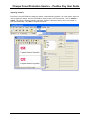
Logging Into the CFP Service............................................................................................... 28
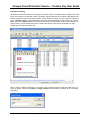
Navigation through The CFP Service ................................................................................... 29
Issued File Search ..................................................................................................................... 30
Manual Upload of an Issued Cheque Record ........................................................................... 33
Search for a Paid Cheque .......................................................................................................... 35
View an Image of a Paid Cheque.......................................................................................... 38
No Image Available .............................................................................................................. 39
View the Audit Trail for an item........................................................................................... 39
Add a Memo.......................................................................................................................... 39
Search for a Issued, Stopped, Voided or Deleted Cheque Record ............................................ 40
Lodging a Stop Payment, Voiding or Deleting an Issued Cheque Record ............................... 41
Exception Processing ................................................................................................................ 42
Request the Return of a Paid Cheque ....................................................................................... 46
Generate a Report...................................................................................................................... 48
Reconciling your account.............................................................................................................. 52
Reconciliation Frequency Options............................................................................................ 52
CFP Back-up Package............................................................................................................... 52
Self- Reconciliation.................................................................................................................... 52
Broadcast Messaging .................................................................................................................... 52
Marketing Messaging.................................................................................................................... 53
Cheque Image Archive – DVD Rom Service ............................................................................... 54
Introducing CheckVision .......................................................................................................... 54
System Requirements................................................................................................................ 54
Overview ................................................................................................................................... 54
Tool Bars................................................................................................................................... 55
Main Viewer Toolbar............................................................................................................ 55
Cheque Display Toolbar ....................................................................................................... 55
Viewer Screens ......................................................................................................................... 57
Main Viewer Window........................................................................................................... 57
Cheque Display Window (Check Image_1) ......................................................................... 57
Document Information Window ........................................................................................... 57
Searching for Cheques .............................................................................................................. 58
Search Field Operators.......................................................................................................... 60
Viewing Cheques/Search Results ............................................................................................. 61
Working with cheque Images ............................................................................................... 61
Viewing Multiple Cheques ................................................................................................... 62
Importing Volumes ................................................................................................................... 63
Cumulative Indexing................................................................................................................. 64
Printing Images ..................................................................................................................... 65
Printing Multiple Images ...................................................................................................... 65
Printing Index Information.................................................................................................... 66
Saving and Viewing Images ..................................................................................................... 66
Saving an Image.................................................................................................................... 66
Opening an Image ................................................................................................................. 66
Exporting Data .......................................................................................................................... 67
Export from a Batch (Index Only) ........................................................................................ 68
Cheque Fraud Protection Service – Positive Pay User Guide
3