1
GO! Suite Quick Start Guide 2208-V1.7
Launch GO! Suite
Before you use GO! Suite, you have to launch GO! Suite application. If you
only use GO! Finder, you can connect the USB device to this computer to
launch this application. If you want to use other applications of GO! Suite, you
have to connect to both PCs via the USB device and transfer cable. Follow the
ways to launch GO! Suite under the operation system of your computer.
WINXP:
When the device is inserted, it will launch GO! Suite automatically. If
not, users have to double click the GO! Suite icon of the removable device on
“My Computer” to launch the program.
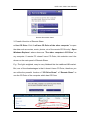
Vista: When the device is inserted, users have to click “Launch GO! Suite” on
auto-play window to launch GO! Suite. If User Account Control window pops
up, click on "Allow" to continue it. If auto-run is not launched, users have to
double click the GO! Suite icon of the removable device on “My Computer” to
launch the program.
1