1
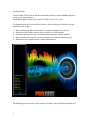
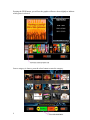
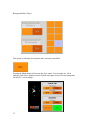
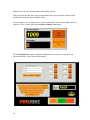
The Search screen will now open.
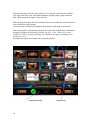
Pressing on the Fwd or Back buttons at this point will advance you through the keyboard.
The button will appear to depress and the button text will change to green to indicate your
position.
Type your Artist / Song name in part or full and navigate to the search button.
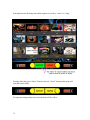
The Search utility will close and the resulting matches (provided you have the
appropriate tracks) will be displayed in a selection screen for you to choose the track.
14