1
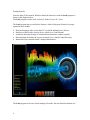
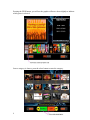
ProJuke is an encrypted media playing platform designed for Jukebox operators.
It employs encryption algorithms that enable it to encode / decode media files.
There are two basic types of security devices are available for use with ProJuke,
1. Rockey
2. ProJuke Controllers
ProJuke requires that either of these two devices be fitted to allow the software to become
fully functional, if no device is present, ProJuke will default to “Demonstration Mode”.
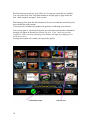
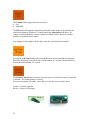
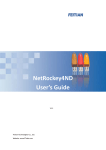
The Rockey is a USB device that requires no external drivers to be loaded. It operates as
a Key to enable ProJuke to operate.
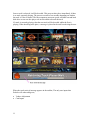
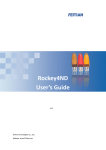
The ProJuke Controllers are available in various configurations and unless you purchase
a pre-configured computer, you will need to install the driver pack. There are currently 2
versions of the controllers available with Ver 5.08 due later in 2012
•
•
•
Ver 5.07 Basic
Ver 5.07 Extended
Ver 5.08
The “Ver 5.07 Basic” level controller operates in the same way as a Rockey, that is, it
only functions as a key to allow ProJuke to be enabled
The “5.07 Extended & 5.08 Controllers” incorporate an operator interface for Coin / Note
validator inputs, Function / Control buttons, Audio / Video switching etc.
For further information on the specifications of the Controllers, please visit the ProJuke
website www.ProJuke.com and download the manuals.
Rockey
ProJuke Controller V5.07
The security device should be inserted prior to switching the host PC on. Failure to do so
may result in ProJuke switching to “Demonstration Mode” due to hardware detection and
failure to load device drivers in adequate time.
3