1
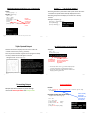
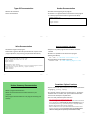
Types$Of$Information$That$Can$Be$Formatted$Via$Format$Specifiers$
(Placeholder)
Formatting$Effects$Using$Format$Specifiers
•Format:$
Specifier
%<width>1.<precision>2<type+of+information>""
Type of Information to display
!
•Examples$(format$specifiers$to$format$output):$
String
%s
%d
Integer (d = decimal / base 10)
%f
Floating point
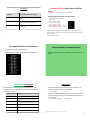
- Program$name:$formatting3.p"
num"="12.55"
print"("%4.1f""%num)"
print"("%5.1f""%num)"
print"("%3.1f""%num)"
print"("%3s%>3s""%("ab",""ab"))"
print"("%>3s%3s""%("ab",""ab"))
1 A positive integer will add leading spaces (right align), negatives will add trailing
spaces (left align). Excluding a value will set the field width to a value large enough to
display the output
2 For floating point data only.
James Tam
slide 75
James Tam
slide 76
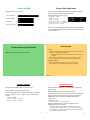
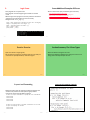
One$Application$Of$Format$Specifiers
Section$Summary:$Formatting$Output
•It$can$be$used$to$align$columns$of$text.$
•How$to$use$format$specifiers$(field$width,$precision)$to$format$
output
•Example$(movie$credits,$tabular$or$financial$information)
James Tam
slide 77
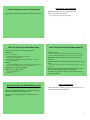
Percent$Sign1
Escape$Codes/Characters
•The$backgslash$character$enclosed$within$quotes$won’t$be$
displayed$but$instead$indicates$that$a$formatting$(escape)$code$
will$follow$the$slash:
Escape sequence
Description
\a
Alarm: Causes the program to beep.
\n
Newline: Moves the cursor to beginning of the
next line.
\t
Tab: Moves the cursor forward one tab stop.
\'
Single quote: Prints a single quote.
\"
Double quote: Prints a double quote.
\\
Backslash: Prints one backslash.
James Tam
slide 78
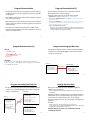
•If$no$format$specifiers$are$used$then$simply$enclose$the$‘%’$
within$the$quotes$of$a$print()$statement$
print("12%")"""""""""→"12%"
•If$format$specifiers$are$used$within$a$call$to$print()$then$use$
one$percent$sign$to$act$as$an$escape$code$for$another$percent$
sign$to$follow$
print("%f%%""%(100))""→"100.000000%
1$Since$the$question$inevitably$comes$up$each$term$I’m$answering$it$now.
slide 79
James Tam
slide 80
James Tam