1
RIM Confidential and Proprietary Information - Approved Third Parties
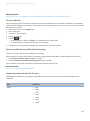
I receive an error message after I rotate a picture
Every time you rotate a picture, your BlackBerry® smartphone automatically tries to save the picture's new direction. You
might receive an error message if the picture is copyright protected, over a certain file size, or isn't in a JPG or PNG format. If
the picture isn't copyright protected and if you have a third-party image editing application, you might be able to reduce the
size of your picture or change the format of your picture to JPG or PNG and then try to rotate the picture again.
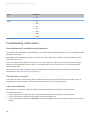
I can't save media files
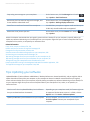
Your BlackBerry® smartphone or media card might not have enough available storage space to store media files.
Try the following actions:
• If you're trying to save a media file to your smartphone, delete old data or messages from your smartphone.
• If you're trying to save a media file on your media card, delete old media files.
• In the camera options, verify that the Image Size field isn't set to Large. Large pictures use more storage space than smaller
pictures.
• In the video camera options, verify that the Video Format field is set to a smaller format. Large videos use more storage
space than smaller videos.
Related information
Delete a message, 80
Copy, move, rename, or delete a file, 130
Change the size of pictures that you take, 160
Change the video size and format, 155
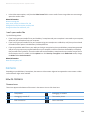
I can't open media files
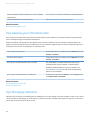
Try the following actions:
•
•
•
If you're trying to open a media file on your BlackBerry® smartphone and your smartphone is connected to your computer,
disconnect your smartphone from your computer.
If you're trying to open a media file on your computer using your smartphone as a USB drive, verify that you have closed
the media transfer options in the BlackBerry® Desktop Software.
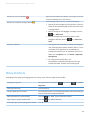
If you encrypted the media files on your media card using an encryption key that your BlackBerry smartphone generated
and you're trying to open an encrypted media file on your computer or a device other than the BlackBerry smartphone
that you used to encrypt the file, insert the media card into the BlackBerry smartphone that you used to encrypt the file.
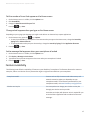
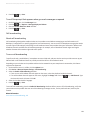
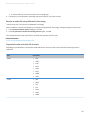
On the Home screen or in a folder, click the Options icon. Click Security > Encryption. In the Media Card section, change
the Mode field to Device Password.
Related information
About file encryption, 297
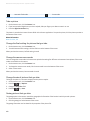
My smartphone isn't using the correct ring tone or wallpaper
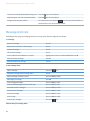
If you're using a ring tone or wallpaper picture that you encrypted on your BlackBerry® smartphone or on the media card using
your smartphone password and you reset your smartphone, unlock your smartphone.
172