1
THE SCORE BAR
• JOYSTICK CONFIGURATION
Select the actions possible in the game and press the buttons on the
Joystick with which you wish to control these actions. We advise you to check
that the joystick is working correctly, by calibrating it using the Joystick
properties item in the Control Panel.
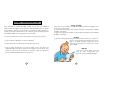
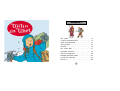
TINTIN’S FACE: this is located in the
upper left corner of the screen on a
parchment. The number next to
Tintin’s face indicates the number
of remaining lives you have.
• KEYBOARD CONFIGURATION
Select the actions possible in the game and press the keyboard keys with
which you wish to control these actions.
THE PARCHMENT: each
time that Tintin is hit, the
parchment rolls up a little.
The fourth time that Tintin is hit, you
lose a life.
Once the property dialogue box is displayed, all you have to do to enter your
preferences is click on the relevant item. To return to your game, either
click on OK, press the ENTER key, press one of the Joystick buttons or select
Cancel.
10
THE ICE-AXE: during the game,
you will find an ice-axe that
lets you manoeuvre easily in
dangerous situations. When this
object is in your possession, it will
be displayed in the lower left
corner of the screen.
THE ROPE: during your
adventure, you will need a
rope to cross over difficult spots.
When you have acquired this object,
it will be displayed in the lower left
corner of the screen.
THE CLOCK: a clock is
displayed in the upper right
corner of the screen and indicates
how much time you have left to
finish a level. When the hand has
gone around the dial once, the clock
will spin for a few moments. If you
have not finished the course, you
lose a life.
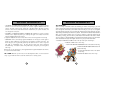
THE BALL: Don’t forget the ball.
When you have collected this object,
it will be displayed in the lower left
corner of the screen.
11