1
F. GPO CONFIGURATION
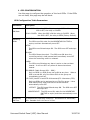
Use this page to configure the operation of the local GPOs. If the GPOs
are not used, this page may be left blank.
GPO Configuration Table Parameters
Parameter
Description
User Defined
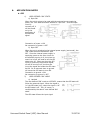
RELAY OPEN: When the GPO is ON, the relay is OPEN. When the
GPO is OFF, the relay is CLOSED.
ON State
RELAY CLOSED: When the GPO is ON the relay is CLOSED. When
the GPO is OFF, the relay is OPEN (Factory Default).
Operating
Mode
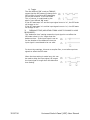
MOMENTARY:
The GPO turns ON, waits for the MOMENTARY ON TIME to
expire, and then automatically turns OFF.
LATCH:
The GPO turns ON and stays ON. The GPO turns OFF and stays
OFF.
FOLLOW:
The GPO follows the switch. The GPO turns ON when the
controlling switch is held pressed and immediately turns OFF
when the controlling switch is released.
ALARM:
The GPO turns ON when any alarm is active or has not been
cleared. It will turn OFF only when all alarms have been
cleared.
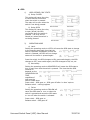
GPO GROUP (Radio Groups RG1 – RG8):
Only one GPO in a GPO Group can be ON at any time. When a
GPO is turned ON, all of the other GPOs in the group are
immediately turned off.
FLIP-FLOP (LatchFF1–LatchFF8 & MomentaryFF1–Momentary FF8):
Only two GPOs can be assigned to one Flip-Flop group. Like a
GPO Radio Group, when one GPO turns ON the other
automatically turns OFF.
LATCHFF: The GPO turns ON and stays ON. The GPO turns OFF
and stays OFF.
MOMENTARYFF: The GPO turns ON, waits for the MOMENTARY
ON TIME to expire, and then automatically turns
OFF.
Momentary
ON Time
For MOMENTARY operating mode only. ON duration for Momentary
GPO. Settable from 0.01 sec to 2.0 sec.
Universal Switch Panel (USP) User Manual
19 OF 36