1
Sprint M240.book Page 70 Sunday, July 26, 2009 11:11 AM
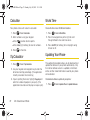
Calculator
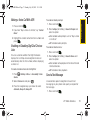
World Time
Your phone comes with a built-in calculator.
To view the time in over 50 different locations:
1. Press
> Tools > Calculator.
2. Enter numbers using your keypad.
Press
to enter decimal points.
䡲 Press Clear (right softkey) to clear all numbers.
䡲
3. Press
for the total.
Tip Calculator
1. Press
> Tools > Tip Calculator.
2. Use your keypad and navigation key to enter the
bill amount and tip percentage. (The application
instantly calculates the correct tip.)
3. If you’re splitting the check, highlight # paying and
enter the number of people in your party. (The
application calculates and displays an equal split.)
70
2E. Calendar and Tools
1. Press
> Tools > World Time.
2. Press the navigation key left or right to scroll
through different cities and time zones.
3. Press Set DST (left softkey) to turn daylight saving
time on or off.
Updating Your Phone
The update phone option allows you to download and
update the software in your phone automatically. Only
the internal software version is updated; no Contacts
entries or other stored information saved to your phone
will be deleted.
To download software updates to your phone:
1. Press
> Tools > Update Phone > Update Firmware.