1
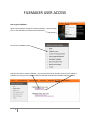
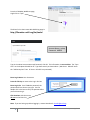
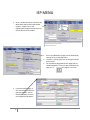
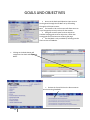
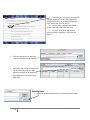
IEP MENU Once a student has been located on the Main Menu and Total Records Found equals 1, simply click on the Eligibility/IEP Program button to access the IEP data for that student. Access to individual IEP pages can be obtained by clicking on any of the page titles. To access a specific goal, click on the goal number on the menu. The checkboxes aligned with each page title are called Data Boxes. If there is data entered on any page, an “X” will appear in the box. From the selected page, in this case the IEP Conference Summary Report, click on the Menu button to return to the Eligibility/IEP Menu. 9 Updated 8/2/2015