1
Chapter 7
Temperature non-uniformity test
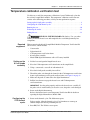
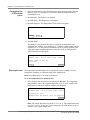
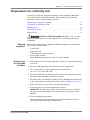
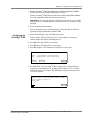
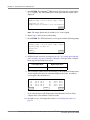
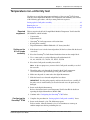
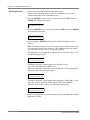
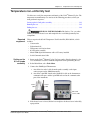
3. Press F4 (Util). The Utilities screen opens.
4. Press F1 (Diag). The Diagnostics screen opens.
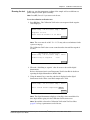
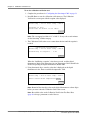
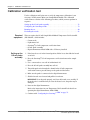
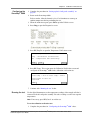
5. Press F3 (TmpVer). The Temperature Verification screen opens.
Temperature Verification
Temp - Calibration Verification
TNU - Temperature Non-Uniformity
Temp
TNU
F1
F2
Exit
F3
F4
F5
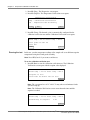
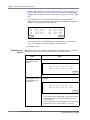
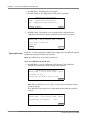
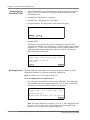
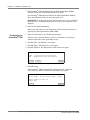
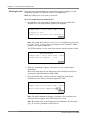
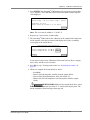
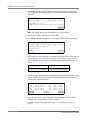
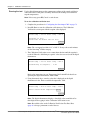
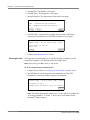
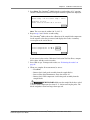
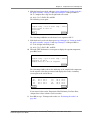
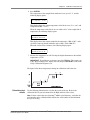
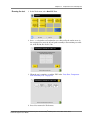
6. Press F2 (TNU) to automatically configure the GeneAmp® 9700 for the
temperature non-uniformity test. The TNU Performance screen opens.
TNU Performance
Sample temp = xx.x°C Cover temp = xxx°C
Place Probe in well A1
Press Run
Run
F1
Cancel
F2
F3
F4
F5
7. Continue with “Running the test” below.
Running the test
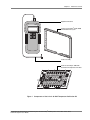
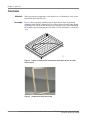
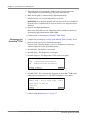
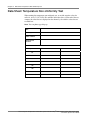
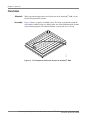
The temperature non-uniformity test uses the 0.5-mL probe assembly to test the
temperature uniformity of 12 different wells in the sample block.
Note: If necessary, press F5 (Cancel) to exit the test.
To run the temperature non-uniformity test:
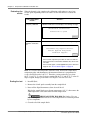
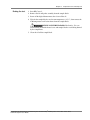
1. Complete the procedures in “Setting up the 0.5-mL probe assembly” above.
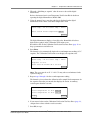
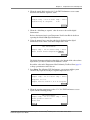
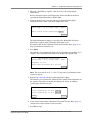
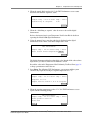
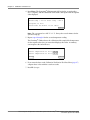
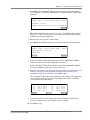
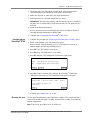
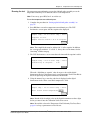
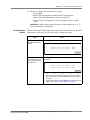
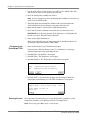
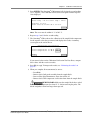
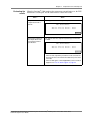
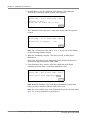
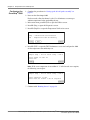
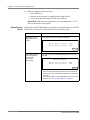
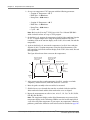
2. Press F1 (Run) to start the temperature non-uniformity test. The TNU
Performance screen opens with the setpoint value displayed.
TNU Performance
Sample temp = xx.x°C Cover temp = xxx°C
Setpoint is 94°C
Sample must be within 1.0°C of setpoint
Cancel
F1
F2
F3
F4
F5
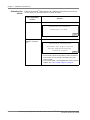
Note: The sample block must be within ±1.0 °C of the setpoint. In addition, the
cover must be within ±1 °C of 105 °C. It may take several minutes for the
GeneAmp® 9700 to ramp up.
84
Thermal Cycler Temperature Verification System For GeneAmp® PCR Systems 2720, 9600, 9700, 9800,
and Veriti® System User Guide