1
Section 3 - Configuration
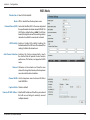
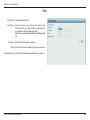
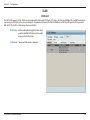
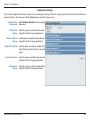
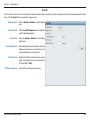
WDS Mode
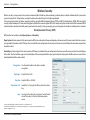
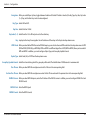
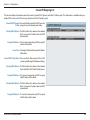
Wireless Band: Select 2.4GHz in default.
Mode: WDS is selected from the drop-down menu.
Network Name (SSID): Service Set Identifier (SSID) is the name designated
for a specific wireless local area network (WLAN). The
SSID’s factory default setting is dlink. The SSID can
be easily changed to connect to an existing wireless
network or to establish a new wireless network.
SSID Visibility: Enable or Disable SSID visibility. Enabling this
feature broadcasts the SSID across the network, thus
making it visible to all network users.
Auto Channel Selection: Enabling this feature automatically selects
the channel that will provide the best wireless
performance. This feature is not supported in WDS
mode.
Channel: All devices on the network must share the same
channel. To change the channel, use the drop-down
menu to make the desired selection.
Channel Width: Use the drop-down menu to choose 20 MHz or
Auto 20/40 MHz.
Captive Profile: Disable in default.
Remote AP MAC Address: Enter the MAC addresses of the APs on your network
that will serve as bridges to wirelessly connect
multiple networks.
D-Link DAP-2330 User Manual
16