1
ECM ® 830 Electroporation System
Appendix L: Connecting Electrodes
(Continued)
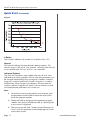
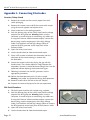
5. Place the Flat Pack Chamber in between the electrodes with
the aluminum coming in contact with the electrodes.
6. Secure the Flat Pack Chamber in place by closing the gap
with the thumb wheel. The Flat Pack Chamber should be
snugly placed between the electrodes; however it should be
loose enough that it can be pulled out without adjusting the
thumb wheel again.
7. Following instructions for the BTX generator, set the
appropriate parameters.
8. Deliver the electroporation pulse (s) to the sample.
Warning: Use proper eye protection during electroporation.
9. Remove Flat Pack Chamber and extract the cell solution.
10. Dispose of Flat Pack Chamber and prepare for the
next experiment.
Flat Electrodes
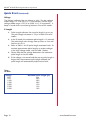
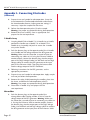
1. Fill the sterile Flat Electrode Chamber using a syringe.
2. Replace the clear plastic tip so the holes in the top align with
the holes in the electrode bars.
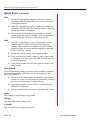
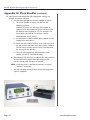
3. Push the banana plugs at the opposite end of the Flat
Electrode (Catalog number45-0217) into the voltage output
of the BTX generator. Warning: Make sure the Generator is
turned off prior to connecting any cables to it. If using the
Enhancer 3000 to monitor output, connect the banana
plugs into the output ports of the High Voltage Probe. Use
the black and red high voltage cables to connect the BTX
generator to the input ports of the Enhancer 3000.
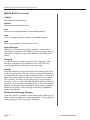
4. Following instructions for the BTX generator, set the
appropriate parameters.
5. Deliver the electroporation pulse (s) to the sample.
Warning: Use proper eye protection during electroporation.
6. Extract the cell solution. (The chamber can be rested on ice
for cooling purposes)
7. Clean as appropriate and prepare for the next experiment.
Page 46
www.btxonline.com