1
UEIUA
the button
for long to exit the setting interface, and the number stop flickering.
3.1 Battery Voltage review
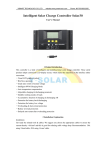
As shown as the right figure, the displaying number is the present battery voltage.
This interface is the main interface, and it shows the charging & discharge state,
battery capacity and battery voltage.
3.2 The load On/Off controlling
At the batter voltage review interface, you can press button
to turn on or turn off the load, While this button does
not have this function at other interface.
3.3 Environmental temperature review
As shown on the right, displays the ambient temperature of the controller,
the value used for temperature compensation on LVD function.
The sensor must be plug in before using the controller.
Chooses us, chooses the specialty!
Website: Http://www.ueiua.com
7