1
V03
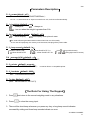
With This Function , The Total Production Volume And Weight Of Packing
Can Be Checked According To Serial Number .
Control The Production According To The Maximum Serial Number.
Assumed that a production line need to do the packing for every 100 standard items
produced :
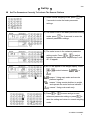
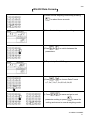
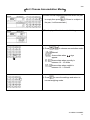
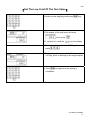
(1) turn on the serial number
(2) set the mode of serial number according to weight ( within the HI/LO
limit), serial number will add 1.
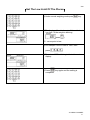
(3) set the maximum serial number to be 100
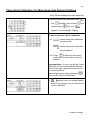
(4) start weighing, when the weight is stable and is within the HI/LO limit ,
the number will add 1.
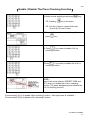
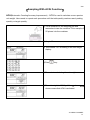
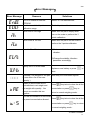
(5) when the serial number reach 100 , the unit weight display will show a
blinking
and beeping sounds , meaning that have reached 100
standard items and you can do the packing now.
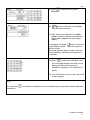
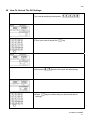
(6) the serial number will return and start from 1 again , after the 100th
serial number ,
Difference Printing Format For Difference Products
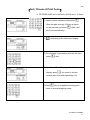
This scale is well equipped with 100 difference printing format according to your needs .
Please refer to【label & sample of the printing forms】.
Print The Product Name And Specifications ( Label Setting )
You may key in the product name and specification and print the label using the printer
because this scale is equipped with the A ~ Z alphabets . Please refer to
【sample of print forms】.
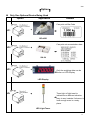
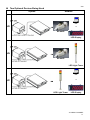
Using The Tower Light To Indicate A Defect Or Shortage In Production
The examples of production control mentioned above can be more effective by
Using a tower light connecting to the scale. The advantage of the tower light is
to overcome the noisiness in the production line and enable the users to check
the production through the signals of the tower light .
Please Contact Your Nearest Agent Or Sales Person If You Have Others
Special Requirements Related To The Scale.
JCA DUAL CHANNEL
69