1
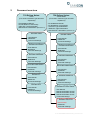
Temperature controler
MQT8K
Axis Q1755
IP camera
Terminal
Phoenix MT1.5
Heating element
DBK-HP05
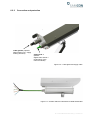
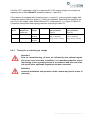
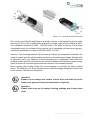
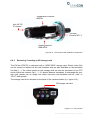
Figure 6.13 – ExCam IPQ1755 installation components
6.4.3
Removing / inserting an SD storage card
The ExCam IPQ1755 is delivered with a 16GB SDHC storage card. Stored video files
can be viewed or deleted via the web Interface and are also available on the download
list (http://....). The videos stored on the storage card can also be accessed via an FTP
server within the network (ftp://....). If it should become necessary to exchange the storage card, please use an empty one which has been pre-formatted with an „ext4“ or
„vFAT“ data system.
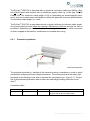
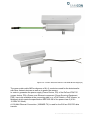
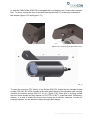
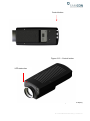
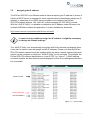
The storage card slot is situated on the back of the camera module (q.v. figure 6.14).
SD storage card slot
Figure 6.14 – SD card slot
Doc.-ID: 141023-PT08BA-TG-ExCam IPQ1755 series_en_rev.01, Seite 30 von 44