1
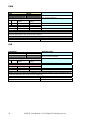
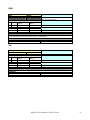
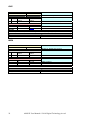
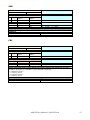
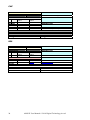
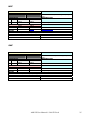
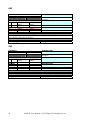
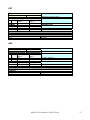
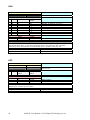
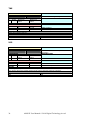
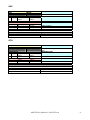
TRK COMMAND DESCRIPTION TEXT INDEX TRK 032 Set the tracking on both axes. PARAMETER DESCRIPTION # Digits Minimum Maximum Value Value 0 2 0 1 Motor selection 1 8 0 232 Primary period 2 8 0 232 Number of primary periods 3 8 0 232 Secondary period 4 8 0 232 Number of secondary periods 5 8 0 1 Direction axis 0, 0 = CCW, 1 = CW RETURN DESCRIPTION # Digits Value 0 2 0-255 AMS identifier 1 2 CODE Operation result DETAIL This command allows you to set an arbitrary tracking on both axes. The frequency of steps is established by setting the time to be used which is equal to the maximum frequency of positioning divided the value of the period. If the frequency you want has no fractional, the primary period is equal to the secondary and the number of periods is the same; otherwise, the primary will be run for a certain period (e.g. positive deviation) and then it will be run the secondary period ( e.g. negative deviation) so that the average period is centered (in an error limit) on the value you desire. EXAMPLE TRK,0,100,373,1234,20,0CR 0,ACKCR ETK COMMAND DESCRIPTION TEXT INDEX ETK 033 Enable the tracking on an axis. COMMAND DESCRIPTION # Digits Minimum Maximum Value Value 0 2 0 1 Motor selection 1 2 0 1 Disable 0, Enable 1 RETURN DESCRIPTION # Digits Value 0 2 0-255 AMS identifier 1 2 CODE Operation result DETAIL After sets a tracking by the command TRK, it’s possible to run it or not by this command. EXAMPLE ETK,0,1CR 0,ACKCR AMS III User Manual © 2010 DTA srl 29