1
Scheduling PDF Compliance Reports
•
This feature has the ability to open a 200 page PDF report with ease. In
comparison, opening the same report in HTML takes a more extensive
amount of time using IE, as it is weighed down by memory and other
systems.
Requirements
Adobe Reader ® plug-in is required for the preview function.
How Do Compliance Reports Work?
ViewPoint has the capability to generate both online and scheduled reports in
HTML format. Since PDF has become a standard document format for
distribution, the compliance reports are based on this universal standard.
Moreover, users are able to customize/define sections throughout the report.
For example, they can assign different logos/titles to the cover pages for their
customers.
Adding a New Scheduled Compliance Report
This section includes the following sub-sections:
•
“Customizing Your Cover Page” section on page 147
•
“Customizing Your Summary Report Page” section on page 148
•
“Customizing Your Detailed Reports Page” section on page 149
•
“Editing Existing Profiles” section on page 150
•
“Verifying User Compliance Reports Configuration” section on page 152
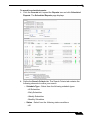
To begin creating a new customized Compliance Report, perform the following
steps:
1.
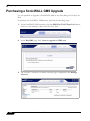
Navigate to UTM > Configuration > Scheduled Reports.
2.
Click the ADD button, to add a scheduled report.
3.
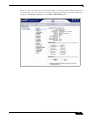
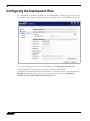
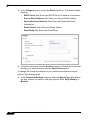
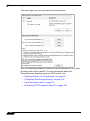
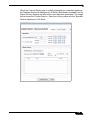
The Scheduled Report Configuration page displays. In the General
section, enter the name of your report into the Name field, and the report
description.
SonicWALL ViewPoint 6.0 Administrator’s Guide
145