1
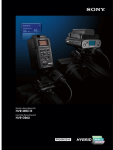
HVR-MRC1K
Memory Recording Unit
HVR-DR60
Hard Disk Recording Unit
click: sony.com/HDV
SONY54795_HVR-DR.indd 1
12/30/08 12:05:34 PM
Streamlining Your Workflow from Acquisition
to Editing and Material Archiving with unique
HYBRID Recording Solutions from Sony
Speed, reliability, operability, and versatility are key
There are several very important benefits of HYBRID recording.
concerns in any video production.
HYBRID Format: Simultaneous HD and SD recording
The HVR-MRC1K Memory Recording Unit and HVR-DR60
- HD on tape and SD on non-tape media -
Hard Disk Recording Unit from Sony offer stunning
innovations for all aspects of the production process –
HYBRID Media: Use of a tape and non-linear recording media
from acquisition to editing, and on to material archiving.
- For reliable backup recording -
The HVR-MRC1K consists of the HVR-MRC1 main unit,
HYBRID Workflow: Files for quick editing and tape for archiving
HVRA-CR1 cradle, cold-shoe adaptors and an i.LINK
– For today’s production and HD value in the future -
cable. Extremely compact and lightweight, the
HVR-MRC1 can be mounted on a HDV™/DVCAM™
The HVR-MRC1K and HVR-DR60 open up a world of
®1
camcorder, thereby converting it to a ‘HYBRID’ recording
®
system with CompactFlash solid-state memory and
tape. It allows the user to record video on a tape and
®
possibilities for digital video production. Whether it’s for
documentaries, mainstream news, low-budget movies,
music videos, Internet, education, or a wide range of
industrial applications, Sony’s HYBRID solutions are ideal.
CompactFlash card simultaneously.
Combine the HVR-MRC1K or HVR-DR60 with your HDV or
The widely available CompactFlash card can be used to
offer secure recording, removable media convenience,
high durability against external vibration, and highspeed file transfer to a computer. It is possible to record
for about 72 minutes on a 16-GB CompactFlash card.
The Sony HVR-DR60 Hard Disk Recording Unit offers the
DVCAM camcorder for a true taste of workflow
innovation.
*1 i.LINK is a trademark of Sony used only to designate that a product
contains an IEEE 1394 connector. Not all products with an i.LINK connector
will necessarily communicate with each other. For information on
compatibility, operating conditions, and proper connection, please refer
to the documentation supplied with any device with an i.LINK connector.
For information on devices that include an i.LINK connection, please
contact your nearest Sony Authorized Sony Reseller.
same HYBRID concept for improving the production
process. The HVR-DR60 has a 60-GB HDD which offers a
recording time of approximately 4.5 hours (270 minutes)
in HDV, DVCAM, or DV recording formats.
HVR-DR60
HVR-MRC1K
2
SONY54795_HVR-DR.indd 2
12/30/08 12:05:36 PM
HYBRID Recording
The HVR-MRC1K and HVR-DR60 provide a HYBRID recording capability by
which images are recorded to tape and non-linear media simultaneously.
HYBRID Format
HYBRID Media
It is possible to record video in HD and SD formats
simultaneously. When the built-in down-converter of the
connected HDV camcorder is active, SD images can be
recorded on non-linear media while HD images are
recorded to tape.
HYBRID recording allows you to use two different types of
recording media at one time. The tape and non-linear media
provide backup for each other.
Alternatively, you can use high-quality uncompressed
Linear-PCM audio format data in a DV file instead of
compressed audio in HDV material. It is possible to integrate
HDV video with Linear-PCM audio on a timeline of
HDV-compatible NLE (non-linear editing) software.
Tape is still one of the most reliable storage media. HYBRID
recording with the HVR-MRC1K or HVR-DR60 allows you to
keep the master source tape in a safe place, while having
a movie file for streamlined NLE work. You can have both at
one time in a single workflow.
HYBRID Workflow
HYBRID-Recording
“HD + HD” HYBRID-Recording
Tape : HDV1080i signal
CF card or DR60 : HDV1080i signal
Archiving
Repurposing
DR60
HDV Camcorder
+
HD
or
HD Delivery
CF
MRC1
HVR-Z5U
HD
M2T file
HVR-V1U
HD
HD
“HD + SD” HYBRID-Recording
HDV Editing
HD
Tape : HDV1080i signal
CF card or DR60 : Down-converted DV signal
Archiving
Repurposing
DR60
HDV Camcorder
+
HD
or
SD Delivery
CF
MRC1
HVR-Z5U
SD
DV file
HVR-V1U
HD
SD
SD
“SD + SD” HYBRID-Recording
DV Editing
Tape : DVCAM or DV signal
CompactFlash card or DR60 : DV signal
Archiving
Repurposing
DVCAM
DR60
HDV*/DVCAM Camcorder
+
SD
or
SD Delivery
CF
MRC1
HVR-Z5U
SD
SD
DV file
DSR-450WS
SD
DV Editing
SD
* In DVCAM recording mode
3
SONY54795_HVR-DR.indd 3
12/30/08 12:05:44 PM
Product Outline
HVR-MRC1K and HVR-DR60 Common Features
HVR-MRC1K
Memory Recording Unit
File Type
The HVR-MRC1K is a memory recording unit kit
which consists of the HVR-MRC1 memory recording
unit, HVRA-CR1 cradle, cold-shoe adaptors and an
i.LINK (IEEE1394) cable. The HVR-MRC1 can be
connected directly to the HVR-Z5U without cabling
or can be connected to a Sony professional HDV
or DVCAM camcorder via an i.LINK cable
connection. The widely available standard
CompactFlash card*2 is used for HDV, DVCAM, and
DV file recording, with a 16-GB card providing
approximately 72 minutes and an 8-GB card
providing approximately 36 minutes of recording
time.
*2 CompactFlash card is not included. At least 133x speed and
2-GB capacity is required. The Sony NCFD8GP and NCFD16GP
CompactFlash cards are recommended. The recording time
may change according to the CompactFlash card type and
recording format.
For HDV1080i recording
M2T file
This is a file created by the HVR-MRC1 or
HVR-DR60. It has the file extension “.M2T”. The
video, audio and auxiliary data are contained in
an MPEG2-TS file format. The file conforms to the
HDV1080i specification in which MPEG-2 MP@
H-14 is used for its video codec and either MPEG-1
Audio Layer2 (for 2 ch) or MPEG-2 Audio Layer2
(for 4 ch) is used for the audio codec.
For DVCAM and DV recording
There are two options for DVCAM/DV file recording:
AVI file (DV type1)
This file has the extension “.AVI”, and can be
played by the standard movie player software of
both Windows® and Macintosh® operating systems.
Using this file type for DVCAM/DV recording is
useful because it is compatible with many types of
application software.
RawDV file
HVR-MRC1 (the CompactFlash card is not supplied)
HVR-DR60
Hard Disk Recording Unit
The HVR-DR60 is an optional hard disk recording
unit for Sony’s professional HDV and DVCAM
camcorders. Via a simple i.LINK cable connection,
the HVR-DR60 can record HDV, DVCAM, or DV
streams from the camcorder and store them as
video files. The internal
hard disk drive (HDD)
offers a large capacity of
60 GB, which translates
into a long recording
time of approximately
4.5 hours (270 minutes)
for HDV, DVCAM, and
DV formats. Images
can even be recorded
to HDD and tape
simultaneously.
HVR-DR60
You can also choose this file type for DVCAM/DV
recording, if needed. It has the file extension “.DV”,
and contains raw DVCAM or DV data This file type
can be played back via the QuickTime™ Player on
the Macintosh operating system.
A compatible player may be needed for playback
on the Windows operating system.
FAT32 File System
The HVR-MRC1 and HVR-DR60 use FAT32 for their file
system. Thanks to FAT32, your Windows or Macintosh
computer can recognize the recording media
as an external drive without having to install any
driver software. The maximum recording file size
allowed with FAT32 is approximately 4 GB, which
provides a recording time of around 20 minutes.
Should your recording exceed this, the subsequent
footage will be recorded as a separate new file.
However, the Sony Recording Unit utility software
and compatible NLE software can connect the
divided M2T files so they can be edited precisely in
your NLE as a single file without any pauses.
4
SONY54795_HVR-DR.indd 4
12/30/08 12:06:26 PM
HVR-MRCK and HVR-DR60 Common Features
✜ Versatile Recording Modes
✜ Control Buttons
Three recording modes can be selected to support
various camcorder models and operational needs.
SYNCHRO mode
When using camcorders that support external rec
control, such as the HVR-Z5U, HVR-V1U, HVR-Z1U,
DSR-450WS, DSR-400 and DSR-250, recording to the
HVR-MRC1 or HVR-DR60 is directly controlled by the
press of the camcorder’s rec start button.*3
*3 In this mode, a rec start delay of approximately 0.5 seconds
may occur after the camcorder rec start button is pressed.
FOLLOW mode
When using camcorders that do not support
external rec control, such as the HVR-A1U and
DSR-PD170, the FOLLOW mode can be used to start
and stop recording by the HVR-MRC1 or HVR-DR60.
In this mode, the HVR-MRC1 or HVR-DR60
periodically checks whether the camcorder is in rec
mode or not, and follows this status.*4
*4 In this mode, a rec start delay of up to 2 seconds may occur
after the camcorder rec start button is pressed.
The HVR-MRC1 and HVR-DR60 can disregard the rec
trigger or recording status of the camcorder and
allow recording to be started and stopped using it’s
own control buttons. This allows control of the
HVR-DR60 independent of camcorder operations.*5
*5 In HDV mode, interruptions in time code and video may
appear in the recording when the camcorder rec control
buttons are pressed.
Supported Camcorder Models
HVR-S270U
HVR-Z7U
HVR-Z5U
HVR-Z1U
HVR-V1U
HVR-A1U
HVR-HD1000U
DSR-570WS
DSR-450WS
DSR-400
DSR-390
DSR-250
DSR-PD170
DSR-PD150
DSR-PDX10
SYNCHRO FOLLOW
mode
mode
●
●*
●
●
●*
●
●
●*
●
●
●
●
●*
●
—
●
—
●
●
●*
●
●
●*
●
●
●*
●
●
●*
●
●
●
—
●
—
●
—
●
Independent
Recording
●*
●
●*
●
●*
●
●*
●
●*
●
●*
●
●*
●
●*
●
●*
●
●*
●
●*
●
●*
●
●*
●
●*
●
●*
●
✜ Quick Review of Recordings
Using the control buttons of the HVR-MRC1
and HVR-DR60, stored footage can be instantly
accessed and previewed on the LCD monitor of
the connected camcorder or deck for a quick
review of recordings.
✜ Repeat Playback
The HVR-MRC1 and HVR-DR60 offer a repeat
playback function that allows for one desired clip
or all clips to be repeated and transferred via the
i.LINK connector to an i.LINK compatible device.
✜ Status Check on Camcorder
Independent Recording
Model
The HVR-MRC1 and HVR-DR60 are equipped with
buttons that provide control for functions such as
record, play, stop, next and previous.
Using these buttons, the unit can output HDV/
DVCAM/DV streams with time code via the i.LINK
connector.
HDV
DVCAM
DV
●
●
●
●
●
●
●
—
—
—
—
—
—
—
—
●
●
●
●
●
●
—
●
●
●
●
●
●
●
●
●
●
●
●
●
●
●
—
●
●
—
●
●
●
●
*Tape-less recording is also available.
Cache Recording
The HVR-MRC1 and HVR-DR60 offer a cache
recording function, in which up to 14 seconds of
video and audio are continuously buffered in the
memory. This helps to prevent the loss of important
scenes or events that occur 14 seconds before the
rec start button is pressed*6, as that footage is
automatically recorded to the hard disk or
CompactFlash card.
On the LCD monitor and viewfinder of the
HVR-S270U,HVR-Z7U, HVR-Z5U and HVR-V1U, the
operational status of the HVR-MRC1 and HVR-DR60
such as connection, recording format, battery level,
remaining recording time, recording folder name,
etc. can be checked. This keeps operators
informed of both the camcorder and external
device status, without taking their eyes away from
what is being shot.
External Device Status Check
✜ Tapeless Recording
Some camcorders such as the HVR-Z5U and
HVR-V1U send the rec start/stop trigger that
controls the HVR-MRC1 or HVR-DR60 without
needing to load a tape. This feature offers
operators the choice of tapeless operation or
HYBRID operation.
*6 In HDV mode, approximately 0.5 seconds of the video
captured before and after the camcorder rec start button is
pressed may be lost.
5
SONY54795_HVR-DR.indd 5
12/30/08 12:06:28 PM
HVR-MRC1K Memory Recording Unit
✜ HDV in IT Workflow by CompactFlash
Memory Recording Unit
The HVR-MRC1 captures the HDV1080i, DVCAM, or
DV stream output from the camcorder and records
it as movie file while you are simultaneously
recording to tape.
You can use a standard CompactFlash card*7,
which offers secure recording, high-speed access,
large data capacity, removable media
convenience, and high durability against external
vibration.
*7 Not supplied.
The CompactFlash card is used for HDV/DVCAM
camcorders because the media is easily
obtainable for file recording in the same way as
miniDV tape is easily obtainable for HDV/DVCAM
recording. This general versatility is very important
for those who frequently need to obtain media
quickly, such as someone shooting a documentary
or news reports while moving from city to city.
✜ HDV/DVCAM/DV File Recording on Easily
Obtained CompactFlash Card
The recording time on a 16-GB CompactFlash
card*8 in HDV, DVCAM and DV format*9 is
approximately 72 minutes.
CF card capacity
16GB
8GB
4GB
2GB
Recording time(approximately)
72 minutes
36 minutes
18 minutes
9 minutes
✜ Integration Without Cabling
The HVR-MRC1 can be integrated to the HVR-Z5U
without the need for cabling, simply by attaching it
onto the special shoe connector*10.
This smart combination never interferes with
shooting operations. The HVR-MRC1 automatically
synchronizes with the recording action of the
camcorder – i.e., when the camcorder starts or stops
recording, so does the unit.
*10 The intelligent shoe connector inputs and outputs an HDV/DV
stream and supplies power to the HVR-MRC1. The i.LINK
connector is not available when the unit is attached on the
camcorder.
72 min.
16 GB
*8 At least 133x speed and 2-GB capacity is required. The
Sony NCFD8GP and NCFD16GP CompactFlash cards are
recommended. With other commonly-used CompactFlash
cards, there may be rare occasions when data will not be
recorded correctly depending on the products.
Such CompactFlash cards may have unstable data transfer
speed.
If you use a CompactFlash card other than those recommended,
it is advisable to test it in advance in the following way:
1) Format the CompactFlash card in the Memory Recording Unit.
2) Shoot more than 20 pieces of footage of about 10
seconds each in HDV recording mode.
3) Import the files into your nonlinear editing software to
check if it can be edited properly.
*9 The recording time may change according to the
Attached on the HVR-Z5U
Works with other camcorders via an i.LINK cable
connection
6
SONY54795_HVR-DR.indd 6
12/30/08 12:06:29 PM
HVR-MRC1K Features
✜ Independent Use With
the Supplied Cradle
xx_nnnn_YYYY-MM-DD_HHMMSS.extension
(e.g., 01_0001_2007-10-01_134510.M2T)
The HVR-MRC1 can be used as an external
recording unit, just like the HVR-DR60, by attaching
the supplied cradle that has an i.LINK connector,
battery attachment, and DC power input. When
the HVR-MRC1 is connected to a computer via
an i.LINK (IEEE1394) cable, it is recognized as an
external drive and can be used to access files.
When connected to a video device (such as a VTR
or NLE system) via an i.LINK, it can be used to
input/output a HDV/DVCAM/DV stream.
HVRA-CR1
Battery (L series) Slot
i.LINK Connector
(6pin)
DC Power Input
✜ File Name and Folder Structure
In the HVR-MRC1, all files are stored in one folder.
Each file is named in line with the following format:
xx:
This is a two-digit number (00 - 99) that you can
set via the “CAM No.” menu of the HVR-MRC1. This
prefix number is useful when multiple CF cards are
used.
nnnn:
This is a sequential clip number. It is incremented by
one as each new recording begins.
YYYY-MM-DD_HHMMSS:
These numbers refer to the date and time of the
recording (which are derived from the date and
time data settings of the camcorder)*11.
Any subsequent files, divided by FAT32, will have
new time data, but retain the same clip number.
*11 The date and time digits of the file name will be listed as
“0000-00-00_000000” if the i.LINK
signal comes from any of the
following devices:
VIDEO
HVR
• A camcorder that doesn’t
have date and time setting
• A camcorder or VCR that is
playing back a recorded tape
01_0001_2007-10-01_134510.M2T (4GB)
which doesn’t contain data
01_0001_2007-10-01_140510.M2T (3GB)
and time data
01_0002_2007-10-03_100530.M2T (1GB)
01_0003_2007-10-03_102415.AVI (2GB)
• Other devices that don’t
01_0004_2007-10-03_111030.AVI (4GB)
output date and time data via
01_0004_2007-10-03_113030.AVI (4GB)
an i.LINK stream
The folder structure and file name
created by the Memory Recording Unit
File Transfer
CF
CompactFlash card
PC with CF card slot
CF
USB connection
HVR-MRC1
CompactFlash card
CF card reader(USB)*
*Not supplied.
PC with USB interface
CF
i.LINK connection
CompactFlash card
HVR-MRC1
on the supplied HVRA-CR1 cradle
PC with i.LINK(IEEE1394) connector
Playback from the HVR-MRC1
+
Video output
HVR-MRC1
HVR-Z5U
i.LINK
connection
HVR-MRC1on the supplied
HVRA-CR1 cradle
Display
Video output
HDV or DVCAM* VTR / Camcorder
Display
*For DVCAM recording
Note: Interruptions in video out put may appear between recordings during playback thorough the connected HDV/DVCAM/DV device.
7
SONY54795_HVR-DR.indd 7
12/30/08 12:06:39 PM
HVR-DR60 Hard Disk Recording Unit
✜ Compact and Lightweight
The HVR-DR60 measures just 3 1/4 x 1 3/4 x 4 inches
(81 x 45 x 100 mm) in size and only about
8 oz (230 g) in weight. It can be mounted on a
camcorder’s cold shoe using the supplied shoe
adapter, or attached using an optional VCT-1BP
Bracket.
✜ HDD Smart Protection
– Robust Recording
and Shock Resistance
✜ Long Recording Time of 4.5 Hours
Via its simple i.LINK connection, the HVR-DR60 Hard
Disk Recording Unit can record HDV 1080i streams
from a compatible HDV camcorder or DVCAM/
DV streams from a compatible DVCAM camcorder.
The internal 1.8-inch hard disk drive (HDD) offers
a large capacity of 60 GB, which translates into
a long 4.5 hours (270 minutes) recording time for
both formats.
HDV 1080i streams are recorded as native HDV files
(.m2t), while DVCAM/DV streams are recorded as
DV-AVI (Type1) or RAW-DV files.
HDV
M2T
file
Three advanced
technologies are used in
the HVR-DR60 to provide
reliable recording
performance:
Shock
Absorber
HDD Smart
Protection
3G
Sensor
Buffer
Memory
1) Rubber shock absorbers hold the
HDD unit in place, helping to
prevent external shock from being
transmitted when the HVR-DR60
chassis is subject to impact.
Shock Absorbers
HDV 1080i stream
i.LINK connection
HDV 1080i Camcorder
DVCAM
DV-AVI/
RAW-DV
file
DV stream
DVCAM Camcorder
i.LINK connection
✜ Long Operating Hours Using Common
Camcorder Batteries
The HVR-DR60 uses the same InfoLITHIUM® L Series
batteries as the HVR-Z7U, HVR-Z5U and HVR-V1U
camcorders. With the smallest capacity NP-F570
battery, the HVR-DR60 can run continuously up to
5.5 hours (330 min), and with the largest capacity
NP-F970, this increases up to 18 hours (1080 min).
Long operating hours are offered using the same
camcorder batteries HDV operators already have
at hand.
2) A 3G sensor detects gravitational acceleration
in three dimensions, so however the HVR-DR60 may
be oriented, the sensor can detect if it has been
dropped. Should this occur, power to the HDD is
shut off and the recording heads are retracted
from the disk platter, pausing
read/write operations.
This helps protect the HDD
from being damaged when
the unit is accidentally
dropped or subject to strong
impact.
3G sensor
3) A buffer memory can store approximately 14
seconds of video and audio footage. Recordings
are made by first writing the data to the buffer,
and then writing the buffer data to the disk platter.
Consequently, if the 3G sensor temporarily
interrupts disk writes, video footage is not lost.
Thanks to such advanced technologies, the
HVR-DR60 should continue to record stably even
when dropped from as high as 39 3/8 inches
(100 cm) (based on Sony's testing).
✜ User-free Area
The HVR-DR60 has a user-free area of
approximately 1 GB in the hard disk, where
common data files such as still images and project
files of nonlinear editing systems can be stored.
8
SONY54795_HVR-DR.indd 8
12/30/08 12:06:46 PM
HVR-DR60 Features
✜ File Name and Folder Structure
The HVR-DR60 creates a folder (e.g., “100HDVF”)
when recording begins, and stores recorded video
within it as a movie file (e.g., “HDV10001.M2T”).
Any subsequent files divided FAT32, are
stored in the same folder (e.g., “HDV10002.M2T”).
When a new recording is made, a new folder
(e.g., “101HDVF”) is created and a new file
(e.g., “10101.M2T”) is stored within it.
HDVF
DVF
100HDVF
• HDV10001.M2T (2GB)
101HDVF
• HDV10101.M2T (4GB)
• HDV10102.M2T (4GB)
100DVF
• DVS10001.AVI (4GB)
• DVS10002.AVI (4GB)
101DVF
• DVS10101.AVI (4GB)
The folder structure and file name in the HVR-DR60
File Transfer
i.LINK connection
PC with i.LINK(IEEE1394) connector
HVR-DR60
Playback from the HVR-DR60
i.LINK
connection
HVR-DR60
Video output
HDV or DVCAM* VTR / Camcorder
Display
*For DVCAM recording
Note: Interruptions in video out put may appear between recordings during playback thorough the connected HDV/DVCAM/DV device.
9
SONY54795_HVR-DR.indd 9
12/30/08 12:06:55 PM
Sony Recording Unit Utility
This software can be downloaded from Sony’s website free of charge. It allows you to transfer the
files on your HVR-DR60 and CF card to your Windows-based PC with ease. It can connect M2T
files, that were divided by FAT32, back together, and it will rename HVR-DR60 files to the same
style as those from a CF card during transfer.
Overview of the functions
File transfer
The HVR-DR60 creates a folder (e.g., “100HDVF”)
when recording begins, and the recorded video is
stored in that folder as a movie file (e.g., “HDV10001.
M2T”). When a new recording is made, a new
folder (e.g., “101HDVF”) is created and a new file
(e.g., “10101.M2T”) is stored within it.
You can then transfer all of these decentralized
files to one specified folder on the HDD of your PC,
quickly and easily with this utility software. You don't
need to open each folder to import the movie
files to your NLE project; simply select the folders
where your files are stored and the software will
automatically find the files and transfer them.
Transfer files to a single folder
Folders in HVR-DR60
HDVF
DVF
100HDVF
• HDV10001.M2T (4GB)
• HDV10002.M2T (4GB)
• HDV10003.M2T (4GB)
101HDVF
• HDV10101.M2T (4GB)
• HDV10102.M2T (4GB)
100DVF
• DVS10001_AVI (4GB)
• DVS10002_AVI (4GB)
101DVF
DVS10001_MVI (4GB)
• DVS10101_AVI
DVS10002_MVI (4GB)
• DVS10102_AVI
M2T File connection
• Transfer files
• Connection of the divided M2T files
The HVR-MRC1 and HVR-DR60 uses FAT32 for its file
system. Thanks to FAT32, your PC can recognize the
HVR-DR60 as an external drive without needing to
install any driver software.
The maximum recording file size allowed with FAT32
is approximately 4GB, which provides a recording
time of around 20 minutes. Should your HDV
recording exceed this, the subsequent footage will
be recorded as a new file stored within the same
folder.
The software connects these divided .M2T files
together during transfer so they can be edited
precisely in your NLE as a single file without any
pauses.
*DV files are not connected because the divided DV files can
be edited precisely in your NLE.
File name change
For the HVR-DR60, the software automatically
changes the name of the transferred file, in line
with the following format:
“xx_nnnn_YYYY-MM-DD_HHMMSS”.
xx:
This is a two-digit number (00 – 99) that you can
set, which is useful for avoiding the duplication of
file names when using multiple HVR-DR60 units.
nnnn:
These numbers corresponded to the original folder
name.
YYYY-MM-DD_HHMMSS:
These numbers refer to the date and time of the
recording (setup value of the camcorder).
• Change the name of the transferred files
A single folder in your PC
01_0100_2007-10-01_134510.M2T (12GB)
01_0101_2007-10-01_154010.M2T (8GB)
01_0100_2007-10-03_100530.AVI (4GB)
01_0100_2007-10-03_102415.AVI (4GB)
01_0100_2007-10-03_110530.AVI (4GB)
01_0100_2007-10-03_112415.AVI (4GB)
Software Information
OS
Windows XP SP2 or later ,
Windows Vista
Language
English
Notes:
•Some NLEs, such as Sony Vegas® (version 7.0c and
later) and GrassValley EDIUS™ Pro4.5, have an
import module that lets you import files directly
from the HVR-MRC1 or HVR-DR60 to your PC’s hard
drive. During the import process, these software will
merge all divided .M2T files into a single, seamless
.M2T file.
•If the destination folder is not on an
NTFS-formatted hard drive, the merged file can not
be output. This software can only merge files that
are divided by FAT32 specification.
•If the destination hard drive is full, file merging will
stop. Please check the remaining capacity of your
PC’s hard drive before using this software.
10
SONY54795_HVR-DR.indd 10
12/30/08 12:07:01 PM
Sony Recording Unit RAD Plug in For Final Cut Pro® 6 (Macintosh)
Preview area
Thumbnails
Transfer Queue area
Log and Transfer window
For Quick File Import to Final Cut Pro
M2T and DVCAM/DV files stored on the HVR-DR60
and the CompactFlash card of the HVR-MRC1 can
be imported correctly to your Final Cut Pro® 6
project by installing the Sony Recording Unit Log &
Transfer Plug in software. This software allows the
video and audio stored on these devices to be
transferred into Final Cut Pro using the Log &
Transfer feature.
Your version of Final Cut Pro software must be 6.0.2
or higher before installing this plug-in software.
The plug-in software can be downloaded from
Sony’s website.
•For detailed operating instructions of Final Cut Pro 6 software
and its Log and Transfer window, please ask your local Apple
reseller or refer to the “Using the Log and Transfer Window”
section of the HD and Broadcast Formats document. This
document is available under Final Cut Pro’s Help menu.
To Use the Log and Transfer window
1 Choose Final Cut Pro > System Settings, then click
the Scratch Disk tab.
2 Select a scratch disk or folder to which you want
to transfer your media
3 Choose File > Log and Transfer.
4 The contents and thumbnails of the mounted
devices will appear automatically in the Log and
Transfer window. If the file structure of the device
has been copied into a different location, you
can use the “Add Folder” button on the upper
left corner. More information on using the Add
Folder button can be found in the Final Cut Pro
documentation.
5 Please select the files that you want to transfer,
then press the “Add Selection to Queue” button
or drag and drop them onto the Transfer Queue
area.
Note: the preview area is not available for the M2T file transfer.
6 The transfer will start and the files will appear in
the bin window of the editing project. The
transferred files maintain their original quality and
their original time code data in the QuickTime
format. The FAT32 divided files are merged
during transfer.
7 For files recorded in 24A scan mode on the
HVR-S270U/Z7U/Z5U/V1U, the Log and Transfer
window automatically removes the 2-3
cadences and transcodes the HDV data to the
Apple ProRes™ 422 codec during transfer in order
to edit the footage in the 23.98p timeline. This
takes longer than the normal transfer of 60i
recordings. For details of the Apple ProRes 422
codec, please refer to the latest version of the
Final Cut Pro user manual.
11
SONY54795_HVR-DR.indd 11
12/30/08 12:07:05 PM
Specifications
Dimensions
Unit: inches (mm)
HVR-MRC1K
Interface
File format
i.LINK with HVRA-CR1
At least 133x speed and 2-GB capacity is required.
The SONY CompactFlash card is recommended.
IEEE 1394, 6-pin connector
HDV
MPEG-2-TS (.m2t)
CompactFlash
DVCAM/DV SP
AVI-Type1 (.AVI), RAW-DV (.DV)
Built-in output device
LCD monitor
OS compatibility
OS
23.02 x 11.5 mm (picture size), 128 x 64 dots
Windows 2000 Professional (Service Pack 4),
Windows XP Home Edition (Service Pack 2),
Windows XP Professional (Service Pack 2),
Windows Vista, Macintosh OS X (v10.3)
4 oz (130g)
HVR-MRC1
HVR-MRC1
with HVRA-CR1
Power requirements
Weight
General
7 oz (210g)
DC 7.2 V (battery pack), DC 8.4 V (AC adaptor)
Power consumption
2.2 W (in recording mode with LCD monitor on)
Operating temperature
Storage temperature
32 to 104 °F (0 to 40 °C)
-4 to 140 °F-2 (0 to +60 °C)
i.LINK cable (6-pin to 4-pin, 80 cm), Shoe adaptor,
Conversion adaptor for HVR-Z1, HVRA-CR1(cradle)
Supplied accessories
57
102
Recording media
24
1
34
HVR-MRC1K
HVR-DR60
Interface
File format
60 GB*
Disk size
1.8 inches
File system
FAT32
i.LINK
IEEE 1394, 6-pin connector
HDV
MPEG-2-TS (.m2t)
3 1/4 (81)
DVCAM/DV SP
AVI-Type1 (.AVI), RAW-DV (.DV)
Built-in output device
LCD monitor
OS compatibility
OS
23.02 x 11.5 mm (picture size), 128 x 64 dots
Windows 2000 Professional (Service Pack 4),
Windows XP Home Edition (Service Pack 2),
Windows XP Professional (Service Pack 2),
Windows Vista, Macintosh OS X (v10.3)
8 oz (230 g)
Weight
General
Power requirements
DC 7.2 V (battery pack), DC 8.4 V (AC adaptor)
Power consumption
2.7 W (in recording mode with LCD monitor on)
Operating temperature
32 to 104 °F (0 to 40 °C)
Storage temperature
-4 to 140 °F (-20 to +60 °C)
i.LINK cable (6-pin to 4-pin, 80 cm) ,
Shoe adaptor, Operating instructions
Supplied accessories
1 3/4 (45)
3 1/8 (78.4)
4(100)
Hard disk drive
Recording capacity
HVR-DR60
*In this specification, 1GB indicates 1 billion bytes. A portion of the recording capacity is used for data management.
Accessories
•For HVR-MRC1K and HVR-DR60
NP-F970/F770/F570
2NP-F970B (tow packs of the NP-F970)
InfoLITHIUM Rechargeable Battery Pack
AC-VQL1BP
AC-Adaptor / Charger
VCT-1BP
Bracket
(for HVR-Z7U/Z5U/
Z1U/V1U, DSR-PD170)
•For HVR-MRC1K
CompactFlash card
NCFD8GP (8GB,306x)
NCFD16GP (16GB,306x)
HVR-MRC1K
Sony Electronics Inc.
1 Sony Drive
Park Ridge, NJ 07656
click: sony.com/HDV
A-2425 (MK10513V1)
SONY54795_HVR-DR.indd 12
VCT-1BP
HVR-DR60
© 2008 Sony Electronics Inc. All rights reserved. Reproduction in whole or in part
without permission is prohibited. Features and specifications are subject to change
without notice. All non-metric weights and measurements are approximate.
Sony, DVCAM, i.LINK, InfoLITHIUM and Vegas are trademarks of Sony.
HDV and the HDV logo are trademarks of Sony Corporation and Victor Company
of Japan, Limited. Windows is a registered trademark of Microsoft Corporation.
Macintosh, Final Cut Pro and Quick Time are registered trademarks of Apple Inc.
CompactFlash is a registered trademark of the Compact Flash Association.
Printed in USA (1/09)
12/30/08 12:07:06 PM