1
5.1.2. Mounting Location Selection .............................................................................................. 22
5.1.3. Electrical Connections to the Vehicle ................................................................................. 23
5.1.4. Power Connections to the mVEC: Connector Details ........................................................ 24
5.1.5. High-Side Drive (Optional) ................................................................................................. 25
5.1.6. CAN Connection ................................................................................................................ 25
Figure 21. CAN connection........................................................................................... 26
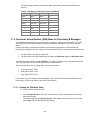
6. Application Examples ............................................................................................................ 27
6.1. Switched Fuse Load ................................................................................................................. 27
6.2. Inductive Load Protection ......................................................................................................... 27
6.3. Controlling a Motor using an H-Bridge...................................................................................... 28
Table 4. H-Bridge States for Motor Control .................................................................. 28
Figure 24. H-bridge....................................................................................................... 29
6.4. Controlling Flashers using Relays ............................................................................................ 29
6.5. High-Side Output Power Master ............................................................................................... 30
7. PROGRAMMING the mVEC (Using J1939 Messages to Set, Control, and
Monitor the mVEC) ...................................................................................................................... 31
7.1. CAN Software Settings ............................................................................................................. 31
7.1.1. Proprietary A Messages..................................................................................................... 31
7.1.2. CAN Source Address ......................................................................................................... 31
Table 5. CAN Harness Address Pin States and Offsets ............................................... 33
7.1.3. Parameter Group Number (PGN) Base for Proprietary B Messages ................................. 33
7.1.4. Population Table ................................................................................................................ 34
7.1.5. Default Relay States .......................................................................................................... 35
7.1.6. Start-up Delay Time ........................................................................................................... 35
7.1.7. CAN Message Count Threshold ........................................................................................ 36
7.1.8. Software Version Number .................................................................................................. 37
7.1.9. Controlling Relays .............................................................................................................. 37
7.2. Monitoring Fuse, Relay, and System Fault States.................................................................... 38
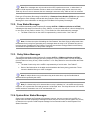
7.2.1. Proprietary B Messages..................................................................................................... 38
7.2.2. Fuse Status Messages ...................................................................................................... 39
7.2.3. Relay Status Messages ..................................................................................................... 39
7.2.4. System Error Status Messages ......................................................................................... 39
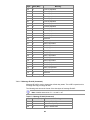
7.3. CAN Message Definitions......................................................................................................... 40
7.3.1. Proprietary A Messages..................................................................................................... 40
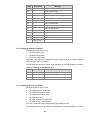
7.3.1.1 Command Messages .................................................................................................. 39
Table 6. Message ID 0x12 (Command) ........................................................................ 40
Table 7. Message ID 0x80 (Command) ........................................................................ 41
Table 8. Relay State Values ......................................................................................... 41
Table 9. Message ID 0x88 (Command) ........................................................................ 42
Table 10. Message ID 0x90 (Command) ...................................................................... 42
Table 11. Message ID 0x92 (Command) ...................................................................... 41
Table 12. Message ID 0x94 (Command) ...................................................................... 43
Table 13. Message ID 0x95 (Command) ...................................................................... 44
Table 14. Message ID 0x96 (Command) ...................................................................... 45
Table 15. Message ID 0x98 (Command) ...................................................................... 44
Table 16. Message ID 0x98 (Command) ...................................................................... 46
2