1
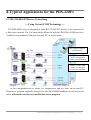
Step 2: Search for the PDS-220Fx module on the Ethernet network
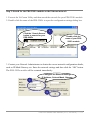
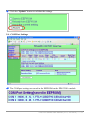
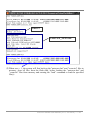
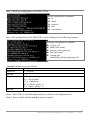
1. Execute the VxComm Utility and then search the network for your PDS-220Fx module.
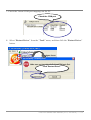
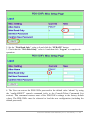
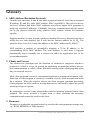
2. Double click the name of the PDS-220Fx to open the configuration settings dialog box.
1
Click the “Search Severs”
button to search for your
PDS-220Fx
Double click the
name of your PDS220Fx module
2
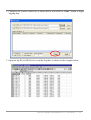
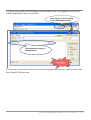
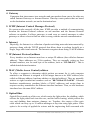
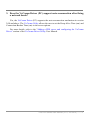
3. Contact your Network Administrator to obtain the correct network configuration details,
such as IP/Mask/Gateway etc. Enter the network settings and then click the “OK” button.
The PDS-220Fx module will be restarted immediately.
Configure the Ethernet settings
IP Address, Sub-net Mask, Gateway
1
2
PDS-220 Series User Manual (V1.0, Jun.2010) ----- 21