1
Initial Set Up
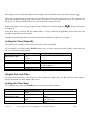
The LCD displays status icons, as shown in Figure 1.
Figure 1
The following table provides the sequence of events during initial set up. When initializing the clock operation,
move away from any electronic sources such as televisions, computers and other wireless devices. The sequence
may take several hours, based on the time of day (reception is better at night) and distance from the radio
controlled clock.
The IR sensor(s) on the clock face must not be exposed to direct sunlight during initial startup. Thus, perform
the start up in a shady location. If the RF sensor fails, the LCD will display “KE”.
Version 1.0
©Copyright 2014, Torinnov. All Rights Reserved and Patents Pending.
Page 4