1
Contents
English
Safety Precautions.................................................. 4
Air Circulation...................................................... 4
Heat Damage...................................................... 4
Mains Supply....................................................... 4
Warning .............................................................. 4
Do........................................................................ 4
Do not.................................................................. 4
Installation and Important Information..................... 5
EXCLUSION CLAUSE........................................ 5
Important safety information ................................... 6
Removing the pedestal stand.................................. 7
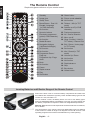
The Remote Control................................................ 8
Inserting Batteries and Effective Range of the
Remote Control................................................... 8
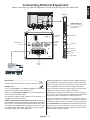
Connecting External Equipment.............................. 9
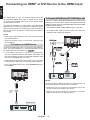
Connecting an HDMI® or DVI Device to the HDMI
Input...................................................................... 10
To Connect an HDMI Device............................. 10
To Connect a DVI Device
(PC, DVD Player etc)......................................... 10
To Connect a Computer......................................11
Connecting a DVD Player......................................11
Connecting to a DVD Player via YPbPr..............11
Connecting a Computer.........................................11
Connecting a USB Memory................................... 12
To Connect a USB Flash Drive.......................... 12
Power Save Mode................................................. 13
Environmental Information ................................ 13
Controlling the TV.................................................. 14
Switching on...................................................... 14
Using the Remote Control................................. 14
Using the Controls on the TV............................. 14
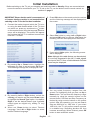
Initial Installation ................................................... 15
Auto Tuning........................................................... 16
Auto Tuning....................................................... 16
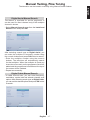
Manual Tuning, Fine Tuning.................................. 17
Digital Aerial Manual Search............................. 17
Digital Cable Manual Search............................. 17
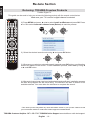
Re-tune Section..................................................... 18
Re-tuning: TOSHIBA Freeview Products............... 18
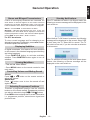
General Operation................................................. 19
Stereo and Bilingual Transmissions.................. 19
Displaying Subtitles........................................... 19
Viewing Main Menu........................................... 19
Controlling Volume and Muting Sound.............. 19
Selecting Programme Positions........................ 19
Standby Notifications......................................... 19
Channel List, Sorting Programmes, Programme
Locking.................................................................. 20
Viewing Channel List......................................... 20
Moving a Channel.............................................. 20
Deleting a Channel............................................ 20
Renaming a Channel......................................... 20
Locking a Channel............................................. 20
Viewing Info Banner, Electronic Programme
Guide..................................................................... 21
Viewing Info Banner........................................... 21
Electronic Programme Guide............................ 21
Language Selection............................................... 22
Language Settings............................................. 22
Preferred........................................................ 22
Current........................................................... 22
Digital Settings - Parental Control, Menu Lock, Set
PIN........................................................................ 23
Viewing Parental Control Menu......................... 23
Menu Lock......................................................... 23
Child Lock.......................................................... 23
Set PIN.............................................................. 23
Configuring Picture Settings.................................. 24
Configuring Picture Settings.............................. 24
Picture Mode..................................................... 24
Contrast............................................................. 24
Brightness.......................................................... 24
Sharpness......................................................... 24
Colour................................................................ 24
Power Save Mode............................................. 24
Backlight (optional)............................................ 24
Noise Reduction................................................ 24
Advanced Settings......................................... 24
Reset................................................................. 25
Changing Picture Format...................................... 26
Configuring PC Picture Settings............................ 27
PC Picture Settings (*)....................................... 27
PC Position........................................................ 27
Autoposition....................................................... 27
H Position.......................................................... 27
V Position.......................................................... 27
Dot Clock........................................................... 27
Phase................................................................ 27
Configuring Sound Settings................................... 28
Configuring Sound Settings............................... 28
Operating Sound Settings Menu Items.............. 28
Volume............................................................... 28
Equalizer (Only for speaker).............................. 28
Balance (Only for speaker)................................ 28
Headphone........................................................ 28
Sound Mode...................................................... 28
AVL.................................................................... 28
Dynamic Bass.................................................... 28
Surround Sound................................................ 28
Digital Out.......................................................... 28
Settings Menu Operation, Conditional Access...... 29
Configuring Your TV’s Settings.......................... 29
Viewing Settings Menu...................................... 29
Conditional Access............................................ 29
Language........................................................... 29
English - 2 -