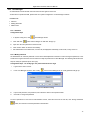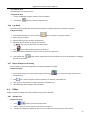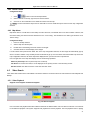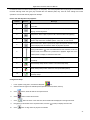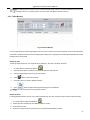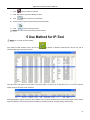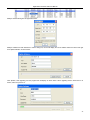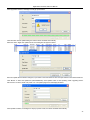
1
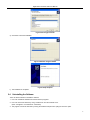
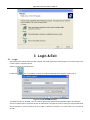
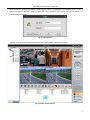
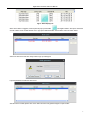
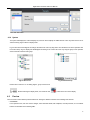
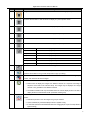
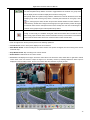
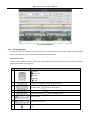
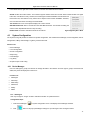
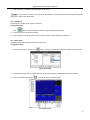
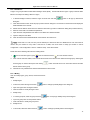
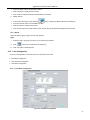
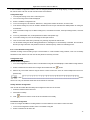
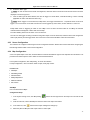
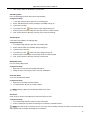
CMS User Manual For H.264 Digital Video Recorder All rights reserved Digital Video Recorder CMS User Manual Table of Contents 1 Introduction ...................................................................................................................................................................... 1 2 Installation ........................................................................................................................................................................ 1 3 4 2.1 System Requirement ................................................................................................................................................................................... 1 2.2 Computer Hardware Requirement............................................................................................................................................................... 1 2.3 Installation Process ..................................................................................................................................................................................... 2 2.4 Uninstalling the Software ............................................................................................................................................................................. 3 Login & Exit ...................................................................................................................................................................... 4 3.1 Login ........................................................................................................................................................................................................... 4 3.2 Exit .............................................................................................................................................................................................................. 6 Functions & Operations .................................................................................................................................................. 6 4.1 4.2 Basic Functions ........................................................................................................................................................................................... 6 4.1.1 Lock & Unlock ............................................................................................................................................................................ 6 4.1.2 Minimize & Maximize ................................................................................................................................................................. 6 4.1.3 Alarm Display ............................................................................................................................................................................. 6 4.1.4 System ....................................................................................................................................................................................... 8 Preview ....................................................................................................................................................................................................... 8 4.2.1 4.3 4.4 4.5 PTZ Configuration .................................................................................................................................................................... 11 System Configuration ................................................................................................................................................................................ 12 4.3.1 Device Manager ....................................................................................................................................................................... 12 4.3.2 Local Configuration .................................................................................................................................................................. 15 4.3.3 Server Configuration ................................................................................................................................................................ 17 4.3.4 Map Configuration .................................................................................................................................................................... 17 4.3.5 User Manager .......................................................................................................................................................................... 19 4.3.6 Log Query ................................................................................................................................................................................ 20 4.3.7 Export & Import Local Config ................................................................................................................................................... 20 E-Map........................................................................................................................................................................................................ 20 4.4.1 Change Icon ............................................................................................................................................................................. 20 4.4.2 Delete camera .......................................................................................................................................................................... 21 4.4.3 Map Alarm ................................................................................................................................................................................ 21 Video Search ............................................................................................................................................................................................. 21 4.5.1 Video Playback ........................................................................................................................................................................ 21 4.5.2 Video Backup ........................................................................................................................................................................... 23 5 Use Method for IP-Tool .................................................................................................................................................. 24 6 Troubleshooting............................................................................................................................................................. 27 ii Digital Video Recorder CMS User Manual Preface Central Management Software is a typical client management program providing a common platform to centralize all devices to attain a single unified system. This greatly improves the efficiency of control and operation for all digital video recorders, IP-cameras, etc through the network. This manual will help you to familiarize with the software and master its operation methods. Here we will take DVR connection for example. The users can use this CMS to control, monitor, and manage multiple DVRs remotely. iii Digital Video Recorder CMS User Manual 1 Introduction Central Management Software is a client application designed specially for embedded digital video recorders, network video servers, IP-cameras, and software compressed cards for remote centralized management of multiple devices. In the video surveillance system, the administrator can control video input devices and configure cameras, PTZ, view live images, record, take backups, etc. It possesses three main functions: preview the live site, system configuration, and video search (Covered in section 4). 2 Installation 2.1 2.2 System Requirement Supported Operating System: Operating system Comments Windows XP Windows XP SP2 or latest; Directx 9.0c or higher Windows 2000 Windows 2000 SP4; Directx 9.0c or higher Windows 2003 Windows 2003 server; Directx 9.0c or higher Windows Vista Windows Vista; Directx 10.0c or higher Windows 7 Windows 7 SP2; Directx 10.0c or higher Supported Browser: Operating system Comments Microsoft Internet Explorer v6.0 IE 6.0 with most updated service pack Microsoft Internet Explorer v7.0, IE 7.0 with most updated service pack Computer Hardware Requirement Recommended PC Specifications – 4 channels: Item Specification CPU Intel Pentium 3.0 GHz or AMD 3000+ Memory 1GB HDD 160GB Recommended PC Specifications – 8 channels: Item Specification CPU Intel Core 2 Duo 1.8 GHz or AMD Dual core 3800+ Memory 1GB HDD 250GB Recommended PC Specifications – 16 channels: Item Specification CPU Intel Core 2 Duo 2.2 GHz or AMD Dual core 3800+ Memory 2GB HDD 250GB 1 Digital Video Recorder CMS User Manual Notice: The mentioned specifications are provided considering CIF real-time resolution. The AMD chip hyper-3800+ and X64 series are not tested. For real-time live view with CIF resolution, max 25 channels can be played concurrently. For real-time view with D1 resolution, max 6 channels can be played concurrently. 2.3 Installation Process a) We recommend that the anti-virus software is disabled before initiating the installation. In addition, the setting of your IE browser must be enabled to download activeX components. b) Run the ‘Setup.exe’ from software CD and the following menu will pop up. Fig 2.1 Welcome Screen c) Click ‘Next’ to enter the next step. Fig 2.2 Choose the Installation Destination d) The default destination folder for installation is ‘C:\Program Files’, user can use ‘Browse’ button to change the destination path. Once the path is selected, click ‘Next’ to enter the next step. 2 Digital Video Recorder CMS User Manual Fig 2.3 Choose Type of Folder e) Click ‘Next’ to start the installation. Fig 2.4 Installation Progress Status Fig 2.5 Setup Complete f) The installation is completed. 2.4 Uninstalling the Software There are three methods to uninstall the software. 1. User can uninstall the software from Add or Remove programs. 2. User can remove the software by using ‘Uninstall’ icon from the windows menu. (Start Programs ControlCenter Uninstall) 3. The program can also be removed by running the software setup and then opting for ‘Remove’ option. 3 Digital Video Recorder CMS User Manual 3 Login & Exit 3.1 Login After setting up the Network Video Surveillance System and installing the Control Center program, user needs to login to the Control Center for configuring devices. Steps for logging in are described below: Double-click icon on the desktop, it will pop up 'Create SYSTEM password' dialog box. Refer to Fig 3.1. Figure 3.1 Create SYSTEM password The default username is ‘SYSTEM’. User can create an alphanumeric password (max password length is 32 characters). Click on the options button to expand the window. An administrator can register an email for receiving an auto generated email with the password in case the password is lost (In order to retrieve the password, a PC would have to be connected to internet). 4 Digital Video Recorder CMS User Manual Click OK button to enter the Login interface. Refer to Fig 3.2 and input the password in the password text box. If the user doesn’t remember the password, he/she can press ‘Get System Password’ button to have the password mailed to the preconfigured email address. Fig 3.2 Login Interface Click 'OK' button to enter the Control Center. The Control Center Interface is shown below in Fig 3.3. Fig 3.3 Control Center Interface 5 Digital Video Recorder CMS User Manual 3.2 Exit There are two ways to exit control center normally. button and then a confirm dialogue will pop up. If confirmed, the application would be 1. Click exited. 2. The user can click button to exit. 4 Functions & Operations This chapter is divided into 5 parts for the ease of understanding the following features: 1. Basic Functions 2. Preview 3. System Configuration 4. E-Map 5. Video Search & Backup In this chapter, we will divide five parts to instruct the functions and specific operations of this software. User can enter the control center to monitor through the Internet, to set parameters, to enable the record, to playback the recorded files, to backup, and so on. 4.1 Basic Functions After entering the Control Center, user can operate the following functions: 4.1.1 Lock & Unlock 'Lock & Unlock' button. Indicates that the Operation Interface is in 'Unlock' state. Indicates that the Operation Interface is in 'Lock' state. When current operation interface is in 'Lock' state, the user would need to enter the password to unlock in order to use the Control Center. The user can lock the interface by clicking the lock icon. 4.1.2 Minimize & Maximize Click to maximize 'Control Center' window. Click to minimize 'Control Center' window or re-size the 'Control Center' to original size. 4.1.3 Alarm Display In the alarm display interface, user can view information pertaining to the alarms. It includes: Alarm Type, Device Name, Camera Number, and Alarm Time. Alarm Display List is shown in Fig 4.1 below. 6 Digital Video Recorder CMS User Manual Fig 4.1 Alarm Display List When sensor alarm is triggered, a blue square will pop up and twinkle: The digital number in this square means the amount of alarm event. Double click this icon to pop up the detail information of these alarm events as shown below: Select one alarm event and click “Verify” button to pop up a dialog box. Input the password to handle the alarm event. After the event is verified, please click “Close” button and then verify password again to input remarks. 7 Digital Video Recorder CMS User Manual Then click “OK” button. 4.1.4 System The system tab displays the Camera Display List, which is used to display the added devices. User may Click 'Device List' or 'Camera Group' page to switch to display mode. Fig 4.2 refers to the DVR aligned according to the device list. User may drag device from the Device List to the operation area for the GUI setup. Fig 4.3 displays the DVR aligned according to the camera list. User may drag the group to the operation area to watch all cameras of this group. Fig 4.2 Device List Fig 4.3 Camera Group Please refer to section 4.3.1 for adding regions, group or devices etc Notice: 4.2 Before switching the display mode, user needs to click button first to turn off live display. Preview The Live section of the interface provides toolbars for viewing the different channels and controlling PTZ cameras. Local View In the operation area, user can view live images, select automatic dwell, take snapshots, close all previews, etc. The toolbar buttons are described in the following table. 8 Digital Video Recorder CMS User Manual No. Buttons Meanings 1 Single Picture Preview button. Click this button to watch camera in single picture preview mode. 2 4-Picture Preview button. Click this button to display in 4-picture preview mode. 3 9-Picture Preview button. Click this button to display in 9-picture preview mode. 4 16-Picture Preview button. Click this button to display in 16-picture preview mode. 5 25-Picture Preview button. Click this button to display in 25-picture preview mode. 6 36-Picture Preview button. Click this button to display in 36-picture preview mode. 7 6-picture Click this button to display in 6-picture mode. 8-picture Click this button to display in 8-picture mode. 13-picture Click this button to display in 13-picture mode. 49-picture Click this button to display in 49-picture mode. 64-picture Click this button to display in 64-picture mode. 100-picture Click this button to display in 100-picture mode. 256-picture Click this button to display in 256-picture mode. 8 Audio button. Click this button to turn on the audio signal. 9 Snapshot button. Click this button to take snapshot of the selected camera. A maximum of 10 pictures can be taken in one go. Click 'Snap' button to pop up a dialog. 10 Close All Preview button. Click this button to turn off the live video. Before switching display modes, user must turn off the live images. 11 Dwell button. This can be set from a single channel mode to a maximum of 9-channel mode. Dwell means to display live images from different cameras in a sequence according to sequence of the DVR in the Camera Group. The images may be displayed as a single channel or in a grid fashion from different cameras. The Dwell icon/feature will only be activated when the current display mode is not able to display the all the cameras listed under a particular camera group. 12 Dwell Group button. Notice: Dwell Group means to view the images of a group of cameras. This is activated only if the Dwell Setup is done in System Config. If used the interface would dwell between the image groups as per the setup done in System Config. 9 Digital Video Recorder CMS User Manual Pre-Group/Next Group button. 13 / The Pre-Group/Next Group buttons are used to toggle between the channels of a group when the set display mode is not able to display all the channels of the group. Setup steps: Enter into ’System Config’ interface, add devices on the left window first, then add multiple groups under Channel group column, and fainlly add channels for each group. Click’ ’ icon, select groups to dwell, and then set up the time to dwell. Switch to Preview interface Channel Group, double click or drag the channel group to the right window to preview all images of channels. Select screen mode (less than 64 screen modes). Now user can see all images of channels in this group through 'Pre-Group'/'Next Group' button. 14 Manual alarm button. You shall self-define it first in the local basic config tab (Enter into System Config Local Config Local Basic Config tab, check the user-define box in the field of Local alarm config, input the alarm name, and check the alarm out box). Go back to the Live interface and the manual alarm button will be seen. Click this button to allow manual alarm. Users can right-click on the live preview picture for the following operations: Turn off the live: To turn off live picture display from current channel. Start Manual Record: To start recording for the current channel. If the preview is stopped, then the recording of the channel would also stop. Stop Manual Record: Stop recording for the current channel. Enable Audio: Enable audio for the current channel. Full screen: This displays the image in full screen mode. When in the full screen mode, double click or right-click to exit full screen mode. User can choose to output the signal on a secondary monitor by selecting DISPLAY2. When output is displayed on the secondary monitor, the user can continue with other activities on primary monitor. Fig 4.4 Camera Preview 10 Digital Video Recorder CMS User Manual Fig 4.5 ‘Snap’ Dialog Box 4.2.1 PTZ Configuration PTZ camera can be controlled from the Control Center. User can move the dome up, down, right, and left, stop rotating, adjust rotation speed, iris, zoom, focus the dome, set the presets, and cruise lines etc. 4.2.2.1 Dome Control From the 'PTZ Configuration' toolbar, the user can control rotation and speed of the dome. Function buttons of the Dome Control are described in the table below. No. Buttons Meanings rotate up rotate down 1 rotate left rotate right stop. 2 Drag the bar to adjust the rotating speed of the dome. 3 'Iris' button. Click 4 'Zoom' button. Click button to adjust the zoom. 5 'Focus' button. Click button to adjust the focus. 6 Go to the preset. 7 Select and do auto cruise. 8 Track button to adjust the Iris. 11 Digital Video Recorder CMS User Manual In the device list box, right click a certain channel, a shortcut menu will be shown as follows: Stream: Enable the master stream. This machine supports master stream and second stream. Master stream has higher frame rate, max 25FPS for every channel, but it needs higher network bandwidth. Second stream has lower frame rate, max 6FPS for every channel and it requires lower network bandwidth. Therefore, user can select the stream according to their bandwidth. Turn off the live: To turn off live picture display from current channel. Start Manual Record: Select a channel and click Start Manual Record. This will start recording the channel. Click ‘Stop Manual Record’ to stop recording. Enable audio: Click this to activate the audio for the channel. 4.3 Fig 4.6 Right Key Sub - Menu System Configuration The ‘System Config’ tab provides an interface for system configuration. This includes Device Manager, Local Configuration, Server Configuration, E-Map, User Manager, Log Query, and Decoder Card. Function List Device Manager Local Configuration Server Configuration Map Config User Manager Log Query Export & Import Local Config 4.3.1 Device Manager User can add regions, groups, and devices to manage all DVRs in the network. Once the regions, groups, and devices are added, they would be displayed in ‘Device List’. Function List Add Region Add Group Dwell Setup Add Device Modify Delete 4.3.1.1 Add region User may set regions. A region is used to indicate the location of a particular device. Configuration Steps: i. Click 'Device Manager’ ii. Click in system configuration menu. It will display 'Device Manager' interface. button. It will pop up 'Add Region' dialog box. Input the region name in 'Region' textbox. 12 Digital Video Recorder CMS User Manual iii. Click 'OK' button. It will display the added region in Device List. . Notice: In order to add a sub region, user first has to select the parent region and then add the sub region. By default, a new region is added under Global region. 4.3.1.2 Add Group Channel Group is used to create a group of cameras. Configuration Steps: i. Click ii. Input group name in 'Group Name' textbox. iii. Click 'OK' button to create the group. Once the group is added, it will be displayed in ‘Device List’. button in ‘Device Manager’ interface to pop up 'Add Group' dialog box. 4.3.1.3 Dwell Setup Dwell Setup allows setting dwell function for channel groups. Configuration Steps: i. In the 'Device Manager' interface, click button. It will pop up 'Dwell setup' dialog box. Refer to the picture below: Fig 4.8 Dwell Setup ii. After selecting groups, user can set the dwell time for each group (options 5/10/20/30/60 seconds or 2 minutes. iii. In the ‘Live’ interface, click ‘Dwell’ icon to dwell. Refer to the picture below: Fig 4-9 Live- Dwell 13 Digital Video Recorder CMS User Manual 4.3.1.4 Add Device A region or a group should be created before adding a device (DVR). User should select a region or group to add the DVR. Below is an example of adding a DVR to a region, i. In 'Device Manager' interface, select the region in Device List and click button. It will pop up 'Add Device' dialog box. ii. Click 'Search Device' button and it will pop up 'Device Search’ dialog box. The search tool would search and display the DVRs available on the network. iii. Double-click the DVR in device list box to select the DVR and to go back to 'Add Device' dialog box (to add the device). iv. Select IP of the DVR in 'IP Address' dropdown list. v. Input username and password of the DVR in 'User Name' and 'Password' fields. vi. Input the data port of the DVR. vii. Click ‘OK’ button and the added DVR will now be listed in the ‘Device List’. Notice: If the DVR is in LAN, user may use the default port: 9008. If the DVR is in WAN then the user would need to mention the port number for every DVR. If the DVR is in WAN, user would need to modify port number in 'Server Configuration -> Net Configuration'. Refer to ' Network Setup ' of the DVR manual. Please refer to the following instructions for adding device. i. ii. This icon denotes region or group. This icon denotes a device. This icon denotes channel. Once a device has been added, users can add the channels of the device to the relative channel group by selecting the channel group in ‘Channel Group’ box and clicking button. User will have to turn off the live view first and then add the channel to the group. iii. Channels of every added device would be listed below the device name. 4.3.1.5 Modify User can modify region, group, device, and channel names. Steps i. Modify Region In device list, select the region and click Input new region name in 'Region' textbox. Click 'OK' button to modify the region name. ii. Modify Group In camera group list, select the group and click Input new group name in 'Group Name' textbox. Click 'OK' button to modify the group name. iii. button. It will pop up 'Modify Region Info' dialog box. button. It will pop up 'Modify Group Info' dialog box. Modify Device In device list, select the device and click button. It will pop up 'Modify Device Info' dialog box. 14 Digital Video Recorder CMS User Manual Input new device name in 'Device Name' textbox. Click 'OK' button to modify the device name. User can also modify the username and password for the device. iv. Modify Channel In device list, select group name and click Input new channel name in 'Channel Name' textbox. Click 'OK' button to modify channel name. User can also select the network stream for the channel using the dropdown box (Master/Second stream). button. It will pop up 'Modify Channel Info' dialog box. 4.3.1.6 Delete Users can delete regions, groups, devices, and channels. Steps i. Select the region, the group, the device, or the channel to be deleted. ii. Click iii. Click ‘Yes’ button to delete the item. button and a confirmation box will pop up. 4.3.2 Local Configuration Click ‘Local Configuration’ to enter the submenu. This interface has 3 tabs, Local Basic Configuration Local Schedule Configuration Local Alarm Configuration 4.3.2.1 Local Basic Configuration Fig 4.10 Local Basic Configuration 15 Digital Video Recorder CMS User Manual In the ‘Local Basic Configuration’ interface, user can configure parameters for live image display, recording, local alarm, log list, and PC restart. The user can also view the version of the software. Configuration Steps i. In the ‘System Config’ menu, click ‘Local Config’ icon. ii. The ‘Local Config’ screen would be displayed. iii. Select ‘Local Basic Configuration’ tab. iv. In the ‘Live Config’ box, set values for ‘Dwell Time’, ‘Snap picture number and format’, as well as ‘Title’. v. In the ‘Record Config’ box, user can enable or disable the record recycle and select the default partition for saving the recorded files. vi. In the ‘Local Alarm Config’ box, set ‘Alarm Holding Time’, ‘Post-alarm record time’, ‘Alarm processing function’, and ‘User define’. vii. In the ‘Log List Maintain’ box, set the parameters for alarm and operator logs. viii. In the ‘Other Config’ box, user can do settings for serial port and time. ix. User can set control center time by manually or by selecting ‘Synchronize with PC time’ x. The PC Restart Config box allows setting parameters for restarting the PC automatically. If activated, the user will be able to input ‘login username’ and ‘password’ of the PC and the frequency and time for restarting the PC. 4.3.2.2 Local Schedule Configuration Schedule recording means recording as per a fixed schedule. In ‘local Schedule Config’ interface, users can set weekly schedules for each channel. The user can set time periods for each day of a week. Configuration Steps Week Schedule Configuration i. On 'Local Configuration' interface, select 'Local Schedule Config’ tab and it will display 'Local Schedule Config' interface. ii. Select a camera from the device list to configure the schedule and click iii. Select a day of the week and then drag the mouse to select a time zone. User can create multiple time zones for a button. particular day. Notice: Ruler means 24 hours in a day. The least time frame that can be selected is 15 minutes. Holiday Schedule Configuration User can also set certain dates as holidays and configure the time zone for the same. i. Select the camera from the device list ii. Add a date in ‘Holiday’. iii. Click button and use the mouse to set the schedule for the holiday. Local Alarm Configuration A user can configure the CMS for recording based on a motion detection, sensor alarm or video loss alarm. i. In the ‘Local Configuration’ interface, select ‘Local Alarm Config’ tab. ii. Select a channel from the device list. 16 Digital Video Recorder CMS User Manual iii. Select the ‘Alarm Type’. Notice: In order to select sensor based recording/alarm, select the device from the device list and the sensors would be displayed in the ‘Alarm type’ box iv. Once an alarm type has been selected, the user can trigger ‘PC Audio Alarm’, Channel Recording, or link it to E-Map (applicable to motion and video loss alarm only) Notice: Alarm Trigger: Local Sound Alarm, E-Map Alarm, and Trigger Channel Alarm → A particular alarm can be set to trigger a local sound alarm on the CMS. Sound alarm can be triggered by sensor alarm, motion detection or video loss. E-Map Alarm refers to triggering an alarm on the E-Map. Once an alarm has been linked to an E-Map, the selected channel/camera would appear in alarm state in the E-Map. For further details, please refer to section 4.3.4 ‘Set Camera’. The user can also trigger recording of channels using alarm inputs. From the device list, select the device and configure the Alarm Input (Sensor) and the trigger mode. This can be set to raise a PC Audio Alarm or/and record channels. 4.3.3 Server Configuration The customer can configure a DVR using the Server Configuration interface. Please refer to DVR’s manual as configuring the DVR through CMS is similar to the manual configuration. 4.3.4 Map Configuration A user can upload maps of the area, associate different cameras with different regions of the map/area and set alarms. This provides a GUI which helps the user to relate it to the actual site/locations. In the System Configuration, click ‘Map Config’, to access the interface. In ‘Map Configuration’, users can add or delete e-maps, modify map names. Function List Add Maps Add Sibling Nodes Add Sub Nodes Modify Map Names Delete Sub Nodes Set Camera Add Maps User can add several E-Maps. Configuration Steps i. In the ‘System Config’ menu, click ‘Map Config’ button and then right-click on the ‘Map’ tree to access the sub menu. ii. From the sub menu, select ‘Add Map’ and enter the name of the map in the textbox. iii. In the ‘Path’ box, click iv. Select the path of E-Map and click ‘Open’ button to confirm path. button and the ‘Open’ dialogue box will pop up. 17 Digital Video Recorder CMS User Manual v. Click ‘Confirm’ button to add E-Map in Control Center. Add Sibling Nodes User can add E-Maps under the same parent map as Sibling. Configuration Steps i. In the ‘Map config’ interface, right-click on an existing map. ii. Select ‘Add Sibling Node’ and then a dialogue of ‘Add Map’ will pop up. iii. Input name of the map. iv. v. button and the ‘Open’ dialogue will pop up. In the ‘Path’ box, click Select the path to save the E-Map and click ‘Open’ button to confirm the path. vi. Click ‘Confirm’ button to add map in the map control center successfully. Add Sub Nodes A sub node can be added to an existing E-Map. Configuration Steps i. In the ‘Map Config’ interface, right click on an existing map. ii. Select ‘Add Son Node’ and ‘Add Map’ dialogue will pop up. iii. Input the name of the map. iv. In the ‘path’ box, click v. Select the path to save E-Map and click ‘Open’ button to confirm the path. vi. Click ‘Confirm’ button to add map in the map Control Center. button and ‘Open’ dialogue will pop up. Modify Map Names User can modify E-Map names. Configuration Steps i. Right click on a map and select ‘Modify Node Name’. ii. Modify the name of the map and click to save the modifications. Delete Sub Nodes A user can also delete Sub Nodes Configuration Steps i. Right click on an E-Map and select ‘Delete’. ii. A confirmation box will pop up. Confirm to delete. Notice: Deleting a Map would automatically delete all sub nodes. Set camera Users can set a camera in the E-Map as per the actual map of the area. Configuration Steps i. In the ‘Map Config’ interface, select the map to add camera. ii. Select a camera from the device list and drag it to the E-Map on a suitable location. Notice: Once the setup is complete, the user can enter into the E-Map interface to watch live pictures and map alarm (Please refer to Chapter 4.4 E-Map for more details). 18 Digital Video Recorder CMS User Manual 4.3.5 User Manager An administrator can add several users and set the access rights for each user. To add users to operate the CMS, please enter Into ‘System Configuration User Manager’ interface. Function List Add user Modify passwords Delete Users 4.3.5.1 Add User Configuration Steps i. In ‘System Config’ men, click ii. Click ‘Add User’ iii. Input user name and password in the text boxes. iv. Click ‘Confirm’ button to add user successfully. v. Set authorization for the added user, such as PTZ, local playback and backup, local record, E-map, and so on. ‘User Manager’ button. button and the dialogue of ‘Add User’ will pop up. 4.3.5.2 Modify Password An administrator can reset the password of a user to the default password. However in order to change the password, a user would need to login from his/her account and then modify the password from User Manager. The following will introduce the steps to modify the password (from user login). Configuration Steps – for modifying a user password from the user login i. Login from the user’s account. ii. In the ‘User Manager’ interface, click ‘modify’ button and the dialogue box of ‘modify password’ will pop up. Fig 4.11 Local Basic Config iii. Input current password, new password, and confirm the same in the respective fields. iv. Click ’OK’ to change the password. To reset a password of a user from an administrator account, select the user from the user list, click ‘Change Password’ button, and confirm to reset the password to default value. 19 Digital Video Recorder CMS User Manual 4.3.5.3 Delete Users The administrator can delete the users Configuration Steps i. In the ‘User Manager’ interface, select the user to be deleted. ii. Click ‘Delete’ button and confirm to delete the user. 4.3.6 Log Query A user can check logs pertaining to alarms and CMS operation. Th following steps are an example of log query. Configuration Steps i. In the ‘System Config’ menu, click ‘Log Query’ ii. Select Log Type as ‘Alarm’. iii. Select an alarm type from the ‘alarm’ dropdown box. iv. Select the date and time for the records to be checked. icon to access the ‘Log Query’ interface. Notice: User can query the data for one date at a time. v. Click vi. Select the required channels and ‘Control Center Log’ as per the requirement. vii. Once selected click icon to select a particular channel for the query. button and the interface will search the information as per the set parameters, and display the same on the screen. 4.3.7 Export & Import Local Config User can export or import local configuration. The following steps are an example. Configuration Steps i. In the ‘System Config’ menu, click ‘Export & Import Local Config’ icon to access the ‘Export & Import Local Config’ interface. ii. Click iii. Click ‘Export’ or ‘Import’ button to export or import the configuration file. iv. After finishing the above operation, click ‘Exit’ button. 4.4 icon to choose the path to save the export file or to import the configuration file. E-Map E-Map is used to stimulate an area under surveillance using pictures and maps. 4.4.1 Change Icon Configuration Steps button to enter into E-Map interface. i. Click ii. Select a camera on the map, right click, and choose ‘Change Icon’. iii. ‘Change Icon’ dialogue box will popup. Select an icon and click ‘OK’ to change the icon of the camera. 20 Digital Video Recorder CMS User Manual 4.4.2 Delete Camera Configuration Steps button to enter into E-Map interface. i. Click ii. Select a camera on the map, right click, and choose ‘Delete’. iii. Click ‘Yes’ on the confirmation box to delete the camera from the map. Notice: The above-mentioned steps must be made after a user has added E-map and camera in the map configuration interface. 4.4.3 Map Alarm Map alarm refers to a visual alarm in the E-Map. Once the camera is, it would blink when in an alarm condition. However, this will involve linking the camera with the alarm/event in the ‘Local Config’. The schedule for the alarm type should be set in ‘Server Config’. Configuration Steps i. Enter into ‘E-Map’ interface. ii. Select a map from the map tree. iii. Double click on the blinking camera to view the live images. iv. Click ‘Exit’ button to exit the display of live images. If a user selects ‘Auto preview when alarm’ item in the map configuration interface, the live image will automatically pop up when in an alarm condition. Only 16 alarm pictures are allowed to pop up. If a user selects ‘Auto switch alarm map’ item in the map configuration interface, the alarm map will be displayed when you enter into the E-map interface. User can right-click on the map alarm display area for the following operations: Return to parent map: return to parent map from a sub-map. Full Screen: for a full screen mode, it can be displayed on the primary monitor or the secondary monitor. Exit Full screen: click ‘Exit Full screen’ to exit from full screen mode. 4.5 Video Search Click ‘Video Search’ tab from the main taskbar to access the interface. The main functions of video search are video Playback and Backup. 4.5.1 Video Playback Supports Local Playback and Remote Playback Fig 4.14 Remote Playback User can search and playback video files of different channels for different dates. User can select a maximum of 16 channels for simultaneous playback. This system supports local playback and remote playback. The local playback refers to playing 21 Digital Video Recorder CMS User Manual recorded files which have been saved locally (i.e. the computer). The remote playback refers to playing the recorded files from the DVR. Although these two types play recorded files from different paths, they have the same settings and control operations. Here we take remote playback for example. Please refer GUI objects for the playbacks Number Buttons Meanings Play button. Once searched, select the recorded file and click this button to play 1 record files ‘Pause’ button. While playing, click this button to stop playing. To continue 2 playing, use the Play button. ‘Stop’ button. When in play or pause mode, click this button to stop playing. 3 ‘Playing Speed’ button. When playing, click this button and select playing speed 4 with the drop down menu. Available options: 1/4X, 1/2X, 1X, 2X, and 4X. ‘Next Frame’ button. When in pause mode, adjust the required channel to single 5 channel display mode and click this button to play frame by frame. Playing Scale Marker . Once a recorded file has been searched, a user can use this scale on the timeline for a precise time to playback. Right click on the 6 marker pointer to amplify or contract the time scale. ‘Start of backup stamp’ button. Select it to start stamping the record of a channel 7 for backup. 8 ‘End of backup stamp’ button. Select it to end the backup stamp. 9 ‘Erase backup stamp’ button. Select it to clear up its backup stamp. ‘Backup’ button. Select it to backup the record during the period of start to end 10 of backup stamp. Configuration Steps i. In the ‘System Config’ menu, click ‘Record Playback’ ii. Select the ‘Record Type’ from available options (Schedule, Manual, Motion, Sensor). iii. Click button, select the date for the required record. iv. Click button to select the channels. v. Click vi. Drag playing scale marker for the required timeline, and click vii. Click icon. button to search. Once searched, the record file will be displayed on the right hand side. (pointer) to amplify the time scale. button or drag marker to play the recorded file. 22 Digital Video Recorder CMS User Manual Notice: The default precision of time scale is 15 minutes and the range of scale is 0-24 which denotes 24 hours of a day. Click ‘ to amplify scale for a 1 minute precision. The scale range 0-60 denotes minutes of an hour. 4.5.2 Video Backup Fig 4.15 Remote Backup User can backup files for a date range based on time or events. There are two types of backups: local and remote backup. The former is to take the backup of local recordings (files residing on the computer) and the latter (Remote Backup) is to take backup from the remote DVR. Backup by Time To backup record files by time, user needs to set the ‘Start time’, ‘End Time’ and select ‘Channels’. i. On ‘Video Search' toolbar, click ‘Backup’. ii. Select 'By Time' option to backup the recorded files based on date and time. iii. Select the required date and time for the record period. iv. Click v. Click 'OK' button to go back to 'Backup' Interface. vi. Click button to select the channels. button to begin searching and backing up the recorded files. Notice: The user can define the backup path as required. Backup by Event For taking backups based on events, user needs to set Start Time, End Time, and Record Type and then select Channels. i. On ‘Video Search' toolbar, click ‘Backup’. ii. Select 'By Event' to backup the recorded files based on events. iii. Select Date and Time. iv. Select the required events in ‘Record Type’ box. (Schedule, Manual Motion, Sensor) 23 Digital Video Recorder CMS User Manual button to select the channels. v. Click vi. Click ‘OK’ button to go back to ‘Backup’ Interface. vii. Click viii. Select the files required to be backed up from the listed files. ix. Click button to search the recorded files. button to backup the files. Notice: The user can define the backup path as required. 5 Use Method for IP-Tool Notice: Do not power off when updating. First, install the CMS software and the IP-Tool icon will display on desktop. Double-click the IP-Tool icon and an information dialog box will pop-up as below: Click ‘OK’ button and start the IP-Tool. Refer to the picture below. The device can be searched on net. If it can’t be searched, please check the accession of PC and device. When upgrading the program and kernel, the IP address of PC and device should be at the same network segment. If the network segment is different, user should change the IP address by selecting the device and right clicking ‘network setup’. 24 Digital Video Recorder CMS User Manual Modify IP address dialog box will appear like below: Modify IP address and click OK button to exit the dialog box, IP-Tool will display the new IP address. Select the device and right click ‘Update software’ as shown below: Click ‘Update’, start upgrading, and the progress bar will display as shown below. When upgrading doesn’t disconnect PC to device, make sure power is on. 25 Digital Video Recorder CMS User Manual When upgrade is finished, a massage box will pop up like below: Click OK button. Exit the update dialog box and the device will restart automatically. Select the device. Right click ‘Update kernel’ and a dialog box will appear as below: Enter into Update Kernel interface dialog box, input admin in the User Name text box and input 123456 in the Password text box. Click ‘Brower’ to select the Update file (mboot8180-8180). Click ‘Update’ button to start updating. When upgrading doesn’t disconnect PC to device, make sure power is on. The update progress bar will display like below: When update is finished, a message box will pop up. After a while, the device will restart automatically. 26 Digital Video Recorder CMS User Manual 6 Troubleshooting Solutions for installing CMS system in Windows Server 2003, Windows 2007, Window XP, and Vista. In case the VGA driver is not installed correctly, the CMS software screen will appear to be incomplete. The screen may also flash. Below are the steps: 1) Click ‘Start’ button, enter the ‘dxdiag’ command into the Run column and press Enter button. The DirectX Diagnostic Tool interface will pop-up. Refer to Fig 6.1. Fig 6.1 DirectX Diagnostic Tool under Windows XP Click ‘Display’ tab to check the VGA driver information. If the Device Information and the Driver Information is correct, make sure that the DirectDraw Acceleration and Direct3D Acceleration is Enabled. 2) Install the VGA driver in case it is not installed. Notice: The default state of DirectX acceleration of Windows2003 Server and Vista system is disabled. Thus the user would need to enable this function. A. Hardware Acceleration: Right-click on the Desktop Properties Settings Advanced Troubleshoot. Drag the scroll bar of the hardware to the Troubleshoot interface and press ‘OK’. The screen may go blank for minute. B. DirectX Acceleration: Click ‘Start’ and input ‘dxdiag’ command into the ‘Run’ column and press enter. The DirectX Diagnostic Tool interface will pop-up. Refer to Fig 6.2. Enable DirectDraw, Direct3D, and AGP Texture on the Display interface. Fig 6.2 DirectX Diagnostic Tool in Windows Vista OS 27