1
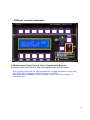
Preparing MCP combo before Flight
Step 1 : Initial check up
Before flight with MCP combo, please check the followings are done
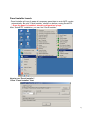
A. Install of SerialFP2.
* Check that “Install USB-Serial Driver” is checked or not.
B. Confirm that proper version of FSUIPC is installed or not
(FSUIPC v3.80 or later for FS9 / FSUIPC v4.26 or later for FSX)
C. Confirm the USB connection.
* Check that the USB port of your computer is dead or not
* Check that if you use USB hub, be sure that the USB hub is USB 2.0 compliant.
D. Confirm that “Panel Installer” is executed or not.
Step 2 : Run flight simulator (MSFS9 / MSFSX)
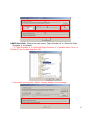
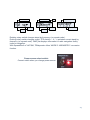
A. Run flight simulator (MSFS9 / MSFSX).
B. Select Aircraft.
21