1
GVG Device Manager Guide
9
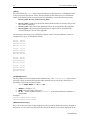
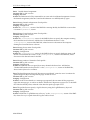
• DeviceName
• SvrHostName
• NumberOfChannels
• LogFileDirectory
All other keywords are optional, with default values if they are not specified.
DeviceName=DEVICE_NAME
This keyword is required. The DeviceName keyword specifies the name that the GVG DM
reports to ControlAir Server. It appears in ControlAir Workstation and must match the name of
the video device used in production cues. Replace DEVICE_NAME with the iNEWS device name.
SvrHostName=SERVER_HOST_NAME
This keyword is required. The SvrHostName keyword specifies the host name of the computer
running the ControlAir Server. This is the server that the GVG DM will connect to when it is
started.
NumberOfChannels=CHANNEL_COUNT
This keyword is required. The NumberOfChannels keyword specifies the total number of
channels the GVG DM will control. Replace CHANNEL_COUNT with a number between 1 and 16.
FrameRate=FRAME_RATE
The FrameRate keyword specifies the frame rate of the Profile. Replace FRAME_RATE with one
of the words “NTSC,” “PAL,” and “NTSC_DROPFRAME.” If the keyword is not specified, the
DM will use a default value of NTSC. For details about the different television standards, refer to
the “Television Video Standards” section.
DisableAutoCue=Yes_No
The DisableAutoCue keyword specifies whether the GVG DM will auto-cue the next video
clip on a channel when the playing clip on that channel ends or is stopped. If Yes_No is set to
Yes, then the GVG DM will not auto-cue clips. If Yes_No is set to No, the GVG DM will auto-cue
clips. If the keyword is not specified, the default value is No.
AutoCueDelay=HOW_MANY_SECONDS
The AutoCueDelay keyword specifies how many seconds the GVG DM will wait after the end
of a playing clip before it auto-cues the next clip on that channel. Replace HOW_MANY_SECONDS
with the number of seconds it should wait. If DisableAutoCue is set to Yes, this keyword is
ignored. If the keyword is not specified, the default value is 0, which means that the next clip will
be cued immediately.
Logging
LogFileDirectory=DIRECTORY_NAME
This keyword is required. The LogFileDirectory keyword specifies the directory in which log
files are created. Replace DIRECTORY_NAME with a path to the directory. An example is
C:\GVGDMLogs.
CAUTION: If more than one instance of the GVG DM will be running on the same computer, they
must use different log file directories.
NumberOfLogFiles=FILE_COUNT
The NumberOfLogFiles keyword specifies the maximum number of log files that will be
created. Replace FILE_COUNT with a number between 1 and 999. If the keyword is not specified,
the GVG DM will create at most 10 log files.
0130-05528-01