1
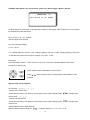
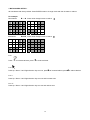
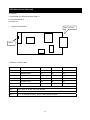
5) HDD connection
1
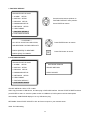
How to connect single HDD
2
I/O BOARD
How to connect 2 HDD
I/O BOARD
1
2
1
1
MASTER
tie
2
2
MAIN BOARD
HDD1
3
MASTER
MAIN BOARD
3
HDD
SLAVE
HDD2
3
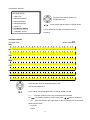
Set the drive jumpers as specified by hard disk drive manufacturer.
1.
Make sure the HDD is MASTER.
2.
Make sure the cable connector is
1.
correct.
3.
Set the drive jumpers as specified by hard disk drive manufacturer.
2.
Please check the HDD panel for
Master set up.
Make sure the HDD is MASTER and
SLAVE.
Make sure the cable connector is
correct.
3.
Please check the HDD panel for
Master and Slave set up.
Notice:
-Hard Disk Master and Slave jumper pin must right, otherwise it makes DVR work fault.
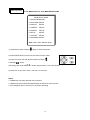
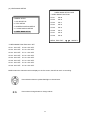
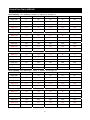
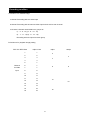
Hard Disk testing table:
Brand
Model
Capacity
Seagate
Barracuda
80 GB
IBM
DeskStar
80 GB
WD2000
Caviar
200 GB
Hitachi
DeskStar
80 GB
Maxtor
MaxLineII
300 GB
9
Notice