1
ALARM MONITOR
ALARM MONITOR OVERVIEW
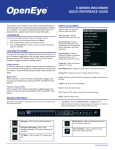
The Alarm Monitor Setup window is used to view emergency alarms from the connected DVRs, including Video Signal Loss and Sensor
alarms. Use the Filter Options to filter through the different types of alarms. After viewing event video, include a memo for future searches.
By double-clicking an alarm entry, the search window will open with the associated DVR, camera, and time related to the event already
selected.
NOTE: If all Alarm Event results are not visible click the Off Button to turn the Filter Options off.
Alarm Video Display
Alarm Event
Memo Field
27492AE
49