1
Piping Systems FluidFlow
17
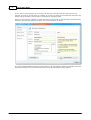
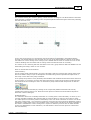
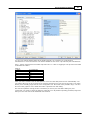
cursor is over the pump make a second left mouse click and then move the mouse cursor to the
right beneath heat exchanger 3 and make another left mouse click. A pipe is created starting at the
pump and terminating at an open end. C lick on the open end and move the cursor to lie over the
heat exchanger as shown below
C lick on the exchanger, to complete the connection from the open end to the far right heat
exchanger. Notice that the open pipe has changed to a bend.
f you make a mistake, click on the selector icon, in the flowsheet toolbar, select the wrongly
connected element and use the C trl and Delete keys together to delete the selected element
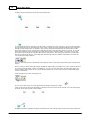
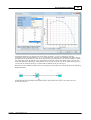
Move the cursor to the location shown above. Notice how the cursor changes from a pipe to a split
pipe as we move over a pipe that can be split. If we click here the pipe will be split and we can make
the connection to the middle heat exchanger.
The split pipe has converted itself into a Tee connection. This type of junction, because it is made
dynamically, adjusts itself depending on the number of pipes connected. For example a single pipe
connected and the junction is an open ended pipe, two connected pipes and the junction transforms
to a bend, three connected pipes the junction becomes a tee or wye and with four connected pipes
the junction becomes a cross.
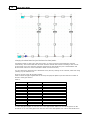
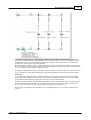
Make further connections so that we end up with a connected network as shown next.
Turn on the pipe numbering from the flowsheet toolbar.
Note that pipe numbers go from -1 ...
-n and that other elements (nodes and text) are numbered 1 ... n.
© <2013> ... Flite Software NI Ltd
















![[ TVS M ASCOT USER M ANUAL ] - TVS-E](http://vs1.manualzilla.com/store/data/005862685_1-4bbb7317613bf954ee62497b52c82516-150x150.png)