1
3
Webstac User Guide
1.4.
1.5.
1.6.
2.
2.1.
2.2.
3.
3.1.
3.1.1.
3.1.1.1.
3.1.2.
3.2.
3.2.1.
3.2.1.1.
3.2.1.2.
3.2.2.
3.3.
3.3.1.
3.3.2.
3.3.3.
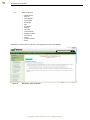
FAQ (Frequently Asked Questions)
Case Laws
Guidance Material
InfoInci in Basic Package
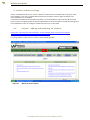
InfoInci - Adding and analyzing an incident
Incident Dashboard
Admin Manager in Basic Package.
Corporate
Corporate Info
Adding / Editing the Corporate details
Corporate User
Company
Company Info
Viewing the Company details
Editing the Company details
Company User
Factory
Department
Factory Info
Factory User
Section E – “CaSE Compliance” Package
64
65
66
67
67
73
74
74
74
75
76
76
76
78
78
79
79
80
81
82
83
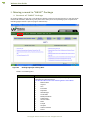
I - Moving around in – “CaSE Compliance” Package
1.
About Compliance Manager
1.1.
Filling forms
2.
InfoInci
2.1.
About
2.2.
Adding an incident
2.3.
Incident Dashboard3.
Working with Admin Manager
3.1.
About Admin Manager
3.2.
Corporate
3.3.1.
Corporate Info
3.2.1.1.
Adding / Editing the Corporate details
3.3.2.
Corporate User
3.3.3.
User Permission
3.2.
Company
3.3.1.
Company Info
3.2.1.1.
Viewing the Company details
3.2.1.2.
Editing the Company details
3.3.2.
Company User
3.3.3.
User Permission
3.3.
Factory
3.3.1.
Contractor
3.3.2.
Department
3.3.3.
Designation
3.3.4.
Factory Info
3.3.5.
Factory Employee
3.3.6.
Adding a factory employee
3.3.7.
Factory User
3.3.8.
Occupier Info
3.3.9.
Manager Info
3.3.10.
Manage form
3.3.11.
Man hours
3.3.12.
User Permission
84
84
87
91
91
91
97
98
98
99
100
100
101
102
103
103
103
104
105
106
107
107
108
108
109
109
110
110
111
112
112
113
113
Section F – “MOH” (Management of Occupational Health)
115
©Copyright Webstac Software Pvt. Ltd. All Rights Reserved.