1
Net Computing Cloud Terminal
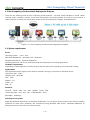
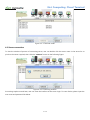
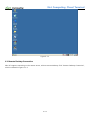
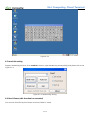
1.3 Net Computing cloud terminals Deployment Diagram
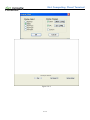
There are two working mode on Net Computing cloud terminals----terminal mode and Mini PC mode. Under
terminal mode, it needs to connect to the server and operate. And under the Mini PC mode, it can be used as a
small computer to realize your simple work. Please check the Deployment Diagram as showed below:
Figure 1-3-1 Net Computing cloud terminals Deployment Diagram
1.4 System requirement
Server
operating system: Linux,Unix;
Microsoft Windows XP,Windows Vista,Windows 7;
Windows 2003 Server,Windows 2008server。
Selecting system for the server, as determined by the requirement of running applications
Hardware requirement:
Depending on what application software system and how many Net Computing cloud terminals running.
Applications:
Any applications which support multi-session (normally running in Linux/Unix or Windows server)
open ports: RDP:3389
VMware View:443/3389
VNC:5900
XDMCP:177
Telnet:23
SSH:22
Network
Protocol:TCP/IP,RDP,VDI,VNC,XDMCP,Telnet,SSH。
connecting ways:LAN、dial、DSL、Cable Modem、Wi-Fi。
Min Mbps:28.8K bps。
Selecting server system
Regarding Windows application, as Windows XP/Windows 7 is not special server system, there will have stability
problems for most users’ possibility. We recommend using Windows 2003 Server,Windows 2008server as
background server if there are more than 20 users.
5 / 48