1
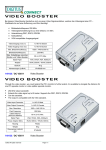
Introduction Through the video booster VS-811, you could extend the PC’s monitor to further extent, it is available to elongate the distance for one PC opposite monitor or video splitter opposite monitor. VIDEO BOOSTER Features With 250 MHz pixel frequency. Extends the video signal up to 65 meter (213”). Supports the DDC, DDC2, DDC2B. Can be cascaded. The output is compatible with standard VGA card. Technical Specifications Input/Output Signal Pin # Signal 1 Red video 2 Green video 3 Blue video 4 ID2 5 Ground 6 Analog ground 7 Analog ground 8 Analog ground FRONT VIEW Pin # 9 10 11 12 13 14 15 Specifications Function VS-811 Video Input Connector 1 x HD-15 Male Video Output Connector 1 x HD-15 Female Max. Resolution (VS-811) 1920 x 1440 60 Hz Pixel Frequency 250 MHz Cable Distance (Device to Monitor) 65 m (213”) Max. Signal Type VGA, SVGA, XGA, Multisync Power Adapter (Min.) 8VAC 300mA / 16VAC 300mA Housing Plastic Weight 80 g Dimensions (LxWxH) mm 97x56x26 1. “Video In” Port 2. “Video Out” Port 3. Power LED 4. Input Power Jack USER MANUAL VS-811 Package Contents 1 Smart View VS-811 video booster 1 user manual 1 8VAC 300mA / 16VAC 300mA power adapter Any thing missed, please contact with your vendor. -1- -2- Signal NC Ground ID0 ID1 Horizontal sync Vertical sync ID3 Installation 1. Turn off the PC and monitor. 2. Connect the HD-15 video cable between the “video output” of PC and the “video in” port of booster. 3. Connect the HD-15 video cables between the “video input” of monitor and the “video out” port of booster. 4. Turn on the video booster and then LED lights up. 5. Turn on the PC and monitor. Operation for cascade: Connect the HD-15 video cable between the “video out“ port of the first booster and the “video in” port of another booster for accomplishing 2 tiers cascade, repeating the same step can accomplish more tiers; however, to fulfill the video extent the final cascade must be connected between the “video out” port of booster and “video input” of monitor. Note: Cascading the booster of many tiers might cause the image quality declined. P.S.: This picture for 2 tiers cascade. Trademarks: All the companies, brand names, product names are referred to this manual, are the trademarks or registered trademarks belonging to their respective companies. -3-