1
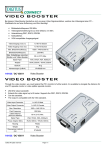
Installation 1. Turn off the PC and monitor. 2. Connect the HD-15 video cable between the “video output” of PC and the “video in” port of booster. 3. Connect the HD-15 video cables between the “video input” of monitor and the “video out” port of booster. 4. Turn on the video booster and then LED lights up. 5. Turn on the PC and monitor. Operation for cascade: Connect the HD-15 video cable between the “video out“ port of the first booster and the “video in” port of another booster for accomplishing 2 tiers cascade, repeating the same step can accomplish more tiers; however, to fulfill the video extent the final cascade must be connected between the “video out” port of booster and “video input” of monitor. Note: Cascading the booster of many tiers might cause the image quality declined. P.S.: This picture for 2 tiers cascade. Trademarks: All the companies, brand names, product names are referred to this manual, are the trademarks or registered trademarks belonging to their respective companies. -3-