1
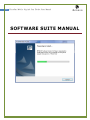
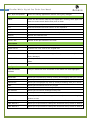
21 UltraPen Mobile Digital Pen Tablet User Manual SYSTEM REQUIREMENTS Microsoft® Windows 2000 (SP4) or Microsoft® Windows XP (SP2) or Microsoft® Vista or Win 7 32 bit Minimum 50MB available hard disk space Minimum 128MB RAM 32 bit color quality Screen resolution of 1024x768 pixels Available USB port Setting Up Your Desktop Software Your product is packaged with a CD that includes its companion desktop software. First connecting UltraPen Receiver to PC, you need to install the software of Note Manager. Just chose one of language version you needed to install. INSTALLING THE SOFTWARE OF NOTE MANAGER Chinese Version: Insert the installation CD into your CD ROM drive. Please open the first folder of “Note Manager & Driver - Chinese 繁體中文版” to run setup.exe. Then follow the instructions on the screen to install until it run completely. English Version: Insert the installation CD into your CD ROM drive. Please open the second folder of “Note Manager & Driver – English” to run setup.exe. Then follow the instructions on the screen to install until it run completely. After the installation process, when running the application for the 1 st time, a new folder named “Ink Notes,” is created in your “My Documents” directory. All your notes will be saved into this directory. In the event that no “My Documents” directory is found, the installation process will create a new “My Documents” folder on your C hard drive. The