1
Save and Recall
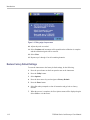
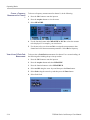
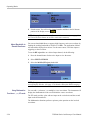
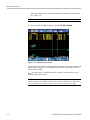
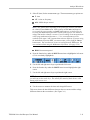
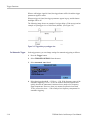
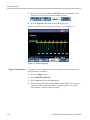
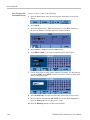
6. A message will appear asking if you want to continue to view mode, as data
on the display screen will be lost. Select YES to recall the selected setup.
7. Observe that the recalled setup is displayed and that STOP appears on the
screen.
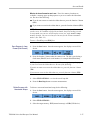
8. Press the Run/Stop button to exit view mode and resume measurements in
the recalled operating configuration.
View Stored Screens
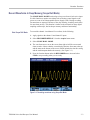
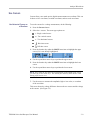
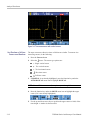
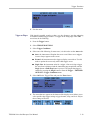
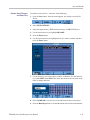
To scroll through the memories while looking at the stored screens, do the
following:
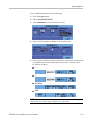
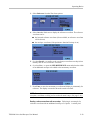
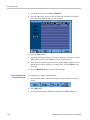
1. Press the Save button. Once the menu appears, the display screen will be
frozen.
2. Select RECALL.
3. Select the target memory: INT (internal memory) or USB (USB device).
4. Press the Enter button.
5. Highlight any file.
6. Select VIEW.
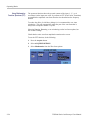
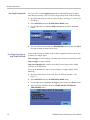
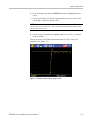
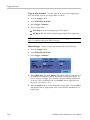
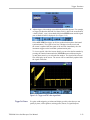
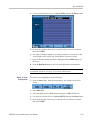
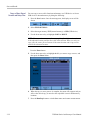
7. A message will appear asking if you want to continue to view mode, as data
on the display screen will be lost. Select YES to view the file and open the
viewer menu.
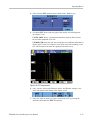
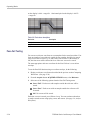
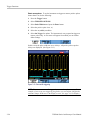
8. Use the up and down arrow keys to scroll through all stored screens.
9. Select the function 3 button to save the screen to internal memory or a USB
device (if connected).
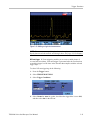
10. Press the Run/Stop button to exit view mode and resume measurements.
NOTE. The replay screens of a saved record + setup cannot be viewed while the
instrument is in VIEW mode. Only the screen at the instant of saving can be
reviewed in this way. To see all replay screens, recall them from memory using the
RECALL option. (See page 3-28, Recall Screens with Associated Setups.)
3–30
THS3000 Series Oscilloscopes User Manual