1
Trigger Functions
Trigger Filter
Trigger filtering determines what part of the signal is passed to the trigger circuit.
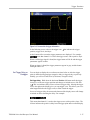
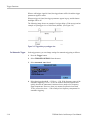
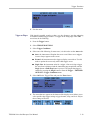
Edge triggering can use both available filter types: Noise Reject and HF Reject.
Following are some typical trigger applications:
Use the AutoRange™ function to have full automatic triggering and stable
display of most waveforms.
If the signal is unstable or has a very low frequency, you can control the
trigger level, slope, and trigger delay for a better view of the signal. (See
next section.)
For dedicated applications, use one of the three manual trigger functions:
Edge triggering
Video triggering
Pulse Width triggering
Choose a Trigger Type
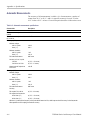
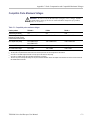
You can select from the following trigger types:
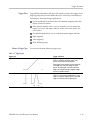
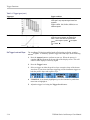
Table 3-1: Trigger types
Trigger type
Trigger conditions
Edge
Trigger on a rising, falling, or either rising or falling
edges, as defined by the slope control. Filter
choices are HF Reject and Noise Reject.
Edge triggers are the simplest and most commonly
used trigger type, with both analog and digital
signals. An edge trigger event occurs when the
trigger source passes through a specified voltage
level in the specified direction.
Pulse width
Trigger on pulses that are less than, greater than,
equal to, or not equal to a specified time. You can
trigger on positive or negative pulses. Pulse width
triggers are primarily used on digital signals.
THS3000 Series Oscilloscopes User Manual
3–15